
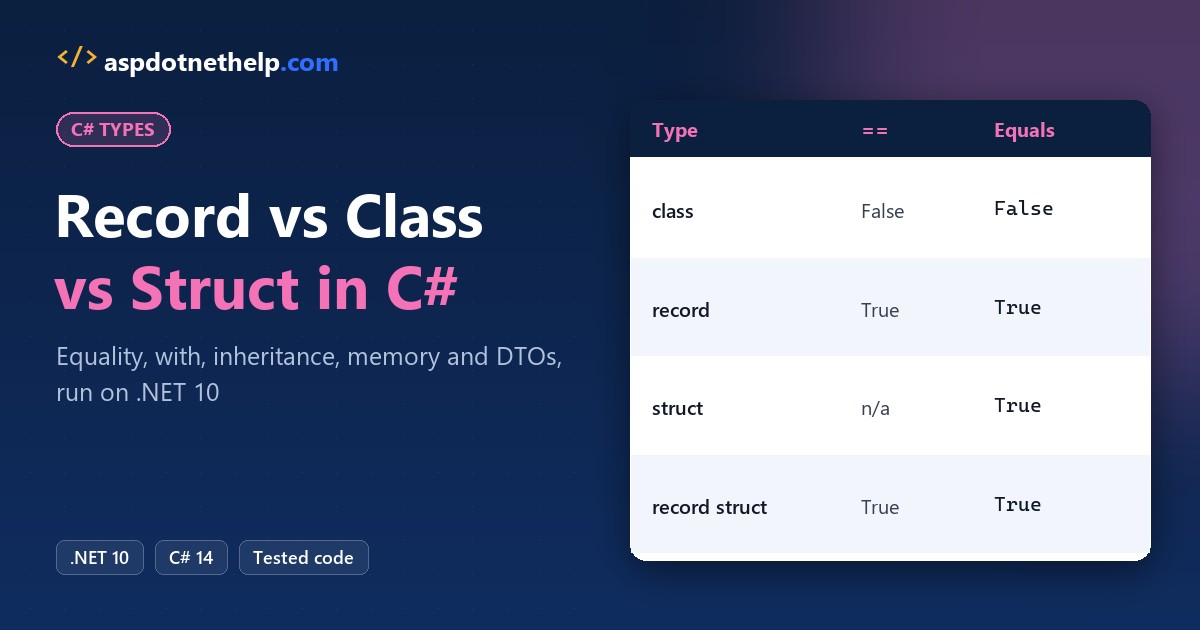
If you’re modeling a shipping address or an API payload, here’s my rule for C# record vs class: use a record when two objects with the same values should be equal.
Use a class for objects with identity and changing state, and a struct only for tiny values.
I ran all three on one Austin, TX address on .NET 10. The class called two identical addresses unequal, the record and struct didn’t, and a million structs allocated 15.3 MB versus 38.1 MB.
Record vs Class vs Struct in C# at a Glance
A record isn’t a third kind of type. It’s a modifier: record (or record class) is a reference type, and record struct is a value type. The compiler adds value equality, ToString, with and deconstruction on top.
| Feature | record (class) | class | struct |
|---|---|---|---|
| Kind of type | Reference | Reference | Value |
== on two identical addresses (my run) | True | False | Doesn’t compile (CS0019) |
Equals on the same two | True | False | True (reflection-based) |
Positional syntax + Deconstruct | Generated | No | Only as record struct |
ToString() output | Type name + every property | Type name only | Type name only |
with expressions | Yes | No | Yes (C# 10+) |
| Inheritance | From another record only | Yes | No |
| Copy on assignment | Reference | Reference | Whole value (16 bytes here) |
| EF Core entity | No | Yes | No |
Every test below uses one sample: a shipping address in Austin, TX 78701, declared four ways. If plain structs are new to you, start with structures in C#.
Record vs Class Equality: Does == Compare Values?
Only on records. Here are two identical addresses per type, compared with == and Equals:
var c1 = new AddressClass("Austin", "TX", "78701");
var c2 = new AddressClass("Austin", "TX", "78701");
var r1 = new AddressRecord("Austin", "TX", "78701");
var r2 = new AddressRecord("Austin", "TX", "78701");
var s1 = new AddressStruct("Austin", "TX", "78701");
var s2 = new AddressStruct("Austin", "TX", "78701");
var rs1 = new AddressRecordStruct("Austin", "TX", "78701");
var rs2 = new AddressRecordStruct("Austin", "TX", "78701");

Console.WriteLine($"class         == {c1 == c2,-5}  Equals {c1.Equals(c2)}");
Console.WriteLine($"record        == {r1 == r2,-5}  Equals {r1.Equals(r2)}");
Console.WriteLine($"struct        == n/a    Equals {s1.Equals(s2)}");
Console.WriteLine($"record struct == {rs1 == rs2,-5}  Equals {rs1.Equals(rs2)}");

class AddressClass(string city, string state, string zip)
{
    public string City => city; public string State => state; public string Zip => zip;
}
record AddressRecord(string City, string State, string Zip);
struct AddressStruct(string city, string state, string zip)
{
    public string City = city, State = state, Zip = zip;
}
record struct AddressRecordStruct(string City, string State, string Zip);
Output:
class         == False  Equals False
record        == True   Equals True
struct        == n/a    Equals True
record struct == True   Equals True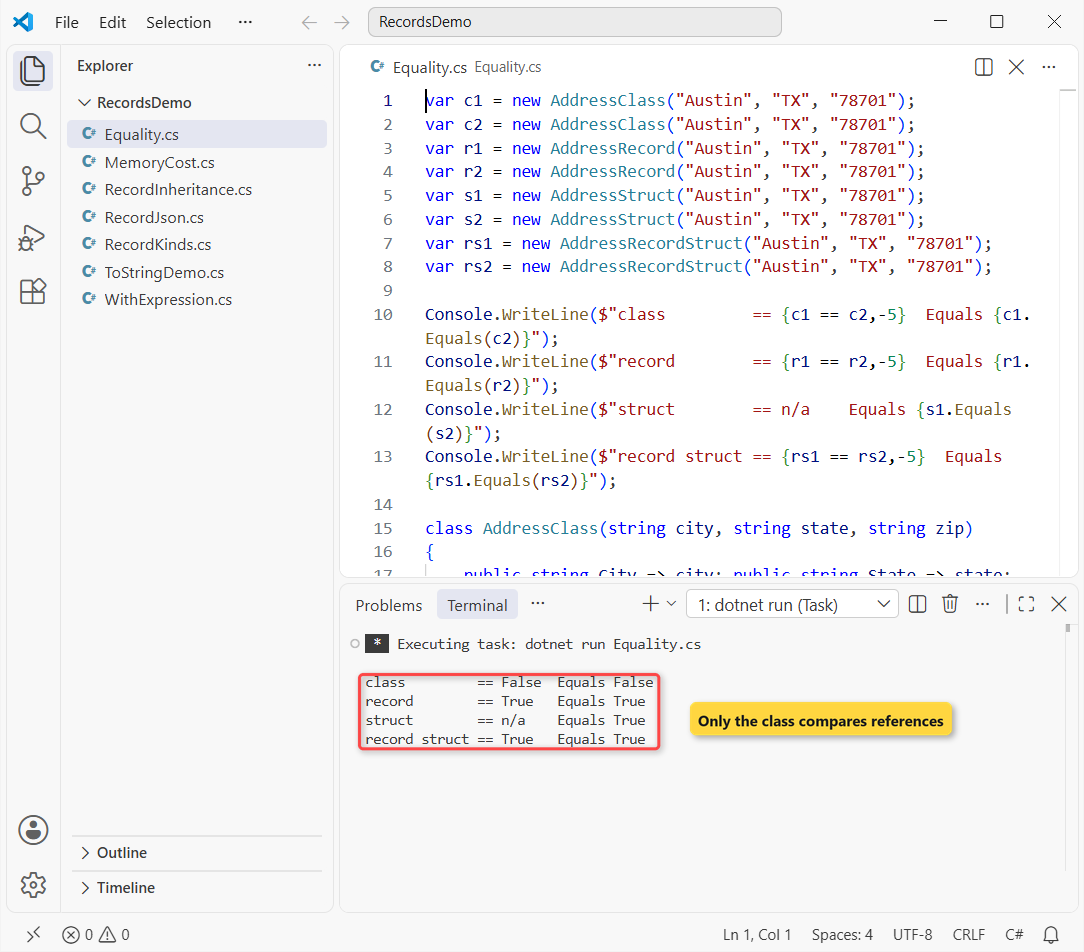
The class printed False because it compares references, and c1 and c2 are two objects. The record compared City, State and Zip and printed True.
The plain struct’s Equals also said True, but == doesn’t exist on a struct until you write it, and ValueType.Equals uses reflection. A record struct gets a compiler-generated == and IEquatable<T> for free.
Record Class vs Record Struct vs Readonly Record Struct
Same address values, now as the three record flavors. Watch what assignment copies and what you’re allowed to change:
var rc = new AddressRecord("Austin", "TX", "78701");
var rcAlias = rc;                       // copies the reference
Console.WriteLine($"record class:    same object {ReferenceEquals(rc, rcAlias)}");

var rs = new AddressRecordStruct("Austin", "TX", "78701");
var rsCopy = rs;                        // copies the whole value
rsCopy.City = "Dallas";                 // allowed: positional props are get; set;
Console.WriteLine($"record struct:   {rs.City} / {rsCopy.City}");

var ro = new AddressReadonly("Austin", "TX", "78701");
// ro.City = "Dallas";                  // CS8852: init-only property
Console.WriteLine($"readonly record struct: {ro}");

record AddressRecord(string City, string State, string Zip);
record struct AddressRecordStruct(string City, string State, string Zip);
readonly record struct AddressReadonly(string City, string State, string Zip);
Output:
record class:    same object True
record struct:   Austin / Dallas
readonly record struct: AddressReadonly { City = Austin, State = TX, Zip = 78701 }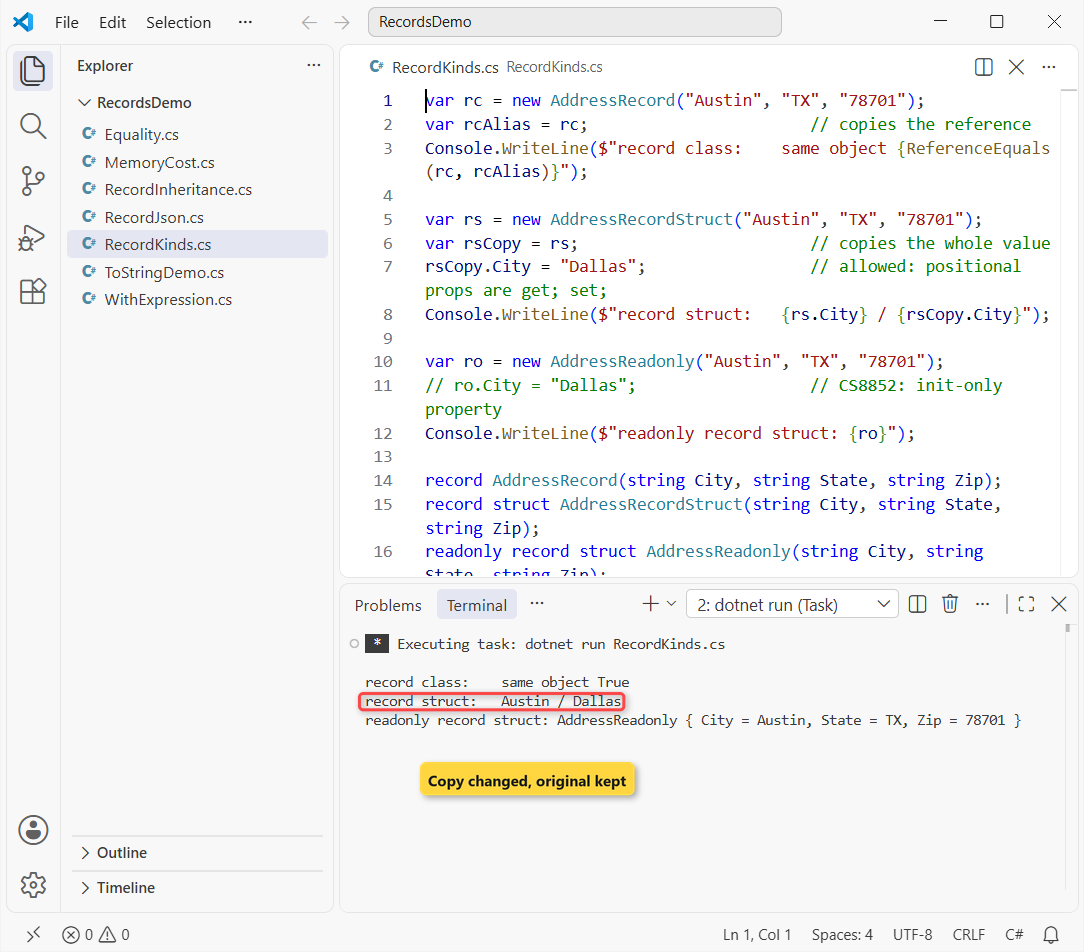
Assigning the record class copied the reference, so both variables point at one object. Assigning the record struct copied the value, so changing the copy to Dallas left the original in Austin.
Positional properties are init-only in a record class and a readonly record struct (the ro.City line fails with CS8852), but read-write in a plain record struct. I default to readonly record struct.
Record ToString Output and Positional Deconstruction
Positional syntax (record AddressRecord(string City, string State, string Zip)) writes the primary constructor, the properties and a Deconstruct method for you:
var home = new AddressRecord("Austin", "TX", "78701");
Console.WriteLine(home);
Console.WriteLine(new AddressClass { City = "Austin" });

var (city, state, zip) = home;          // positional records get Deconstruct
Console.WriteLine($"{city}, {state} {zip}");

record AddressRecord(string City, string State, string Zip);
class AddressClass { public string? City; }
Output:
AddressRecord { City = Austin, State = TX, Zip = 78701 }
AddressClass
Austin, TX 78701
The record printed every property in Type { Name = Value } form; the class printed only its type name, so you’d override ToString in C# yourself for readable logs.
With Expressions: Copying a Record (and the Shallow Copy Gotcha)
Records are meant to be changed by copying. A with expression clones the record and sets only the properties you list. Same address values, plus a shipment that holds a list:
var home = new AddressRecord("Austin", "TX", "78701");
var office = home with { City = "Dallas", Zip = "75201" };
Console.WriteLine(home);
Console.WriteLine(office);
Console.WriteLine($"Equal: {home == office}");

var order = new Shipment(1001, ["Tent", "Lantern"]);
var reship = order with { Id = 1002 };          // shallow copy
reship.Items.Add("Cooler");
Console.WriteLine($"Order 1001 items: {string.Join(", ", order.Items)}");

var safe = order with { Id = 1003, Items = [.. order.Items] };
safe.Items.Add("Stove");
Console.WriteLine($"Order 1001 items: {order.Items.Count}, 1003: {safe.Items.Count}");

record AddressRecord(string City, string State, string Zip);
record Shipment(int Id, List<string> Items);
Output:
AddressRecord { City = Austin, State = TX, Zip = 78701 }
AddressRecord { City = Dallas, State = TX, Zip = 75201 }
Equal: False
Order 1001 items: Tent, Lantern, Cooler
Order 1001 items: 3, 1003: 4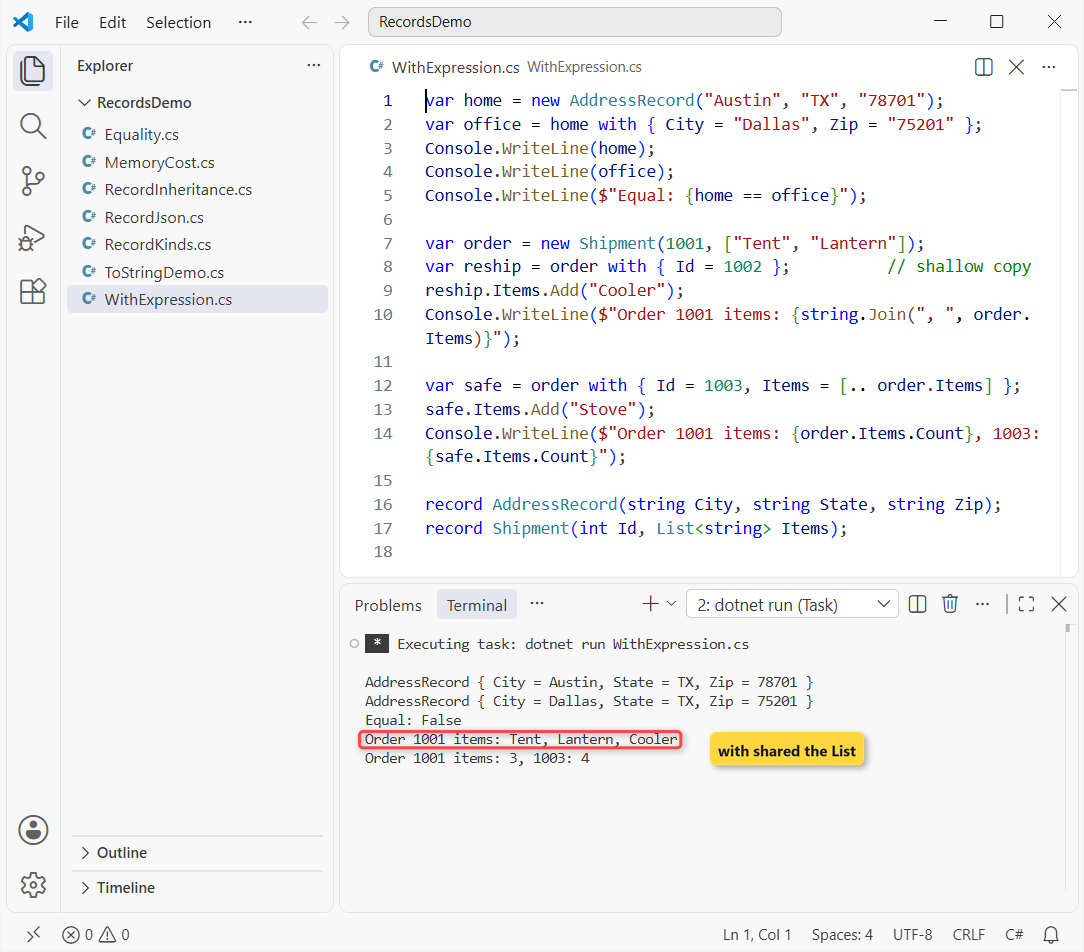
The Dallas copy left Austin alone. The shipment is the trap: order 1001 suddenly had a Cooler it never ordered.
with copies references, not the objects behind them, so both records shared one List<string>. Copying the list in the same expression (Items = [.. order.Items]) gave order 1003 its own four items.
Record Inheritance: Records Can’t Inherit From Classes
Record classes support inheritance in C#, but only with other records. Same Austin data, now with a business address that adds a company name:
Address home = new Address("Austin", "TX", "78701");
Address dock = new BusinessAddress("Austin", "TX", "78701", "Lone Star Outfitters");

Console.WriteLine(dock);
Console.WriteLine($"Same values, different types: {home == dock}");
Console.WriteLine($"dock is Address: {dock is Address}");

record Address(string City, string State, string Zip);
record BusinessAddress(string City, string State, string Zip, string Company)
    : Address(City, State, Zip);
Output:
BusinessAddress { City = Austin, State = TX, Zip = 78701, Company = Lone Star Outfitters }
Same values, different types: False
dock is Address: True
The derived ToString included the base properties. Equality also checks the runtime type, so two addresses with the same city, state and ZIP weren’t equal.
A record can’t inherit from a class, and a class can’t inherit from a record. I tried it and got CS8864: Records may only inherit from object or another record. Structs and record structs can’t inherit at all.
Record vs Class vs Struct Performance and Memory
This test fills an array with 1,000,000 addresses per type. GC.GetAllocatedBytesForCurrentThread counts the bytes and Stopwatch the time:
using System.Diagnostics;
using System.Runtime.CompilerServices;

const int N = 1_000_000;
Console.WriteLine($"struct size: {Unsafe.SizeOf<AddrStruct>()} bytes");
Run("class ", () => { var a = new AddrClass[N]; for (int i = 0; i < N; i++) a[i] = new("Austin", i); });
Run("record", () => { var a = new AddrRecord[N]; for (int i = 0; i < N; i++) a[i] = new("Austin", i); });
Run("struct", () => { var a = new AddrStruct[N]; for (int i = 0; i < N; i++) a[i] = new("Austin", i); });
Run("boxed ", () => { var a = new object[N]; for (int i = 0; i < N; i++) a[i] = new AddrStruct("Austin", i); });

static void Run(string name, Action fill)
{
    fill();                                           // warm-up
    long start = GC.GetAllocatedBytesForCurrentThread();
    var sw = Stopwatch.StartNew(); fill();
    double mb = (GC.GetAllocatedBytesForCurrentThread() - start) / 1048576.0;
    Console.WriteLine($"{name}  {mb,6:F1} MB  {sw.ElapsedMilliseconds,3} ms");
}
class AddrClass(string city, int zip) { public string City = city; public int Zip = zip; }
record AddrRecord(string City, int Zip);
readonly record struct AddrStruct(string City, int Zip);
Output:
struct size: 16 bytes
class     38.1 MB  173 ms
record    38.1 MB  179 ms
struct    15.3 MB   76 ms
boxed     38.1 MB  175 ms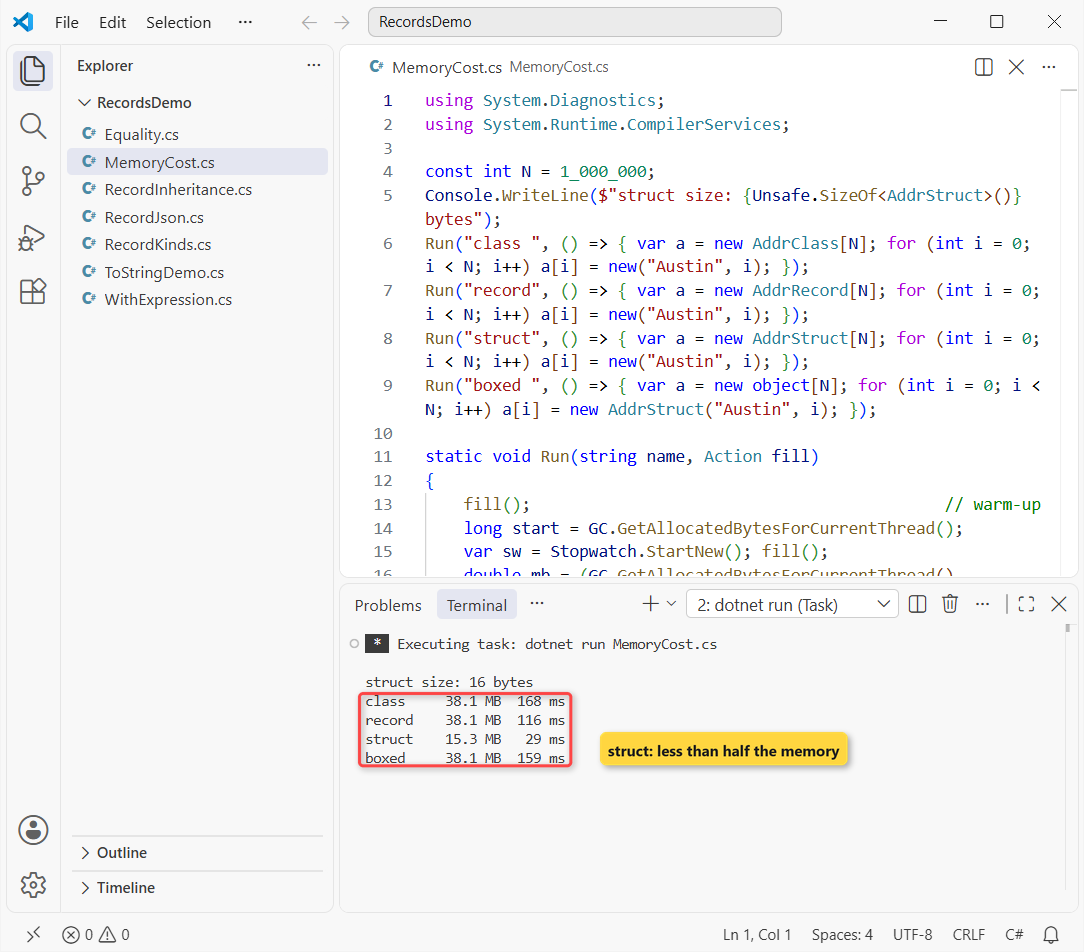
Class and record allocated the same 38.1 MB, so a record costs nothing extra (the millisecond gap between them changes every run). The struct array took 15.3 MB in 76 ms, because the values sit inline with no object headers.
Storing the same structs as object boxed every one and allocated 38.1 MB in 175 ms. That’s why boxing and unboxing matters when you pick a struct.
This struct is 16 bytes, and every assignment or method call copies all of it, where a class copies an 8-byte reference. Microsoft’s guideline keeps structs under 16 bytes and immutable, so this one is right at the line.
Records as DTOs: ASP.NET Core and System.Text.Json
Records are my default for request and response bodies. ASP.NET Core binds JSON with System.Text.Json, which calls the record’s constructor by parameter name:
#:property PublishAot=false
using System.Text.Json;

var web = new JsonSerializerOptions(JsonSerializerDefaults.Web);
var dto = new AddressDto("Austin", "TX", "78701");

string json = JsonSerializer.Serialize(dto, web);
Console.WriteLine(json);

var back = JsonSerializer.Deserialize<AddressDto>(json, web);
Console.WriteLine(back);
Console.WriteLine($"Round trip equal: {dto == back}");

record AddressDto(string City, string State, string Zip);
Output:
{"city":"Austin","state":"TX","zip":"78701"}
AddressDto { City = Austin, State = TX, Zip = 78701 }
Round trip equal: True
The record serialized to {"city":"Austin","state":"TX","zip":"78701"} and came back equal to the original, which also makes DTOs easy to assert in tests.
Important: file-based apps publish as native AOT by default, which turns off reflection-based JSON. The #:property PublishAot=false line switches that off.
Should EF Core Entities Be Records or Classes?
Classes. Microsoft Learn says EF Core relies on reference equality to keep one instance per entity, so records and record structs aren’t appropriate as entity types. EF Core also doesn’t support updating immutable entities.
In my ASP.NET Core Web API CRUD with EF Core build, the entity is a class and the API contracts are records.
When to Use a Record, a Class or a Struct
| Situation | Pick |
|---|---|
| DTO, API request/response, message, config snapshot | record |
| Object with identity and changing state (customer, cart, service) | class |
| EF Core entity | class |
| Small value under 16 bytes (point, money, coordinates) | readonly record struct |
| Value type you mutate in a tight loop | struct or record struct |
| Throwaway grouping inside one method | a tuple |
For that last row, a tuple in C# is lighter than any declared type. Once the data leaves the method, I promote it to a record.
Classes compare identity, records compare values, structs copy values. Pick by how equality and copying should behave; a record and a class cost the same.
Keep going with these:
- Query lists of records with LINQ
- Abstract classes for shared behavior
- New C# 14 features for your types
- All C# tutorials on aspdotnethelp.com
Frequently Asked Questions
Are C# records immutable?
Positional properties are init-only in a record class and a readonly record struct, but read-write in a record struct. The immutability is shallow: a List property can still be changed.
Is a record slower than a class?
Not to create: 1,000,000 of each allocated 38.1 MB. Equals and GetHashCode compare every property, so they cost more than a reference check.
Can a record inherit from a class?
No. A record can inherit only from another record (or object), and a class can’t inherit from a record; the compiler reports CS8864.
When should I use a record instead of a class?
Use a record for data whose equality depends on its values: DTOs, messages, settings. See the records reference on Microsoft Learn for every generated member.
Should I use a struct or a record struct?
A record struct, unless you need full control. It adds ==, IEquatable and ToString without reflection. Keep it small; Microsoft’s class vs struct guideline suggests under 16 bytes.

Bijay Kumar is a renowned software engineer, accomplished author, and distinguished Microsoft Most Valuable Professional (MVP) specializing in SharePoint. With a rich professional background spanning over 15 years, Bijay has established himself as an authority in the field of information technology. He possesses unparalleled expertise in multiple programming languages and technologies such as ASP.NET, ASP.NET MVC, C#.NET, and SharePoint, which has enabled him to develop innovative and cutting-edge solutions for clients across the globe. Read more…