
Say you’re writing a C# console app for a Columbus, Ohio supply company that emails a reminder for every invoice 14 or more days past due. It needs an email sender and an invoice repository, and neither should be created inside the reminder logic.
That’s the job of dependency injection in a C# console app: add Microsoft.Extensions.Hosting, register the services on Host.CreateApplicationBuilder and resolve them from a scope. We’ll build the whole tool on .NET 10, one real run per step.
The Finished Invoice Reminder Console App
Here’s what we’re building. The app reads the unpaid invoices, emails the ones that are late enough and logs a summary:
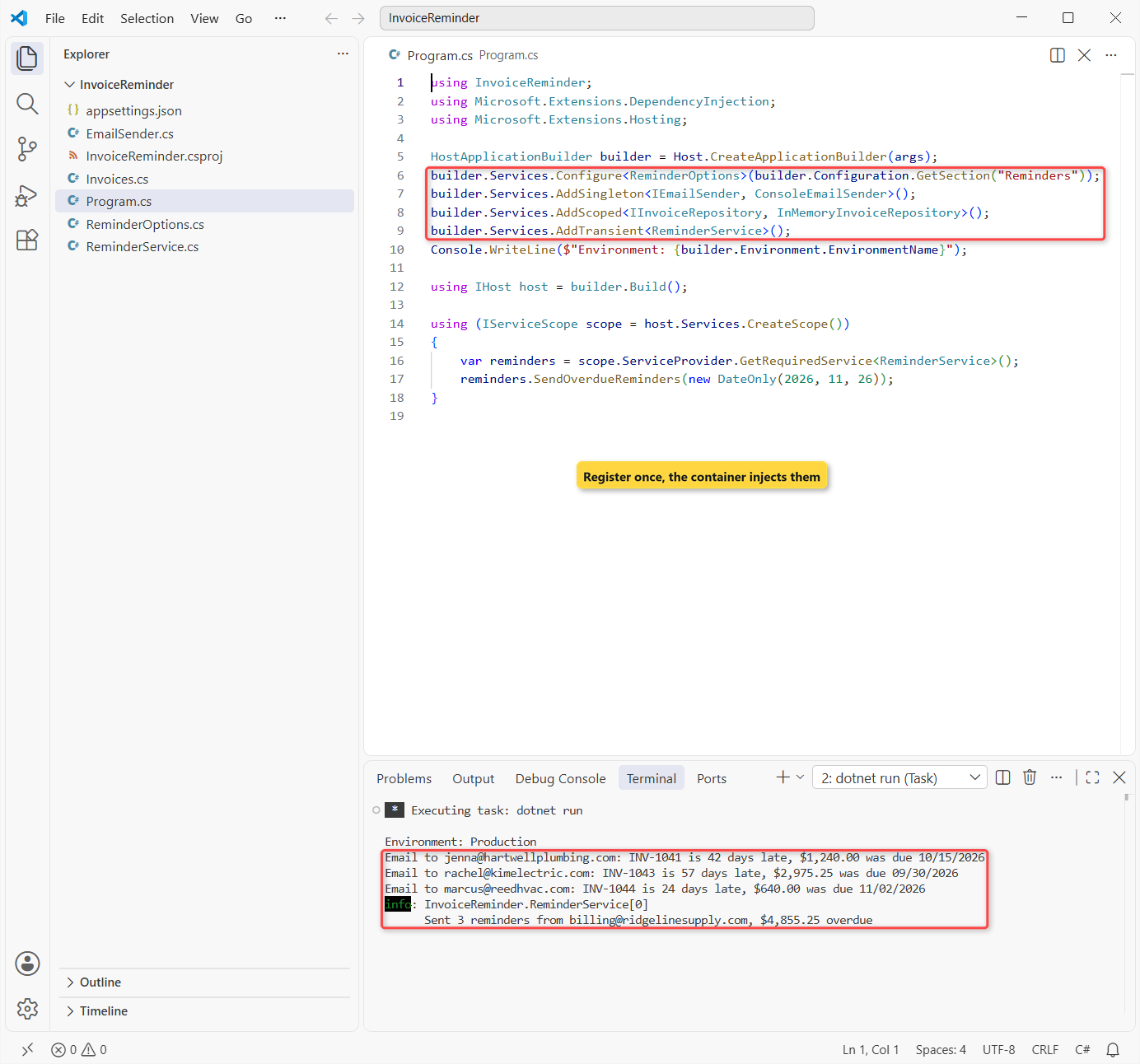
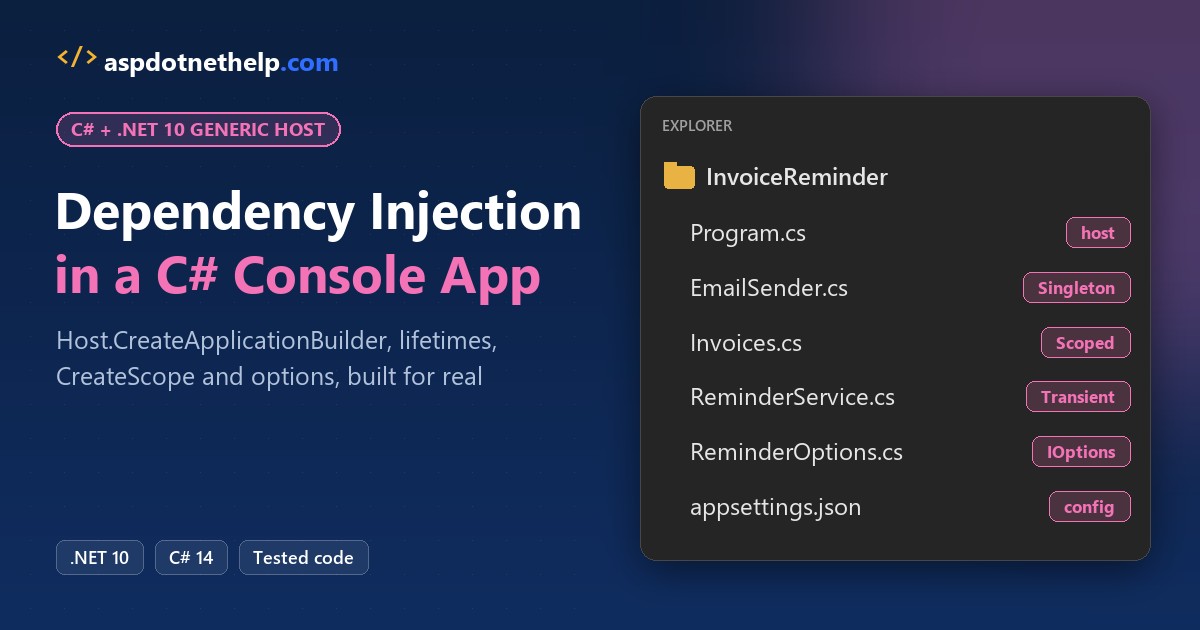
ConsoleEmailSender(singleton) sends the email. Here it writes to the console.InMemoryInvoiceRepository(scoped) stands in for a database.ReminderService(transient) gets both through its constructor, plusILoggerand the settings fromappsettings.json.
Before You Start
You need the .NET 10 SDK (I used 10.0.402) and VS Code with the C# extension. If you’ve never made a console project there, my guide to creating a console app in VS Code covers the setup.
The sample data is five invoices for Ohio contractors, checked on 11/26/2026:
| Invoice | Customer | Amount | Due date | Paid | Days late on 11/26/2026 |
|---|---|---|---|---|---|
| INV-1041 | Jenna Morales | $1,240.00 | 10/15/2026 | No | 42 |
| INV-1042 | Tyler Brooks | $385.50 | 11/20/2026 | No | 6 |
| INV-1043 | Rachel Kim | $2,975.25 | 09/30/2026 | No | 57 |
| INV-1044 | Marcus Reed | $640.00 | 11/02/2026 | No | 24 |
| INV-1045 | Ava Collins | $118.75 | 10/01/2026 | Yes | – |
With a 14-day rule, three invoices get a reminder: INV-1041, INV-1043 and INV-1044, $4,855.25 in total.
Step 1: Create the Console Project
Open a terminal in an empty folder (mine is C:\DotNetDemo\ConsoleDi) and create the project:
dotnet new console -n InvoiceReminder
cd InvoiceReminder
dotnet run
The template’s Program.cs is one line:
Console.WriteLine("Hello, World!");Output:
Hello, World!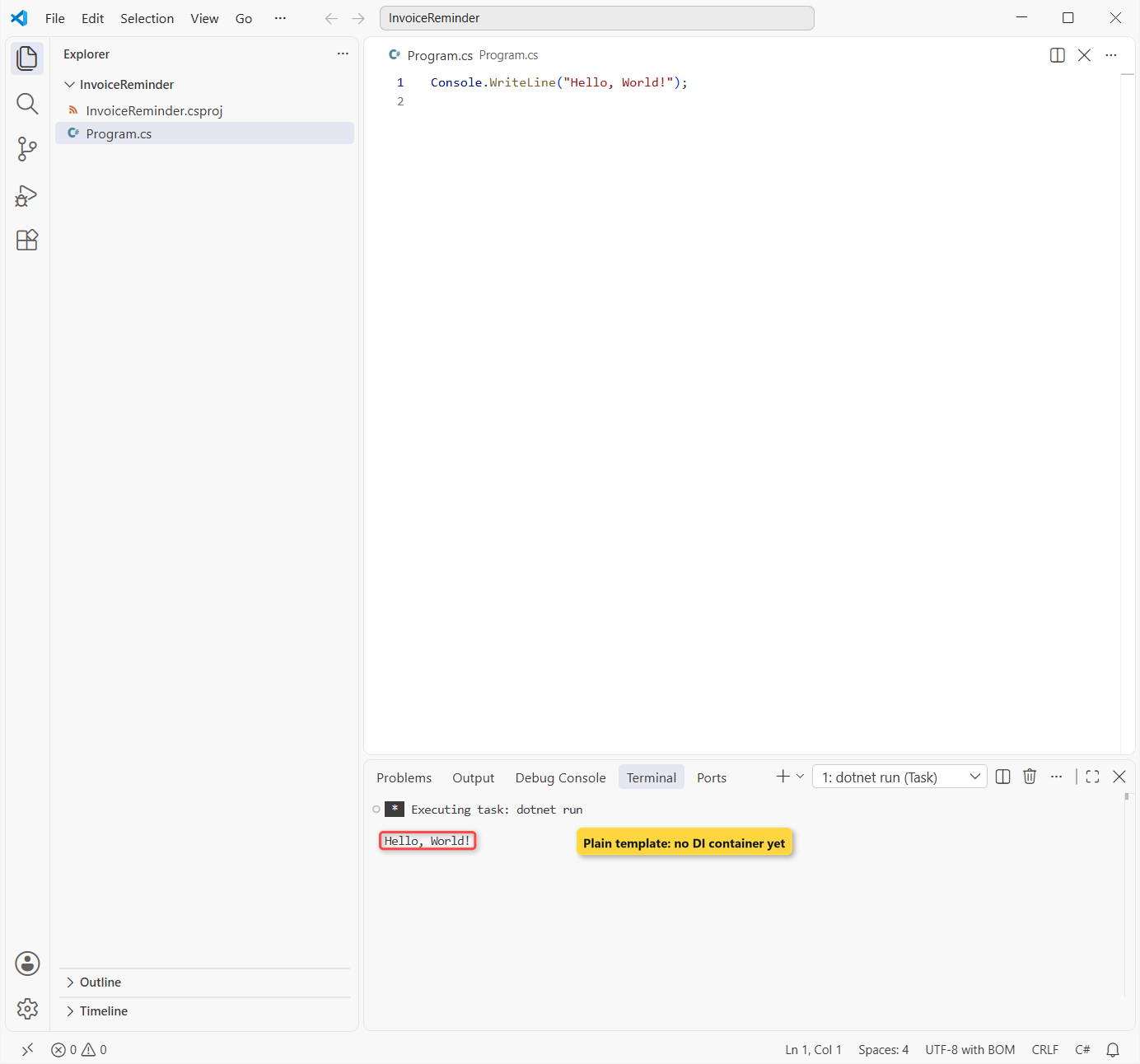
Checkpoint: the terminal prints Hello, World!. A plain console app has no container yet, so everything after this comes from one NuGet package.
Step 2: Add the Microsoft.Extensions.Hosting Package
The Generic Host lives in Microsoft.Extensions.Hosting. It brings the DI container, configuration and logging in one reference. Version 10.0.14 is the current stable release:
dotnet add package Microsoft.Extensions.Hosting --version 10.0.14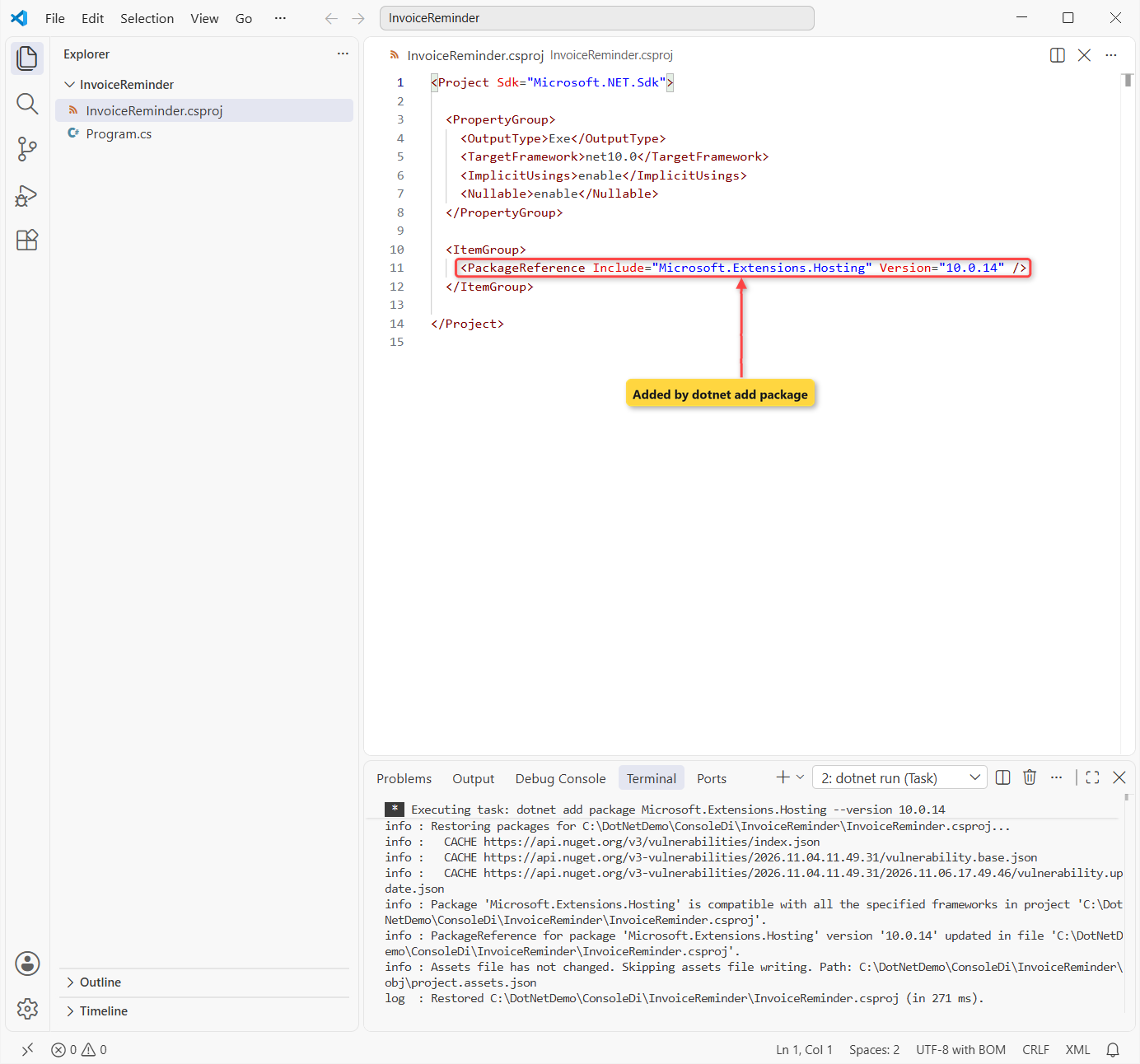
The project file now looks like this:
<Project Sdk="Microsoft.NET.Sdk">

  <PropertyGroup>
    <OutputType>Exe</OutputType>
    <TargetFramework>net10.0</TargetFramework>
    <ImplicitUsings>enable</ImplicitUsings>
    <Nullable>enable</Nullable>
  </PropertyGroup>

  <ItemGroup>
    <PackageReference Include="Microsoft.Extensions.Hosting" Version="10.0.14" />
  </ItemGroup>

</Project>
Checkpoint: InvoiceReminder.csproj has a PackageReference for Microsoft.Extensions.Hosting 10.0.14, and the restore ends with “Restored”. On .NET 10 you can also type dotnet package add, one of the CLI changes in what’s new in .NET 10; both forms work.
Step 3: Write the Email Sender, Repository and Reminder Service
Each dependency gets an interface, so the reminder logic never names a concrete class. First the invoices, in Invoices.cs:
namespace InvoiceReminder;

public record Invoice(string Number, string Customer, string Email,
    decimal Amount, DateOnly DueDate, bool IsPaid);

public interface IInvoiceRepository
{
    IReadOnlyList<Invoice> GetUnpaid();
}

// Registered as scoped: a real one would wrap an EF Core DbContext
public class InMemoryInvoiceRepository : IInvoiceRepository
{
    static readonly Invoice[] All =
    [
        new("INV-1041", "Jenna Morales", "jenna@hartwellplumbing.com", 1240.00m, new(2026, 10, 15), false),
        new("INV-1042", "Tyler Brooks", "tyler@brooksroofing.com", 385.50m, new(2026, 11, 20), false),
        new("INV-1043", "Rachel Kim", "rachel@kimelectric.com", 2975.25m, new(2026, 9, 30), false),
        new("INV-1044", "Marcus Reed", "marcus@reedhvac.com", 640.00m, new(2026, 11, 2), false),
        new("INV-1045", "Ava Collins", "ava@collinsdesign.com", 118.75m, new(2026, 10, 1), true),
    ];

    public IReadOnlyList<Invoice> GetUnpaid() => [.. All.Where(i => !i.IsPaid)];
}
The email sender goes in EmailSender.cs:
namespace InvoiceReminder;

public interface IEmailSender
{
    void Send(string to, string subject);
}

// Registered as a singleton: a real one would wrap an SMTP or SendGrid client
public class ConsoleEmailSender : IEmailSender
{
    public void Send(string to, string subject) =>
        Console.WriteLine($"Email to {to}: {subject}");
}
ReminderService.cs asks for both, plus a logger, in its primary constructor. It never calls new on any of them:
using System.Globalization;
using Microsoft.Extensions.Logging;

namespace InvoiceReminder;

public class ReminderService(IInvoiceRepository invoices, IEmailSender email,
    ILogger<ReminderService> logger)
{
    static readonly CultureInfo US = CultureInfo.GetCultureInfo("en-US");
    const int MinDaysOverdue = 14;

    public void SendOverdueReminders(DateOnly today)
    {
        var overdue = invoices.GetUnpaid()
            .Where(i => today.DayNumber - i.DueDate.DayNumber >= MinDaysOverdue)
            .ToList();
        foreach (Invoice inv in overdue)
            email.Send(inv.Email, $"{inv.Number} is {today.DayNumber - inv.DueDate.DayNumber} days late, "
                + $"{inv.Amount.ToString("C", US)} was due {inv.DueDate.ToString("MM/dd/yyyy", US)}");
        logger.LogInformation("Sent {Count} reminders, {Total} overdue",
            overdue.Count, overdue.Sum(i => i.Amount).ToString("C", US));
    }
}
I format money and dates with en-US on purpose, so the output shows dollars and MM/dd/yyyy dates on any machine, whatever its regional settings.
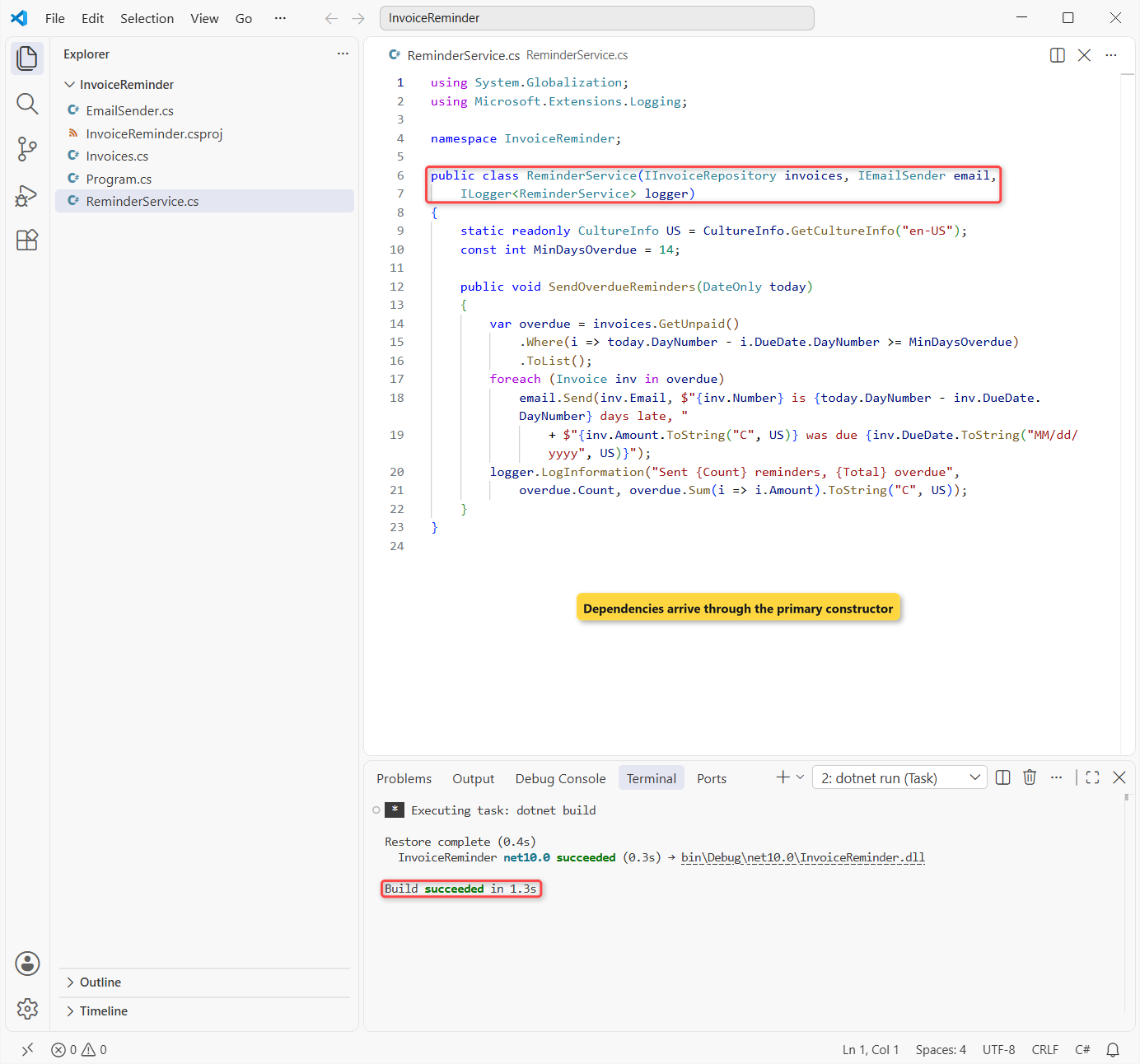
Checkpoint: dotnet build ends with “Build succeeded” and no warnings. Nothing runs yet, because nobody creates these classes.
Step 4: Register Services with Host.CreateApplicationBuilder
Now Program.cs builds the host, registers the three services and asks the container for a ReminderService:
using InvoiceReminder;
using Microsoft.Extensions.DependencyInjection;
using Microsoft.Extensions.Hosting;

HostApplicationBuilder builder = Host.CreateApplicationBuilder(args);
builder.Services.AddSingleton<IEmailSender, ConsoleEmailSender>();
builder.Services.AddScoped<IInvoiceRepository, InMemoryInvoiceRepository>();
builder.Services.AddTransient<ReminderService>();
Console.WriteLine($"Environment: {builder.Environment.EnvironmentName}");

using IHost host = builder.Build();

var reminders = host.Services.GetRequiredService<ReminderService>();
reminders.SendOverdueReminders(new DateOnly(2026, 11, 26));
Output:
Environment: Production
Email to jenna@hartwellplumbing.com: INV-1041 is 42 days late, $1,240.00 was due 10/15/2026
Email to rachel@kimelectric.com: INV-1043 is 57 days late, $2,975.25 was due 09/30/2026
Email to marcus@reedhvac.com: INV-1044 is 24 days late, $640.00 was due 11/02/2026
info: InvoiceReminder.ReminderService[0]
      Sent 3 reminders, $4,855.25 overdue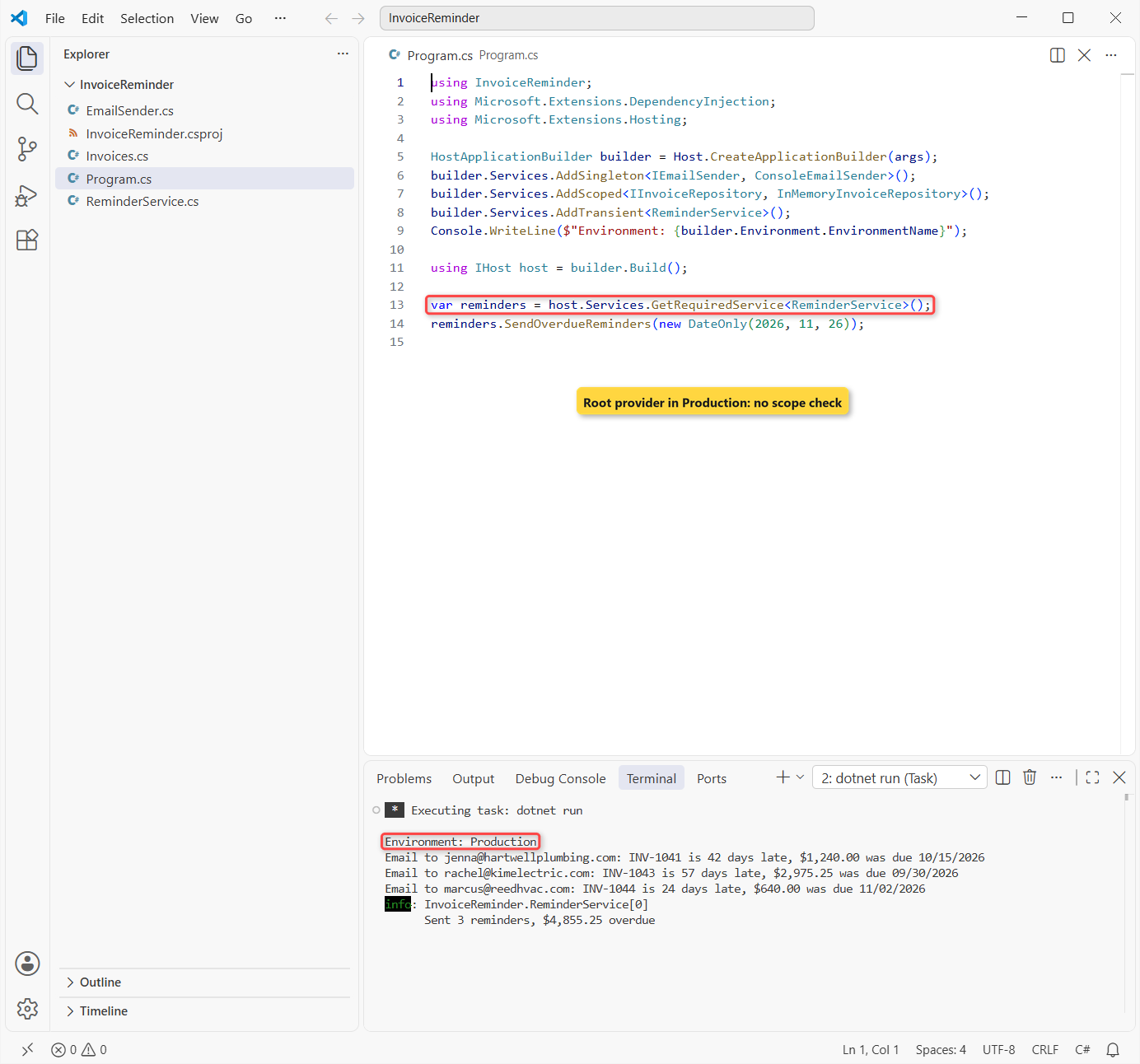
GetRequiredService built ReminderService, saw it needs an IInvoiceRepository, an IEmailSender and an ILogger<ReminderService>, and supplied all three. The host registered logging for us.
Which lifetime fits which service is its own topic; I compare them in singleton vs scoped vs transient lifetimes. The rules are the same in a console app.
Checkpoint: three “Email to” lines and the log “Sent 3 reminders, $4,855.25 overdue”. The first line says Environment: Production, and that hides a bug.
Step 5: Resolve Scoped Services with CreateScope
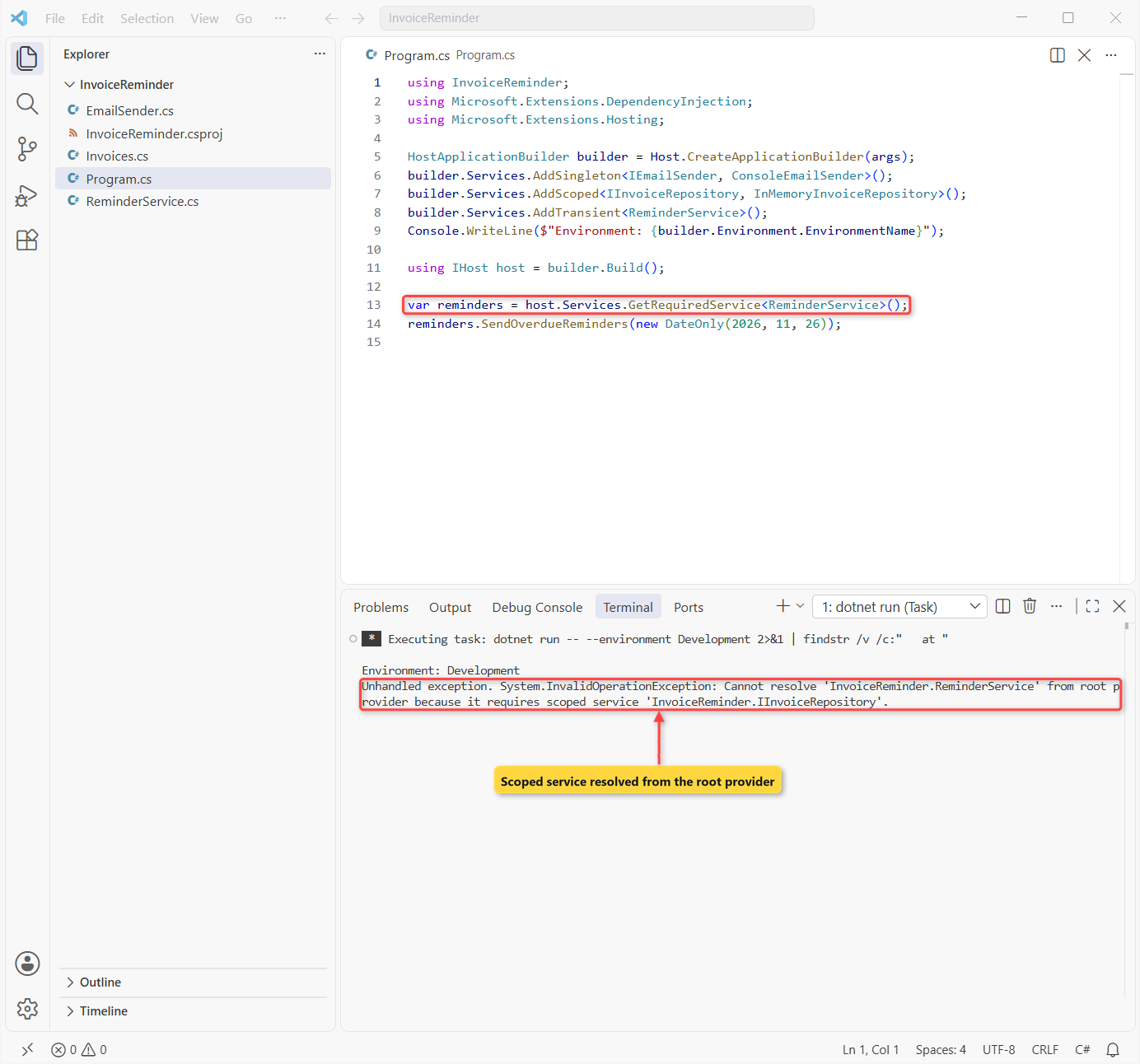
The repository is scoped, but Step 4 resolved it from the root provider, so it lives as long as the app. It worked only because a console app defaults to Production, where scope validation is off.
Run the same code in the Development environment, where the host turns scope validation on:
dotnet run -- --environment DevelopmentOutput (stack trace trimmed):
Environment: Development
Unhandled exception. System.InvalidOperationException: Cannot resolve 'InvoiceReminder.ReminderService' from root provider because it requires scoped service 'InvoiceReminder.IInvoiceRepository'.
The message says it plainly: ReminderService needs a scoped IInvoiceRepository, and the root provider won’t hand one out. For the screenshot below, I piped the run through findstr /v to hide the stack trace.
The fix is a scope. Replace the last two lines of Program.cs so the work runs inside CreateScope:
using InvoiceReminder;
using Microsoft.Extensions.DependencyInjection;
using Microsoft.Extensions.Hosting;

HostApplicationBuilder builder = Host.CreateApplicationBuilder(args);
builder.Services.AddSingleton<IEmailSender, ConsoleEmailSender>();
builder.Services.AddScoped<IInvoiceRepository, InMemoryInvoiceRepository>();
builder.Services.AddTransient<ReminderService>();
Console.WriteLine($"Environment: {builder.Environment.EnvironmentName}");

using IHost host = builder.Build();

using (IServiceScope scope = host.Services.CreateScope())
{
    var reminders = scope.ServiceProvider.GetRequiredService<ReminderService>();
    reminders.SendOverdueReminders(new DateOnly(2026, 11, 26));
}
Output:
Environment: Development
Email to jenna@hartwellplumbing.com: INV-1041 is 42 days late, $1,240.00 was due 10/15/2026
Email to rachel@kimelectric.com: INV-1043 is 57 days late, $2,975.25 was due 09/30/2026
Email to marcus@reedhvac.com: INV-1044 is 24 days late, $640.00 was due 11/02/2026
info: InvoiceReminder.ReminderService[0]
      Sent 3 reminders, $4,855.25 overdue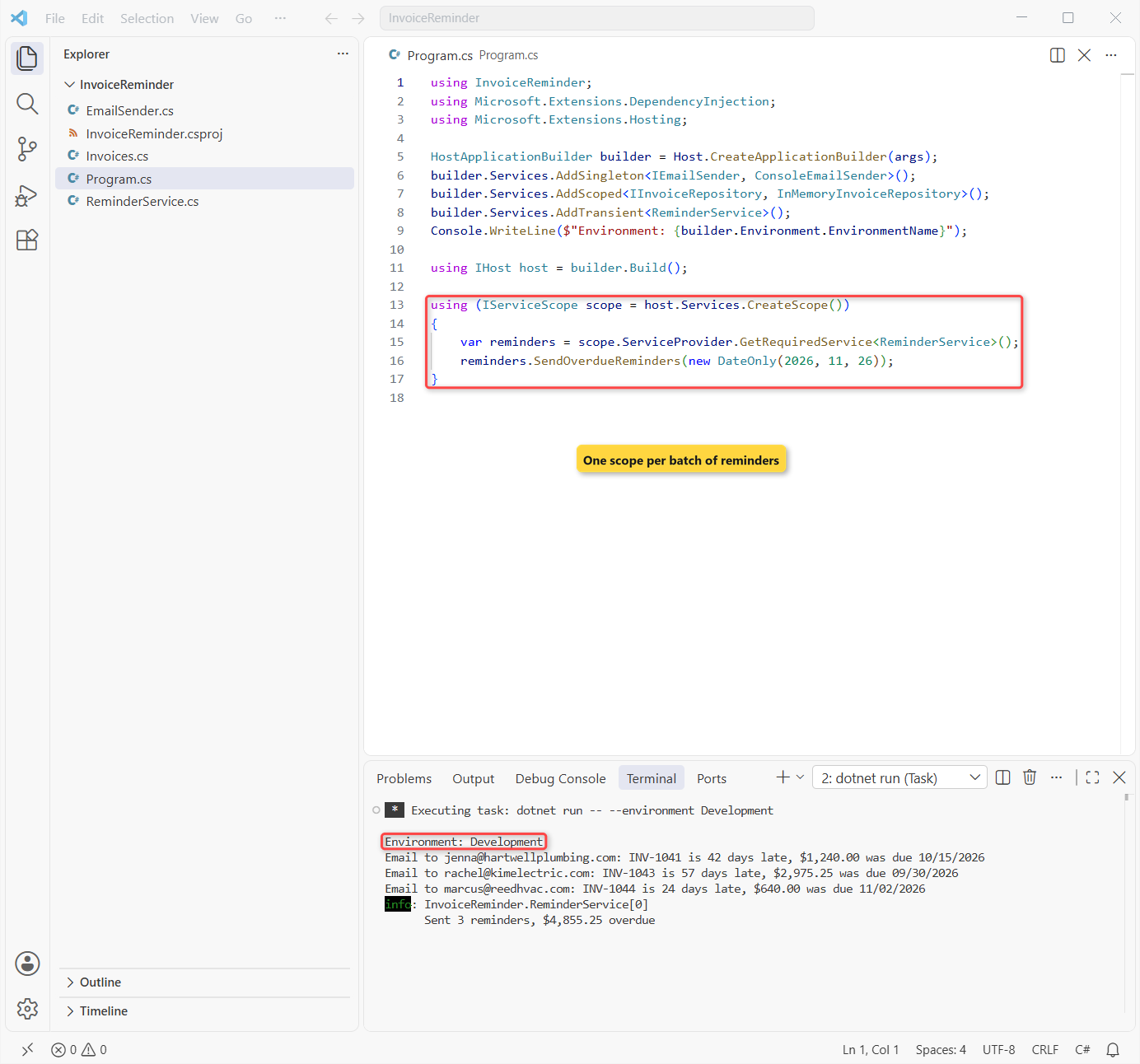
Checkpoint: Environment: Development and the same three reminders, with no exception. Treat one scope like one unit of work: one batch of reminders here, one request in a web app.
This matters as soon as the repository talks to a real database, because an EF Core DbContext is registered as scoped for exactly this reason. You’d get the same error with it.
Step 6: Bind Reminder Settings from appsettings.json
The 14-day rule and the sender address belong in config, not in code. CreateApplicationBuilder already reads appsettings.json, environment variables and command-line arguments. Add the file next to the project:
{
  "Reminders": {
    "FromAddress": "billing@ridgelinesupply.com",
    "MinDaysOverdue": 14
  }
}
A small options class, ReminderOptions.cs, holds the section:
namespace InvoiceReminder;

public class ReminderOptions
{
    public string FromAddress { get; set; } = "";
    public int MinDaysOverdue { get; set; } = 14;
}
ReminderService now takes IOptions<ReminderOptions> instead of the constant:
using System.Globalization;
using Microsoft.Extensions.Logging;
using Microsoft.Extensions.Options;

namespace InvoiceReminder;

public class ReminderService(IInvoiceRepository invoices, IEmailSender email,
    IOptions<ReminderOptions> options, ILogger<ReminderService> logger)
{
    static readonly CultureInfo US = CultureInfo.GetCultureInfo("en-US");

    public void SendOverdueReminders(DateOnly today)
    {
        ReminderOptions settings = options.Value;
        var overdue = invoices.GetUnpaid()
            .Where(i => today.DayNumber - i.DueDate.DayNumber >= settings.MinDaysOverdue)
            .ToList();
        foreach (Invoice inv in overdue)
            email.Send(inv.Email, $"{inv.Number} is {today.DayNumber - inv.DueDate.DayNumber} days late, "
                + $"{inv.Amount.ToString("C", US)} was due {inv.DueDate.ToString("MM/dd/yyyy", US)}");
        logger.LogInformation("Sent {Count} reminders from {From}, {Total} overdue",
            overdue.Count, settings.FromAddress, overdue.Sum(i => i.Amount).ToString("C", US));
    }
}
One line in Program.cs binds the section. Here’s the finished file:
using InvoiceReminder;
using Microsoft.Extensions.DependencyInjection;
using Microsoft.Extensions.Hosting;

HostApplicationBuilder builder = Host.CreateApplicationBuilder(args);
builder.Services.Configure<ReminderOptions>(builder.Configuration.GetSection("Reminders"));
builder.Services.AddSingleton<IEmailSender, ConsoleEmailSender>();
builder.Services.AddScoped<IInvoiceRepository, InMemoryInvoiceRepository>();
builder.Services.AddTransient<ReminderService>();
Console.WriteLine($"Environment: {builder.Environment.EnvironmentName}");

using IHost host = builder.Build();

using (IServiceScope scope = host.Services.CreateScope())
{
    var reminders = scope.ServiceProvider.GetRequiredService<ReminderService>();
    reminders.SendOverdueReminders(new DateOnly(2026, 11, 26));
}
Last, copy appsettings.json to the build output, so the app still finds it after a publish. The final project file:
<Project Sdk="Microsoft.NET.Sdk">

  <PropertyGroup>
    <OutputType>Exe</OutputType>
    <TargetFramework>net10.0</TargetFramework>
    <ImplicitUsings>enable</ImplicitUsings>
    <Nullable>enable</Nullable>
  </PropertyGroup>

  <ItemGroup>
    <PackageReference Include="Microsoft.Extensions.Hosting" Version="10.0.14" />
    <None Update="appsettings.json" CopyToOutputDirectory="PreserveNewest" />
  </ItemGroup>

</Project>
Output:
Environment: Production
Email to jenna@hartwellplumbing.com: INV-1041 is 42 days late, $1,240.00 was due 10/15/2026
Email to rachel@kimelectric.com: INV-1043 is 57 days late, $2,975.25 was due 09/30/2026
Email to marcus@reedhvac.com: INV-1044 is 24 days late, $640.00 was due 11/02/2026
info: InvoiceReminder.ReminderService[0]
      Sent 3 reminders from billing@ridgelinesupply.com, $4,855.25 overdue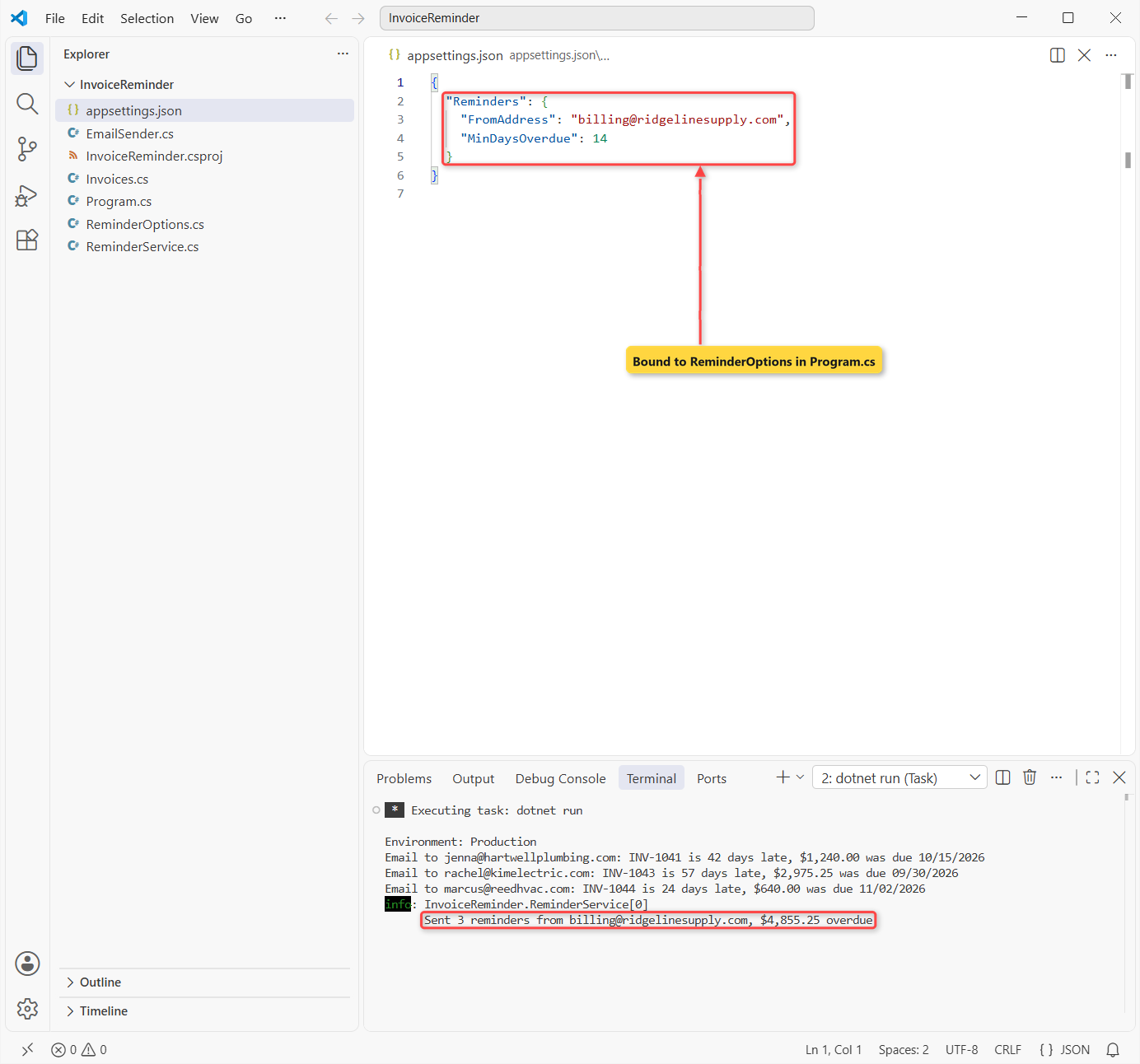
Checkpoint: the log line now names billing@ridgelinesupply.com. IOptionsSnapshot, IOptionsMonitor and validation work the same way here; see the options pattern guide.
Test the Invoice Reminder Console App
Command-line arguments override appsettings.json, so you can test a stricter 30-day rule without touching a file. I ran it in Development so scope validation stays on:
dotnet run -- --environment Development --Reminders:MinDaysOverdue=30Output:
Environment: Development
Email to jenna@hartwellplumbing.com: INV-1041 is 42 days late, $1,240.00 was due 10/15/2026
Email to rachel@kimelectric.com: INV-1043 is 57 days late, $2,975.25 was due 09/30/2026
info: InvoiceReminder.ReminderService[0]
      Sent 2 reminders from billing@ridgelinesupply.com, $4,215.25 overdue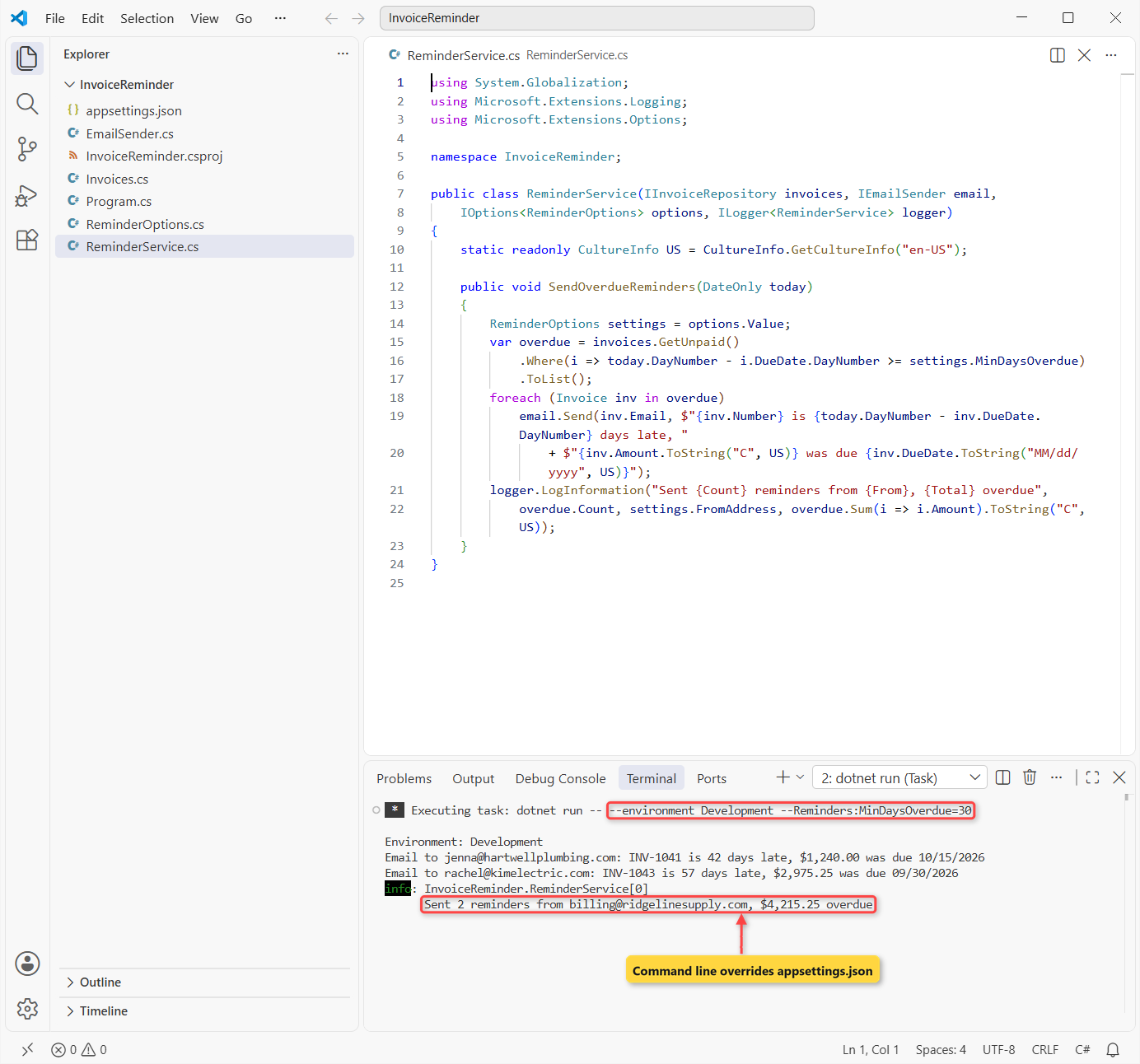
Only INV-1041 (42 days) and INV-1043 (57 days) passed the 30-day rule, for $4,215.25. INV-1044 at 24 days dropped out, and nothing in the code changed.
Because every dependency comes through the constructor, a test can hand ReminderService a fake IEmailSender and count the calls. My xUnit testing guide shows that setup.
Can You Use Dependency Injection Without the Generic Host?
Yes. If you don’t need config or logging, you can skip the host. Microsoft.Extensions.DependencyInjection alone gives you ServiceCollection and BuildServiceProvider. I wrote this one as a file-based app next to the project:
#:package Microsoft.Extensions.DependencyInjection@10.0.14
#:property PublishAot=false
using Microsoft.Extensions.DependencyInjection;

var services = new ServiceCollection();
services.AddSingleton<IEmailSender, ConsoleEmailSender>();
services.AddTransient<ReminderJob>();

using ServiceProvider provider = services.BuildServiceProvider(
    new ServiceProviderOptions { ValidateScopes = true, ValidateOnBuild = true });
provider.GetRequiredService<ReminderJob>().Run("jenna@hartwellplumbing.com");

interface IEmailSender { void Send(string to, string subject); }

class ConsoleEmailSender : IEmailSender
{
    public void Send(string to, string subject) => Console.WriteLine($"Email to {to}: {subject}");
}

class ReminderJob(IEmailSender email)
{
    public void Run(string to) => email.Send(to, "INV-1041 is 42 days late, $1,240.00 was due 10/15/2026");
}
Output:
Email to jenna@hartwellplumbing.com: INV-1041 is 42 days late, $1,240.00 was due 10/15/2026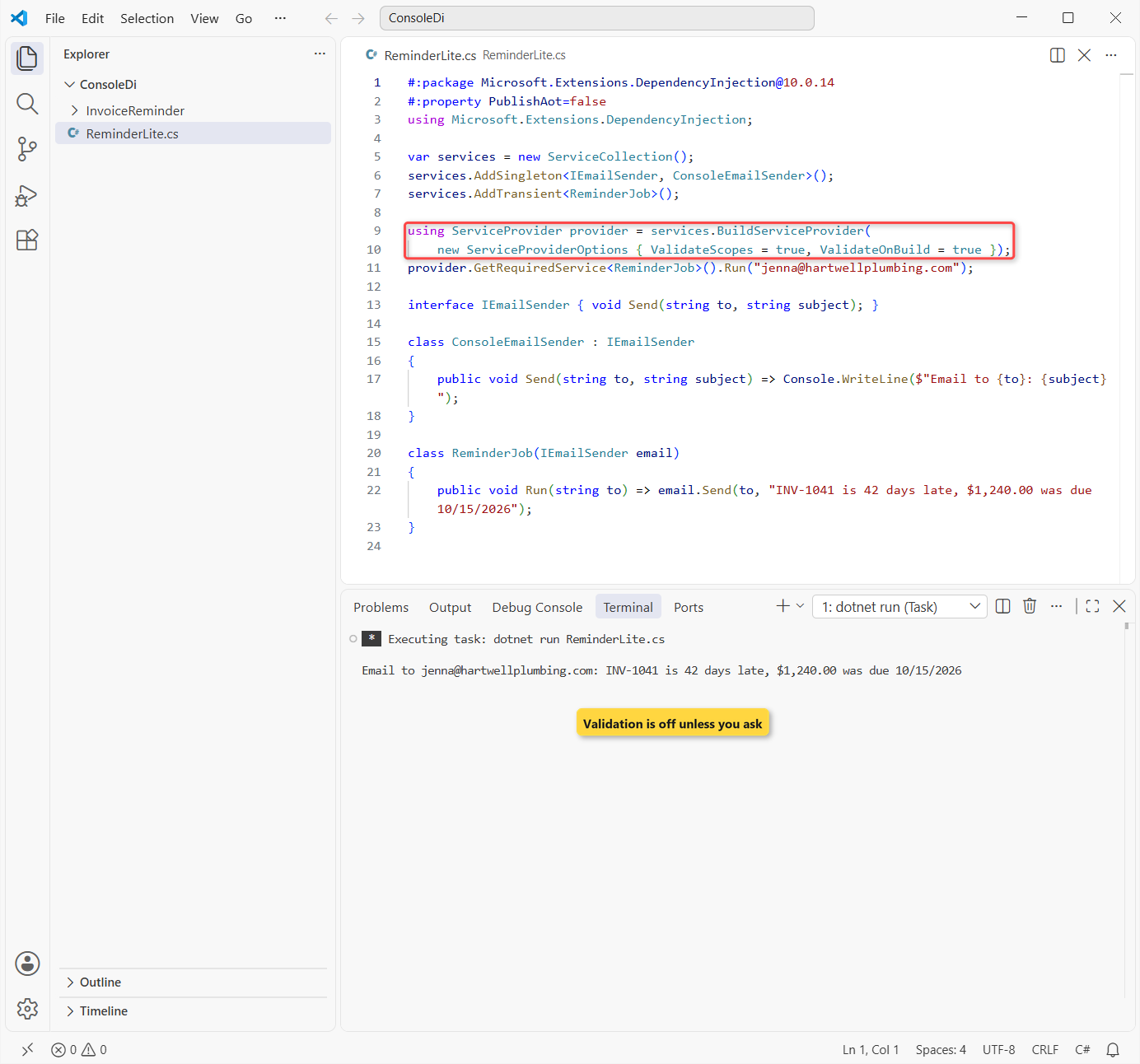
Without the host, scope validation is off unless you ask for it, so I pass ServiceProviderOptions with both checks on. I’d pick this for a tiny tool, and the host as soon as you want settings or logs.
Troubleshooting Console App Dependency Injection Errors
“Cannot resolve … from root provider”. You resolved a scoped service, or something that needs one, from host.Services. Wrap the work in CreateScope as in Step 5.
“Unable to resolve service for type”. A constructor asks for a type nobody registered. I deleted the IEmailSender line from Step 5’s Program.cs and got:
Environment: Production
Unhandled exception. System.InvalidOperationException: Unable to resolve service for type 'InvoiceReminder.IEmailSender' while attempting to activate 'InvoiceReminder.ReminderService'.
Add the missing registration. If you’d rather log the failure than crash, wrap the scope in a try-catch block and catch InvalidOperationException.
Settings are empty when a scheduled task runs the app. The host uses the current folder as its content root. I ran the built DLL from the parent folder with dotnet InvoiceReminder\bin\Debug\net10.0\InvoiceReminder.dll and the log said from ,, an empty address.
Set the content root to the app’s own folder. With this change, the same command logged billing@ridgelinesupply.com:
HostApplicationBuilder builder = Host.CreateApplicationBuilder(new HostApplicationBuilderSettings
{
    Args = args,
    ContentRootPath = AppContext.BaseDirectory
});
Important: don’t call BuildServiceProvider a second time on builder.Services. You’d get a second container with its own singletons. Ask host.Services instead.
Where to Take It Next: Scheduled Console App Jobs
To run the reminders every morning instead of once, move the scope code into a hosted worker and call host.RunAsync(). The worker gets IServiceScopeFactory and opens a scope per batch; I cover that in BackgroundService vs IHostedService.
To read real invoices, swap InMemoryInvoiceRepository for a database-backed class. You only change the registration line; ReminderService doesn’t notice.
To send real email through an API, register a typed client and let the factory manage it, as in HttpClient vs IHttpClientFactory.
Want more on the tools in this build? Pick one:
- All C# tutorials on AspDotnetHelp
- Async and await in C# for an async reminder run
- Record vs class vs struct, for types like Invoice
- Collection expressions, the [.. ] syntax in the repository
Frequently Asked Questions
Do I need the Generic Host for dependency injection in a console app?
No. Microsoft.Extensions.DependencyInjection alone gives you ServiceCollection and BuildServiceProvider. The host adds configuration, logging, environments and hosted services on top.
Which NuGet package adds dependency injection to a .NET console app?
Microsoft.Extensions.Hosting for the full Generic Host (10.0.14 was current when I wrote this), or Microsoft.Extensions.DependencyInjection for the container only.
What’s the difference between GetService and GetRequiredService?
GetService returns null when a type isn’t registered. GetRequiredService throws an InvalidOperationException right away, which is what you want in most app code.
Why doesn’t my console app catch scoped-service mistakes?
Scope validation runs only in the Development environment, and a console app defaults to Production. Pass --environment Development or set DOTNET_ENVIRONMENT=Development while you build.
Can I inject services into the Program class of a console app?
Top-level statements have no constructor, so you resolve the first service yourself with GetRequiredService. Everything below it gets constructor injection. Microsoft’s dependency injection tutorial on Microsoft Learn follows the same shape.

Bijay Kumar is a renowned software engineer, accomplished author, and distinguished Microsoft Most Valuable Professional (MVP) specializing in SharePoint. With a rich professional background spanning over 15 years, Bijay has established himself as an authority in the field of information technology. He possesses unparalleled expertise in multiple programming languages and technologies such as ASP.NET, ASP.NET MVC, C#.NET, and SharePoint, which has enabled him to develop innovative and cutting-edge solutions for clients across the globe. Read more…