
![What's new in C# 14: an extension block adding a Total extension property to decimal[] with the real output 2150](https://aspdotnethelp.com/wp-content/uploads/2026/10/whats-new-in-csharp-14-featured.jpg)
What’s new in C# 14? Extension members (extension properties and static extension members), the field keyword, null-conditional assignment with ?.=, nameof(List<>), implicit span conversions and a few smaller upgrades.
In this tutorial, I’ll run what’s new in C# 14 one feature at a time. Each one gets a tiny .NET 10 program, its real output and a one-line takeaway you can use on Monday.
C# 14 Features Cheat Sheet
Here’s the whole release on one screen. The sections below follow the same order:
| C# 14 feature | What it looks like | Use it for |
|---|---|---|
| Extension members | extension(decimal[] a) { public decimal Total => ...; } | Extension properties and static extension members |
field keyword | set => field = value.Trim(); | Logic in a property without a backing field |
| Null-conditional assignment | customer?.Balance = 100m; | Assign only when the object isn’t null |
nameof unbound generics | nameof(List<>) | Logging and diagnostics |
| Implicit span conversions | array.Total() on a ReadOnlySpan<int> extension | Fast code without AsSpan() calls |
| Lambda parameter modifiers | (text, out price) => ... | out/ref lambdas without types |
| Partial constructors and events | public partial Sale(...); | Source generators |
| User-defined compound assignment | public void operator +=(decimal p) | Updating big objects in place |
What Do You Need to Use C# 14?
C# 14 ships with .NET 10, and Microsoft supports it only on .NET 10. You get it with the .NET 10 SDK or Visual Studio 2026; VS Code needs the .NET 10 SDK plus the C# Dev Kit.
Your project needs <TargetFramework>net10.0</TargetFramework>, and the compiler then defaults to C# 14, so you don’t set LangVersion. Not sure what’s installed? Here’s how to check your .NET version.
Every demo below is a file-based app: I save one .cs file and run dotnet run File.cs. My SDK is 10.0.402.
C# 14 Extension Members: Extension Properties and Static Extensions
This is the headline feature. An extension block inside a static class can now hold properties, static members and operators, not just methods. I’m adding a Total property to decimal[] and a static TexasSalesTax to decimal:
using System.Globalization;
CultureInfo.CurrentCulture = new CultureInfo("en-US");
decimal[] orders = [1200m, 950m, 1430m];
Console.WriteLine($"Total: {orders.Total:C}");
Console.WriteLine($"Empty? {orders.IsEmpty}");
Console.WriteLine($"Texas tax: {decimal.TexasSalesTax:P2}");

static class OrderExtensions
{
    extension(decimal[] amounts)        // instance members
    {
        public decimal Total => amounts.Sum();
        public bool IsEmpty => amounts.Length == 0;
    }
    extension(decimal)                  // static members
    {
        public static decimal TexasSalesTax => 0.0625m;
    }
}
Output:
Total: $3,580.00
Empty? False
Texas tax: 6.25%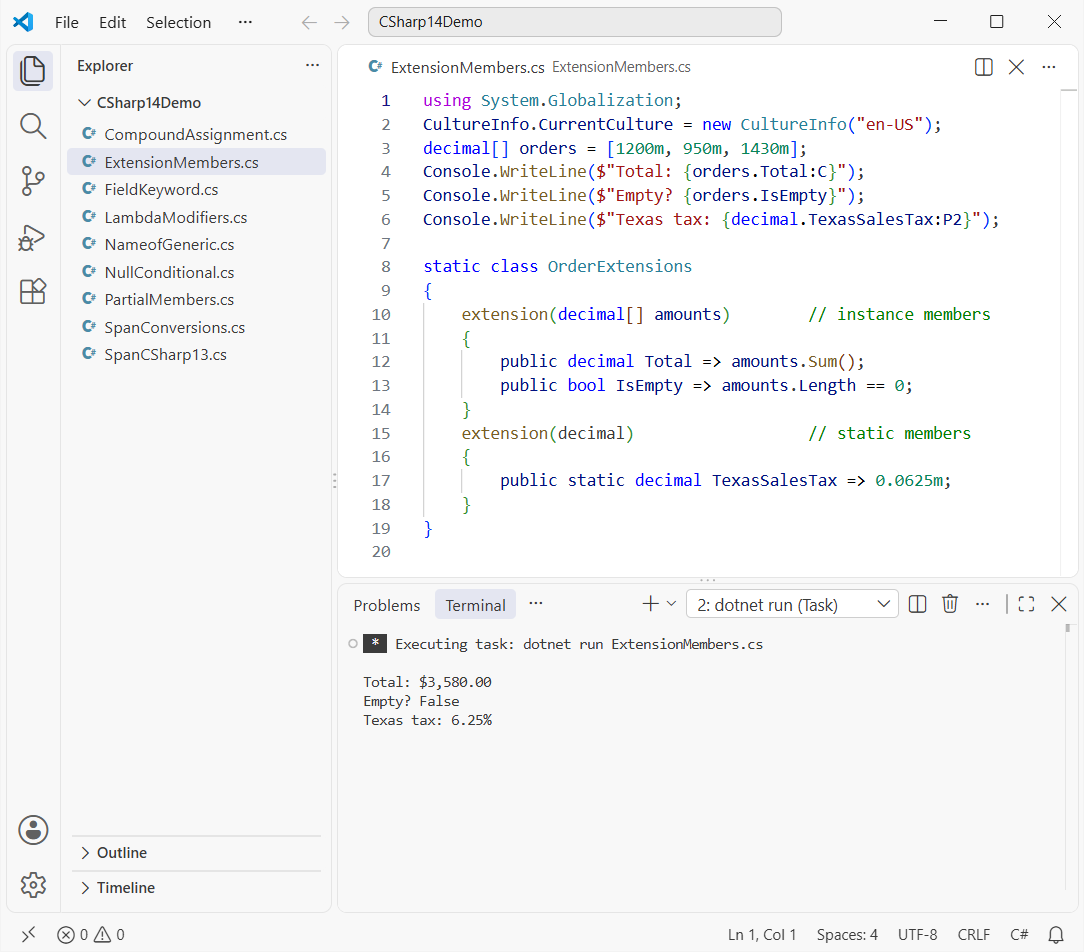
The receiver (amounts) is named once for the whole block instead of a this parameter on each method. Your old this extension methods still compile, so you can mix both styles.
Takeaway: use extension properties for computed values; they can’t add stored state. My guide to functions in C# covers the method basics.
The field Keyword in C# 14 (Field-Backed Properties)
Before C# 14, adding one line of logic to an auto-property meant writing a private _name field and both accessors. Here’s that old shape:
private string _name = "";
public string Name
{
    get => _name;
    set => _name = value?.Trim() ?? throw new ArgumentNullException(nameof(value));
}
Now field refers to the compiler-made backing field, so the getter stays automatic:
var megan = new Customer { Name = "  Megan Bowen ", State = "wa" };
Console.WriteLine($"Name: '{megan.Name}', State: {megan.State}");

try { megan.Name = null!; }
catch (ArgumentNullException ex) { Console.WriteLine($"Blocked null {ex.ParamName}"); }

class Customer
{
    public string Name
    {
        get;
        set => field = value?.Trim() ?? throw new ArgumentNullException(nameof(value));
    } = "";

    public string State { get; set => field = value.ToUpperInvariant(); } = "";
}
Output:
Name: 'Megan Bowen', State: WA
Blocked null value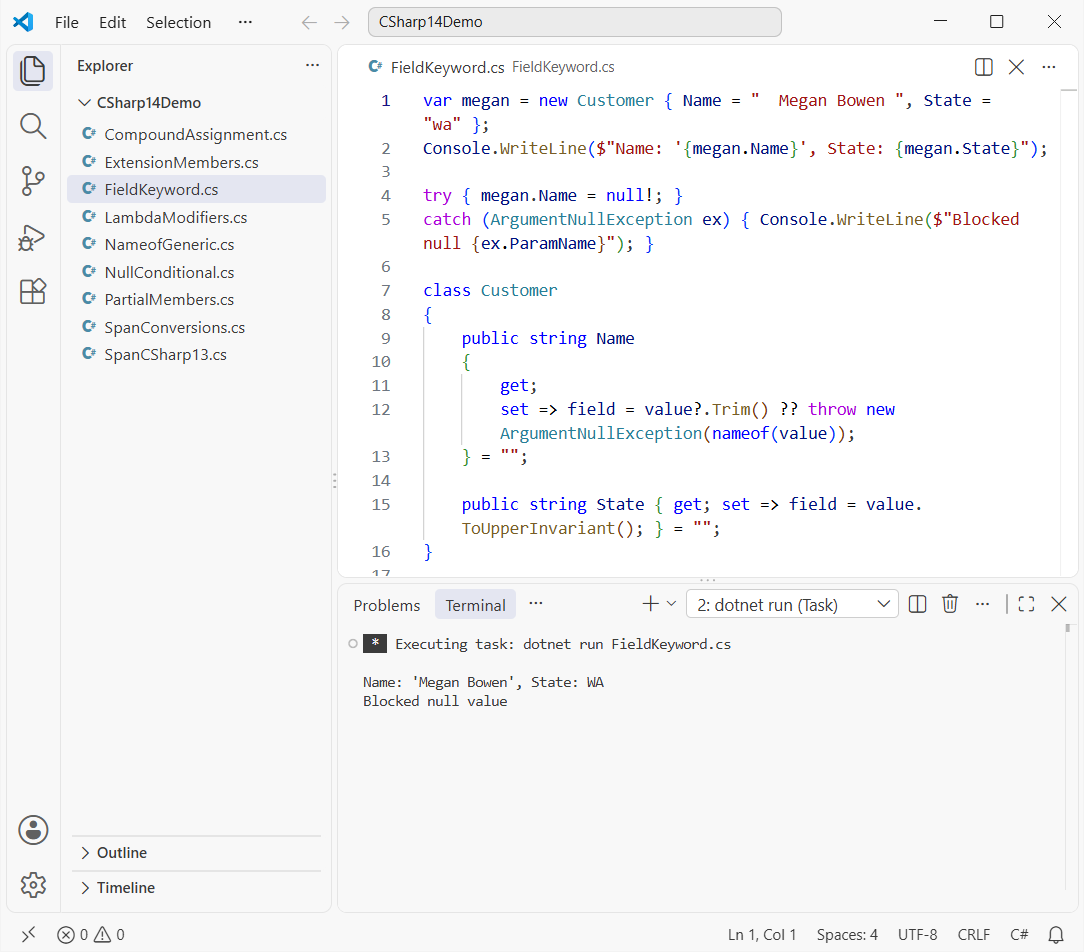
Takeaway: if a class already has a member named field, use @field or this.field to reach it. It’s a neat upgrade to encapsulation in C#.
New Null-Conditional Assignment (?.= and ?[]=)
You can now put ?. or ?[] on the left side of =. The right side only runs when the object isn’t null:
Account? megan = new("Megan Bowen");
Account? nobody = null;

megan?.Balance = LookUp("Megan");
nobody?.Balance = LookUp("nobody");   // skipped
megan?.Balance += 25m;                 // ?.+= works too

Console.WriteLine($"{megan?.Owner}: {megan?.Balance}");
Console.WriteLine($"nobody is null: {nobody is null}");

static decimal LookUp(string who)
{
    Console.WriteLine($"Looking up {who}...");
    return 100m;
}

record Account(string Owner) { public decimal Balance { get; set; } }
Output:
Looking up Megan...
Megan Bowen: 125
nobody is null: True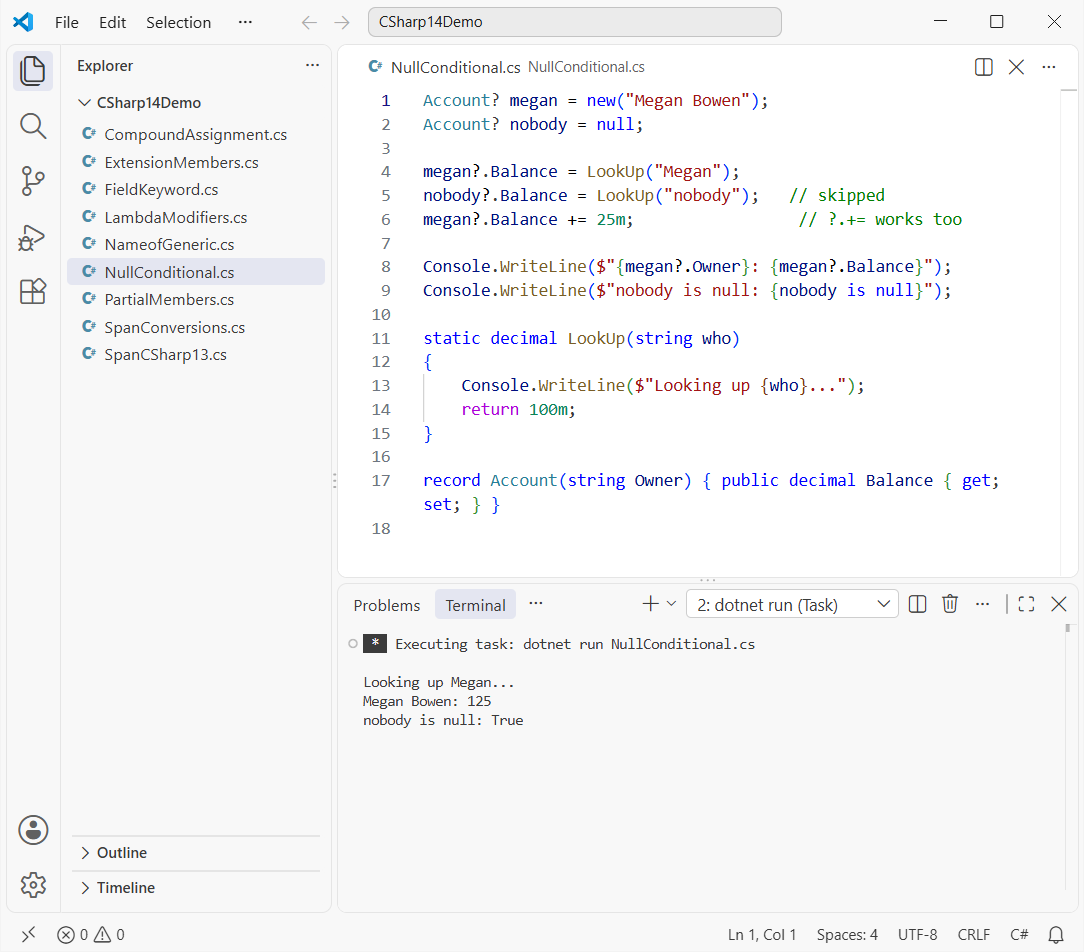
Compound operators like += work, but ++ and -- don’t. It replaces a lot of the checks in my post on checking for null values in C#.
New nameof Support for Unbound Generic Types
nameof now takes an open generic like List<>; before, you had to write List<int> just to get the name:
Console.WriteLine(nameof(List<>));
Console.WriteLine(nameof(Dictionary<,>));
Console.WriteLine(nameof(List<>.Count));
Output:
List
Dictionary
Count
Takeaway: handy in log messages and exceptions for generic types such as a Dictionary in C#.
New Implicit Span Conversions in C# 14
C# 14 gives Span<T> and ReadOnlySpan<T> first-class conversions from arrays and from each other. The big win: an array can call an extension method written for ReadOnlySpan<T>:
int[] ordersByDay = [12, 7, 30, 18];

// arrays convert to ReadOnlySpan<int> implicitly, even as an extension receiver
Console.WriteLine($"Week total: {ordersByDay.Total()}");
Span<int> thisWeek = ordersByDay;                      // array -> Span<int>
Console.WriteLine($"Busiest day: {thisWeek.Max()}");   // Span -> ReadOnlySpan receiver

static class SpanMath
{
    public static int Total(this ReadOnlySpan<int> values)
    {
        int sum = 0;
        foreach (int v in values) sum += v;
        return sum;
    }

    public static int Max(this ReadOnlySpan<int> values)
    {
        int max = int.MinValue;
        foreach (int v in values) if (v > max) max = v;
        return max;
    }
}
Output:
Week total: 67
Busiest day: 30
To prove it’s new, I pinned the same idea to C# 13 with the file-based #:property directive (another C# 14 addition):
#:property LangVersion=13
int[] ordersByDay = [12, 7, 30, 18];
Console.WriteLine(ordersByDay.Total());

static class SpanMath
{
    public static int Total(this ReadOnlySpan<int> values) => values.Length;
}
Build error:
error CS1929: 'int[]' does not contain a definition for 'Total' and the best extension method overload 'SpanMath.Total(ReadOnlySpan<int>)' requires a receiver of type 'System.ReadOnlySpan<int>'Takeaway: fewer AsSpan() calls in fast code; for array basics, see my C# array tutorial.
Lambda Parameter Modifiers Without Types
Lambdas can now use out, ref, in, scoped or ref readonly without spelling out every parameter type:
using System.Globalization;

TryParse<decimal> parsePrice = (text, out price) =>
    decimal.TryParse(text, NumberStyles.Currency, CultureInfo.GetCultureInfo("en-US"), out price);

foreach (string input in new[] { "$19.99", "N/A" })
{
    bool ok = parsePrice(input, out decimal value);
    Console.WriteLine(ok ? $"{input} -> {value}" : $"{input} -> not a price");
}

delegate bool TryParse<T>(string text, out T result);
Output:
$19.99 -> 19.99
N/A -> not a price
Before, that lambda had to be (string text, out decimal price) => .... params still needs explicit types. Delegates are explained in delegates in C#.
New Partial Constructors and Partial Events
Constructors and events can now be partial: one defining declaration, one implementing declaration. Source generators use this most, but it runs fine by hand:
using System.Globalization;
CultureInfo.CurrentCulture = new CultureInfo("en-US");

var sale = new Sale("Adele Vance", 249.99m);
sale.Recorded += (_, message) => Console.WriteLine(message);
sale.Record();

// defining declarations (what a source generator usually sees)
partial class Sale
{
    public partial Sale(string rep, decimal amount);
    public partial event EventHandler<string> Recorded;
}

// implementing declarations
partial class Sale
{
    private EventHandler<string>? _recorded;
    public string Rep { get; }
    public decimal Amount { get; }

    public partial Sale(string rep, decimal amount) { Rep = rep; Amount = amount; }

    public partial event EventHandler<string> Recorded
    {
        add => _recorded += value;
        remove => _recorded -= value;
    }

    public void Record() => _recorded?.Invoke(this, $"{Rep} sold {Amount:C}");
}
Output:
Adele Vance sold $249.99Only the implementing constructor may call this() or base(), and the implementing event needs add and remove. Refresh the rules in partial classes in C#.
User-Defined Compound Assignment Operators
A class can now define += and ++ as instance operators that change the object in place, instead of building a new one through +:
using System.Globalization;
CultureInfo.CurrentCulture = new CultureInfo("en-US");

var cart = new Cart();
cart += 19.99m;   // instance += operator, no new Cart
cart += 5.01m;
cart++;           // instance ++ operator
Console.WriteLine(cart);

class Cart
{
    decimal total; int items, coupons;

    public void operator +=(decimal price) { total += price; items++; }
    public void operator ++() => coupons++;
    public override string ToString() => $"{items} items, {total:C}, {coupons} coupon";
}
Output:
2 items, $25.00, 1 coupon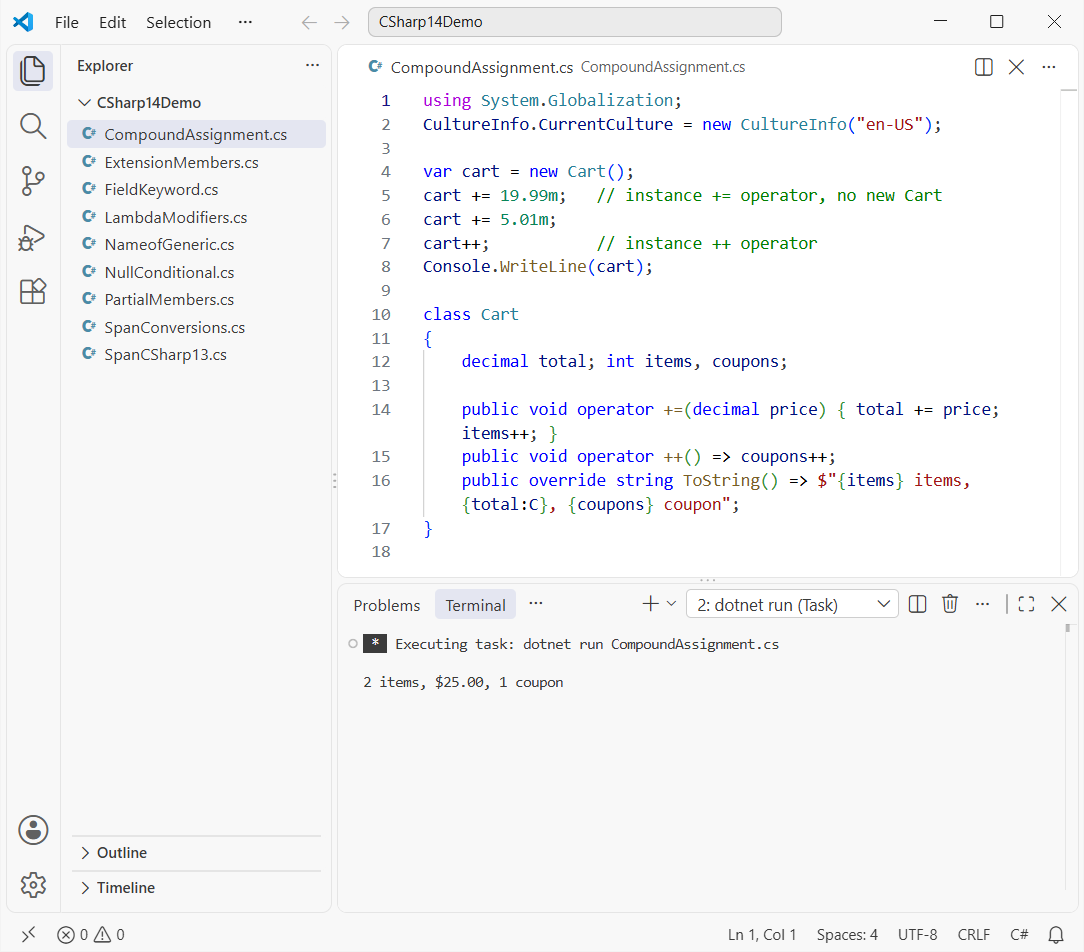
Takeaway: great for big buffers and matrices. The operator rules sit close to method overloading in C#.
Should You Upgrade to C# 14 Now?
Yes, if you’re on .NET 10. .NET 8 and .NET 9 both leave support on November 10, 2026, so I’d move now; this step-by-step .NET 8 to .NET 10 upgrade shows the steps.
Start with field and null-conditional assignment: they shrink everyday code. The runtime and library side is in what’s new in .NET 10.
Want more C# practice after this release tour? Try these:
- A beginner’s guide to the C# language
- How events work in C#
- Constructors in C# with examples
- All C# .NET tutorials
Frequently Asked Questions
What version of .NET do I need for C# 14?
C# 14 is supported on .NET 10. Target net10.0 and the compiler uses C# 14 by default.
Can I use C# 14 with .NET 8?
Not in a supported way. Setting LangVersion to 14 on .NET 8 can compile some features, but Microsoft only supports C# 14 on .NET 10, and features that need new runtime types fail.
What is the field keyword in C# 14?
Inside a property accessor, field means the compiler-generated backing field, so you can add logic to a setter without declaring a private field.
What are extension members in C# 14?
A new extension block syntax that adds extension properties, static extension members and operators to a type, alongside classic extension methods.
Does Visual Studio 2022 support C# 14?
Microsoft’s What’s new in C# 14 page points to Visual Studio 2026 or the .NET 10 SDK. In VS Code, install the .NET 10 SDK and the C# Dev Kit.

Bijay Kumar is a renowned software engineer, accomplished author, and distinguished Microsoft Most Valuable Professional (MVP) specializing in SharePoint. With a rich professional background spanning over 15 years, Bijay has established himself as an authority in the field of information technology. He possesses unparalleled expertise in multiple programming languages and technologies such as ASP.NET, ASP.NET MVC, C#.NET, and SharePoint, which has enabled him to develop innovative and cutting-edge solutions for clients across the globe. Read more…