
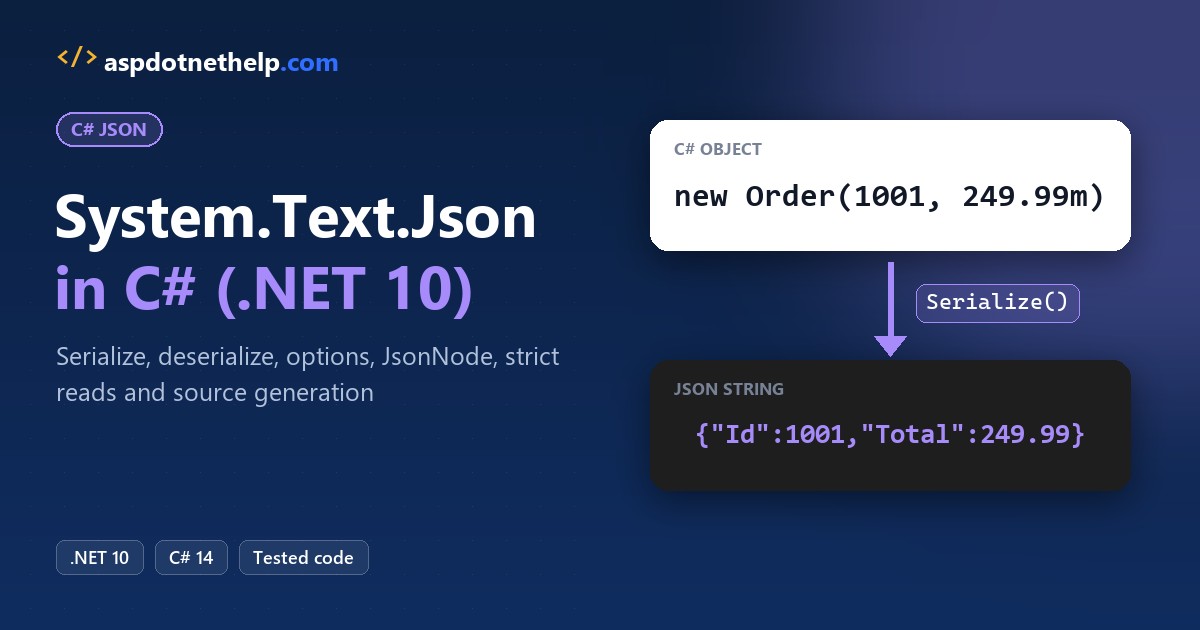
To turn a C# object into JSON with System.Text.Json, call JsonSerializer.Serialize; to read it back, call JsonSerializer.Deserialize<T>. Both live in the System.Text.Json namespace that ships with .NET:
using System.Text.Json;

var order = new Order(1001, 249.99m);
Console.WriteLine(JsonSerializer.Serialize(order));

record Order(int Id, decimal Total);
// {"Id":1001,"Total":249.99}
I ran every example below on .NET 10 against one US customer order, including the native AOT default that breaks reflection JSON in file-based apps.
The Sample Order We’ll Use in Every System.Text.Json Example
Every program includes the same Models.cs, an Austin, TX order for Jenna Morales worth $249.99. I picked a nested record, a decimal, a DateTime and an enum because those trip up JSON code most.
public enum OrderStatus { Pending, Shipped, Delivered }

public record Address(string City, string State, string Zip);

public record Order(int Id, string Customer, Address ShipTo,
    decimal Total, DateTime OrderedAt, OrderStatus Status);

public static class Sample
{
    public static Order Order => new(1001, "Jenna Morales",
        new Address("Austin", "TX", "78701"), 249.99m,
        new DateTime(2026, 11, 6, 10, 15, 0), OrderStatus.Shipped);
}
These are .NET 10 file-based apps. #:include Models.cs pulls the models in, and the #! line stops the CA2266 warning that multi-file apps print.
Important: file-based apps turn on native AOT by default, which also disables reflection JSON. That’s why most files start with #:property PublishAot=false.
Method 1: Serialize an Object to JSON with JsonSerializer.Serialize
Here’s the sample order going out as compact JSON, then its address with WriteIndented turned on:
#!/usr/bin/env dotnet
#:property PublishAot=false
#:include Models.cs
using System.Text.Json;

Order order = Sample.Order;
string json = JsonSerializer.Serialize(order);
Console.WriteLine(json);

var pretty = new JsonSerializerOptions { WriteIndented = true };
Console.WriteLine(JsonSerializer.Serialize(order.ShipTo, pretty));
Output:
{"Id":1001,"Customer":"Jenna Morales","ShipTo":{"City":"Austin","State":"TX","Zip":"78701"},"Total":249.99,"OrderedAt":"2026-11-06T10:15:00","Status":1}
{
  "City": "Austin",
  "State": "TX",
  "Zip": "78701"
}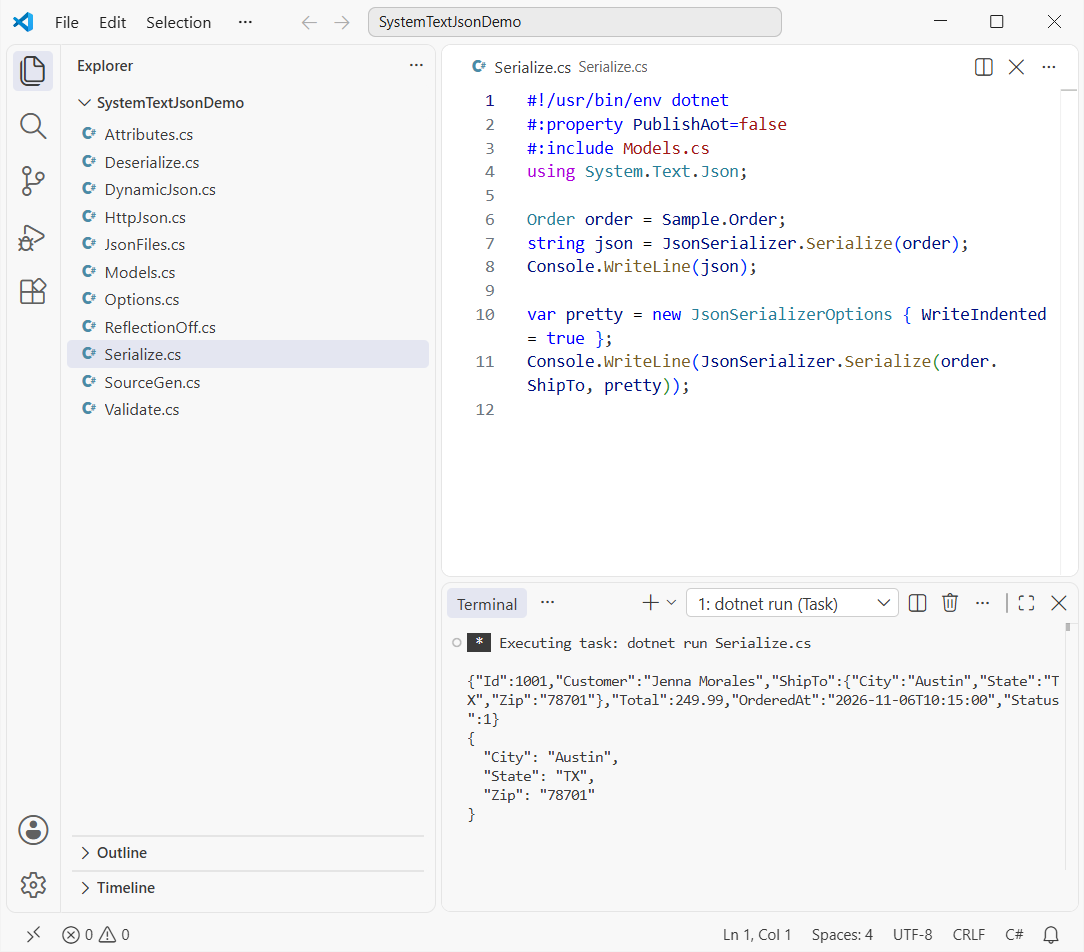
You get one line with "Total":249.99 and "Status":1, then the address on five indented lines.
How does this code work?
By default the serializer writes public properties with their C# names (PascalCase), dates in ISO 8601 and enums as numbers. Shipped is the second enum value, so it’s written as 1.
It also escapes & and apostrophes; here’s how to serialize JSON without escape characters.
Method 2: System.Text.Json Deserialize JSON to a C# Object
Now the other way. This JSON comes from a JavaScript front end, so its names are camelCase. Same Order type, two calls:
#!/usr/bin/env dotnet
#:property PublishAot=false
#:include Models.cs
using System.Text.Json;

string json = """
    {"id":1002,"customer":"Tyler Brooks","total":89.50,
     "shipTo":{"city":"Denver","state":"CO","zip":"80202"},
     "orderedAt":"2026-11-07T14:30:00","status":2}
    """;
Order? plain = JsonSerializer.Deserialize<Order>(json);
Console.WriteLine($"Default: {plain?.Customer ?? "null"}, {plain?.Total}");

var web = new JsonSerializerOptions(JsonSerializerDefaults.Web);
Order order = JsonSerializer.Deserialize<Order>(json, web)!;
Console.WriteLine($"Web: {order.Customer}, {order.ShipTo.City}, {order.Total}, {order.Status}");
Output:
Default: null, 0
Web: Tyler Brooks, Denver, 89.50, Delivered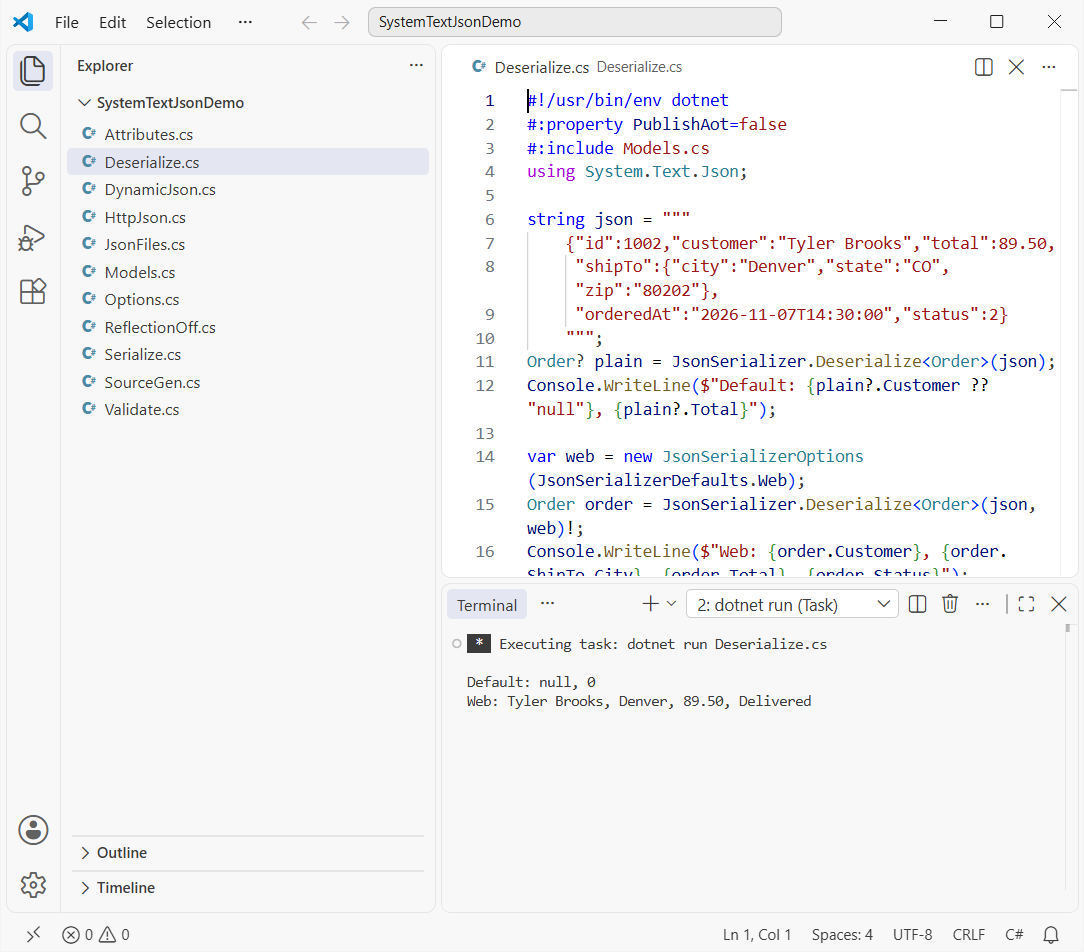
The default call returns an order with null and 0. The Web call reads Tyler Brooks, Denver, $89.50, Delivered.
How does this code work?
Property matching is case-sensitive by default, so customer never matches Customer. No error, just empty values. JsonSerializerDefaults.Web turns on case-insensitive matching, camelCase names and numbers in quotes.
For case-insensitive reads only, set PropertyNameCaseInsensitive = true. Deserialize returns T? and gives null for the literal null, so check the result for null.
Method 3: JsonSerializerOptions for camelCase, snake_case and Enums as Strings
Same sample object, written for an API that wants snake_case names and enum names instead of numbers:
#!/usr/bin/env dotnet
#:property PublishAot=false
#:include Models.cs
using System.Text.Json;
using System.Text.Json.Serialization;

Console.WriteLine(JsonSerializer.Serialize(Sample.Order, AppJson.Api));
Console.WriteLine(JsonSerializer.Serialize(Sample.Order.ShipTo,
    JsonSerializerOptions.Web));

static class AppJson
{
    public static readonly JsonSerializerOptions Api = new()
    {
        PropertyNamingPolicy = JsonNamingPolicy.SnakeCaseLower,
        Converters = { new JsonStringEnumConverter() }
    };
}
Output:
{"id":1001,"customer":"Jenna Morales","ship_to":{"city":"Austin","state":"TX","zip":"78701"},"total":249.99,"ordered_at":"2026-11-06T10:15:00","status":"Shipped"}
{"city":"Austin","state":"TX","zip":"78701"}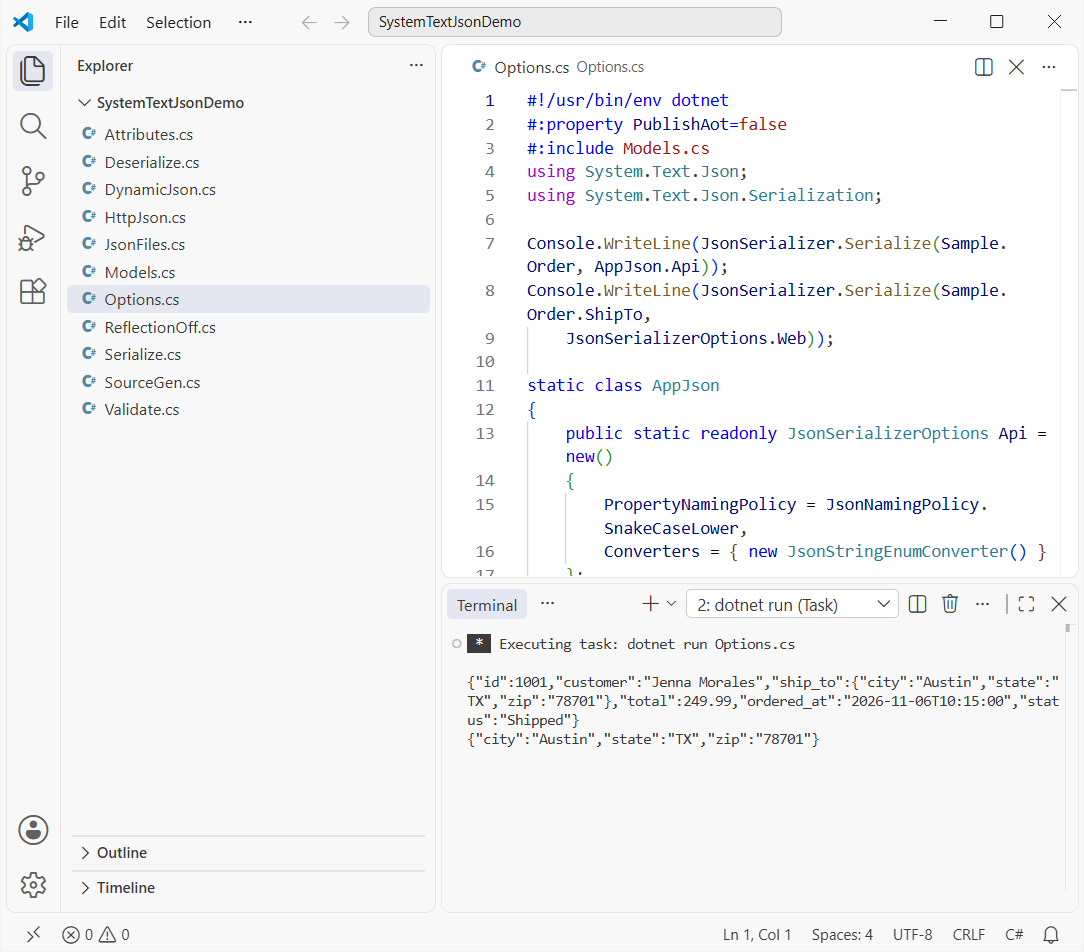
Now you get ship_to, ordered_at and "status":"Shipped", then the address in camelCase.
How does this code work?
JsonNamingPolicy.SnakeCaseLower renames every property, and JsonStringEnumConverter writes the enum name. JsonSerializerOptions.Web (.NET 9+) is a read-only copy of the Web defaults.
Pro Tip: keep options in a static readonly field like AppJson.Api. The serializer caches type metadata per options instance, so a new JsonSerializerOptions() on every call throws that cache away.
| Option | What it does | Default |
|---|---|---|
WriteIndented | Pretty-prints the output | false |
PropertyNamingPolicy | CamelCase, SnakeCaseLower, KebabCaseLower | C# names |
PropertyNameCaseInsensitive | Ignores case when reading | false |
DefaultIgnoreCondition | Skips nulls or defaults on write | Never |
Method 4: Rename and Skip Properties with [JsonPropertyName] and [JsonIgnore]
Options apply to every type. Attributes change one property. Here’s the customer behind our orders:
#:property PublishAot=false
using System.Text.Json;
using System.Text.Json.Serialization;

var c = new Customer { Name = "Marcus Reed", Phone = null, Notes = "VIP" };
Console.WriteLine(JsonSerializer.Serialize(c));

var back = JsonSerializer.Deserialize<Customer>("""{"full_name":"Ava Kim"}""")!;
Console.WriteLine($"{back.Name}, points {back.Points}");

class Customer
{
    [JsonPropertyName("full_name")] public string Name { get; set; } = "";
    [JsonIgnore(Condition = JsonIgnoreCondition.WhenWritingNull)]
    public string? Phone { get; set; }
    [JsonIgnore] public string Notes { get; set; } = "";
    [JsonIgnore(Condition = JsonIgnoreCondition.WhenWritingDefault)]
    public int Points { get; set; }
}
Output:
{"full_name":"Marcus Reed"}
Ava Kim, points 0
Only {"full_name":"Marcus Reed"} is written, and reading full_name back gives Ava Kim with 0 points.
How does this code work?
[JsonPropertyName] sets the exact JSON name, both ways. [JsonIgnore] always skips Notes. WhenWritingNull drops the null phone, and WhenWritingDefault drops Points at 0.
Method 5: Read Dynamic JSON with JsonNode, JsonDocument or a Dictionary
Sometimes there’s no class to bind to. Here’s a smaller order read three ways, without an Order type:
#:property PublishAot=false
using System.Text.Json;
using System.Text.Json.Nodes;

string json = """{"id":1003,"total":64.75,"items":["Mug","Tote"]}""";

var dict = JsonSerializer.Deserialize<Dictionary<string, object>>(json)!;
var total = (JsonElement)dict["total"];
Console.WriteLine($"{dict["total"].GetType().Name} {total.ValueKind}: {total.GetDecimal()}");

using JsonDocument doc = JsonDocument.Parse(json);
JsonElement items = doc.RootElement.GetProperty("items");
Console.WriteLine($"{items.GetArrayLength()} items, second: {items[1].GetString()}");

JsonNode node = JsonNode.Parse(json)!;
node["total"] = 70.25m;
node["state"] = "OR";
Console.WriteLine(node.ToJsonString());
Output:
JsonElement Number: 64.75
2 items, second: Tote
{"id":1003,"total":70.25,"items":["Mug","Tote"],"state":"OR"}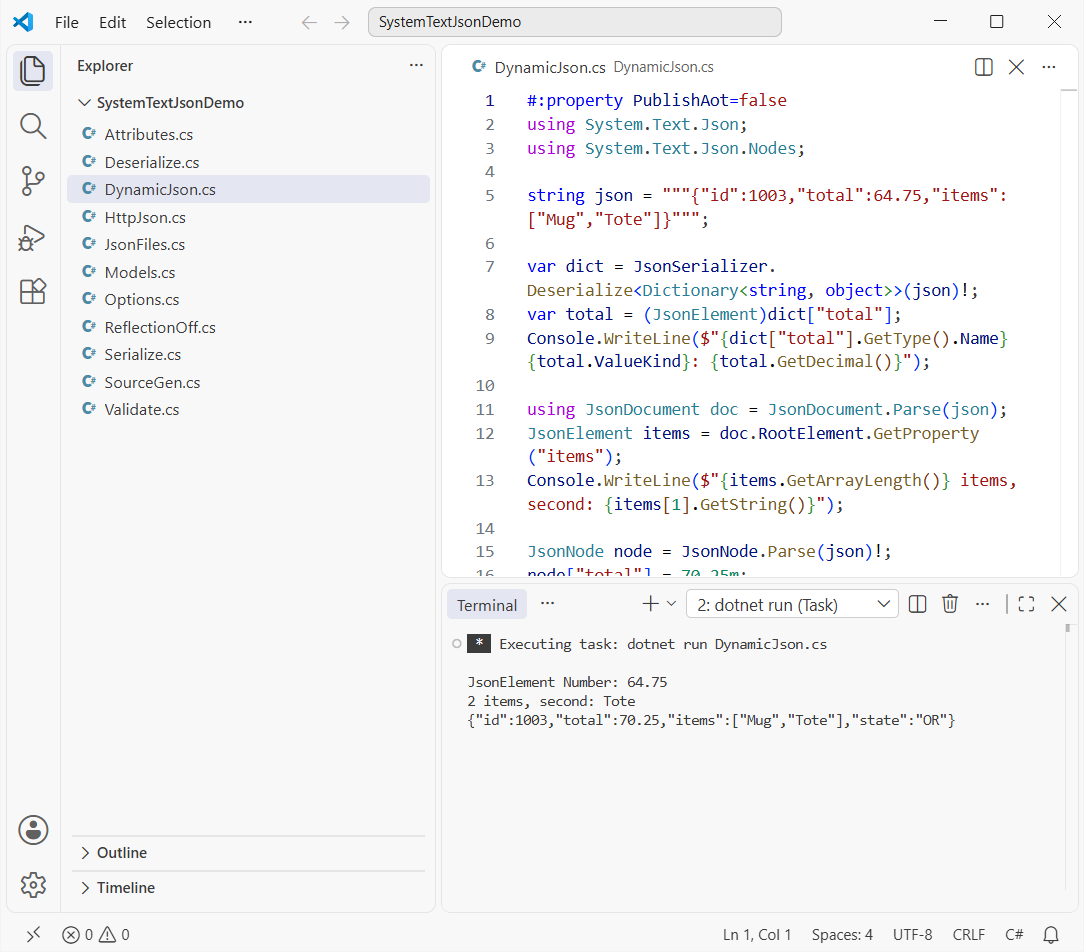
The dictionary value is a JsonElement holding 64.75, the array has 2 items, and the edited JSON has a 70.25 total and a new state.
How does this code work?
Deserializing to a Dictionary in C# with object values doesn’t give you decimal or string. Each value is a JsonElement, so you call GetDecimal() yourself.
Method 6: Write and Read JSON Files with SerializeAsync
Same order plus a second one, saved to a file and loaded back through a FileStream:
#!/usr/bin/env dotnet
#:property PublishAot=false
#:include Models.cs
using System.Text.Json;

Order[] orders = [Sample.Order, Sample.Order with { Id = 1002, Total = 89.50m }];
string path = "orders.json";

await using (FileStream output = File.Create(path))
    await JsonSerializer.SerializeAsync(output, orders);
Console.WriteLine($"Wrote {new FileInfo(path).Length} bytes to {path}");

await using FileStream input = File.OpenRead(path);
Order[] back = (await JsonSerializer.DeserializeAsync<Order[]>(input))!;
Console.WriteLine($"Read {back.Length} orders worth {back.Sum(o => o.Total)}");
Output:
Wrote 306 bytes to orders.json
Read 2 orders worth 339.49
It wrote 306 bytes to orders.json and read back 2 orders worth $339.49.
How does this code work?
SerializeAsync writes straight to the stream without building a string first, which matters for big files. Both calls are awaited; see async and await in C# if await using is new.
The total is LINQ in C# Sum. For small files, File.WriteAllText with Serialize is fine too.
Method 7: Call an API with GetFromJsonAsync and PostAsJsonAsync
System.Net.Http.Json adds JSON helpers to HttpClient. I tested them for real: this file starts a tiny local API, calls it and stops it:
#!/usr/bin/env dotnet
#:sdk Microsoft.NET.Sdk.Web
#:property PublishAot=false
#:include Models.cs

var builder = WebApplication.CreateBuilder();
builder.Logging.ClearProviders();
var app = builder.Build();
List<Order> db = [Sample.Order];
app.MapGet("/orders/{id:int}", (int id) => db.Find(o => o.Id == id));
app.MapPost("/orders", (Order o) => { db.Add(o); return Results.Created($"/orders/{o.Id}", o); });
await app.StartAsync();

using var http = new HttpClient { BaseAddress = new(app.Urls.First()) };
Order? first = await http.GetFromJsonAsync<Order>("orders/1001");
Console.WriteLine($"GET: {first?.Customer}, {first?.ShipTo.City}, {first?.Total}");

var res = await http.PostAsJsonAsync("orders", Sample.Order with { Id = 1004, Customer = "Ava Kim" });
Console.WriteLine($"POST: {(int)res.StatusCode} {res.Headers.Location}");
Console.WriteLine(await res.Content.ReadAsStringAsync());
await app.StopAsync();
Output:
GET: Jenna Morales, Austin, 249.99
POST: 201 /orders/1004
{"id":1004,"customer":"Ava Kim","shipTo":{"city":"Austin","state":"TX","zip":"78701"},"total":249.99,"orderedAt":"2026-11-06T10:15:00","status":1}
The GET returns Jenna Morales in Austin for $249.99, and the POST answers 201 with /orders/1004 and Ava Kim’s order as camelCase JSON.
How does this code work?
GetFromJsonAsync<Order> deserializes the response; PostAsJsonAsync serializes the request body. Both use the Web defaults, so camelCase just works.
Notice "status":1: Web defaults don’t write enums as strings. For a full API with a database, see ASP.NET Core Web API CRUD with EF Core.
Method 8: Required Properties and JsonSerializerOptions.Strict (.NET 9+)
Back to the sample order. By default, missing fields just get default values. These options make bad JSON fail loudly:
#!/usr/bin/env dotnet
#:property PublishAot=false
#:include Models.cs
using System.Text.Json;

string partial = """{"Id":1005,"Customer":"Tyler Brooks"}""";
Order loose = JsonSerializer.Deserialize<Order>(partial)!;
Console.WriteLine($"Default: Total={loose.Total}, ShipTo={loose.ShipTo?.City ?? "null"}");

var strict = new JsonSerializerOptions
{
    RespectRequiredConstructorParameters = true,
    RespectNullableAnnotations = true
};
Try(partial, strict);
Try("""{"Id":1,"Customer":null,"ShipTo":null,"Total":5,"OrderedAt":"2026-11-08","Status":0}""", strict);
Try("""{"Id":1,"Customer":"Ava Kim","Coupon":"FALL26"}""", JsonSerializerOptions.Strict);
Try("""{"Id":1,"Total":"12.50 USD"}""", JsonSerializerOptions.Default);
Try("""{"Id":1,}""", JsonSerializerOptions.Default);

static void Try(string json, JsonSerializerOptions options)
{
    try { JsonSerializer.Deserialize<Order>(json, options); }
    catch (JsonException ex) { Console.WriteLine(ex.Message); }
}
Output:
Default: Total=0, ShipTo=null
JSON deserialization for type 'Order' was missing required properties including: 'ShipTo', 'Total', 'OrderedAt', 'Status'.
The constructor parameter 'Customer' on type 'Order' doesn't allow null values. Consider updating its nullability annotation. Path: $.Customer | LineNumber: 0 | BytePositionInLine: 23.
The JSON property 'Coupon' could not be mapped to any .NET member contained in type 'Order'.
The JSON value could not be converted to Order. Path: $.Total | LineNumber: 0 | BytePositionInLine: 27.
The JSON object contains a trailing comma at the end which is not supported in this mode. Change the reader options. Path: $ | LineNumber: 0 | BytePositionInLine: 8.
The default read accepts a $0 total and no address. The other five lines are real JsonException messages.
How does this code work?
RespectRequiredConstructorParameters (.NET 9+) makes every non-optional record parameter required, and RespectNullableAnnotations rejects an explicit null for string Customer.
JsonSerializerOptions.Strict is new in .NET 10. It turns both on and also rejects unknown properties like Coupon and duplicate keys. See what’s new in .NET 10 for the rest.
On classes, the C# required keyword or [JsonRequired] does the same job for one property.
Why Does System.Text.Json Throw JsonException?
Every message above tells you the JSON path. Catch JsonException in a try-catch block at the edge where JSON enters your app:
Read the message start: missing required properties or doesn’t allow null means the sender left data out, could not be mapped means an extra field under Strict, and could not be converted means a wrong type, like "12.50 USD".
A trailing comma or comment in hand-edited JSON is the one case I relax with AllowTrailingCommas and ReadCommentHandling.
Method 9: Source Generation with JsonSerializerContext (Native AOT)
Here’s what happens if you leave out PublishAot=false in a file-based app:
#:include Models.cs
using System.Text.Json;

Console.WriteLine(JsonSerializer.Serialize(Sample.Order));
Output:
Unhandled exception. System.InvalidOperationException: Reflection-based serialization has been disabled for this application. Either use the source generator APIs or explicitly configure the 'JsonSerializerOptions.TypeInfoResolver' property.It crashes before writing anything: native AOT can’t generate code at run time, so reflection JSON is off.
The fix that works with AOT is source generation. Same order object, serialized through a generated context:
#!/usr/bin/env dotnet
#:include Models.cs
using System.Text.Json;
using System.Text.Json.Serialization;

string json = JsonSerializer.Serialize(Sample.Order, ShopJson.Default.Order);
Console.WriteLine(json);

Order back = JsonSerializer.Deserialize(json, ShopJson.Default.Order)!;
Console.WriteLine($"{back.Customer} in {back.ShipTo.City}: {back.Status}");

[JsonSourceGenerationOptions(PropertyNamingPolicy = JsonKnownNamingPolicy.CamelCase,
    UseStringEnumConverter = true)]
[JsonSerializable(typeof(Order))]
partial class ShopJson : JsonSerializerContext;
Output:
{"id":1001,"customer":"Jenna Morales","shipTo":{"city":"Austin","state":"TX","zip":"78701"},"total":249.99,"orderedAt":"2026-11-06T10:15:00","status":"Shipped"}
Jenna Morales in Austin: Shipped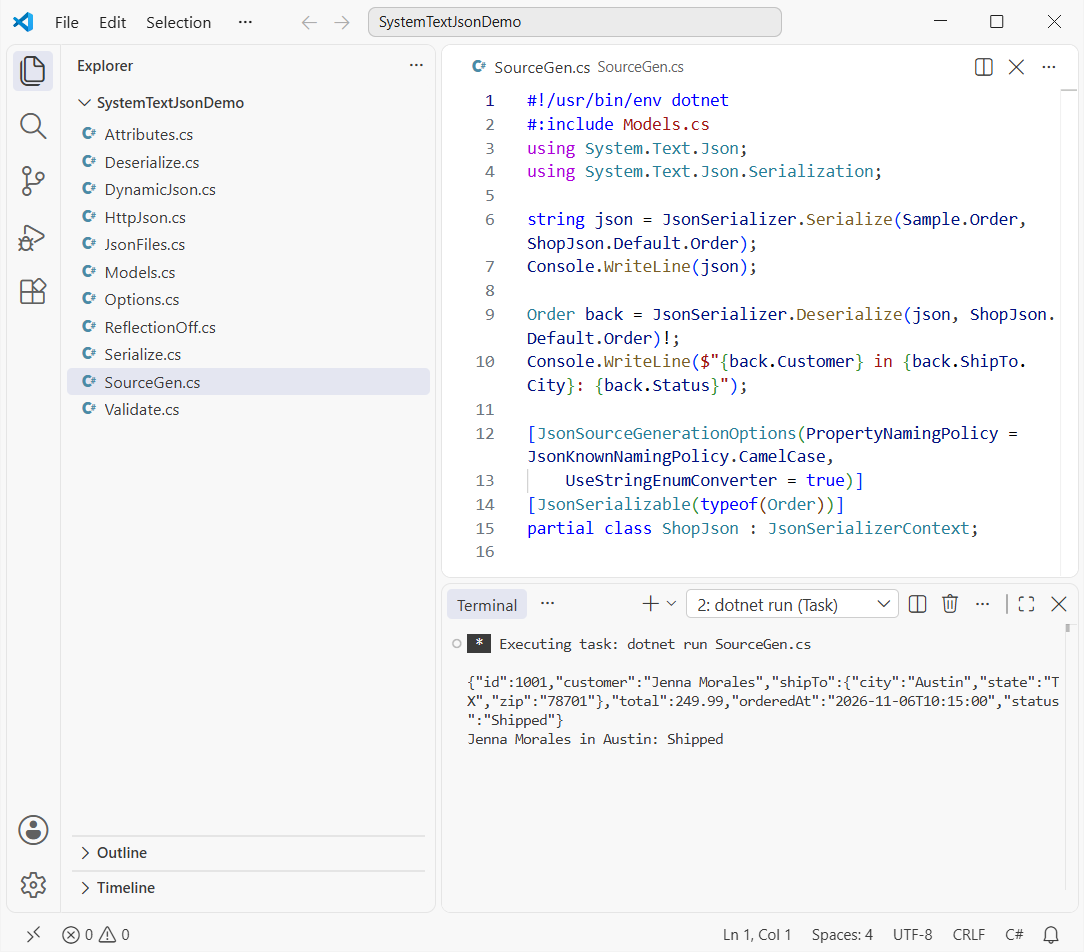
No PublishAot line, and it prints camelCase JSON with "status":"Shipped" and reads Jenna Morales in Austin back.
How does this code work?
[JsonSerializable(typeof(Order))] tells the compiler to generate serialization code for Order into the partial class ShopJson. ShopJson.Default.Order is the generated JsonTypeInfo.
System.Text.Json vs Newtonsoft.Json: Which Should You Use?
For new .NET 10 code, use System.Text.Json. It’s built in, fast, and it’s what ASP.NET Core uses. Keep Newtonsoft.Json only where you depend on what it does differently:
| Feature | System.Text.Json | Newtonsoft.Json |
|---|---|---|
| Install | Built into .NET Core 3.0+ | NuGet package |
| Default property matching | Case-sensitive | Case-insensitive |
| Native AOT | Yes, with source generation | No |
| Dynamic JSON | JsonNode | JObject, dynamic |
Which System.Text.Json Method Should You Use?
| Task | Use | Watch out for |
|---|---|---|
| Object to JSON | JsonSerializer.Serialize | Enums are numbers by default |
| JSON from a web client | JsonSerializerDefaults.Web | Default reads are case-sensitive |
| Reject bad input | JsonSerializerOptions.Strict | .NET 10 only |
| AOT or file-based apps | JsonSerializerContext | Register every type you serialize |
Things to Keep in Mind
- Reads are case-sensitive. camelCase JSON fills nothing unless you use Web defaults or
PropertyNameCaseInsensitive. - Missing fields don’t throw. Turn on required checks or
Strictwhen bad data must fail. - Reuse one options instance. A new one per call wipes the metadata cache.
- File-based apps default to native AOT. Add
#:property PublishAot=falseor use aJsonSerializerContext.
I’d read these next if you’re serializing real app data:
- Parse the dates that come out of JSON strings
- C# 14 features you can use in your models
- Check which .NET version your app runs on
- Browse every C# tutorial on aspdotnethelp.com
Frequently Asked Questions
How do I serialize an object to JSON in C#?
Call JsonSerializer.Serialize(obj) from System.Text.Json. It returns a string; pass new JsonSerializerOptions { WriteIndented = true } for readable output.
Do I need the System.Text.Json NuGet package?
Not on .NET Core 3.0 or later, including .NET 10; it’s part of the shared framework. Install the NuGet package (10.0.14 is the current stable) only for .NET Framework or .NET Standard libraries.
Why are my properties null after System.Text.Json deserialize?
Usually a casing mismatch: the JSON says customer and the property is Customer. Use JsonSerializerDefaults.Web, PropertyNameCaseInsensitive = true or [JsonPropertyName].
Can System.Text.Json deserialize into records?
Yes. It calls the record’s constructor and matches parameters to JSON properties by name. Missing values get defaults unless you turn on RespectRequiredConstructorParameters.
What is System.Text.Json.Nodes?
It’s the namespace for JsonNode, JsonObject and JsonArray, an editable DOM for JSON with no class to bind to (System.Text.Json overview on Microsoft Learn).

Bijay Kumar is a renowned software engineer, accomplished author, and distinguished Microsoft Most Valuable Professional (MVP) specializing in SharePoint. With a rich professional background spanning over 15 years, Bijay has established himself as an authority in the field of information technology. He possesses unparalleled expertise in multiple programming languages and technologies such as ASP.NET, ASP.NET MVC, C#.NET, and SharePoint, which has enabled him to develop innovative and cutting-edge solutions for clients across the globe. Read more…