
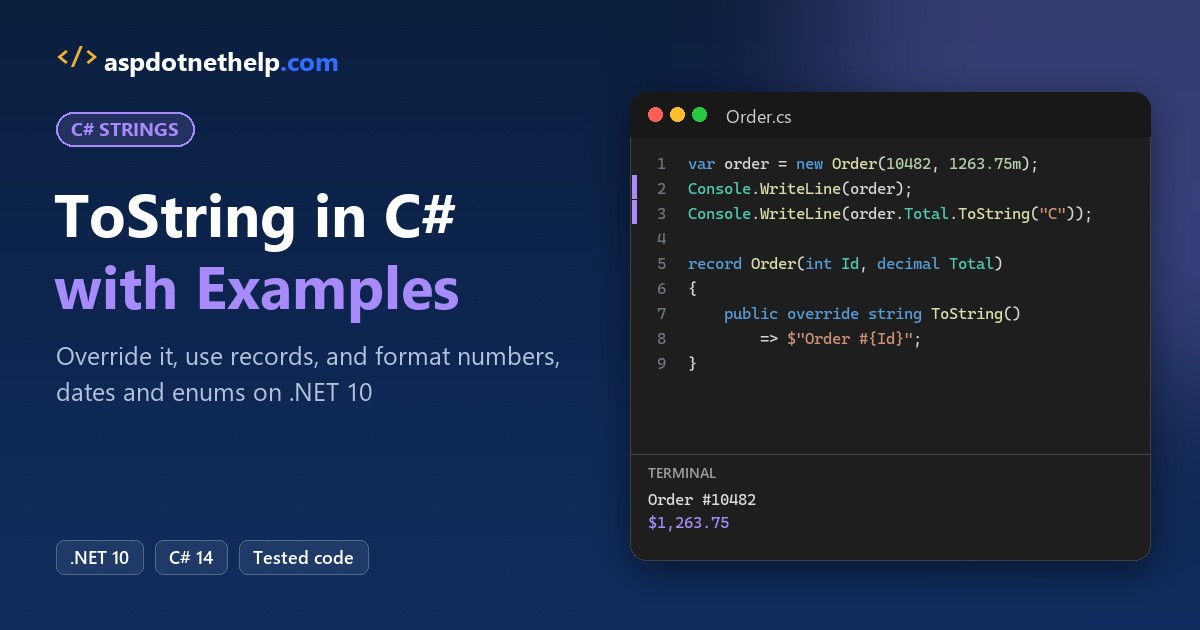
If you need to print or log an object, Console.WriteLine(order) is the obvious first try, and it prints Bookstore.Order instead of the order. That’s the default ToString in C#: unless a type overrides it, it returns the type’s full name.
The fix is to override ToString() in your class (or use a record), and to pass a format string plus a culture for numbers and dates. I ran every example below on .NET 10 against one bookstore order, including the null cases that throw.
The Sample Order We’ll Use (and What the Default ToString Prints)
Everything below works on one order from a Seattle bookstore: order #10482 for Jenna Morales, a school library buying 22 books for $1,263.75 on October 14, 2026. Here’s that order with no ToString override:
using Bookstore;

var order = new Order { Id = 10482, Customer = "Jenna Morales", Total = 1263.75m };
Console.WriteLine(order);               // calls order.ToString()
Console.WriteLine(order.Total.ToString());

int[] quantities = [12, 6, 4];
Console.WriteLine(quantities.ToString());
Console.WriteLine(new List<string> { "Dune" });

namespace Bookstore
{
    class Order
    {
        public int Id; public string Customer = ""; public decimal Total;
    }
}
Output:
Bookstore.Order
1263.75
System.Int32[]
System.Collections.Generic.List`1[System.String]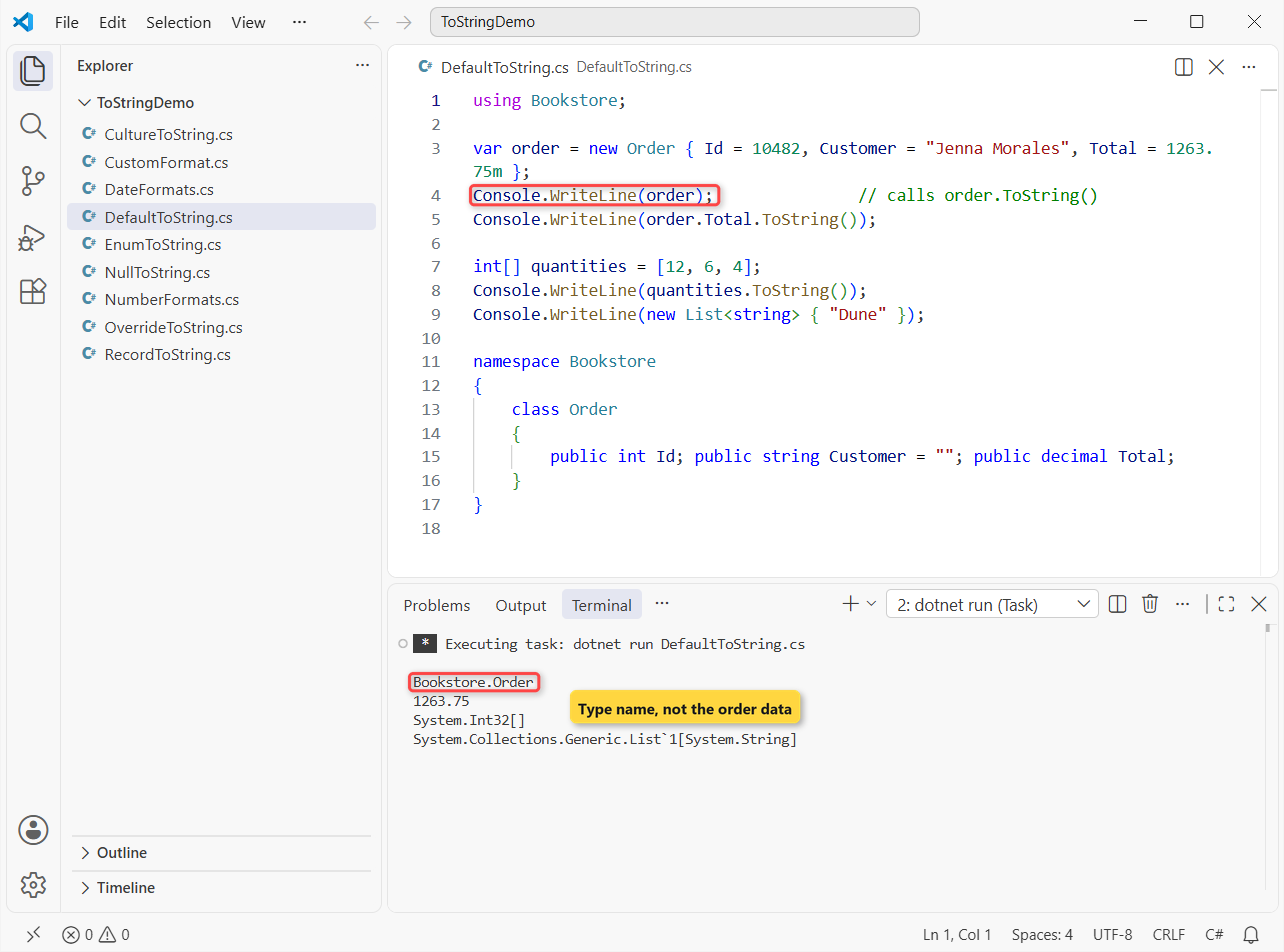
The order prints as Bookstore.Order, the array as System.Int32[] and the list as System.Collections.Generic.List`1[System.String]. Only the decimal prints its value.
How does this code work?
Console.WriteLine(object) calls ToString(), which every type inherits from System.Object. That default returns the fully qualified type name. decimal overrides it; arrays and lists don’t, so use string.Join (see turning a list into a comma-separated string).
Method 1: Override ToString in a Class (Recommended)
When you own the class, override ToString() so every log line, debugger tooltip and Console.WriteLine shows something useful. Same order values, now with an override:
using System.Globalization;

var order = new Order(10482, "Jenna Morales", 1263.75m);
Console.WriteLine(order);
Console.WriteLine($"Logged: {order}");
Console.WriteLine("Saved " + order);

class Order(int id, string customer, decimal total)
{
    public int Id => id;
    public string Customer => customer;
    public decimal Total => total;

    static readonly CultureInfo Us = CultureInfo.GetCultureInfo("en-US");
    public override string ToString() =>
        $"Order #{Id} for {Customer}: {Total.ToString("C", Us)}";
}
Output:
Order #10482 for Jenna Morales: $1,263.75
Logged: Order #10482 for Jenna Morales: $1,263.75
Saved Order #10482 for Jenna Morales: $1,263.75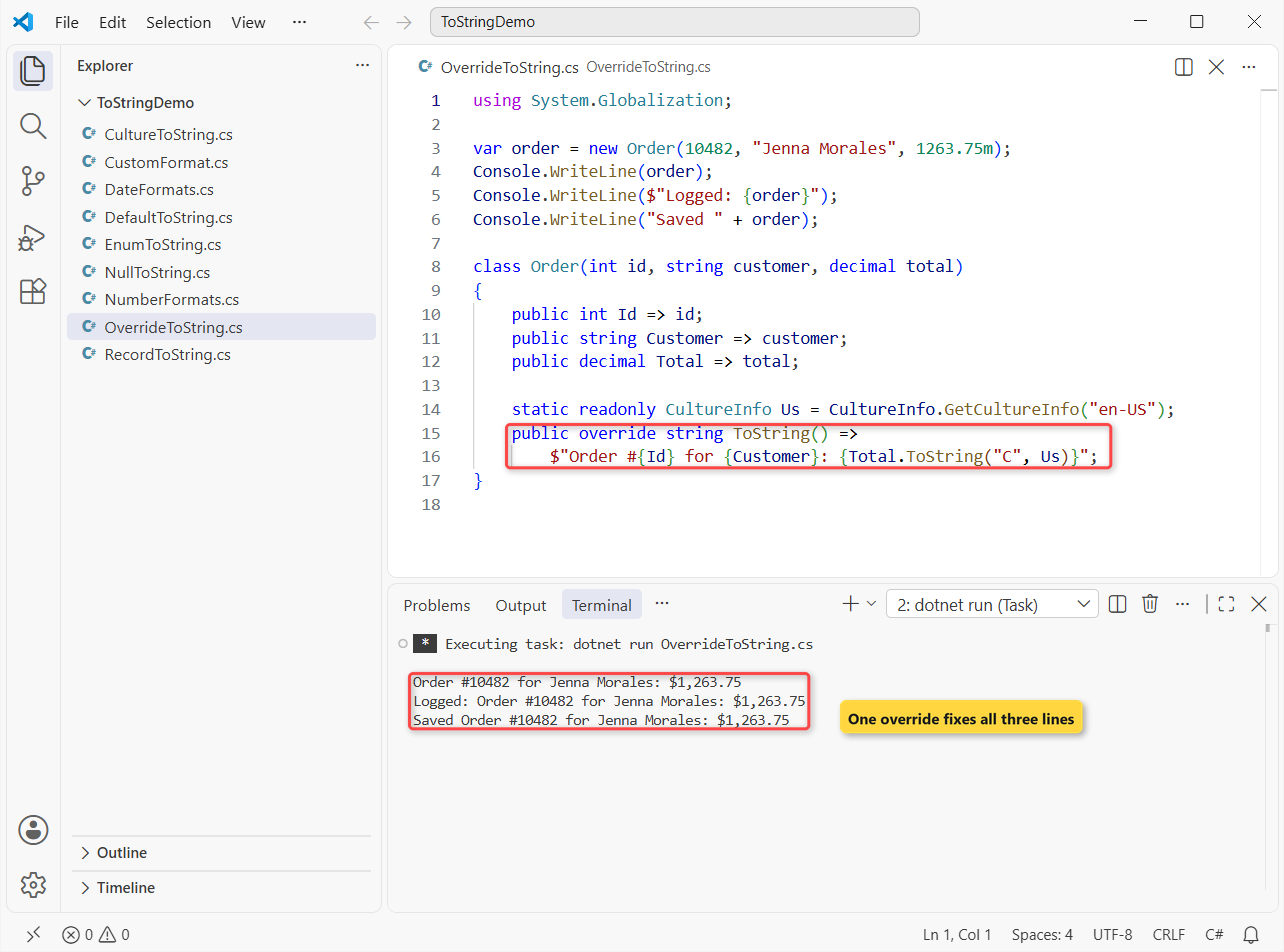
All three lines print Order #10482 for Jenna Morales: $1,263.75.
How does this code work?
public override string ToString() replaces the inherited virtual method (inheritance in C# explains override). Interpolation and + call ToString() too, and en-US keeps the dollar sign on any PC.
Important: Microsoft’s guidelines say an override shouldn’t return null or an empty string, throw, or change the object.
Method 2: Use a Record’s Generated ToString
If the type is mostly data, declare it as a record and the compiler writes ToString() for you. Same order values again:
using System.Globalization;
CultureInfo.CurrentCulture = CultureInfo.GetCultureInfo("en-US");

var order = new OrderRecord(10482, "Jenna Morales", 1263.75m);
Console.WriteLine(order);

var withBooks = new OrderWithBooks(10482, ["Dune", "Educated"]);
Console.WriteLine(withBooks);

record OrderRecord(int Id, string Customer, decimal Total);
record OrderWithBooks(int Id, string[] Titles);
Output:
OrderRecord { Id = 10482, Customer = Jenna Morales, Total = 1263.75 }
OrderWithBooks { Id = 10482, Titles = System.String[] }
The record prints OrderRecord { Id = 10482, Customer = Jenna Morales, Total = 1263.75 }, but the array property shows up as System.String[].
How does this code work?
The compiler-generated ToString() prints the type name and each public property, and every value goes through its own ToString(), so the array falls back to its type name. You can still write your own override in a record.
Method 3: Format Numbers with ToString(“C”), (“N2”), (“D6”) and (“P0”)
Numeric types take a format string: a letter for the style plus an optional number for the precision. Same $1,263.75 total, order ID 482 and a 15% school discount:
using System.Globalization;
var us = CultureInfo.GetCultureInfo("en-US");

decimal total = 1263.75m;
int orderId = 482;
double discount = 0.15;

Console.WriteLine(total.ToString("C", us));     // currency
Console.WriteLine(total.ToString("N2", us));    // thousands + 2 decimals
Console.WriteLine(total.ToString("#,##0", us)); // custom pattern
Console.WriteLine(orderId.ToString("D6"));      // pad with zeros
Console.WriteLine(discount.ToString("P0", us)); // percent

try { Console.WriteLine(total.ToString("D6")); }
catch (FormatException) { Console.WriteLine("D only works on integers"); }
Output:
$1,263.75
1,263.75
1,264
000482
15%
D only works on integers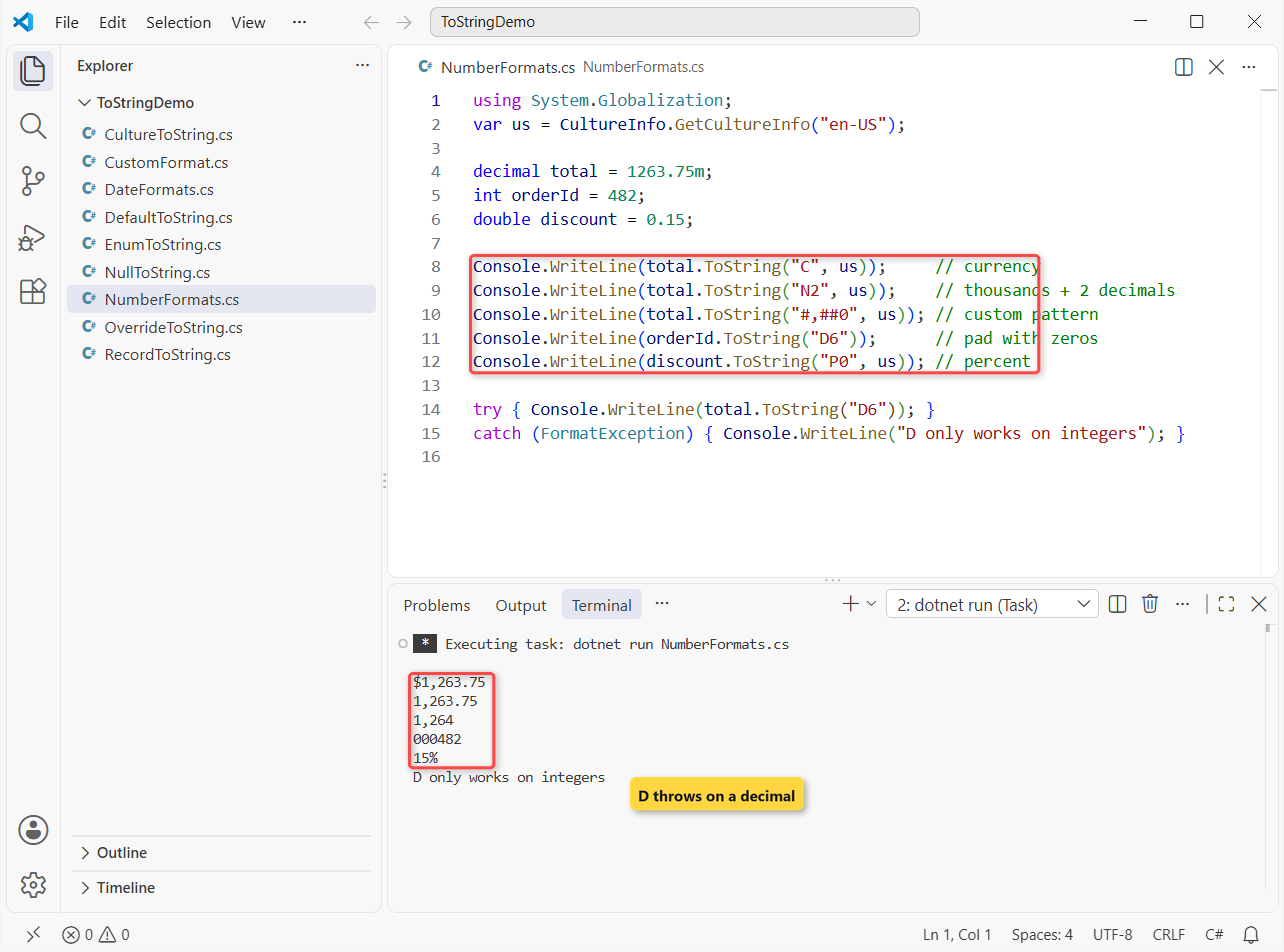
The run prints five formatted values and catches one FormatException.
How does this code work?
| Format | Meaning | Result |
|---|---|---|
"C" | Currency for the culture | $1,263.75 |
"N2" | Thousands separator, 2 decimals | 1,263.75 |
"#,##0" | Custom pattern, rounded | 1,264 |
"D6" | Integer padded to 6 digits | 000482 |
"P0" | Multiplies by 100, adds % | 15% |
"D" only works on integer types, so the decimal throws (adding leading zeros has other padding options). Pro Tip: formatting numbers with commas and decimals goes deeper into custom patterns.
Method 4: Format Dates with ToString(“yyyy-MM-dd”)
DateTime works the same way, with standard letters like "D" or custom patterns built from yyyy, MM, dd and friends. Same sample data, with the order placed at 3:30 PM:
using System.Globalization;
var us = CultureInfo.GetCultureInfo("en-US");
var placed = new DateTime(2026, 10, 14, 15, 30, 0);

Console.WriteLine(placed.ToString("yyyy-MM-dd"));
Console.WriteLine(placed.ToString("MM/dd/yyyy", us));
Console.WriteLine(placed.ToString("D", us));
Console.WriteLine(placed.ToString("MMM d, yyyy h:mm tt", us));

var de = CultureInfo.GetCultureInfo("de-DE");
Console.WriteLine(placed.ToString("MM/dd/yyyy", de));
Console.WriteLine(placed.ToString("MM'/'dd'/'yyyy", de));
Output:
2026-10-14
10/14/2026
Wednesday, October 14, 2026
Oct 14, 2026 3:30 PM
10.14.2026
10/14/2026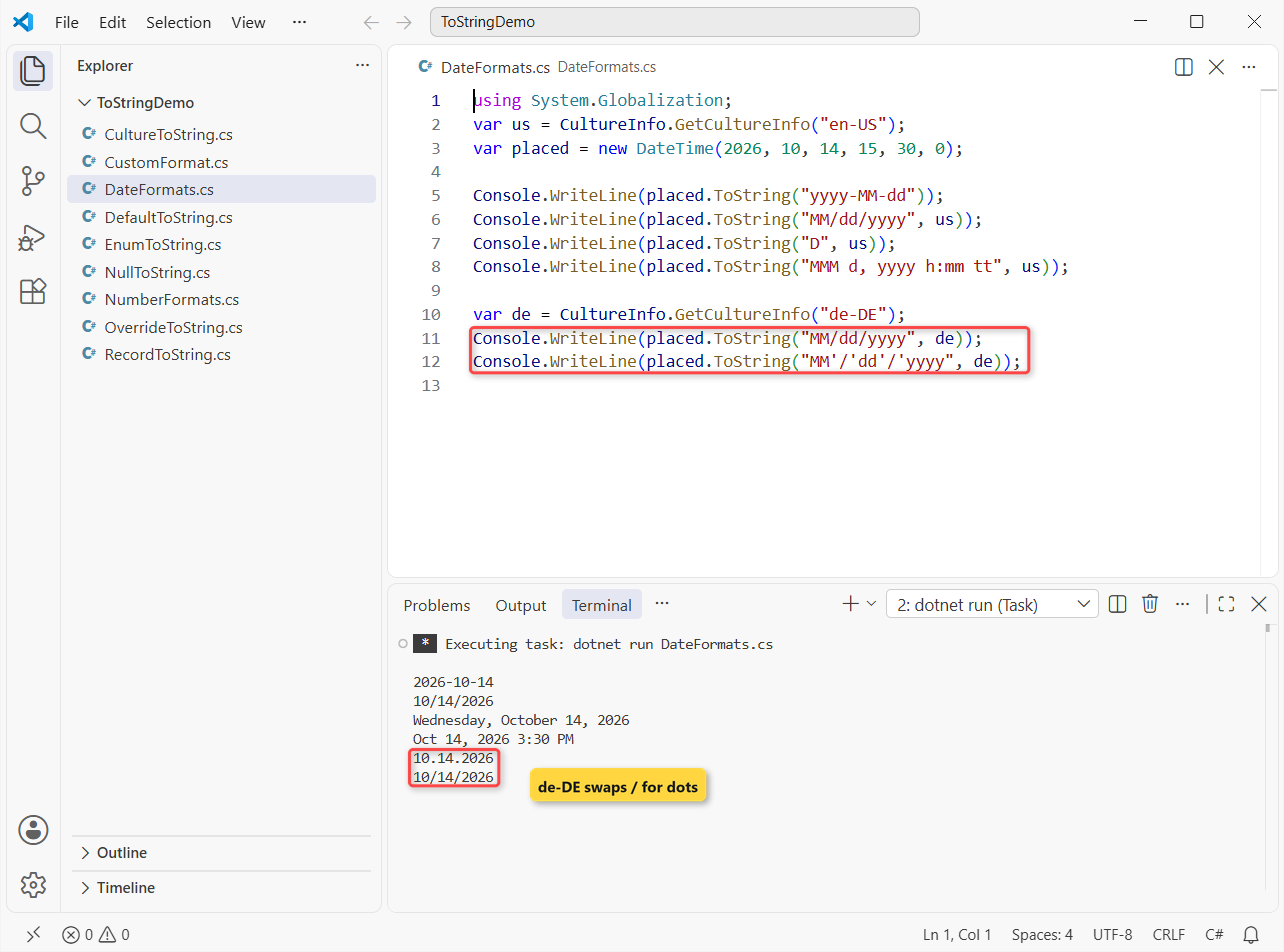
With de-DE, the same MM/dd/yyyy pattern prints 10.14.2026 instead of 10/14/2026.
How does this code work?
MM is the month and mm is minutes, the date bug I see most. tt adds AM/PM.
A / in a pattern means the culture’s date separator, so quote it as '/' for real slashes. The reverse trip is converting a string to DateTime.
Method 5: Add Custom Format Strings with IFormattable
When one string isn’t enough, say a short label for a picking slip and a long one for an invoice, implement IFormattable. Same order values, three formats:
using System.Globalization;

var order = new Order(10482, "Jenna Morales", 1263.75m);
Console.WriteLine(order);
Console.WriteLine($"Picking slip: {order:S}");
Console.WriteLine(order.ToString("L", CultureInfo.GetCultureInfo("en-US")));

class Order(int id, string customer, decimal total) : IFormattable
{
    public override string ToString() => ToString("G", null);

    public string ToString(string? format, IFormatProvider? provider)
    {
        provider ??= CultureInfo.GetCultureInfo("en-US");
        return (format ?? "G").ToUpperInvariant() switch
        {
            "G" => $"Order #{id}",
            "S" => $"#{id} {customer}",
            "L" => $"Order #{id} for {customer}: {total.ToString("C", provider)}",
            _ => throw new FormatException($"Unknown format '{format}'")
        };
    }
}
Output:
Order #10482
Picking slip: #10482 Jenna Morales
Order #10482 for Jenna Morales: $1,263.75
It prints Order #10482, the picking-slip line and the long form with $1,263.75.
How does this code work?
IFormattable (an interface) adds ToString(format, provider). The plain override calls it with "G", and {order:S} passes "S" straight in. Unknown letters throw FormatException, like the built-in types.
How Do You Make ToString Ignore the PC’s Culture?
Without a culture argument, ToString() uses the current culture of the machine. That’s right for screens and wrong for files. Same $1,263.75 total in three cultures, then in a CSV line:
using System.Globalization;
decimal total = 1263.75m;

foreach (var name in new[] { "en-US", "de-DE", "fr-FR" })
{
    var culture = CultureInfo.GetCultureInfo(name);
    Console.WriteLine($"{name}: {total.ToString("N2", culture)}");
}

CultureInfo.CurrentCulture = CultureInfo.GetCultureInfo("de-DE");
Console.WriteLine($"CSV, current culture: 10482,{total}");
Console.WriteLine($"CSV, invariant:       10482,{total.ToString(CultureInfo.InvariantCulture)}");
Output:
en-US: 1,263.75
de-DE: 1.263,75
fr-FR: 1 263,75
CSV, current culture: 10482,1263,75
CSV, invariant:       10482,1263.75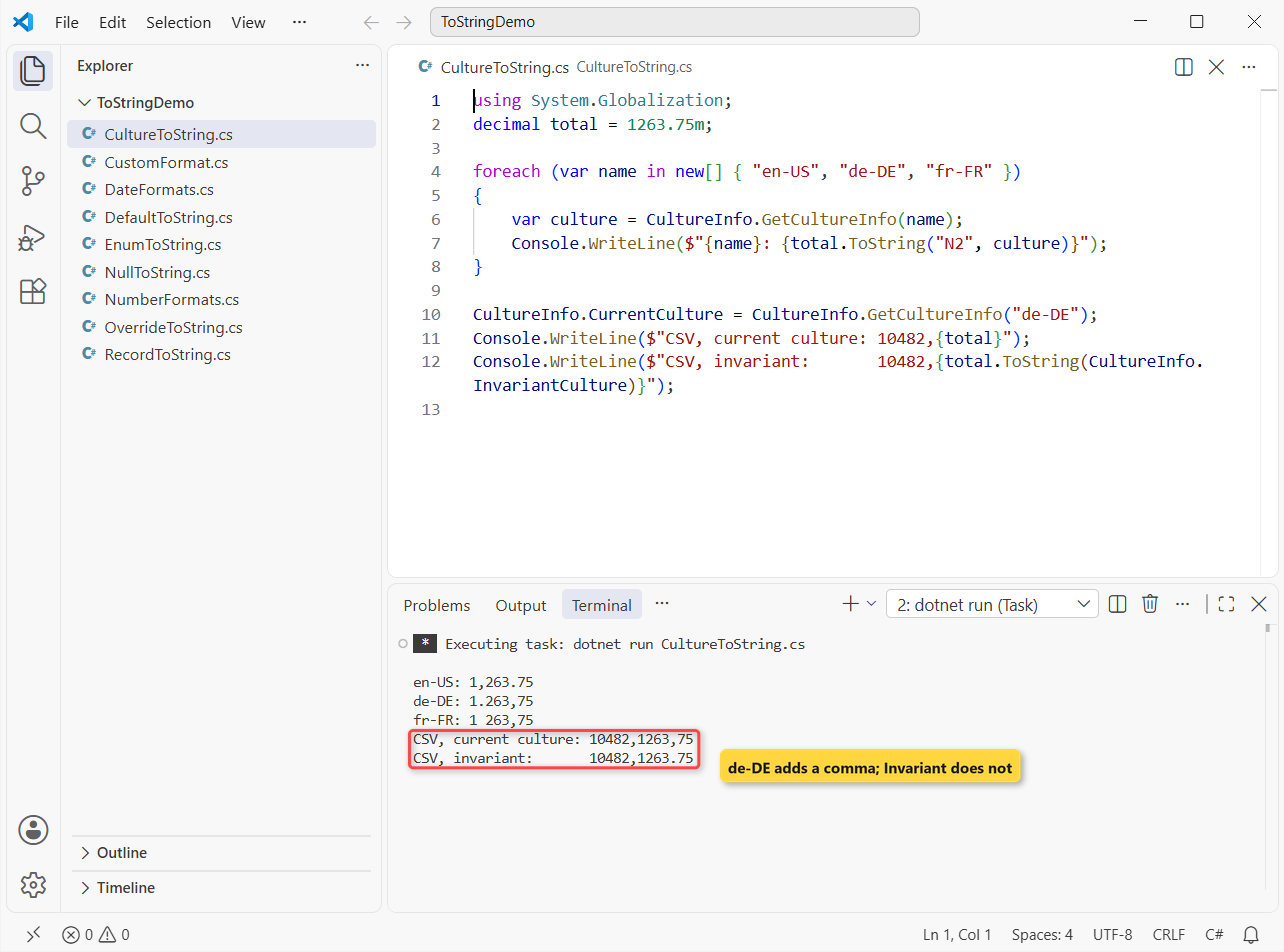
Under de-DE, the CSV line becomes 10482,1263,75, which any parser reads as three columns. The invariant line is 10482,1263.75.
How does this code work?
CultureInfo.InvariantCulture always uses a period and ignores Windows settings, so use it for CSV, JSON and logs. Parsing has the same trap; see converting a string to double.
How Do You Call ToString on a Null Value Safely?
Calling ToString() on a null reference throws. Same order, but the coupon, gift note and gift-wrap fee are all empty:
string? coupon = null;
object? giftNote = null;
int? giftWrapFee = null;

Console.WriteLine($"[{coupon?.ToString()}]");
Console.WriteLine($"[{coupon?.ToString() ?? "no coupon"}]");
Console.WriteLine($"[{Convert.ToString(giftNote)}]");
Console.WriteLine($"Convert.ToString(string null) is null: {Convert.ToString(coupon) is null}");
Console.WriteLine($"[{giftNote}]");
Console.WriteLine($"[{giftWrapFee.ToString()}]");

try { Console.WriteLine(coupon!.ToString()); }
catch (NullReferenceException ex) { Console.WriteLine(ex.GetType().Name); }
Output:
[]
[no coupon]
[]
Convert.ToString(string null) is null: True
[]
[]
NullReferenceException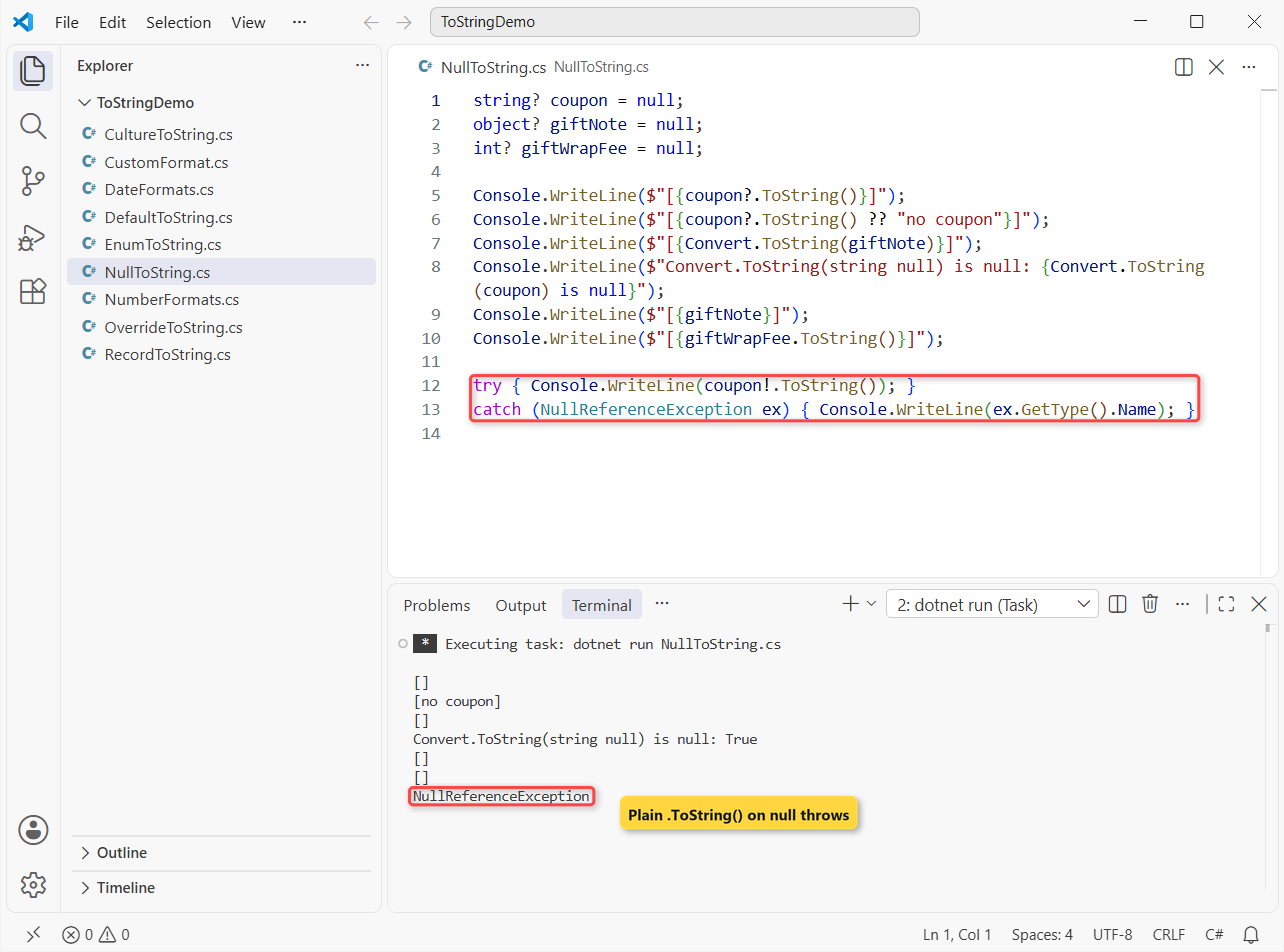
Five lines print empty brackets or the fallback text, Convert.ToString(coupon) returns null, and the last call throws NullReferenceException.
How does this code work?
?. skips the call and returns null, and ?? swaps in a default. Interpolation treats null as empty, and an int? with no value returns an empty string.
Convert.ToString(object) returns an empty string for null, but the string overload hands the null back. More patterns: checking for null values in C#.
Enum ToString: Names, Numbers and Flags
Enums override ToString() to return the member name, which is handy for order status. Same order, now Shipped:
var status = OrderStatus.Shipped;
Console.WriteLine(status.ToString());
Console.WriteLine(status.ToString("D"));
Console.WriteLine(((OrderStatus)7).ToString());

var wrap = GiftWrap.Paper | GiftWrap.Ribbon;
Console.WriteLine(wrap.ToString());

enum OrderStatus { Pending, Packed, Shipped, Delivered }

[Flags]
enum GiftWrap { None = 0, Paper = 1, Ribbon = 2, Card = 4 }
Output:
Shipped
2
7
Paper, Ribbon
The output is Shipped, 2, 7 and Paper, Ribbon.
How does this code work?
ToString("D") gives the number, a value with no member prints as a number, and [Flags] values print as a list. The enum in C# guide covers parsing names back.
ToString() vs String Interpolation vs Convert.ToString
All three end up calling ToString(), but null and formatting differ. (For text built in a loop, StringBuilder matters more.)
x.ToString() | $"{x}" | Convert.ToString(x) | |
|---|---|---|---|
| Null object | Throws | Empty string | Empty string |
| Null string | Throws | Empty string | Returns null |
| Format string | x.ToString("C") | $"{x:C}" | Overloads for numbers |
| Culture | Current, or pass one | Current culture | Current, or pass one |
| Best for | Formatting one value | Building a sentence | Values that may be null |
Which ToString Method Should You Use?
| Task | My pick |
|---|---|
| Readable text for your own class | Override ToString() |
| Data-only type | record (generated ToString) |
| Money, counts, percents | ToString("C"), "N2", "P0" with a culture |
| Dates | ToString("yyyy-MM-dd") |
| Files, CSV, JSON | CultureInfo.InvariantCulture |
| Maybe-null values | ?.ToString() or interpolation |
Things to Keep in Mind
- The default is the type name. If you see
Namespace.ClassName, the type has no override. - Pass a culture. A PC set to German or French changes every number and date that doesn’t.
"D"is integers only. Use"N0"or"F2"fordecimalanddouble.- Never call
.ToString()on something that can be null. Use?., interpolation orConvert.ToString.
A few more string conversions that pair well with this one:
- Turn a char array back into a string
- Format an int as a hex string with leading zeros
- Convert a string with leading zeros to an int
- Show an int as a double with 2 decimal places
Frequently Asked Questions
What does ToString() do in C#?
It returns a string that represents the object. The inherited version returns the type name; built-in types like int and DateTime return their value.
Why does ToString() print the class name instead of the values?
The class doesn’t override it. Add public override string ToString() or make the type a record.
How do I format a number to 2 decimal places with ToString?
Use value.ToString("N2") with a thousands separator or "F2" without one, and pass a culture for a fixed decimal point.
Should ToString() return null or throw an exception?
No. The Object.ToString guidance on Microsoft Learn says overrides shouldn’t return null or empty text, throw, or have side effects.
How do I get the number of an enum with ToString?
Call status.ToString("D") or cast with (int)status.

Bijay Kumar is a renowned software engineer, accomplished author, and distinguished Microsoft Most Valuable Professional (MVP) specializing in SharePoint. With a rich professional background spanning over 15 years, Bijay has established himself as an authority in the field of information technology. He possesses unparalleled expertise in multiple programming languages and technologies such as ASP.NET, ASP.NET MVC, C#.NET, and SharePoint, which has enabled him to develop innovative and cutting-edge solutions for clients across the globe. Read more…