
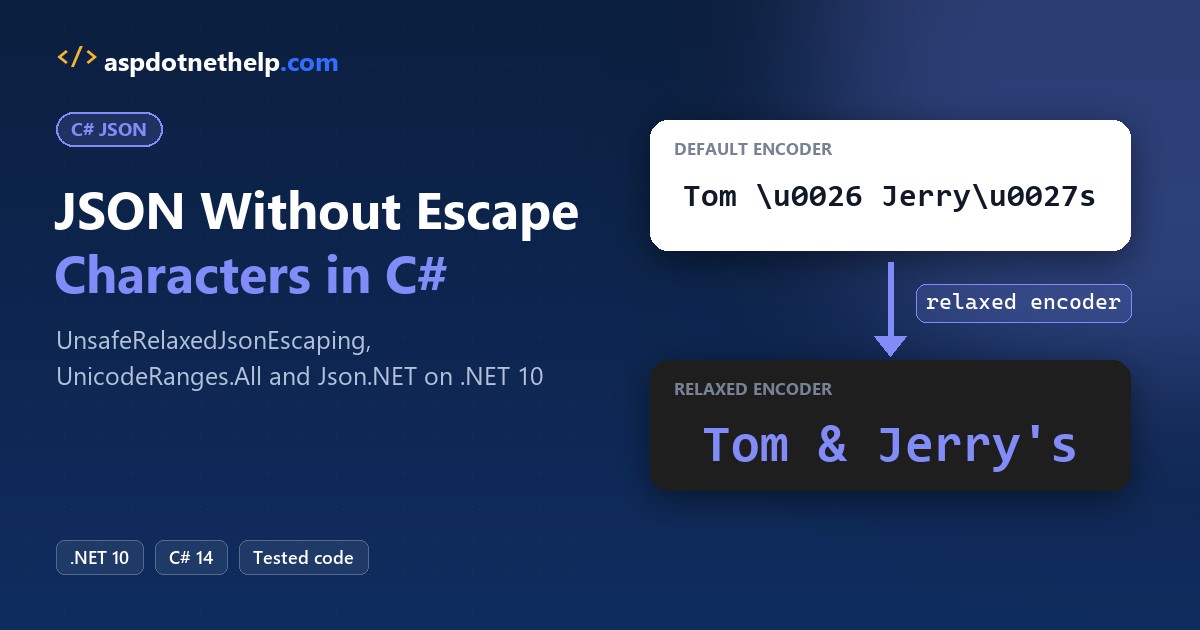
Most people who search convert object to JSON without escape characters C# just ran JsonSerializer.Serialize on a name like Tom & Jerry’s and got this back:
{"Customer":"Tom \u0026 Jerry\u0027s \u003CCaf\u00E9\u003E","City":"Seattle, WA","Total":42.50}Quick answer: set Encoder = JavaScriptEncoder.UnsafeRelaxedJsonEscaping in JsonSerializerOptions. Use it only for JSON sent as UTF-8, never inside an HTML page.
I tested every fix on .NET 10 with one Seattle bakery order, plus the double-serialized string bug and how Newtonsoft.Json differs.
Why Does JsonSerializer Escape Characters in C#?
Here’s the code behind that output. It’s a .NET 10 file-based app, the kind you can run from a console app in VS Code with dotnet run DefaultEscaping.cs:
#:property PublishAot=false
using System.Text.Json;

Console.OutputEncoding = System.Text.Encoding.UTF8;
var order = new Order("Tom & Jerry's <Café>", "Seattle, WA", 42.50m);

string json = JsonSerializer.Serialize(order);
Console.WriteLine(json);

record Order(string Customer, string City, decimal Total);
Output:
{"Customer":"Tom \u0026 Jerry\u0027s \u003CCaf\u00E9\u003E","City":"Seattle, WA","Total":42.50}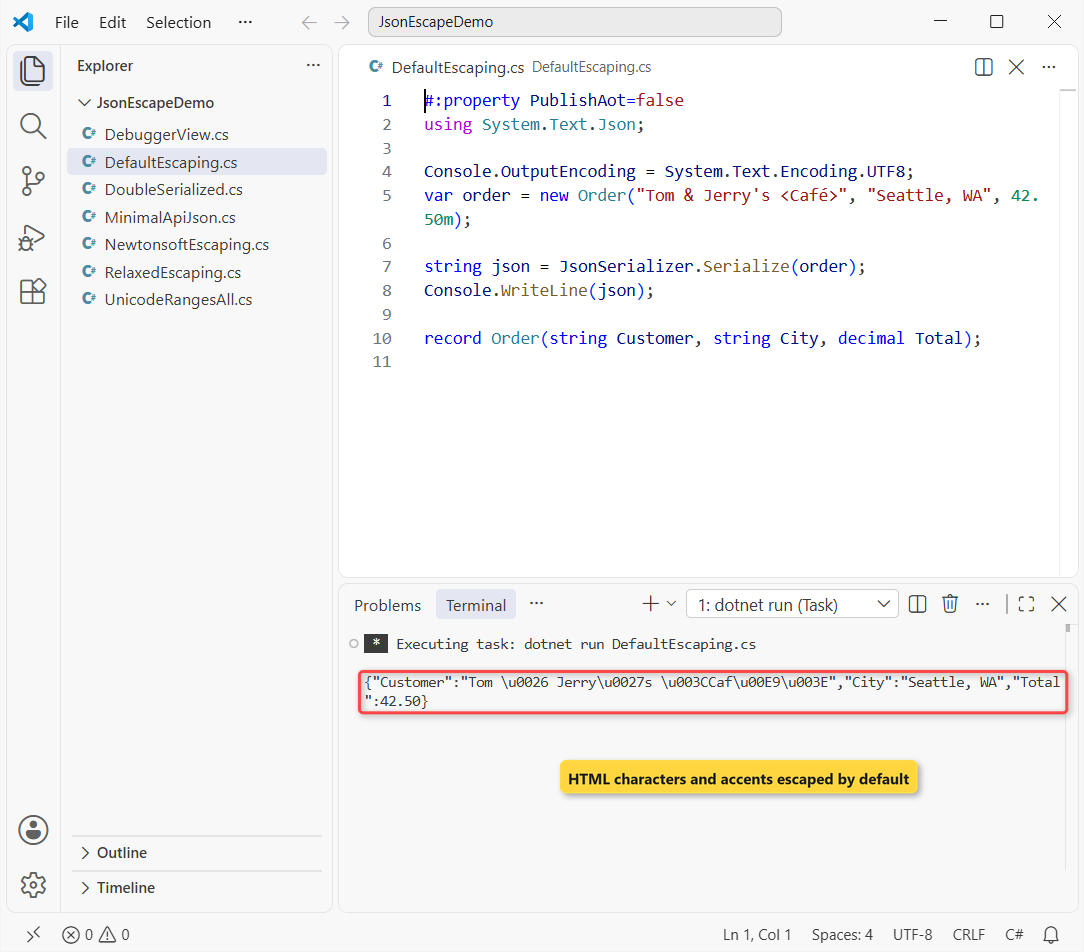
Nothing is broken. The default encoder escapes HTML-sensitive characters (&, ', <, >, and " as \u0022) plus all non-ASCII text, so the JSON stays safe if someone drops it into a web page.
Any JSON parser turns \u0026 back into &, so the data round-trips fine. The escapes only matter when a person reads the JSON or a picky system compares raw text.
Note: the #:property PublishAot=false line matters. File-based apps turn on native AOT by default, which disables reflection-based JsonSerializer calls.
Serialize JSON Without Escape Characters: UnsafeRelaxedJsonEscaping
Same order, now with a cake note that contains real quotes. I swap in the relaxed encoder and turn on WriteIndented:
#:property PublishAot=false
using System.Text.Encodings.Web;
using System.Text.Json;

Console.OutputEncoding = System.Text.Encoding.UTF8;
var order = new Order("Tom & Jerry's <Café>", "Write \"Happy 30th\" on top", 42.50m);

var options = new JsonSerializerOptions
{
    Encoder = JavaScriptEncoder.UnsafeRelaxedJsonEscaping,
    WriteIndented = true
};
Console.WriteLine(JsonSerializer.Serialize(order, options));

record Order(string Customer, string Note, decimal Total);
Output:
{
  "Customer": "Tom & Jerry's <Café>",
  "Note": "Write \"Happy 30th\" on top",
  "Total": 42.50
}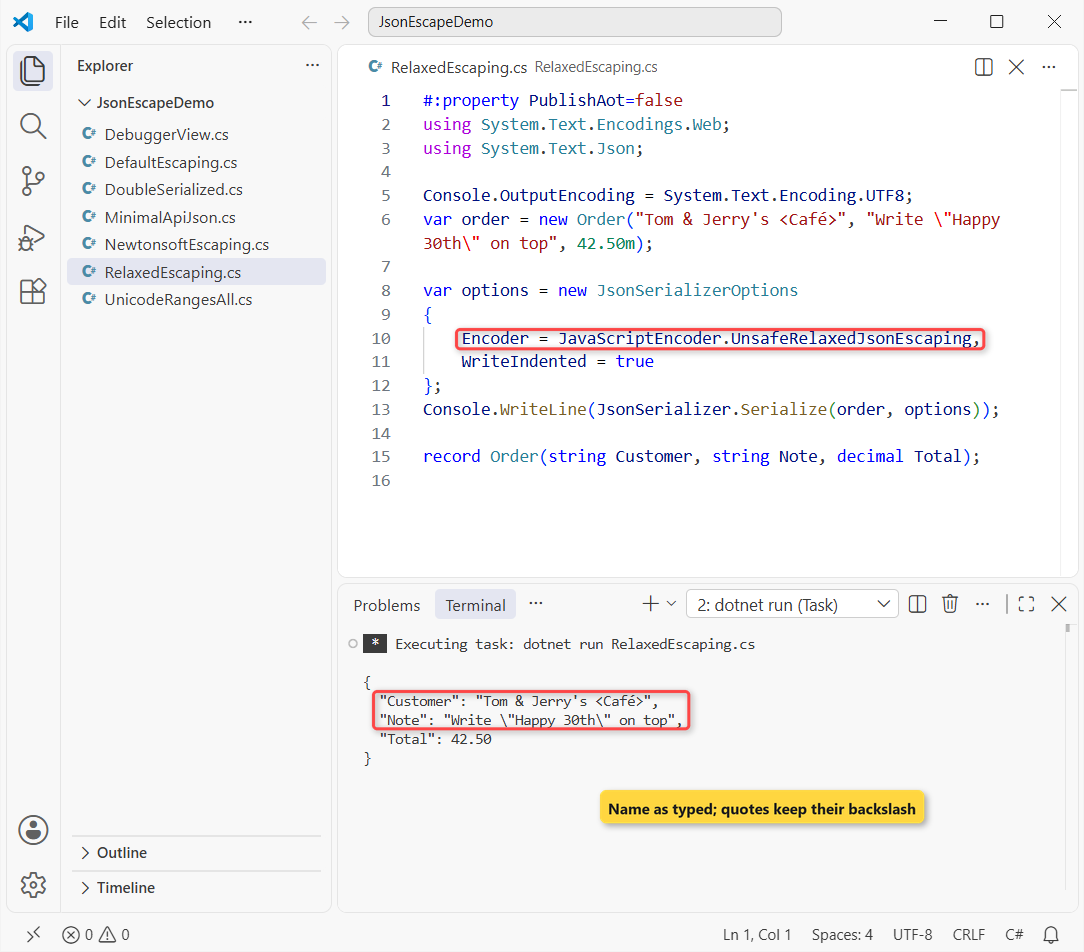
The name reads as typed. The \"Happy 30th\" escapes stay, because JSON itself requires a backslash before a quote inside a string.
Important: Microsoft’s docs say to use this encoder only when the client reads the payload as UTF-8 JSON, for example with Content-Type: application/json; charset=utf-8. Never write its raw output into an HTML page or a <script> block.
Keep Non-English JSON Text Readable with UnicodeRanges.All
If only the \u00E9 bothers you, there’s a safer middle ground. JavaScriptEncoder.Create(UnicodeRanges.All) lets every language through but keeps the HTML escapes:
#:property PublishAot=false
using System.Text.Encodings.Web;
using System.Text.Json;
using System.Text.Unicode;

Console.OutputEncoding = System.Text.Encoding.UTF8;
var order = new Order("Tom & Jerry's <Café>", "Pastel de cumpleaños, 寿司");

var options = new JsonSerializerOptions
{
    Encoder = JavaScriptEncoder.Create(UnicodeRanges.All)
};
Console.WriteLine(JsonSerializer.Serialize(order, options));

record Order(string Customer, string Item);
Output:
{"Customer":"Tom \u0026 Jerry\u0027s \u003CCafé\u003E","Item":"Pastel de cumpleaños, 寿司"}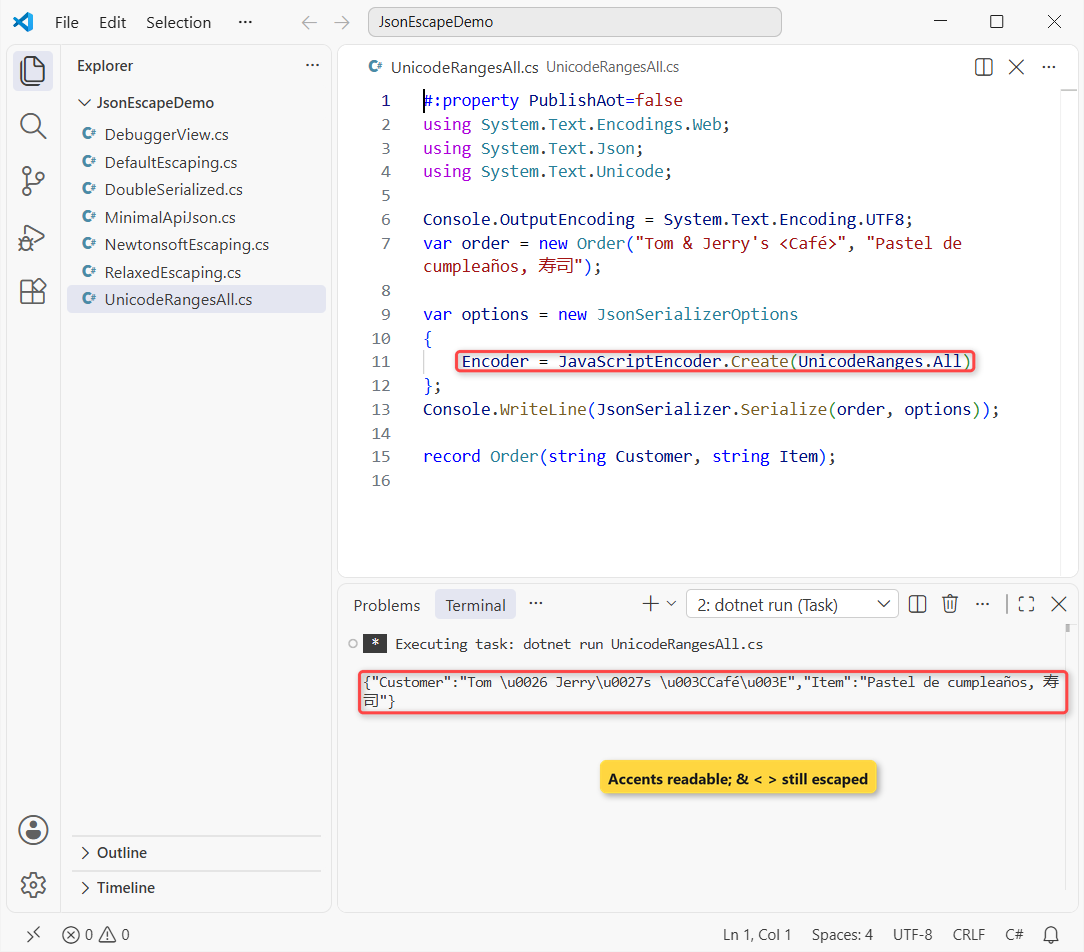
Café, cumpleaños and 寿司 print as-is, while & and < are still escaped. I pick this for JSON that might end up in a page. UTF-8 stores é as two bytes, as shown when you convert a string to a byte array in C#.
How Do You Fix Double-Serialized JSON (\u0022 Everywhere)?
The other classic: an API already returns a JSON string, and the code serializes it again. Now the whole object is one quoted string:
#:property PublishAot=false
using System.Text.Json;

var order = new Order("Ballard Bakery", 42.50m);
string json = JsonSerializer.Serialize(order);

string twice = JsonSerializer.Serialize(json);     // the mistake
Console.WriteLine(twice);

// the fix: keep the JSON as a JsonElement inside the wrapper
var reply = new Reply("ok", JsonDocument.Parse(json).RootElement);
Console.WriteLine(JsonSerializer.Serialize(reply));

record Order(string Customer, decimal Total);
record Reply(string Status, JsonElement Data);
Output:
"{\u0022Customer\u0022:\u0022Ballard Bakery\u0022,\u0022Total\u0022:42.50}"
{"Status":"ok","Data":{"Customer":"Ballard Bakery","Total":42.50}}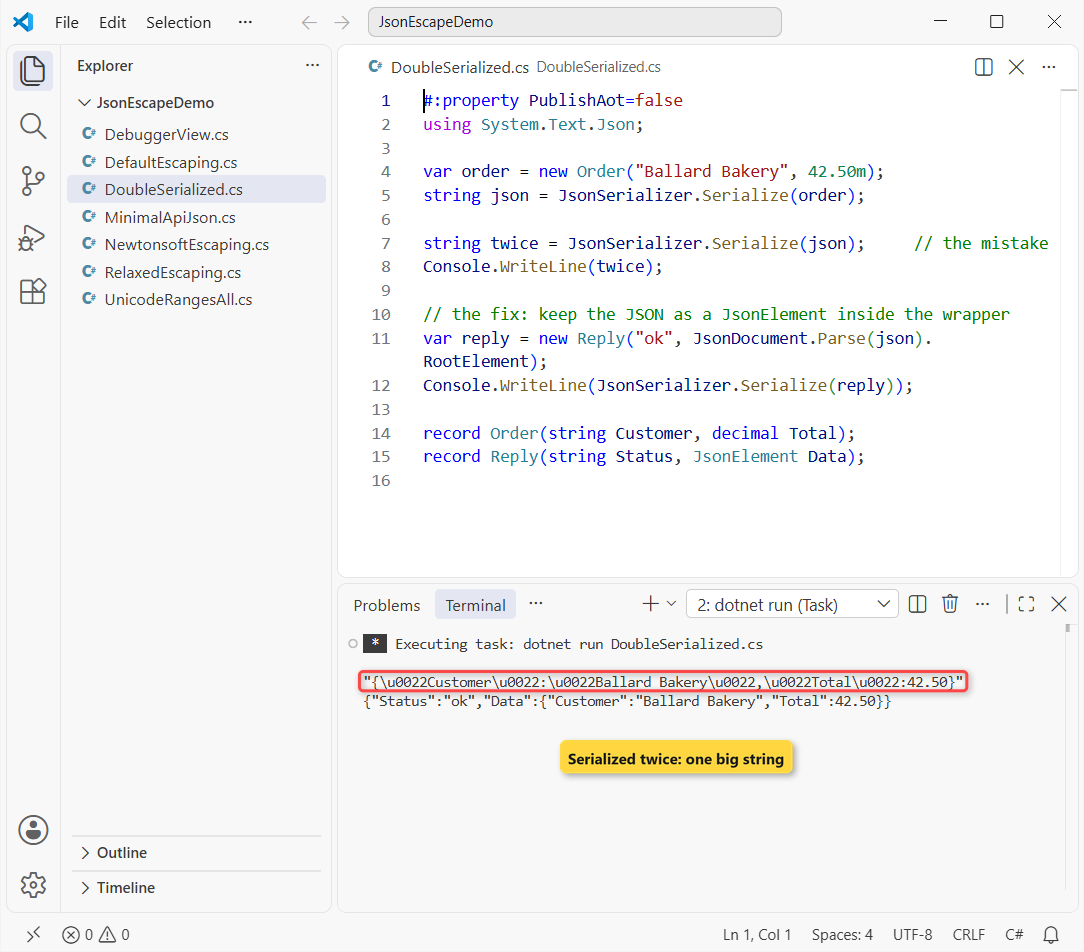
With the relaxed encoder or Json.NET, the same bug looks like "{\"Customer\":...}". No encoder fixes it; serialize the object once, or return the existing JSON as-is.
When the JSON has to sit inside a bigger response, parse it into a JsonElement (or JsonNode) property, like the Data field above. Building the payload as a Dictionary in C# of plain values works too.
Is the Backslash Really in Your JSON String?
Sometimes there’s no bug. The Visual Studio debugger shows strings as C# literals, so the tooltip reads {\"Customer\":...} even though the string has no backslashes. Here’s the proof:
#:property PublishAot=false
using System.Text.Json;

string json = JsonSerializer.Serialize(new Order("Ballard Bakery", 42.50m));

Console.WriteLine(json);
Console.WriteLine($"Length: {json.Length}");
Console.WriteLine($"Has a backslash: {json.Contains('\\')}");

record Order(string Customer, decimal Total);
Output:
{"Customer":"Ballard Bakery","Total":42.50}
Length: 43
Has a backslash: False
The string is 43 characters with no backslash, the same check as when you check if a string contains a character in C#. Use the Text Visualizer (the magnifier icon) or print the value to see the real text.
Newtonsoft.Json: StringEscapeHandling Without Escape Characters
Json.NET (Newtonsoft.Json) has the opposite default. In a file-based app, #:package Newtonsoft.Json@13.0.4 pulls in the NuGet package:
#:package Newtonsoft.Json@13.0.4
#:property PublishAot=false
using Newtonsoft.Json;

Console.OutputEncoding = System.Text.Encoding.UTF8;
var order = new Order("Tom & Jerry's <Café>", 42.50m);

Console.WriteLine(JsonConvert.SerializeObject(order));
Console.WriteLine(JsonConvert.SerializeObject(order, new JsonSerializerSettings
{
    StringEscapeHandling = StringEscapeHandling.EscapeHtml
}));

record Order(string Customer, decimal Total);
Output:
{"Customer":"Tom & Jerry's <Café>","Total":42.50}
{"Customer":"Tom \u0026 Jerry\u0027s \u003cCafé\u003e","Total":42.50}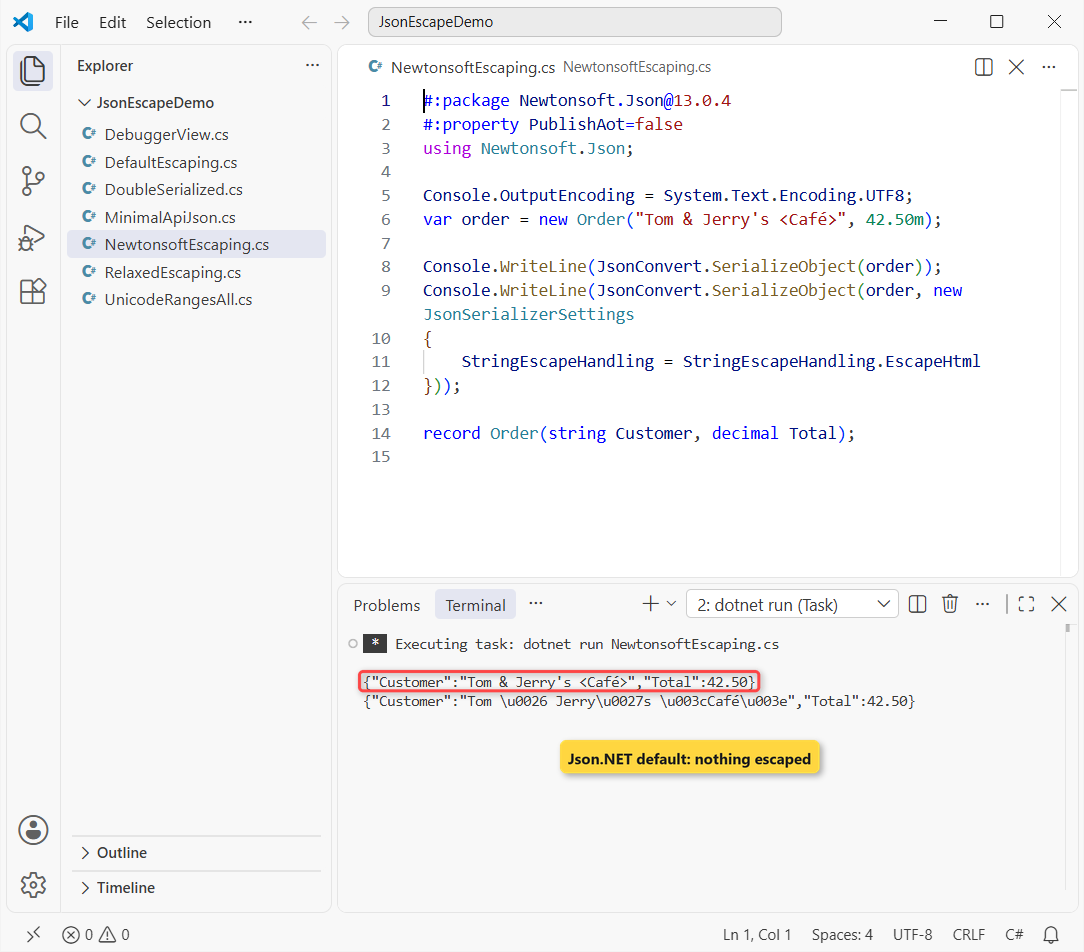
| StringEscapeHandling | What it escapes | Our order |
|---|---|---|
| Default | Control characters only (e.g. newline) | Tom & Jerry’s <Café> |
| EscapeNonAscii | Non-ASCII + control characters | Café becomes Caf\u00e9 |
| EscapeHtml | < > & ‘ ” + control characters | Tom \u0026 Jerry\u0027s \u003cCafé\u003e |
So with Json.NET you don’t change anything to avoid escapes. Older posts, this one’s first version included, said EscapeHtml removes them; it adds them. If you’re moving to System.Text.Json during an upgrade from .NET 8 to .NET 10, this default flip is the first surprise.
ASP.NET Core Minimal API: Set the JSON Encoder Once
In a web API you don’t call Serialize yourself, so set the encoder in ConfigureHttpJsonOptions. This app starts, calls its own endpoint and prints the response:
#:sdk Microsoft.NET.Sdk.Web
#:property PublishAot=false
using System.Text.Encodings.Web;

Console.OutputEncoding = System.Text.Encoding.UTF8;
var builder = WebApplication.CreateBuilder();
builder.Logging.ClearProviders();
builder.Services.ConfigureHttpJsonOptions(o =>
    o.SerializerOptions.Encoder = JavaScriptEncoder.UnsafeRelaxedJsonEscaping);

var app = builder.Build();
app.Urls.Add("http://127.0.0.1:0");          // any free port
app.MapGet("/order", () => new Order("Tom & Jerry's <Café>", 42.50m));
await app.StartAsync();

using var http = new HttpClient();
var response = await http.GetAsync($"{app.Urls.First()}/order");
Console.WriteLine(response.Content.Headers.ContentType);
Console.WriteLine(await response.Content.ReadAsStringAsync());
await app.StopAsync();

record Order(string Customer, decimal Total);
Output:
application/json; charset=utf-8
{"customer":"Tom & Jerry's <Café>","total":42.50}
The response is application/json; charset=utf-8, exactly the case where Microsoft says the relaxed encoder is fine. Property names come out camelCase because ASP.NET Core uses the web defaults. There’s more in my .NET 10 new features roundup.
Common JSON Escaping Errors and How to Fix Them
| Symptom | Cause | Fix |
|---|---|---|
| \u0026, \u0027, \u003C in output | Default HTML-safe encoder | JavaScriptEncoder.UnsafeRelaxedJsonEscaping (UTF-8 JSON only) |
| \u00E9 for é, \u5BFF for Japanese | Non-ASCII escaped by default | JavaScriptEncoder.Create(UnicodeRanges.All) |
| “{\”Customer\”:…}” string | JSON string serialized again | Serialize the object once, or use JsonElement |
| \” only in the debugger | Debugger shows a C# literal | Text Visualizer or Console.WriteLine |
| InvalidOperationException: Reflection-based serialization has been disabled | File-based app with native AOT on | #:property PublishAot=false, or a JsonSerializerContext |
| é shows as ? in the console | Console code page, not the JSON | Console.OutputEncoding = Encoding.UTF8 |
Which JSON Escaping Option Should You Use?
| Situation | Use |
|---|---|
| API response or file read by code | Default, or UnsafeRelaxedJsonEscaping if humans read it |
| Readable JSON with accents, never in HTML | UnsafeRelaxedJsonEscaping + WriteIndented |
| JSON that might land in a web page | JavaScriptEncoder.Create(UnicodeRanges.All) |
| Already have a JSON string | Return it as-is, or embed it as JsonElement |
Before you ship that bakery order API, these four tutorials fill in the data side:
- ToString() in C# and custom formats
- Convert a string to DateTime in C#
- Check for null in C# before you serialize
- List in C#, the collection you’ll serialize most
Frequently Asked Questions
How do I serialize JSON without escape characters in C#?
Pass new JsonSerializerOptions { Encoder = JavaScriptEncoder.UnsafeRelaxedJsonEscaping } to JsonSerializer.Serialize. Quotes and backslashes inside strings are still escaped, because valid JSON requires it.
Is UnsafeRelaxedJsonEscaping safe to use?
It’s fine for JSON sent with a UTF-8 JSON content type. It doesn’t escape <, >, & or ‘, so never put its output straight into HTML or a script tag. See Microsoft’s System.Text.Json character encoding page.
Why does my JSON show \u0022 instead of quotes?
You serialized a string that was already JSON. Serialize the original object once, or store the JSON in a JsonElement property.
Does Newtonsoft.Json escape special characters?
By default only control characters. StringEscapeHandling.EscapeHtml adds HTML escapes and EscapeNonAscii escapes non-ASCII text.
How do I stop escaping in an ASP.NET Core API?
Call builder.Services.ConfigureHttpJsonOptions and set SerializerOptions.Encoder once. Every minimal API JSON response then uses it.

Bijay Kumar is a renowned software engineer, accomplished author, and distinguished Microsoft Most Valuable Professional (MVP) specializing in SharePoint. With a rich professional background spanning over 15 years, Bijay has established himself as an authority in the field of information technology. He possesses unparalleled expertise in multiple programming languages and technologies such as ASP.NET, ASP.NET MVC, C#.NET, and SharePoint, which has enabled him to develop innovative and cutting-edge solutions for clients across the globe. Read more…