
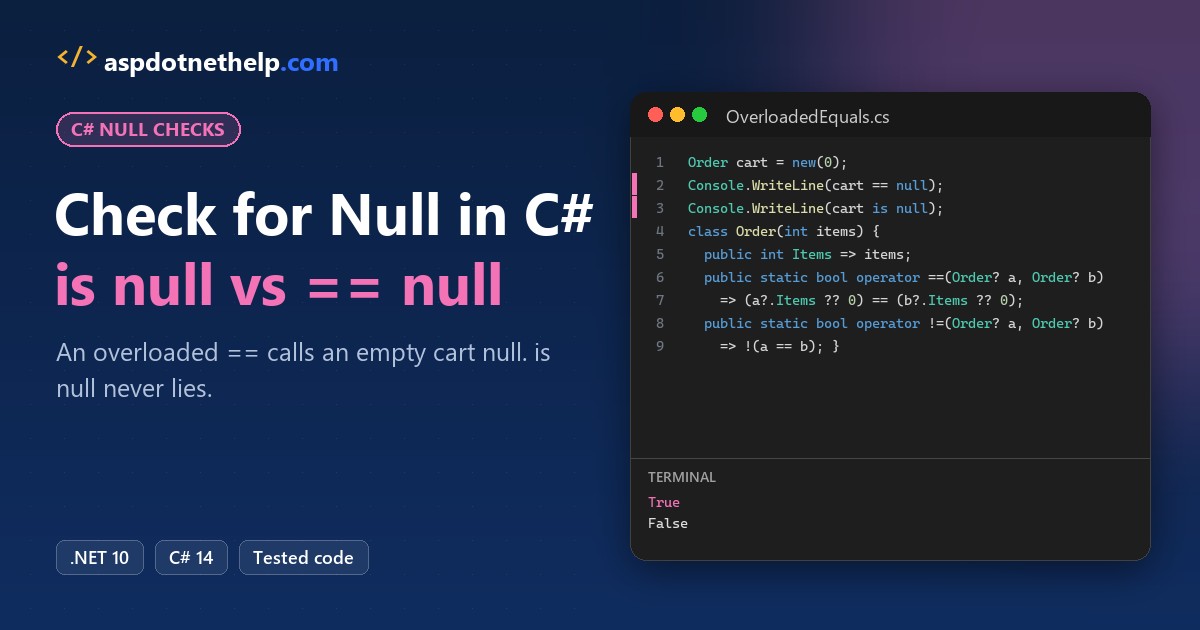
The usual way to check for null in C#, if (order == null), once skipped real orders in a client’s checkout. Their Order class overloaded ==, so an empty cart compared equal to null.
Quick answer: write order is null or order is not null. The compiler never calls an overloaded operator for those patterns.
I ran every check below on .NET 10, from ?. and ??= to empty lists, custom objects and C# 14’s null-conditional assignment.
Why == null Can Lie: Check for Null with is null
Here’s that bug, cut down. The == operator compares item counts and counts null as 0 items:
Order emptyCart = new(0);

Console.WriteLine($"emptyCart == null: {emptyCart == null}");
Console.WriteLine($"emptyCart is null: {emptyCart is null}");
Console.WriteLine($"ReferenceEquals:   {ReferenceEquals(emptyCart, null)}");

class Order(int items)
{
    public int Items { get; } = items;
    // "equal" when item counts match, and null counts as 0 items
    public static bool operator ==(Order? a, Order? b)
        => (a?.Items ?? 0) == (b?.Items ?? 0);
    public static bool operator !=(Order? a, Order? b) => !(a == b);
    public override bool Equals(object? o) => o is Order x && x.Items == Items;
    public override int GetHashCode() => Items;
}
Output:
emptyCart == null: True
emptyCart is null: False
ReferenceEquals:   False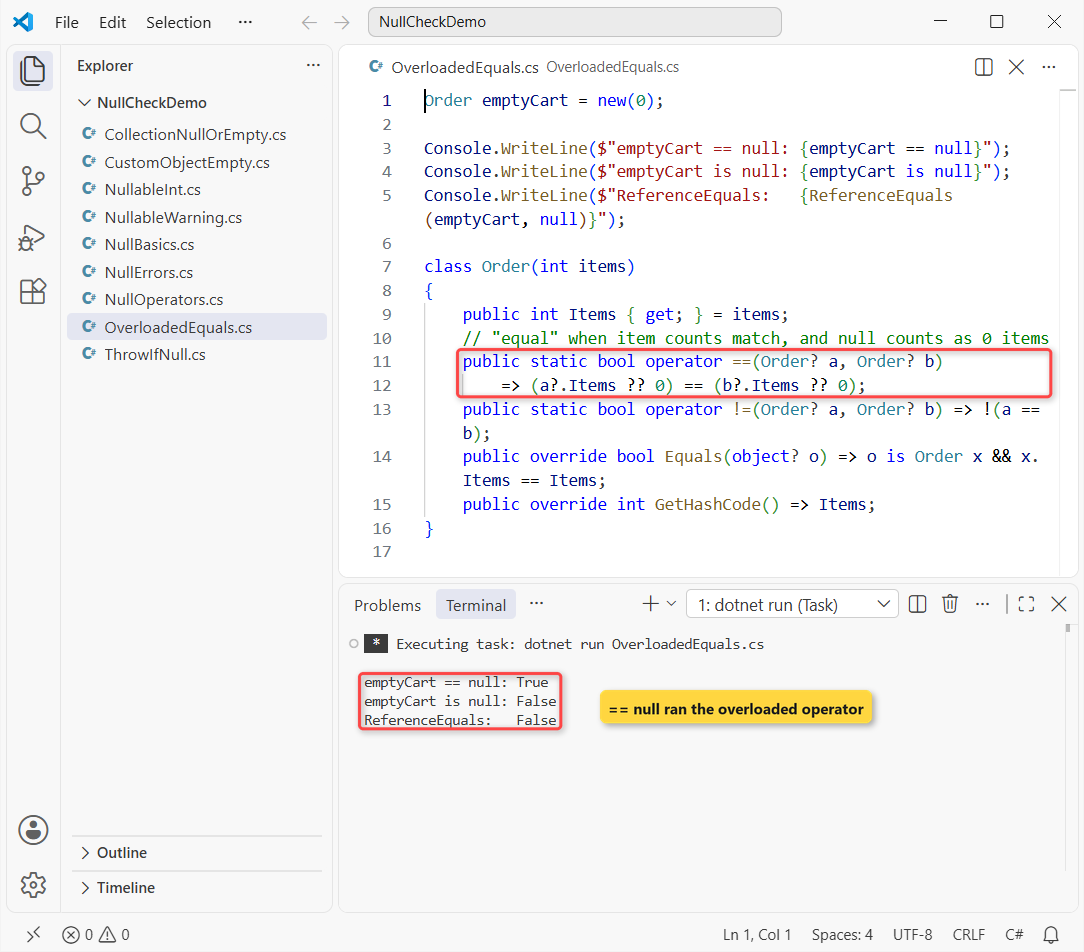
emptyCart == null prints True for an object that exists, while is null and ReferenceEquals compare the reference itself. That’s why Microsoft’s IDE0041 style rule suggests is null.
is not null, == null and is { }: The Basic Null Checks
Here’s a lookup that returns a name or null, the way most C# functions that search for something do:
string? FindCustomer(int id) => id == 1 ? "Jenna Morales" : null;

if (FindCustomer(2) is null) Console.WriteLine("Customer 2: not found");
if (FindCustomer(1) is { } name) Console.WriteLine($"Found: {name}");
Output:
Customer 2: not found
Found: Jenna Morales
is { } name checks for null and copies the value into a non-null variable. is not null (C# 9+) is the plain negation, and == null is fine for string.
Plain value types like int can’t hold null at all, as the C# data types guide explains.
Null-Conditional ?. and Null-Coalescing ?? Operators
Often you don’t want an if at all, just a safe read with a fallback. Here’s a customer with an optional city:
Customer jenna = new("Jenna Morales", null);
Customer? guest = null;

Console.WriteLine(jenna.City ?? "(no city)");
Console.WriteLine(guest?.Name ?? "(guest)");
Console.WriteLine(guest?.Name.Length ?? 0);

jenna.City ??= "Austin, TX";        // assigns only when City is null
Console.WriteLine(jenna.City);

guest?.City = "Dallas, TX";         // C# 14: skipped, no exception
jenna?.City = "Houston, TX";
Console.WriteLine($"{jenna?.City} | guest is null: {guest is null}");

class Customer(string name, string? city)
{
    public string Name { get; } = name;
    public string? City { get; set; } = city;
}
Output:
(no city)
(guest)
0
Austin, TX
Houston, TX | guest is null: True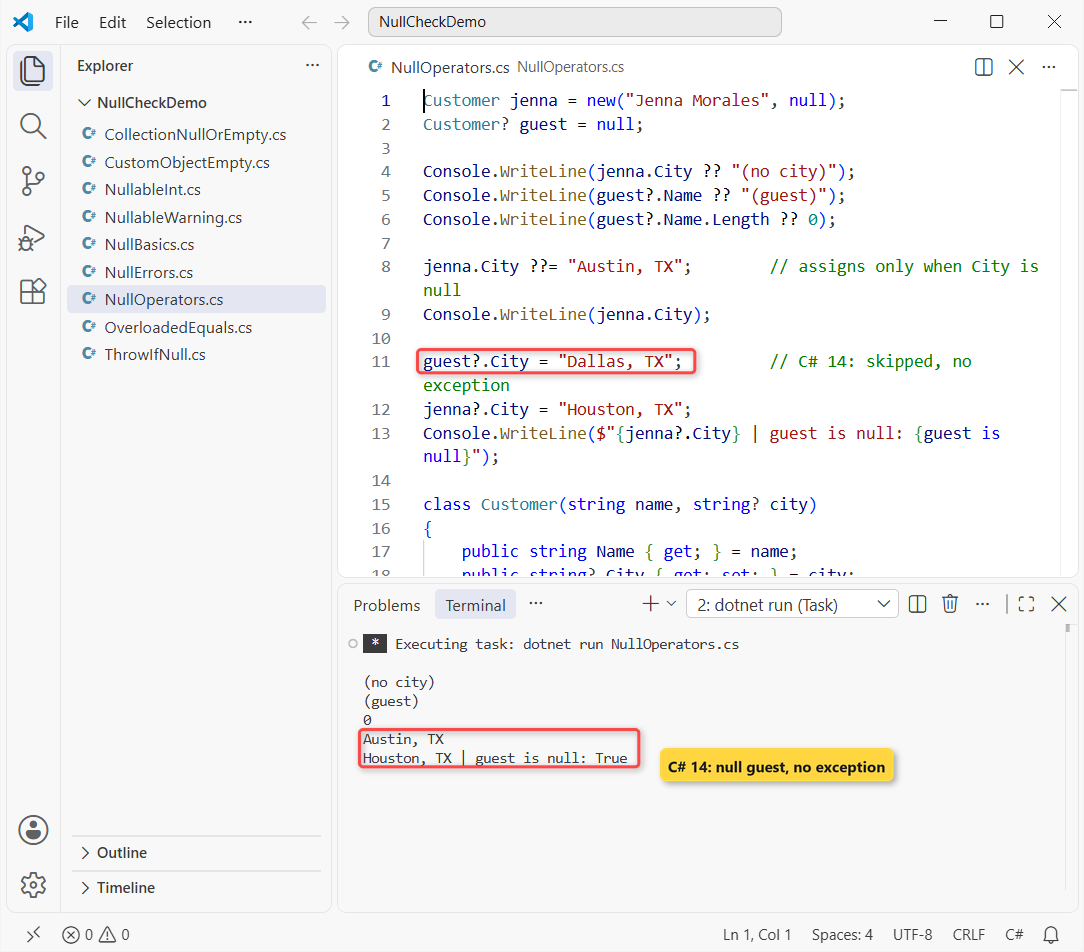
guest?.Name.Length ?? 0 prints 0 because the whole chain stops at the null guest. guest?.City = ... is C# 14’s null-conditional assignment: it runs only for a non-null object.
My C# 14 new features roundup covers the rest. Compound forms like ?.Total += work too, but ++ and -- don’t.
Throw Early with ArgumentNullException.ThrowIfNull
When null means a caller bug, don’t hide it with a default. One line replaces the old if (x == null) throw block:
try
{
    Ship(null);
}
catch (ArgumentNullException ex)
{
    Console.WriteLine(ex.Message);
}
Ship("Tyler Brooks");

static void Ship(string? customer)
{
    ArgumentNullException.ThrowIfNull(customer);
    Console.WriteLine($"Shipping to {customer}");
}
Output:
Value cannot be null. (Parameter 'customer')
Shipping to Tyler Brooks
ThrowIfNull (.NET 6+) fills in the parameter name for you. Catch it where you can report the problem, as shown in my try-catch in C# guide.
How Do You Check a Nullable int (int?) for Null?
An int can’t be null, but int? can. A survey rating the customer skipped is a good fit:
int? rating = null;     // customer skipped the survey

Console.WriteLine($"rating.HasValue: {rating.HasValue}");
Console.WriteLine($"rating is null:  {rating is null}");
Console.WriteLine($"GetValueOrDefault: {rating.GetValueOrDefault()}");
Console.WriteLine($"rating ?? 5: {rating ?? 5}");
Output:
rating.HasValue: False
rating is null:  True
GetValueOrDefault: 0
rating ?? 5: 5
HasValue and is null agree, and reading rating.Value while it’s null throws InvalidOperationException. For more, see how to convert null to int in C#.
Nullable Reference Types: Let the Compiler Find Missing Null Checks
File-based apps and new .NET 10 projects turn on nullable reference types. When you declare variables in C# as string?, the compiler warns on unchecked use:
string? coupon = FindCoupon("TX");
Console.WriteLine(coupon.ToUpper());     // warning CS8602

string? FindCoupon(string state) => state == "CA" ? "fall26" : null;
Build and run output:
C:\DotNetDemo\NullCheckDemo\NullableWarning.cs(2,19): warning CS8602: Dereference of a possibly null reference.
Unhandled exception. System.NullReferenceException: Object reference not set to an instance of an object.
   at Program.<Main>$(String[] args) in C:\DotNetDemo\NullCheckDemo\NullableWarning.cs:line 2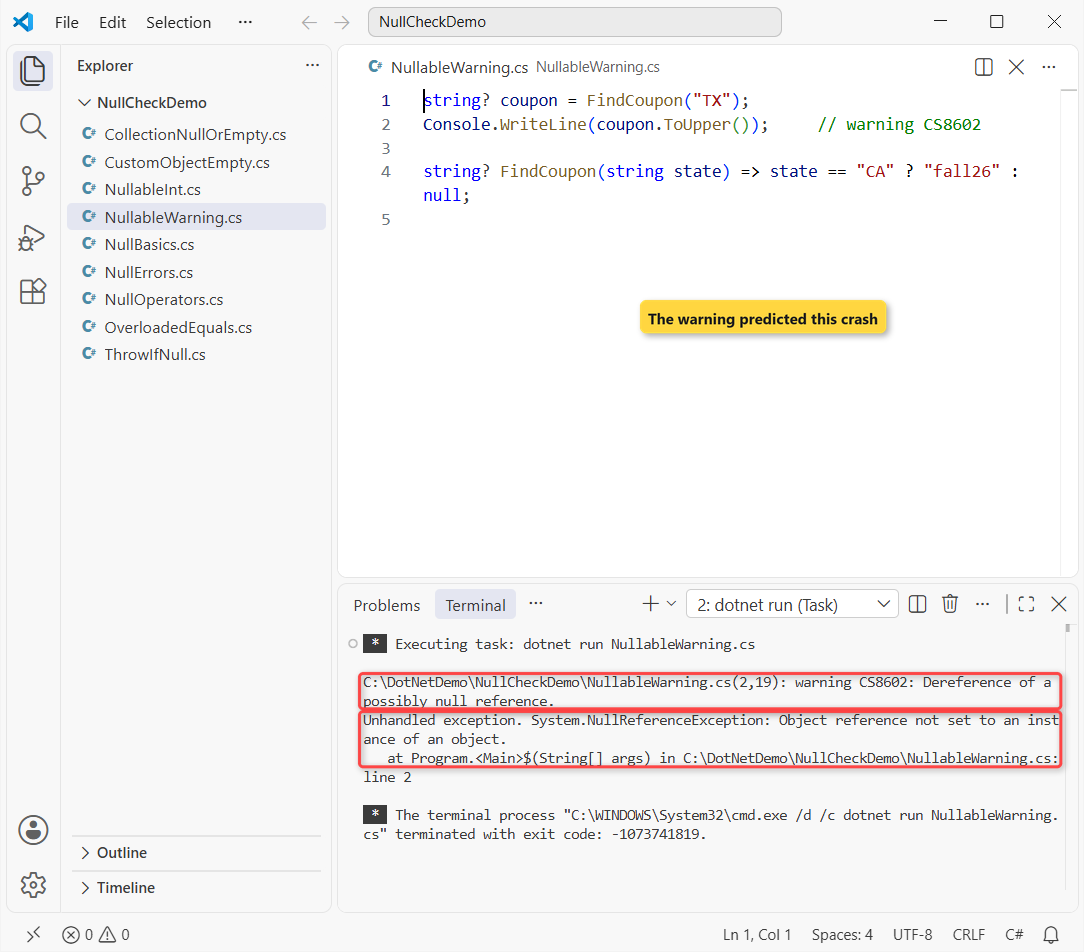
CS8602 is only a warning, so the program still ran and crashed (and coupon! would only hide it). The fix is coupon?.ToUpper() ?? "NONE" or an is not null check.
Check if a List or Array Is Null or Empty
Collections have two failure states: no list at all, or a list with nothing in it. One pattern covers both for a List in C#:
List<string>? noCart = null;
List<string> emptyCart = [];
string[] cart = ["Hiking boots", "Rain jacket"];

Show("noCart null or empty", noCart is null or { Count: 0 });
Show("emptyCart null or empty", emptyCart is null or { Count: 0 });
Show("noCart?.Any() != true", noCart?.Any() != true);
Show("emptyCart is []", emptyCart is []);
Show("noCart is []", noCart is []);
Show("cart is [_, ..]", cart is [_, ..]);

static void Show(string label, bool value) => Console.WriteLine($"{label,-24}{value}");
Output:
noCart null or empty    True
emptyCart null or empty True
noCart?.Any() != true   True
emptyCart is []         True
noCart is []            False
cart is [_, ..]         True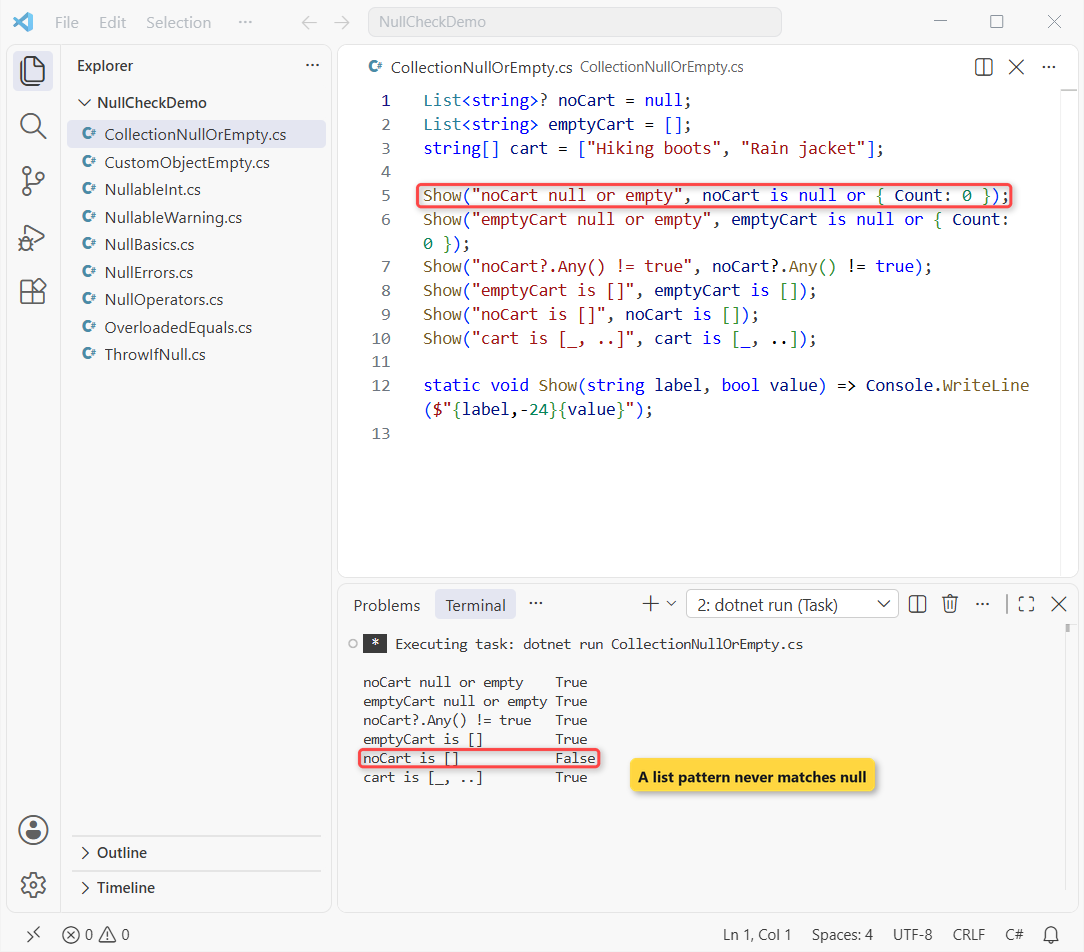
Watch the noCart is [] line: it prints False, because a list pattern never matches null. Use is null or [] if you want both.
Arrays use is null or { Length: 0 }. A Dictionary in C# has Count, so the list version works unchanged.
How to Check if a Custom Object Is Null or Empty
C# has no built-in “empty” for your own classes, so you define it, a small piece of encapsulation in C#. I call an address empty when street and city are blank:
Address blank = new();
Address home = new() { Street = "418 Oak Ave", City = "Austin" };
Address? none = null;

Console.WriteLine($"blank.IsEmpty: {blank.IsEmpty}");
Console.WriteLine($"home.IsEmpty:  {home.IsEmpty}");
Console.WriteLine($"none?.IsEmpty ?? true: {none?.IsEmpty ?? true}");
Console.WriteLine($"blank == new(): {blank == new Address()}");

record Address
{
    public string? Street { get; init; }
    public string? City { get; init; }
    public bool IsEmpty =>
        string.IsNullOrWhiteSpace(Street) && string.IsNullOrWhiteSpace(City);
}
Output:
blank.IsEmpty: True
home.IsEmpty:  False
none?.IsEmpty ?? true: True
blank == new(): True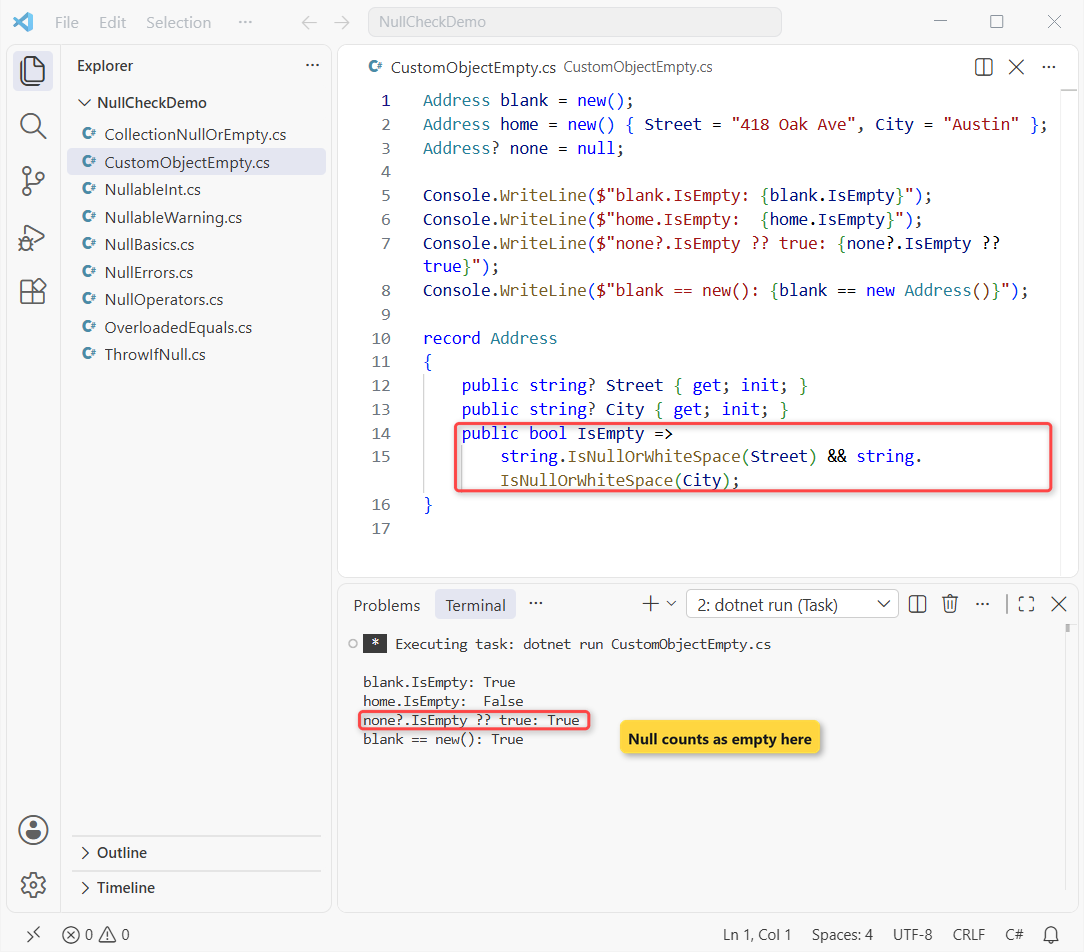
none?.IsEmpty ?? true is the null-or-empty check in one expression. Because Address is a record, blank == new Address() also works, since records compare values.
Strings: Use IsNullOrEmpty or IsNullOrWhiteSpace
Strings get their own helpers: string.IsNullOrEmpty and string.IsNullOrWhiteSpace, which also rejects text like three spaces. I’ve covered both with real inputs in how to check if a string is not null or empty in C#.
Common Null Check Errors and How to Fix Them
Three mistakes I still see in code reviews, run so you can see what each one throws:
string? promo = null;
List<int>? orders = null;

Try("promo!.Equals(null)", () => promo!.Equals(null));
Try("orders!.Any()", () => orders!.Any());
Try("orders!.Count", () => orders!.Count);

static void Try(string label, Func<object> run)
{
    try { Console.WriteLine($"{label}: {run()}"); }
    catch (Exception ex) { Console.WriteLine($"{label}: {ex.GetType().Name}"); }
}
Output:
promo!.Equals(null): NullReferenceException
orders!.Any(): ArgumentNullException
orders!.Count: NullReferenceException| Mistake | What happens | Fix |
|---|---|---|
| promo.Equals(null) | NullReferenceException | promo is null |
| orders.Any() on a null list | ArgumentNullException | orders is null or { Count: 0 } |
| orders.Count on a null list | NullReferenceException | orders?.Count ?? 0 |
| count is null on an int | Build error CS0037 | Declare it as int? |
Which Null Check Should You Use in C#?
| Situation | Use |
|---|---|
| Is it null? | x is null / x is not null |
| Read a member or use a default | x?.Member ?? fallback |
| Fill in a missing value | x ??= value |
| Null is a bug | ArgumentNullException.ThrowIfNull(x) |
| int?, decimal? | HasValue or ?? |
| List or array | is null or { Count: 0 } |
| Your own class | An IsEmpty property + ?.IsEmpty ?? true |
A few related tutorials pick up where this one stops:
- Type casting in C#, including as and is
- Switch case and pattern matching in C#
- Arrays in C#, from declaration to Length
- C# interview questions for freshers
Frequently Asked Questions
What is the best way to check for null in C#?
Use x is null and x is not null. They work on any reference type or nullable value type, and an overloaded == can’t change their result.
What’s the difference between is null and == null in C#?
== null calls the type’s == operator, which a class can overload. The compiler guarantees is null never invokes a user-overloaded operator, as Microsoft’s pattern matching reference states.
How do I check if an object is null or empty in C#?
Check for null first, then define empty for the type: is null or { Count: 0 } for a list, or an IsEmpty property with obj?.IsEmpty ?? true for your own class.
Does the ! operator check for null?
No. The null-forgiving operator only hides the compiler warning. If the value is null, x!.Length still throws NullReferenceException.
Can I use ?. on the left side of an assignment?
Yes, from C# 14 (.NET 10). guest?.City = value runs only when guest isn’t null, and the right side isn’t evaluated otherwise. Microsoft’s null-conditional operators page lists the rules.

Bijay Kumar is a renowned software engineer, accomplished author, and distinguished Microsoft Most Valuable Professional (MVP) specializing in SharePoint. With a rich professional background spanning over 15 years, Bijay has established himself as an authority in the field of information technology. He possesses unparalleled expertise in multiple programming languages and technologies such as ASP.NET, ASP.NET MVC, C#.NET, and SharePoint, which has enabled him to develop innovative and cutting-edge solutions for clients across the globe. Read more…