
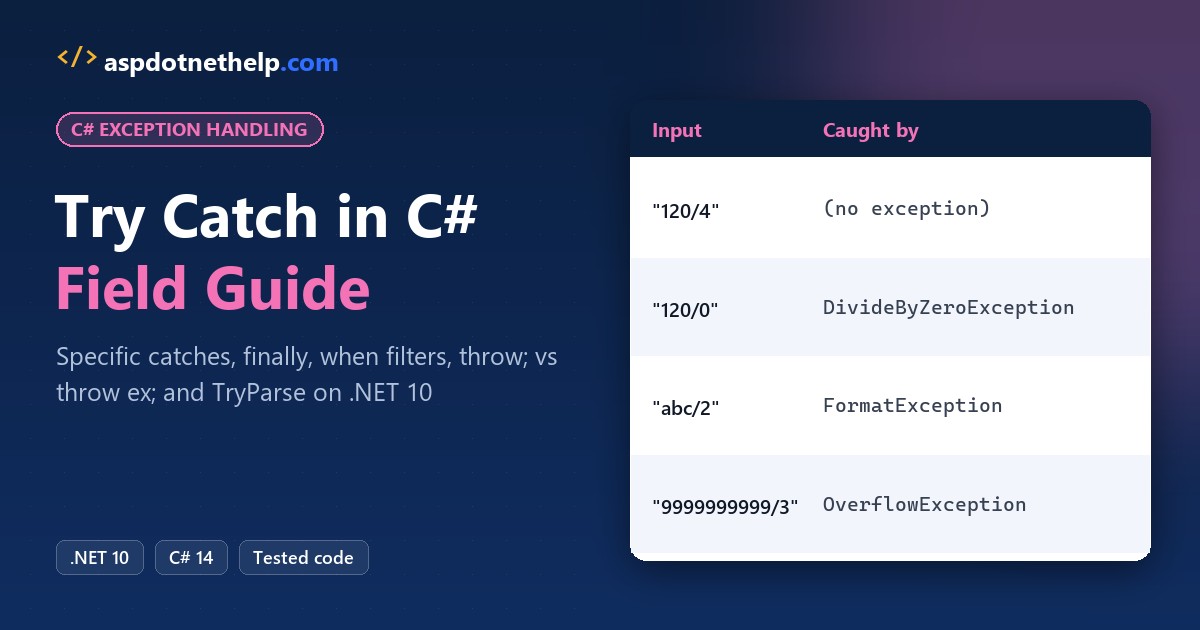
A Phoenix freight client sent me an order import that crashed on row 7 because a dispatcher typed “N/A” in the quantity column. One bad cell killed the whole nightly run.
In this tutorial, I’ll cover try catch in C# on .NET 10: the syntax, catching specific exceptions in the right order, finally, exception filters, rethrowing, custom exceptions, and when TryParse is the better tool.
Quick answer: put the risky call inside try { } and handle one specific exception in catch (FormatException ex) { }. Add finally { } for cleanup that must always run, and rethrow with throw;, never throw ex;.
How Does Try Catch Work in C#?
Code inside try runs normally. The moment a statement throws, C# skips the rest of the block and jumps to the first catch whose type matches the exception. Here’s the quantity column from that import:
string[] inputs = ["12", "12x"];

foreach (string input in inputs)
{
    try
    {
        int quantity = int.Parse(input);
        Console.WriteLine($"Ordered {quantity} units");
    }
    catch (FormatException ex)
    {
        Console.WriteLine($"Bad quantity: {ex.Message}");
    }
}
Console.WriteLine("The import keeps running");
Output:
Ordered 12 units
Bad quantity: The input string '12x' was not in a correct format.
The import keeps running
“12” parsed fine, “12x” threw a FormatException, and the loop moved on to the last line instead of crashing. That’s the whole job of a catch block: turn a crash into a decision.
Note: these are .NET 10 file-based apps, so dotnet run TryCatchBasics.cs runs a single file with no project. For a full project, see creating a console app in VS Code.
Catch Multiple Exceptions: FormatException, DivideByZeroException and OverflowException
Real input fails in more than one way. Each row below is “total units / boxes”, and each bad row trips a different exception, so I give each one its own catch clause:
string[] orders = ["120/4", "120/0", "abc/2", "9999999999/3"];

foreach (string order in orders)
{
    try
    {
        string[] parts = order.Split('/');
        int total = int.Parse(parts[0]);
        int boxes = int.Parse(parts[1]);
        Console.WriteLine($"{order}: {total / boxes} per box");
    }
    catch (DivideByZeroException) { Console.WriteLine($"{order}: zero boxes"); }
    catch (FormatException) { Console.WriteLine($"{order}: not a number"); }
    catch (OverflowException) { Console.WriteLine($"{order}: too big for int"); }
    catch (Exception ex) { Console.WriteLine($"{order}: {ex.GetType().Name}"); }
}
Output:
120/4: 30 per box
120/0: zero boxes
abc/2: not a number
9999999999/3: too big for int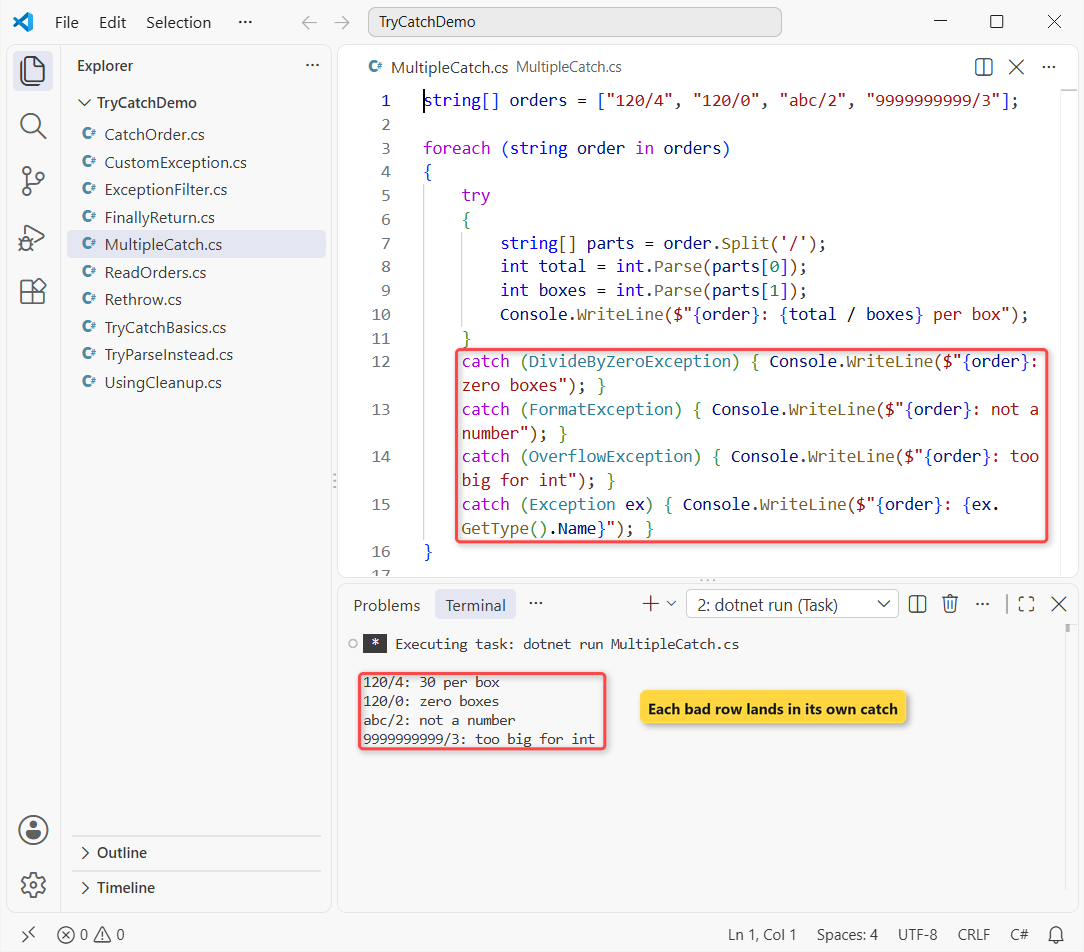
Only one catch block runs per exception, and the runtime checks them top to bottom. “120/0” hit integer division by zero, which I break down further in the DivideByZeroException guide.
“9999999999” is bigger than int.MaxValue, so int.Parse threw OverflowException, not a format error. The final catch (Exception ex) is a safety net for anything I didn’t plan for.
Why does catch order matter?
Put the most derived type first and Exception last. If the general clause comes first, the compiler refuses to build:
try
{
    int boxes = int.Parse("ten");
}
catch (Exception ex)
{
    Console.WriteLine($"General: {ex.Message}");
}
catch (FormatException ex)
{
    Console.WriteLine($"Format: {ex.Message}");
}
Output:
C:\DotNetDemo\TryCatchDemo\CatchOrder.cs(9,8): error CS0160: A previous catch clause already catches all exceptions of this or of a super type ('Exception')

The build failed. Fix the build errors and run again.
That’s error CS0160: the FormatException clause could never run because catch (Exception) already takes every exception. Swap the two blocks and it compiles.
Catch FileNotFoundException and Run Code in finally
File code is where I use try catch most, because the file can disappear between the moment you check and the moment you read. Here the Dallas order file doesn’t exist:
Console.WriteLine("Opening the Dallas order file...");
try
{
    string text = File.ReadAllText("dallas-orders-2026.csv");
    Console.WriteLine(text);
}
catch (FileNotFoundException ex)
{
    Console.WriteLine($"Missing file: {Path.GetFileName(ex.FileName)}");
}
catch (IOException ex)
{
    Console.WriteLine($"I/O problem: {ex.Message}");
}
finally
{
    Console.WriteLine("finally: import step finished");
}
Output:
Opening the Dallas order file...
Missing file: dallas-orders-2026.csv
finally: import step finished
FileNotFoundException derives from IOException, so it goes first. Its FileName property gives you the missing path, and the finally line printed even though the read failed.
The same pattern protects deletes; deleting a file from a folder in C# shows which exceptions File.Delete throws when a file is locked.
Does finally Run After a return in C#?
Yes. A finally block runs whenever control leaves the try block: normal completion, an exception, or a return, break or continue.
Console.WriteLine(Ship(3));
Console.WriteLine(Ship(0));

string Ship(int boxes)
{
    try
    {
        if (boxes == 0) return "nothing to ship";
        return $"shipped {boxes} boxes";
    }
    finally
    {
        Console.WriteLine($"finally ran for {boxes} boxes");
    }
}
Output:
finally ran for 3 boxes
shipped 3 boxes
finally ran for 0 boxes
nothing to ship
Both calls printed the finally line first, then the returned string. The only time finally doesn’t run is when the process dies on the spot, for example with Environment.FailFast.
Exception Filters: catch … when
Sometimes the exception type isn’t enough. A shipping API throws HttpRequestException for every HTTP failure, but a 404 and a 503 need different handling. An exception filter adds a condition after when:
using System.Net;

HttpStatusCode[] codes =
    [HttpStatusCode.NotFound, HttpStatusCode.ServiceUnavailable, HttpStatusCode.Unauthorized];

foreach (HttpStatusCode code in codes)
{
    try { throw new HttpRequestException("Tracking API failed", null, code); }
    catch (HttpRequestException ex) when (ex.StatusCode == HttpStatusCode.NotFound)
    {
        Console.WriteLine("404: tracking number not found");
    }
    catch (HttpRequestException ex) when (ex.StatusCode == HttpStatusCode.ServiceUnavailable)
    {
        Console.WriteLine("503: retry in 30 seconds");
    }
    catch (HttpRequestException ex) { Console.WriteLine($"{(int)ex.StatusCode!}: stop and alert"); }
}
Output:
404: tracking number not found
503: retry in 30 seconds
401: stop and alert
The 404 and 503 each matched their filter, and the 401 fell through to the unfiltered clause, which has to come last for that type. I prefer this to an if inside one catch: a false filter leaves the stack untouched.
If you’re testing many status codes, a switch statement in C# inside the catch can be cleaner, but filters keep the stack intact.
Rethrow an Exception: throw; vs throw ex;
When a method catches an exception just to log it, it should rethrow so the caller still knows it failed. How you rethrow decides whether the stack trace still points at the real bug:
try { Importer.WithThrow(); }
catch (Exception e) { Print("throw;", e); }
try { Importer.WithThrowEx(); }
catch (Exception e) { Print("throw ex;", e); }
void Print(string how, Exception e) =>
    Console.WriteLine($"{how}\n{e.StackTrace}");

static class Importer
{
    static void ParseRow() => throw new FormatException("N/A");
    public static void WithThrow()
    {
        try { ParseRow(); } catch (FormatException) { throw; }
    }
    public static void WithThrowEx()
    {
        try { ParseRow(); } catch (FormatException e) { throw e; }
    }
}
Output:
C:\DotNetDemo\TryCatchDemo\Rethrow.cs(17,57): warning CA2200: Re-throwing caught exception changes stack information (https://learn.microsoft.com/dotnet/fundamentals/code-analysis/quality-rules/ca2200)
throw;
   at Importer.ParseRow() in C:\DotNetDemo\TryCatchDemo\Rethrow.cs:line 10
   at Importer.WithThrow() in C:\DotNetDemo\TryCatchDemo\Rethrow.cs:line 13
   at Program.<Main>$(String[] args) in C:\DotNetDemo\TryCatchDemo\Rethrow.cs:line 1
throw ex;
   at Importer.WithThrowEx() in C:\DotNetDemo\TryCatchDemo\Rethrow.cs:line 17
   at Program.<Main>$(String[] args) in C:\DotNetDemo\TryCatchDemo\Rethrow.cs:line 3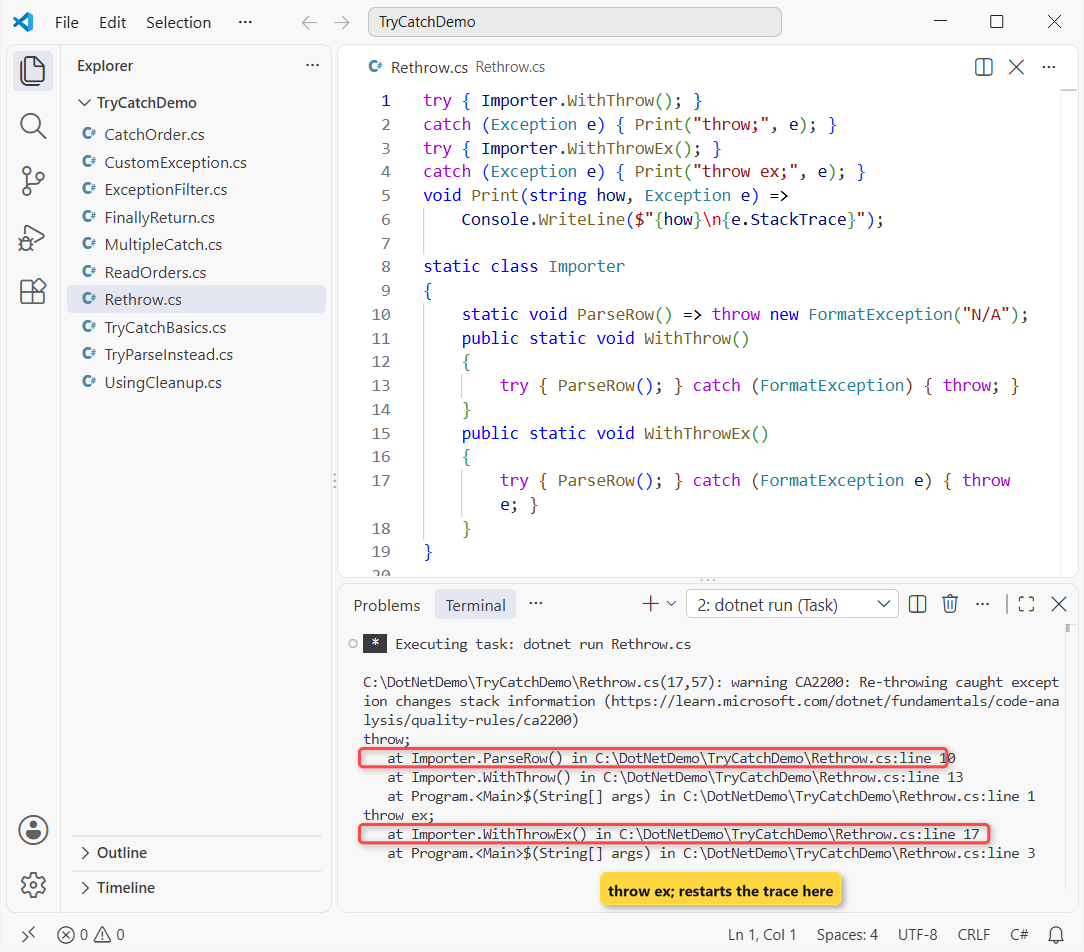
With throw; the trace still starts at ParseRow() on line 10, where the bad row was found. With throw ex; it starts at line 17 inside the catch, and ParseRow is gone from the trace.
The compiler even warned about it during the build: CA2200, “Re-throwing caught exception changes stack information.” If you need to add context instead, throw a new exception and pass the original as the inner exception (shown below).
try-finally and using: Clean Up When an Exception Hits
You don’t need a catch to clean up. try { } finally { } is enough, and for anything that implements IDisposable, a using declaration writes that try-finally for you:
try
{
    using var log = new ImportLog("Denver");
    Console.WriteLine("Importing Denver orders...");
    throw new InvalidOperationException("Row 3 has no ZIP code.");
}
catch (InvalidOperationException ex)
{
    Console.WriteLine($"Caught: {ex.Message}");
}

class ImportLog(string city) : IDisposable
{
    public void Dispose() => Console.WriteLine($"{city} import log closed");
}
Output:
Importing Denver orders...
Denver import log closed
Caught: Row 3 has no ZIP code.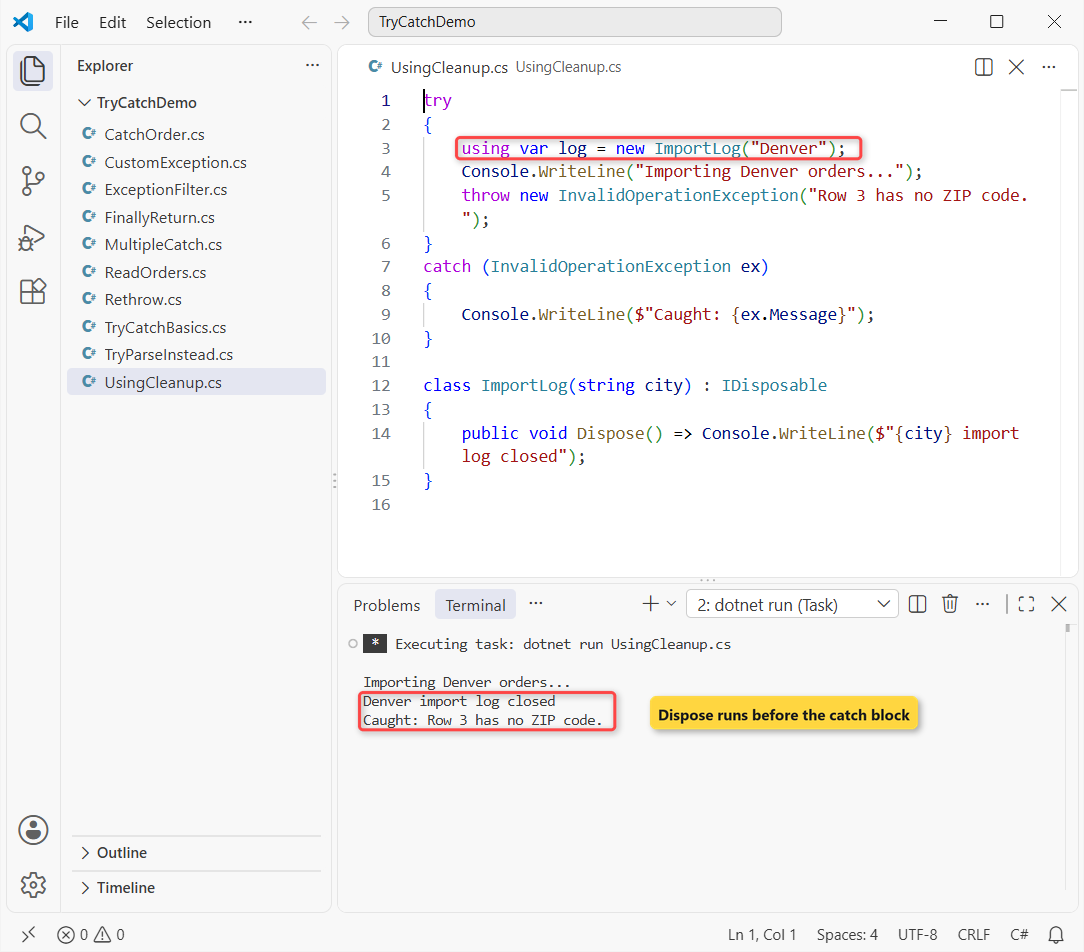
Look at the order: the log closed before “Caught:” printed. The using scope ended when the exception left the try block, so the file or connection is released first. More on Dispose is in Dispose and Finalize in C#.
Create a Custom Exception in C#
Built-in types like ArgumentException and InvalidOperationException cover most cases. I add a custom exception only when callers need to catch it separately or read extra data, like an order ID:
try
{
    Ship("TX-1042", "zero");
}
catch (OrderValidationException ex)
{
    Console.WriteLine($"{ex.GetType().Name}: {ex.Message}");
    Console.WriteLine($"Order: {ex.OrderId}, cause: {ex.InnerException?.GetType().Name}");
}

void Ship(string orderId, string boxes)
{
    try { int.Parse(boxes); }
    catch (FormatException ex)
    {
        throw new OrderValidationException(orderId, "Box count must be a whole number.", ex);
    }
}

class OrderValidationException : Exception
{
    public string? OrderId { get; }
    public OrderValidationException() { }
    public OrderValidationException(string message) : base(message) { }
    public OrderValidationException(string message, Exception inner) : base(message, inner) { }
    public OrderValidationException(string orderId, string message, Exception inner)
        : base(message, inner) => OrderId = orderId;
}
Output:
OrderValidationException: Box count must be a whole number.
Order: TX-1042, cause: FormatException
The class name ends in Exception, has the three standard constructors, and adds an OrderId property. The original FormatException rides along as InnerException, so nothing is lost.
Custom exceptions are ordinary classes that use inheritance in C#, so a catch for the base type also catches yours.
When Not to Use Try Catch: Use TryParse Instead
If bad input is routine, don’t use exceptions for it. int.TryParse returns false instead of throwing, and it’s dramatically faster on bad data:
using System.Diagnostics;

string[] inputs = ["42", "", "4O", "17"];
foreach (string s in inputs)
    Console.WriteLine(int.TryParse(s, out int n) ? $"'{s}' -> {n}" : $"'{s}' -> invalid, using 0");

var sw = Stopwatch.StartNew();
for (int i = 0; i < 100_000; i++)
    try { int.Parse("4O"); } catch (FormatException) { }
Console.WriteLine($"Parse + catch x100,000: {sw.ElapsedMilliseconds} ms");

sw.Restart();
for (int i = 0; i < 100_000; i++)
    int.TryParse("4O", out _);
Console.WriteLine($"TryParse x100,000: {sw.ElapsedMilliseconds} ms");
Output:
'42' -> 42
'' -> invalid, using 0
'4O' -> invalid, using 0
'17' -> 17
Parse + catch x100,000: 276 ms
TryParse x100,000: 4 ms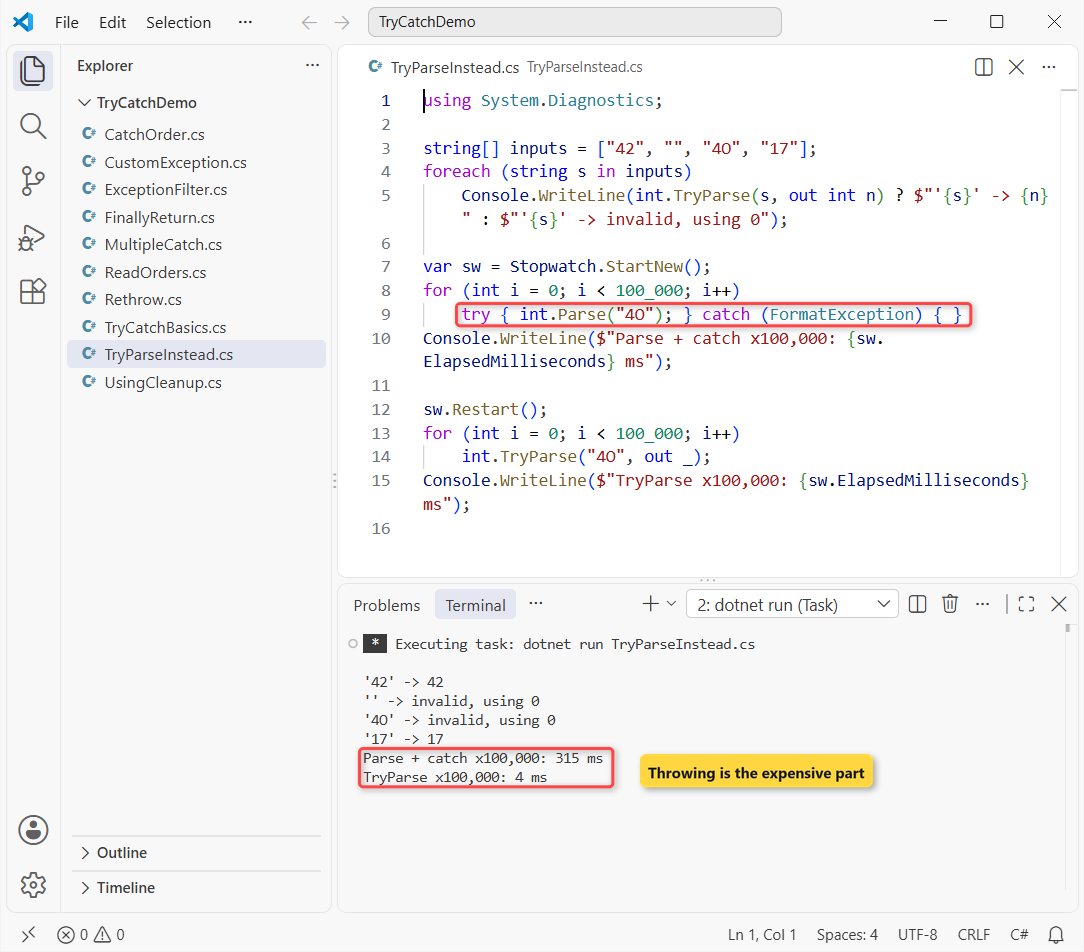
On my machine, 100,000 failed parses took 276 ms with try catch and 4 ms with TryParse. Your numbers will differ, but the gap won’t. Microsoft’s guidance is the same: check for routine conditions, catch the rare ones.
For null and blank values, converting null to int in C# compares TryParse with Convert.ToInt32, and checking for null values avoids the NullReferenceException entirely.
Common Try Catch Mistakes and How to Fix Them
These are the exception handling problems I fix most often in code reviews:
| Mistake | Why it hurts | Fix |
|---|---|---|
Empty catch { } | The error disappears and the data is silently wrong | Log it, handle it, or let it bubble up |
catch (Exception) everywhere | Hides bugs you should have fixed | Catch the specific types you can recover from |
throw ex; | Resets the stack trace (CA2200) | Use throw; |
| General catch before specific ones | Error CS0160, build fails | Most derived type first |
| Exceptions for routine input | Slow and noisy | TryParse or an if check |
Throwing inside finally | Replaces the original exception | Keep finally to cleanup only |
One more: keep the try block small. If ten lines can throw FormatException, you can’t tell which one did.
Which Exception Handling Pattern Should You Use?
Use try/catch with specific types when you can recover, when filters for conditions on one type, using or finally for cleanup, throw; to rethrow, and TryParse for input that’s often wrong.
Want to keep going with error-prone C# tasks? These pair well with this one:
Frequently Asked Questions
Can I use try without catch in C#?
Yes. try { } finally { } is valid and runs the finally block whether or not an exception occurs. The exception still propagates to the caller after the finally block runs.
How do I catch multiple exceptions in one catch block?
Use an exception filter: catch (Exception ex) when (ex is FormatException or OverflowException). One block then handles both types, and any other exception keeps looking for a matching catch.
What is the difference between throw and throw ex in C#?
throw; rethrows the caught exception and keeps its original stack trace. throw ex; resets the StackTrace to the current line, so the method that really failed disappears. Microsoft documents this on the exception-handling statements page on Microsoft Learn.
Does finally always run in C#?
Almost always. It runs after normal completion, a return, break or continue, and when an exception leaves the try block. It doesn’t run if the process terminates immediately, for example through Environment.FailFast.
Is try catch slow in C#?
Entering a try block costs almost nothing. Throwing and catching an exception is expensive, so don’t use exceptions for routine conditions. Use TryParse or an if check, as recommended in best practices for exceptions.
Should I catch Exception or a specific exception type?
Catch the specific types you can actually handle. Catch Exception only at the top of the app (to log and show a friendly message) or as the last clause after the specific ones.

Bijay Kumar is a renowned software engineer, accomplished author, and distinguished Microsoft Most Valuable Professional (MVP) specializing in SharePoint. With a rich professional background spanning over 15 years, Bijay has established himself as an authority in the field of information technology. He possesses unparalleled expertise in multiple programming languages and technologies such as ASP.NET, ASP.NET MVC, C#.NET, and SharePoint, which has enabled him to develop innovative and cutting-edge solutions for clients across the globe. Read more…