
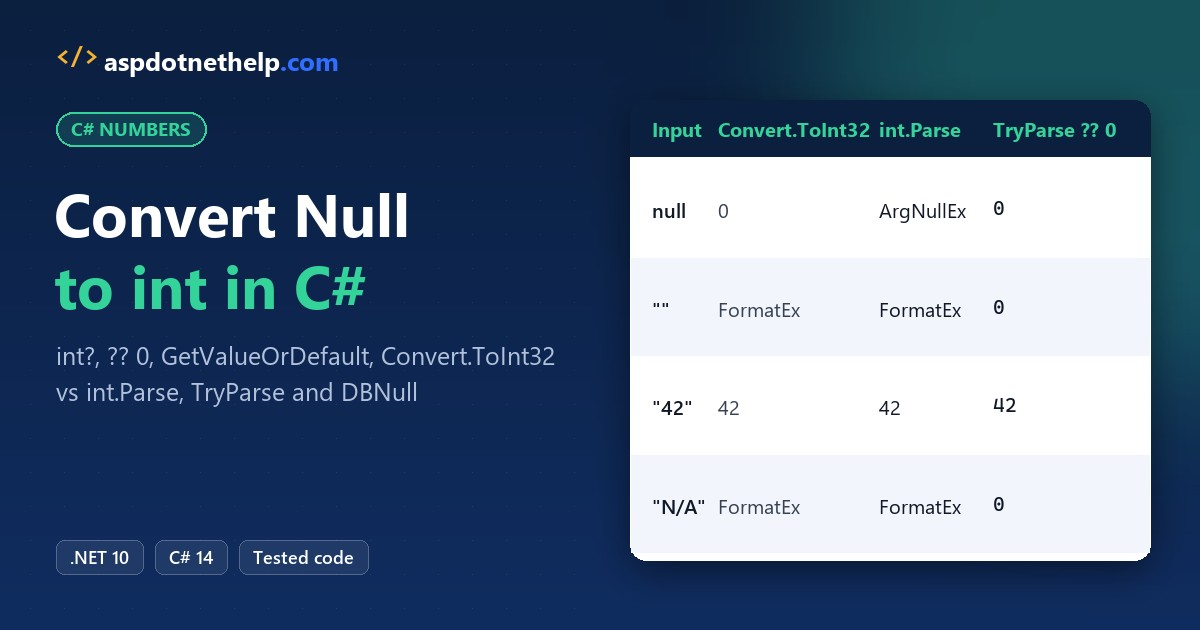
Last spring, an order import for a Texas retailer crashed because the Quantity column came back empty on a few rows. To do a C# convert null to int, keep the value in an int? and pick a fallback with ??:
int quantity = importedQuantity ?? 0; // importedQuantity is int?, null becomes 0In this tutorial, I’ll show every C# convert null to int option I use on .NET 10: int? with HasValue, ??, GetValueOrDefault, Convert.ToInt32 vs int.Parse, TryParse, and DBNull from a database.
Why Can’t an int Be Null in C#?
int is a value type, so it always holds a number, and int x = null; won’t compile. For a missing number, use the nullable int int?, which is shorthand for Nullable<int>. The C# data types guide covers value vs reference types.
Nullable int: HasValue, Value and the InvalidOperationException
HasValue tells you whether there’s a number inside, and Value reads it. Reading Value on a null int? throws:
int? quantity = 12;               // same as Nullable<int>
int? backorder = null;

if (quantity.HasValue)
    Console.WriteLine($"Quantity: {quantity.Value}");

Console.WriteLine($"backorder.HasValue: {backorder.HasValue}");
Console.WriteLine($"backorder is null:  {backorder is null}");

try
{
    int units = backorder.Value;  // no value to read
}
catch (InvalidOperationException ex)
{
    Console.WriteLine($"{ex.GetType().Name}: {ex.Message}");
}
Output:
C:\DotNetDemo\NullToIntDemo\HasValueCheck.cs(12,17): warning CS8629: Nullable value type may be null.
Quantity: 12
backorder.HasValue: False
backorder is null:  True
InvalidOperationException: Nullable object must have a value.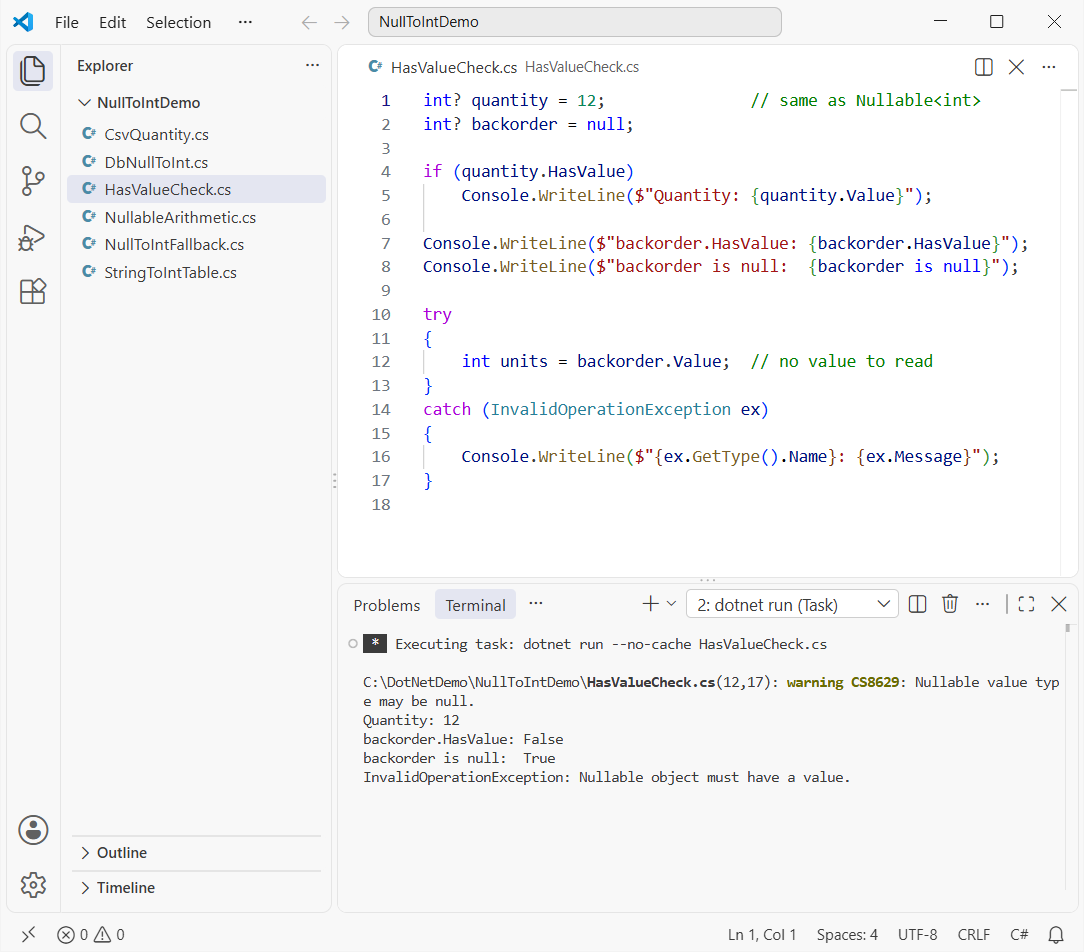
Notice warning CS8629: the compiler saw backorder.Value without a check. I’d rather fix it with a check than wrap it in a try-catch block. backorder is null and !backorder.HasValue mean the same thing.
Convert a Nullable int to int with ?? 0 and GetValueOrDefault()
Here are four ways you can turn an int? into a plain int, plus the cast you should avoid:
int? discount = null;
int? cartQuantity = 4;

int a = discount ?? 0;                     // null-coalescing
int b = discount.GetValueOrDefault();      // default(int) = 0
int c = discount.GetValueOrDefault(-1);    // your own fallback
int d = discount.HasValue ? discount.Value : 0;
int e = cartQuantity ?? 0;                 // has a value, so 4

Console.WriteLine($"?? 0:                   {a}");
Console.WriteLine($"GetValueOrDefault():    {b}");
Console.WriteLine($"GetValueOrDefault(-1):  {c}");
Console.WriteLine($"HasValue ? Value : 0:   {d}");
Console.WriteLine($"cartQuantity ?? 0:      {e}");

try { int f = (int)discount; }
catch (InvalidOperationException ex) { Console.WriteLine($"(int)discount: {ex.GetType().Name}"); }
Output:
C:\DotNetDemo\NullToIntDemo\NullToIntFallback.cs(16,15): warning CS8629: Nullable value type may be null.
?? 0:                   0
GetValueOrDefault():    0
GetValueOrDefault(-1):  -1
HasValue ? Value : 0:   0
cartQuantity ?? 0:      4
(int)discount: InvalidOperationException
?? 0 and GetValueOrDefault() both give 0 for null. Use GetValueOrDefault(-1) or ?? -1 when 0 is a real quantity and you need to tell missing apart. The (int) cast throws on null, just like Value.
Convert a Null String to int: Convert.ToInt32 vs int.Parse vs TryParse
Text you read from a form or a file is a string, not an int?. The three parsers treat null very differently, so I ran each one on the same inputs:
string?[] inputs = [null, "", "42", "N/A"];

Console.WriteLine($"{"Input",-7}{"Convert.ToInt32",-21}{"int.Parse",-22}TryParse ?? 0");

foreach (string? s in inputs)
{
    string label = s is null ? "null" : $"\"{s}\"";
    Console.WriteLine($"{label,-7}{Try(() => Convert.ToInt32(s)),-21}" +
                      $"{Try(() => int.Parse(s!)),-22}{ToNullableInt(s) ?? 0}");
}

static int? ToNullableInt(string? s) => int.TryParse(s, out int n) ? n : null;

static string Try(Func<int> convert)
{
    try { return convert().ToString(); }
    catch (Exception ex) { return ex.GetType().Name; }
}
Output:
Input  Convert.ToInt32      int.Parse             TryParse ?? 0
null   0                    ArgumentNullException 0
""     FormatException      FormatException       0
"42"   42                   42                    42
"N/A"  FormatException      FormatException       0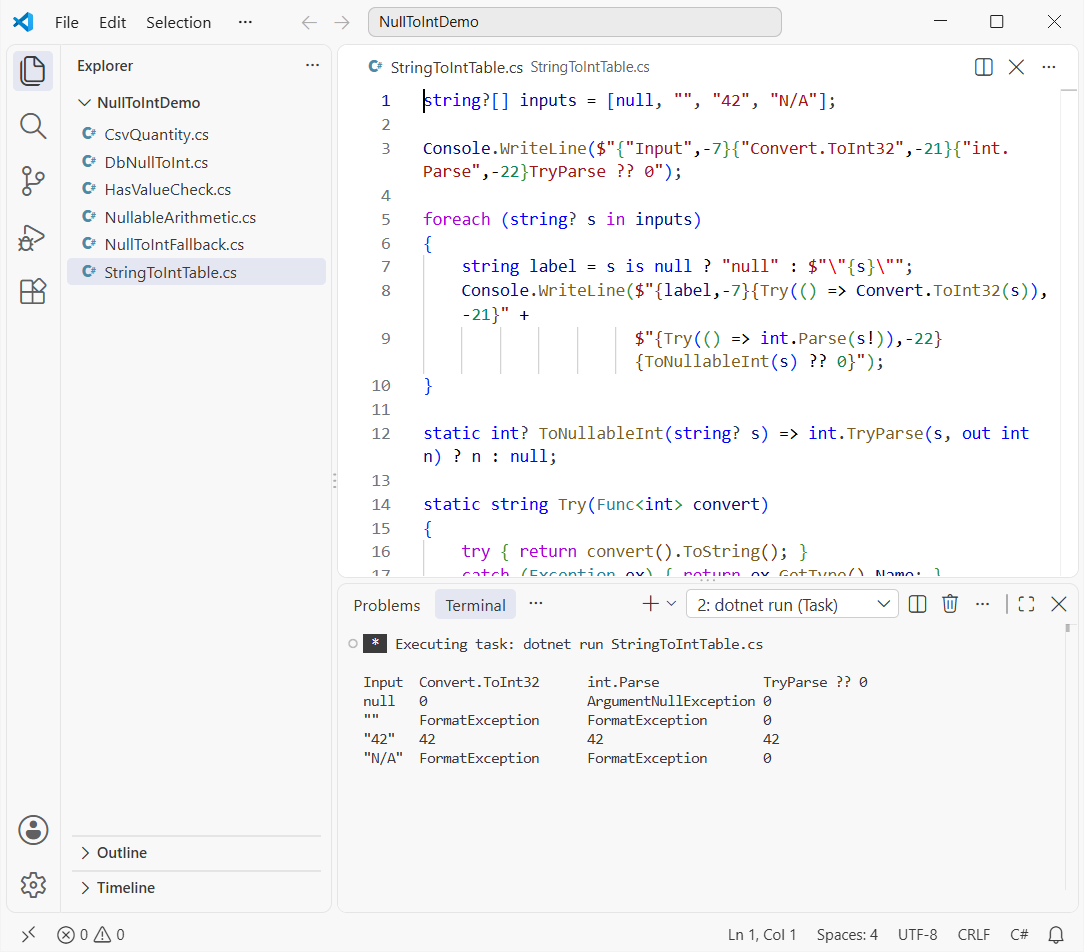
Convert.ToInt32(null) returns 0, but an empty string throws FormatException. int.TryParse just returns false for null, empty or bad text, so my ToNullableInt helper never throws.
If the text has leading zeros, see how to convert a string with leading zeros to int. You can also convert a string to int without Parse.
How Do You Convert DBNull.Value to int?
A null database column doesn’t come back as null from ADO.NET. It comes back as DBNull.Value, and Convert.ToInt32 can’t handle it:
// What a DataReader or DataRow hands back for a Quantity column
object[] cells = [5, DBNull.Value, null!, "7"];

foreach (object cell in cells)
{
    string name = cell switch { null => "null", DBNull => "DBNull", _ => cell.ToString()! };
    int safe = cell is null or DBNull ? 0 : Convert.ToInt32(cell);
    int pattern = cell is int n ? n : 0;
    Console.WriteLine($"{name,-7} safe: {safe}  is int n: {pattern}");
}

try
{
    Convert.ToInt32(DBNull.Value);
}
catch (InvalidCastException ex)
{
    Console.WriteLine($"Convert.ToInt32(DBNull.Value): {ex.Message}");
}
Output:
5       safe: 5  is int n: 5
DBNull  safe: 0  is int n: 0
null    safe: 0  is int n: 0
7       safe: 7  is int n: 0
Convert.ToInt32(DBNull.Value): Object cannot be cast from DBNull to other types.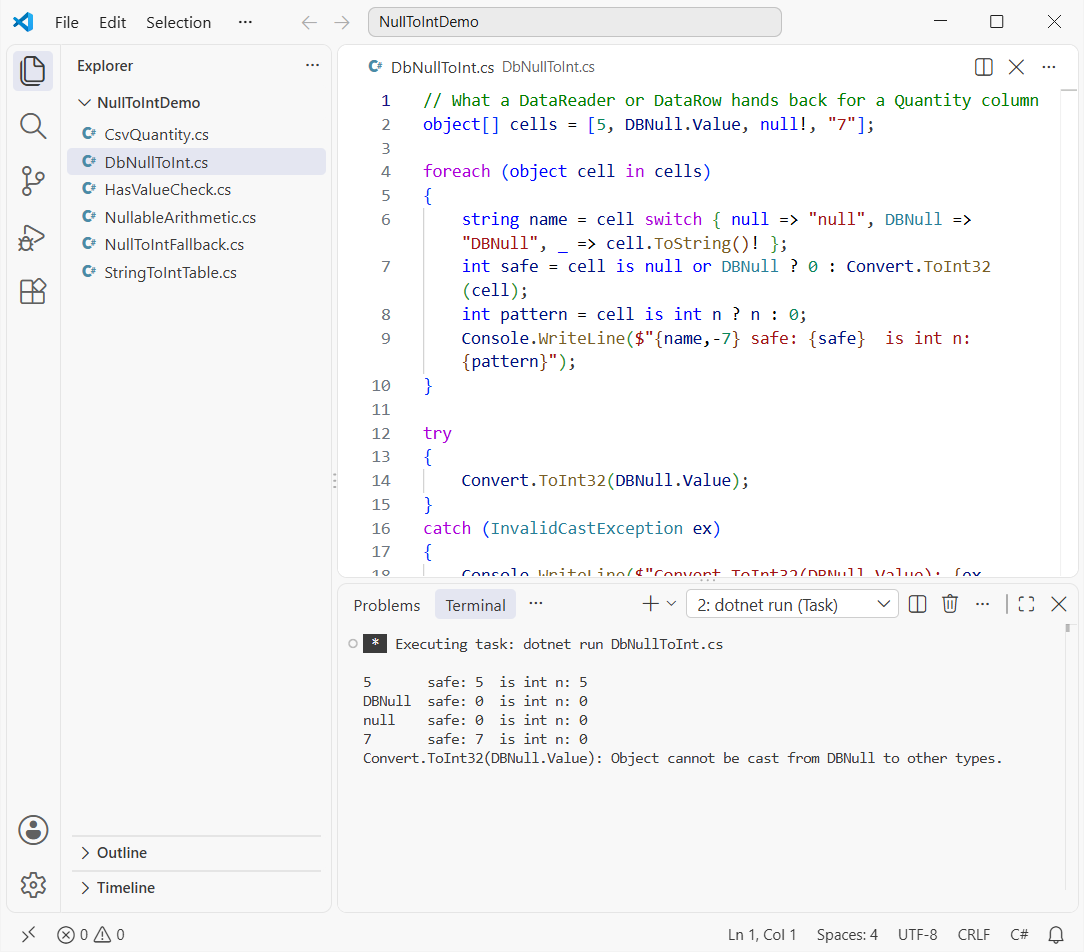
The cell is null or DBNull ? 0 : Convert.ToInt32(cell) line handles all four cells. The is int n pattern is stricter: "7" is a string, so it falls to 0. See how to check if an object is empty or null too.
Nullable int in a CSV Import (Order Quantity)
Here’s the real job: an orders CSV where some Quantity cells are blank or say N/A. Keep the quantity as int? so you can still see which rows were missing:
string[] lines =
[
    "OrderId,Customer,State,Quantity",
    "1001,Megan Bowen,TX,3",
    "1002,Alex Wilber,WA,",
    "1003,Adele Vance,NY,N/A",
    "1004,Lee Gu,CA,2",
];

int? total = 0;
foreach (string line in lines.Skip(1))
{
    string[] f = line.Split(',');
    int? quantity = int.TryParse(f[3], out int q) ? q : null;
    Console.WriteLine($"{f[0]} {f[1],-12} {f[2]} qty: {quantity?.ToString() ?? "(missing)"}");
    total += quantity;          // lifted +: one null makes the total null
}

int?[] all = [3, null, null, 2];
Console.WriteLine($"Running total with +: {total?.ToString() ?? "null"}");
Console.WriteLine($"all.Sum() skips nulls: {all.Sum()}");
Output:
1001 Megan Bowen  TX qty: 3
1002 Alex Wilber  WA qty: (missing)
1003 Adele Vance  NY qty: (missing)
1004 Lee Gu       CA qty: 2
Running total with +: null
all.Sum() skips nulls: 5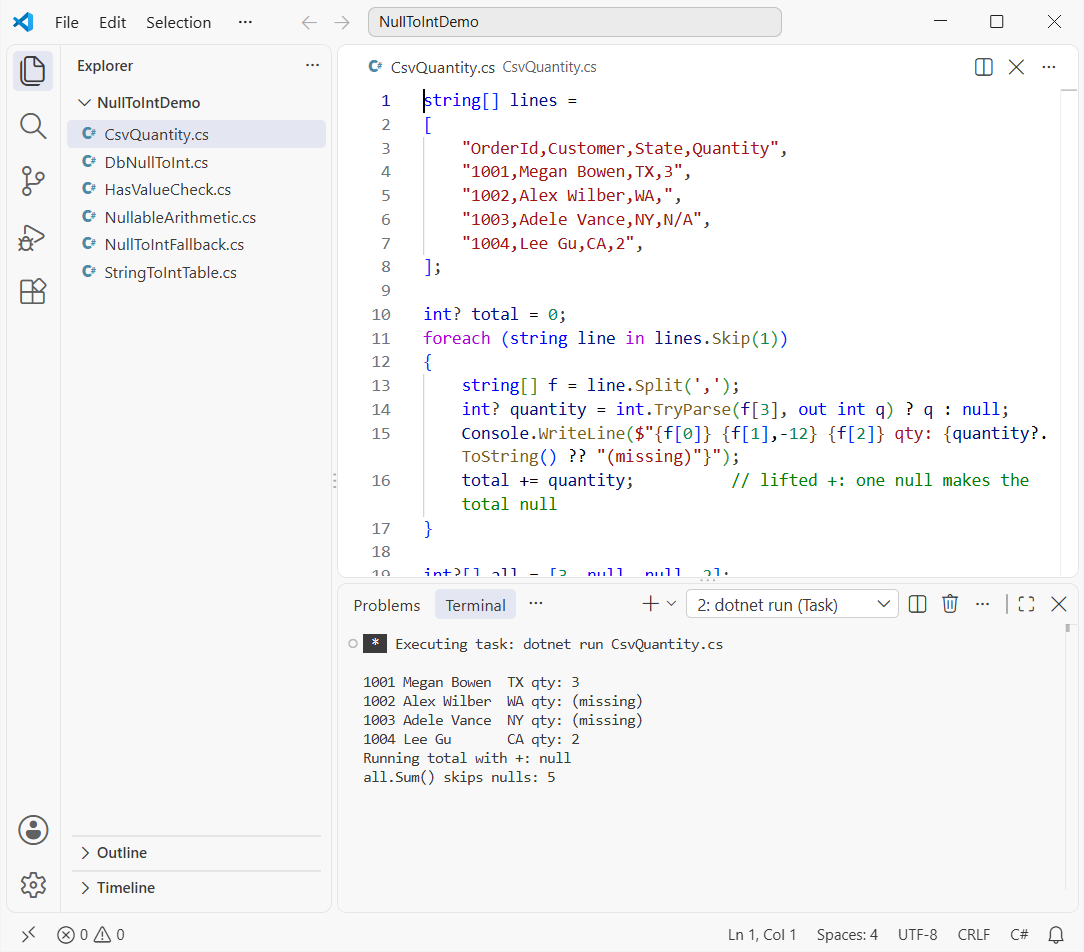
That’s the trap: total += quantity becomes null after the first blank row. LINQ’s Sum() on int? ignores nulls and returns 5.
For ZIP codes, don’t parse to int at all; keep them as strings or you’ll lose leading zeros like Boston’s 02108. You can check if a string is null or empty first.
Nullable int Arithmetic and default(int?) vs default(int)
Operators on int? are “lifted”: if either side is null, the math result is null and comparisons are false. Defaults differ too:
int? missing = null;

Console.WriteLine($"null + 5        = {(missing + 5)?.ToString() ?? "null"}");
Console.WriteLine($"null > 5        = {missing > 5}");
Console.WriteLine($"null <= 5       = {missing <= 5}");
Console.WriteLine($"null == null    = {missing == null}");
Console.WriteLine($"default(int)    = {default(int)}");
Console.WriteLine($"default(int?)   = {default(int?)?.ToString() ?? "null"}");
Console.WriteLine($"(missing ?? 0) + 5 = {(missing ?? 0) + 5}");
Output:
null + 5        = null
null > 5        = False
null <= 5       = False
null == null    = True
default(int)    = 0
default(int?)   = null
(missing ?? 0) + 5 = 5
null <= 5 is false, and so is null > 5, so don’t treat one as the opposite of the other. To check for null values in C# before the math, compare with == null or use ?? 0 first.
Which Null to int Conversion Should You Use?
| You have | Use | Null gives |
|---|---|---|
int? | value ?? 0 | 0 (or your fallback) |
int?, need to know it’s missing | HasValue / is int n | false / no match |
string from a user or CSV | int.TryParse(s, out int n) ? n : null | null, no exception |
object that may be null | Convert.ToInt32(obj) | 0 |
| Database cell | cell is DBNull ? 0 : Convert.ToInt32(cell) | 0 |
Working through more number conversions? These are the ones I’d open next:
- Convert a string to double in C#
- Convert an int to double with 2 decimal places
- Convert a number with commas into a decimal
- Type casting in C# explained
Frequently Asked Questions
How do I assign null to an int in C#?
Declare it as int? (or Nullable<int>): int? quantity = null;. A plain int can’t hold null, so int quantity = null; is a compile error.
What does Convert.ToInt32(null) return?
It returns 0 for a null string or null object. An empty string throws FormatException, and DBNull.Value throws InvalidCastException. See Convert.ToInt32 on Microsoft Learn.
What’s the difference between ?? 0 and GetValueOrDefault()?
For int? they give the same result. GetValueOrDefault() returns default(int), which is 0, and GetValueOrDefault(x) lets you pick the fallback. ?? also works on reference types.
Can I use ?.Value on a nullable int?
No. On an int?, ?. already unwraps to int, so maybeNull?.Value fails with error CS1061 (‘int’ does not contain a definition for ‘Value’). Use maybeNull ?? 0 instead.
Does int.TryParse throw on a null string?
No. int.TryParse(null, out int n) returns false and sets n to 0. It also returns false for an empty string and for text like N/A.
What is the default value of a nullable int?
default(int?) is null, with HasValue false. default(int) is 0.

Bijay Kumar is a renowned software engineer, accomplished author, and distinguished Microsoft Most Valuable Professional (MVP) specializing in SharePoint. With a rich professional background spanning over 15 years, Bijay has established himself as an authority in the field of information technology. He possesses unparalleled expertise in multiple programming languages and technologies such as ASP.NET, ASP.NET MVC, C#.NET, and SharePoint, which has enabled him to develop innovative and cutting-edge solutions for clients across the globe. Read more…