
Here’s the line that takes down a sales report: totalSales / orders on a region with zero orders. With int values it throws a divide by zero exception in C#; switch both to double and it quietly prints ∞ instead.
Quick answer: integer and decimal division by zero throw DivideByZeroException, so check the divisor first. double and float return ∞, -∞ or NaN, so test the result with double.IsFinite.
Below is how we handle both on .NET 10, using a real regional sales report in USD.
What You Need Before You Start Testing Division by Zero
- The .NET 10 SDK; each file runs with
dotnet run File.cs(VS Code console app setup). - The sample: average order value per region (Texas, Ohio, Vermont) in USD, with the en-US culture set.
Step 1: Reproduce the DivideByZeroException with int Division
This is the code from the hook. Vermont launched this week, so its order count is still 0:
int totalSales = 4_870;   // dollars
int orders = 0;           // Vermont: no orders yet

int average = totalSales / orders;
Console.WriteLine($"Average order: ${average}");
Output:
Unhandled exception. System.DivideByZeroException: Attempted to divide by zero.
   at Program.<Main>$(String[] args) in C:\DotNetDemo\DivZero\AverageOrder.cs:line 4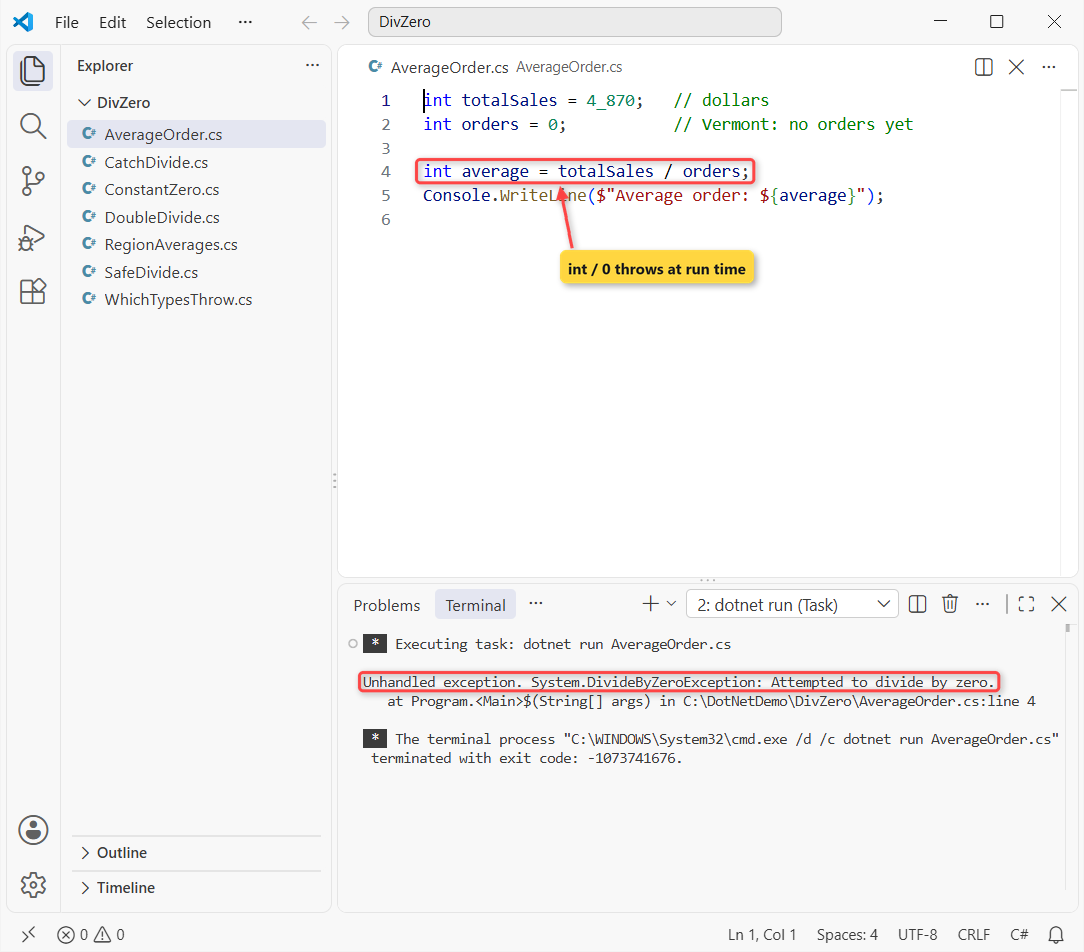
The process exits at line 4 with Attempted to divide by zero., because the int data type in C# has no value for infinity.
Step 2: See Why double Division by Zero Returns ∞ or NaN
Change the same numbers to double and nothing throws. Floating-point types follow the IEEE 754 standard, which defines infinity and NaN (not a number):
using System.Globalization;
CultureInfo.CurrentCulture = CultureInfo.GetCultureInfo("en-US");

double sales = 4_870.0;
double orders = 0;

Console.WriteLine($"sales / 0   = {sales / orders}");
Console.WriteLine($"-sales / 0  = {-sales / orders}");
Console.WriteLine($"0.0 / 0     = {0.0 / orders}");
Console.WriteLine($"as currency = {(sales / orders):C2}");

double avg = sales / orders;
Console.WriteLine($"IsNaN(0/0): {double.IsNaN(0.0 / orders)}");
Console.WriteLine($"IsFinite:   {double.IsFinite(avg)}");
Console.WriteLine($"x == NaN:   {0.0 / orders == double.NaN}");
Output:
sales / 0   = ∞
-sales / 0  = -∞
0.0 / 0     = NaN
as currency = ∞
IsNaN(0/0): True
IsFinite:   False
x == NaN:   False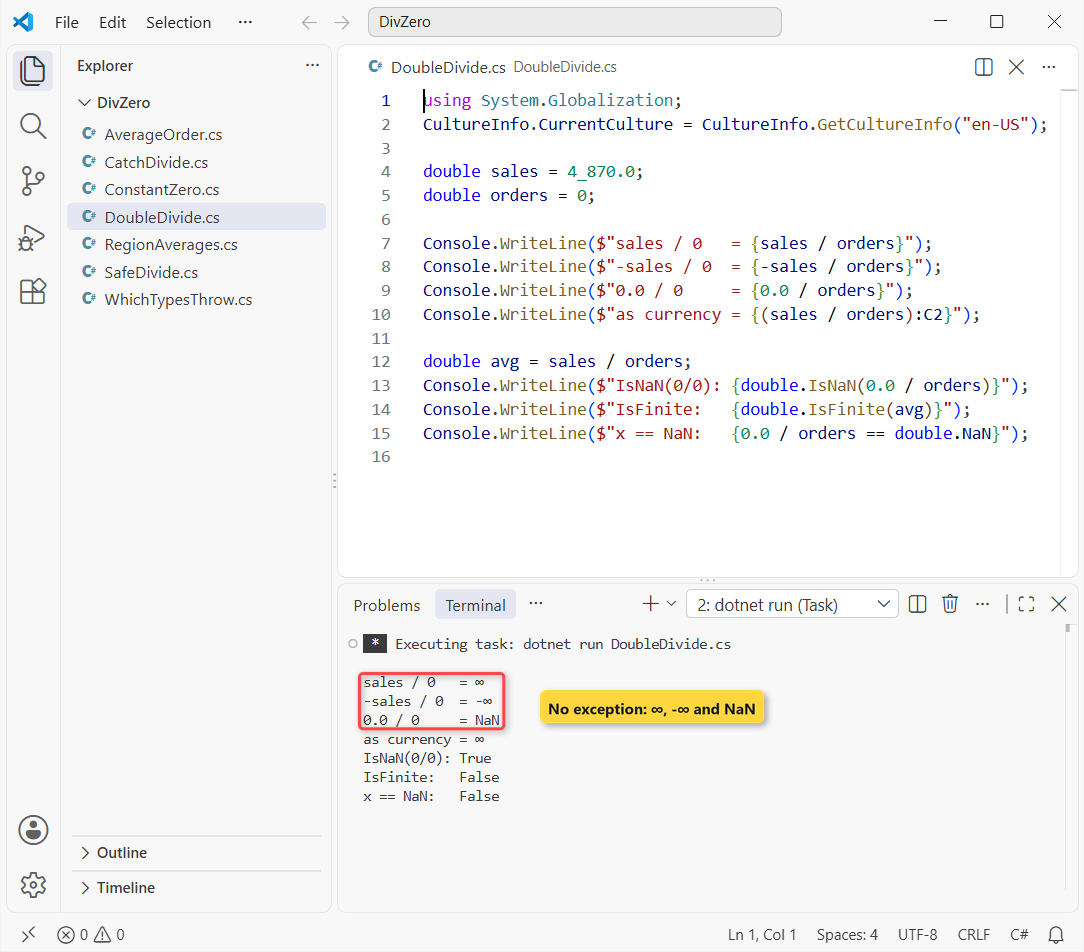
A positive number over zero gives ∞, a negative one -∞, and 0.0 / 0 gives NaN; float behaves the same. Even the C2 currency format prints ∞, so a bad average sneaks into the report.
Test the result with double.IsFinite or double.IsNaN, never == double.NaN. The same applies when you convert a string to double from user input.
Step 3: Know Which Types Throw DivideByZeroException
What matters is the type of the division, not where you store the result. I ran each operator against a run-time zero:
using System.Globalization;
CultureInfo.CurrentCulture = CultureInfo.GetCultureInfo("en-US");

int zero = 0;
Check("int /", () => 10 / zero);
Check("long /", () => 10L / zero);
Check("decimal /", () => 10m / zero);
Check("int %", () => 10 % zero);
Check("double /", () => 10.0 / zero);
Check("double %", () => 10.0 % zero);

static void Check(string op, Func<object> divide)
{
    try { Console.WriteLine($"{op,-10} {divide()}"); }
    catch (DivideByZeroException) { Console.WriteLine($"{op,-10} DivideByZeroException"); }
}
Output:
int /      DivideByZeroException
long /     DivideByZeroException
decimal /  DivideByZeroException
int %      DivideByZeroException
double /   ∞
double % NaNint, long and decimal throw, and so does % on them. byte and short throw too, since C# promotes them to int first (see type casting in C#).
double gives ∞ and NaN instead. One double operand is enough: 10.0 / zero never throws.
Why Is Dividing by a Constant Zero a Compile Error (CS0020)?
When the divisor is a literal or const zero, the compiler evaluates the expression itself and refuses to build:
const int Regions = 0;

int perRegion = 4_870 / Regions;
decimal share = 4_870m % 0m;
double ratio = 4_870.0 / 0;   // compiles: double gives ∞

Console.WriteLine($"{perRegion} {share} {ratio}");
Build output:
C:\DotNetDemo\DivZero\ConstantZero.cs(3,17): error CS0020: Division by constant zero
C:\DotNetDemo\DivZero\ConstantZero.cs(4,17): error CS0020: Division by constant zero

The build failed. Fix the build errors and run again.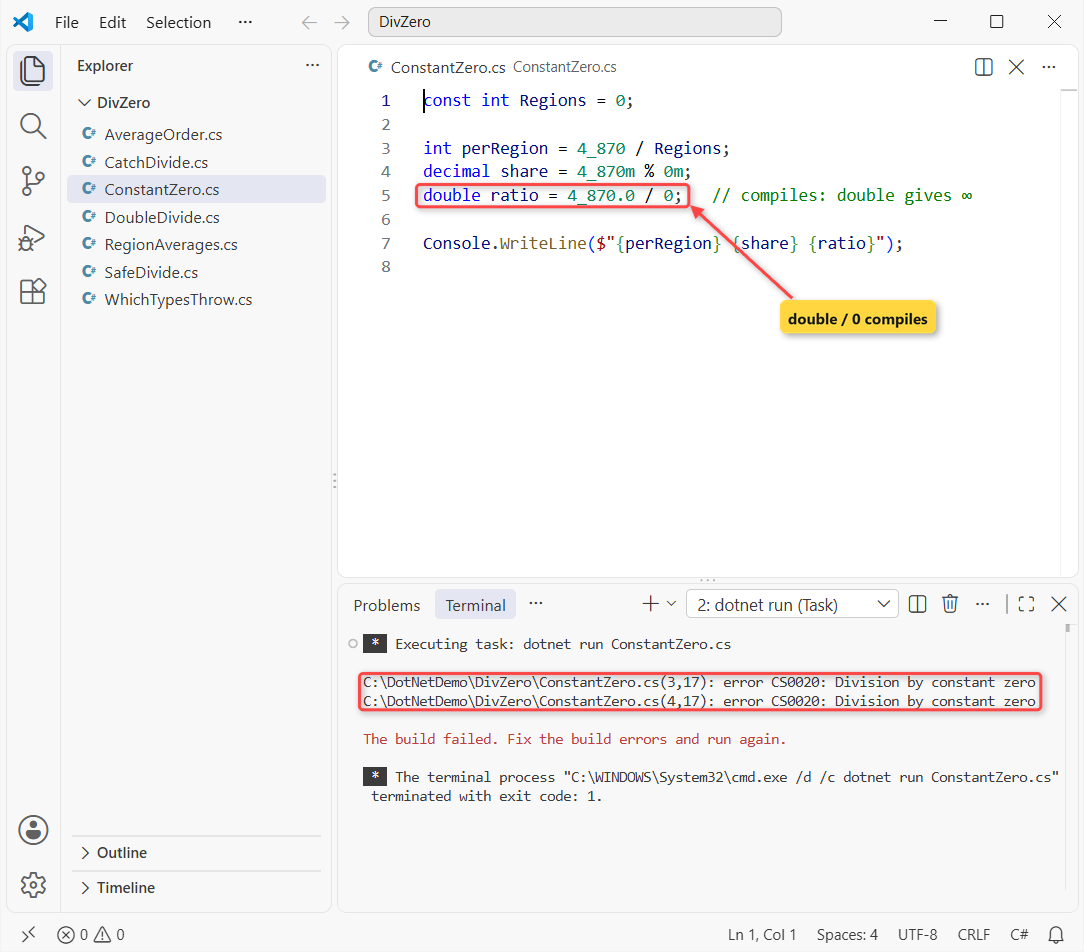
The int and decimal % lines fail; the double line compiles. So the exception always comes from a run-time value, like user input or a database count.
Step 4: Check the Divisor Before You Divide (Recommended)
A new region with zero orders is normal, not a bug. Microsoft’s guidance is to check routine conditions instead of catching exceptions, so we test Orders == 0 first:
using System.Globalization;
CultureInfo.CurrentCulture = CultureInfo.GetCultureInfo("en-US");

var regions = new (string Name, decimal Sales, int Orders)[]
{
    ("Texas", 18_420.50m, 214),
    ("Ohio", 7_315.00m, 96),
    ("Vermont", 0m, 0),
};

foreach (var r in regions)
{
    string avg = r.Orders == 0
        ? "n/a (no orders)"
        : (r.Sales / r.Orders).ToString("C2");
    Console.WriteLine($"{r.Name,-8} {avg}");
}
Output:
Texas    $86.08
Ohio     $76.20
Vermont  n/a (no orders)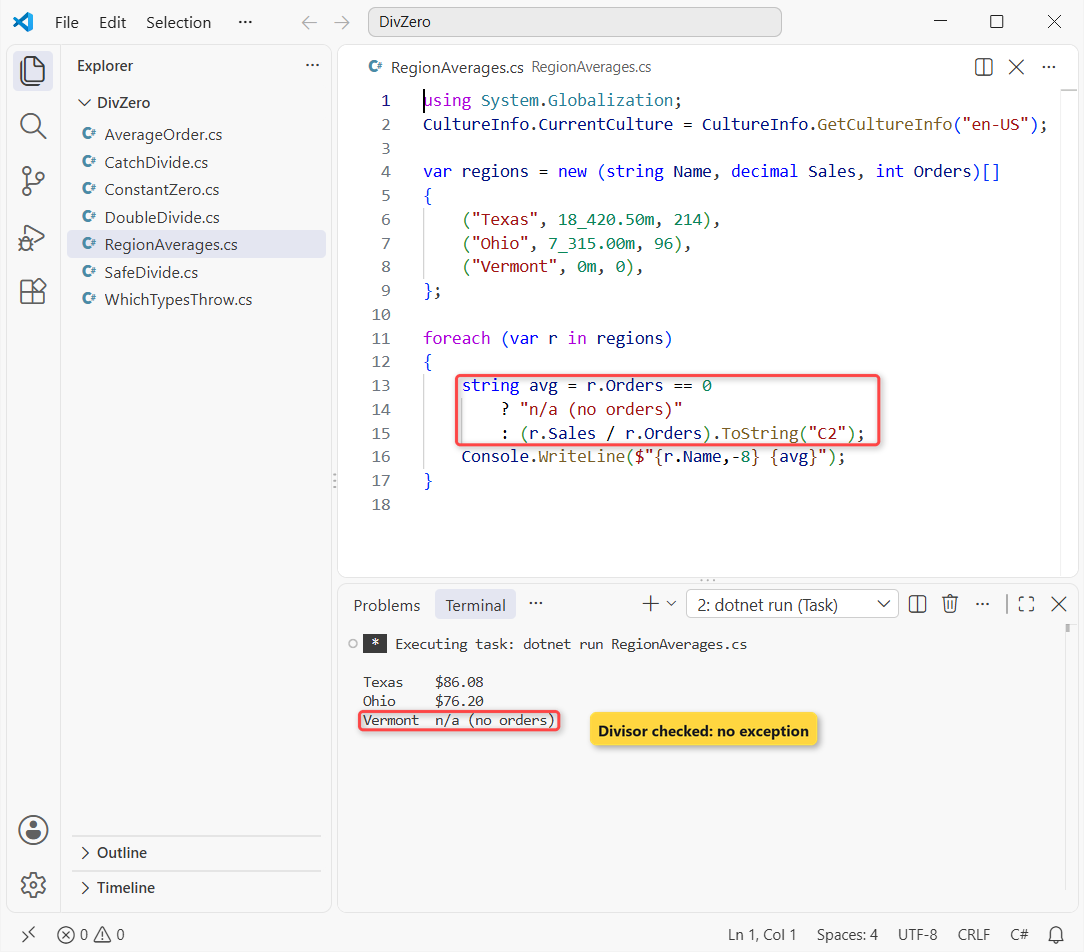
Texas averages $86.08 and Ohio $76.20, and Vermont prints n/a (no orders) with no exception. The data lives in a tuple array, and decimal keeps the cents exact.
Step 5: Catch DivideByZeroException with try/catch
Use try/catch when the zero comes from code you don’t control and you can still recover, like skipping one bad day in a batch:
int[] dailyOrders = [42, 0, 36];
int adBudget = 1_260;

foreach (int orders in dailyOrders)
{
    try
    {
        Console.WriteLine($"Ad cost per order: ${adBudget / orders}");
    }
    catch (DivideByZeroException ex)
    {
        Console.WriteLine($"Skipped a day: {ex.Message}");
    }
}
Output:
Ad cost per order: $30
Skipped a day: Attempted to divide by zero.
Ad cost per order: $35
Day 1 costs $30 per order, day 2 is skipped with the exception’s message, and day 3 costs $35. Catch DivideByZeroException by name, not plain Exception; the try-catch in C# guide covers ordering several catch blocks.
Step 6: Write a Safe Divide Helper
When the same check shows up in five places, I move it into a few small functions in C#. Decide what zero should mean for you:
using System.Globalization;
CultureInfo.CurrentCulture = CultureInfo.GetCultureInfo("en-US");

Console.WriteLine(SafeDivide(18_420.50m, 214m)?.ToString("C2") ?? "n/a");
Console.WriteLine(SafeDivide(0m, 0m)?.ToString("C2") ?? "n/a");
Console.WriteLine(SafeRatio(37.0, 0.0));

try { Console.WriteLine(Average(4_870m, 0)); }
catch (ArgumentOutOfRangeException ex) { Console.WriteLine(ex.Message); }

static decimal? SafeDivide(decimal a, decimal b) => b == 0 ? null : a / b;

static double SafeRatio(double a, double b, double fallback = 0)
{
    double r = a / b;
    return double.IsFinite(r) ? r : fallback;
}

static decimal Average(decimal total, int count)
{
    ArgumentOutOfRangeException.ThrowIfZero(count);   // .NET 8+
    return total / count;
}
Output:
$86.08
n/a
0
count ('0') must be a non-zero value. (Parameter 'count')
Actual value was 0.
SafeDivide returns null for a zero decimal divisor, and SafeRatio turns ∞ and NaN into a fallback of 0. When a zero count really is a bug, ArgumentOutOfRangeException.ThrowIfZero (.NET 8+) fails fast with a clear message instead.
Division by Zero in C#: Cheat Sheet
The table we keep for code reviews:
| Expression | Run-time zero | Constant zero |
|---|---|---|
int / long / or % | DivideByZeroException | CS0020 |
decimal / or % | DivideByZeroException | CS0020 |
double / float x / 0 | ∞ or -∞ | Compiles |
double 0.0 / 0 or x % 0 | NaN | Compiles |
Common Mistakes to Avoid with Divide by Zero
| Mistake | What happens | Fix |
|---|---|---|
Casting after dividing: (double)(a / b) | Integer division runs first and still throws | Cast one operand: (double)a / b |
Expecting double to throw | ∞ or NaN flows into totals and reports | Check double.IsFinite |
x == double.NaN | Always false | double.IsNaN(x) |
| try/catch around every division | Slower, and hides the real cause | Check the divisor first |
The first row trips up beginners most often; the add, subtract, multiply and divide program shows why 7 / 2 is 3 in C#.
Next Steps
For money, use decimal with a divisor check; for measurements, use double and test with double.IsFinite. Then make the results look right with number formatting with commas and decimals.
We’d read these next:
- Convert an int to a double with 2 decimal places
- Ways to check for null values in C#
- The switch statement in C#, with patterns
- C# interview questions for freshers
Frequently Asked Questions
Does dividing a double by zero throw an exception in C#?
No. double and float division by zero returns positive infinity, negative infinity or NaN under IEEE 754 rules. Only integer and decimal division throw DivideByZeroException.
Why does my C# code show ∞ instead of Infinity?
The infinity text comes from the current culture’s NumberFormatInfo.PositiveInfinitySymbol. With en-US on .NET 10, that symbol is ∞.
Should I use try/catch or an if check for division by zero?
Use an if check when zero is a normal value, such as a region with no orders. Use try/catch only when you can’t check first and can still recover.
What is the base class of DivideByZeroException?
ArithmeticException, which derives from SystemException. The DivideByZeroException page on Microsoft Learn lists the full hierarchy.
Is there a built-in safe divide method in .NET?
No. Write a small helper, or call ArgumentOutOfRangeException.ThrowIfZero to fail fast. The arithmetic operators reference covers every division rule.

Bijay Kumar is a renowned software engineer, accomplished author, and distinguished Microsoft Most Valuable Professional (MVP) specializing in SharePoint. With a rich professional background spanning over 15 years, Bijay has established himself as an authority in the field of information technology. He possesses unparalleled expertise in multiple programming languages and technologies such as ASP.NET, ASP.NET MVC, C#.NET, and SharePoint, which has enabled him to develop innovative and cutting-edge solutions for clients across the globe. Read more…