
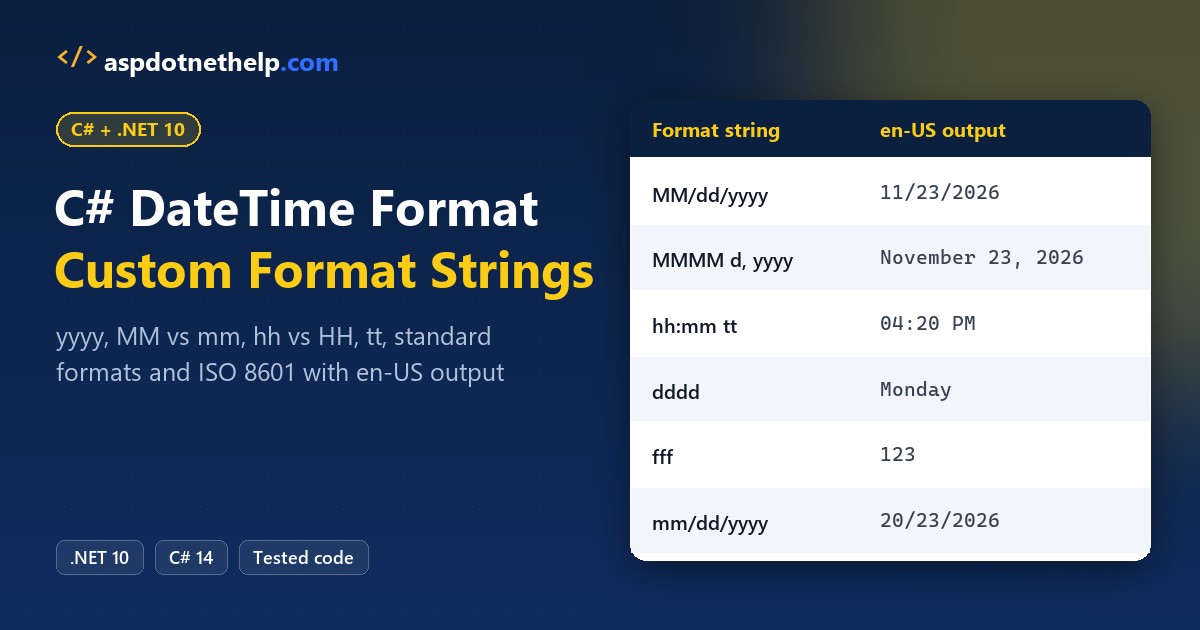
For a C# DateTime format like 11/23/2026, call ToString with a custom format string, and pass the en-US culture so the result doesn’t change from one server to the next:
var us = CultureInfo.GetCultureInfo("en-US");
Console.WriteLine(DateTime.Now.ToString("MM/dd/yyyy", us));   // 11/23/2026
Quick answer: MM is the month, mm is minutes, hh needs tt for AM/PM, and "o" is the format for APIs. Every output below comes from real runs on .NET 10 with one sample order date.
The Sample Date and the Three Formats I Use Most
A shipping dashboard I built for a Columbus, Ohio warehouse needed one order timestamp three ways: a US date, an email line and a sortable log value. Each demo here is a .NET 10 file-based app you run with dotnet run:
#:property PublishAot=false
using System.Globalization;

var us = CultureInfo.GetCultureInfo("en-US");
var shipped = new DateTime(2026, 11, 23, 16, 20, 5, 123);

Console.WriteLine(shipped.ToString("MM/dd/yyyy", us));
Console.WriteLine(shipped.ToString("MMMM d, yyyy h:mm tt", us));
Console.WriteLine(shipped.ToString("yyyy-MM-dd HH:mm:ss", us));
Output:
11/23/2026
November 23, 2026 4:20 PM
2026-11-23 16:20:05
The order was placed at 4:20:05.123 PM on Monday, November 23, 2026, and that one value is behind every table in this post. If ToString overloads are new to you, my ToString() in C# guide covers the basics.
C# DateTime Custom Format Strings Cheat Sheet
Custom specifiers are letters you combine into a pattern. Case matters, and the number of letters changes the output. This program prints every common specifier for the sample order:
#:property PublishAot=false
using System.Globalization;

var us = CultureInfo.GetCultureInfo("en-US");
var order = new DateTime(2026, 11, 23, 16, 20, 5, 123);

string[] specs = ["yyyy", "yy", "MM", "M", "MMM", "MMMM", "dd", "d",
    "ddd", "dddd", "hh", "h", "HH", "mm", "ss", "fff", "tt"];
foreach (string f in specs)
{
    // one-letter custom specifiers need a % in front
    string pattern = f.Length == 1 ? "%" + f : f;
    Console.WriteLine($"{f,-5} {order.ToString(pattern, us)}");
}
Output:
yyyy  2026
yy    26
MM    11
M     11
MMM   Nov
MMMM  November
dd    23
d     23
ddd   Mon
dddd  Monday
hh    04
h     4
HH    16
mm    20
ss    05
fff   123
tt    PM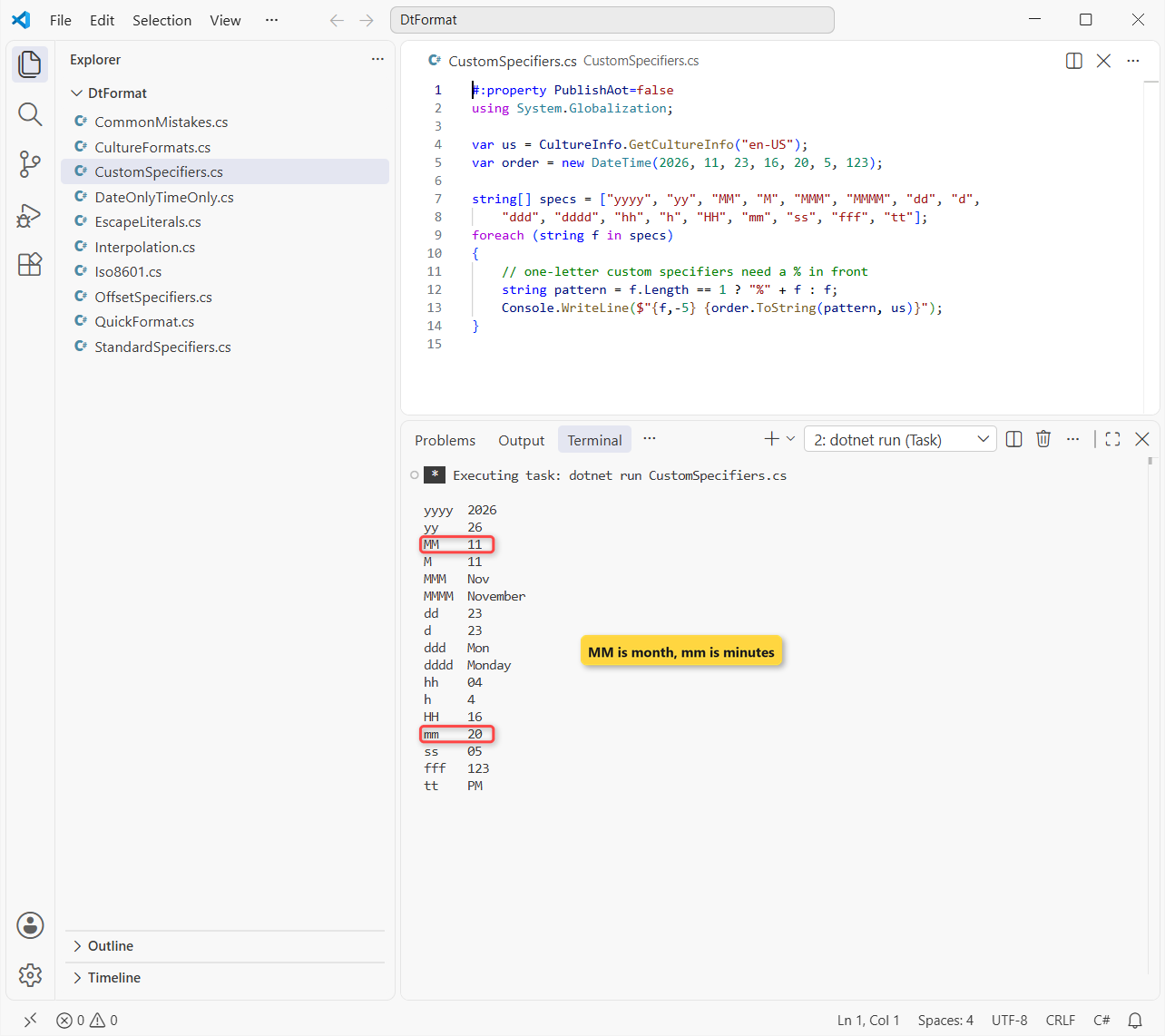
Here’s the same output as a table you can bookmark:
| Specifier | Meaning | Output (en-US) |
|---|---|---|
yyyy | 4-digit year | 2026 |
yy | 2-digit year | 26 |
MM | Month, 2 digits | 11 |
M | Month, no leading zero | 11 |
MMM | Short month name | Nov |
MMMM | Full month name | November |
dd | Day, 2 digits | 23 |
d | Day, no leading zero | 23 |
ddd | Short weekday | Mon |
dddd | Full weekday | Monday |
hh | Hour, 12-hour clock | 04 |
h | 12-hour, no leading zero | 4 |
HH | Hour, 24-hour clock | 16 |
mm | Minutes | 20 |
ss | Seconds | 05 |
fff | Milliseconds | 123 |
tt | AM/PM designator | PM |
Note: a format string with one letter is read as a standard format, so "d" means short date, not day. Put a % in front ("%d") to get the day number 23.
Time Zone Specifiers: zzz and K
zzz prints the UTC offset, and K prints time zone info based on the value’s kind. I use a DateTimeOffset for US Eastern time here, because zzz on a plain DateTime prints the server’s own offset:
#:property PublishAot=false
using System.Globalization;

var us = CultureInfo.GetCultureInfo("en-US");
var eastern = new DateTimeOffset(2026, 11, 23, 16, 20, 5, 123,
    TimeSpan.FromHours(-5));
var utc = new DateTime(2026, 11, 23, 21, 20, 5, 123, DateTimeKind.Utc);
var plain = new DateTime(2026, 11, 23, 16, 20, 5, 123);

Console.WriteLine($"zzz  {eastern.ToString("zzz", us)}");
Console.WriteLine($"K    {eastern.ToString("%K", us)}  (DateTimeOffset)");
Console.WriteLine($"K    {utc.ToString("%K", us)}       (DateTimeKind.Utc)");
Console.WriteLine($"K    [{plain.ToString("%K", us)}]       (Unspecified)");
Output:
zzz  -05:00
K    -05:00  (DateTimeOffset)
K    Z       (DateTimeKind.Utc)
K    []       (Unspecified)
The offset shows as -05:00, a UTC value gets Z, and an unspecified DateTime gets nothing at all for K.
Standard DateTime Format Strings (d, D, g, G, O, s, u, R)
A standard format is a single letter that stands for a whole pattern the culture defines. Same order date, 14 standard formats:
#:property PublishAot=false
using System.Globalization;

var us = CultureInfo.GetCultureInfo("en-US");
var order = new DateTime(2026, 11, 23, 16, 20, 5, 123);

string[] specs = ["d", "D", "f", "F", "g", "G", "M", "Y",
    "t", "T", "O", "s", "u", "R"];
foreach (string f in specs)
    Console.WriteLine($"{f}  {order.ToString(f, us)}");
Output:
d  11/23/2026
D  Monday, November 23, 2026
f  Monday, November 23, 2026 4:20 PM
F  Monday, November 23, 2026 4:20:05 PM
g  11/23/2026 4:20 PM
G  11/23/2026 4:20:05 PM
M  November 23
Y  November 2026
t  4:20 PM
T  4:20:05 PM
O  2026-11-23T16:20:05.1230000
s  2026-11-23T16:20:05
u  2026-11-23 16:20:05Z
R  Mon, 23 Nov 2026 16:20:05 GMT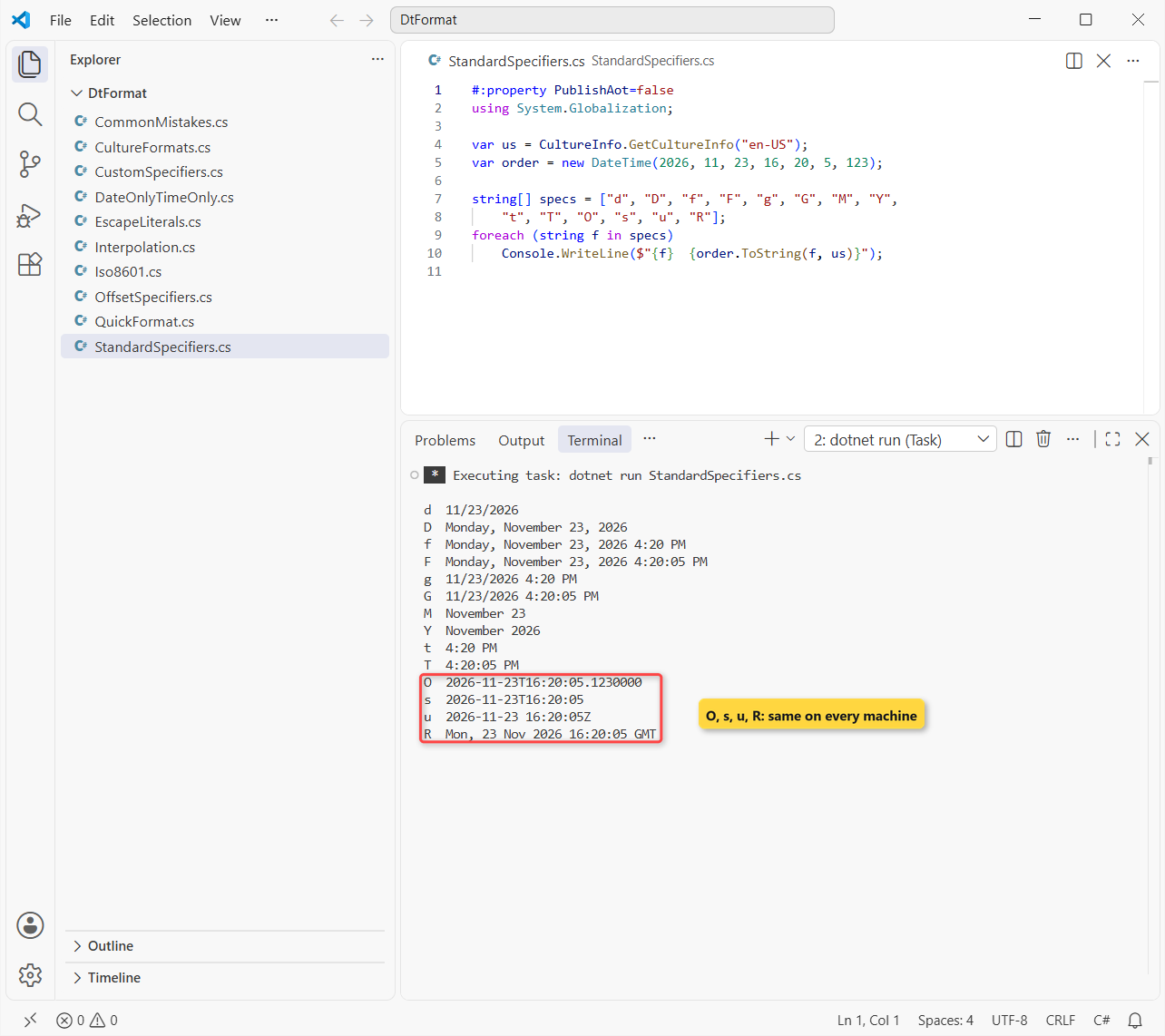
| Format | Name | Output (en-US) | Culture? |
|---|---|---|---|
d | Short date | 11/23/2026 | Culture |
D | Long date | Monday, November 23, 2026 | Culture |
f | Full date, short time | Monday, November 23, 2026 4:20 PM | Culture |
F | Full date, long time | Monday, November 23, 2026 4:20:05 PM | Culture |
g | General, short time | 11/23/2026 4:20 PM | Culture |
G | General, long time | 11/23/2026 4:20:05 PM | Culture |
M | Month and day | November 23 | Culture |
Y | Year and month | November 2026 | Culture |
t | Short time | 4:20 PM | Culture |
T | Long time | 4:20:05 PM | Culture |
O | Round-trip ISO 8601 | 2026-11-23T16:20:05.1230000 | Invariant |
s | Sortable ISO 8601 | 2026-11-23T16:20:05 | Invariant |
u | Universal sortable | 2026-11-23 16:20:05Z | Invariant |
R | RFC 1123 (HTTP headers) | Mon, 23 Nov 2026 16:20:05 GMT | Invariant |
O, s, u and R always use the invariant pattern, so they look the same on every machine. Numbers have their own format strings, which I cover in formatting numbers with commas and decimals.
Important: u and R don’t convert a DateTime to UTC. My sample is local Columbus time, yet it prints Z and GMT. Call ToUniversalTime() first, or use a DateTimeOffset.
Why Should You Pass a CultureInfo to ToString?
Without a culture, ToString uses the current culture of the machine. My laptop and an Azure App Service in another region can print the same date in different orders. Here’s the same date under four cultures:
#:property PublishAot=false
using System.Globalization;

var order = new DateTime(2026, 11, 23, 16, 20, 5);
string[] names = ["en-US", "en-GB", "de-DE", "ja-JP"];

foreach (string name in names)
{
    var ci = CultureInfo.GetCultureInfo(name);
    Console.WriteLine($"{name}  d: {order.ToString("d", ci),-11}" +
        $" MM/dd/yyyy: {order.ToString("MM/dd/yyyy", ci)}");
}
var inv = CultureInfo.InvariantCulture;
Console.WriteLine($"Invariant  d: {order.ToString("d", inv)}");
var de = CultureInfo.GetCultureInfo("de-DE");
Console.WriteLine($"de-DE fixed: {order.ToString("MM'/'dd'/'yyyy", de)}");
Output:
en-US  d: 11/23/2026  MM/dd/yyyy: 11/23/2026
en-GB  d: 23/11/2026  MM/dd/yyyy: 11/23/2026
de-DE  d: 23.11.2026  MM/dd/yyyy: 11.23.2026
ja-JP  d: 2026/11/23  MM/dd/yyyy: 11/23/2026
Invariant  d: 11/23/2026
de-DE fixed: 11/23/2026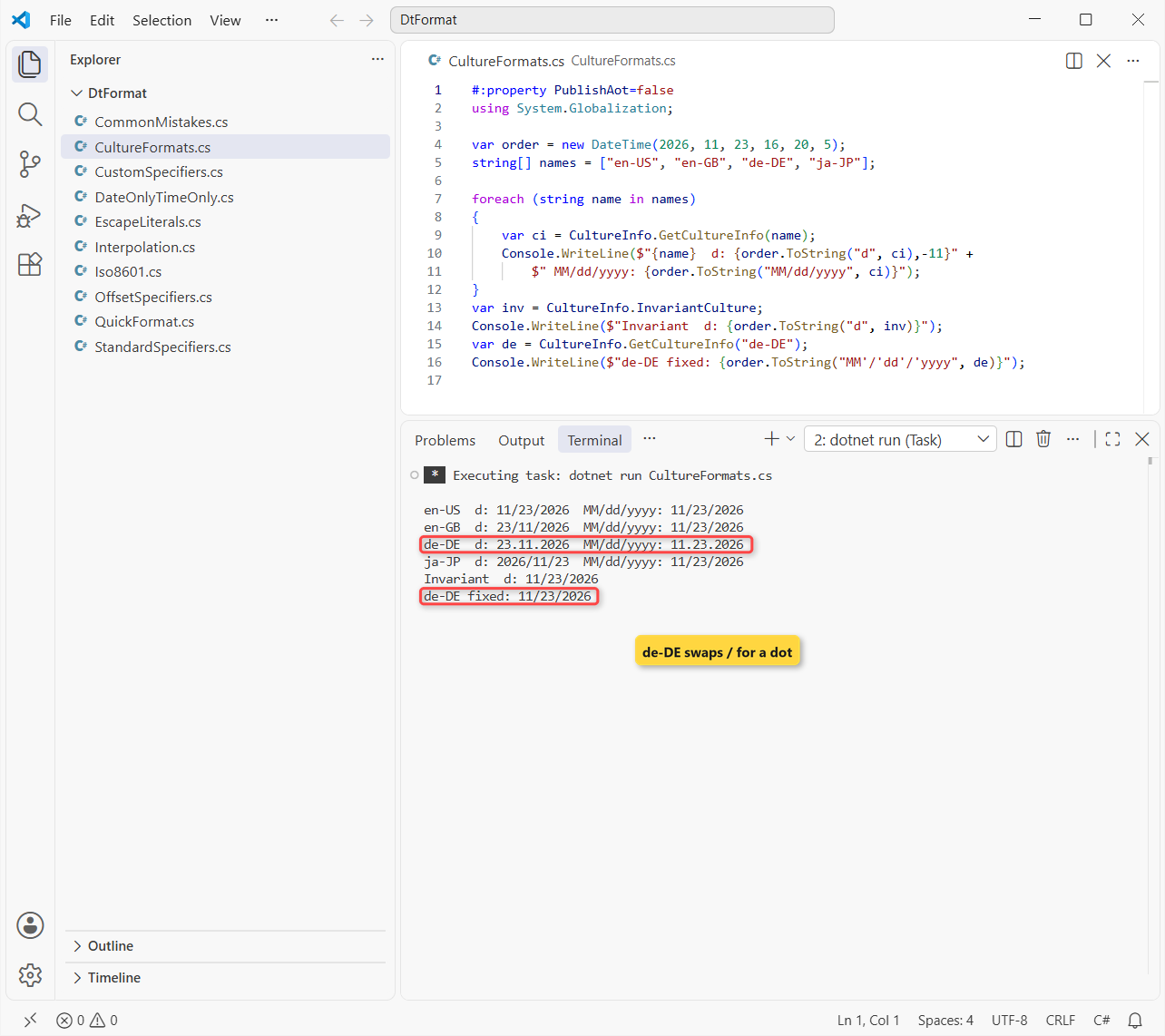
The d format flips to 23/11/2026 in the UK and 23.11.2026 in Germany. Even the custom pattern changes, because / is the culture’s date separator, not a literal slash. Quoting it as '/' fixes that.
For files, logs and anything a program reads back, use CultureInfo.InvariantCulture. Parse with the same culture and pattern too, as shown in converting a string to DateTime in C#.
Format a DateTime in String Interpolation
Put the format after a colon inside the braces: $"{order:MM/dd/yyyy}". string.Format uses the same {0:format} syntax. Both use the current culture, unless you hand one to string.Create:
#:property PublishAot=false
using System.Globalization;

var us = CultureInfo.GetCultureInfo("en-US");
var order = new DateTime(2026, 11, 23, 16, 20, 5);

// interpolation and string.Format use the current culture...
CultureInfo.CurrentCulture = us;
Console.WriteLine($"Shipped {order:MM/dd/yyyy} at {order:h:mm tt}");
Console.WriteLine(string.Format("Due {0:dddd, MMMM d}", order));

// ...or pass the culture for just this string (.NET 6+)
CultureInfo.CurrentCulture = CultureInfo.GetCultureInfo("en-GB");
Console.WriteLine(string.Create(us, $"Invoice date: {order:d}"));
Console.WriteLine($"Without it:   {order:d}");
Output:
Shipped 11/23/2026 at 4:20 PM
Due Monday, November 23
Invoice date: 11/23/2026
Without it:   23/11/2026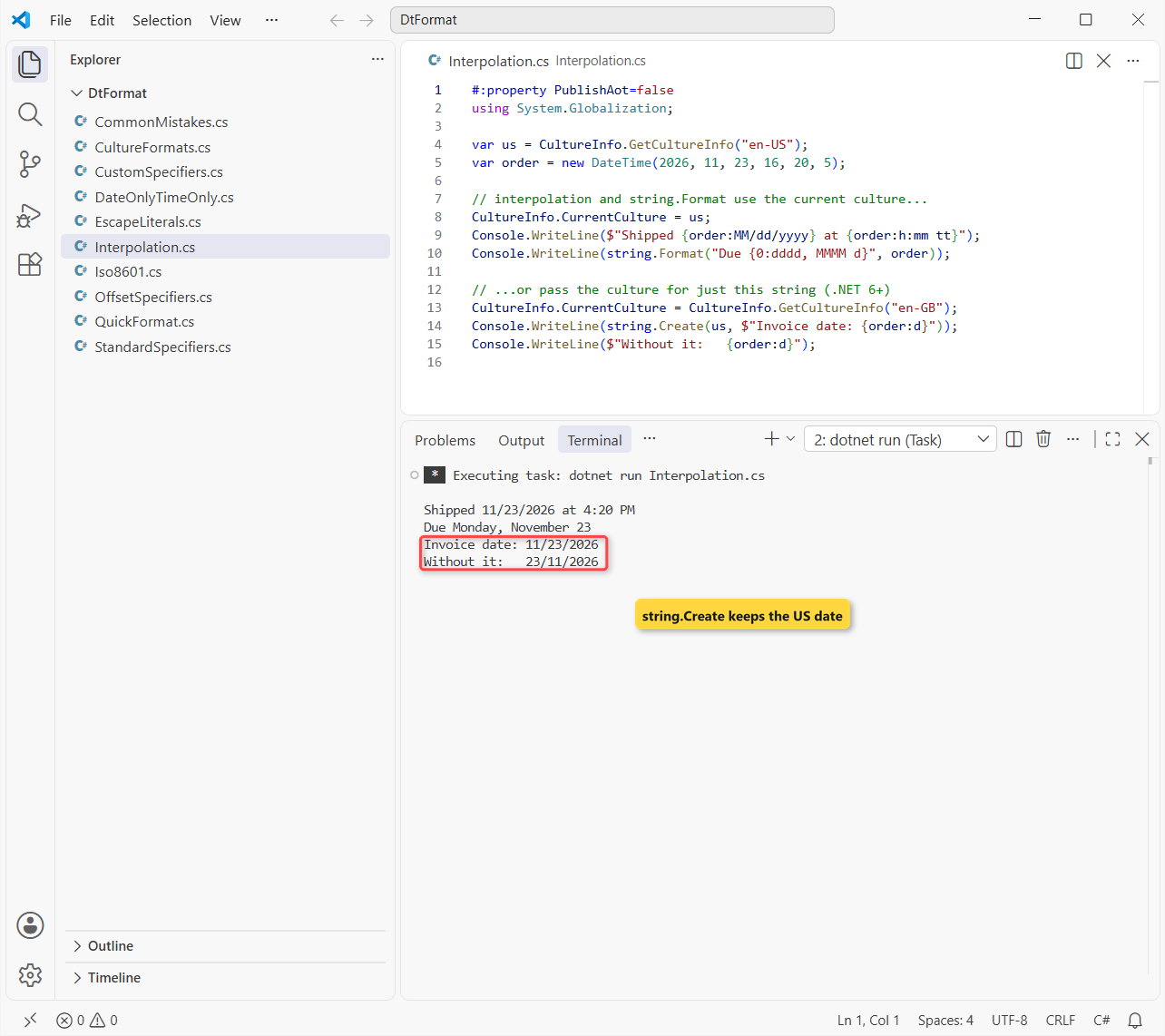
The last two lines run under en-GB. string.Create(us, ...) prints 11/23/2026, while plain interpolation prints 23/11/2026. The colon syntax works for numbers as well, such as {id:D6} for leading zeros.
How Do You Add Literal Text to a DateTime Format?
Letters like d, h, s and t are specifiers, so plain words inside a pattern get mangled. Wrap text in single quotes, or put a backslash before each reserved character:
#:property PublishAot=false
using System.Globalization;

var us = CultureInfo.GetCultureInfo("en-US");
var order = new DateTime(2026, 11, 23, 16, 20, 5);

Console.WriteLine(order.ToString("'Shipped on' MMMM d 'at' h:mm tt", us));
Console.WriteLine(order.ToString("\\Q\\4 'report,' yyyy", us));
Console.WriteLine(order.ToString(@"yyyy\-MM\-dd\THH\hmm", us));
Console.WriteLine(order.ToString("Shipped on MMMM d", us));
Output:
Shipped on November 23 at 4:20 PM
Q4 report, 2026
2026-11-23T16h20
S4ippe23 on November 23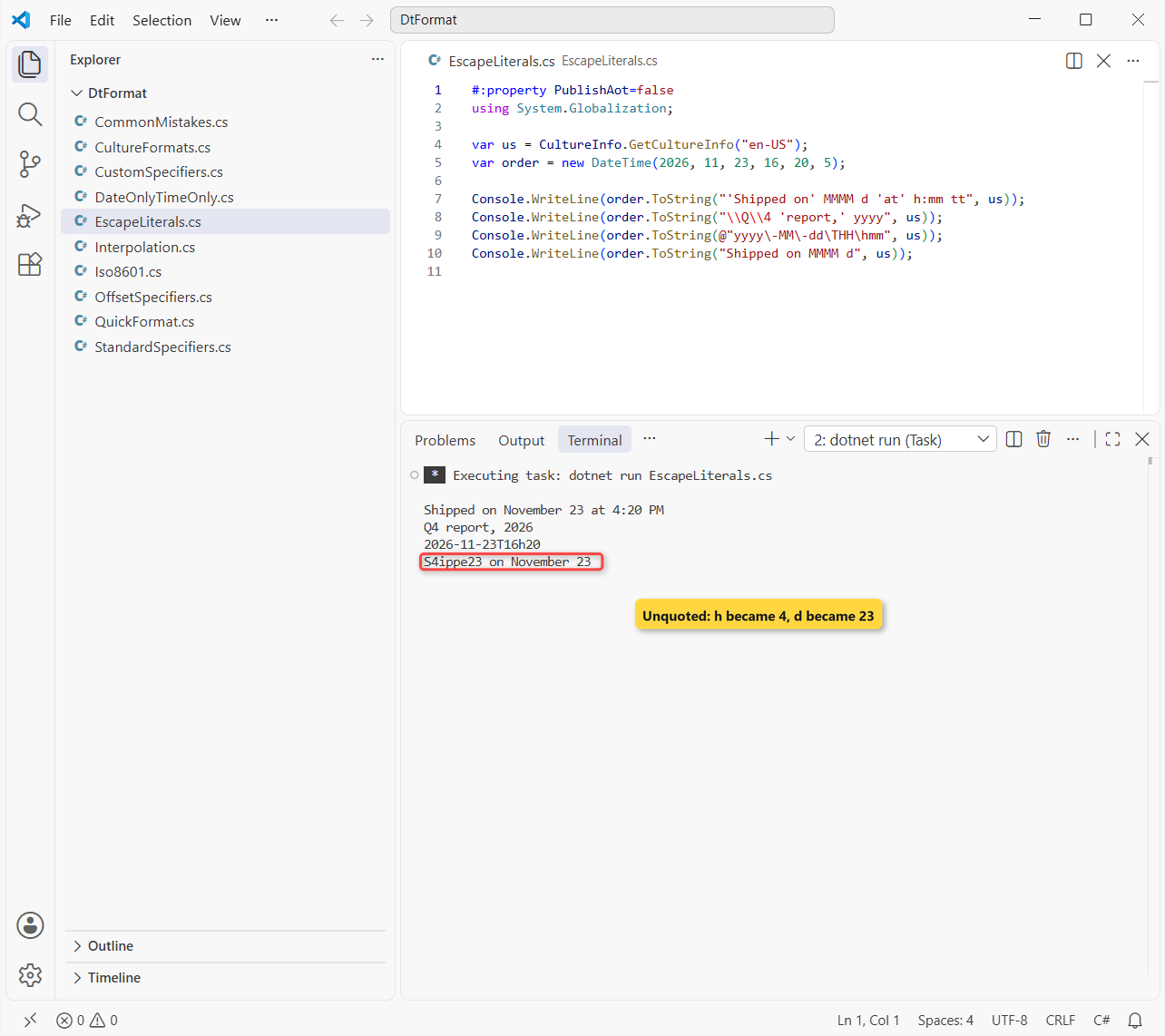
The last line shows why: h became 4 and d became 23, so “Shipped” printed as S4ippe23. In a regular C# string, write each backslash twice, or use a verbatim @"..." string.
ISO 8601 DateTime Format for APIs and JSON
For REST APIs and JSON, send the round-trip format "o". It keeps all seven fraction digits and the offset, so the receiver gets the exact instant back:
#:property PublishAot=false
using System.Globalization;

var inv = CultureInfo.InvariantCulture;
var eastern = new DateTimeOffset(2026, 11, 23, 16, 20, 5, 123,
    TimeSpan.FromHours(-5));
DateTime utc = eastern.UtcDateTime;              // Kind = Utc

Console.WriteLine(eastern.ToString("o"));
Console.WriteLine(utc.ToString("o"));
Console.WriteLine(utc.ToString("yyyy-MM-ddTHH:mm:ssZ", inv));
Console.WriteLine(eastern.ToString("u"));
Console.WriteLine(eastern.ToString("R"));
Output:
2026-11-23T16:20:05.1230000-05:00
2026-11-23T21:20:05.1230000Z
2026-11-23T21:20:05Z
2026-11-23 21:20:05Z
Mon, 23 Nov 2026 21:20:05 GMT
A DateTimeOffset prints -05:00, and the UTC copy ends in Z. System.Text.Json writes dates in this ISO 8601 shape by default, which is why my ASP.NET Core Web API responses need no date setup.
Format DateOnly and TimeOnly in C#
DateOnly and TimeOnly (.NET 6+) take the same custom specifiers, but only the standard formats that fit: d, D, M, Y, O and R for dates, t, T, O and R for times.
#:property PublishAot=false
using System.Globalization;

var us = CultureInfo.GetCultureInfo("en-US");
var due = new DateOnly(2026, 11, 23);
var pickup = new TimeOnly(16, 20);

Console.WriteLine(due.ToString("d", us));
Console.WriteLine(due.ToString("dddd, MMMM d, yyyy", us));
Console.WriteLine(due.ToString("o"));
Console.WriteLine(pickup.ToString("t", us));
Console.WriteLine(pickup.ToString("HH:mm", us));
try { Console.WriteLine(due.ToString("g", us)); }
catch (FormatException) { Console.WriteLine("\"g\" on DateOnly: FormatException"); }
Output:
11/23/2026
Monday, November 23, 2026
2026-11-23
4:20 PM
16:20
"g" on DateOnly: FormatException
Asking a DateOnly for g (date plus time) throws a FormatException. For month boundaries like a due date on the 30th, see getting the start and end date of a month.
Common DateTime Format Errors and How to Fix Them
These are the bugs I find in code reviews most often. Same order, wrong pattern next to the right one:
#:property PublishAot=false
using System.Globalization;

var us = CultureInfo.GetCultureInfo("en-US");
var order = new DateTime(2026, 11, 23, 16, 20, 5);

Console.WriteLine($"mm/dd/yyyy  {order.ToString("mm/dd/yyyy", us)}");
Console.WriteLine($"MM/dd/yyyy  {order.ToString("MM/dd/yyyy", us)}");
Console.WriteLine($"hh:mm       {order.ToString("hh:mm", us)}");
Console.WriteLine($"hh:mm tt    {order.ToString("hh:mm tt", us)}");
Console.WriteLine($"YYYY-DD     {order.ToString("YYYY-DD", us)}");
Console.WriteLine($"yyyy-dd     {order.ToString("yyyy-dd", us)}");
try { Console.WriteLine(order.ToString("h", us)); }
catch (FormatException) { Console.WriteLine("\"h\" alone   FormatException (use \"%h\")"); }
Output:
mm/dd/yyyy  20/23/2026
MM/dd/yyyy  11/23/2026
hh:mm       04:20
hh:mm tt    04:20 PM
YYYY-DD     YYYY-DD
yyyy-dd     2026-23
"h" alone   FormatException (use "%h")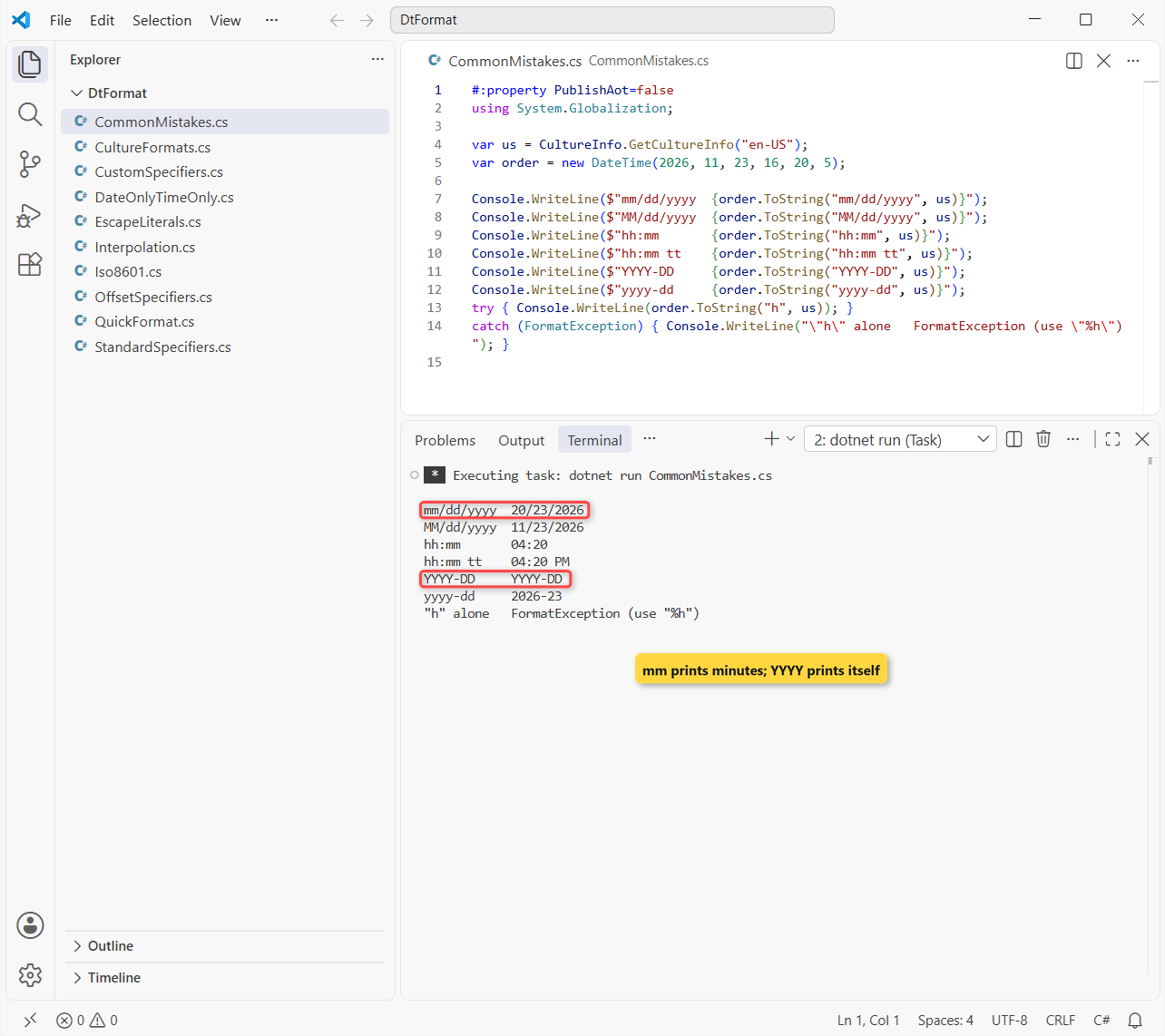
| Mistake | What you get | Fix |
|---|---|---|
mm/dd/yyyy | 20/23/2026 (minutes, not month) | MM/dd/yyyy |
hh:mm alone | 04:20, AM or PM? | hh:mm tt or HH:mm |
YYYY-DD | YYYY-DD as plain text | yyyy-dd (lowercase) |
"h" | FormatException | "%h" |
| No culture | Day-first dates on some servers | Pass CultureInfo.GetCultureInfo("en-US") |
The FormatException is the only one that fails loudly. Catch it while you test user-defined patterns, as in my try-catch guide.
Which DateTime Format Should You Use?
- Screens for US users:
"d"or"MM/dd/yyyy"with the en-US culture. - Emails and receipts:
"MMMM d, yyyy h:mm tt". - APIs, JSON and databases you exchange text with:
"o"on aDateTimeOffsetor a UTCDateTime. - Log files and file names:
"yyyy-MM-dd HH:mm:ss"withInvariantCulture, because it sorts as text.
More date and string recipes are on my C# tutorials page.
A few more posts that go well with date formatting:
- Check for a leap year in C#
- What’s new in .NET 10
- String vs StringBuilder in C#
- Nullable reference types in C#
Frequently Asked Questions
How do I format a DateTime as MM/dd/yyyy in C#?
Call date.ToString("MM/dd/yyyy", CultureInfo.GetCultureInfo("en-US")). Passing the culture keeps the slash, even on a server set to a culture that uses dots or dashes.
What is the difference between MM and mm in a C# date format?
MM is the month (11 for November) and mm is minutes. Microsoft’s custom date and time format strings reference lists every specifier.
How do I show 24-hour time in C#?
Use HH: date.ToString("HH:mm") prints 16:20 for 4:20 PM. Use hh plus tt for the 12-hour clock.
How do I convert a DateTime to an ISO 8601 string in C#?
Call ToString("o"). A UTC value prints like 2026-11-23T21:20:05.1230000Z, and a DateTimeOffset includes its offset.
How do I get only the date from a DateTime in C#?
Format it with "d" or "MM/dd/yyyy" for display, use date.Date to keep a DateTime at midnight, or call DateOnly.FromDateTime(date).
Why does DateTime.ToString() show a different format on my server?
With no format or culture, ToString() uses the server’s current culture. Pass a format string and a CultureInfo, or set the app’s culture at startup.

Bijay Kumar is a renowned software engineer, accomplished author, and distinguished Microsoft Most Valuable Professional (MVP) specializing in SharePoint. With a rich professional background spanning over 15 years, Bijay has established himself as an authority in the field of information technology. He possesses unparalleled expertise in multiple programming languages and technologies such as ASP.NET, ASP.NET MVC, C#.NET, and SharePoint, which has enabled him to develop innovative and cutting-edge solutions for clients across the globe. Read more…