
A month-end sales report I built for a retail client in Columbus, Ohio kept dropping orders placed on October 31. The C# code that picked the month’s first and last day looked fine, but the boundary was wrong.
Here’s the short answer for C#: the first day of the month is new DateTime(d.Year, d.Month, 1), and the last day is new DateTime(d.Year, d.Month, DateTime.DaysInMonth(d.Year, d.Month)).
In this tutorial, I’ll walk you through every C# first day of month and last-day calculation I use at work: DateTime and DateOnly, safe month ranges for SQL, previous and next month, the year, quarters, and the US federal fiscal year.
How do I get the first and last day of the month in C#?
Build the first day from the year and month with the day set to 1. For the last day, ask DateTime.DaysInMonth how many days the month has, or add one month to the first day and step back one day.
If you’re new to file-based programs, my guide on how to create a console app in Visual Studio Code gets you set up.
I use a fixed date (10/25/2026) and the en-US culture, so you’ll get the same output I did.
using System.Globalization;
CultureInfo.CurrentCulture = new CultureInfo("en-US");

DateTime today = new DateTime(2026, 10, 25);   // fixed date so the output is reproducible

DateTime firstDay = new DateTime(today.Year, today.Month, 1);
int days = DateTime.DaysInMonth(today.Year, today.Month);
DateTime lastDay = new DateTime(today.Year, today.Month, days);
DateTime lastDay2 = firstDay.AddMonths(1).AddDays(-1);

Console.WriteLine($"First day:     {firstDay:MM/dd/yyyy} ({firstDay:dddd})");
Console.WriteLine($"Last day:      {lastDay:MM/dd/yyyy} ({lastDay:dddd})");
Console.WriteLine($"AddMonths way: {lastDay2:yyyy-MM-dd}");
Console.WriteLine($"Days in month: {days}, same result: {lastDay == lastDay2}");

DateTime march31 = new DateTime(2026, 3, 31);
Console.WriteLine($"Trap: {march31:MM/dd} + 1 month - 1 day = {march31.AddMonths(1).AddDays(-1):MM/dd/yyyy}");
Output:
First day:     10/01/2026 (Thursday)
Last day:      10/31/2026 (Saturday)
AddMonths way: 2026-10-31
Days in month: 31, same result: True
Trap: 03/31 + 1 month - 1 day = 04/29/2026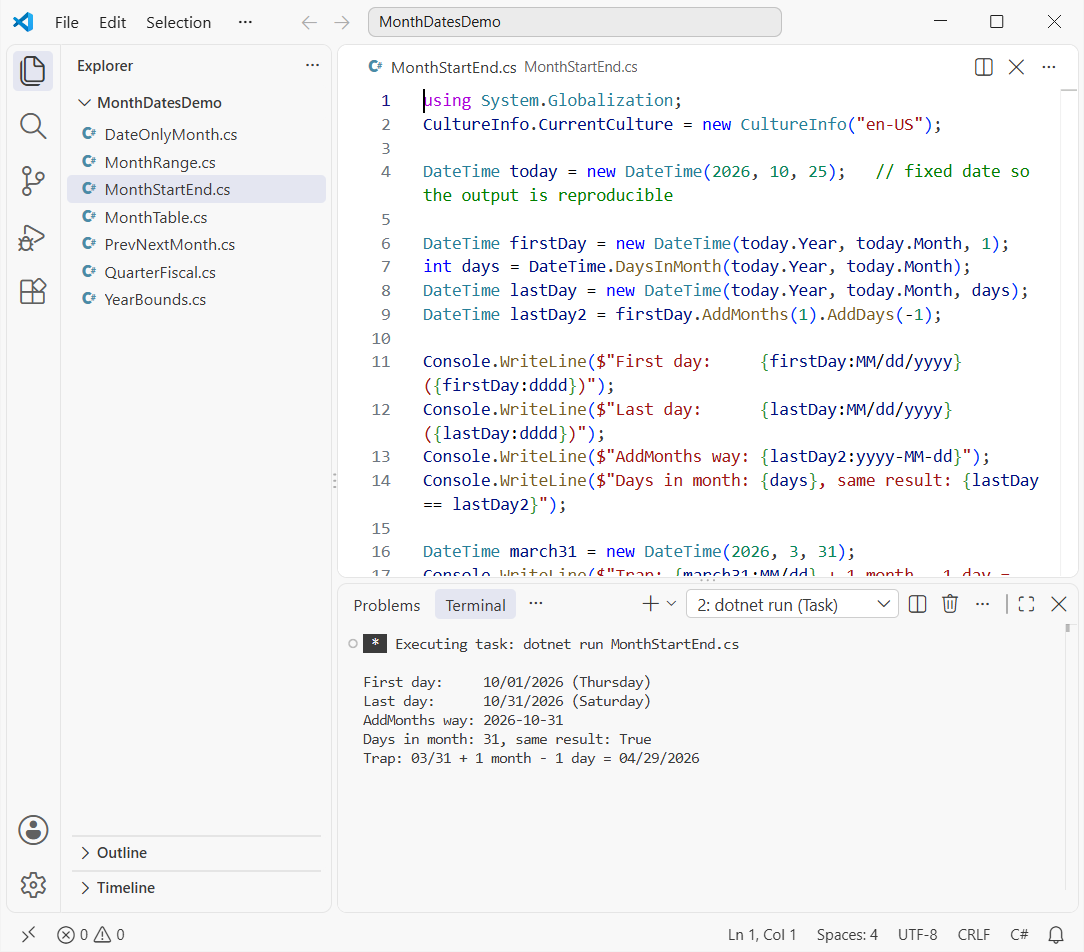
Both methods agree, and the format strings MM/dd/yyyy and yyyy-MM-dd give you US and ISO output. You can read more about format strings in my post on ToString in C#.
Look at the last line, though. Adding a month to March 31 and subtracting a day gives 04/29/2026, not April 30. AddMonths(1).AddDays(-1) only works when you start from the 1st, so always anchor on day 1 first.
Last day of the month for any month, including leap year February
Here’s the same idea in a loop over a few months, with a tuple array in C# holding each year and month. I added DateTime.IsLeapYear so you can see why February 2028 ends on the 29th.
using System.Globalization;
CultureInfo.CurrentCulture = new CultureInfo("en-US");

(int Year, int Month)[] months = { (2026, 10), (2026, 12), (2027, 2), (2028, 2) };

Console.WriteLine("Month      First day   Last day    Leap year");
foreach (var (year, month) in months)
{
    DateTime first = new DateTime(year, month, 1);
    DateTime last = first.AddDays(DateTime.DaysInMonth(year, month) - 1);
    Console.WriteLine($"{first:MMM yyyy}   {first:MM/dd/yyyy}  {last:MM/dd/yyyy}  {DateTime.IsLeapYear(year)}");
}
Output:
Month      First day   Last day    Leap year
Oct 2026   10/01/2026  10/31/2026  False
Dec 2026   12/01/2026  12/31/2026  False
Feb 2027   02/01/2027  02/28/2027  False
Feb 2028   02/01/2028  02/29/2028  True
DaysInMonth handles leap years for you, so February 2027 gets 28 days and February 2028 gets 29. If you need the leap-year rule itself, here’s how to find a leap year in C#.
C# first and last day of month with DateOnly (.NET 6+)
When a value is a calendar date with no time, such as a billing date, DateOnly is the better fit. Like DateTime, it’s a structure (struct) in C#, and it has the same AddMonths and AddDays methods.
using System.Globalization;
CultureInfo.CurrentCulture = new CultureInfo("en-US");

DateOnly today = new DateOnly(2026, 10, 25);   // DateOnly.FromDateTime(DateTime.Now) in real code

DateOnly first = new DateOnly(today.Year, today.Month, 1);
DateOnly last = first.AddMonths(1).AddDays(-1);

Console.WriteLine($"First: {first:MM/dd/yyyy}  ISO: {first:yyyy-MM-dd}");
Console.WriteLine($"Last:  {last:MM/dd/yyyy}  ISO: {last:yyyy-MM-dd}");
Console.WriteLine($"End of last day:   {last.ToDateTime(TimeOnly.MaxValue):yyyy-MM-dd HH:mm:ss.fffffff}");
Output:
First: 10/01/2026  ISO: 2026-10-01
Last:  10/31/2026  ISO: 2026-10-31
End of last day:   2026-10-31 23:59:59.9999999
ToDateTime(TimeOnly.MaxValue) gives the very last tick of the day if you need a DateTime back. DateOnly isn’t available on .NET Framework, so stick with DateTime there.
End of day vs. next month’s first day: month ranges for database queries
This is the bug from my Columbus report. The last day of the month is midnight on 10/31, so a filter like orderDate <= lastDay silently skips everything after 12:00 AM that day.
using System.Globalization;
CultureInfo.CurrentCulture = new CultureInfo("en-US");

DateTime start = new DateTime(2026, 10, 1);
DateTime lastDay = start.AddMonths(1).AddDays(-1);    // midnight
DateTime endOfDay = start.AddMonths(1).AddTicks(-1);  // last tick
DateTime nextStart = start.AddMonths(1);              // 11/01

DateTime[] orders =
{
    new(2026, 10, 1, 8, 15, 0),
    new(2026, 10, 31, 18, 45, 0),   // 6:45 PM on the last day
    new(2026, 11, 1, 0, 0, 0)
};
string f = "yyyy-MM-dd HH:mm:ss.fffffff";
Console.WriteLine($"Last day:   {lastDay.ToString(f)}");
Console.WriteLine($"End of day: {endOfDay.ToString(f)}");
Console.WriteLine($"<= lastDay:   {orders.Count(o => o >= start && o <= lastDay)} of 3");
Console.WriteLine($"<= endOfDay:  {orders.Count(o => o >= start && o <= endOfDay)} of 3");
Console.WriteLine($"< nextStart:  {orders.Count(o => o >= start && o < nextStart)} of 3");
Output:
Last day:   2026-10-31 00:00:00.0000000
End of day: 2026-10-31 23:59:59.9999999
<= lastDay:   1 of 3
<= endOfDay:  2 of 3
< nextStart:  2 of 3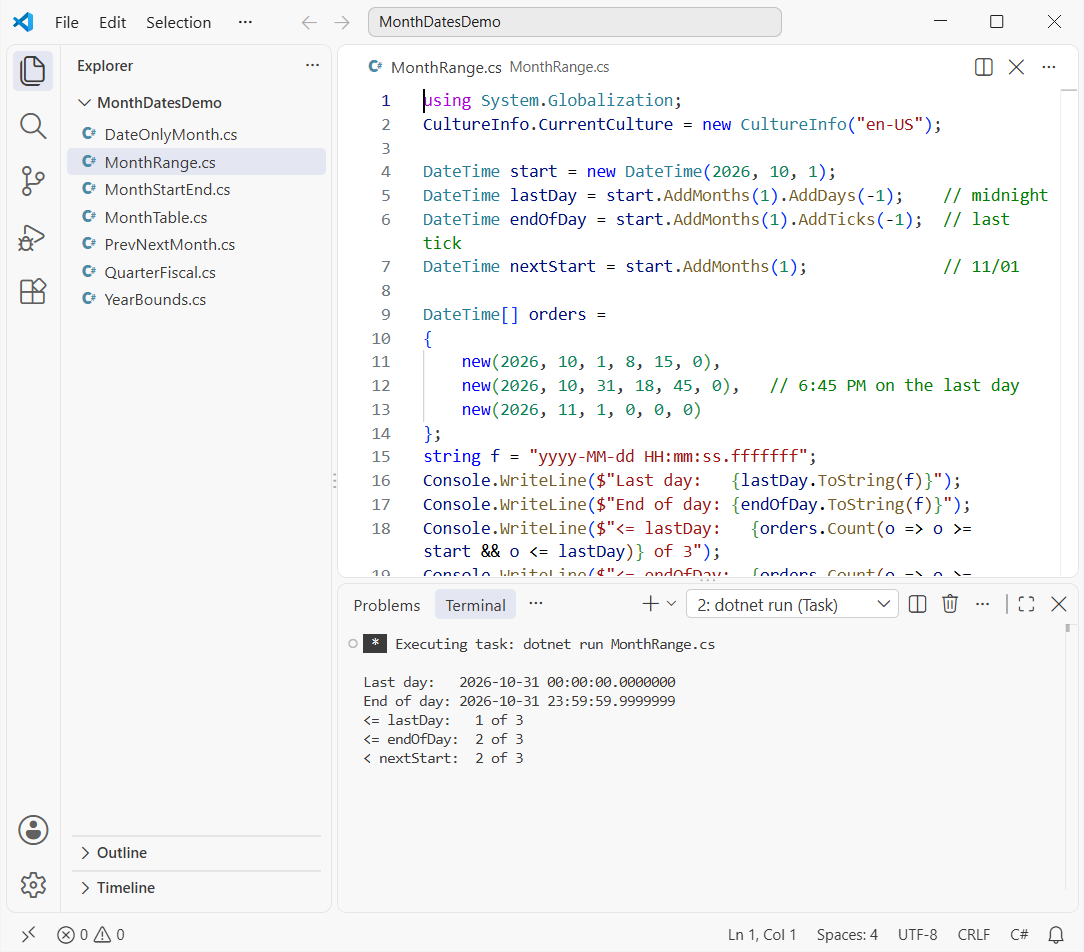
The 23:59:59.9999999 version works in C#, but I don’t use it. SQL Server’s older datetime type rounds 23:59:59.999 up to the next day, so the same value can pull in November orders.
My rule is a half-open range: greater than or equal to the first day, and strictly less than next month’s first day. It works for every column type and every time precision:
SELECT OrderId, OrderDate, Total
FROM Orders
WHERE OrderDate >= @monthStart
  AND OrderDate < @nextMonthStart;
Pass start and start.AddMonths(1) as the two parameters. If the month arrives as text, convert the string to a DateTime in C# first and then build the range.
First and last day of the previous month and next month in C#
For the previous month, start from the first day of the current month. One month back gives its first day, and one day back gives its last day.
using System.Globalization;
CultureInfo.CurrentCulture = new CultureInfo("en-US");

DateTime[] dates = { new(2026, 10, 25), new(2027, 1, 15) };

foreach (DateTime d in dates)
{
    DateTime thisMonth = new DateTime(d.Year, d.Month, 1);
    DateTime prevFirst = thisMonth.AddMonths(-1);
    DateTime prevLast = thisMonth.AddDays(-1);
    DateTime nextFirst = thisMonth.AddMonths(1);
    DateTime nextLast = thisMonth.AddMonths(2).AddDays(-1);

    Console.WriteLine($"Reference {d:MM/dd/yyyy}");
    Console.WriteLine($"  Previous month: {prevFirst:MM/dd/yyyy} - {prevLast:MM/dd/yyyy}");
    Console.WriteLine($"  Next month:     {nextFirst:MM/dd/yyyy} - {nextLast:MM/dd/yyyy}");
}
Output:
Reference 10/25/2026
  Previous month: 09/01/2026 - 09/30/2026
  Next month:     11/01/2026 - 11/30/2026
Reference 01/15/2027
  Previous month: 12/01/2026 - 12/31/2026
  Next month:     02/01/2027 - 02/28/2027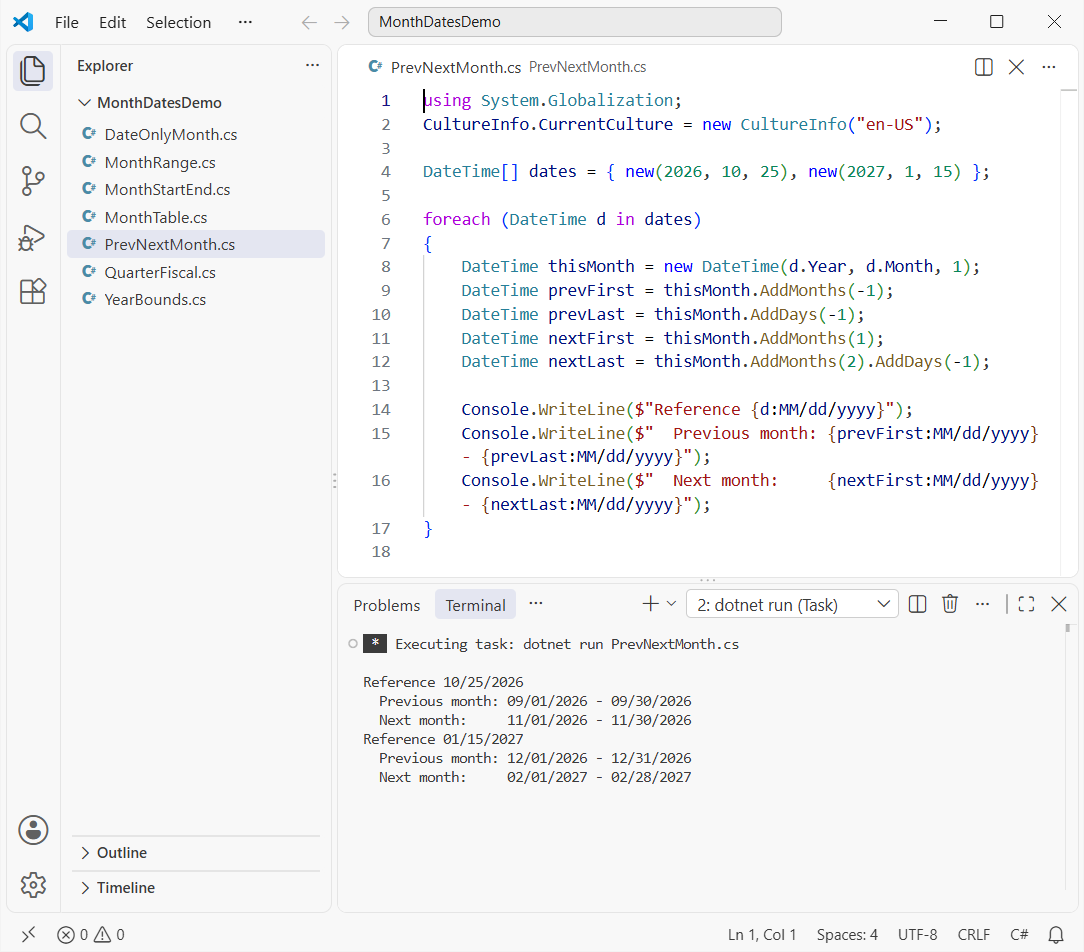
The foreach loop in C# runs two reference dates. For 01/15/2027 the previous month is 12/01/2026 – 12/31/2026, and nothing in the code mentions years.
First and last day of the year in C#
The year is the easy case: January 1 and December 31 never move. The custom format dddd, MMMM dd, yyyy adds the day name, like Thursday.
using System.Globalization;
CultureInfo.CurrentCulture = new CultureInfo("en-US");

int year = 2026;
DateTime firstOfYear = new DateTime(year, 1, 1);
DateTime lastOfYear = new DateTime(year, 12, 31);

Console.WriteLine($"First day of {year}: {firstOfYear:dddd, MMMM dd, yyyy}");
Console.WriteLine($"Last day of {year}:  {lastOfYear:dddd, MMMM dd, yyyy}");

foreach (int y in new[] { 2026, 2028 })
    Console.WriteLine($"{y}: leap year {DateTime.IsLeapYear(y)}, {new DateTime(y, 12, 31).DayOfYear} days");
Output:
First day of 2026: Thursday, January 01, 2026
Last day of 2026:  Thursday, December 31, 2026
2026: leap year False, 365 days
2028: leap year True, 366 days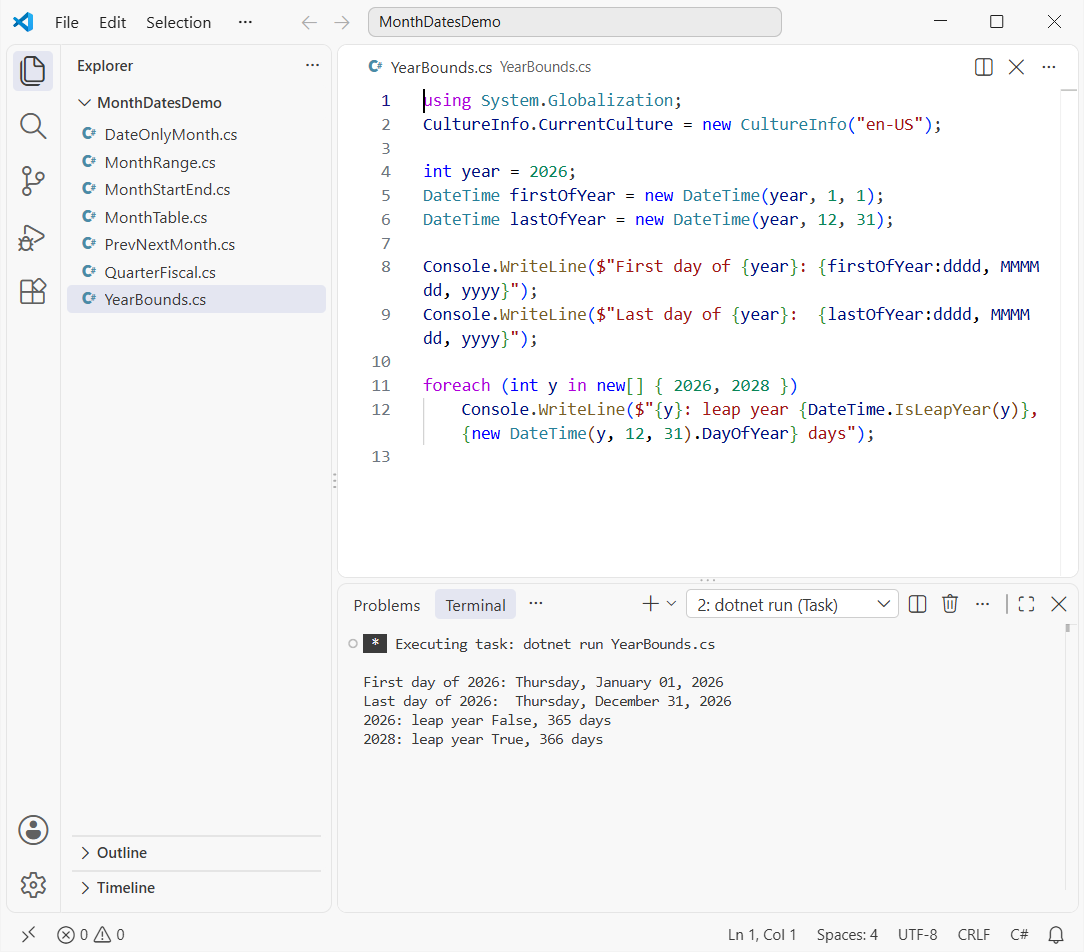
DayOfYear on December 31 gives you the number of days in the year. I use firstOfYear.ToString("yyyy") to name yearly archive folders, and the guide to create a folder if it doesn’t exist in C# covers that part.
First and last day of a quarter and the US federal fiscal year
A calendar quarter is three months, so (month - 1) / 3 + 1 gives the quarter number and the start month is (quarter - 1) * 3 + 1. The end is three months later minus one day.
The US federal fiscal year runs from October 1 to September 30 and is named for the year it ends in. So fiscal year 2027 started on 10/01/2026.
using System.Globalization;
CultureInfo.CurrentCulture = new CultureInfo("en-US");

DateTime d = new DateTime(2026, 10, 25);

int quarter = (d.Month - 1) / 3 + 1;
DateTime qStart = new DateTime(d.Year, (quarter - 1) * 3 + 1, 1);
DateTime qEnd = qStart.AddMonths(3).AddDays(-1);
Console.WriteLine($"Calendar Q{quarter} {d.Year}: {qStart:MM/dd/yyyy} - {qEnd:MM/dd/yyyy}");

// US federal fiscal year: October 1 - September 30, named for the year it ends in
int fy = d.Month >= 10 ? d.Year + 1 : d.Year;
DateTime fyStart = new DateTime(fy - 1, 10, 1);
DateTime fyEnd = new DateTime(fy, 9, 30);
int fq = (d.Month + 2) % 12 / 3 + 1;
Console.WriteLine($"Federal FY{fy}: {fyStart:MM/dd/yyyy} - {fyEnd:MM/dd/yyyy}, fiscal Q{fq}");
Output:
Calendar Q4 2026: 10/01/2026 - 12/31/2026
Federal FY2027: 10/01/2026 - 09/30/2027, fiscal Q1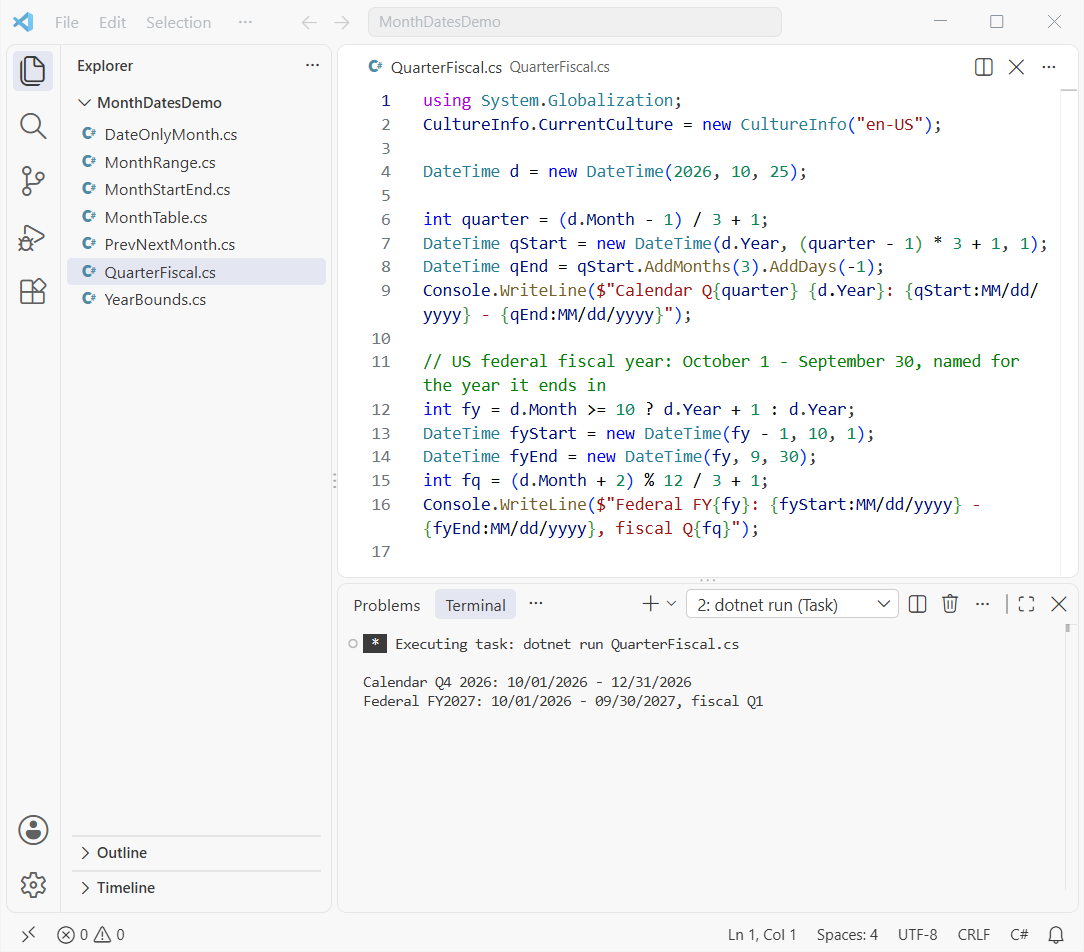
Which method should you use for the first and last day of the month?
| Need | What I use |
|---|---|
| First day of month | new DateTime(y, m, 1) |
| Last day of month | new DateTime(y, m, DateTime.DaysInMonth(y, m)) |
| Date-only values (.NET 6+) | DateOnly with the same math |
| Database or LINQ month filter | >= first and < first.AddMonths(1) |
| Previous month | first.AddMonths(-1) to first.AddDays(-1) |
One last warning: DateTime.Today uses the machine’s time zone, and cloud servers often run on UTC. Convert to the user’s zone with TimeZoneInfo before you take the month, or pass the date in as a parameter.
Once your date math is solid, these posts pair well with it:
- Enums in C#, like the DayOfWeek values used above
- Delete old monthly files from a folder in C#
- Format monthly totals with commas and decimals
- C# interview questions and answers for freshers
Frequently Asked Questions
How do I get the last day of the current month in C#?
Use DateTime today = DateTime.Today; and then new DateTime(today.Year, today.Month, DateTime.DaysInMonth(today.Year, today.Month)). The DateTime.DaysInMonth documentation on Microsoft Learn explains how it returns 28 or 29 for February.
Is AddMonths(1).AddDays(-1) safe for the last day of the month?
Only from the 1st. From March 31, 2026 it returns April 29, because AddMonths clamps to April 30 first.
How do I get the first day of the previous month in C#?
Take the first day of the current month and call AddMonths(-1). For January 2027 that gives 12/01/2026, so the year change is automatic.
Should I use 23:59:59 or the next month’s first day for a date range?
Use the next month’s first day with a less-than comparison. End-of-day values can round into the next day in SQL Server’s datetime type.
Does DateOnly have DaysInMonth?
No. Call DateTime.DaysInMonth(year, month) and pass the result to the DateOnly constructor, or use first.AddMonths(1).AddDays(-1). See how to use DateOnly and TimeOnly for more.

Bijay Kumar is a renowned software engineer, accomplished author, and distinguished Microsoft Most Valuable Professional (MVP) specializing in SharePoint. With a rich professional background spanning over 15 years, Bijay has established himself as an authority in the field of information technology. He possesses unparalleled expertise in multiple programming languages and technologies such as ASP.NET, ASP.NET MVC, C#.NET, and SharePoint, which has enabled him to develop innovative and cutting-edge solutions for clients across the globe. Read more…