
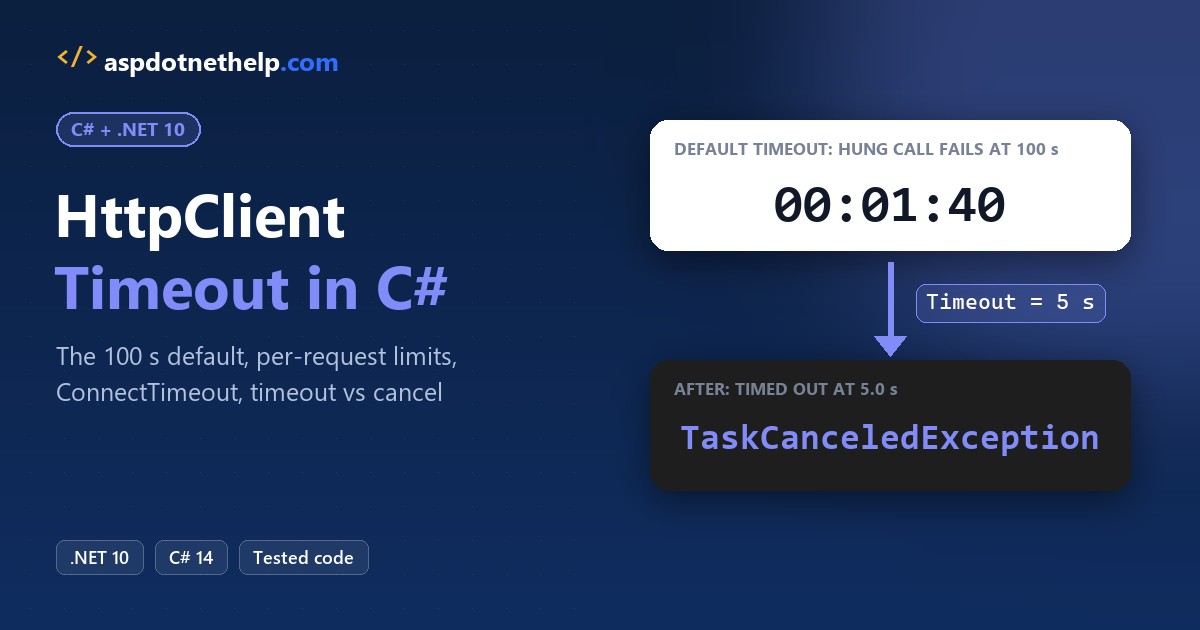
The mistake I see most with a C# HttpClient timeout is expecting a hung API call to fail fast. It won’t: the default Timeout is 100 seconds, and my stuck request on .NET 10 gave up after a full 100 seconds with a TaskCanceledException.
The fix is one line, set before the first request:
using var http = new HttpClient { Timeout = TimeSpan.FromSeconds(5) };Every timing below comes from a local API I slowed down on purpose, including per-request limits and how to tell a timeout from a cancel.
What Is the Default HttpClient Timeout in C#?
It’s 100 seconds (00:01:40), and .NET 10 hasn’t changed it. All my tests call one tiny .NET 10 file-based app on localhost:5887: a freight-quote endpoint that waits ?delay= seconds before it answers.
#:sdk Microsoft.NET.Sdk.Web
#:property PublishAot=false

var builder = WebApplication.CreateBuilder(args);
builder.Logging.ClearProviders();
var app = builder.Build();

// Freight quote for a US ZIP code; ?delay=N makes the "carrier" take N seconds
app.MapGet("/quote/{zip}", async (string zip, int delay, CancellationToken ct) =>
{
    await Task.Delay(TimeSpan.FromSeconds(delay), ct);
    return new { zip, rate = 18.75m, delay };
});

Console.WriteLine("Freight quote API on http://localhost:5887");
app.Run("http://localhost:5887");
A quick curl with delay=0 returned {"zip":"10001","rate":18.75,"delay":0}. Now here’s the code most people ship, with no timeout set, against a carrier API that hangs for 120 seconds:
#!/usr/bin/env dotnet
#:property PublishAot=false
using System.Diagnostics;

using var http = new HttpClient();
Console.WriteLine($"Default Timeout: {http.Timeout}");

var sw = Stopwatch.StartNew();
try
{
    // the carrier API hangs for 120 seconds
    await http.GetStringAsync("http://localhost:5887/quote/10001?delay=120");
}
catch (TaskCanceledException ex)
{
    Console.WriteLine($"Failed after {sw.Elapsed.TotalSeconds:F1} s");
    Console.WriteLine($"{ex.GetType().Name} -> inner {ex.InnerException?.GetType().Name}");
}
Output:
Default Timeout: 00:01:40
Failed after 100.0 s
TaskCanceledException -> inner TimeoutException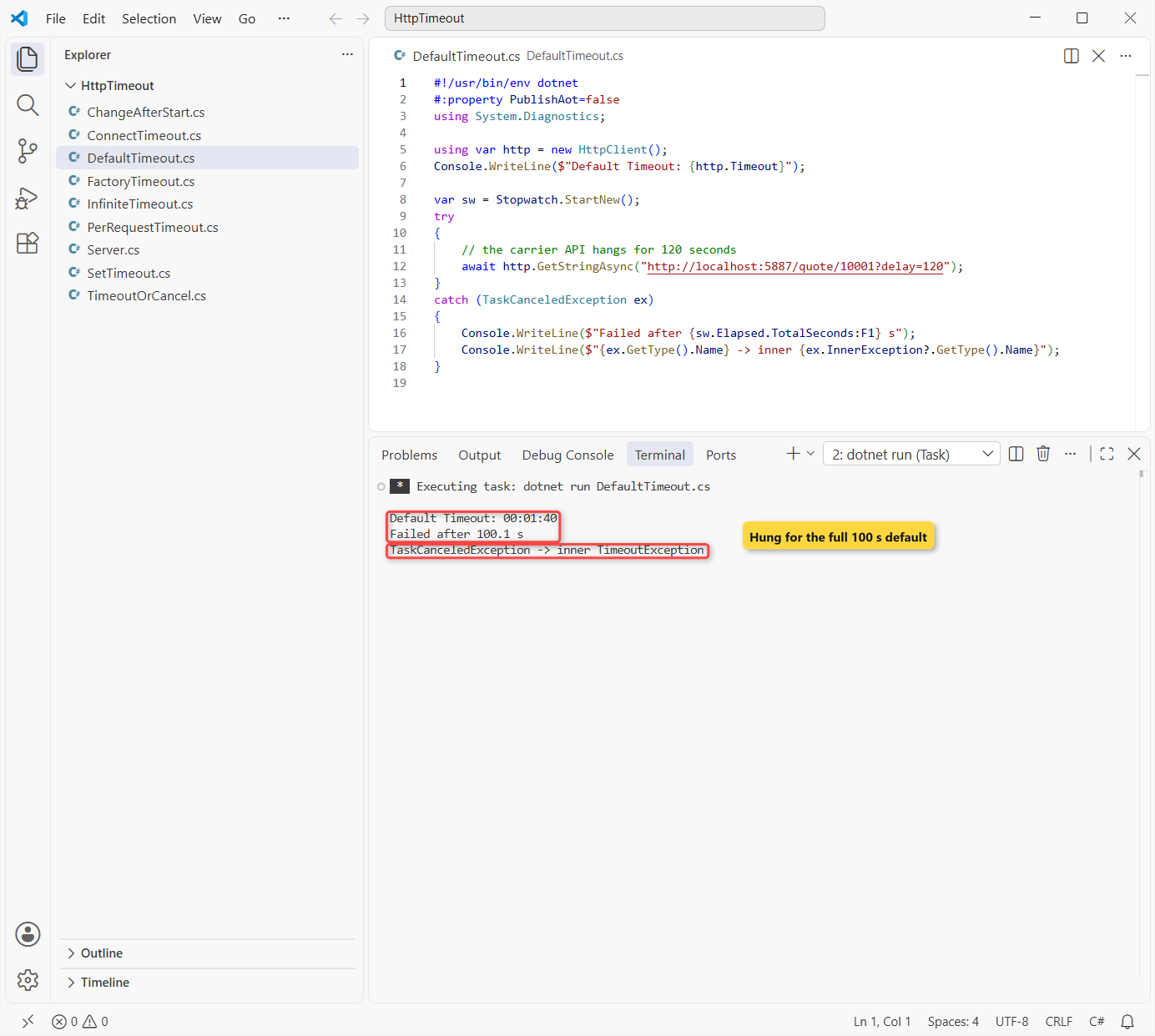
The call blocked for the full 100 seconds (my runs landed at 100.0 s and 100.1 s). In a web app, that’s a request and a user waiting well over a minute and a half for an error page.
Note: the exception is TaskCanceledException, not TimeoutException. On .NET 5 and later, the TimeoutException is the InnerException, which is how you tell a timeout apart from a cancel.
How to Change the HttpClient Timeout
Set Timeout to a TimeSpan when you create the client. Same API, now with a 5-second limit and two calls: one that takes 1 second and one that takes 10:
#!/usr/bin/env dotnet
#:property PublishAot=false
using System.Diagnostics;

using var http = new HttpClient { Timeout = TimeSpan.FromSeconds(5) };
string url = "http://localhost:5887/quote/94105?delay=";

foreach (int delay in new[] { 1, 10 })
{
    var sw = Stopwatch.StartNew();
    try
    {
        string json = await http.GetStringAsync(url + delay);
        Console.WriteLine($"delay={delay}: OK in {sw.Elapsed.TotalSeconds:F1} s {json}");
    }
    catch (TaskCanceledException ex) when (ex.InnerException is TimeoutException)
    {
        Console.WriteLine($"delay={delay}: timed out after {sw.Elapsed.TotalSeconds:F1} s");
        Console.WriteLine(ex.Message);
    }
}
Output:
delay=1: OK in 1.1 s {"zip":"94105","rate":18.75,"delay":1}
delay=10: timed out after 5.0 s
The request was canceled due to the configured HttpClient.Timeout of 5 seconds elapsing.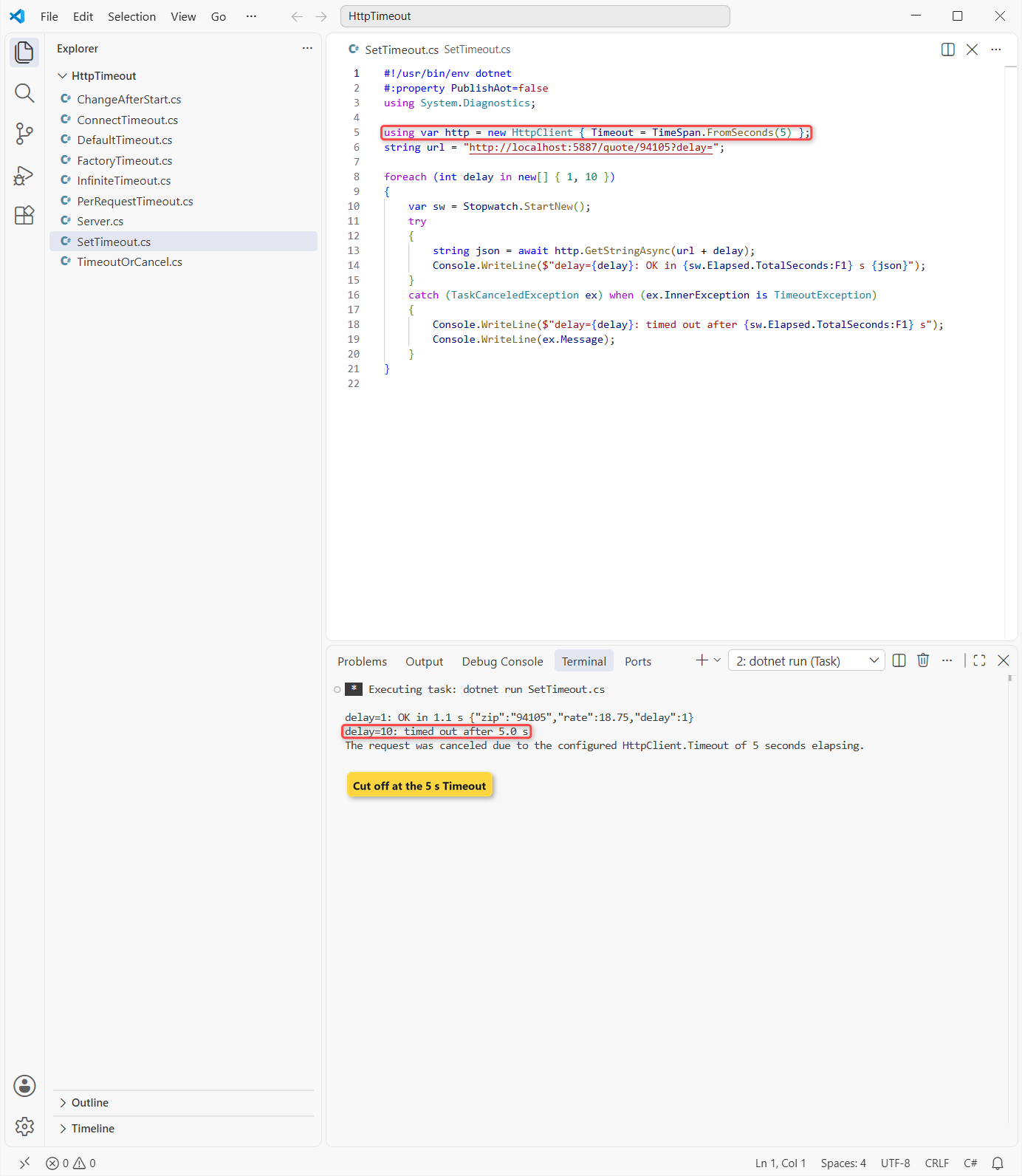
The 1-second call returned the quote in just over a second (the first call also opens the connection). The 10-second call was cut off at 5.0 s, and the message names the setting that fired.
Handle that exception the way my try-catch guide shows: catch TaskCanceledException with a when filter, not a bare catch (Exception).
Why Does Changing HttpClient.Timeout Throw InvalidOperationException?
Because Timeout, BaseAddress and the default headers lock after the first request. A shared client is used by many threads, so changing them mid-flight isn’t allowed:
#!/usr/bin/env dotnet
#:property PublishAot=false

using var http = new HttpClient();
await http.GetStringAsync("http://localhost:5887/quote/60601?delay=0");

try
{
    http.Timeout = TimeSpan.FromSeconds(30);   // too late: a request already ran
}
catch (InvalidOperationException ex)
{
    Console.WriteLine($"{ex.GetType().Name}: {ex.Message}");
}
Output:
InvalidOperationException: This instance has already started one or more requests. Properties can only be modified before sending the first request.That’s the exact .NET 10 message. If you need a different limit for one call, don’t touch Timeout: use a per-request token, shown two sections down.
This trips people who keep one static client, as recommended in my HttpClient vs IHttpClientFactory comparison, and then try to tweak it later.
HttpClient Infinite Timeout with Timeout.InfiniteTimeSpan
For long polling or a large download you control with your own token, turn the client timeout off. Timeout.InfiniteTimeSpan is the only value at or below zero that’s allowed:
#!/usr/bin/env dotnet
#:property PublishAot=false

Console.WriteLine($"InfiniteTimeSpan = {Timeout.InfiniteTimeSpan}");

using var longPoll = new HttpClient { Timeout = Timeout.InfiniteTimeSpan };
Console.WriteLine($"longPoll.Timeout = {longPoll.Timeout}");

try
{
    using var broken = new HttpClient { Timeout = TimeSpan.Zero };
}
catch (ArgumentOutOfRangeException ex)
{
    Console.WriteLine($"TimeSpan.Zero -> {ex.GetType().Name}");
}
Output:
InfiniteTimeSpan = -00:00:00.0010000
longPoll.Timeout = -00:00:00.0010000
TimeSpan.Zero -> ArgumentOutOfRangeException
InfiniteTimeSpan prints as -00:00:00.0010000 (minus one millisecond). TimeSpan.Zero, a negative value, or more than int.MaxValue milliseconds throws ArgumentOutOfRangeException.
Important: an infinite client timeout with no token is the 100-second hang made worse. Only use it when every call passes a token with its own deadline.
Per-Request Timeout with CancellationTokenSource.CancelAfter
HttpClient.Timeout covers every request on that client. For a tighter limit on one call, pass a token from a CancellationTokenSource with CancelAfter. Microsoft’s docs say only the shorter of the two applies.
Here the client allows 30 seconds, but each quote gets 3. The source is linked to a caller’s token too, so a user can still cancel early:
#!/usr/bin/env dotnet
#:property PublishAot=false
using System.Diagnostics;

using var http = new HttpClient { Timeout = TimeSpan.FromSeconds(30) };
string url = "http://localhost:5887/quote/80202?delay=";

async Task Quote(int delay, int limit, CancellationToken caller)
{
    using var cts = CancellationTokenSource.CreateLinkedTokenSource(caller);
    cts.CancelAfter(TimeSpan.FromSeconds(limit));      // this call only
    var sw = Stopwatch.StartNew();
    try
    {
        await http.GetStringAsync(url + delay, cts.Token);
        Console.WriteLine($"delay={delay}: OK in {sw.Elapsed.TotalSeconds:F1} s");
    }
    catch (OperationCanceledException) when (caller.IsCancellationRequested)
    { Console.WriteLine($"delay={delay}: canceled by caller at {sw.Elapsed.TotalSeconds:F1} s"); }
    catch (OperationCanceledException)
    { Console.WriteLine($"delay={delay}: {limit} s limit hit at {sw.Elapsed.TotalSeconds:F1} s"); }
}

await Quote(1, 3, CancellationToken.None);
await Quote(10, 3, CancellationToken.None);
using var user = new CancellationTokenSource(TimeSpan.FromSeconds(1));
await Quote(10, 3, user.Token);
Output:
delay=1: OK in 1.1 s
delay=10: 3 s limit hit at 3.0 s
delay=10: canceled by caller at 1.0 s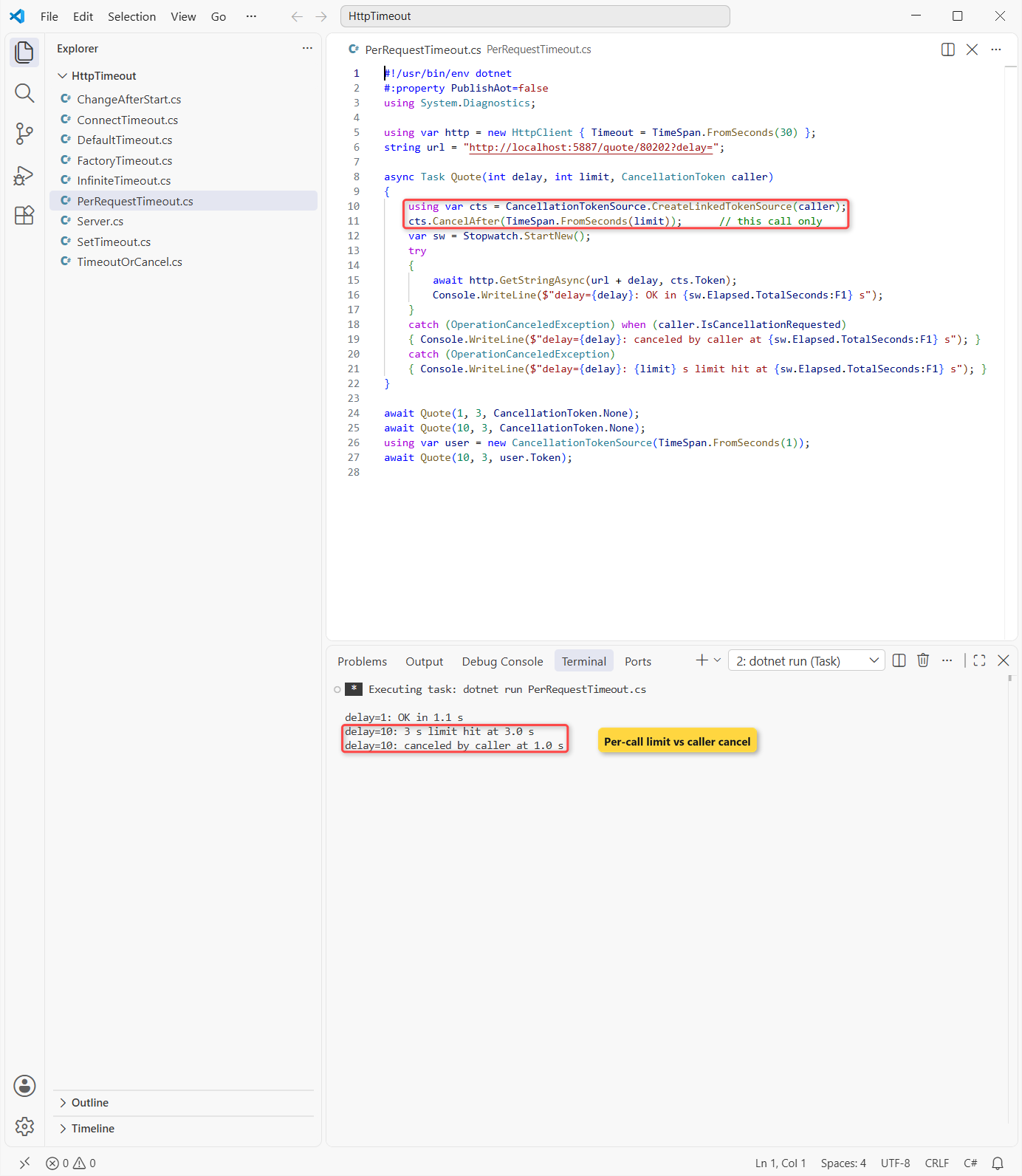
The quick call finished in just over a second. The slow one stopped at 3.0 s, well under the client’s 30 seconds, and the caller’s token cut the third at 1.0 s.
The when (caller.IsCancellationRequested) filter decides who canceled. My CancellationToken guide covers linked sources and CancelAfter in more depth.
HttpClient Timeout vs CancellationToken: How to Tell Them Apart
Both end in TaskCanceledException, so the exception type alone tells you nothing. Same slow quote, once hitting a 2-second Timeout and once canceled by a user after 1 second:
#!/usr/bin/env dotnet
#:property PublishAot=false

using var http = new HttpClient { Timeout = TimeSpan.FromSeconds(2) };
string slow = "http://localhost:5887/quote/30303?delay=10";

await Check("HttpClient.Timeout of 2 s", CancellationToken.None);
using var user = new CancellationTokenSource(TimeSpan.FromSeconds(1));
await Check("User canceled after 1 s", user.Token);

async Task Check(string label, CancellationToken token)
{
    try { await http.GetStringAsync(slow, token); }
    catch (TaskCanceledException ex) when (ex.InnerException is TimeoutException)
    { Console.WriteLine($"{label}: TIMEOUT (inner TimeoutException)"); }
    catch (TaskCanceledException ex) when (token.IsCancellationRequested)
    { Console.WriteLine($"{label}: CANCELED (inner {ex.InnerException?.GetType().Name ?? "null"})"); }
}
Output:
HttpClient.Timeout of 2 s: TIMEOUT (inner TimeoutException)
User canceled after 1 s: CANCELED (inner TaskCanceledException)
The timeout carries an inner TimeoutException. The user cancel carries an inner TaskCanceledException, and your own token reports IsCancellationRequested. Here’s the cheat sheet:
| What stopped the call | Exception you catch | How to detect it |
|---|---|---|
HttpClient.Timeout | TaskCanceledException | ex.InnerException is TimeoutException |
ConnectTimeout on the handler | TaskCanceledException | ex.InnerException is TimeoutException (different message) |
| Your token (user, shutdown) | TaskCanceledException | token.IsCancellationRequested |
CancelAfter on a per-request source | TaskCanceledException | Source canceled, caller token not |
In ASP.NET Core, a canceled HttpContext.RequestAborted means the browser left, so there’s nothing to log. A real timeout is worth a warning, or a 504 from your global error handler.
SocketsHttpHandler.ConnectTimeout for Slow Connections
HttpClient.Timeout is one budget for the whole request. If a host is down, you often want the TCP connect itself to fail much sooner. That’s SocketsHttpHandler.ConnectTimeout:
#!/usr/bin/env dotnet
#:property PublishAot=false
using System.Diagnostics;

var handler = new SocketsHttpHandler();
Console.WriteLine($"Default ConnectTimeout: {handler.ConnectTimeout}");
handler.ConnectTimeout = TimeSpan.FromSeconds(3);

using var http = new HttpClient(handler);           // Timeout is still 100 s
var sw = Stopwatch.StartNew();
try
{
    // 192.0.2.1 is a documentation-only address: nothing answers
    await http.GetStringAsync("http://192.0.2.1/quote/02108");
}
catch (Exception ex)
{
    Console.WriteLine($"{ex.GetType().Name} after {sw.Elapsed.TotalSeconds:F1} s");
    Console.WriteLine($"inner: {ex.InnerException?.GetType().Name}: {ex.InnerException?.Message}");
}
Output:
Default ConnectTimeout: -00:00:00.0010000
TaskCanceledException after 3.1 s
inner: TimeoutException: A connection could not be established within the configured ConnectTimeout.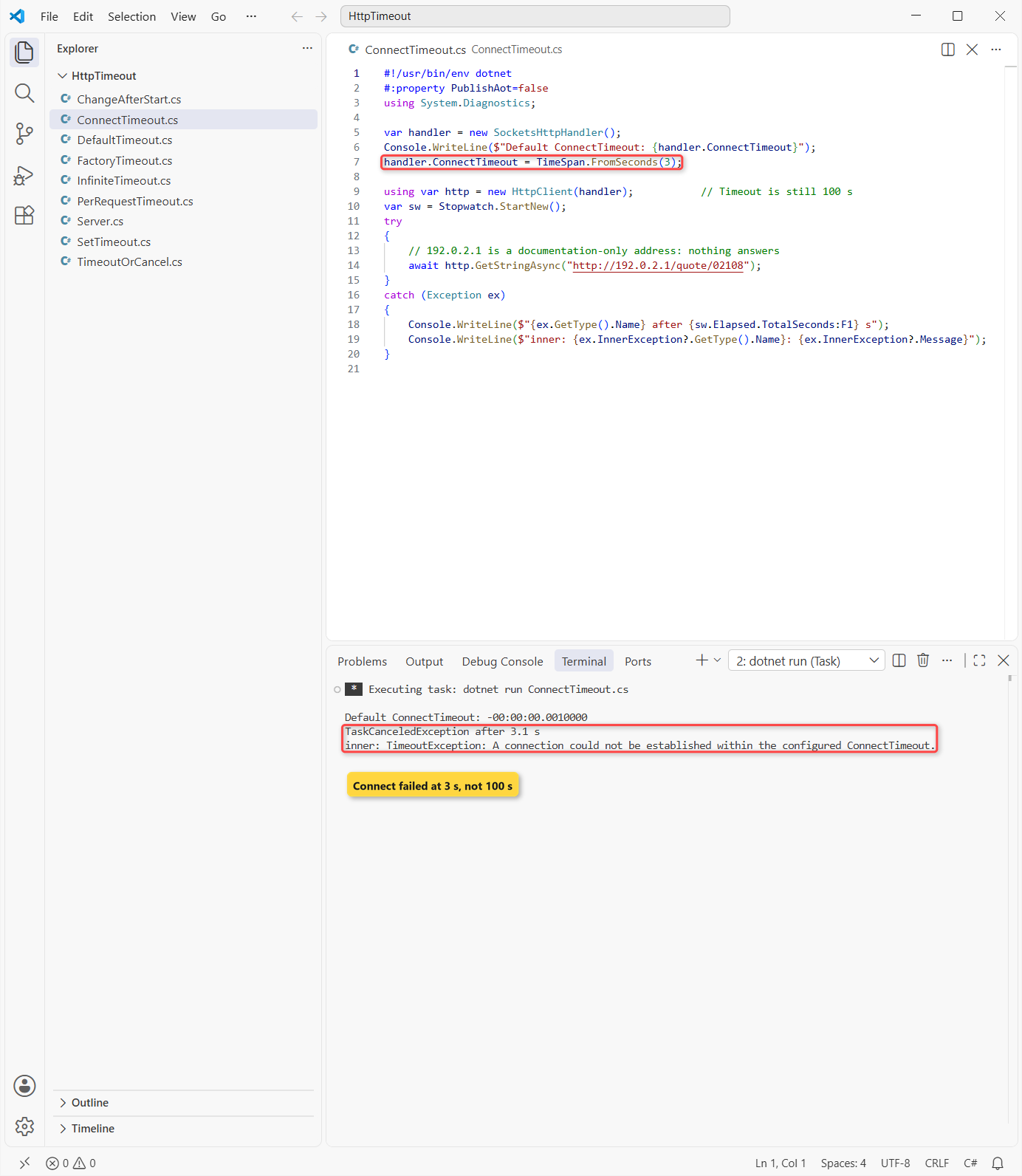
The default ConnectTimeout is infinite (-00:00:00.0010000), so only the 100-second client timeout normally protects you. With 3 seconds set, the call failed after 3.1 s.
What surprised me: it’s also a TaskCanceledException with an inner TimeoutException. Only the message differs: “A connection could not be established within the configured ConnectTimeout.” Set it before the first request, like Timeout.
Set the HttpClient Timeout with AddHttpClient (IHttpClientFactory)
With dependency injection, the timeout goes in the AddHttpClient lambda, next to the base address. ConfigurePrimaryHttpMessageHandler sets the connect timeout. Console apps need Microsoft.Extensions.Http 10.0.14:
#!/usr/bin/env dotnet
#:sdk Microsoft.NET.Sdk.Worker
#:package Microsoft.Extensions.Hosting@10.0.14
#:package Microsoft.Extensions.Http@10.0.14
#:property PublishAot=false
using System.Diagnostics;

var builder = Host.CreateApplicationBuilder(args);
builder.Logging.ClearProviders();
builder.Services.AddHttpClient("freight", client =>
{
    client.BaseAddress = new Uri("http://localhost:5887/");
    client.Timeout = TimeSpan.FromSeconds(4);
})
.ConfigurePrimaryHttpMessageHandler(() =>
    new SocketsHttpHandler { ConnectTimeout = TimeSpan.FromSeconds(2) });
using IHost host = builder.Build();

var factory = host.Services.GetRequiredService<IHttpClientFactory>();
HttpClient http = factory.CreateClient("freight");
Console.WriteLine($"freight client Timeout: {http.Timeout}");

var sw = Stopwatch.StartNew();
try { await http.GetStringAsync("quote/98101?delay=6"); }
catch (TaskCanceledException ex) when (ex.InnerException is TimeoutException)
{ Console.WriteLine($"Timed out after {sw.Elapsed.TotalSeconds:F1} s"); }
Output:
freight client Timeout: 00:00:04
Timed out after 4.0 s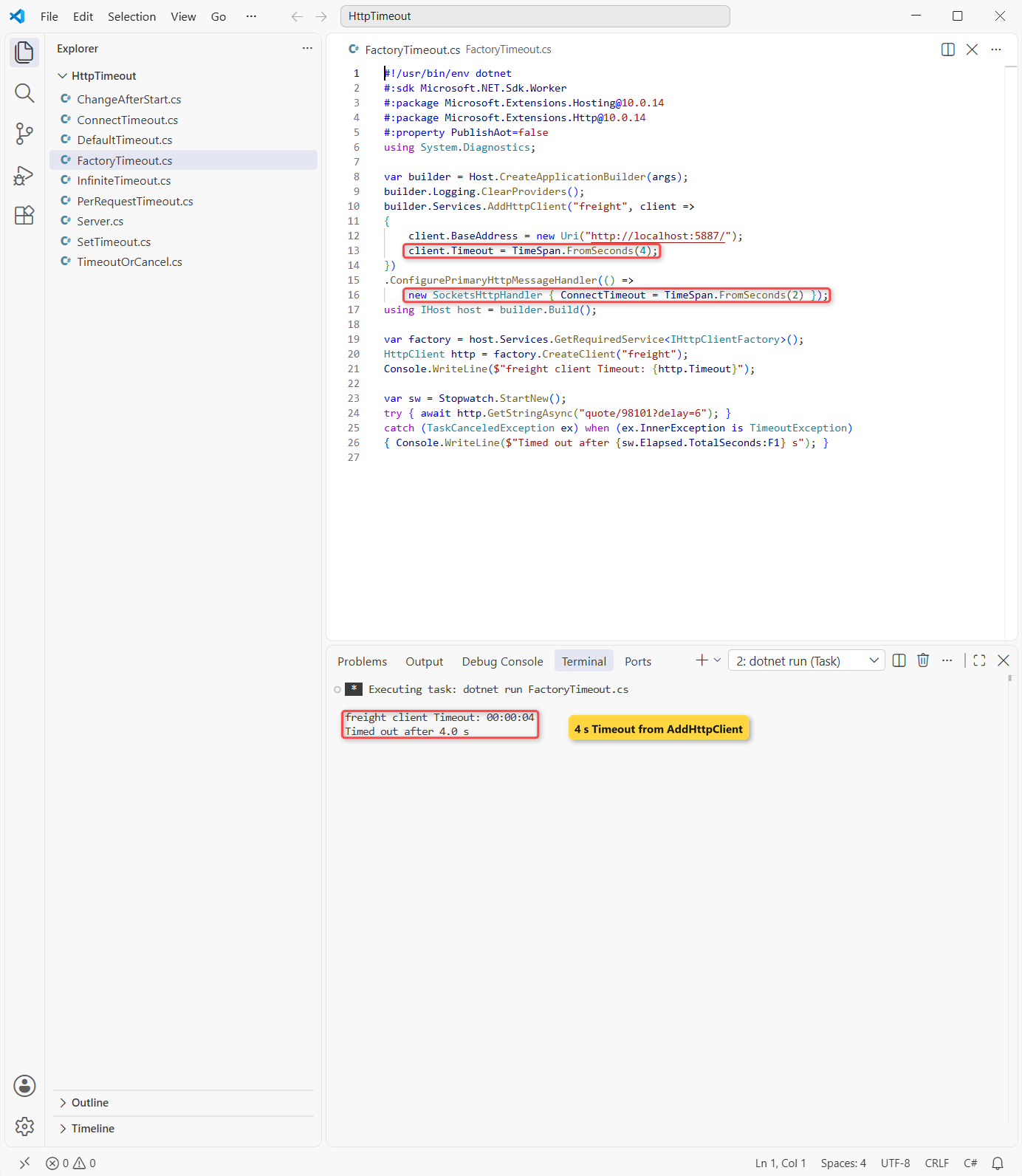
Every CreateClient("freight") call gets the 4-second limit, and this one timed out after 4.0 s. Typed clients take the same lambda: AddHttpClient<FreightClient>(c => c.Timeout = ...).
If you add AddStandardResilienceHandler, it brings its own 30-second total and 10-second per-attempt timeouts. I set that up in my HttpClient in C# guide; keep Timeout longer than the total, because it wraps every retry.
Common HttpClient Timeout Mistakes
- Leaving the default. 100 seconds is far longer than most users or upstream callers will wait. Pick a number per API.
- Catching TimeoutException. It never reaches your
catch; it’s the inner exception ofTaskCanceledException. - Changing Timeout on a shared client. It throws
InvalidOperationExceptionafter the first request. Use a per-request token. - A token deadline longer than Timeout. The shorter one wins, so a 2-minute
CancelAfteron a default client still stops at 100 seconds. - Blocking on the call.
.Resulton a slow request ties up a thread for the whole timeout; await it instead.
Next on my list for HTTP calls in .NET:
- Send a bearer token with HttpClient
- DI lifetimes for typed clients
- BackgroundService vs IHostedService for polling jobs
- What’s new in .NET 10
Most real API calls also need authentication. My step-by-step tutorial on adding a bearer token to HttpClient covers the Authorization header, a reusable handler and token refresh.
Frequently Asked Questions
What is the default timeout of HttpClient in C#?
100 seconds (100,000 milliseconds). My .NET 10 run printed 00:01:40 and failed after 100 seconds. The HttpClient.Timeout reference on Microsoft Learn lists the default and the allowed values.
Is HttpClient.Timeout per request or per client?
Per client: it applies to every request that instance sends. For one call, pass a token from CancellationTokenSource with CancelAfter; the shorter of the two wins.
What exception does HttpClient throw on a timeout?
TaskCanceledException. On .NET 5 and later, its InnerException is a TimeoutException and the message names the configured Timeout, so filter with when (ex.InnerException is TimeoutException).
How do I set an infinite timeout on HttpClient?
Set Timeout = Timeout.InfiniteTimeSpan. TimeSpan.Zero or a negative value throws ArgumentOutOfRangeException. Pair it with your own token so a call can still end.
Can I change HttpClient.Timeout after sending a request?
No. Once the client has sent a request, setting it throws InvalidOperationException. Create the client with the right value, or use a per-request token.
Does the standard resilience handler replace HttpClient.Timeout?
No, it adds its own layers: a 30-second total and 10-second per-attempt timeout that throw Polly’s TimeoutRejectedException. See the HTTP resilience docs on Learn for the defaults.

Bijay Kumar is a renowned software engineer, accomplished author, and distinguished Microsoft Most Valuable Professional (MVP) specializing in SharePoint. With a rich professional background spanning over 15 years, Bijay has established himself as an authority in the field of information technology. He possesses unparalleled expertise in multiple programming languages and technologies such as ASP.NET, ASP.NET MVC, C#.NET, and SharePoint, which has enabled him to develop innovative and cutting-edge solutions for clients across the globe. Read more…