
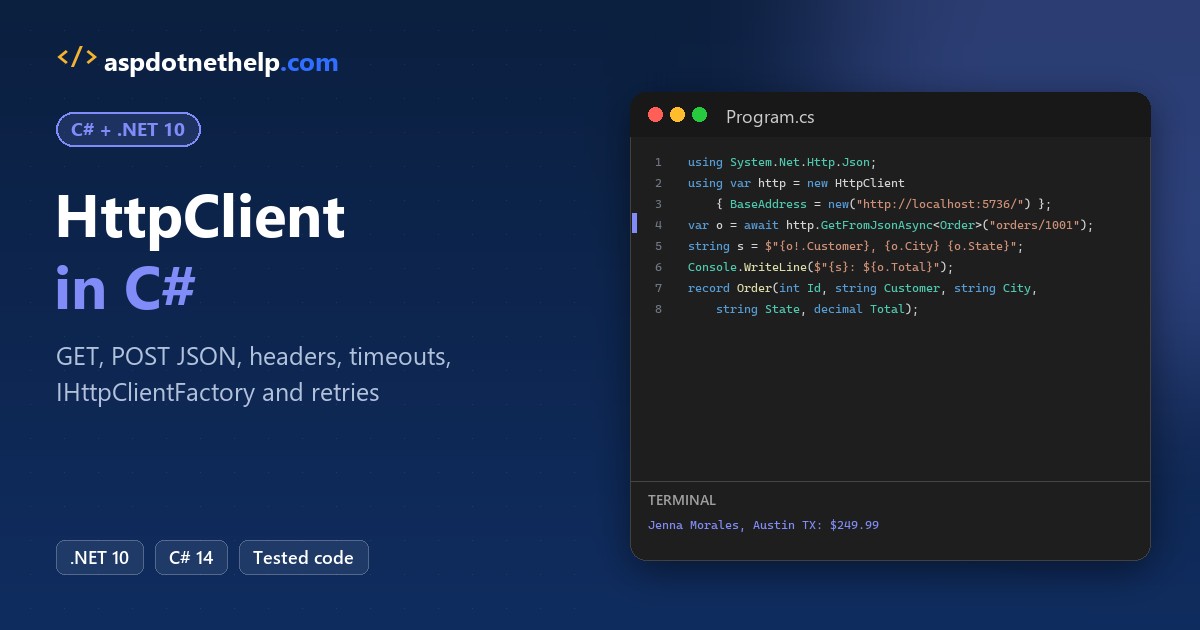
To make a C# HttpClient call, create one shared HttpClient with a BaseAddress, then call GetFromJsonAsync<T>. It sends the GET request and turns the JSON response into a typed object:
using System.Net.Http.Json;

using var http = new HttpClient { BaseAddress = new("http://localhost:5736/") };
Order? order = await http.GetFromJsonAsync<Order>("orders/1001");
Console.WriteLine($"{order!.Customer}, {order.City} {order.State}: ${order.Total}");

record Order(int Id, string Customer, string City, string State, decimal Total);
// Jenna Morales, Austin TX: $249.99
Every example below ran on .NET 10 against a small orders API I started on localhost, from POST and headers to timeouts, IHttpClientFactory and automatic retries.
The Sample Orders API Behind Every HttpClient Example
I didn’t want to call a public site you can’t control, so every program talks to a tiny local API. It holds three US orders and a few test endpoints. Here’s the record both sides share:
public record Order(int Id, string Customer, string City, string State, decimal Total);And here’s the whole server, a minimal API in one file. The routes at the bottom (/slow, /flaky, /connection) exist only so the timeout, retry and reuse demos have something real to hit:
#!/usr/bin/env dotnet
#:sdk Microsoft.NET.Sdk.Web
#:property PublishAot=false
#:include Models.cs
using System.Collections.Concurrent;

var builder = WebApplication.CreateBuilder();
builder.WebHost.UseUrls("http://localhost:5736");
var app = builder.Build();

List<Order> orders =
[
    new(1001, "Jenna Morales", "Austin", "TX", 249.99m),
    new(1002, "Tyler Brooks", "Denver", "CO", 89.50m),
    new(1003, "Ava Kim", "Seattle", "WA", 412.00m)
];
var attempts = new ConcurrentDictionary<string, int>();

app.MapGet("/orders", () => orders);
app.MapGet("/orders/{id:int}", (int id) =>
    orders.Find(o => o.Id == id) is { } o ? Results.Ok(o) : Results.NotFound());
app.MapPost("/orders", (Order o) =>
{
    if (o.Total <= 0)
        return Results.Problem(title: "Invalid order", detail: "Total must be greater than $0.", statusCode: 400);
    orders.Add(o);
    return Results.Created($"/orders/{o.Id}", o);
});
app.MapPut("/orders/{id:int}", (int id, Order o) =>
{
    int i = orders.FindIndex(x => x.Id == id);
    if (i < 0) return Results.NotFound();
    orders[i] = o with { Id = id };
    return Results.NoContent();
});
app.MapDelete("/orders/{id:int}", (int id) =>
    orders.RemoveAll(o => o.Id == id) > 0 ? Results.NoContent() : Results.NotFound());
app.MapGet("/orders/search", (string? customer, string? state) => new { customer, state });
app.MapGet("/orders/export", () => Export(50_000));
app.MapGet("/headers", (HttpRequest r) => new
{
    userAgent = r.Headers.UserAgent.ToString(),
    accept = r.Headers.Accept.ToString(),
    requestId = r.Headers["X-Request-Id"].ToString()
});
app.MapGet("/secure/orders", (HttpRequest r) =>
    r.Headers.Authorization == "Bearer demo-token-2026" ? Results.Ok(orders) : Results.Unauthorized());
app.MapGet("/slow", async (CancellationToken ct) => { await Task.Delay(5000, ct); return "done"; });
app.MapGet("/flaky/{id}", (string id) =>
{
    int n = attempts.AddOrUpdate(id, 1, (_, count) => count + 1);
    return n <= 2 ? Results.StatusCode(503) : Results.Ok(new { attempt = n });
});
app.MapGet("/connection", (HttpContext ctx) => ctx.Connection.Id);

app.Run();

static async IAsyncEnumerable<Order> Export(int count)
{
    for (int i = 1; i <= count; i++)
    {
        yield return new(100_000 + i, $"Customer {i}", "Phoenix", "AZ", 10m + i % 90);
        if (i % 1_000 == 0) await Task.Yield();
    }
}
Start it with dotnet run ApiServer.cs and leave that terminal open. It printed Now listening on: http://localhost:5736 for me. These are .NET 10 file-based apps, so there’s no project file to create.
Want a real database behind the same routes? I built that in this ASP.NET Core Web API CRUD tutorial with EF Core. Every client below is a separate file in the same folder.
Method 1: HttpClient GET Request with GetStringAsync and GetAsync
Start here when you just need the raw response text, or when you want to look at the status code and headers before you read the body. Same orders API, two calls:
using var http = new HttpClient { BaseAddress = new("http://localhost:5736/") };

string json = await http.GetStringAsync("orders/1002");
Console.WriteLine(json);

using HttpResponseMessage res = await http.GetAsync("orders/1003");
res.EnsureSuccessStatusCode();
Console.WriteLine($"{(int)res.StatusCode} {res.StatusCode}, {res.Content.Headers.ContentType}");
Console.WriteLine(await res.Content.ReadAsStringAsync());
Output:
{"id":1002,"customer":"Tyler Brooks","city":"Denver","state":"CO","total":89.50}
200 OK, application/json; charset=utf-8
{"id":1003,"customer":"Ava Kim","city":"Seattle","state":"WA","total":412.00}
The first line is order 1002 as raw JSON. The second call returns 200 OK with application/json; charset=utf-8, then order 1003.
How does this code work?
GetStringAsync sends a GET and hands back the body as a string. It throws if the status isn’t 2xx, so you never see the response object.
GetAsync returns the full HttpResponseMessage. EnsureSuccessStatusCode() throws an HttpRequestException for anything outside 200-299, and Content.ReadAsStringAsync() reads the body.
Every method here is async, so the calls use await. If that’s new, read async and await in C# first; never call .Result on these tasks.
Important: the BaseAddress needs a trailing slash, and the relative paths don’t start with one. Otherwise the last segment of the base gets dropped.
Method 2: Read JSON with GetFromJsonAsync (Recommended)
Most APIs return JSON, and you want objects, not strings. This is the HttpClient method I reach for first. Here’s the same orders endpoint read straight into a list:
#!/usr/bin/env dotnet
#:property PublishAot=false
#:include Models.cs
using System.Net.Http.Json;

using var http = new HttpClient { BaseAddress = new("http://localhost:5736/") };
List<Order> orders = (await http.GetFromJsonAsync<List<Order>>("orders"))!;

foreach (Order o in orders)
    Console.WriteLine($"{o.Id} {o.Customer,-14} {o.City}, {o.State}  ${o.Total}");
Console.WriteLine($"Total: ${orders.Sum(o => o.Total)}");
Output:
1001 Jenna Morales  Austin, TX  $249.99
1002 Tyler Brooks   Denver, CO  $89.50
1003 Ava Kim        Seattle, WA  $412.00
Total: $751.49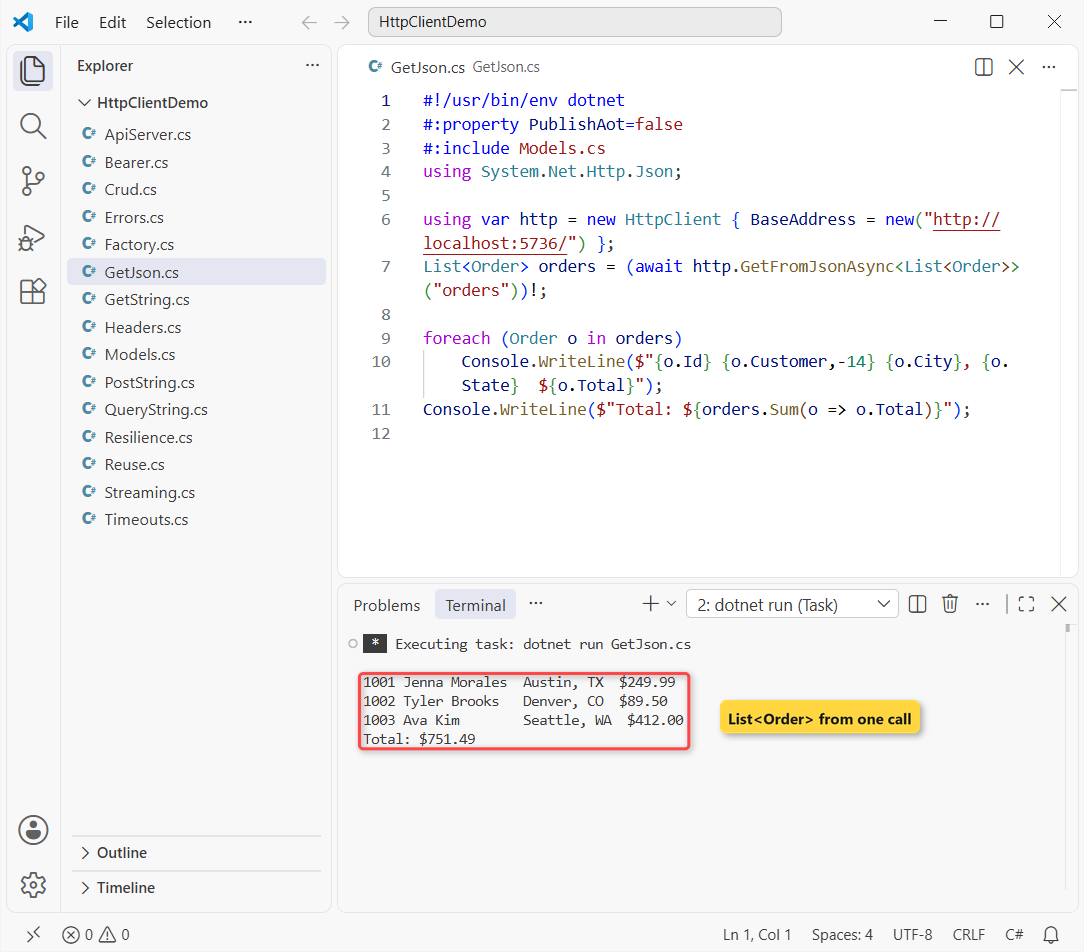
You get Jenna Morales in Austin, Tyler Brooks in Denver and Ava Kim in Seattle, with a total of $751.49.
How does this code work?
GetFromJsonAsync<T> lives in System.Net.Http.Json. It sends the GET, checks the status and deserializes the body with System.Text.Json using the Web defaults.
That’s why the camelCase JSON (customer, total) fills the PascalCase record without any attributes. The result is a List in C#, so the LINQ Sum works right away.
It returns T?, because the body could be the literal null. I use ! here since I control the API.
Method 3: HttpClient POST JSON with PostAsJsonAsync, then PUT and DELETE
Now let’s change data. Same sample orders, and this file adds order 1004, updates it, deletes it and then confirms it’s gone:
#!/usr/bin/env dotnet
#:property PublishAot=false
#:include Models.cs
using System.Net.Http.Json;

using var http = new HttpClient { BaseAddress = new("http://localhost:5736/") };
var order = new Order(1004, "Marcus Reed", "Chicago", "IL", 129.95m);

using var post = await http.PostAsJsonAsync("orders", order);
Console.WriteLine($"POST   {(int)post.StatusCode} {post.Headers.Location}");
Console.WriteLine($"       {await post.Content.ReadFromJsonAsync<Order>()}");

var updated = order with { Total = 139.95m };
using var put = await http.PutAsJsonAsync("orders/1004", updated);
Console.WriteLine($"PUT    {(int)put.StatusCode} {put.StatusCode}");
using var del = await http.DeleteAsync("orders/1004");
Console.WriteLine($"DELETE {(int)del.StatusCode} {del.StatusCode}");
using var get = await http.GetAsync("orders/1004");
Console.WriteLine($"GET    {(int)get.StatusCode} {get.StatusCode}");
Output:
POST   201 /orders/1004
       Order { Id = 1004, Customer = Marcus Reed, City = Chicago, State = IL, Total = 129.95 }
PUT    204 NoContent
DELETE 204 NoContent
GET    404 NotFound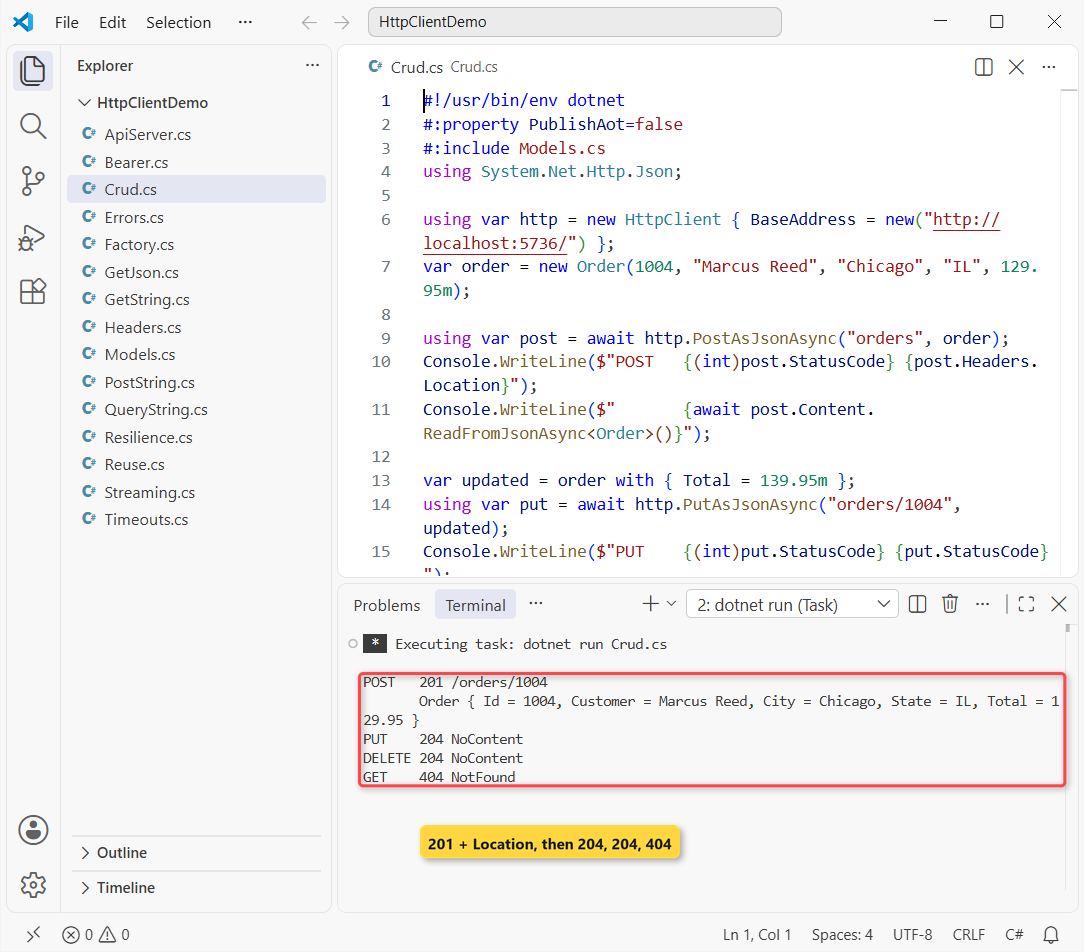
The POST answered 201 with Location: /orders/1004 and echoed Marcus Reed’s order. PUT and DELETE gave 204 NoContent, and the final GET gave 404.
How does this code work?
PostAsJsonAsync serializes the record to JSON, sets Content-Type: application/json and sends it. post.Headers.Location reads the URL the server put in the 201 response.
ReadFromJsonAsync<Order>() turns the response body back into a record. The order with { Total = 139.95m } copy is a record feature; see record vs class vs struct in C#.
DeleteAsync has no body parameter, and none of these methods throw on 404. They hand you the response, so check the status yourself.
PostAsync with StringContent (when you already have a JSON string)
If the JSON comes from a file or another system, there’s nothing to serialize. Wrap the string in StringContent and call PostAsync:
using System.Text;

using var http = new HttpClient { BaseAddress = new("http://localhost:5736/") };
string json = """{"id":1006,"customer":"Ava Kim","city":"Seattle","state":"WA","total":58.25}""";

using var content = new StringContent(json, Encoding.UTF8, "application/json");
using HttpResponseMessage res = await http.PostAsync("orders", content);
Console.WriteLine($"{(int)res.StatusCode} {res.StatusCode} {res.Headers.Location}");

await http.DeleteAsync("orders/1006");   // keep the sample API at three orders
Output:
201 Created /orders/1006It returned 201 Created and /orders/1006; the last line deletes the order so the sample API stays at three orders.
The third StringContent argument sets the media type. Leave it out and the content type defaults to text/plain, and most APIs reject the request.
Method 4: How to Add Headers to HttpClient and Use SendAsync
Headers come in two flavors: ones every request needs, and ones that change per call. Same API, this time the /headers route, which echoes what it received:
using var http = new HttpClient { BaseAddress = new("http://localhost:5736/") };
http.DefaultRequestHeaders.UserAgent.ParseAdd("OrderSync/1.0");
http.DefaultRequestHeaders.Accept.ParseAdd("application/json");

using var request = new HttpRequestMessage(HttpMethod.Get, "headers");
request.Headers.Add("X-Request-Id", "req-20261108-001");

using HttpResponseMessage res = await http.SendAsync(request);
Console.WriteLine(await res.Content.ReadAsStringAsync());
Output:
{"userAgent":"OrderSync/1.0","accept":"application/json","requestId":"req-20261108-001"}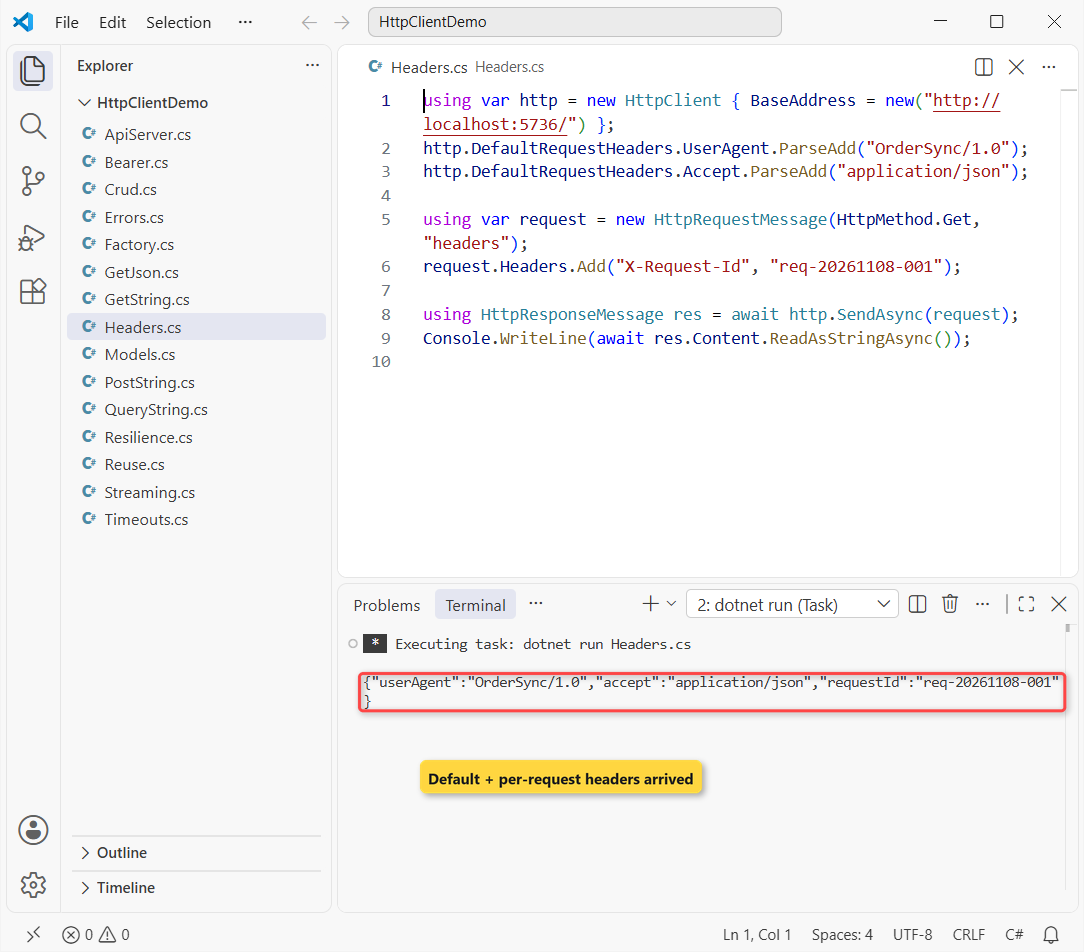
The server saw OrderSync/1.0, application/json and req-20261108-001.
How does this code work?
DefaultRequestHeaders applies to every request this client sends. Set them once, right after you create the client: Microsoft lists the send methods as thread safe, not the header collection.
For one call only, build an HttpRequestMessage, add headers to it and pass it to SendAsync. That’s also how you send an unusual verb like HttpMethod.Patch or HttpMethod.Head.
A request message can be sent once only, which is why both objects sit in using declarations. More on that in Dispose and Finalize in C#.
Method 5: Send an HttpClient Bearer Token with AuthenticationHeaderValue
Most real APIs want a token. The sample’s /secure/orders route returns the same orders only when the right bearer token arrives:
using System.Net.Http.Headers;

using var http = new HttpClient { BaseAddress = new("http://localhost:5736/") };
var res = await http.GetAsync("secure/orders");
Console.WriteLine($"No token:   {(int)res.StatusCode} {res.StatusCode}");

string token = "demo-token-2026";   // in a real app this comes from your identity provider
http.DefaultRequestHeaders.Authorization = new AuthenticationHeaderValue("Bearer", token);

res = await http.GetAsync("secure/orders");
Console.WriteLine($"With token: {(int)res.StatusCode} {res.StatusCode}");
Output:
No token:   401 Unauthorized
With token: 200 OK
Without the header the API answered 401 Unauthorized; with it, 200 OK.
How does this code work?
new AuthenticationHeaderValue("Bearer", token) writes Authorization: Bearer demo-token-2026. Setting it on DefaultRequestHeaders adds it to every later call from this client.
If different users share one client, put the header on each HttpRequestMessage instead. For the server side, see JWT authentication in ASP.NET Core.
Note: never hard-code real tokens. Read them from your identity provider, user secrets or a key vault.
Method 6: Build HttpClient Query Strings with Uri.EscapeDataString
Query strings look like plain string building, until a value contains &. Here’s a search for a business customer on the same API, done the naive way first:
using var http = new HttpClient { BaseAddress = new("http://localhost:5736/") };
string customer = "Brooks & Lee LLC";

Console.WriteLine(await http.GetStringAsync($"orders/search?customer={customer}&state=CO"));

string url = $"orders/search?customer={Uri.EscapeDataString(customer)}&state=CO";
Console.WriteLine(url);
Console.WriteLine(await http.GetStringAsync(url));
Output:
{"customer":"Brooks ","state":"CO"}
orders/search?customer=Brooks%20%26%20Lee%20LLC&state=CO
{"customer":"Brooks & Lee LLC","state":"CO"}
The naive call sent customer as "Brooks ". The encoded URL sent Brooks%20%26%20Lee%20LLC, and the server got the full name back.
How does this code work?
An unescaped & starts a new parameter, so the server split the name in two. Uri.EscapeDataString turns spaces into %20 and & into %26.
Escape every value that comes from a user or a database. In ASP.NET Core, QueryHelpers.AddQueryString builds and encodes the whole string for you.
Method 7: Handle HttpClient Errors with HttpRequestException and ProblemDetails
Things go wrong in three different ways: a 4xx/5xx status, a validation error with details, or no server at all. This file hits all three against the sample API:
#!/usr/bin/env dotnet
#:property PublishAot=false
#:include Models.cs
using System.Net.Http.Json;

using var http = new HttpClient { BaseAddress = new("http://localhost:5736/") };
try { await http.GetFromJsonAsync<Order>("orders/9999"); }
catch (HttpRequestException ex) { Console.WriteLine($"{(int?)ex.StatusCode}: {ex.Message}"); }

var res = await http.PostAsJsonAsync("orders", new Order(1005, "Ava Kim", "Seattle", "WA", 0m));
if (!res.IsSuccessStatusCode)
{
    Problem p = (await res.Content.ReadFromJsonAsync<Problem>())!;
    Console.WriteLine($"{p.Status} {p.Title}: {p.Detail}");
}

try { await http.GetStringAsync("http://localhost:5799/orders"); }
catch (HttpRequestException ex)
{
    Console.WriteLine($"{ex.HttpRequestError}, StatusCode is null: {ex.StatusCode is null}");
}

record Problem(string Title, int Status, string Detail);
Output:
404: Response status code does not indicate success: 404 (Not Found).
400 Invalid order: Total must be greater than $0.
ConnectionError, StatusCode is null: True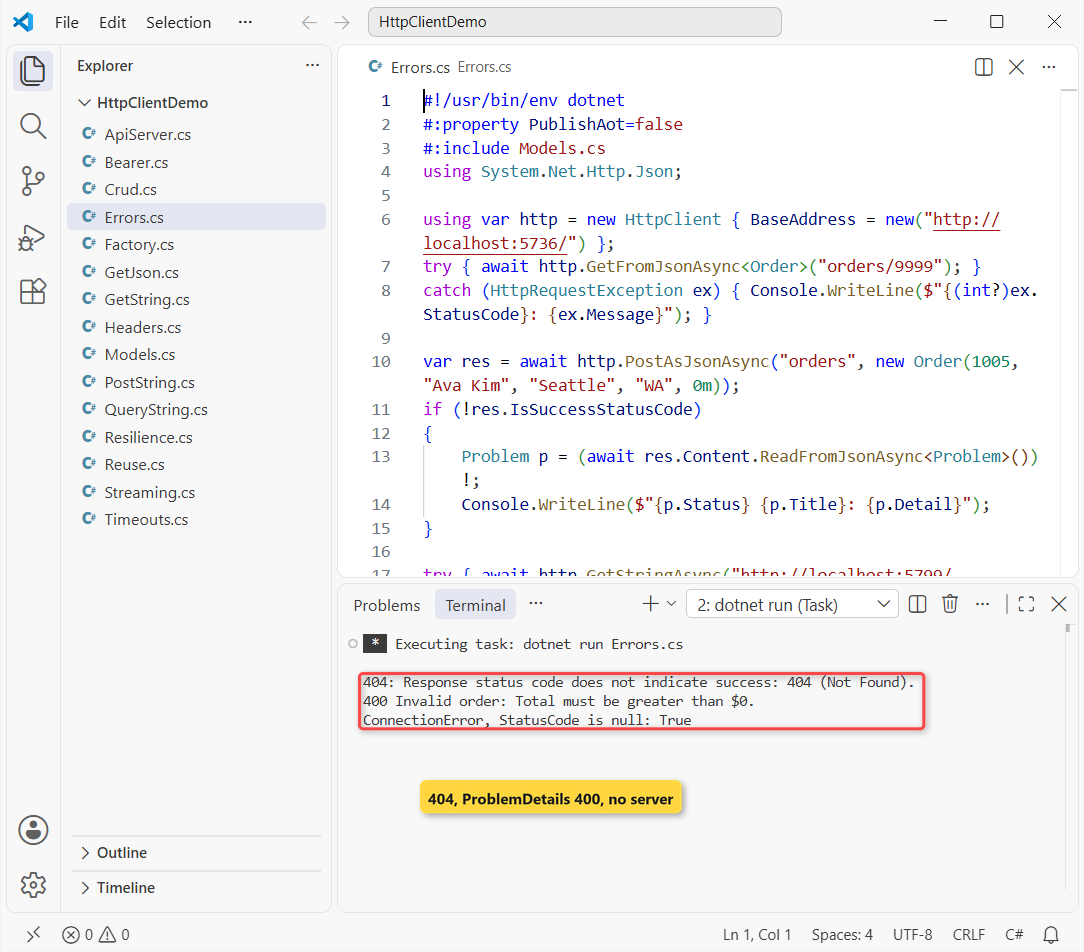
Order 9999 gave a 404 exception, the $0 order came back as 400 Invalid order with the server’s message, and port 5799 failed with ConnectionError.
How does this code work?
GetFromJsonAsync throws HttpRequestException on a non-success status, and ex.StatusCode tells you which one. Catch it in a try-catch block where the call happens.
PostAsJsonAsync doesn’t throw on 400, so I check IsSuccessStatusCode and read the problem details JSON the API sent. ASP.NET Core’s Results.Problem writes title, status and detail.
When there’s no response at all, StatusCode is null, so check it for null. HttpRequestError (.NET 8+) tells you why: ConnectionError, NameResolutionError and so on.
Method 8: HttpClient Timeout and CancellationToken
The /slow route takes 5 seconds to answer. Here’s one client with a 2-second Timeout, and the same call canceled by a token after 1 second:
Console.WriteLine($"Default timeout: {new HttpClient().Timeout}");

using var http = new HttpClient
{
    BaseAddress = new("http://localhost:5736/"),
    Timeout = TimeSpan.FromSeconds(2)
};
try { await http.GetStringAsync("slow"); }
catch (TaskCanceledException ex) when (ex.InnerException is TimeoutException)
{ Console.WriteLine($"Timeout: {ex.Message}"); }

using var cts = new CancellationTokenSource(TimeSpan.FromSeconds(1));
try { await http.GetStringAsync("slow", cts.Token); }
catch (TaskCanceledException ex)
{ Console.WriteLine($"Canceled: {ex.Message} TimeoutException? {ex.InnerException is TimeoutException}"); }
Output:
Default timeout: 00:01:40
Timeout: The request was canceled due to the configured HttpClient.Timeout of 2 seconds elapsing.
Canceled: The operation was canceled. TimeoutException? False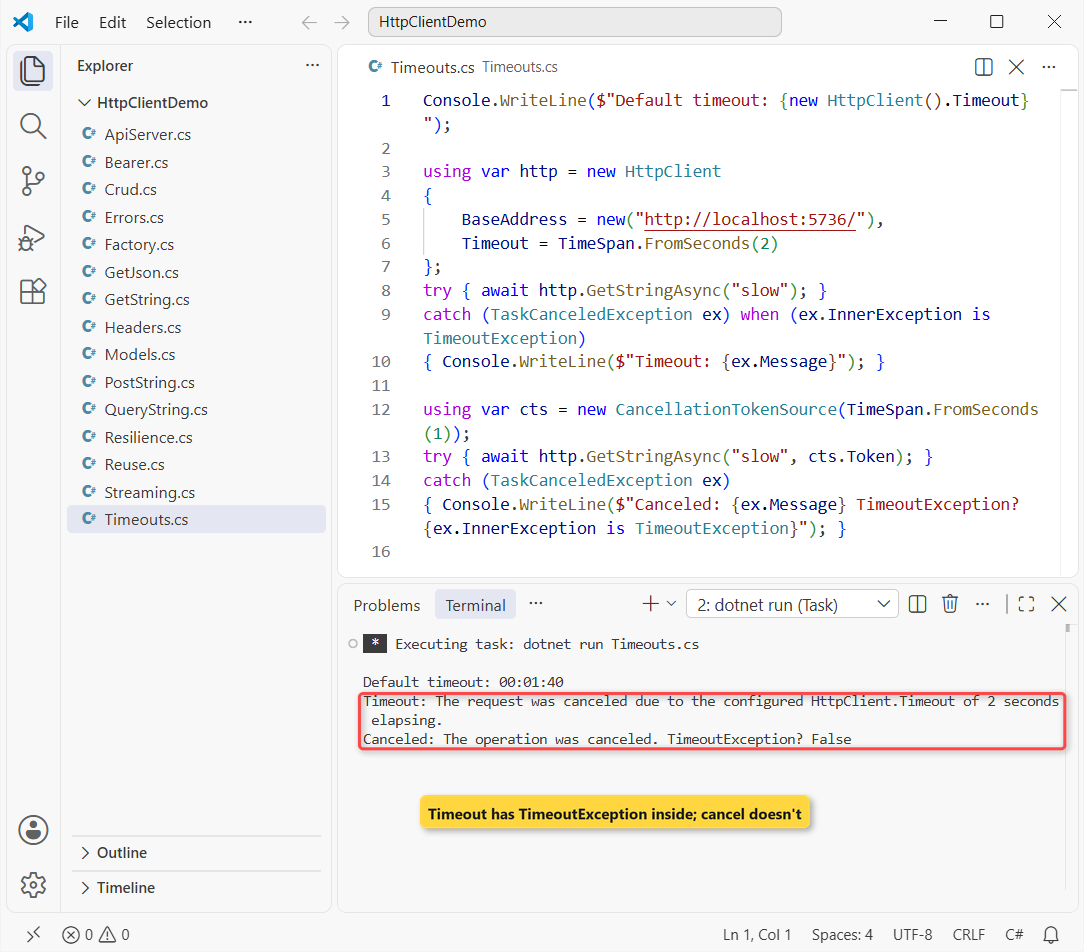
The default prints 00:01:40. The timeout message names HttpClient.Timeout of 2 seconds, and the token cancel says The operation was canceled. with no TimeoutException.
How does this code work?
The default HttpClient.Timeout is 100 seconds. It covers the whole request on that client, and you can only set it before the first request.
Both cases throw TaskCanceledException. On .NET 5 and later, a timeout carries a TimeoutException as InnerException, and the when filter uses that to tell them apart.
Pro Tip: keep Timeout as a safety net and pass a CancellationToken for per-call limits or a user’s Cancel button. Learn notes that only the shorter of the two applies.
Why Shouldn’t You Create a New HttpClient for Every Request?
This is the mistake I see most in code reviews. HttpClient implements IDisposable, so people wrap each call in using. The sample API’s /connection route returns the TCP connection ID, so we can count connections:
const string Url = "http://localhost:5736/connection";

var perCall = new HashSet<string>();
for (int i = 0; i < 5; i++)
{
    using var client = new HttpClient();          // the mistake
    perCall.Add(await client.GetStringAsync(Url));
}
Console.WriteLine($"New HttpClient per call: {perCall.Count} TCP connections");

var shared = new HttpClient(new SocketsHttpHandler
{
    PooledConnectionLifetime = TimeSpan.FromMinutes(2)
});
var reused = new HashSet<string>();
for (int i = 0; i < 5; i++) reused.Add(await shared.GetStringAsync(Url));
Console.WriteLine($"One shared HttpClient:   {reused.Count} TCP connection");
Output:
New HttpClient per call: 5 TCP connections
One shared HttpClient:   1 TCP connection
Five calls through five new clients opened 5 TCP connections. The shared client sent all five over 1 connection.
How does this code work?
Each HttpClient owns its own connection pool, so disposing it closes the socket. A closed socket sits in TIME_WAIT for a while, and a busy app running that for loop at scale runs out of ports.
Microsoft Learn’s guidance for .NET Core and .NET 5+ is either a long-lived static or singleton client with PooledConnectionLifetime set, or short-lived clients from IHttpClientFactory.
PooledConnectionLifetime recycles connections every 2 minutes here, so DNS changes get picked up. Without it, a shared client keeps the old IP address forever.
Method 9: IHttpClientFactory with Named and Typed Clients
In ASP.NET Core or a worker service, let the container hand out clients. Same orders API, now through a generic host with a named client and a typed client:
#!/usr/bin/env dotnet
#:property PublishAot=false
#:package Microsoft.Extensions.Hosting@10.0.14
#:package Microsoft.Extensions.Http@10.0.14
#:include Models.cs
using System.Net.Http.Json;
using Microsoft.Extensions.DependencyInjection;
using Microsoft.Extensions.Hosting;
using Microsoft.Extensions.Logging;

var builder = Host.CreateApplicationBuilder();
builder.Logging.ClearProviders();
builder.Services.AddHttpClient("orders", c => c.BaseAddress = new("http://localhost:5736/"));
builder.Services.AddHttpClient<OrdersClient>(c => c.BaseAddress = new("http://localhost:5736/"));
using IHost host = builder.Build();

var factory = host.Services.GetRequiredService<IHttpClientFactory>();
HttpClient named = factory.CreateClient("orders");
var all = await named.GetFromJsonAsync<List<Order>>("orders");
Console.WriteLine($"Named client: {all!.Count} orders");

var typed = host.Services.GetRequiredService<OrdersClient>();
Order o = await typed.GetAsync(1002);
Console.WriteLine($"Typed client: {o.Customer}, {o.City} {o.State}");

class OrdersClient(HttpClient http)
{
    public async Task<Order> GetAsync(int id) =>
        (await http.GetFromJsonAsync<Order>($"orders/{id}"))!;
}
Output:
Named client: 3 orders
Typed client: Tyler Brooks, Denver CO
The named client read 3 orders, and the typed client returned Tyler Brooks in Denver, CO. Packages: Microsoft.Extensions.Hosting 10.0.14 and Microsoft.Extensions.Http 10.0.14.
How does this code work?
AddHttpClient("orders", ...) registers a named client; factory.CreateClient("orders") builds a new HttpClient with that base address. The factory pools the handlers underneath, so creating clients is cheap.
AddHttpClient<OrdersClient> registers a typed client. The primary constructor receives a configured HttpClient, and the class wraps the API in real methods like GetAsync(1002).
Typed clients are registered as transient, and handlers are recycled every 2 minutes by default. Don’t capture a typed client in a singleton. In tests, put an interface in front of OrdersClient.
In ASP.NET Core, the same builder.Services.AddHttpClient lines go in Program.cs, and you inject OrdersClient into an endpoint or controller.
Method 10: HttpClient Retries with AddStandardResilienceHandler
Networks fail for a second and then recover. The /flaky/{id} route on the same API returns 503 for the first two calls with a given ID and succeeds on the third:
#!/usr/bin/env dotnet
#:package Microsoft.Extensions.Hosting@10.0.14
#:package Microsoft.Extensions.Http.Resilience@10.11.0
using Microsoft.Extensions.DependencyInjection;
using Microsoft.Extensions.Hosting;
using Microsoft.Extensions.Logging;

const string Api = "http://localhost:5736/";
var builder = Host.CreateApplicationBuilder();
builder.Logging.ClearProviders();
builder.Services.AddHttpClient("orders", c => c.BaseAddress = new(Api))
    .AddStandardResilienceHandler();
using IHost host = builder.Build();

using var plain = new HttpClient { BaseAddress = new(Api) };
var first = await plain.GetAsync($"flaky/{Guid.NewGuid():N}");
Console.WriteLine($"Plain HttpClient: {(int)first.StatusCode} {first.StatusCode}");

var factory = host.Services.GetRequiredService<IHttpClientFactory>();
HttpClient http = factory.CreateClient("orders");
var res = await http.GetAsync($"flaky/{Guid.NewGuid():N}");
Console.WriteLine($"With resilience:  {(int)res.StatusCode} {await res.Content.ReadAsStringAsync()}");
Output:
Plain HttpClient: 503 ServiceUnavailable
With resilience:  200 {"attempt":3}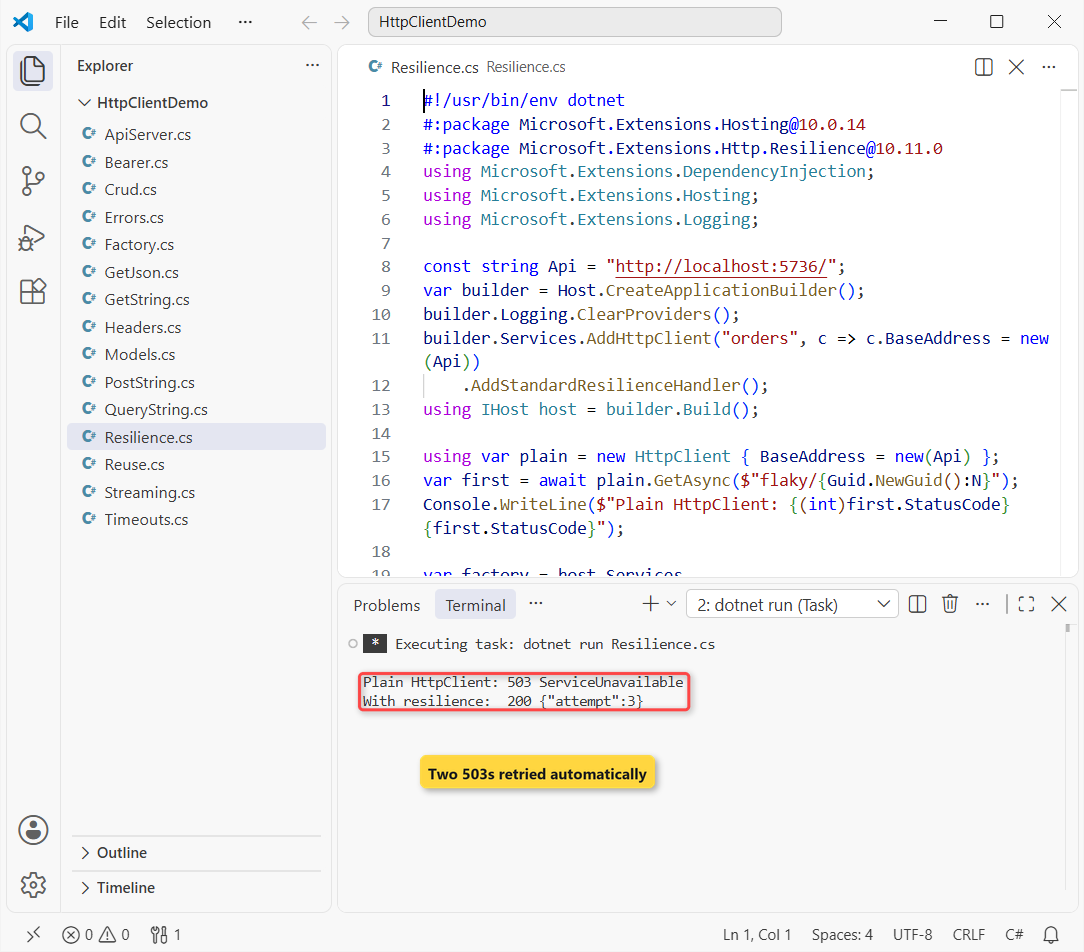
The plain client got 503 ServiceUnavailable. The resilient client returned 200 with {"attempt":3}: two failures, then success, with no retry code of mine.
How does this code work?
AddStandardResilienceHandler() comes from Microsoft.Extensions.Http.Resilience (10.11.0 here). It stacks a rate limiter, a 30-second total timeout, retries, a circuit breaker and a 10-second per-attempt timeout.
The retry part makes up to 3 retries with exponential backoff and jitter, starting at 2 seconds. It retries 5xx, 408 and 429 responses plus HttpRequestException. Each test uses a new GUID so its counter starts fresh.
Important: it retries every HTTP method by default, including POST. Call options.Retry.DisableForUnsafeHttpMethods() if a repeated POST could create duplicate orders.
Method 11: Stream a Large Response with ResponseHeadersRead
By default, GetAsync buffers the whole body in memory before it returns. For a big export that’s wasteful. The sample API’s /orders/export route streams 50,000 orders:
#!/usr/bin/env dotnet
#:property PublishAot=false
#:include Models.cs
using System.Globalization;
using System.Text.Json;

CultureInfo.CurrentCulture = CultureInfo.GetCultureInfo("en-US");
using var http = new HttpClient { BaseAddress = new("http://localhost:5736/") };

using HttpResponseMessage res = await http.GetAsync("orders/export", HttpCompletionOption.ResponseHeadersRead);
res.EnsureSuccessStatusCode();
await using Stream body = await res.Content.ReadAsStreamAsync();

int count = 0; decimal total = 0;
await foreach (Order? o in JsonSerializer.DeserializeAsyncEnumerable<Order>(body, JsonSerializerOptions.Web))
{
    count++; total += o!.Total;
}
Console.WriteLine($"Streamed {count:N0} orders worth {total:C}");
Output:
Streamed 50,000 orders worth $2,724,050.00It streamed 50,000 orders worth $2,724,050.00 without ever holding the full JSON in memory.
How does this code work?
HttpCompletionOption.ResponseHeadersRead makes GetAsync return as soon as the headers arrive. ReadAsStreamAsync then gives you the body as it downloads.
DeserializeAsyncEnumerable yields one order at a time to the await foreach loop. GetFromJsonAsAsyncEnumerable does the same in one call. The culture line keeps the number and currency formatting in US style.
Dispose the response when you’re done. With ResponseHeadersRead, the connection stays busy until you read or dispose the body.
HttpClient vs IHttpClientFactory vs WebClient vs RestSharp
These come up in every code review and in .NET interviews. Here’s how I’d pick in 2026:
| Option | What it is | Use it when |
|---|---|---|
Shared HttpClient | Built in; one static instance with PooledConnectionLifetime | Console apps, tools, libraries |
IHttpClientFactory | Microsoft.Extensions.Http; pooled handlers, named/typed clients | ASP.NET Core, worker services, anything with DI |
WebClient | Old API, marked obsolete (SYSLIB0014) since .NET 6 | Never in new code |
| RestSharp | Third-party wrapper built on HttpClient | Only if your team already standardizes on it |
HttpClient vs IHttpClientFactory isn’t really a contest: the factory creates HttpClient objects. If you’re prepping for interviews, these .NET Core interview questions cover the follow-ups.
Which HttpClient Method Should You Use?
| Task | Use | Status on the sample API |
|---|---|---|
| Read JSON | GetFromJsonAsync<T> | 200 |
| Create | PostAsJsonAsync | 201 + Location |
| Update / delete | PutAsJsonAsync / DeleteAsync | 204 |
| Custom verb or per-call headers | SendAsync + HttpRequestMessage | 200 |
| Flaky dependency | AddStandardResilienceHandler | 503, 503, 200 |
Things to Keep in Mind
- Reuse the client. One shared instance with
PooledConnectionLifetime, orIHttpClientFactory; nevernew HttpClient()per call. - Only some methods throw on errors.
GetStringAsyncandGetFromJsonAsyncthrow;GetAsync,PostAsJsonAsyncandDeleteAsyncreturn the response. - Timeouts throw TaskCanceledException. Check
InnerException is TimeoutExceptionto tell a timeout from a cancel. - Escape query values.
Uri.EscapeDataStringfor anything a user typed. - Don’t retry POST blindly. Turn off retries for unsafe methods unless the API is idempotent.
Here’s what I’d read next:
- C# 14 features worth using in your API clients
- Upgrade a .NET 8 app to .NET 10
- Check which .NET version your app runs on
- Browse every C# tutorial on aspdotnethelp.com
Frequently Asked Questions
What is the default timeout of HttpClient in C#?
100 seconds (100,000 milliseconds). Change it with client.Timeout = TimeSpan.FromSeconds(30) before the first request, or set Timeout.InfiniteTimeSpan and use a CancellationToken instead.
How do I add a header to HttpClient?
Use client.DefaultRequestHeaders for headers every request needs, like UserAgent.ParseAdd("MyApp/1.0"). For one request, add it to an HttpRequestMessage and send it with SendAsync.
How do I send a bearer token with HttpClient?
Set client.DefaultRequestHeaders.Authorization = new AuthenticationHeaderValue("Bearer", token), or put the same value on request.Headers.Authorization when the token changes per user.
What’s the difference between PostAsync and PostAsJsonAsync?
PostAsync takes any HttpContent, such as StringContent you built yourself. PostAsJsonAsync serializes an object to JSON with System.Text.Json and sets the content type for you.
Should I dispose HttpClient?
Dispose clients you create when the app shuts down, not after each call. Clients from IHttpClientFactory are fine to dispose because the factory owns the handlers.
Is HttpClient thread-safe?
The send methods are: GetAsync, PostAsync, PutAsync, DeleteAsync, SendAsync and the Get*Async helpers can run from many threads on one client. Set DefaultRequestHeaders, BaseAddress and Timeout once, before sharing it (HttpClient class on Microsoft Learn).

Bijay Kumar is a renowned software engineer, accomplished author, and distinguished Microsoft Most Valuable Professional (MVP) specializing in SharePoint. With a rich professional background spanning over 15 years, Bijay has established himself as an authority in the field of information technology. He possesses unparalleled expertise in multiple programming languages and technologies such as ASP.NET, ASP.NET MVC, C#.NET, and SharePoint, which has enabled him to develop innovative and cutting-edge solutions for clients across the globe. Read more…