
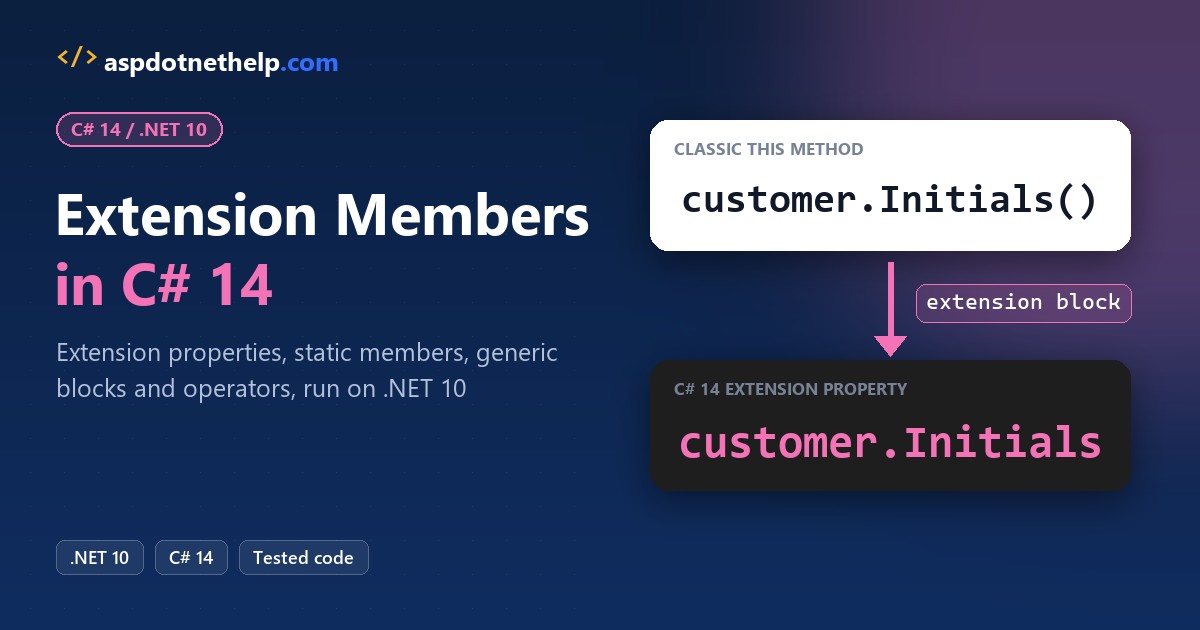
To write C# extension members, put an extension(string name) { ... } block inside a top-level static class. Every member in that block, properties included, then reads like it’s part of string:
static class CustomerExtensions
{
    extension(string name)
    {
        public string Initials => string.Concat(name.Split(' ').Select(w => w[0]));
    }
}
// "Jenna Morales".Initials  ->  JM
That’s C# 14, the default language version in the .NET 10 SDK. I ran every example below on SDK 10.0.402, from extension properties to operators and the compiler errors you’ll hit first.
Extension Members vs Extension Methods at a Glance
Classic extension methods only gave you methods. C# 14 widens that to properties, static members and operators. It’s the headline feature in my C# 14 feature roundup:
| You want to add | C# 14 syntax inside the static class | Caller writes |
|---|---|---|
| Instance method | extension(string name) { public string Masked() => ...; } | name.Masked() |
| Instance property | extension(string name) { public string Initials => ...; } | name.Initials |
| Static method or property | extension(DateOnly) { public static DateOnly ThanksgivingIn(int y) ... } | DateOnly.ThanksgivingIn(2026) |
| Operator | extension(DateOnly) { public static int operator -(...) ... } | blackFriday - today |
| Generic members | extension<T>(IEnumerable<T> items) { ... } | cart.Total |
| Indexer | Not in C# 14 (preview feature for C# 15) | – |
The old this syntax still compiles, and both forms produce the same IL, so you can migrate one class at a time.
Classic C# Extension Methods with this
Here’s the starting point most codebases have. Two static methods take the customer name with a this modifier on the first parameter:
#:property PublishAot=false

string customer = "Jenna Morales";
Console.WriteLine(customer.Initials());
Console.WriteLine(customer.Masked());
Console.WriteLine(CustomerExtensions.Initials(customer));

static class CustomerExtensions
{
    public static string Initials(this string name) =>
        string.Concat(name.Split(' ').Select(w => w[0]));

    public static string Masked(this string name) =>
        name[0] + new string('*', name.Length - 1);
}
Output:
JM
J************
JM
The run prints JM, then J followed by 12 asterisks, then JM again. The last line proves an extension method is just a static method: CustomerExtensions.Initials(customer) gives the same result.
The catch: Initials() is really a value, yet it needs parentheses because only methods were allowed. (The string logic itself comes from my post on getting the first character of each word.)
How Do You Write an Extension Property in C#?
Open an extension block with the receiver type and a name, then declare normal properties and methods inside it. The receiver name (name here) is in scope for every instance member in the block.
Same customer, now with two properties, one method and an enum extension:
#:property PublishAot=false

string customer = "Jenna Morales";
Console.WriteLine($"Initials: {customer.Initials}");
Console.WriteLine($"First name: {customer.FirstName}");
Console.WriteLine($"Masked: {customer.Masked()}");

OrderStatus status = OrderStatus.Shipped;
Console.WriteLine($"{status} is open: {status.IsOpen}");

enum OrderStatus { Pending, Packed, Shipped, Delivered }

static class CustomerExtensions
{
    extension(string name)
    {
        public string Initials =>
            string.Concat(name.Split(' ').Select(w => w[0]));
        public string FirstName => name.Split(' ')[0];
        public string Masked() => name[0] + new string('*', name.Length - 1);
    }

    extension(OrderStatus status)
    {
        public bool IsOpen =>
            status is OrderStatus.Pending or OrderStatus.Packed;
    }
}
Output:
Initials: JM
First name: Jenna
Masked: J************
Shipped is open: False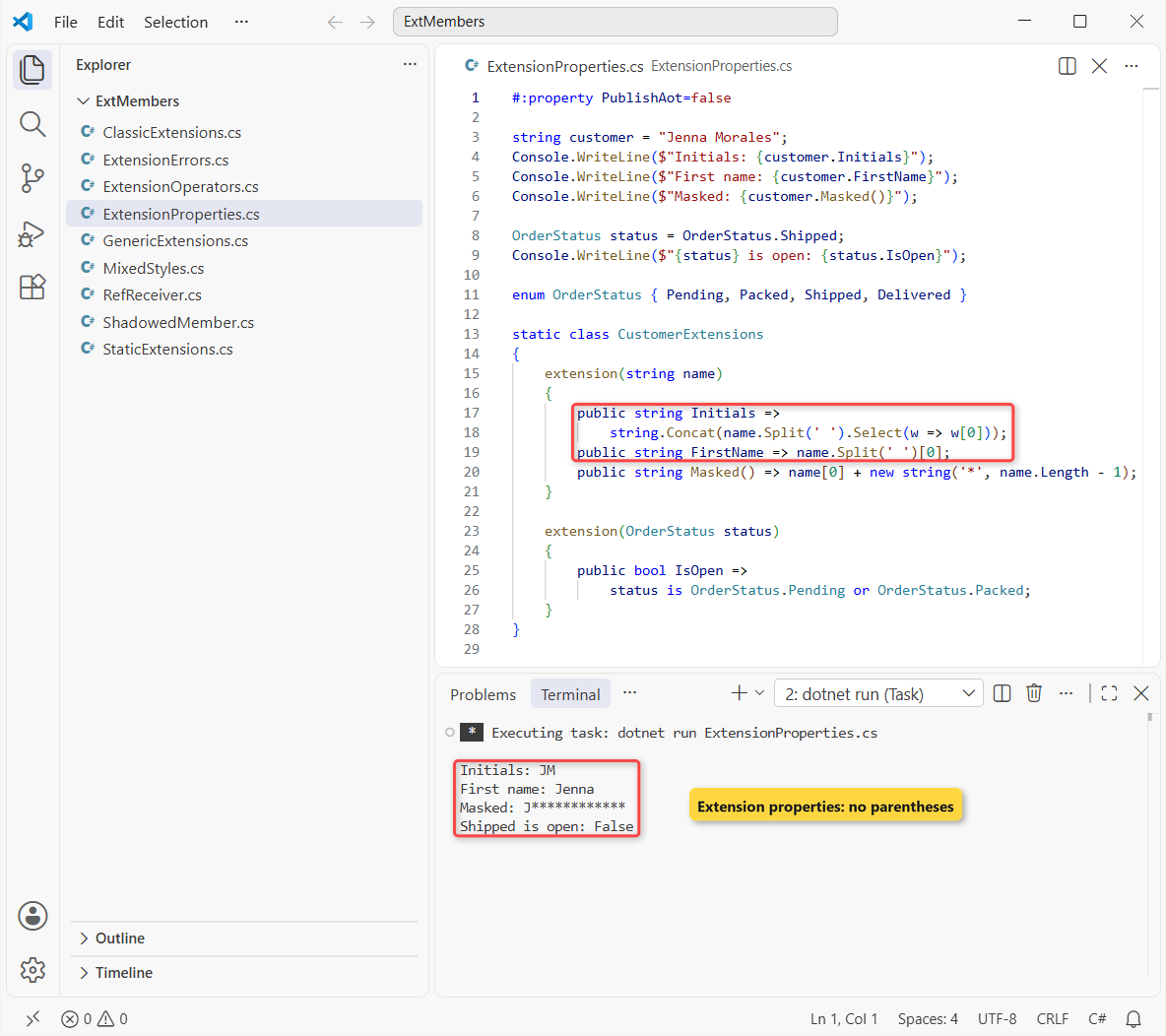
The output is Initials: JM, First name: Jenna, Masked: J************ and Shipped is open: False. The is ... or check in IsOpen is a pattern-matching shortcut.
Note: one static class can hold as many extension blocks as you like, and each block can target a different type.
Old and New Extension Syntax Together (Source and Binary Compatible)
Microsoft Learn states both forms generate the same IL, and callers can’t tell them apart. To check it, I put a classic method and a block method in one class and printed what the compiler produced with reflection:
#:property PublishAot=false

using System.Reflection;

string customer = "Tyler Brooks";
Console.WriteLine(customer.Initials());                 // this method
Console.WriteLine(customer.Masked());                   // block method
Console.WriteLine(CustomerExtensions.Masked(customer)); // static call

var flags = BindingFlags.Public | BindingFlags.Static
          | BindingFlags.DeclaredOnly;
foreach (var m in typeof(CustomerExtensions).GetMethods(flags))
    Console.WriteLine($"Compiled as: {m}");

static class CustomerExtensions
{
    public static string Initials(this string name) =>
        string.Concat(name.Split(' ').Select(w => w[0]));

    extension(string name)
    {
        public string Masked() => name[0] + new string('*', name.Length - 1);
    }
}
Output:
TB
T***********
T***********
Compiled as: System.String Initials(System.String)
Compiled as: System.String Masked(System.String)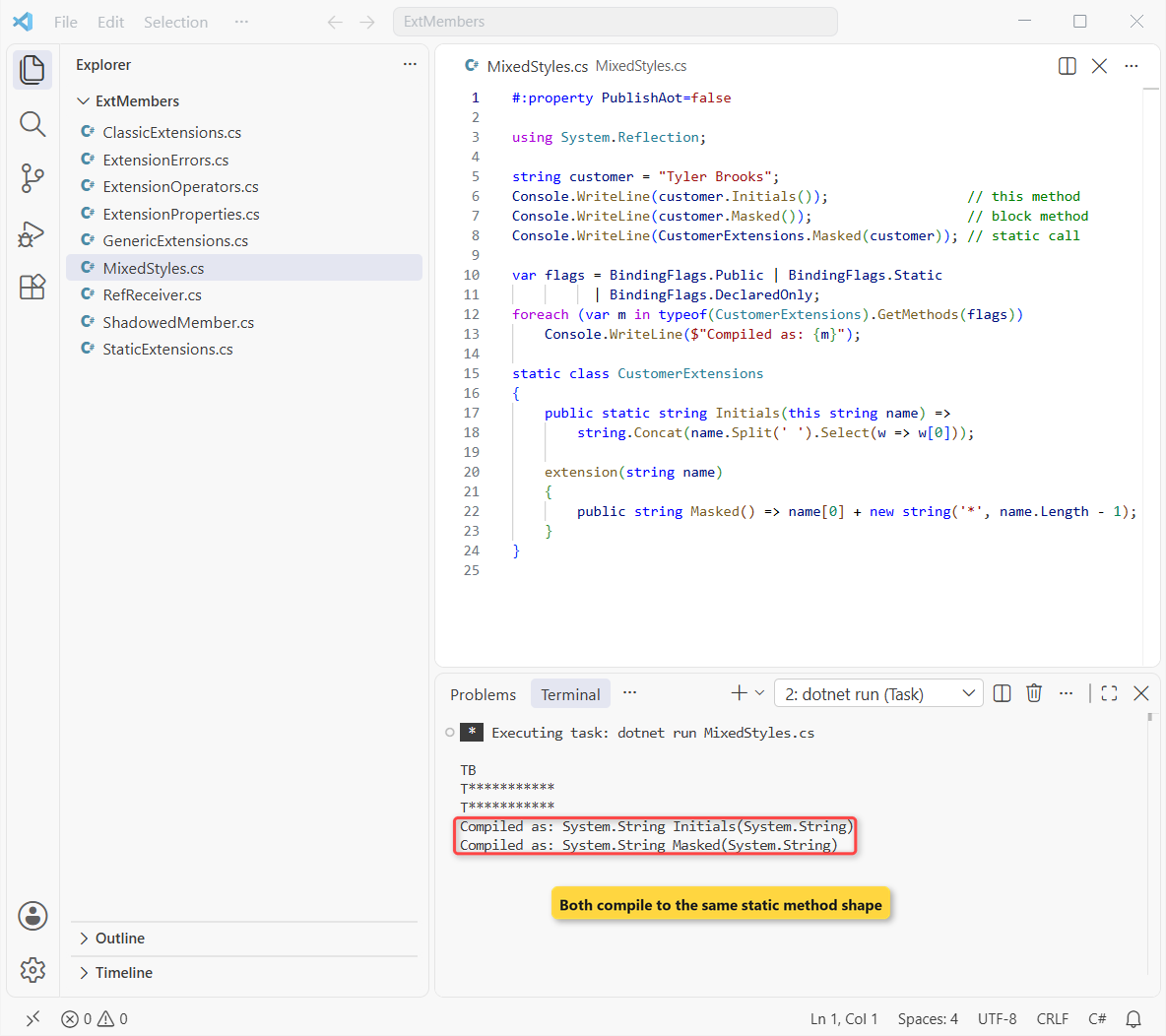
Both show up as System.String Initials(System.String) and System.String Masked(System.String). That’s why CustomerExtensions.Masked(customer) still compiles, and why converting a published library doesn’t break callers.
Converting a this Method to an Extension Block
- Add
extension(string name) { }inside the same static class. - Move the method in and delete the
this string nameparameter. - Drop
staticfrom the method; it’s now an instance extension member. - If it returns a value with no arguments, consider turning it into a property.
Methods called with explicit generic arguments are the one place to slow down, because the type parameter moves to the block. I cover that in the generic section below.
Static Extension Members (Even on Static Classes)
Leave the receiver name off, as in extension(DateOnly), and every member must be static. Callers then use them as if the type shipped with them. This also answers the common “extension method for a static class” question:
#:property PublishAot=false

System.Globalization.CultureInfo.CurrentCulture = new("en-US");
Console.WriteHeader("Black Friday report");
DateOnly thanksgiving = DateOnly.ThanksgivingIn(2026);
Console.WriteLine($"Thanksgiving 2026: {thanksgiving}");
Console.WriteLine($"Price from cents: {decimal.FromCents(1999):C}");

static class StoreExtensions
{
    extension(DateOnly)
    {
        public static DateOnly ThanksgivingIn(int year)
        {
            var nov1 = new DateOnly(year, 11, 1);
            return nov1.AddDays((11 - (int)nov1.DayOfWeek) % 7 + 21);
        }
    }
    extension(decimal)
    {
        public static decimal FromCents(long c) => c / 100m;
    }
    extension(Console)
    {
        public static void WriteHeader(string t) =>
            Console.WriteLine($"=== {t.ToUpper()} ===");
    }
}
Output:
=== BLACK FRIDAY REPORT ===
Thanksgiving 2026: 11/26/2026
Price from cents: $19.99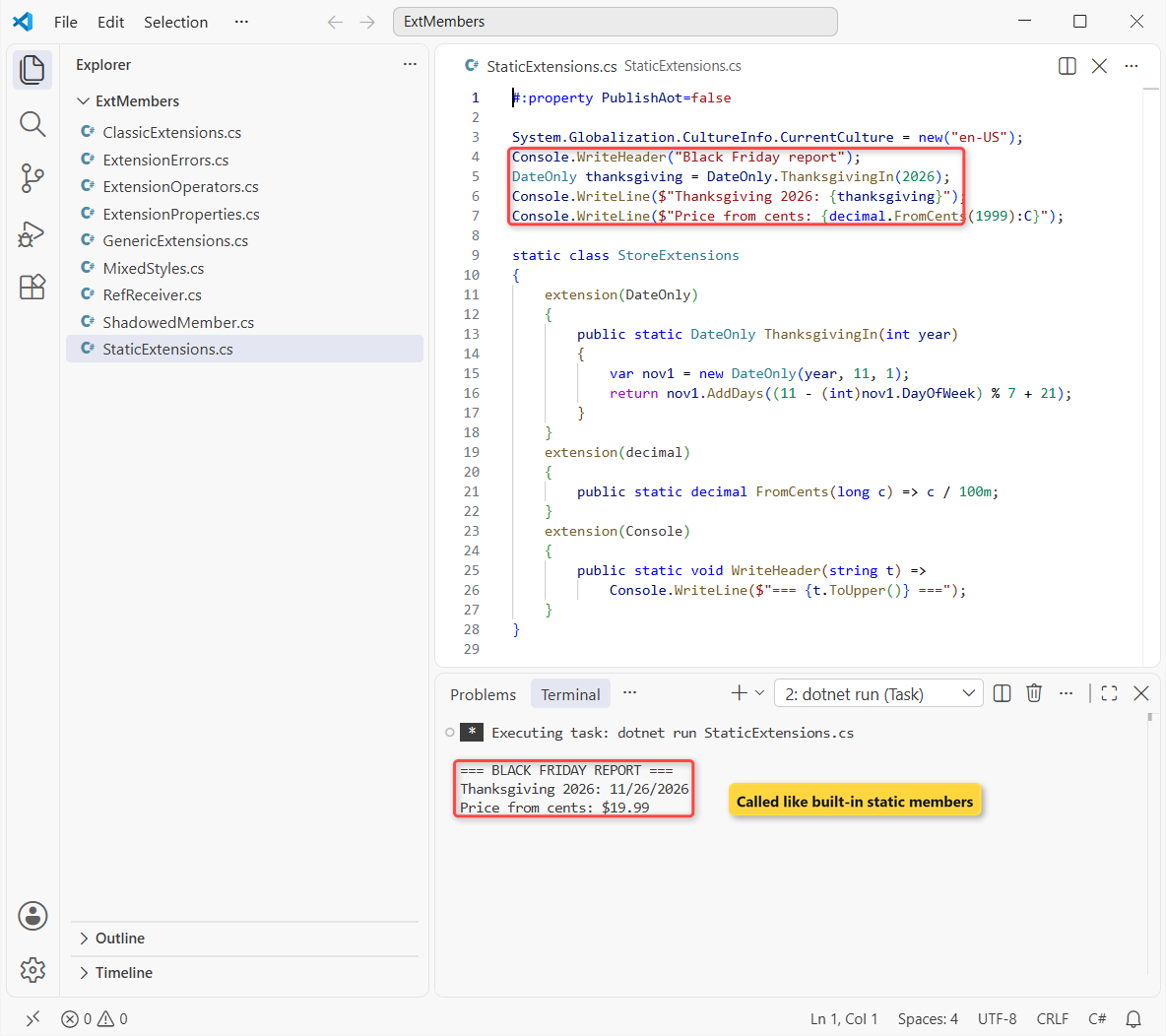
ThanksgivingIn finds the first Thursday of November, then adds three weeks to reach the fourth one.
The run prints the header, then Thanksgiving 2026: 11/26/2026 and Price from cents: $19.99. Console is a static class, which classic extension methods could never extend because there’s no instance to pass.
Important: I set en-US culture on line 3. Without it, the date and the currency follow the PC’s region; my string to DateTime guide explains why.
Generic Extension Blocks in C# 14
Put the type parameter on the block when the receiver uses it: extension<T>(IEnumerable<T> items). Constraints go on the block too, so where T : INumber<T> lets Total add any numeric type, from a decimal array to a List<T>:
#:property PublishAot=false

using System.Numerics;

decimal[] cart = [19.99m, 5.49m, 120.00m];
int[] unitsSold = [12, 7, 30];
List<string> backorderStates = [];

Console.WriteLine($"Cart total: ${cart.Total}");
Console.WriteLine($"Units sold: {unitsSold.Total}");
Console.WriteLine($"Top 2: {string.Join(", ", unitsSold.TopN(2))}");
Console.WriteLine($"No backorders? {backorderStates.IsEmpty}");

static class SequenceExtensions
{
    extension<T>(IEnumerable<T> items)
    {
        public bool IsEmpty => !items.Any();
        public IEnumerable<T> TopN(int count) =>
            items.OrderDescending().Take(count);
    }

    extension<T>(IEnumerable<T> items) where T : INumber<T>
    {
        public T Total => items.Aggregate(T.Zero, (sum, x) => sum + x);
    }
}
Output:
Cart total: $145.48
Units sold: 49
Top 2: 30, 12
No backorders? True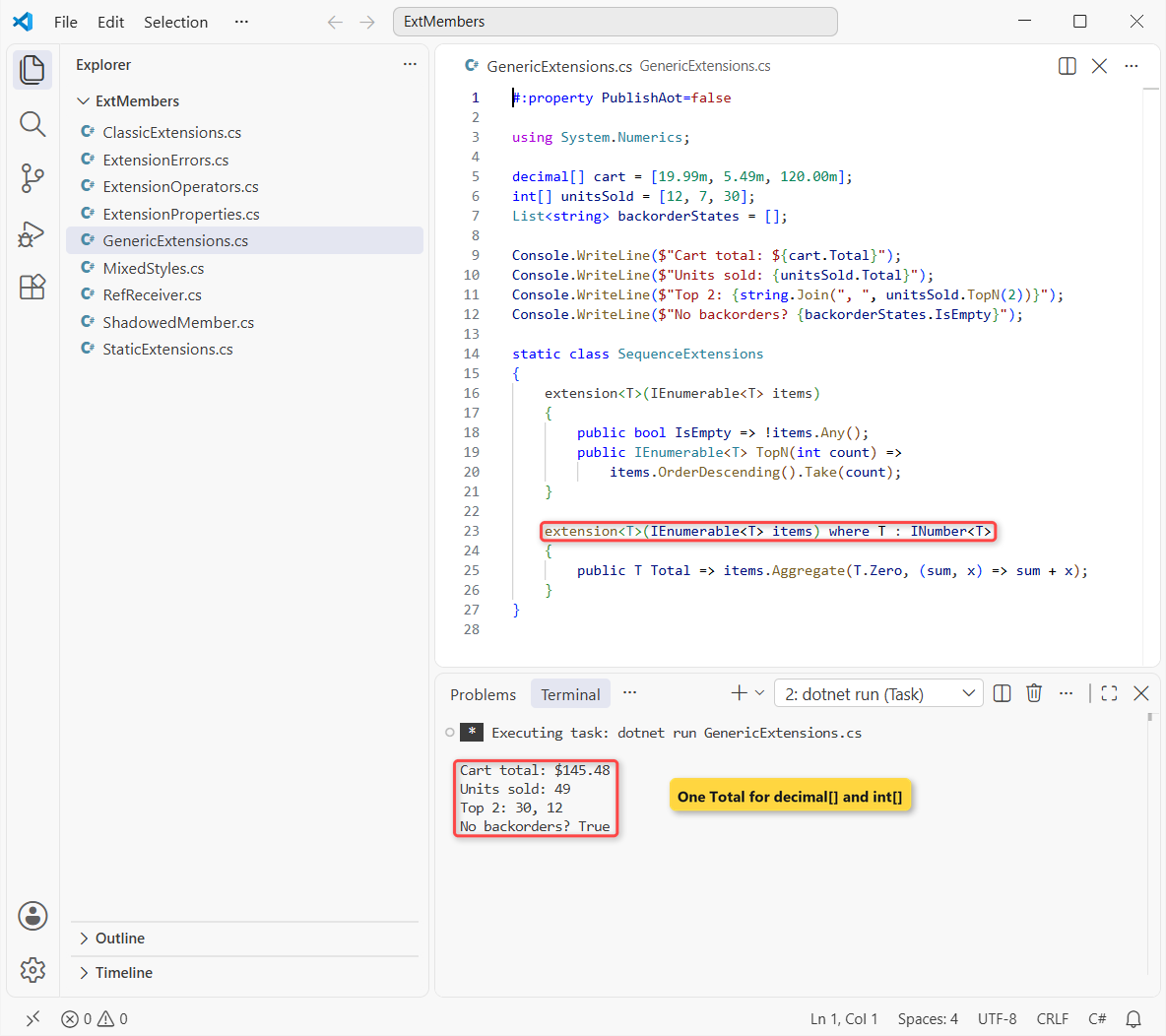
The cart totals $145.48, the units add up to 49, the top two are 30 and 12, and the empty list returns True. TopN wraps LINQ calls, which is the most common reason to write generic extensions.
Two rules from Learn: a block’s type parameters must all appear in the receiver type (error CS9295 otherwise), and a member that needs an extra type parameter declares it on the member, like a normal generic method.
Extension Operators in C# 14
Operators are static, so they go in a block like any other static extension member. At least one operand must be the extended type. DateOnly has no minus operator, and arrays have no plus, so I added both:
#:property PublishAot=false

DateOnly today = new(2026, 11, 6);
DateOnly blackFriday = new(2026, 11, 27);
Console.WriteLine($"Days until Black Friday: {blackFriday - today}");

decimal[] online = [19.99m, 5.49m];
decimal[] inStore = [120.00m];
decimal[] allSales = online + inStore;
Console.WriteLine($"All sales: {string.Join(", ", allSales)}");

static class OperatorExtensions
{
    extension(DateOnly)
    {
        public static int operator -(DateOnly end, DateOnly start) =>
            end.DayNumber - start.DayNumber;
    }

    extension<T>(T[])
    {
        public static T[] operator +(T[] left, T[] right) =>
            [.. left, .. right];
    }
}
Output:
Days until Black Friday: 21
All sales: 19.99, 5.49, 120.00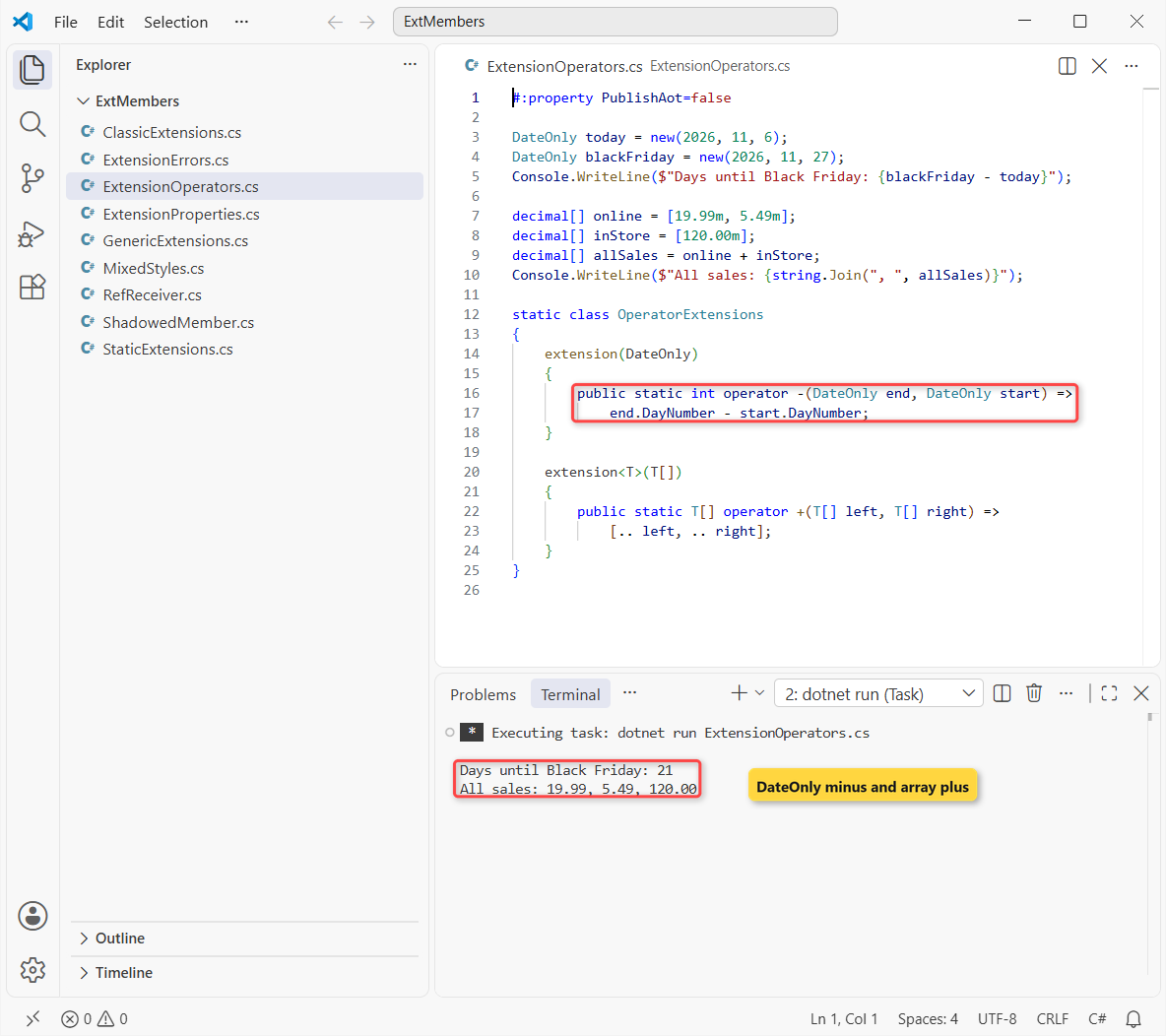
From November 6 to Black Friday on November 27, 2026 is 21 days, and the joined array holds 19.99, 5.49 and 120.00. The [.. left, .. right] spread inside the operator is a collection expression.
ref Receivers: Extension Members That Change a Struct
A normal receiver is a copy, so changing a value type inside the member changes nothing outside. C# 14 allows ref on the receiver of a struct type, so the member works on the caller’s variable:
#:property PublishAot=false

int loyaltyPoints = 120;
loyaltyPoints.AddPoints(30);
Console.WriteLine($"Points after order: {loyaltyPoints}");

static class PointsExtensions
{
    extension(ref int points)
    {
        public void AddPoints(int earned) => points += earned;
    }
}
Output:
Points after order: 150loyaltyPoints goes from 120 to 150. Learn limits ref receivers to value types (or generics constrained to struct), and in or ref readonly receivers to concrete value types.
What Happens When an Extension Member Matches a Real Member?
The type’s own member always wins. The compiler looks for instance members first and only falls back to extensions when nothing fits, so you can’t override string.Length from outside:
#:property PublishAot=false

string state = "Texas";
Console.WriteLine($"Length: {state.Length}");
Console.WriteLine($"Abbreviation: {state.Abbreviation}");

static class StateExtensions
{
    extension(string name)
    {
        public int Length => 99;   // never called: string.Length wins
        public string Abbreviation => name switch
        {
            "Texas" => "TX",
            "Colorado" => "CO",
            _ => "??"
        };
    }
}
Output:
Length: 5
Abbreviation: TX
The run prints Length: 5, not 99, and Abbreviation: TX. There’s no warning for the dead Length property, so pick names the type doesn’t already use.
The same rule protects you later: if a library adds a real member with your extension’s name, your calls quietly switch to the library’s version. Run your tests after you upgrade a package that you extend.
Extension Property or Extension Method: Which Should You Use?
Use a property when the value is cheap, takes no arguments and doesn’t change the receiver, like Initials or IsOpen. Readers expect a property to behave like a field.
Use a method when you pass arguments, the work is slow (a database call, a big loop) or it has side effects. TopN(2) and AddPoints(30) stay methods for that reason.
C# Extension Member Rules and Compiler Errors
An extension block can’t store anything. It only adds members that compute from the receiver, so the compiler rejects state. This file breaks three rules at once:
#:property PublishAot=false

Console.WriteLine("Jenna Morales".Nickname);

static class CustomerExtensions
{
    extension(string name)
    {
        public string Nickname { get; set; }     // auto-property
        private static int lookups;              // field
        public char this[Index i] => name[i];    // indexer
    }
}
Build output:
C:\DotNetDemo\ExtMembers\ExtensionErrors.cs(9,23): error CS9282: This member is not allowed in an extension block
C:\DotNetDemo\ExtMembers\ExtensionErrors.cs(10,28): error CS9282: This member is not allowed in an extension block
C:\DotNetDemo\ExtMembers\ExtensionErrors.cs(11,21): error CS8652: The feature 'extension indexers' is currently in Preview and *unsupported*. To use Preview features, use the 'preview' language version.

The build failed. Fix the build errors and run again.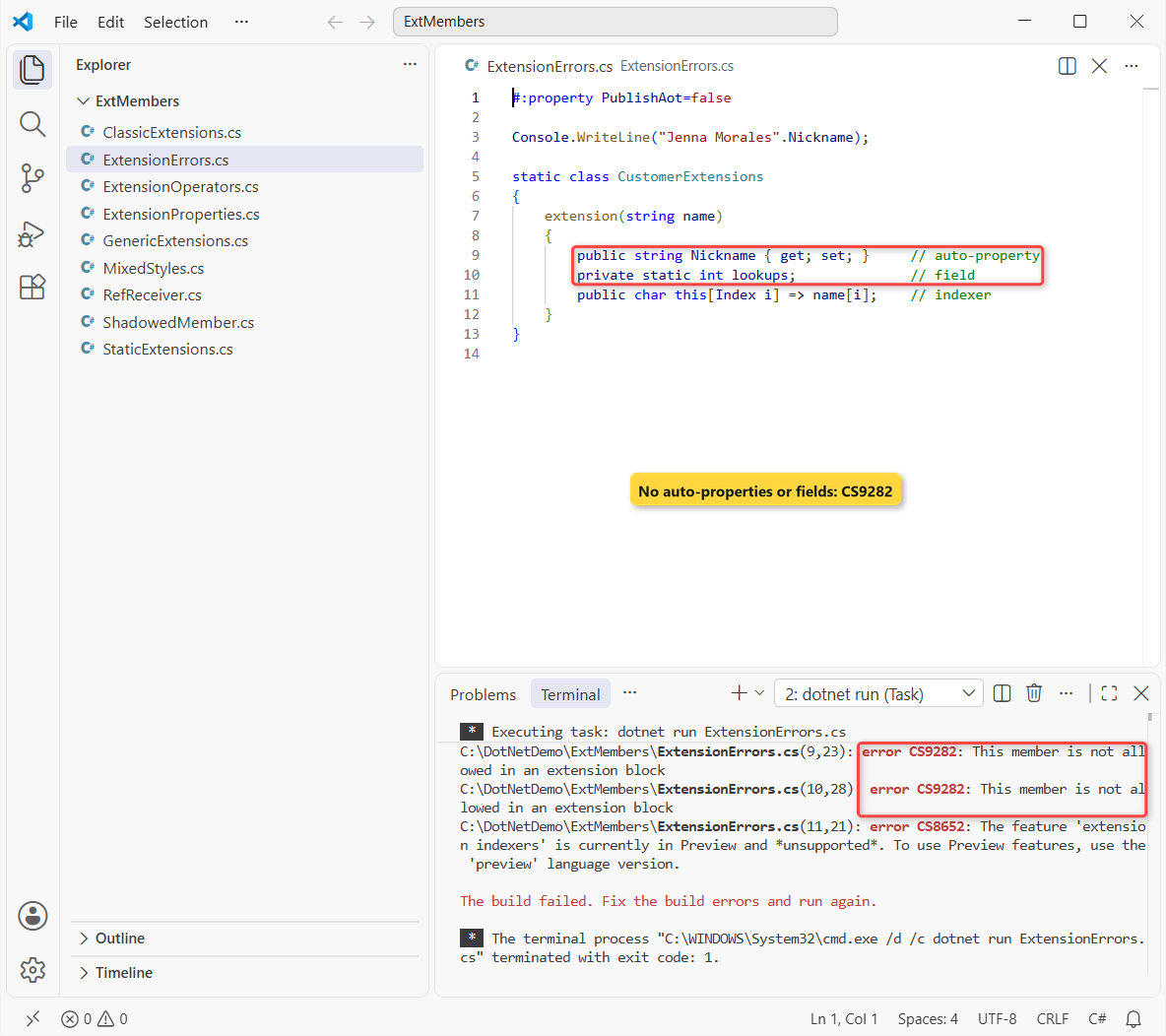
Lines 9 and 10 fail with CS9282, and the indexer fails with CS8652 because extension indexers are a preview feature in SDK 10.0.402. Here are the other rules I’d keep handy:
| Rule | Error |
|---|---|
| Container must be a top-level, non-generic static class | CS9283 |
| Only methods, properties and operators (no fields, auto-properties, events) | CS9282 |
Instance members need a named receiver: extension(string name) | CS9303 |
No init accessors in an extension block | CS9304 |
| Static members can’t read the receiver parameter | CS9347 |
| Every block type parameter must appear in the receiver type | CS9295 |
No protected members | CS9302 |
Need per-object data? Store it in the type itself, or wrap the type in your own class or interface. Extension members are for computed behavior only.
Want more C# 14 and .NET 10 practice? These are good next reads:
- What’s new in .NET 10 for C# developers
- Run C# files without a project using dotnet run app.cs
- Primary constructors in C# 12 and later
- Formatting values with ToString in C#
Frequently Asked Questions
Can you add an extension property in C#?
Yes, starting with C# 14. Declare it inside an extension(Type receiver) block in a static class, for example public string Initials => ...;. Earlier versions only supported extension methods.
What’s the difference between extension members and extension methods?
Extension methods use the this modifier on the first parameter and can only add methods. Extension members use an extension block and can add instance or static methods, properties and operators. Both compile to the same IL.
Do I need .NET 10 for C# 14 extension members?
Yes. C# 14 ships with the .NET 10 SDK and is the default language version for net10.0 projects and file-based apps, which is how every example here ran.
Can extension members add fields or store state?
No. Fields and auto-properties in an extension block fail with error CS9282. The extension declaration errors page on Microsoft Learn lists every related error.
Can I write an extension method for a static class like Console or Math?
Yes, with a static extension member: extension(Console) { public static void WriteHeader(string t) ... }. Callers write Console.WriteHeader("...").
Should I rewrite all my old extension methods?
No. They keep working and are binary compatible. Convert a class when you want properties or static members next to its methods. The extension keyword reference shows both forms side by side.

Bijay Kumar is a renowned software engineer, accomplished author, and distinguished Microsoft Most Valuable Professional (MVP) specializing in SharePoint. With a rich professional background spanning over 15 years, Bijay has established himself as an authority in the field of information technology. He possesses unparalleled expertise in multiple programming languages and technologies such as ASP.NET, ASP.NET MVC, C#.NET, and SharePoint, which has enabled him to develop innovative and cutting-edge solutions for clients across the globe. Read more…