
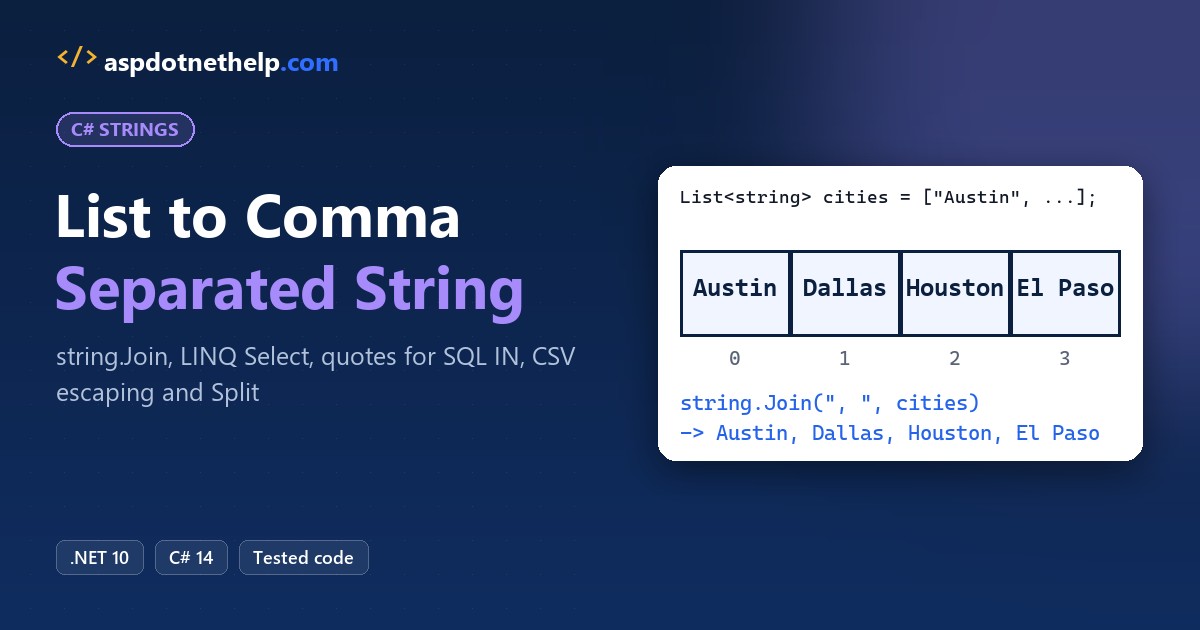
Turning a C# list into a comma separated string takes one line: string.Join(", ", cities). It turns Austin, Dallas, Houston and El Paso into one string you can drop into a label, a log line or an email.
In this tutorial, I’ll take one small US customer list through every C# list to comma separated string job you’ll hit: arrays, numbers, objects, blanks, SQL IN lists, real CSV lines and splitting the text back.
I ran each snippet as a .NET 10 file-based app, so the outputs are real.
Method 1: Convert a List to a Comma Separated String with string.Join
string.Join takes a separator and a collection, then puts the separator between the items. It works the same on a List<T> in C#, a C# array, or any IEnumerable<T>.
List<string> cities = ["Austin", "Dallas", "Houston", "El Paso"];
string[] states = ["Texas", "Ohio", "Florida"];
List<int> orderIds = [1001, 1002, 1003];
int[] zipCodes = [78701, 75201, 77002];

Console.WriteLine(string.Join(", ", cities));
Console.WriteLine(string.Join(",", states));
Console.WriteLine(string.Join(", ", orderIds));
Console.WriteLine(string.Join(';', zipCodes));
Output:
Austin, Dallas, Houston, El Paso
Texas,Ohio,Florida
1001, 1002, 1003
78701;75201;77002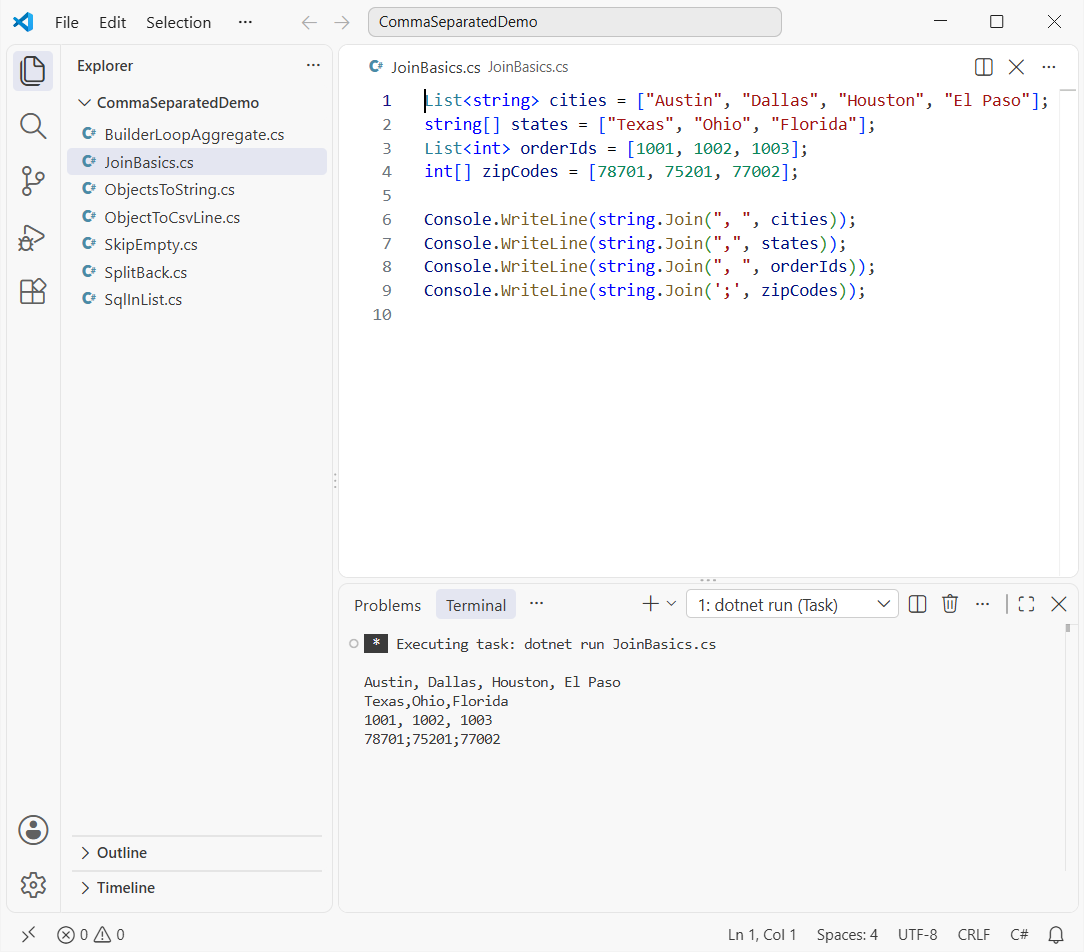
How does this code work? The separator goes between items, never after the last one, so there’s no trailing comma. Numbers are converted with ToString() for you.
Pro Tip: I use ", " for text people read and "," for data another program parses.
Method 2: Convert a List of Objects to a Comma Separated String with LINQ Select
Real lists usually hold objects, not strings. Use Select to pick the property you want, then join that.
List<Customer> customers =
[
    new("Jenna Moore", "Austin", "TX", 1250.50m),
    new("Ryan Carter", "Seattle", "WA", 980.00m),
    new("Chloe Brady", "Denver", "CO", 2310.75m),
];

Console.WriteLine(string.Join(", ", customers.Select(c => c.Name)));
Console.WriteLine(string.Join(", ", customers.Select(c => $"{c.Name} ({c.State})")));
Console.WriteLine(string.Join(", ", customers.Where(c => c.Balance > 1000).Select(c => c.Name)));

record Customer(string Name, string City, string State, decimal Balance);
Output:
Jenna Moore, Ryan Carter, Chloe Brady
Jenna Moore (TX), Ryan Carter (WA), Chloe Brady (CO)
Jenna Moore, Chloe Brady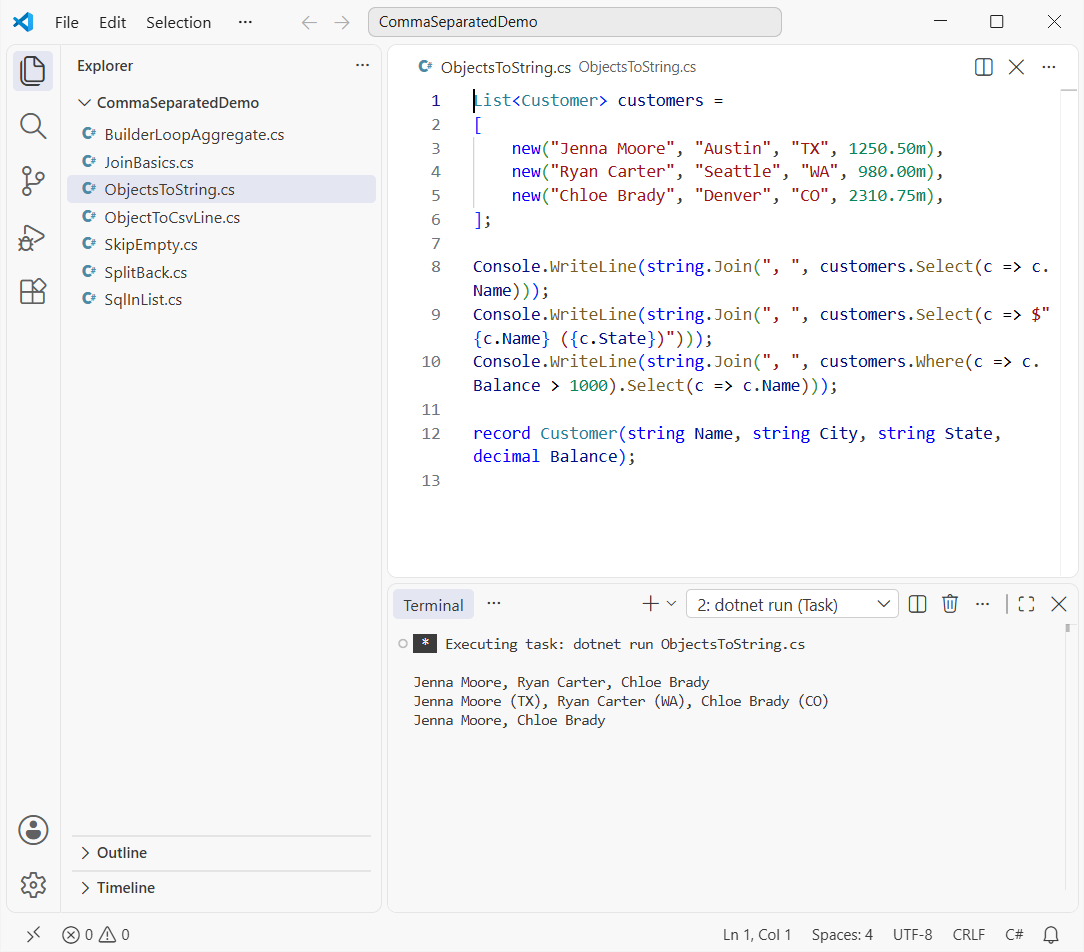
How does this code work? Select turns each customer into text, either one property or an interpolated mix like Name (State). Where runs first, so only balances over $1,000 make the last line.
Skip Select and you’ll get each object’s ToString() in C#, which is just the type name for a plain class.
How Do You Skip Null or Empty Values When Joining a List?
string.Join treats a null item as an empty string, so blanks leave doubled commas behind. Filter them out before you join:
List<string?> cities = ["Austin", null, "Dallas", "", "  ", "Houston"];

Console.WriteLine($"Raw:     {string.Join(", ", cities)}");

var clean = cities.Where(c => !string.IsNullOrWhiteSpace(c)).Select(c => c!.Trim());
Console.WriteLine($"Cleaned: {string.Join(", ", clean)}");

List<string> none = [];
Console.WriteLine($"Empty list: \"{string.Join(", ", none)}\"");
Output:
Raw:     Austin, , Dallas, ,   , Houston
Cleaned: Austin, Dallas, Houston
Empty list: ""
The raw line shows the gaps. Where(c => !string.IsNullOrWhiteSpace(c)) drops nulls, empty strings and whitespace in one go. Here’s more on how to check if a string is null or empty.
Method 3: Wrap Each Value in Quotes for a SQL IN List
Need 'Austin', 'Dallas' for a SQL IN list? Wrap each value inside Select and double any apostrophe, so O’Fallon doesn’t break it.
List<string> cities = ["Austin", "Dallas", "O'Fallon", "Dallas"];

// Quote each value and double any apostrophe inside it
string inList = string.Join(", ", cities.Distinct().Select(c => $"'{c.Replace("'", "''")}'"));
Console.WriteLine($"WHERE City IN ({inList})");

// Safer: one parameter name per value, values sent separately
string names = string.Join(", ", cities.Distinct().Select((c, i) => $"@city{i}"));
Console.WriteLine($"WHERE City IN ({names})");
Output:
WHERE City IN ('Austin', 'Dallas', 'O''Fallon')
WHERE City IN (@city0, @city1, @city2)
Distinct() drops the repeated Dallas, the same way you’d remove duplicates from a C# array.
Pro Tip: Keep quoted values for logs and admin scripts. In real queries, use the second line: one parameter per value, so your users’ input never becomes SQL.
Method 4: Build a Comma Separated String with StringBuilder, a for Loop or Aggregate
You’ll still see loops and StringBuilder in older code. Here’s how they compare:
using System.Text;

List<string> cities = ["Austin", "Dallas", "Houston"];

var sb = new StringBuilder("Cities: ");
sb.AppendJoin(", ", cities);
Console.WriteLine(sb.ToString());

var loop = new StringBuilder();
for (int i = 0; i < cities.Count; i++)
{
    if (i > 0) loop.Append(", ");
    loop.Append(cities[i]);
}
Console.WriteLine(loop.ToString());

Console.WriteLine(cities.Aggregate((x, y) => x + ", " + y));

List<string> empty = [];
try { empty.Aggregate((x, y) => x + ", " + y); }
catch (InvalidOperationException ex) { Console.WriteLine($"Aggregate on empty list: {ex.Message}"); }
Output:
Cities: Austin, Dallas, Houston
Austin, Dallas, Houston
Austin, Dallas, Houston
Aggregate on empty list: Sequence contains no elements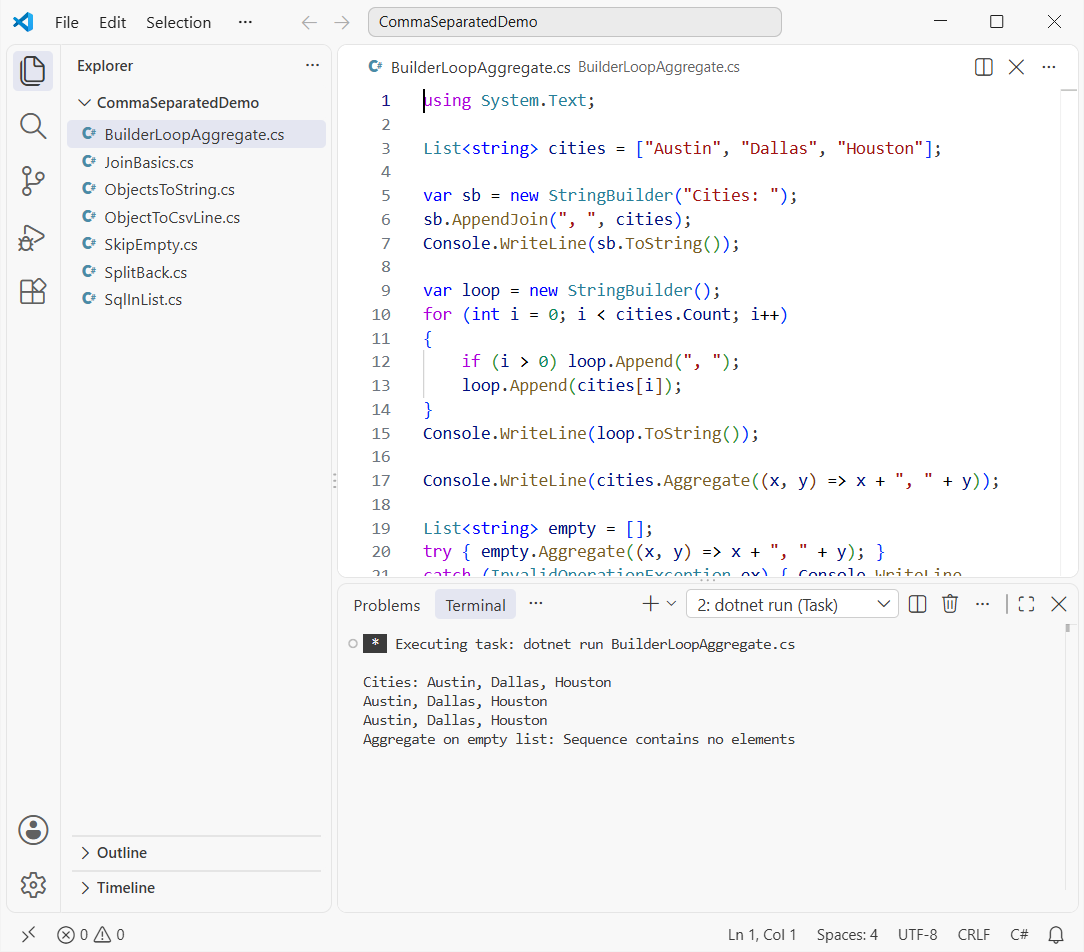
How does this code work?
StringBuilder.AppendJoinis the builder’s own join, handy when the list is one part of a bigger string.- The for loop in C# adds a comma only when
i > 0, so you never have to remove the last character afterward. Aggregateglues pairs together and throwsInvalidOperationExceptionwhen the list is empty.
Why is Join better? It’s one call, handles empty lists, and doesn’t create a new string per item. See the difference between string and StringBuilder.
Method 5: Convert an Object to a Comma Separated String (CSV Line with Quotes)
To turn an object’s properties into a CSV row, read them with reflection and join the values. The catch is a value like Austin, TX.
using System.Globalization;

var customer = new Customer("Jenna Moore", "Austin, TX", 1250.5m);
var props = typeof(Customer).GetProperties();

string header = string.Join(",", props.Select(p => p.Name));
string broken = string.Join(",", props.Select(p => p.GetValue(customer)));
string fixedLine = string.Join(",", props.Select(p => Csv(p.GetValue(customer))));

Console.WriteLine(header);
Console.WriteLine($"Broken: {broken}  -> {broken.Split(',').Length} fields");
Console.WriteLine($"Fixed:  {fixedLine}");

static string Csv(object? value)
{
    string s = Convert.ToString(value, CultureInfo.InvariantCulture) ?? "";
    bool needsQuotes = s.IndexOfAny([',', '"', '\r', '\n']) >= 0;
    return needsQuotes ? $"\"{s.Replace("\"", "\"\"")}\"" : s;
}

record Customer(string Name, string Location, decimal Balance);
Output:
Name,Location,Balance
Broken: Jenna Moore,Austin, TX,1250.5  -> 4 fields
Fixed:  Jenna Moore,"Austin, TX",1250.5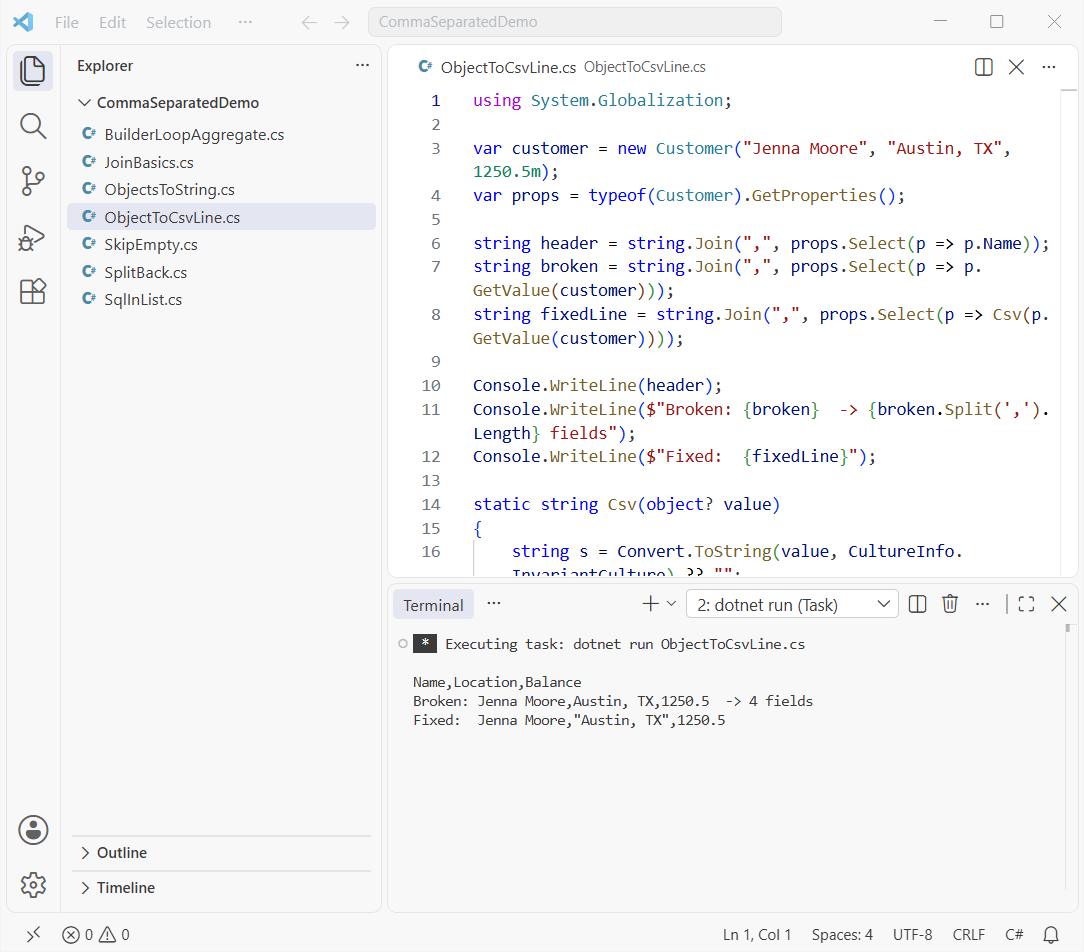
How does this code work? GetProperties() returns the public properties in declaration order (since .NET 7). The broken line has four fields, because the comma inside the location looks like a separator.
Csv() quotes values holding a comma, quote or line break and doubles inner quotes. Its invariant culture keeps 1250.5 from becoming 1250,5.
Sending data to an API? Converting the object to JSON is usually the better fit.
Convert a Comma Separated String Back to a List with Split
Going back is short too. Split breaks the text on commas, and two options clean it up:
string text = "Austin, Dallas, ,Houston";
List<string> cities = text.Split(',', StringSplitOptions.TrimEntries | StringSplitOptions.RemoveEmptyEntries).ToList();
Console.WriteLine($"{cities.Count} cities: {string.Join(" | ", cities)}");

string qty = "3,5,2";
List<int> quantities = qty.Split(',').Select(int.Parse).ToList();
Console.WriteLine($"Total items: {quantities.Sum()}");
Output:
3 cities: Austin | Dallas | Houston
Total items: 10
TrimEntries strips the spaces and RemoveEmptyEntries drops the blank, leaving three cities. Select(int.Parse) converts number lists.
Now you can check if the string array contains a specific element. A plain Split can’t read quoted CSV, though.
Things to Keep in Mind When Joining a List into a String
- Never paste joined user input straight into SQL; use parameters.
- Quote values that contain commas in CSV output, or your columns shift.
- Thousands separators are a different kind of comma; that’s covered in formatting numbers with commas in C#.
Which Method Should You Use to Convert a List to a String in C#?
| You have | Use |
|---|---|
| List<string>, string[], List<int> | string.Join(", ", items) |
| List of objects | string.Join(", ", list.Select(x => x.Name)) |
| Bigger string being built | StringBuilder.AppendJoin |
| Text back to a list | Split(',', TrimEntries | RemoveEmptyEntries) |
A few more string and collection guides worth a look:
- Convert a char array to a string in C#
- Compare a string with multiple values
- Dictionary in C# with examples
- Add leading zeros to a string in C#
Frequently Asked Questions
How do I convert a list to a comma separated string in C#?
Call string.Join(", ", list). It works for List<string>, arrays and any IEnumerable<T>. See the String.Join documentation on Microsoft Learn for every overload.
How do I convert an int array to a comma separated string?
Pass it straight to string.Join(",", numbers). Each number is converted with ToString() for you.
How do I join one property from a list of objects?
Project it with LINQ: string.Join(", ", customers.Select(c => c.Name)). Add Where before Select to filter.
Why does my comma separated string have empty values between commas?
Null or empty items become empty strings. Filter with Where(s => !string.IsNullOrWhiteSpace(s)) first.
How do I convert a comma separated string back into a list?
Use text.Split(',', StringSplitOptions.TrimEntries | StringSplitOptions.RemoveEmptyEntries).ToList().

Bijay Kumar is a renowned software engineer, accomplished author, and distinguished Microsoft Most Valuable Professional (MVP) specializing in SharePoint. With a rich professional background spanning over 15 years, Bijay has established himself as an authority in the field of information technology. He possesses unparalleled expertise in multiple programming languages and technologies such as ASP.NET, ASP.NET MVC, C#.NET, and SharePoint, which has enabled him to develop innovative and cutting-edge solutions for clients across the globe. Read more…