
Got a list of states and need to know whether “Texas” is in it? In C#, a string array contains check is one line: states.Contains("Texas") returns true or false.
In this tutorial, I’ll walk you through every flavor of the C# string array contains question: exact match, ignore case, substring, StartsWith, wildcard, null elements, multiple values, and comparing one string against an array.
I ran each snippet as a .NET 10 file-based app with dotnet run, so the outputs below are the real ones.
Check if a C# String Array Contains a Value with Contains()
The quickest answer is LINQ’s Contains() extension method. It works on any C# array because arrays implement IEnumerable<T>.
Here’s a basic exact-match check against five US states:
string[] states = { "California", "Texas", "Florida", "New York", "Washington" };

bool hasTexas = states.Contains("Texas");
bool hasOhio = states.Contains("Ohio");
bool hasLower = states.Contains("texas");

Console.WriteLine($"Contains Texas: {hasTexas}");
Console.WriteLine($"Contains Ohio:  {hasOhio}");
Console.WriteLine($"Contains texas: {hasLower}");
Output:
Contains Texas: True
Contains Ohio:  False
Contains texas: False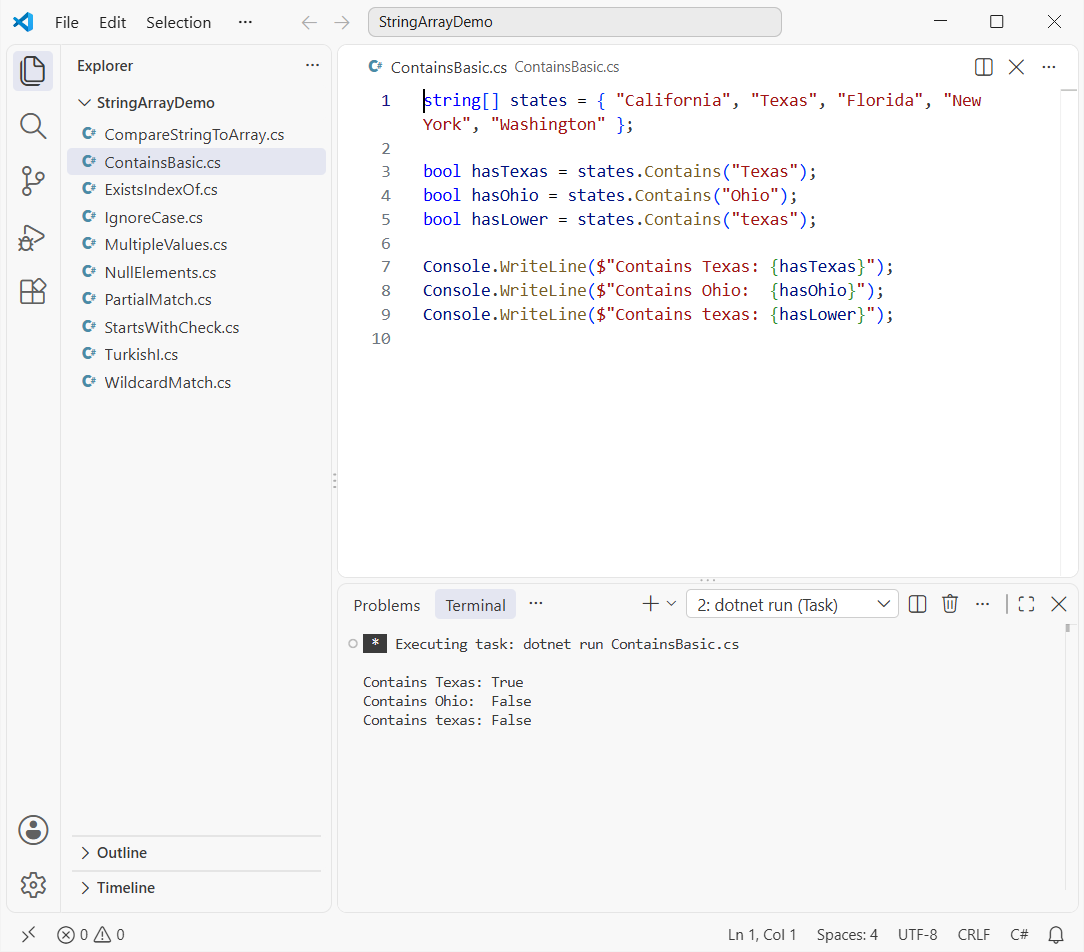
Texas is found, Ohio isn’t, and "texas" also returns False. That last line matters: the default comparison is ordinal and case-sensitive.
You don’t need a using System.Linq; line in a .NET 10 file-based app or a new SDK project, because implicit usings already include it.
Array.Exists, Array.IndexOf and foreach: Other Ways to Check if an Array Contains a Value
If you’d rather skip LINQ, the Array class has its own helpers. Array.Exists takes a predicate, and Array.IndexOf gives you the position too.
This snippet runs all three, including an old-school loop:
string[] states = { "California", "Texas", "Florida", "New York", "Washington" };

// Array.Exists: true if any element matches the predicate
bool hasFlorida = Array.Exists(states, s => s == "Florida");

// Array.IndexOf: position of the first exact match, or -1
int nyIndex = Array.IndexOf(states, "New York");
int ohioIndex = Array.IndexOf(states, "Ohio");

// Plain foreach loop: no LINQ, easy to debug
bool found = false;
foreach (string state in states)
{
    if (state == "Washington") { found = true; break; }
}

Console.WriteLine($"Array.Exists Florida: {hasFlorida}");
Console.WriteLine($"IndexOf New York: {nyIndex}");
Console.WriteLine($"IndexOf Ohio: {ohioIndex}");
Console.WriteLine($"foreach found Washington: {found}");
Output:
Array.Exists Florida: True
IndexOf New York: 3
IndexOf Ohio: -1
foreach found Washington: True
IndexOf returns -1 when the value isn’t there, so index >= 0 is your “contains” test. The foreach loop in C# version is longer, but it’s handy when you need to log or count matches as you go.
All of these stop at the first match, so they’re O(n) in the worst case.
How Do You Make a C# String Array Contains Check Ignore Case?
Pass a comparer. Contains() has an overload that accepts an IEqualityComparer<string>, and StringComparer.OrdinalIgnoreCase is the one I reach for on user input.
Here are three case-insensitive options side by side:
string[] states = { "California", "Texas", "Florida", "New York", "Washington" };
string input = "NEW YORK";

bool linq = states.Contains(input, StringComparer.OrdinalIgnoreCase);
bool exists = Array.Exists(states, s => string.Equals(s, input, StringComparison.OrdinalIgnoreCase));
int index = Array.FindIndex(states, s => s.Equals(input, StringComparison.OrdinalIgnoreCase));

Console.WriteLine($"Contains + OrdinalIgnoreCase: {linq}");
Console.WriteLine($"Array.Exists + string.Equals: {exists}");
Console.WriteLine($"Array.FindIndex: {index} ({states[index]})");
Output:
Contains + OrdinalIgnoreCase: True
Array.Exists + string.Equals: True
Array.FindIndex: 3 (New York)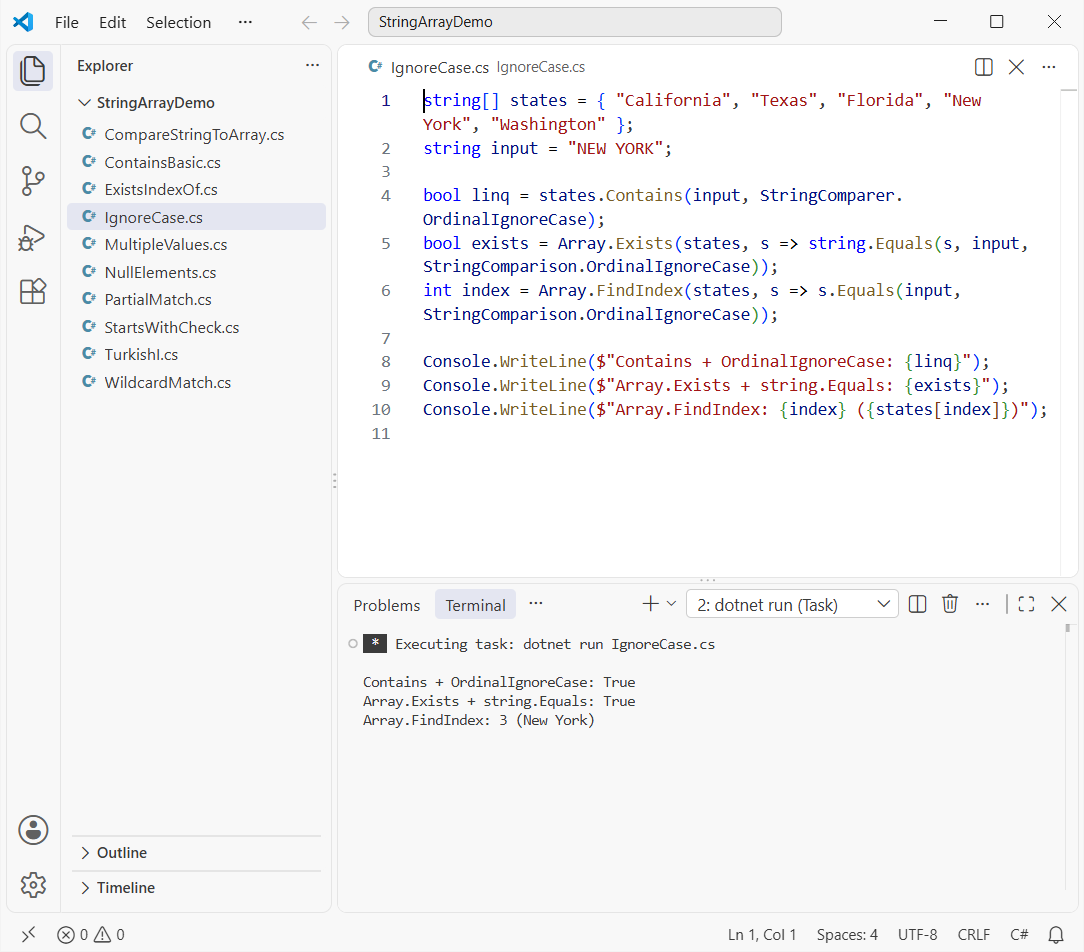
"NEW YORK" matches "New York" every time. If you also need to compare two strings character by character, the same StringComparison values apply.
Watch out for the Turkish I with culture-sensitive comparers
Culture-aware comparers follow the current culture’s casing rules. In Turkish, uppercase I lowercases to a dotless ı, so a culture-sensitive match can fail.
I switched the current culture to tr-TR to prove it:
using System.Globalization;

string[] states = { "Illinois", "Indiana", "Iowa" };

CultureInfo.CurrentCulture = new CultureInfo("tr-TR");

Console.WriteLine($"CurrentCultureIgnoreCase: {states.Contains("ILLINOIS", StringComparer.CurrentCultureIgnoreCase)}");
Console.WriteLine($"OrdinalIgnoreCase:        {states.Contains("ILLINOIS", StringComparer.OrdinalIgnoreCase)}");
Console.WriteLine($"\"ILLINOIS\".ToLower() in tr-TR: {"ILLINOIS".ToLower()}");
Output:
CurrentCultureIgnoreCase: False
OrdinalIgnoreCase:        True
"ILLINOIS".ToLower() in tr-TR: ıllınoıs
CurrentCultureIgnoreCase says Illinois isn’t there, while OrdinalIgnoreCase finds it. For identifiers, codes, and state names, stick with ordinal comparisons.
C# String Array Contains a Substring or Partial String
states.Contains("San") won’t find “San Diego”, because array Contains compares whole elements. For partial matches, call string.Contains on each element inside Any, Where, or Array.Find.
Here’s what that looks like with West Coast and Texas cities:
string[] cities = { "San Francisco", "Los Angeles", "San Diego", "Seattle", "Austin" };

// Any element that contains "San" anywhere
bool anySan = cities.Any(c => c.Contains("San"));

// Every element that contains "an" (case-insensitive)
string[] matches = cities.Where(c => c.Contains("an", StringComparison.OrdinalIgnoreCase)).ToArray();

// First element containing "Ang", or null when nothing matches
string? first = Array.Find(cities, c => c.Contains("Ang"));

Console.WriteLine($"Any city contains 'San': {anySan}");
Console.WriteLine($"Cities containing 'an': {string.Join(", ", matches)}");
Console.WriteLine($"First city containing 'Ang': {first}");
Output:
Any city contains 'San': True
Cities containing 'an': San Francisco, Los Angeles, San Diego
First city containing 'Ang': Los Angeles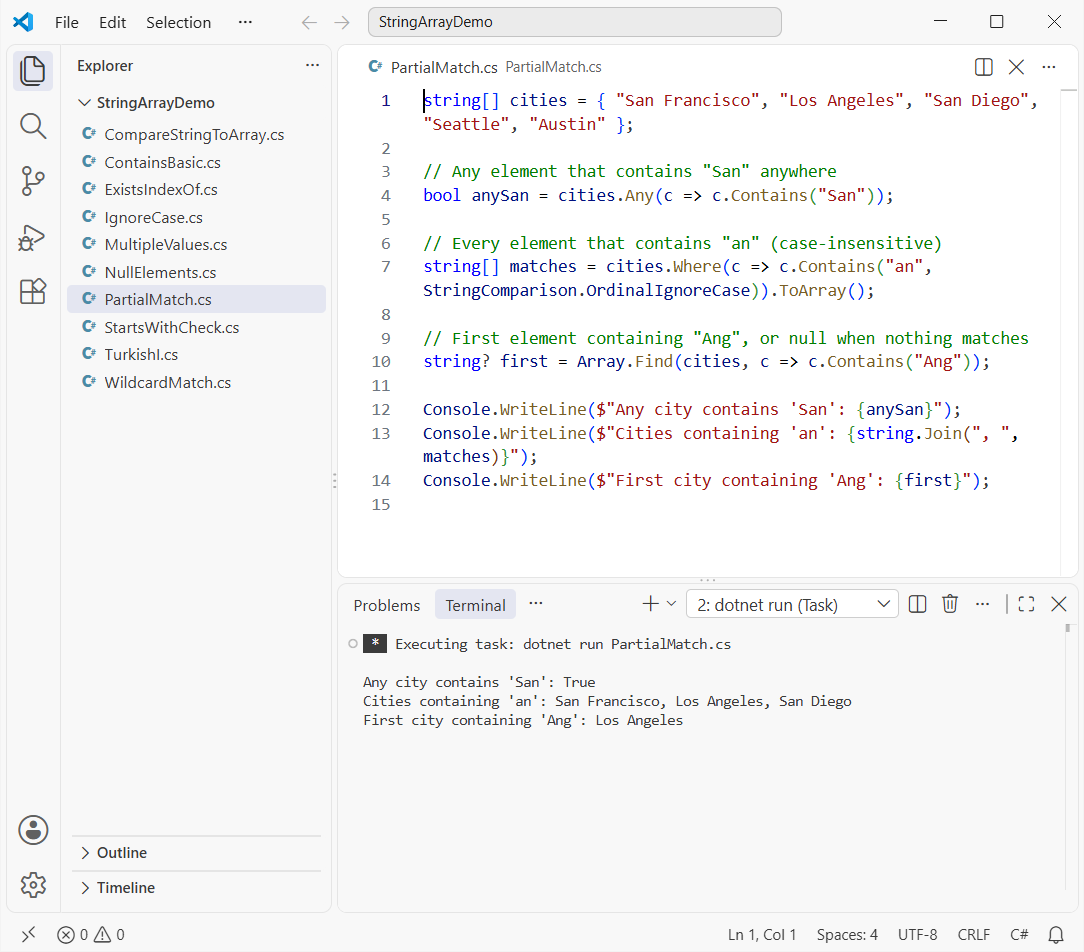
Any gives you the yes/no answer, and Where returns every hit. Array.Find returns null when nothing matches. If you’re checking single characters instead, see how to check if a string contains a character.
Check if Any Array Element StartsWith or EndsWith a Value
Prefix checks follow the same pattern. Swap Contains for StartsWith or EndsWith inside the lambda:
string[] states = { "New York", "New Jersey", "Nevada", "Texas", "North Carolina" };

bool anyNew = states.Any(s => s.StartsWith("New ", StringComparison.Ordinal));
string[] newStates = Array.FindAll(states, s => s.StartsWith("new", StringComparison.OrdinalIgnoreCase));
bool anyNa = states.Any(s => s.EndsWith("na", StringComparison.Ordinal));

Console.WriteLine($"Any state starts with 'New ': {anyNew}");
Console.WriteLine($"States starting with 'new' (ignore case): {string.Join(", ", newStates)}");
Console.WriteLine($"Any state ends with 'na': {anyNa}");
Output:
Any state starts with 'New ': True
States starting with 'new' (ignore case): New York, New Jersey
Any state ends with 'na': True
Always pass a StringComparison to StartsWith and EndsWith. Without it, they use the current culture, which brings back the culture issue from the ignore-case section.
Need the first letter of each word instead? Here’s how to get the first character of each word.
C# String Array Contains Wildcard Matches with Regex
C# doesn’t have a built-in wildcard Contains. The clean fix is to turn * and ? into a regular expression and wrap it in an extension method.
Regex.Escape neutralizes everything else in the pattern, so a dot in the input stays a literal dot:
using System.Text.RegularExpressions;

string[] cities = { "Boston", "Houston", "Austin", "Denver", "Dallas" };

Console.WriteLine($"*ston  -> {string.Join(", ", cities.WildcardMatches("*ston"))}");
Console.WriteLine($"D*     -> {string.Join(", ", cities.WildcardMatches("D*"))}");
Console.WriteLine($"Aus??n -> {string.Join(", ", cities.WildcardMatches("Aus??n"))}");
Console.WriteLine($"Any 'M*': {cities.WildcardMatches("M*").Any()}");

static class WildcardExtensions
{
    // * = any run of characters, ? = exactly one character
    public static IEnumerable<string> WildcardMatches(this string[] items, string pattern)
    {
        string regex = "^" + Regex.Escape(pattern).Replace(@"\*", ".*").Replace(@"\?", ".") + "$";
        return items.Where(s => s is not null && Regex.IsMatch(s, regex, RegexOptions.IgnoreCase));
    }
}
Output:
*ston  -> Boston, Houston
D*     -> Denver, Dallas
Aus??n -> Austin
Any 'M*': False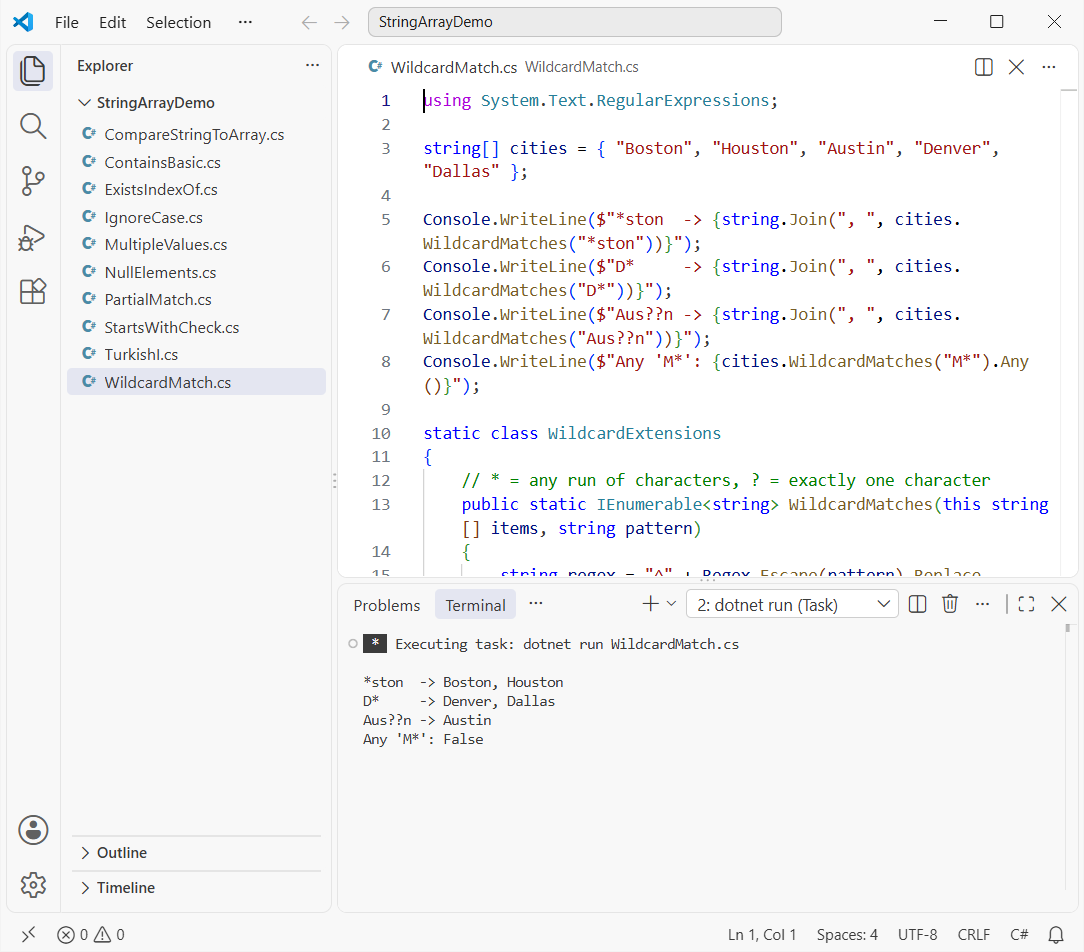
*ston catches Boston and Houston, and Aus??n matches exactly two characters. If you call this in a hot loop, build the Regex object once and reuse it.
Check if a C# String Array Contains Null or Empty Elements
Arrays from files, APIs, or Split() often hold null or empty entries. Contains(null) works fine, but calling s.Contains(...) on a null element throws, so you’ll want a null-safe version.
string?[] cities = { "Chicago", null, "Denver", "", "Phoenix" };

bool hasNull = cities.Contains(null);
bool hasNullOrEmpty = Array.Exists(cities, string.IsNullOrEmpty);
int firstNull = Array.IndexOf(cities, null);

// Null-safe substring search: s?.Contains(...) == true skips null elements
bool hasEnv = cities.Any(s => s?.Contains("enver") == true);

string[] clean = cities.Where(s => !string.IsNullOrWhiteSpace(s)).ToArray()!;

Console.WriteLine($"Contains null: {hasNull}");
Console.WriteLine($"Has null or empty: {hasNullOrEmpty}");
Console.WriteLine($"First null at index: {firstNull}");
Console.WriteLine($"Null-safe Contains 'enver': {hasEnv}");
Console.WriteLine($"Cleaned array: {string.Join(", ", clean)}");
Output:
Contains null: True
Has null or empty: True
First null at index: 1
Null-safe Contains 'enver': True
Cleaned array: Chicago, Denver, Phoenix
Array.Exists(cities, string.IsNullOrEmpty) catches both null and "". For more patterns, I’ve covered how to check for null values in C# separately.
One more trap: if the array variable itself is null, Contains and Array.Exists throw ArgumentNullException. Guard it with a null or empty check or states?.Contains(x) == true.
Check if a C# String Array Contains Multiple Values (Any vs All)
Flip the question around and loop over the values you’re looking for. All means “contains every one”, and Any means “contains at least one”:
string[] states = { "California", "Texas", "Florida", "New York", "Washington" };
string[] wanted = { "Texas", "Florida", "Ohio" };

bool containsAll = wanted.All(states.Contains);
bool containsAny = wanted.Any(states.Contains);
string[] missing = wanted.Except(states).ToArray();

// Big arrays or repeated lookups: build a HashSet once
var lookup = new HashSet<string>(states, StringComparer.OrdinalIgnoreCase);
bool allIgnoreCase = new[] { "texas", "FLORIDA" }.All(lookup.Contains);

Console.WriteLine($"Contains all: {containsAll}");
Console.WriteLine($"Contains any: {containsAny}");
Console.WriteLine($"Missing: {string.Join(", ", missing)}");
Console.WriteLine($"HashSet, ignore case, all: {allIgnoreCase}");
Output:
Contains all: False
Contains any: True
Missing: Ohio
HashSet, ignore case, all: True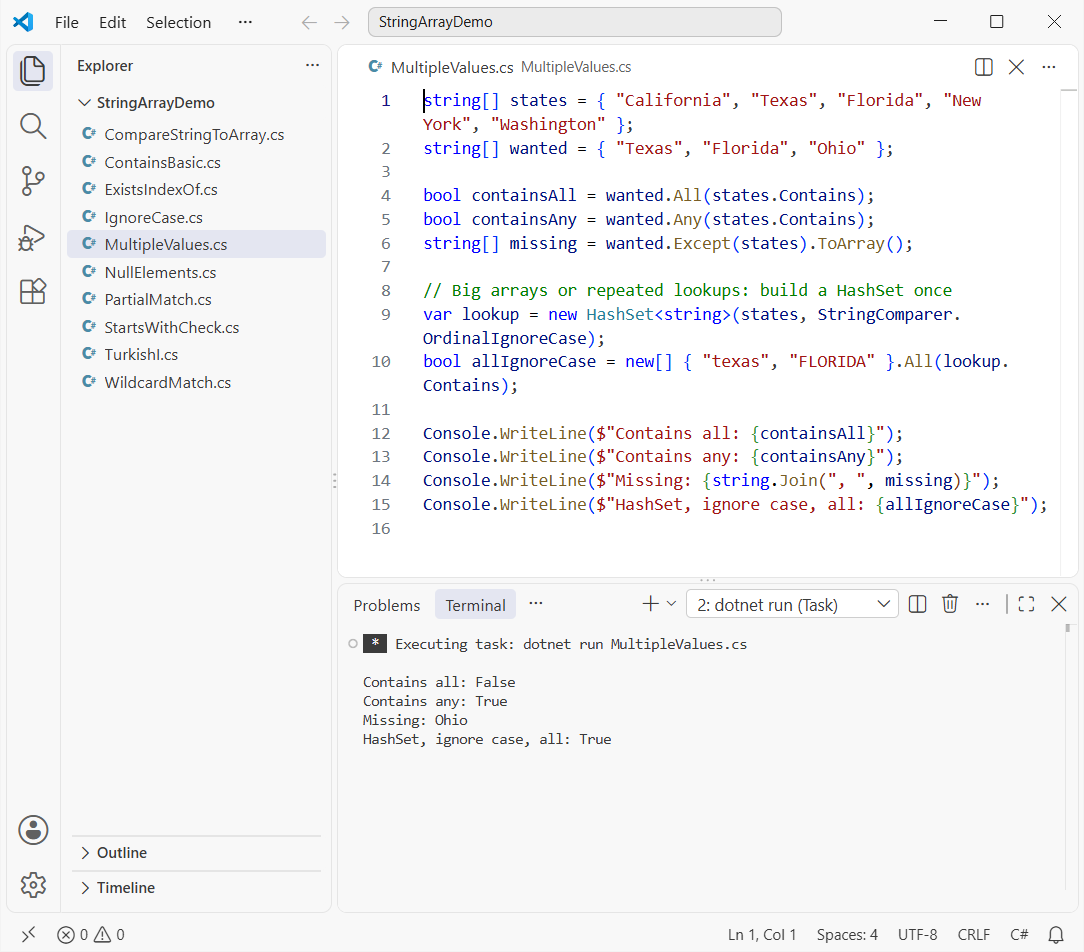
Except tells you exactly which values are missing, which beats a bare False in a log. A HashSet<string> makes each lookup O(1), and it’s also the easiest way to remove duplicates from a C# array.
How Do You Compare a String Value with a String Array in C#?
“Compare” usually means one of two things. Either the string contains one of the array values, or it equals one of them.
This snippet handles both with a shipping address and a list of cities:
string[] cities = { "Seattle", "Portland", "Boise", "Denver" };
string order = "Ship to 1201 3rd Ave, Seattle, WA 98101";
string city = "portland";

// Does the string contain ANY value from the array?
string? hit = cities.FirstOrDefault(c => order.Contains(c, StringComparison.OrdinalIgnoreCase));

// Is the string EQUAL to one of the array values?
int pos = Array.FindIndex(cities, c => string.Equals(c, city, StringComparison.OrdinalIgnoreCase));

Console.WriteLine($"Order mentions: {hit ?? "none"}");
Console.WriteLine($"'{city}' matches index {pos} ({cities[pos]})");
Output:
Order mentions: Seattle
'portland' matches index 1 (Portland)
FirstOrDefault finds Seattle inside the address text, and FindIndex matches “portland” to index 1. For a handful of fixed values, a switch may read better; I cover that in comparing a string with multiple values.
Which C# String Array Contains Method Should You Pick?
Here’s the quick cheat sheet I use:
| You need | Use |
|---|---|
| Exact match, yes/no | array.Contains(value) |
| Exact match plus position | Array.IndexOf(array, value) |
| Ignore case | array.Contains(value, StringComparer.OrdinalIgnoreCase) |
| Substring / StartsWith | array.Any(s => s.Contains(x, StringComparison.Ordinal)) |
| Wildcard | Regex built from * and ? |
| Many lookups | HashSet<string> with a comparer |
If the collection grows or changes often, a List<string> in C# gives you the same Contains plus Add and Remove.
Want to keep going with arrays and strings? These are good next reads:
- ArrayList in C# and when to avoid it
- Sort an array in C#
- Reverse an array in C#
- Convert a list to a comma-separated string
Frequently Asked Questions
Is C# string array Contains case-sensitive?
Yes. array.Contains("texas") returns false when the array holds “Texas”. Pass StringComparer.OrdinalIgnoreCase as the second argument for a case-insensitive check.
What’s the difference between Array.Exists and Contains in C#?
Contains tests for one exact value. Array.Exists takes a predicate, so it can test any condition, such as a prefix or a substring. Both stop at the first match; see the Array.Exists documentation on Microsoft Learn.
How do I check if a string array contains a partial string in C#?
Use array.Any(s => s.Contains("part")). Array Contains only compares whole elements, so it won’t find partial matches.
How do I get the index of a value in a string array?
Use Array.IndexOf(array, value) for exact matches or Array.FindIndex with a predicate for case-insensitive ones. Both return -1 when nothing matches.
Does Contains throw on null elements?
No. array.Contains(null) works and returns true if a null element exists. It’s s.Contains(...) inside a lambda that throws, so use s?.Contains(...) == true.
Should I use OrdinalIgnoreCase or CurrentCultureIgnoreCase?
Use OrdinalIgnoreCase for codes, names, and identifiers. Culture-aware comparisons can change results, as the Turkish I example shows; Microsoft explains why in best practices for comparing strings.

Bijay Kumar is a renowned software engineer, accomplished author, and distinguished Microsoft Most Valuable Professional (MVP) specializing in SharePoint. With a rich professional background spanning over 15 years, Bijay has established himself as an authority in the field of information technology. He possesses unparalleled expertise in multiple programming languages and technologies such as ASP.NET, ASP.NET MVC, C#.NET, and SharePoint, which has enabled him to develop innovative and cutting-edge solutions for clients across the globe. Read more…