
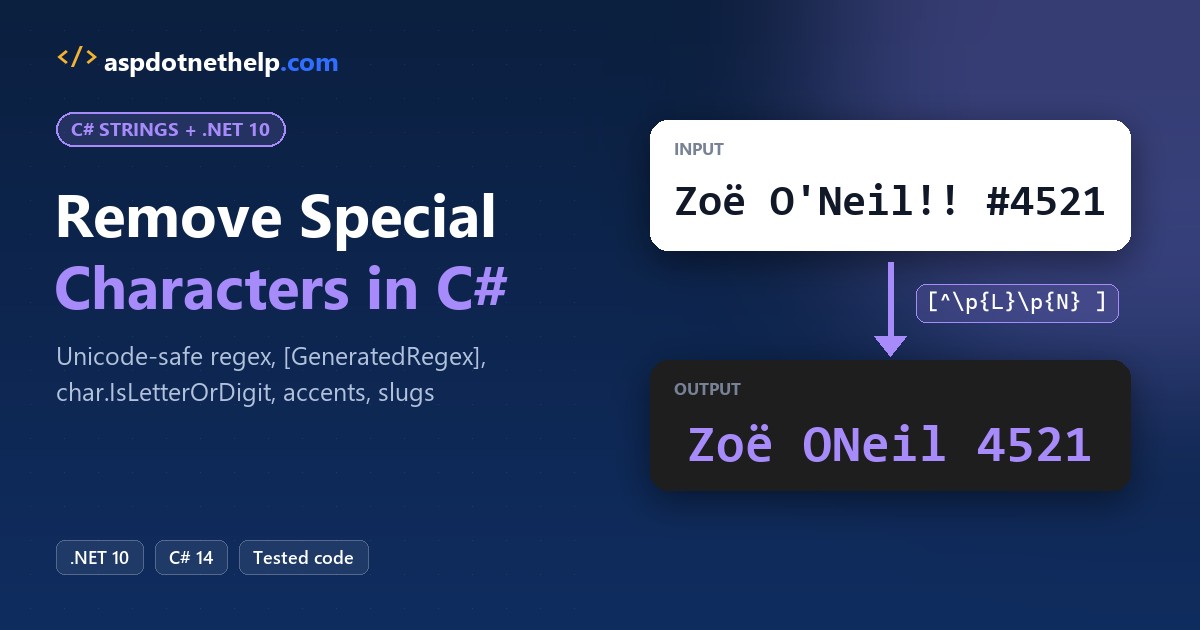
The snippet most people copy to remove special characters from string C# is Regex.Replace(s, "[^a-zA-Z0-9]", ""). I ran it on a customer name from a Phoenix CRM import, next to the fix:
#:property PublishAot=false
using System.Text.RegularExpressions;
Console.OutputEncoding = System.Text.Encoding.UTF8;

string customer = "José Ramírez & Zoë Park!! #4521";

Console.WriteLine(Regex.Replace(customer, "[^a-zA-Z0-9]", ""));
Console.WriteLine(Regex.Replace(customer, @"[^\p{L}\p{N} ]", ""));
JosRamrezZoPark4521
José Ramírez Zoë Park 4521The ASCII pattern deleted the spaces and the accented letters, so José became Jos. The second pattern keeps them.
Quick answer: use a Unicode keep-list, [^\p{L}\p{N} ], then collapse the double spaces. Below, the same sample runs through regex, plain loops and .NET 10 extras.
Keep-List vs Remove-List Regex: Which Pattern Should You Use?
a-z covers only the 26 English letters, so é and ë get deleted like any #. That’s a keep-list done wrong. A remove-list goes the other way and names only what to delete:
#:property PublishAot=false
using System.Text.RegularExpressions;
Console.OutputEncoding = System.Text.Encoding.UTF8;

string note = "Call José re: order #4521 (rush!) ✔";

// remove-list: deletes only the symbols you name
Console.WriteLine(Regex.Replace(note, @"[!@#$%^&*()]", ""));

// keep-list: deletes anything that isn't a letter, digit or space
Console.WriteLine(Regex.Replace(note, @"[^\p{L}\p{N} ]", ""));
Output:
Call José re: order 4521 rush ✔
Call José re order 4521 rush
The remove-list missed the colon and the ✔, because nobody listed them. I’d use one only for a short, known set, like removing one particular character from a string.
Each demo is a .NET 10 file-based app. Note: the Console.OutputEncoding line makes the Windows terminal print accents instead of question marks.
Remove Special Characters but Keep Spaces and Accented Letters
\p{L} is any Unicode letter, \p{N} any number and \s whitespace. Deleting the & leaves two spaces, so \s+ squeezes them:
#:property PublishAot=false
using System.Text.RegularExpressions;
Console.OutputEncoding = System.Text.Encoding.UTF8;

string customer = "José Ramírez & Zoë Park!! #4521";
string handle = "zoe_park_99!";

string kept = Regex.Replace(customer, @"[^\p{L}\p{N}\s]", "");
Console.WriteLine($"[{kept}]");

string tidy = Regex.Replace(kept, @"\s+", " ").Trim();
Console.WriteLine($"[{tidy}]");

// \w is letters, digits AND the underscore
Console.WriteLine(Regex.Replace(handle, @"[^\w]", ""));
Console.WriteLine(Regex.Replace(handle, @"[^\p{L}\p{N}]", ""));
Output:
[José Ramírez  Zoë Park 4521]
[José Ramírez Zoë Park 4521]
zoe_park_99
zoepark99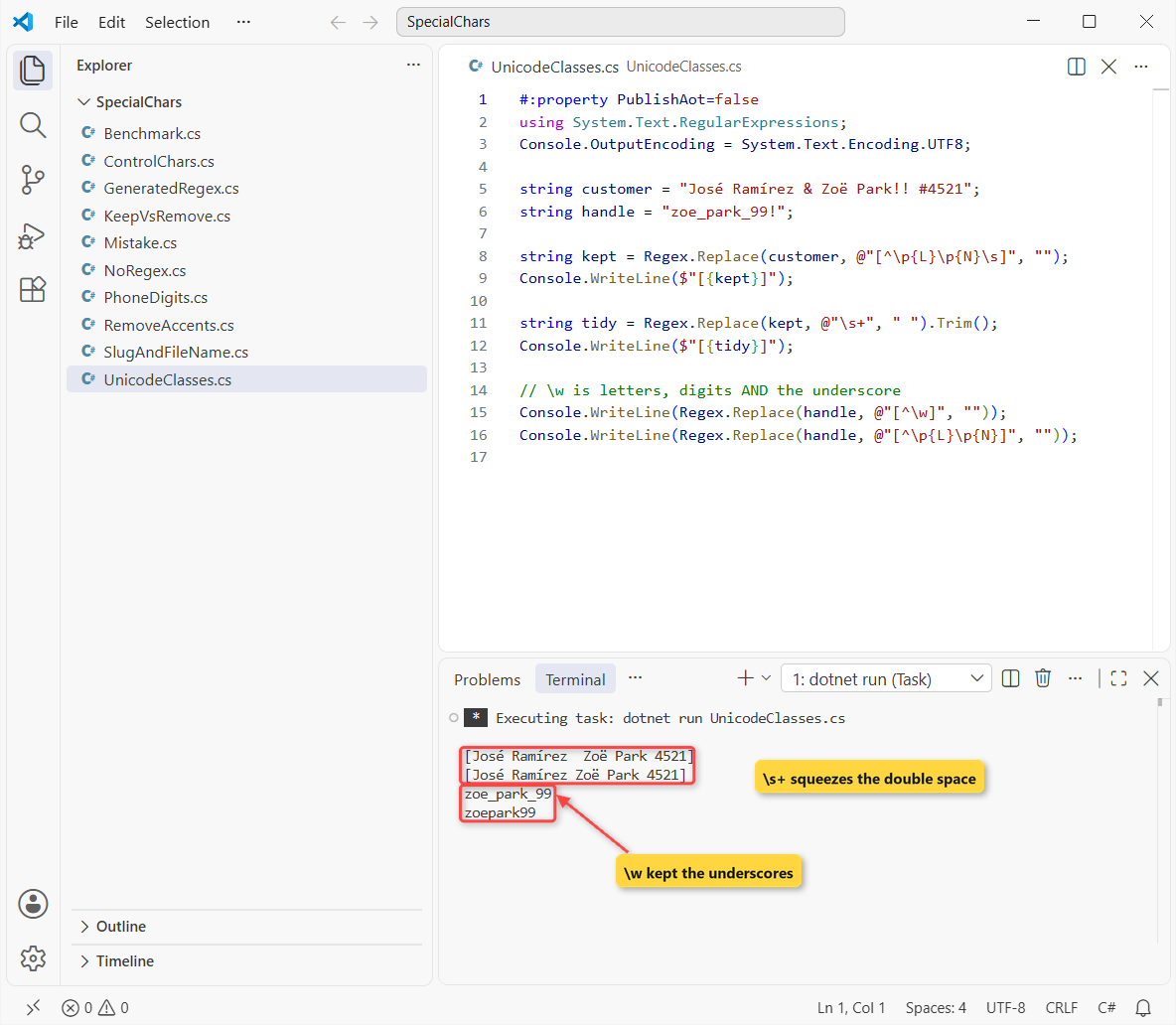
Watch out for \w: it keeps the underscore, so zoe_park_99! became zoe_park_99. To just test for a symbol, check if the string contains the character instead.
Source-Generated Regex with [GeneratedRegex] (.NET 7+)
[GeneratedRegex] makes the compiler write the matching code. It goes on a static partial method (.NET 7+) or a partial property (.NET 9+, C# 13), and caches one instance for you:
#:property PublishAot=false
using System.Text.RegularExpressions;
Console.OutputEncoding = System.Text.Encoding.UTF8;

string[] customers = ["José Ramírez & Zoë Park!! #4521",
    "Zoë O'Neil!! #4521", "Tyler Brooks (Austin, TX)"];
foreach (string customer in customers)
    Console.WriteLine(Cleaner.Clean(customer));

static partial class Cleaner
{
    [GeneratedRegex(@"[^\p{L}\p{N} ]")]
    private static partial Regex Special { get; }

    [GeneratedRegex(" {2,}")]
    private static partial Regex Spaces { get; }

    public static string Clean(string s) =>
        Spaces.Replace(Special.Replace(s, ""), " ").Trim();
}
Output:
José Ramírez Zoë Park 4521
Zoë ONeil 4521
Tyler Brooks Austin TX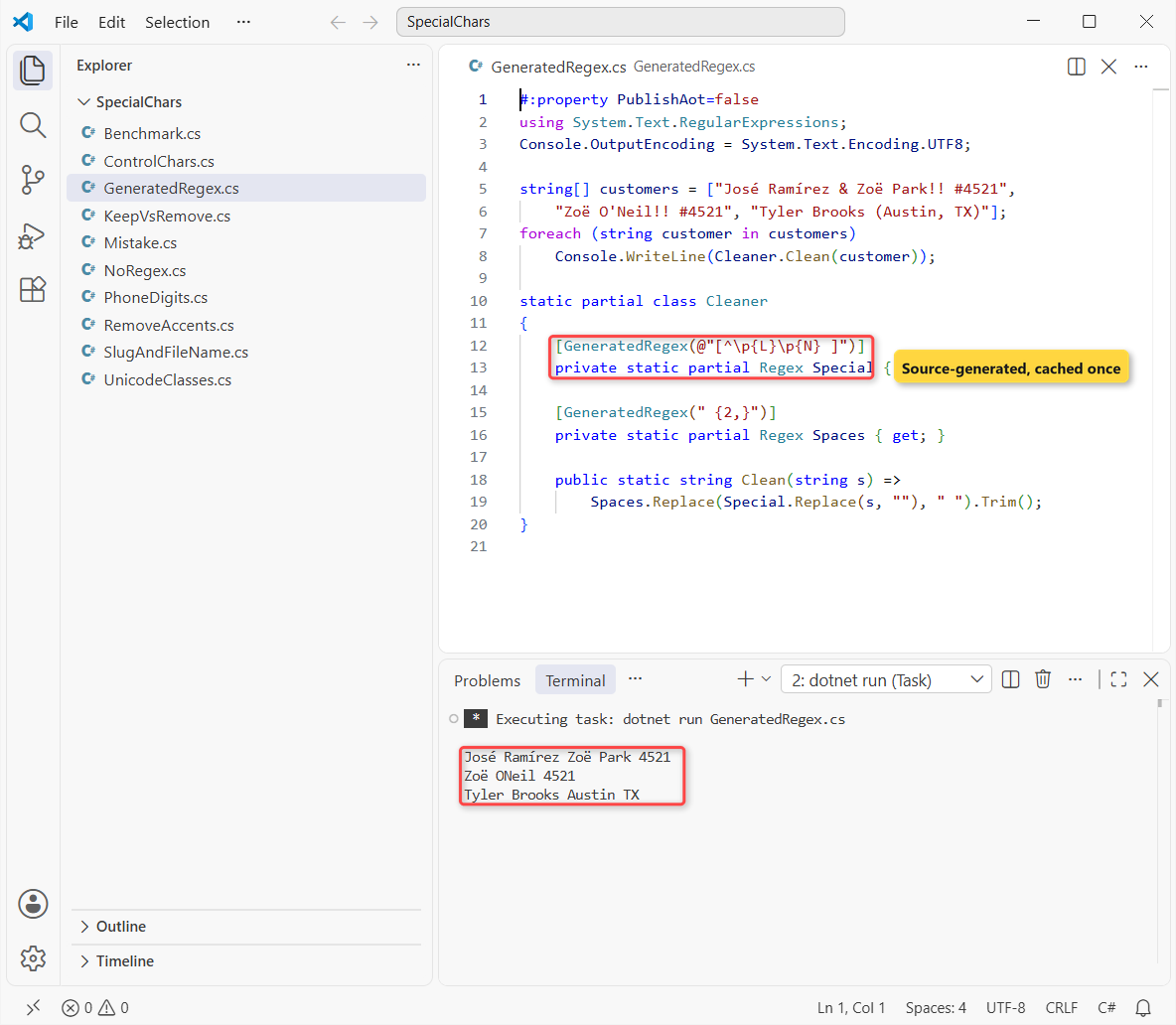
All three names came out clean. The array is a collection expression, and the partial class sits after the top-level code, which file-based apps allow.
Remove Special Characters Without Regex: char.IsLetterOrDigit
char.IsLetterOrDigit is Unicode-aware too, so you don’t need a pattern at all. Three ways on the same string:
#:property PublishAot=false
using System.Text;
Console.OutputEncoding = System.Text.Encoding.UTF8;

string customer = "José Ramírez & Zoë Park!! #4521";

var sb = new StringBuilder(customer.Length);      // 1. loop
foreach (char ch in customer)
    if (Keep(ch)) sb.Append(ch);
Console.WriteLine(sb.ToString());

Console.WriteLine(string.Concat(customer.Where(Keep)));  // 2. LINQ

string fast = string.Create(customer.Count(Keep), customer,  // 3.
    (span, src) => { int i = 0;
        foreach (char ch in src) if (Keep(ch)) span[i++] = ch; });
Console.WriteLine(fast);

static bool Keep(char ch) => char.IsLetterOrDigit(ch) || ch == ' ';
Output:
José Ramírez  Zoë Park 4521
José Ramírez  Zoë Park 4521
José Ramírez  Zoë Park 4521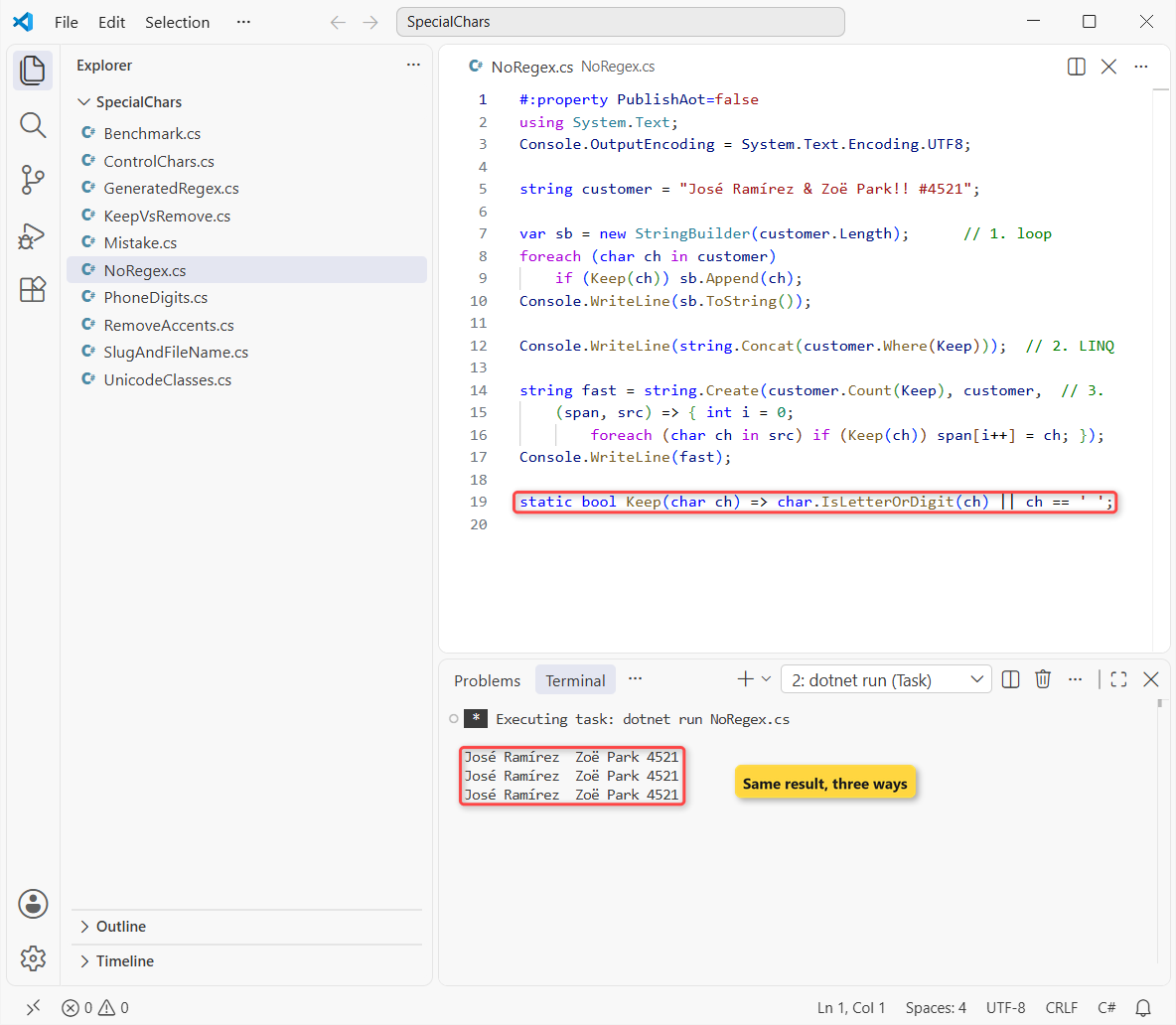
The LINQ Where one-liner is my default. string.Create counts first, then writes straight into the new string.
Which Method Is Fastest? Regex vs GeneratedRegex vs Loop
I timed one million calls of three approaches on a typical dev laptop. #:property Optimize=true turns on compiler optimizations:
#:property PublishAot=false
#:property Optimize=true
using System.Diagnostics;
using System.Text;
using System.Text.RegularExpressions;

string customer = "José Ramírez & Zoë Park!! #4521";
const int N = 1_000_000;

Time("Regex.Replace (static)", s => Regex.Replace(s, @"[^\p{L}\p{N} ]", ""));
Time("[GeneratedRegex]", s => Rx.Special.Replace(s, ""));
Time("StringBuilder loop", s =>
{
    var sb = new StringBuilder(s.Length);
    foreach (char ch in s) if (char.IsLetterOrDigit(ch) || ch == ' ') sb.Append(ch);
    return sb.ToString();
});

void Time(string label, Func<string, string> clean)
{
    for (int i = 0; i < 10_000; i++) clean(customer);   // warm-up
    var sw = Stopwatch.StartNew();
    for (int i = 0; i < N; i++) clean(customer);
    Console.WriteLine($"{label,-24} {sw.ElapsedMilliseconds,5} ms");
}

static partial class Rx
{
    [GeneratedRegex(@"[^\p{L}\p{N} ]")]
    public static partial Regex Special { get; }
}
Output:
Regex.Replace (static)     544 ms
[GeneratedRegex]           359 ms
StringBuilder loop         233 ms
The StringBuilder loop took 233 ms and [GeneratedRegex] 359 ms. The static Regex.Replace took 544 ms, since it checks its cache on every call.
Remove Accents Instead of Deleting Accented Characters
Sometimes you want Jose, not Jos. Normalize(NormalizationForm.FormD) splits é into e plus an accent mark, and dropping each UnicodeCategory.NonSpacingMark leaves the base letter:
#:property PublishAot=false
using System.Globalization;
using System.Text;
Console.OutputEncoding = System.Text.Encoding.UTF8;

string[] names = ["José Ramírez", "Zoë Park", "Renée Côté", "Øyvind Ødegård"];
foreach (string name in names)
    Console.WriteLine($"{name,-15} -> {RemoveAccents(name)}");

static string RemoveAccents(string s)
{
    var sb = new StringBuilder(s.Length);
    foreach (char ch in s.Normalize(NormalizationForm.FormD))
        if (CharUnicodeInfo.GetUnicodeCategory(ch) != UnicodeCategory.NonSpacingMark)
            sb.Append(ch);
    return sb.ToString().Normalize(NormalizationForm.FormC);
}
Output:
José Ramírez    -> Jose Ramirez
Zoë Park        -> Zoe Park
Renée Côté      -> Renee Cote
Øyvind Ødegård  -> Øyvind Ødegard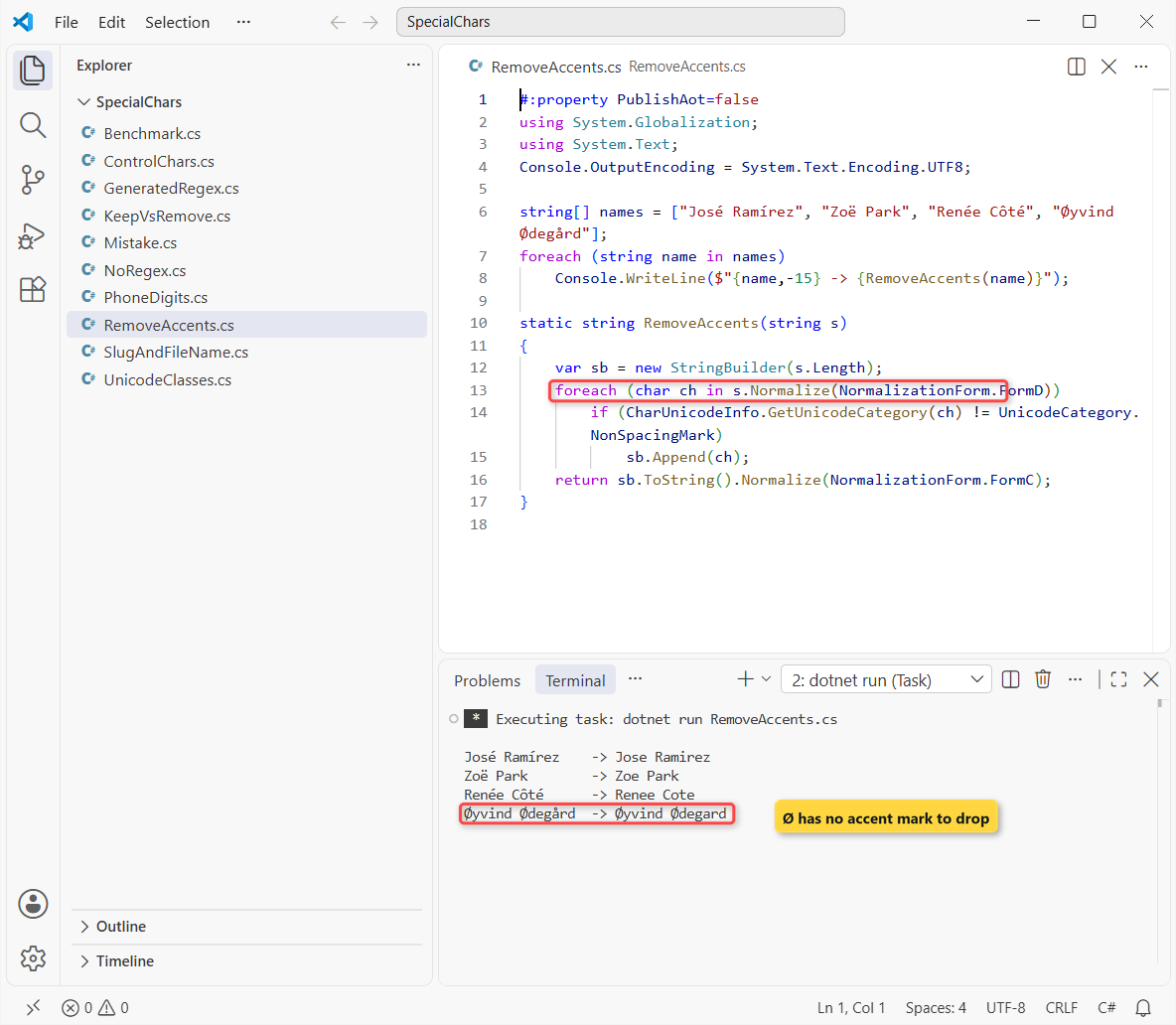
Ø isn’t an O with a mark, so it stayed. It’s the step I add before I compare two strings character by character.
Clean a US Phone Number String to Digits
char.IsAsciiDigit (.NET 7+) keeps 0-9 only, and the code drops a leading 1 country code:
#:property PublishAot=false
Console.OutputEncoding = System.Text.Encoding.UTF8;

string[] phones = ["(555) 010-2026", "555.010.2026",
    "+1 555-010-2026", "555 010 2026 ext. 14"];

foreach (string phone in phones)
{
    string digits = string.Concat(phone.Where(char.IsAsciiDigit));
    if (digits.Length == 11 && digits[0] == '1') digits = digits[1..];
    string status = digits.Length == 10 ? "OK" : "check";
    Console.WriteLine($"{phone,-21} {digits,-13} {status}");
}
Output:
(555) 010-2026        5550102026    OK
555.010.2026          5550102026    OK
+1 555-010-2026       5550102026    OK
555 010 2026 ext. 14  555010202614  check
Every format became 5550102026. The extension case is flagged, since 12 digits isn’t a US number.
Turn a String into a URL Slug or Safe File Name
A slug strips accents, lowercases, and turns each run of other characters into one hyphen. A file name only loses what Path.GetInvalidFileNameChars lists:
#:property PublishAot=false
using System.Globalization;
using System.Text;
using System.Text.RegularExpressions;
Console.OutputEncoding = System.Text.Encoding.UTF8;

string title = "José's Café & Bakery: Best Tacos in Austin, TX!";
string plain = string.Concat(title.Normalize(NormalizationForm.FormD).Where(ch =>
    CharUnicodeInfo.GetUnicodeCategory(ch) != UnicodeCategory.NonSpacingMark));
string slug = Regex.Replace(plain.ToLowerInvariant().Replace("'", ""), "[^a-z0-9]+", "-");
Console.WriteLine(slug.Trim('-'));

string report = "Q4 Sales: Austin/Dallas <draft>?.xlsx";
char[] invalid = Path.GetInvalidFileNameChars();
string file = string.Concat(report.Select(ch => invalid.Contains(ch) ? '_' : ch));
Console.WriteLine(file);
Console.WriteLine($"{invalid.Length} invalid file name characters on Windows");
Output:
joses-cafe-bakery-best-tacos-in-austin-tx
Q4 Sales_ Austin_Dallas _draft__.xlsx
41 invalid file name characters on Windows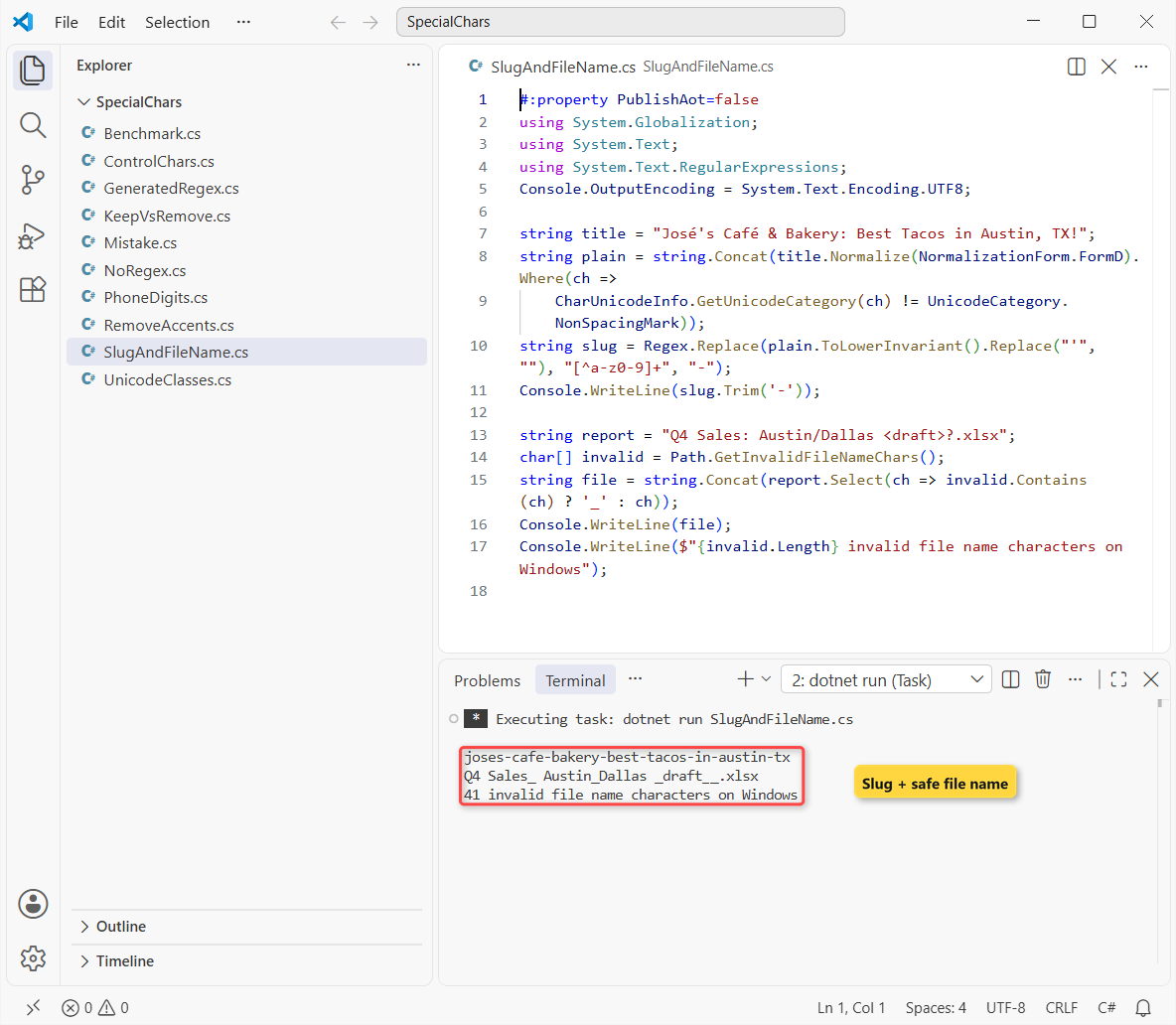
Windows returned 41 invalid characters. Linux and macOS block only the null character and /, so don’t hard-code the list.
Remove Control and Invisible Characters from a String
Text pasted from Excel can carry tabs, line breaks and an invisible zero-width space (U+200B). Trim() and char.IsControl both miss that last one:
#:property PublishAot=false
using System.Text.RegularExpressions;
Console.OutputEncoding = System.Text.Encoding.UTF8;

string pasted = "Jenna Morales\t\u200B\r\n";   // copied from a spreadsheet

Console.WriteLine($"Original:     {pasted.Length} chars");
Console.WriteLine($"Trim():       {pasted.Trim().Length} chars");

string noControl = string.Concat(pasted.Where(ch => !char.IsControl(ch)));
Console.WriteLine($"IsControl:    {noControl.Length} chars");

string clean = Regex.Replace(pasted, @"\p{C}+", "");
Console.WriteLine($"\\p{{C}} regex:  {clean.Length} chars [{clean}]");
Output:
Original:     17 chars
Trim():       15 chars
IsControl:    14 chars
\p{C} regex:  13 chars [Jenna Morales]
Only \p{C} (control, format and unassigned characters) got the name down to its real 13 characters.
Common Errors When Removing Special Characters
| Mistake | What happens | Fix |
|---|---|---|
[^a-zA-Z0-9] on names | Accented letters and spaces vanish | [^\p{L}\p{N} ] |
\w as the keep-list | Underscores survive | \p{L}\p{N} |
[^A-Za-z0-9 -.] | Space-to-dot is a range, so !#& stay | Put - last or escape it |
"\p{L}" in a normal string | CS1009: unrecognized escape sequence | Use a verbatim @"..." string |
null input | ArgumentNullException | s ?? "" first |
Guard nulls with the checks in checking if a string is null or empty, not a try-catch around every call.
Which Way to Remove Special Characters Should You Pick?
- Names and addresses: the
[^\p{L}\p{N} ]keep-list, as[GeneratedRegex]if it runs often. - Millions of rows: the
char.IsLetterOrDigitloop. - Slugs and search keys: remove accents first, then an ASCII keep-list.
- Phone numbers and ZIP codes:
char.IsAsciiDigit.
More string recipes are on my C# tutorials page.
If you’re cleaning text, these string posts help too:
- Remove the last character from a string in C#
- Get the first N characters of a string
- Reverse a string in C#
- Convert a string to a byte array in C#
Frequently Asked Questions
How do I remove special characters from a string in C# but keep spaces?
Use Regex.Replace(s, @"[^\p{L}\p{N} ]", ""). The space inside the class keeps spaces; add Regex.Replace(result, @"\s+", " ").Trim() to collapse doubles.
What is the regex to remove special characters in C#?
[^\p{L}\p{N}] removes everything except letters and digits in any language. Microsoft’s character classes reference lists every \p{} category.
How do I remove non-alphanumeric characters without regex?
Filter with char.IsLetterOrDigit: string.Concat(s.Where(char.IsLetterOrDigit)), or a StringBuilder loop when speed matters.
Should I use [GeneratedRegex] or new Regex()?
Use [GeneratedRegex] whenever the pattern is known at compile time (.NET 7+). Microsoft’s regex source generator guide recommends it over RegexOptions.Compiled.
How do I remove accents from letters in C#?
Call s.Normalize(NormalizationForm.FormD), drop characters whose category is UnicodeCategory.NonSpacingMark, then normalize back to FormC.

Bijay Kumar is a renowned software engineer, accomplished author, and distinguished Microsoft Most Valuable Professional (MVP) specializing in SharePoint. With a rich professional background spanning over 15 years, Bijay has established himself as an authority in the field of information technology. He possesses unparalleled expertise in multiple programming languages and technologies such as ASP.NET, ASP.NET MVC, C#.NET, and SharePoint, which has enabled him to develop innovative and cutting-edge solutions for clients across the globe. Read more…