
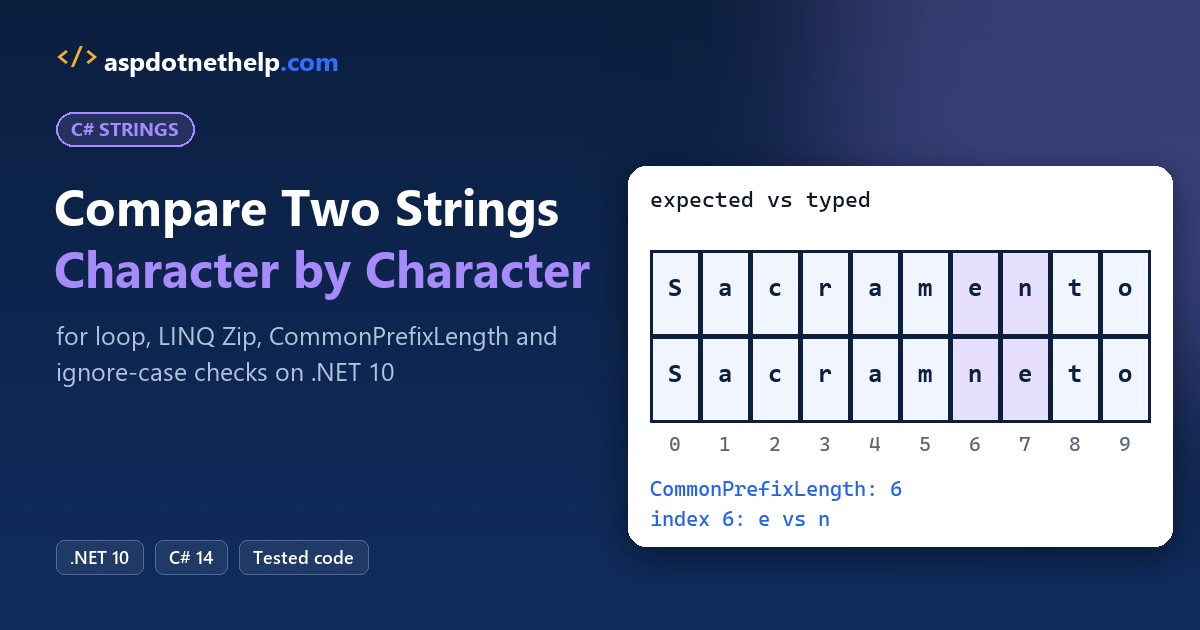
If you need to compare two strings character by character in C#, loop over the indexes up to the shorter length with Math.Min, return the first index where a[i] != b[i], and count a leftover tail as a difference.
For a plain yes or no, or the length of the matching start, span methods like SequenceEqual and CommonPrefixLength skip the loop entirely. I ran every version on .NET 10 against a typo you’ve probably seen on an address form.
The Sample Strings We’ll Use
Picture a shipping desk in Sacramento, CA that checks what a clerk typed against the system of record. I’ll reuse three pairs all the way through:
| Pair | Expected | Typed | What’s tricky |
|---|---|---|---|
| City | Sacramento | Sacramneto | Two swapped letters at index 6 and 7, same length |
| ZIP code | 95814 | 95841 | Digits swapped at the end; ZIP+4 95814-2604 is longer |
| Order ID | ORD-2026-10482 | ord-2026-10482 | Only the letter case differs |
ZIP codes stay strings, never numbers, because a ZIP like 02134 would lose its zero. That’s the same reason you add leading zeros to a string in C# instead of storing an int.
Method 1: Compare Two Strings Character by Character with a for Loop (Recommended)
Use this when you want the exact position of the first mismatch, for example to point at the bad letter in a form. It’s the fastest readable option and works on every .NET version.
Here’s the code, run on the city and ZIP pairs:
string expected = "Sacramento";
string typed = "Sacramneto";

int i = FirstDifference(expected, typed);
Console.WriteLine($"First difference at {i}: '{expected[i]}' vs '{typed[i]}'");
Console.WriteLine(FirstDifference("95814", "95814-2604"));  // prefix
Console.WriteLine(FirstDifference("95814", "95814"));       // same

static int FirstDifference(string a, string b)
{
    int shorter = Math.Min(a.Length, b.Length);
    for (int i = 0; i < shorter; i++)
        if (a[i] != b[i]) return i;
    return a.Length == b.Length ? -1 : shorter;
}
Output:
First difference at 6: 'e' vs 'n'
5
-1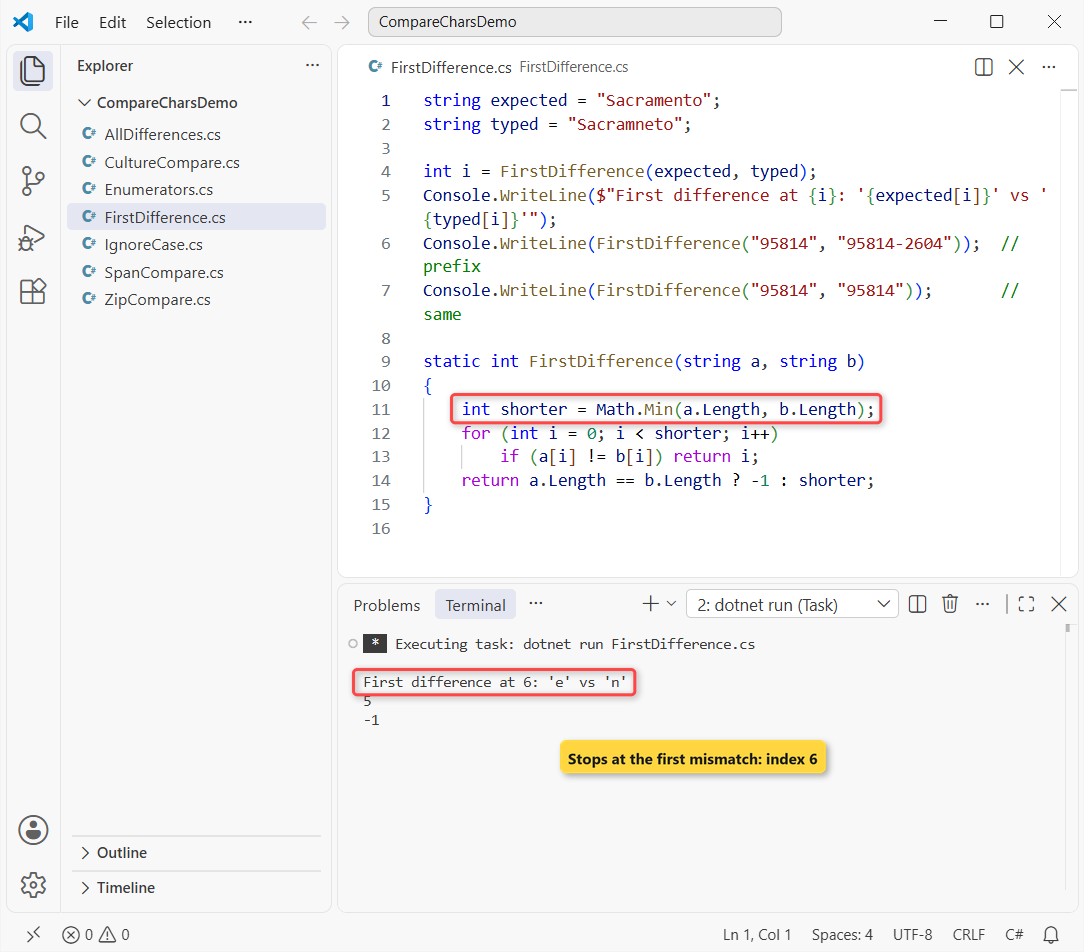
Sacramneto first breaks at index 6 (‘e’ vs ‘n’), the ZIP+4 pair returns 5 because one string is a prefix of the other, and identical strings return -1.
How does this code work?
Math.Min caps the loop at the shorter length, so a[i] and b[i] never throw IndexOutOfRangeException. The for loop in C# compares one char pair per pass and returns as soon as they differ.
If the loop finishes, the shared part matched. Equal lengths mean the strings are identical (-1); otherwise the first extra character, at index shorter, is the difference.
Important: don’t bail out just because the lengths differ, since that hides where the strings split. Returning shorter still tells you “95814” is the start of the ZIP+4, the check you’d do when you get the first N characters of a string.
Method 2: List Every Difference and Count Matching Characters
Sometimes the first mismatch isn’t enough. Same three strings, but now I want every position that differs, plus a count of matching characters:
ListDifferences("95814", "95841");
ListDifferences("Sacramento", "Sacramneto");
ListDifferences("ORD-10482", "ORD-104829");

static void ListDifferences(string a, string b)
{
    Console.WriteLine($"{a} vs {b}");
    int longer = Math.Max(a.Length, b.Length), matches = 0;
    for (int i = 0; i < longer; i++)
    {
        char? x = i < a.Length ? a[i] : null;
        char? y = i < b.Length ? b[i] : null;
        if (x == y) { matches++; continue; }
        Console.WriteLine($"  index {i}: '{x?.ToString() ?? "(none)"}' vs '{y?.ToString() ?? "(none)"}'");
    }
    Console.WriteLine($"  {matches} of {longer} positions match");
}
Output:
95814 vs 95841
  index 3: '1' vs '4'
  index 4: '4' vs '1'
  3 of 5 positions match
Sacramento vs Sacramneto
  index 6: 'e' vs 'n'
  index 7: 'n' vs 'e'
  8 of 10 positions match
ORD-10482 vs ORD-104829
  index 9: '(none)' vs '9'
  9 of 10 positions match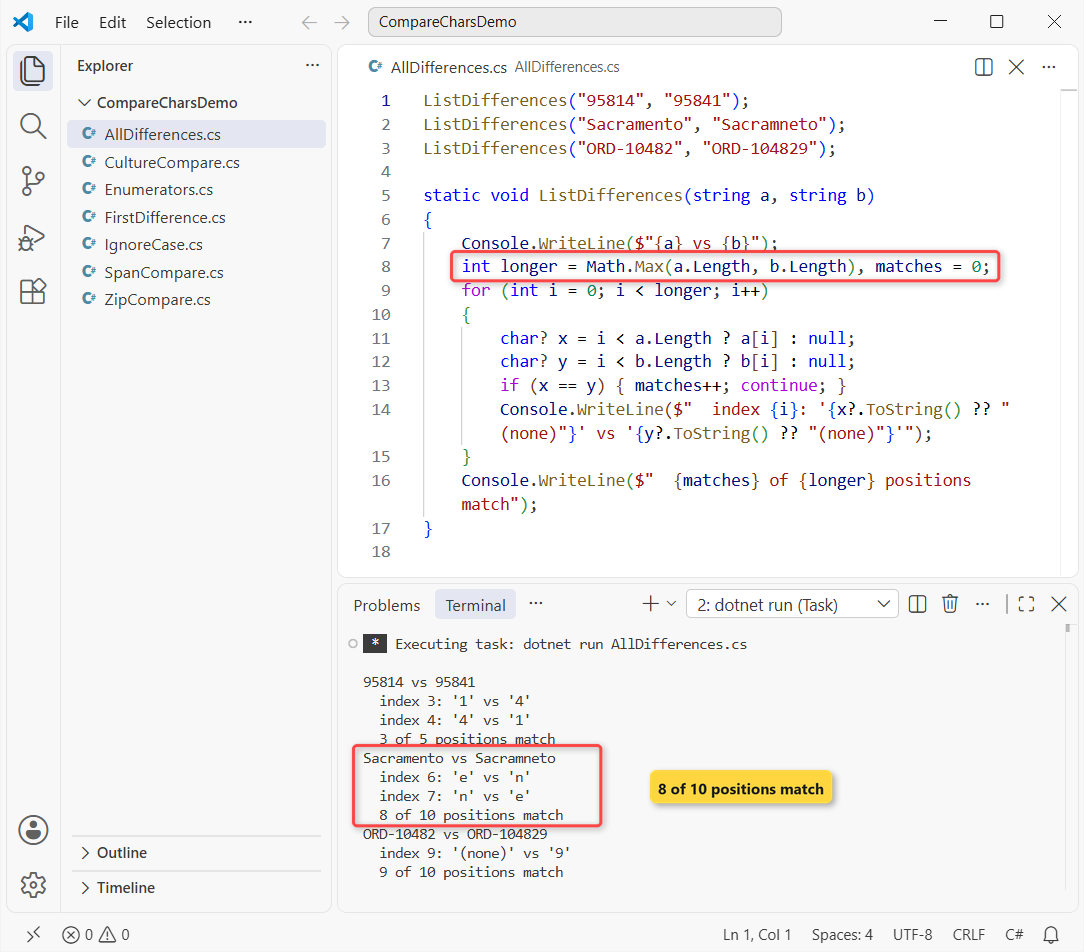
The ZIP pair differs at index 3 and 4, Sacramneto at 6 and 7 (8 of 10 positions match), and the order ID has an extra ‘9’ at index 9.
How does this code work?
This time the loop runs to Math.Max, the longer length. A char? holds each character or null when that string has already ended, so missing characters show up as (none) instead of crashing.
x == y compares the nullable chars, and every match bumps the counter. Once you know index 9 is a stray digit, you can remove a particular character from a string to fix it.
Method 3: Walk Both Strings with Enumerators
A string is an IEnumerable<char>, so you can step through two strings without indexes. Same Sacramento typo here:
using var left = "Sacramento".GetEnumerator();
using var right = "Sacramneto".GetEnumerator();
int position = 0;

while (left.MoveNext() && right.MoveNext())
{
    if (left.Current != right.Current)
    {
        Console.WriteLine($"Differ at {position}: {left.Current} vs {right.Current}");
        break;
    }
    position++;
}
Output:
Differ at 6: e vs nIt prints “Differ at 6: e vs n”. The while loop runs while both MoveNext() calls return true, which stops it at the shorter string.
I only use this pattern when the input is a stream of characters rather than a string. For two strings, the indexed loop is shorter, and a foreach loop can’t walk two sequences at once.
Method 4: Case-Insensitive Character Comparison
The order ID pair differs only in case. Here’s how the built-in comparisons and a case-insensitive loop treat it:
string system = "ORD-2026-10482";
string typed = "ord-2026-10482";

var ignore = StringComparison.OrdinalIgnoreCase;

Console.WriteLine($"==      : {system == typed}");
Console.WriteLine($"Equals  : {string.Equals(system, typed, ignore)}");
Console.WriteLine($"Compare : {string.Compare(system, typed, ignore)}");

int firstDiff = -1;
for (int i = 0; i < Math.Min(system.Length, typed.Length); i++)
{
    if (char.ToUpperInvariant(system[i]) != char.ToUpperInvariant(typed[i]))
    { firstDiff = i; break; }
}
Console.WriteLine($"Loop, ignoring case: {firstDiff}");
Output:
==      : False
Equals  : True
Compare : 0
Loop, ignoring case: -1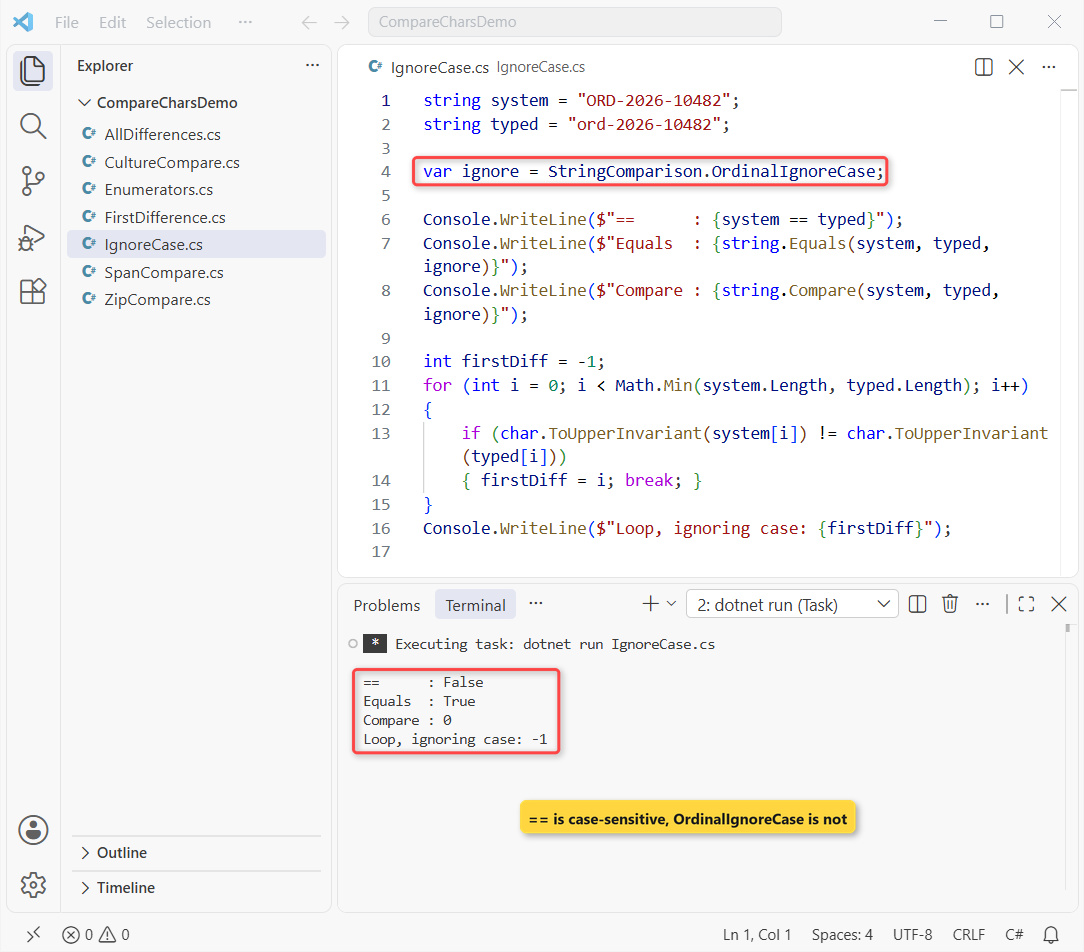
== returns False, while string.Equals and string.Compare with StringComparison.OrdinalIgnoreCase return True and 0. The loop finds no difference (-1).
How does this code work?
char.ToUpperInvariant upper-cases each character with the invariant culture’s rules, so ‘o’ and ‘O’ compare equal no matter which culture the PC runs. Don’t use ToUpper() here; it follows the current culture.
Use string.Equals for a yes or no and the loop only when you need the position. If you’re matching one input against a list of allowed values instead, see how to compare a string with multiple values in C#.
Method 5: Compare Characters with LINQ Zip
LINQ’s Zip pairs up the characters of two sequences. Same city strings again, with differences and the matching count in a few lines:
string expected = "Sacramento";
string typed = "Sacramneto";

var diffs = expected.Zip(typed)
    .Select((pair, index) => (index, pair.First, pair.Second))
    .Where(x => x.First != x.Second);

foreach (var (index, want, got) in diffs)
    Console.WriteLine($"index {index}: {want} vs {got}");

int matching = expected.Zip(typed).Count(p => p.First == p.Second);
Console.WriteLine($"Matching characters: {matching} of {expected.Length}");

// Zip stops at the shorter string, so this looks like a match:
Console.WriteLine("95814".Zip("95814-2604").All(p => p.First == p.Second));
Output:
index 6: e vs n
index 7: n vs e
Matching characters: 8 of 10
True
It finds index 6 and 7 and 8 matching characters out of 10, the same answer as Method 2.
How does this code work?
expected.Zip(typed) returns tuples with First and Second. The Select overload with an index adds the position, and Where keeps the pairs that differ.
So here’s the catch: Zip stops at the shorter sequence. That’s why the last line prints True for “95814” against “95814-2604”. Check the lengths too, or use Method 1.
Pro Tip: to rebuild a string from the pairs you kept, collect the chars into an array and convert the char array to a string with new string(chars).
Method 6: Compare Strings with Span SequenceEqual and CommonPrefixLength
MemoryExtensions works on ReadOnlySpan<char> and does the character loop for you, vectorized. CommonPrefixLength needs .NET 7 or later. Here’s the code:
ReadOnlySpan<char> expected = "Sacramento";
ReadOnlySpan<char> typed = "Sacramneto";

Console.WriteLine($"SequenceEqual: {expected.SequenceEqual(typed)}");
Console.WriteLine($"CommonPrefixLength: {expected.CommonPrefixLength(typed)}");
Console.WriteLine($"ZIP prefix: {"95814".AsSpan().CommonPrefixLength("95841")}");

ReadOnlySpan<char> order = "ORD-2026-10482";
Console.WriteLine($"Ignore case: {order.Equals("ord-2026-10482", StringComparison.OrdinalIgnoreCase)}");

// LINQ on the string: same result, but enumerates char by char
Console.WriteLine($"LINQ SequenceEqual: {"Sacramento".SequenceEqual("Sacramneto")}");
Output:
SequenceEqual: False
CommonPrefixLength: 6
ZIP prefix: 3
Ignore case: True
LINQ SequenceEqual: False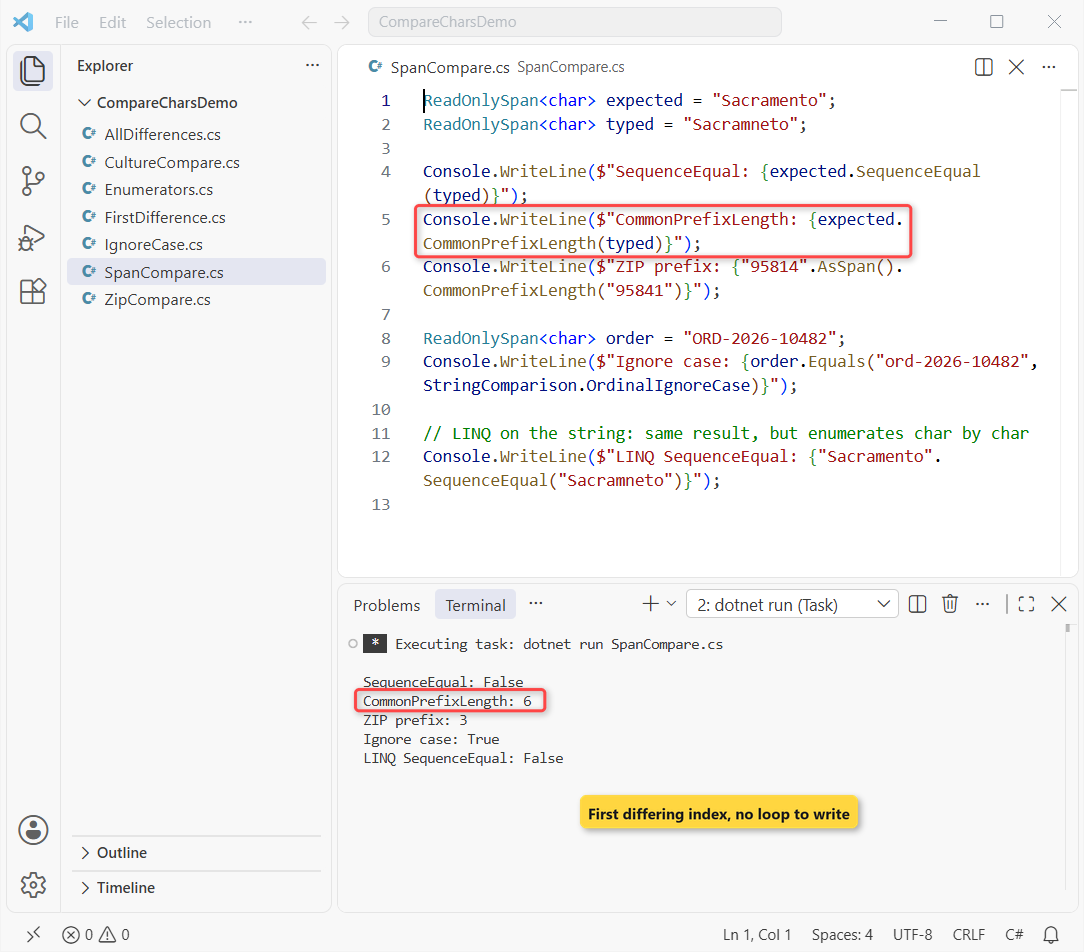
SequenceEqual returns False, CommonPrefixLength returns 6 for the city and 3 for the ZIP codes, and the case-insensitive span check returns True.
How does this code work?
CommonPrefixLength counts how many leading characters match, which is the first differing index whenever the strings differ inside the shorter one. It returns 0 when nothing matches.
SequenceEqual on spans compares element by element. On the plain string, the LINQ SequenceEqual gives the same answer but enumerates each char, so I prefer the span version in hot code.
Does Culture Change a Character-by-Character Comparison?
Yes, and it’s the reason a char loop and a culture-aware compare can disagree. Here’s “Café” written two ways, with the culture set to en-US:
using System.Globalization;
CultureInfo.CurrentCulture = new CultureInfo("en-US");

string precomposed = "Caf\u00E9";    // é as one char
string combining = "Cafe\u0301";     // e + combining accent

Console.WriteLine($"Lengths: {precomposed.Length} and {combining.Length}");
Console.WriteLine($"Ordinal : {string.Compare(precomposed, combining, StringComparison.Ordinal)}");
Console.WriteLine($"Culture : {string.Compare(precomposed, combining, StringComparison.CurrentCulture)}");
Console.WriteLine($"Same after Normalize(): {precomposed == combining.Normalize()}");
Output:
Lengths: 4 and 5
Ordinal : 132
Culture : 0
Same after Normalize(): True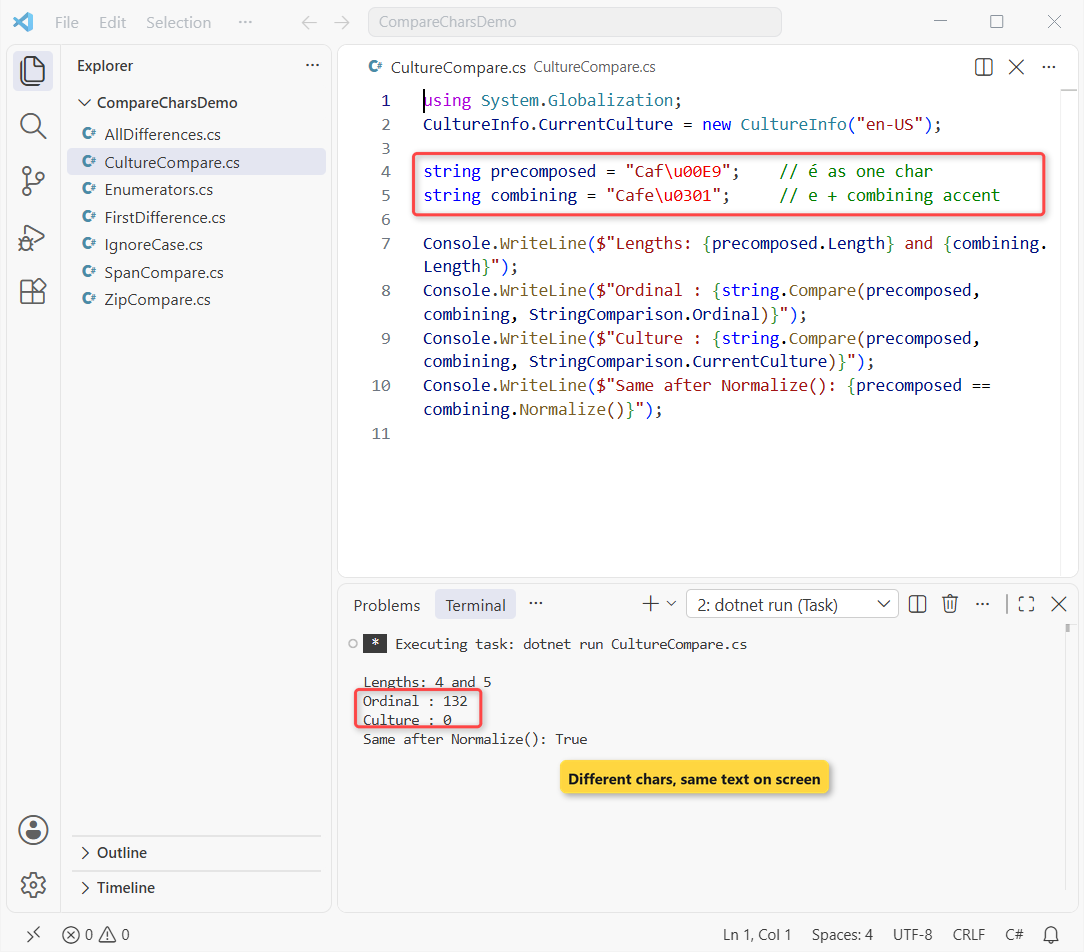
The strings have 4 and 5 chars, so any character-by-character method, ordinal compare included, calls them different. The culture-aware compare returns 0 because both render as Café.
A char loop is an ordinal comparison. If text comes from different keyboards or files, call Normalize() on both strings first; the last line shows they match afterward. The same applies when you check if a string contains a character like é.
Which Method Should You Use to Compare Strings Character by Character?
| You need | Use | Why |
|---|---|---|
| Index of the first difference | for loop with Math.Min (Method 1) | Fast, clear, handles different lengths |
| Every difference and a match count | Loop to Math.Max (Method 2) | Reports missing chars too |
| Ignore case | string.Equals + OrdinalIgnoreCase | One call; loop with ToUpperInvariant for the position |
| Short, readable query | LINQ Zip (Method 5) | Watch the shorter-string cutoff |
| Matching prefix length | CommonPrefixLength (Method 6) | .NET 7+, no loop to write |
| Just equal or not | == or SequenceEqual | Don’t loop at all |
I’d start with Method 1 and switch to CommonPrefixLength when the code is performance-sensitive. Guard against null first: check if a string is not null or empty before you index into it.
Things to Keep in Mind
- Index only up to the shorter length, or you’ll hit IndexOutOfRangeException.
- Decide whether a longer string counts as a difference; Zip and the enumerator loop ignore the tail.
- Use char.ToUpperInvariant, not ToUpper(), for case-insensitive character checks.
- A char loop is ordinal: normalize text with Normalize() when accents may be stored two ways.
- Don’t write a loop just to test equality; == and string.Equals are faster and clearer.
Working with ZIP codes, cities and order IDs? These posts pair well with this one:
- String vs StringBuilder in C# for building reports
- Remove the last character from a string in C#
- Check if a string array contains a value
- Reverse a string in C#
Frequently Asked Questions
How do I find the index where two strings differ in C#?
Loop from 0 to Math.Min(a.Length, b.Length) and return the first i where a[i] != b[i]. On .NET 7 or later, a.AsSpan().CommonPrefixLength(b) returns the same index without a loop.
Does == compare strings character by character?
Yes. == on strings is an ordinal, case-sensitive comparison of the characters, so it returns true only when both strings have the same length and the same chars. It doesn’t tell you where they differ.
How do I compare two strings character by character and ignore case?
Compare char.ToUpperInvariant(a[i]) with char.ToUpperInvariant(b[i]) in the loop. For a simple yes or no, string.Equals(a, b, StringComparison.OrdinalIgnoreCase) does it in one call.
How do I count matching characters in two strings?
Count the positions where the characters are equal: a.Zip(b).Count(p => p.First == p.Second). Sacramento and Sacramneto share 8 of 10 positions.
Is CommonPrefixLength available for strings?
It’s an extension on spans, so call text.AsSpan().CommonPrefixLength(other). The MemoryExtensions.CommonPrefixLength page on Microsoft Learn lists the overloads, including one that takes an IEqualityComparer.
Should I use ordinal or culture comparison?
Use ordinal (or OrdinalIgnoreCase) for IDs, codes and file names, and culture-aware comparison only for text you show to people. Microsoft’s best practices for comparing strings recommends the same.

Bijay Kumar is a renowned software engineer, accomplished author, and distinguished Microsoft Most Valuable Professional (MVP) specializing in SharePoint. With a rich professional background spanning over 15 years, Bijay has established himself as an authority in the field of information technology. He possesses unparalleled expertise in multiple programming languages and technologies such as ASP.NET, ASP.NET MVC, C#.NET, and SharePoint, which has enabled him to develop innovative and cutting-edge solutions for clients across the globe. Read more…