
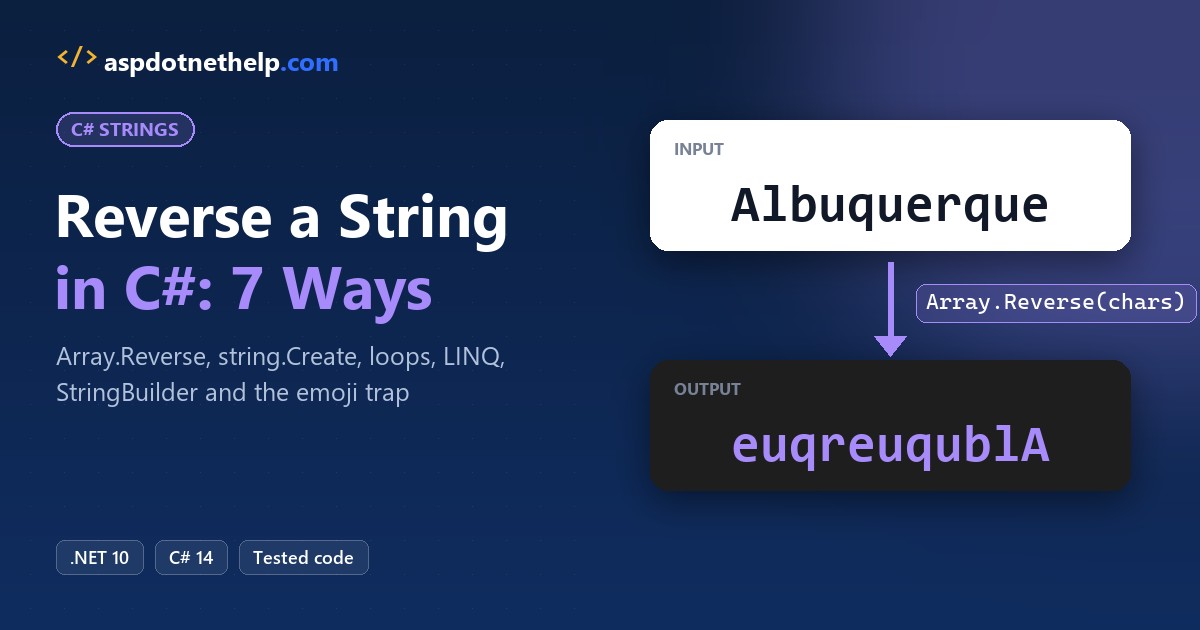
Need to turn “Albuquerque” into “euqreuqublA”? To reverse a string in C#, copy it with ToCharArray(), flip the copy with Array.Reverse(), and wrap it in new string(...). C# strings don’t have a built-in Reverse() method, so that three-step pattern is the standard answer.
char[] chars = text.ToCharArray();
Array.Reverse(chars);
string reversed = new string(chars);
In this tutorial, I’ll cover seven ways to reverse a string in C#: Array.Reverse, string.Create with spans, a for loop, a while loop, LINQ, StringBuilder and recursion. Then we’ll reverse words and fix the emoji problem.
I’ll reuse the same US city names as sample data throughout, and I ran these snippets with dotnet run on .NET 10, so the outputs you see are the real ones.
Method 1: Reverse a String in C# with Array.Reverse()
This is the method I use in everyday code. It’s short, readable, and it runs on every .NET version you’ll meet.
Here it is wrapped in a small helper, run against three cities:
string[] cities = { "Albuquerque", "Sacramento", "Tallahassee" };

foreach (string city in cities)
    Console.WriteLine($"{city,-12} -> {ReverseString(city)}");

static string ReverseString(string s)
{
    if (string.IsNullOrEmpty(s)) return s;

    char[] chars = s.ToCharArray();   // copy the characters
    Array.Reverse(chars);             // reverse the copy in place
    return new string(chars);         // build the new string
}
Output:
Albuquerque  -> euqreuqublA
Sacramento   -> otnemarcaS
Tallahassee  -> eessahallaT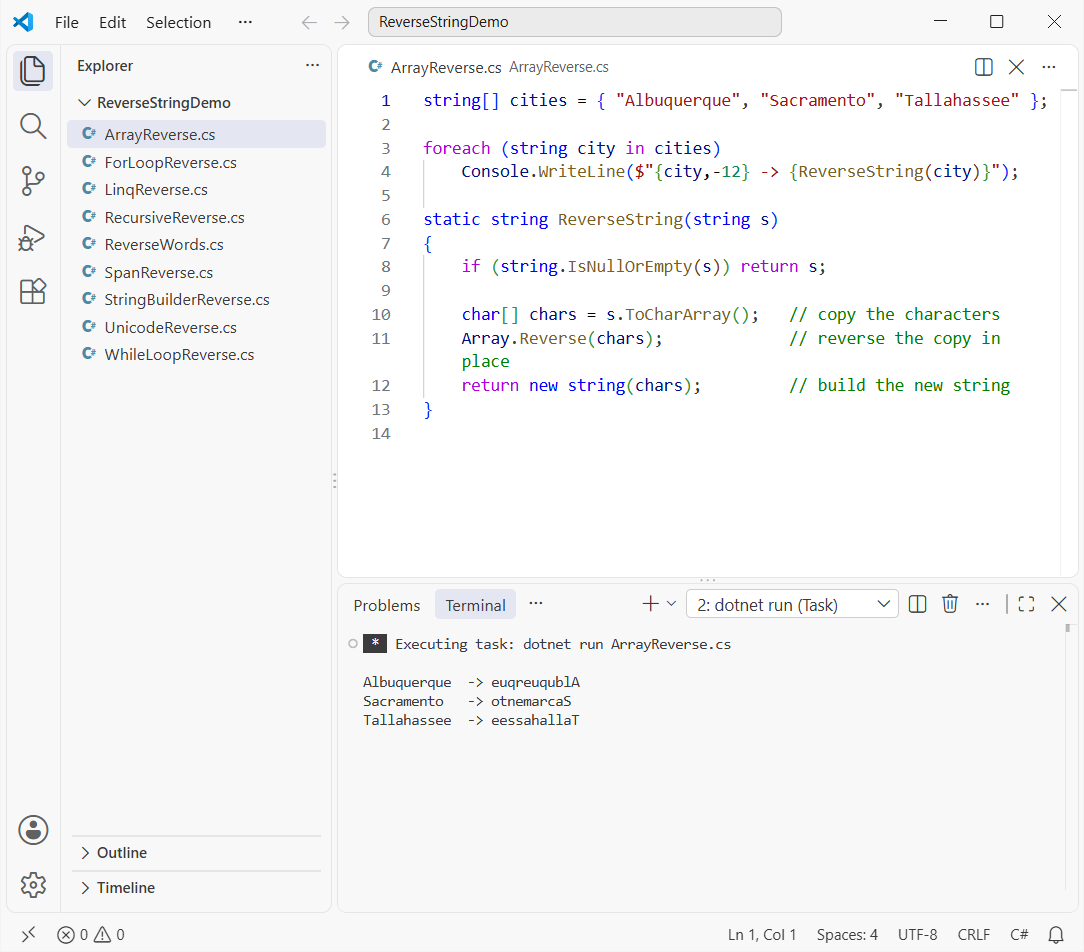
How does this code work?
ToCharArray()copies the string into a newchar[], because strings are immutable and can’t be changed in place.Array.Reverse(chars)reverses that array in place. It returns nothing.new string(chars)turns the array back into a string. My guide on how to convert a char array to a string shows the other options.
Pro Tip: Keep the null guard. Calling ToCharArray() on null throws, so check first, the same way you’d check if a string is null or empty anywhere else.
Method 2: Reverse a String with string.Create and Span (.NET 10)
Method 1 allocates twice: once for the char[] and once for the final string. string.Create lets you write straight into the new string’s buffer, so there’s only one allocation.
string[] cities = { "Albuquerque", "Sacramento", "Tallahassee" };

foreach (string city in cities)
    Console.WriteLine($"{city,-12} -> {ReverseFast(city)}");

static string ReverseFast(string s) =>
    string.Create(s.Length, s, static (span, source) =>
    {
        source.AsSpan().CopyTo(span);   // fill the new string's buffer
        span.Reverse();                 // MemoryExtensions.Reverse, in place
    });
Output:
Albuquerque  -> euqreuqublA
Sacramento   -> otnemarcaS
Tallahassee  -> eessahallaT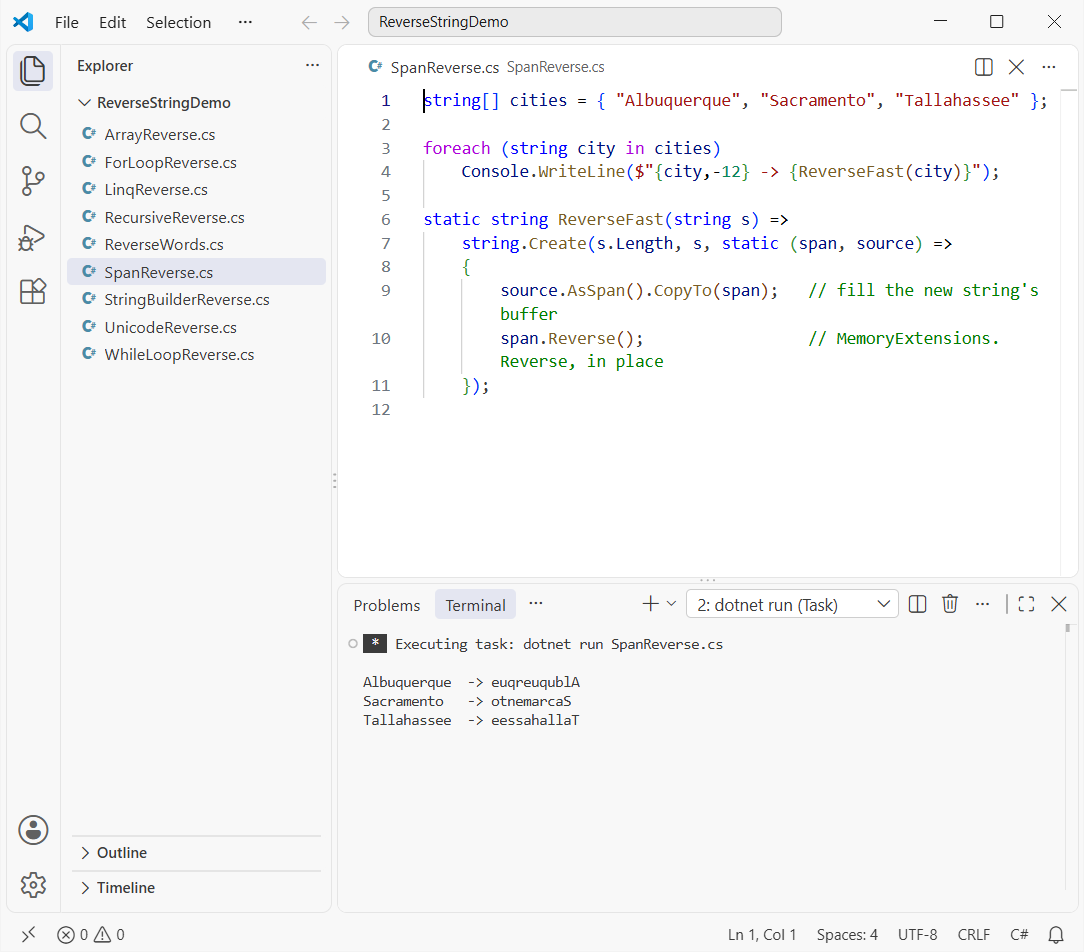
How does this code work?
string.Create hands your callback a Span<char> of the right length. The callback copies the source into it, then span.Reverse() flips it in place.
The static lambda can’t capture variables, so the source string travels in as the state argument. The same Span.Reverse() trick works when you need to reverse an array in C#.
Pro Tip: Every slot in the span must be written. Microsoft’s docs say the initial contents are undefined, and copying the whole source first takes care of that.
Method 3: Reverse a String in C# Using a for Loop
Interviewers love this one because it shows you understand indexes. The loop reads the string from the front and writes each character into the mirrored slot of a new array.
string city = "Albuquerque";

Console.WriteLine($"Original: {city}");
Console.WriteLine($"Reversed: {ReverseWithFor(city)}");

static string ReverseWithFor(string s)
{
    int length = s.Length;
    char[] reversed = new char[length];

    for (int i = 0; i < length; i++)
    {
        reversed[length - 1 - i] = s[i];   // first char goes to the last slot
    }

    return new string(reversed);
}
Output:
Original: Albuquerque
Reversed: euqreuqublA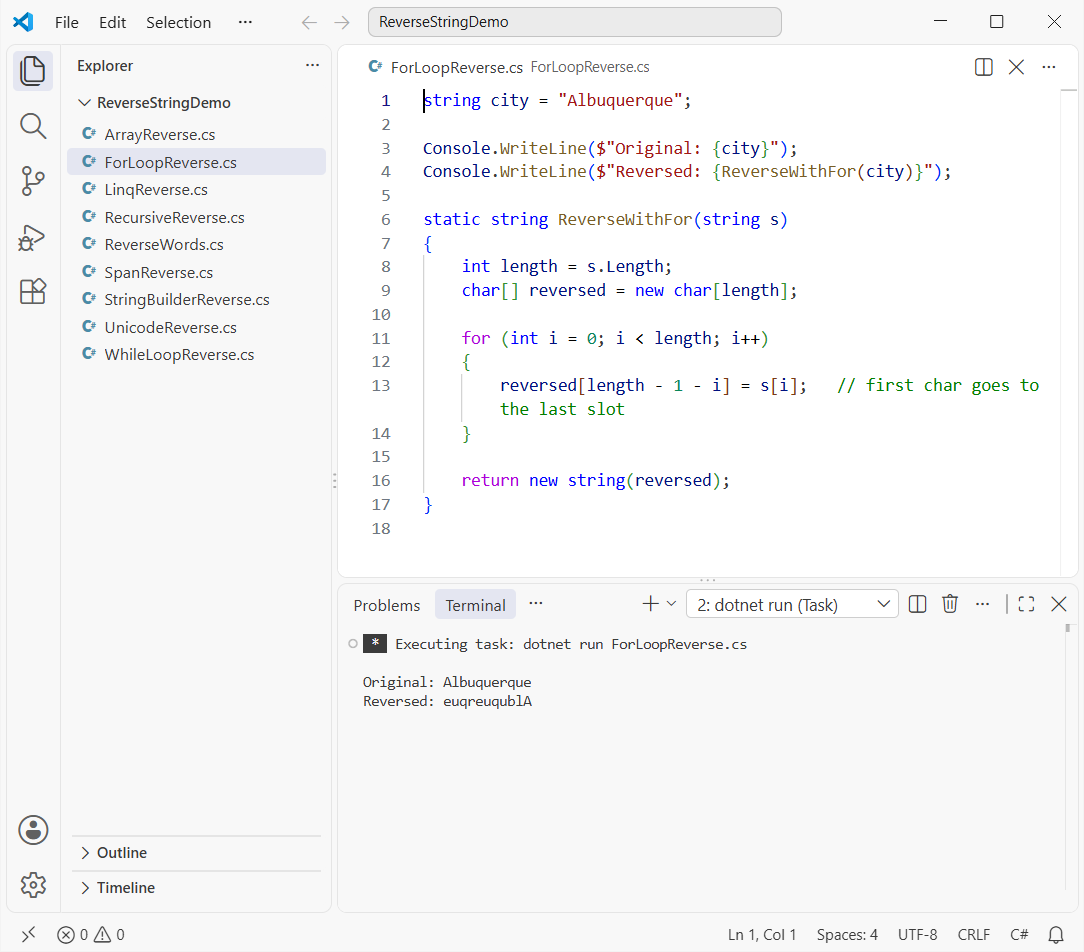
How does this code work?
For a string of length 11, the character at index 0 lands at index 10, index 1 lands at 9, and so on. That’s the length - 1 - i formula.
You can also count down from s.Length - 1 to 0 instead. Both shapes are covered in my for loop in C# tutorial.
Method 4: Reverse a String Using a while Loop
If you’d rather skip the for loop, a while loop with two pointers works nicely. It swaps the outer characters and walks inward until the pointers meet.
string state = "Massachusetts";
char[] chars = state.ToCharArray();

int left = 0;
int right = chars.Length - 1;

while (left < right)
{
    // swap the two ends, then move both pointers toward the middle
    (chars[left], chars[right]) = (chars[right], chars[left]);
    left++;
    right--;
}

Console.WriteLine($"{state} -> {new string(chars)}");
Output:
Massachusetts -> sttesuhcassaMHow does this code work?
left starts at index 0 and right at the last index. The tuple swap exchanges them, and the loop stops at the middle, so it only does half the swaps.
The while loop in C# is a good fit here because the exit condition, left < right, isn’t a simple counter.
Pro Tip: Don’t build the result with reversed += s[i] inside a loop. Each += creates a brand-new string, which gets slow on long input.
Method 5: Reverse a String with LINQ Reverse()
A string is an IEnumerable<char>, so LINQ’s Reverse() works on it directly. It’s the shortest code, though not the fastest.
string city = "Sacramento";

string viaArray = new string(city.Reverse().ToArray());
string viaConcat = string.Concat(city.Reverse());

Console.WriteLine($"new string + ToArray: {viaArray}");
Console.WriteLine($"string.Concat:        {viaConcat}");
Output:
new string + ToArray: otnemarcaS
string.Concat:        otnemarcaS
How does this code work?
Reverse() yields the characters in reverse order. ToArray() collects them into a C# array for the string constructor, while string.Concat skips that step.
Implicit usings already import System.Linq in .NET 10 projects and file-based apps, so there’s nothing extra to add.
Method 6: Reverse a String Using StringBuilder
StringBuilder is the right tool when you’re building output piece by piece, such as reversing and adding separators in the same pass.
using System.Text;

string city = "Tallahassee";
var sb = new StringBuilder(city.Length);   // pre-size the buffer

for (int i = city.Length - 1; i >= 0; i--)
{
    sb.Append(city[i]);
}

Console.WriteLine($"{city} -> {sb}");
Output:
Tallahassee -> eessahallaTHow does this code work?
Passing city.Length to the constructor pre-sizes the buffer, so it never has to grow. The loop appends from the last character to the first. Here’s more on the difference between string and StringBuilder.
Method 7: Reverse a String in C# with Recursion
Recursion is mostly an interview question, so I’ll keep it brief:
Console.WriteLine(ReverseRecursive("Boise"));

static string ReverseRecursive(string s) =>
    s.Length <= 1 ? s : ReverseRecursive(s[1..]) + s[0];
Output:
esioBEach call reverses everything after the first character, then adds that character to the end. It’s elegant, but it allocates a new string on every call and can overflow the stack on very long input.
The same peel-off-one-piece idea is how you reverse a number in C# digit by digit.
How Do You Reverse the Words in a String Instead of the Characters?
Sometimes “reverse” means the word order, not the letters. Split on spaces, reverse the array, and join it again:
string city = "Salt Lake City";

char[] chars = city.ToCharArray();
Array.Reverse(chars);

string[] words = city.Split(' ');
Array.Reverse(words);

string eachWord = string.Join(' ', city.Split(' ').Select(w => string.Concat(w.Reverse())));

Console.WriteLine($"Characters reversed: {new string(chars)}");
Console.WriteLine($"Word order reversed: {string.Join(' ', words)}");
Console.WriteLine($"Each word reversed:  {eachWord}");
Output:
Characters reversed: ytiC ekaL tlaS
Word order reversed: City Lake Salt
Each word reversed:  tlaS ekaL ytiC
“City Lake Salt” keeps every word readable. For punctuation and extra spaces, see my full C# program to reverse the words of a sentence.
Why Does Reversing a String Break Emoji and Accents in C#?
Every method above reverses char values, and a char is one UTF-16 code unit, not one visible character. Emoji use two code units, and an accent can be a separate combining character.
Here’s what happens to the name “Andrés” (typed with a combining accent) and “Phoenix” followed by a cactus emoji:
using System.Globalization;
using System.Text;

Console.OutputEncoding = Encoding.UTF8;

string name = "Andre" + (char)0x301 + "s";                   // e + combining acute accent
string city = "Phoenix " + char.ConvertFromUtf32(0x1F335);   // cactus emoji = 2 chars

foreach (string text in new[] { name, city })
{
    char[] chars = text.ToCharArray();
    Array.Reverse(chars);
    Console.WriteLine($"{text}: {text.Length} chars, {new StringInfo(text).LengthInTextElements} text elements");
    Console.WriteLine($"  Array.Reverse: {new string(chars)}");
    Console.WriteLine($"  Text elements: {ReverseTextElements(text)}");
}

static string ReverseTextElements(string s)
{
    var elements = new List<string>();
    TextElementEnumerator e = StringInfo.GetTextElementEnumerator(s);
    while (e.MoveNext()) elements.Add(e.GetTextElement());
    elements.Reverse();
    return string.Concat(elements);
}
Output:
Andrés: 7 chars, 6 text elements
  Array.Reverse: śerdnA
  Text elements: sérdnA
Phoenix 🌵: 10 chars, 9 text elements
  Array.Reverse: �� xineohP
  Text elements: 🌵 xineohP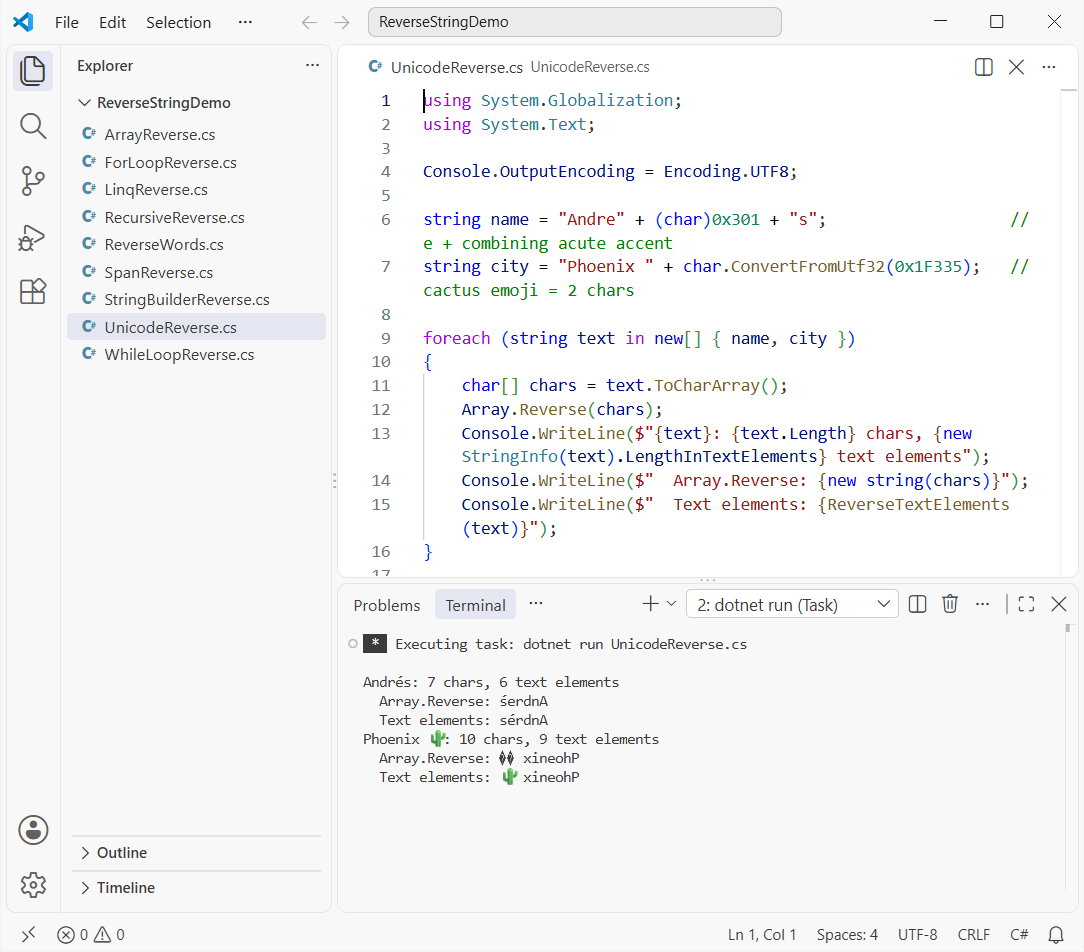
How does this code work?
Array.Reverse moves the accent from the e onto the s, and it swaps the emoji’s two halves, which leaves two invalid characters. StringInfo.GetTextElementEnumerator walks text elements (graphemes) instead, so each emoji and accented letter stays in one piece.
The length lines tell the story: “Andrés” is 7 char values but 6 text elements, and the cactus adds 2 chars for 1 element. You’ll see the same split if you convert a string to a byte array and count the bytes.
Pro Tip: Use the text-element version for names, comments and anything users type. The faster char methods are fine for codes, IDs and plain ASCII.
Things to Keep in Mind
- Strings are immutable. Every method returns a new string; none of them changes the original.
Array.ReverseandSpan.Reverse()returnvoid. Build the string from the array afterward.- A palindrome check is just
s == Reverse(s), but use an ordinal, case-insensitive comparison. Here’s how to compare two strings character by character. - Char-based reversal breaks emoji and combining accents. Reach for
StringInfowhen text comes from users.
Which Way to Reverse a String in C# Should You Use?
Here’s how I pick. In a quick timing run on a 2,000-character string, the span and array versions were clearly quickest, the loops sat in the middle, and LINQ trailed far behind.
| Method | Best for | Unicode-safe? |
|---|---|---|
Array.Reverse | Everyday code, any .NET version | No |
string.Create + Span | Hot paths on .NET Core 2.1 and later | No |
| for / while loop | Interviews, custom rules while reversing | No |
LINQ Reverse() | One-liners where speed doesn’t matter | No |
| StringBuilder | Reversing while adding other text | No |
StringInfo text elements | User-typed text, emoji, accents | Yes |
If you came here for a number puzzle, the C# palindrome number program uses the same reversing logic on digits.
Here are a few more string tutorials I’d read next:
- Get the first N characters of a string in C#
- Remove the last character from a string
- Check if a string contains a character
- Get the first character of each word
Frequently Asked Questions
Is there a built-in function to reverse a string in C#?
Not on string itself. The built-in route is Array.Reverse on ToCharArray(), or LINQ’s Reverse(). See the Array.Reverse documentation on Microsoft Learn.
What is the fastest way to reverse a string in C#?
On modern .NET, string.Create with Span.Reverse() is the quickest because it allocates only the result string. Array.Reverse is a close second.
How do I reverse a string in C# without using Reverse()?
Use a for loop that writes s[i] into result[length - 1 - i], or a while loop that swaps characters from both ends until the indexes meet.
How do I reverse a string entered by the user?
Read it with Console.ReadLine(), check it isn’t null or empty, and pass it to any of the methods above. Use the StringInfo version if users might type emoji.
Why does my reversed string show question marks or broken emoji?
Char-based reversal splits surrogate pairs and combining marks. Reverse text elements with StringInfo instead.
How do I check if a string is a palindrome in C#?
Reverse it and compare: string.Equals(s, reversed, StringComparison.OrdinalIgnoreCase). Strip spaces and punctuation first if you want “Taco cat” to count.

Bijay Kumar is a renowned software engineer, accomplished author, and distinguished Microsoft Most Valuable Professional (MVP) specializing in SharePoint. With a rich professional background spanning over 15 years, Bijay has established himself as an authority in the field of information technology. He possesses unparalleled expertise in multiple programming languages and technologies such as ASP.NET, ASP.NET MVC, C#.NET, and SharePoint, which has enabled him to develop innovative and cutting-edge solutions for clients across the globe. Read more…