
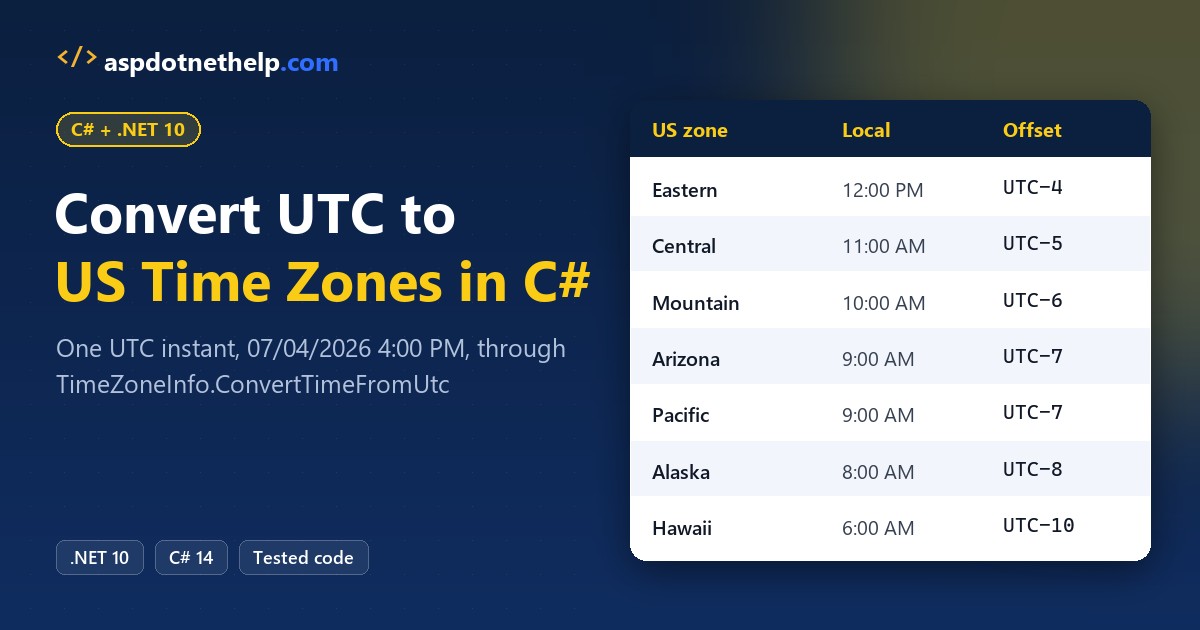
To convert UTC to Eastern time in C#, look up the zone with TimeZoneInfo.FindSystemTimeZoneById and pass it, with your UTC DateTime, to TimeZoneInfo.ConvertTimeFromUtc:
var eastern = TimeZoneInfo.FindSystemTimeZoneById("Eastern Standard Time");
DateTime easternTime = TimeZoneInfo.ConvertTimeFromUtc(utc, eastern);
On .NET 10 that turned 6:30 PM UTC on 11/24/2026 into 1:30 PM. Below, I run the same call against every US zone, both 2026 daylight saving switches and the two exceptions people actually hit.
TimeZoneInfo.ConvertTimeFromUtc Syntax
It takes a UTC DateTime and the target TimeZoneInfo, and returns the wall-clock time in that zone:
public static DateTime ConvertTimeFromUtc(DateTime dateTime, TimeZoneInfo destinationTimeZone);Here’s the full program. I run each example as a .NET 10 file-based app and set en-US culture so dates print as MM/dd/yyyy:
#!/usr/bin/env dotnet
#:property PublishAot=false
using System.Globalization;

CultureInfo.CurrentCulture = new CultureInfo("en-US");
DateTime utc = new(2026, 11, 24, 18, 30, 0, DateTimeKind.Utc);

TimeZoneInfo eastern = TimeZoneInfo.FindSystemTimeZoneById("Eastern Standard Time");
DateTime easternTime = TimeZoneInfo.ConvertTimeFromUtc(utc, eastern);

Console.WriteLine($"UTC:     {utc:MM/dd/yyyy h:mm tt}");
Console.WriteLine($"Eastern: {easternTime:MM/dd/yyyy h:mm tt}");
Console.WriteLine($"Kind:    {easternTime.Kind}");
Console.WriteLine($"Zone:    {eastern.DisplayName}");
Output:
UTC:     11/24/2026 6:30 PM
Eastern: 11/24/2026 1:30 PM
Kind:    Unspecified
Zone:    (UTC-05:00) Eastern Time (US & Canada)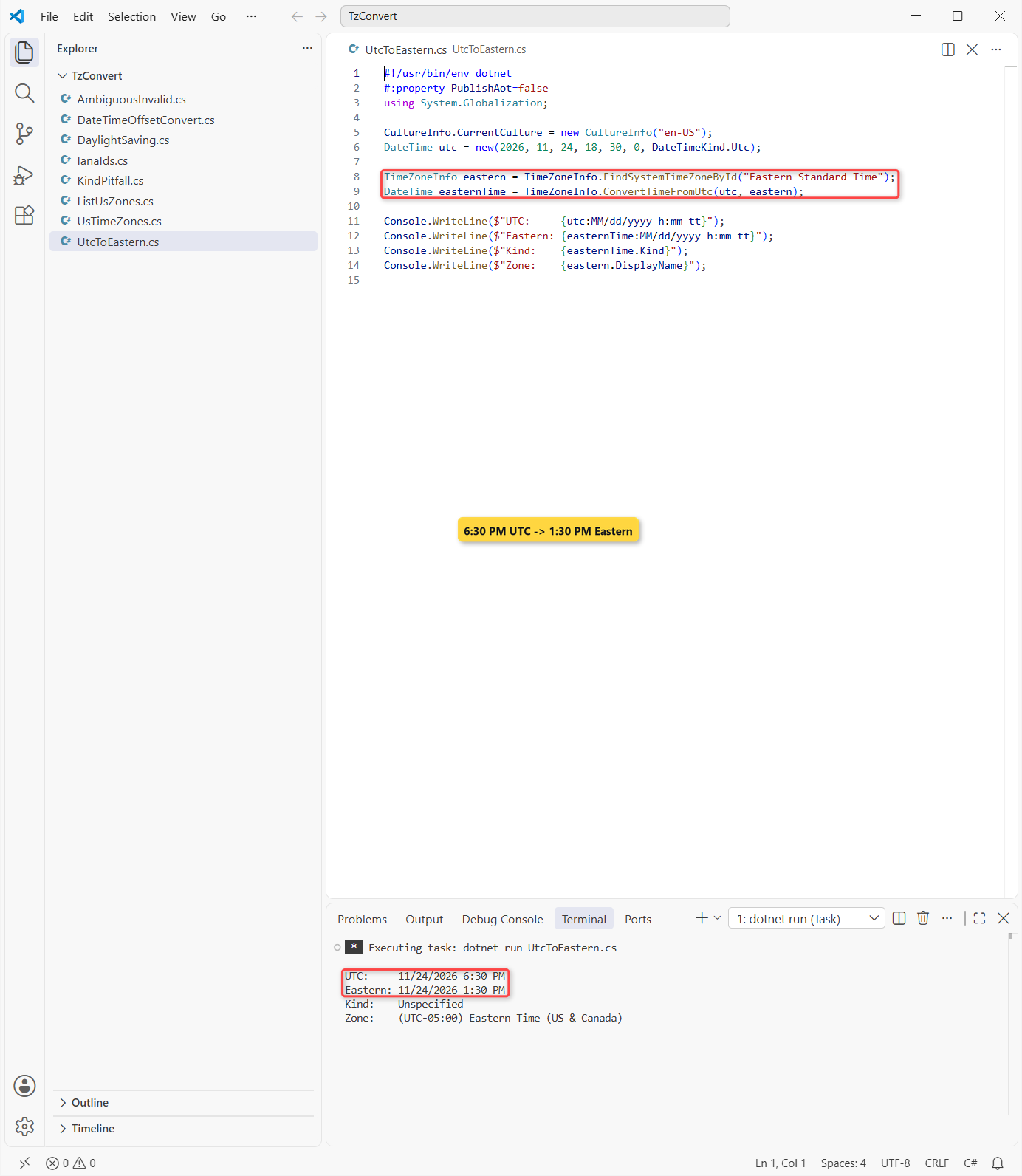
November 24 is standard time, so Eastern is 5 hours behind UTC. Notice the result’s Kind is Unspecified: it’s a local wall-clock value that no longer knows its zone.
Windows Time Zone IDs vs IANA IDs (America/New_York)
“Eastern Standard Time” is a Windows ID. Linux, macOS and most APIs use IANA IDs such as America/New_York. Starting with .NET 6, Windows accepts IANA IDs too, as long as the app uses ICU (not NLS or invariant mode).
Both IDs, plus the two conversion helpers, on Windows 11 with .NET 10:
#!/usr/bin/env dotnet
#:property PublishAot=false
using System.Globalization;

CultureInfo.CurrentCulture = new CultureInfo("en-US");
DateTime utc = new(2026, 11, 24, 18, 30, 0, DateTimeKind.Utc);

var byWindows = TimeZoneInfo.FindSystemTimeZoneById("Eastern Standard Time");
var byIana = TimeZoneInfo.FindSystemTimeZoneById("America/New_York");
Console.WriteLine($"{byWindows.Id}: {TimeZoneInfo.ConvertTimeFromUtc(utc, byWindows):h:mm tt}");
Console.WriteLine($"{byIana.Id}: {TimeZoneInfo.ConvertTimeFromUtc(utc, byIana):h:mm tt}");
Console.WriteLine($"HasIanaId: {byWindows.HasIanaId} / {byIana.HasIanaId}");

TimeZoneInfo.TryConvertIanaIdToWindowsId("America/Los_Angeles", out string? win);
TimeZoneInfo.TryConvertWindowsIdToIanaId("Central Standard Time", out string? iana);
TimeZoneInfo.TryConvertWindowsIdToIanaId("Mountain Standard Time", "US", out string? us);
Console.WriteLine($"America/Los_Angeles -> {win}");
Console.WriteLine($"Central Standard Time -> {iana}");
Console.WriteLine($"Mountain Standard Time (US) -> {us}");
Output:
Eastern Standard Time: 1:30 PM
America/New_York: 1:30 PM
HasIanaId: False / True
America/Los_Angeles -> Pacific Standard Time
Central Standard Time -> America/Chicago
Mountain Standard Time (US) -> America/Denver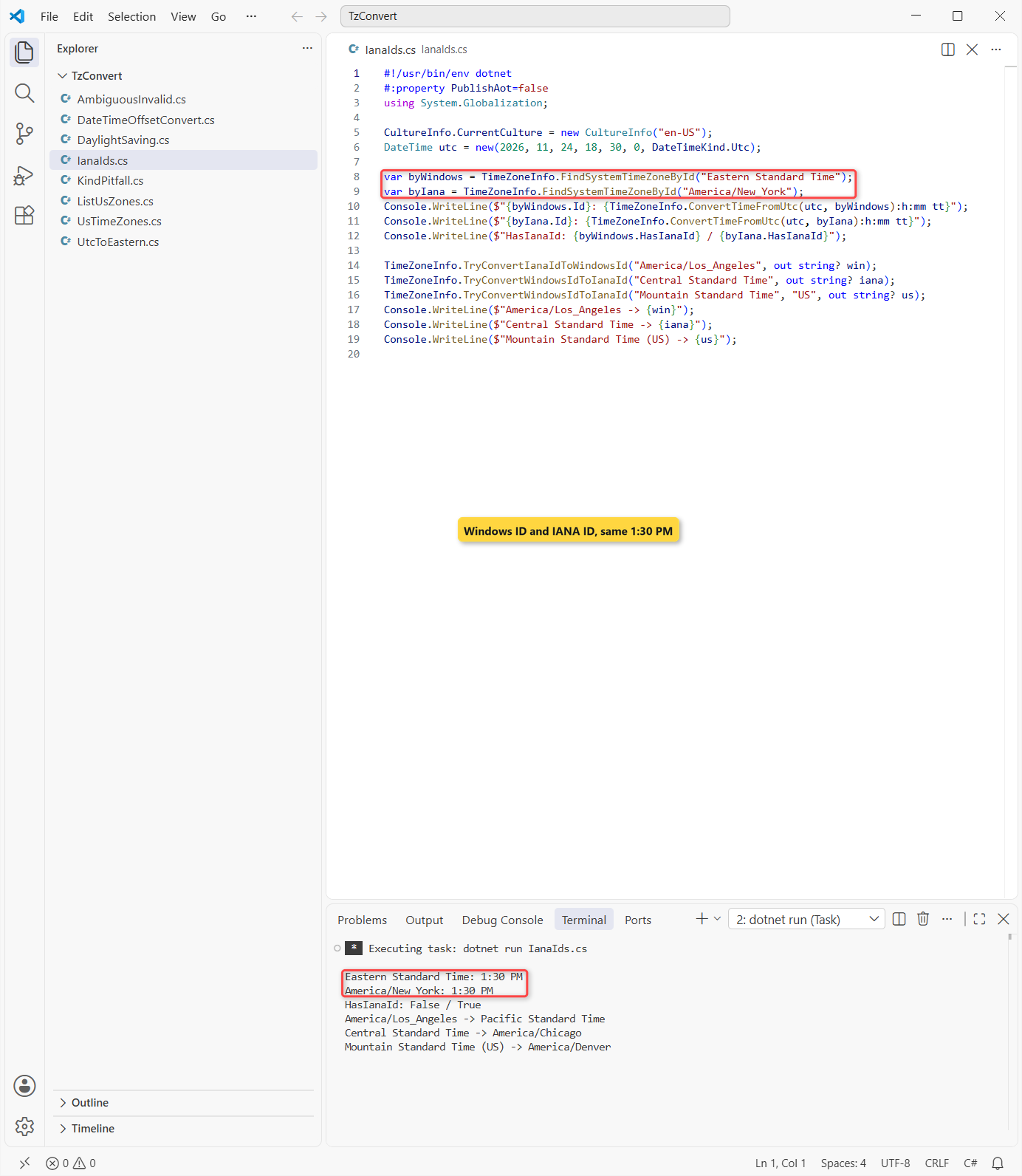
Both lookups return the same 1:30 PM. HasIanaId tells you which kind of ID the object was created with, and the overload with a region ("US") picks the US city for Mountain time: America/Denver.
The out string? values are nullable reference types because a lookup can fail, so check each method’s bool. My pick: store IANA IDs, since they also work in Linux containers and JavaScript.
Convert UTC to Every US Time Zone (Eastern, Central, Mountain, Pacific, Alaska, Hawaii)
One UTC instant, noon in New York on July 4, 2026, converted to all seven US zone IDs you’ll need:
#!/usr/bin/env dotnet
#:property PublishAot=false
using System.Globalization;

CultureInfo.CurrentCulture = new CultureInfo("en-US");
DateTime utc = new(2026, 7, 4, 16, 0, 0, DateTimeKind.Utc);
string[] ids = ["Eastern Standard Time", "Central Standard Time",
    "Mountain Standard Time", "US Mountain Standard Time",
    "Pacific Standard Time", "Alaskan Standard Time", "Hawaiian Standard Time"];

Console.WriteLine($"UTC {utc:MM/dd/yyyy h:mm tt}");
foreach (string id in ids)
{
    TimeZoneInfo tz = TimeZoneInfo.FindSystemTimeZoneById(id);
    DateTime local = TimeZoneInfo.ConvertTimeFromUtc(utc, tz);
    string name = tz.IsDaylightSavingTime(local) ? tz.DaylightName : tz.StandardName;
    Console.WriteLine($"{local,8:h:mm tt}  UTC{tz.GetUtcOffset(utc).Hours,-3} {name}");
}
Output:
UTC 07/04/2026 4:00 PM
12:00 PM  UTC-4  Eastern Daylight Time
11:00 AM  UTC-5  Central Daylight Time
10:00 AM  UTC-6  Mountain Daylight Time
 9:00 AM  UTC-7  US Mountain Standard Time
 9:00 AM  UTC-7  Pacific Daylight Time
 8:00 AM  UTC-8  Alaskan Daylight Time
 6:00 AM  UTC-10 Hawaiian Standard Time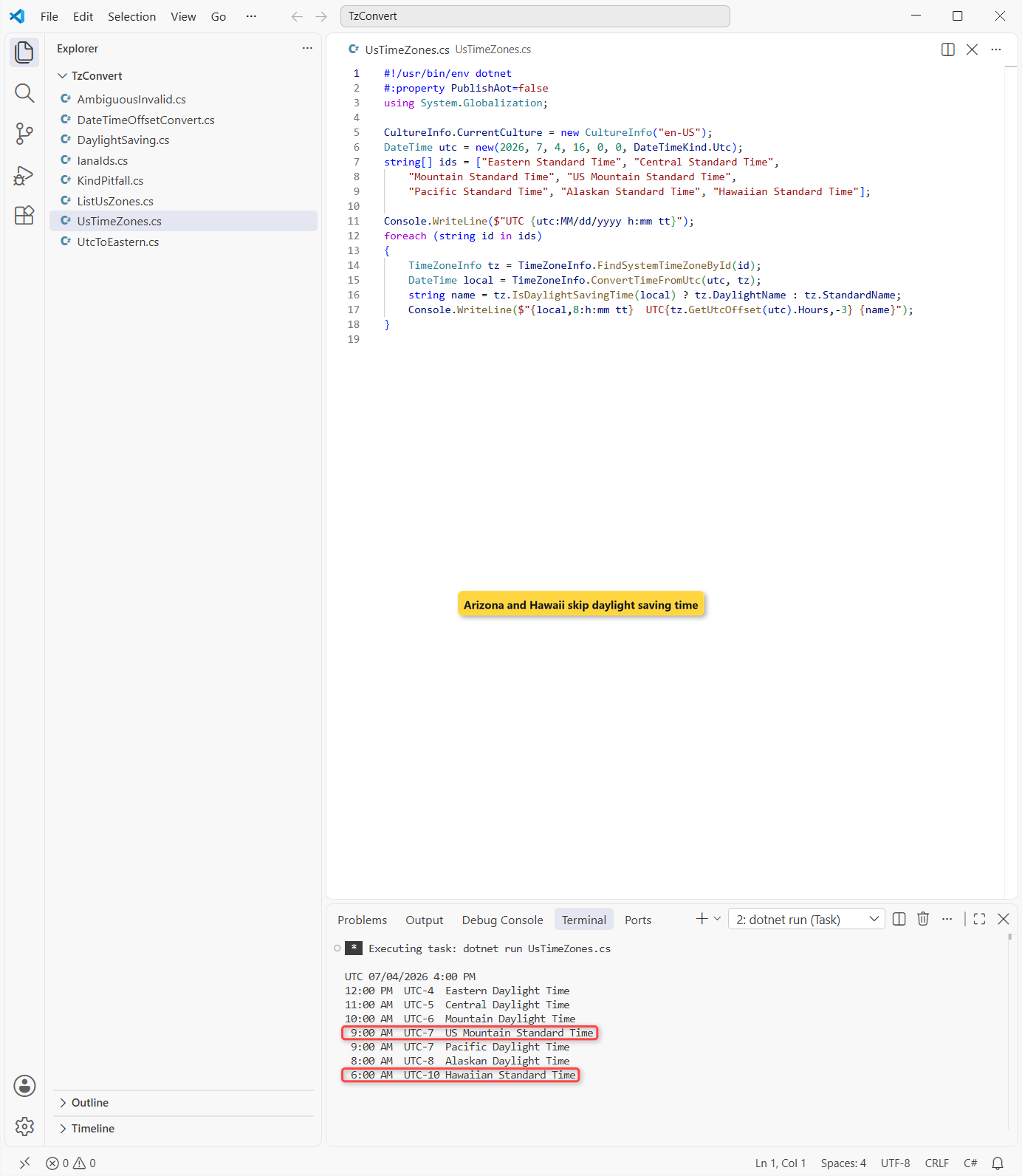
Arizona (US Mountain Standard Time) and Hawaii skip daylight saving time, so Arizona matches Pacific in July and Mountain in winter. The lookup table I keep handy:
| Zone | Windows ID | IANA ID | 07/04/2026 4:00 PM UTC |
|---|---|---|---|
| Eastern | Eastern Standard Time | America/New_York | 12:00 PM (UTC-4) |
| Central | Central Standard Time | America/Chicago | 11:00 AM (UTC-5) |
| Mountain | Mountain Standard Time | America/Denver | 10:00 AM (UTC-6) |
| Arizona | US Mountain Standard Time | America/Phoenix | 9:00 AM (UTC-7) |
| Pacific | Pacific Standard Time | America/Los_Angeles | 9:00 AM (UTC-7) |
| Alaska | Alaskan Standard Time | America/Anchorage | 8:00 AM (UTC-8) |
| Hawaii | Hawaiian Standard Time | Pacific/Honolulu | 6:00 AM (UTC-10) |
The string array uses a C# 12 collection expression, and the foreach could just as well be a LINQ Select if you want a list back.
How Does Daylight Saving Time Change the Eastern Time Result?
It changes the offset, and ConvertTimeFromUtc applies it for you. Same 5:00 PM UTC on a July day and a December day:
#!/usr/bin/env dotnet
#:property PublishAot=false
using System.Globalization;

CultureInfo.CurrentCulture = new CultureInfo("en-US");
var et = TimeZoneInfo.FindSystemTimeZoneById("Eastern Standard Time");
DateTime[] instants = [new(2026, 7, 15, 17, 0, 0, DateTimeKind.Utc),
                       new(2026, 12, 15, 17, 0, 0, DateTimeKind.Utc)];

foreach (DateTime utc in instants)
{
    DateTime local = TimeZoneInfo.ConvertTimeFromUtc(utc, et);
    bool dst = et.IsDaylightSavingTime(local);
    string name = dst ? et.DaylightName : et.StandardName;
    Console.WriteLine($"{utc:MM/dd/yyyy h:mm tt} UTC -> {local:h:mm tt}");
    Console.WriteLine($"  DST: {dst}, {name}, offset {et.GetUtcOffset(utc)}");
}
Console.WriteLine($"SupportsDaylightSavingTime: {et.SupportsDaylightSavingTime}");
Output:
07/15/2026 5:00 PM UTC -> 1:00 PM
  DST: True, Eastern Daylight Time, offset -04:00:00
12/15/2026 5:00 PM UTC -> 12:00 PM
  DST: False, Eastern Standard Time, offset -05:00:00
SupportsDaylightSavingTime: True
July gives 1:00 PM (EDT, UTC-4) and December gives 12:00 PM (EST, UTC-5). IsDaylightSavingTime tells you which one applied, and DaylightName or StandardName gives the label to show next to a time formatted with my C# DateTime format strings.
So hard-coding AddHours(-5) is wrong for about eight months a year. Despite its name, “Eastern Standard Time” covers both EST and EDT.
Ambiguous and Invalid Times at the 2026 DST Switches
In 2026, Eastern clocks fall back at 2:00 AM on November 1 and spring forward at 2:00 AM on March 8. So 1:30 AM on November 1 happens twice, and 2:30 AM on March 8 never happens:
#!/usr/bin/env dotnet
#:property PublishAot=false
using System.Globalization;

CultureInfo.CurrentCulture = new CultureInfo("en-US");
var et = TimeZoneInfo.FindSystemTimeZoneById("Eastern Standard Time");

DateTime fallBack = new(2026, 11, 1, 1, 30, 0);     // happens twice
Console.WriteLine($"11/01/2026 1:30 AM ambiguous: {et.IsAmbiguousTime(fallBack)}");
foreach (TimeSpan offset in et.GetAmbiguousTimeOffsets(fallBack))
    Console.WriteLine($"  possible offset: {offset}");
Console.WriteLine($"  ConvertTimeToUtc picks: {TimeZoneInfo.ConvertTimeToUtc(fallBack, et):h:mm tt} UTC");

DateTime springGap = new(2026, 3, 8, 2, 30, 0);     // never happens
Console.WriteLine($"03/08/2026 2:30 AM invalid: {et.IsInvalidTime(springGap)}");
try { TimeZoneInfo.ConvertTimeToUtc(springGap, et); }
catch (ArgumentException ex) { Console.WriteLine($"{ex.GetType().Name}: {ex.Message}"); }
Output:
11/01/2026 1:30 AM ambiguous: True
  possible offset: -05:00:00
  possible offset: -04:00:00
  ConvertTimeToUtc picks: 6:30 AM UTC
03/08/2026 2:30 AM invalid: True
ArgumentException: The supplied DateTime represents an invalid time.  For example, when the clock is adjusted forward, any time in the period that is skipped is invalid. (Parameter 'dateTime')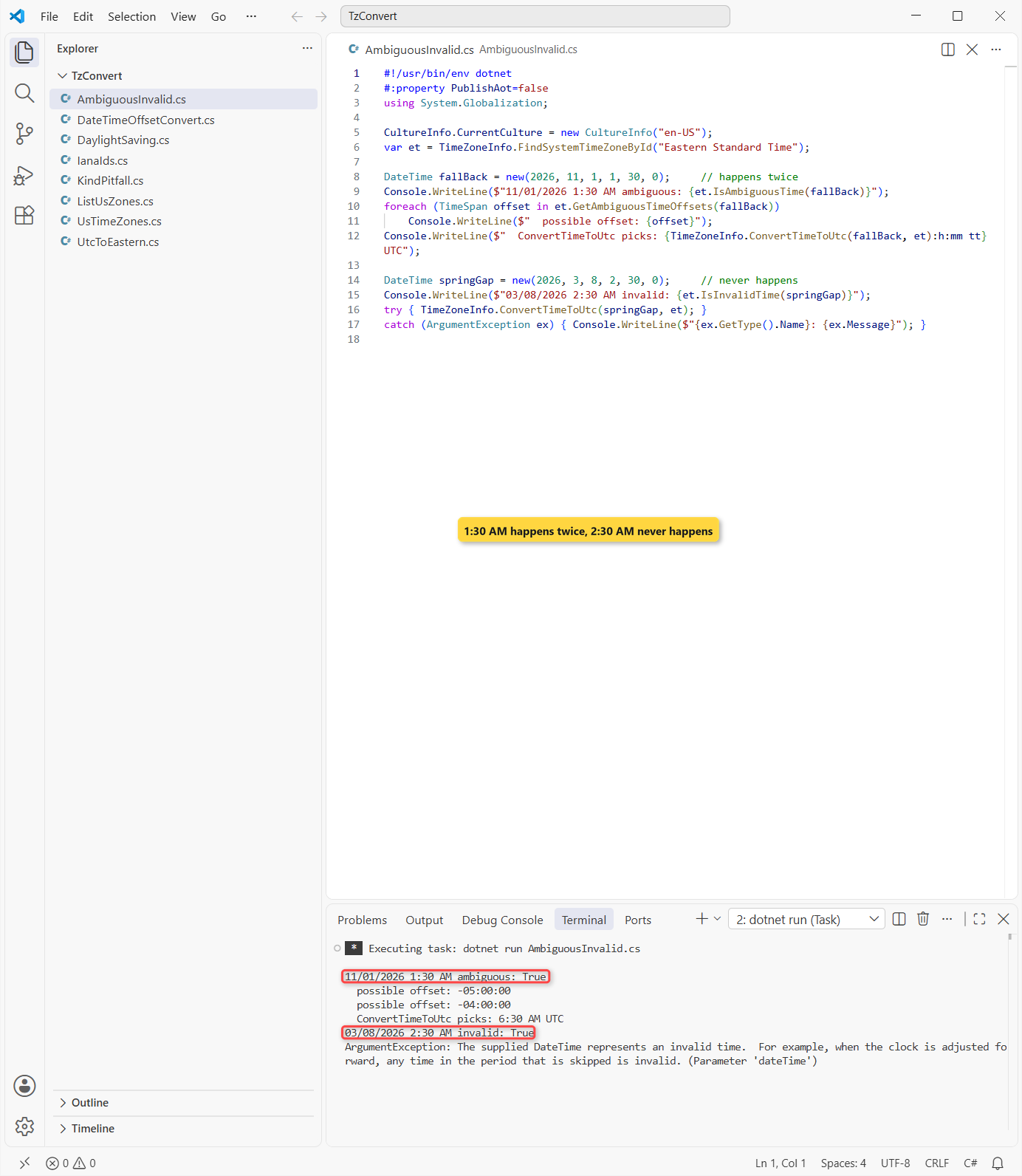
For the ambiguous time, ConvertTimeToUtc quietly picks standard time (6:30 AM UTC), though 5:30 AM UTC is just as right. If that matters, you’ll need to ask the user or store a DateTimeOffset.
The invalid time throws. Converting from UTC never hits either case, one more reason to store UTC and convert only for display.
Convert a DateTimeOffset with TimeZoneInfo.ConvertTime
If your value is a DateTimeOffset, use TimeZoneInfo.ConvertTime. It keeps the offset in the result, and it’ll convert Eastern to Pacific directly, too:
#!/usr/bin/env dotnet
#:property PublishAot=false
using System.Globalization;

CultureInfo.CurrentCulture = new CultureInfo("en-US");
DateTimeOffset order = new(2026, 11, 24, 21, 15, 0, TimeSpan.Zero);
var pacific = TimeZoneInfo.FindSystemTimeZoneById("Pacific Standard Time");

DateTimeOffset pt = TimeZoneInfo.ConvertTime(order, pacific);
DateTimeOffset et = TimeZoneInfo.ConvertTimeBySystemTimeZoneId(order, "Eastern Standard Time");
Console.WriteLine($"UTC:     {order:MM/dd/yyyy h:mm tt zzz}");
Console.WriteLine($"Pacific: {pt:MM/dd/yyyy h:mm tt zzz}");
Console.WriteLine($"Eastern: {et:MM/dd/yyyy h:mm tt zzz}");
Console.WriteLine($"Same instant: {order == pt && pt == et}");

DateTime nyClose = new(2026, 11, 24, 16, 0, 0);       // 4:00 PM in New York
var eastern = TimeZoneInfo.FindSystemTimeZoneById("Eastern Standard Time");
DateTime laTime = TimeZoneInfo.ConvertTime(nyClose, eastern, pacific);
Console.WriteLine($"4:00 PM Eastern = {laTime:h:mm tt} Pacific");
Output:
UTC:     11/24/2026 9:15 PM +00:00
Pacific: 11/24/2026 1:15 PM -08:00
Eastern: 11/24/2026 4:15 PM -05:00
Same instant: True
4:00 PM Eastern = 1:00 PM Pacific
The three values print differently but compare equal, because a DateTimeOffset is one point in time. ConvertTimeBySystemTimeZoneId skips the separate lookup when you only have the ID string.
Not sure which type to store? My DateTime vs DateTimeOffset vs DateOnly comparison settles it.
List US Time Zones with GetSystemTimeZones
For a time zone drop-down, GetSystemTimeZones returns every zone the machine knows. I filter the Windows display names down to the US ones:
#!/usr/bin/env dotnet
#:property PublishAot=false
using System.Globalization;

CultureInfo.CurrentCulture = new CultureInfo("en-US");
string[] usNames = ["(US & Canada)", "Arizona", "Indiana", "Alaska", "Hawaii"];
var usZones = TimeZoneInfo.GetSystemTimeZones()
    .Where(tz => usNames.Any(tz.DisplayName.Contains));

foreach (TimeZoneInfo tz in usZones)
    Console.WriteLine($"{tz.Id,-26} {tz.DisplayName}");

try { TimeZoneInfo.FindSystemTimeZoneById("Eastern Time"); }
catch (TimeZoneNotFoundException ex) { Console.WriteLine($"{ex.GetType().Name}: {ex.Message}"); }
Output:
Hawaiian Standard Time     (UTC-10:00) Hawaii
Alaskan Standard Time      (UTC-09:00) Alaska
Pacific Standard Time      (UTC-08:00) Pacific Time (US & Canada)
US Mountain Standard Time  (UTC-07:00) Arizona
Mountain Standard Time     (UTC-07:00) Mountain Time (US & Canada)
Central Standard Time      (UTC-06:00) Central Time (US & Canada)
Eastern Standard Time      (UTC-05:00) Eastern Time (US & Canada)
US Eastern Standard Time   (UTC-05:00) Indiana (East)
TimeZoneNotFoundException: The time zone ID 'Eastern Time' was not found on the local computer.
That includes US Eastern Standard Time for most of Indiana. Display names follow the OS language, so match on Id in production.
The last line is what a made-up ID like “Eastern Time” gets you. IDs aren’t case-sensitive, but they must match in full.
Errors: ArgumentException (DateTime Kind) and TimeZoneNotFoundException
The most common bug is passing DateTime.Now to ConvertTimeFromUtc. Its Kind is Local, and the method throws instead of guessing:
#!/usr/bin/env dotnet
#:property PublishAot=false
using System.Globalization;

CultureInfo.CurrentCulture = new CultureInfo("en-US");
var et = TimeZoneInfo.FindSystemTimeZoneById("Eastern Standard Time");
try
{
    DateTime wrong = TimeZoneInfo.ConvertTimeFromUtc(DateTime.Now, et);
}
catch (ArgumentException ex)
{
    Console.WriteLine($"DateTime.Now (Kind={DateTime.Now.Kind}) -> {ex.GetType().Name}");
    Console.WriteLine(ex.Message);
}

DateTime fromDb = new(2026, 11, 24, 14, 0, 0);       // stored as UTC, Kind lost
DateTime asUtc = DateTime.SpecifyKind(fromDb, DateTimeKind.Utc);
Console.WriteLine($"fromDb.Kind = {fromDb.Kind}, asUtc.Kind = {asUtc.Kind}");
Console.WriteLine($"Eastern: {TimeZoneInfo.ConvertTimeFromUtc(asUtc, et):h:mm tt}");
Output:
DateTime.Now (Kind=Local) -> ArgumentException
The conversion could not be completed because the supplied DateTime did not have the Kind property set correctly.  For example, when the Kind property is DateTimeKind.Local, the source time zone must be TimeZoneInfo.Local. (Parameter 'sourceTimeZone')
fromDb.Kind = Unspecified, asUtc.Kind = Utc
Eastern: 9:00 AM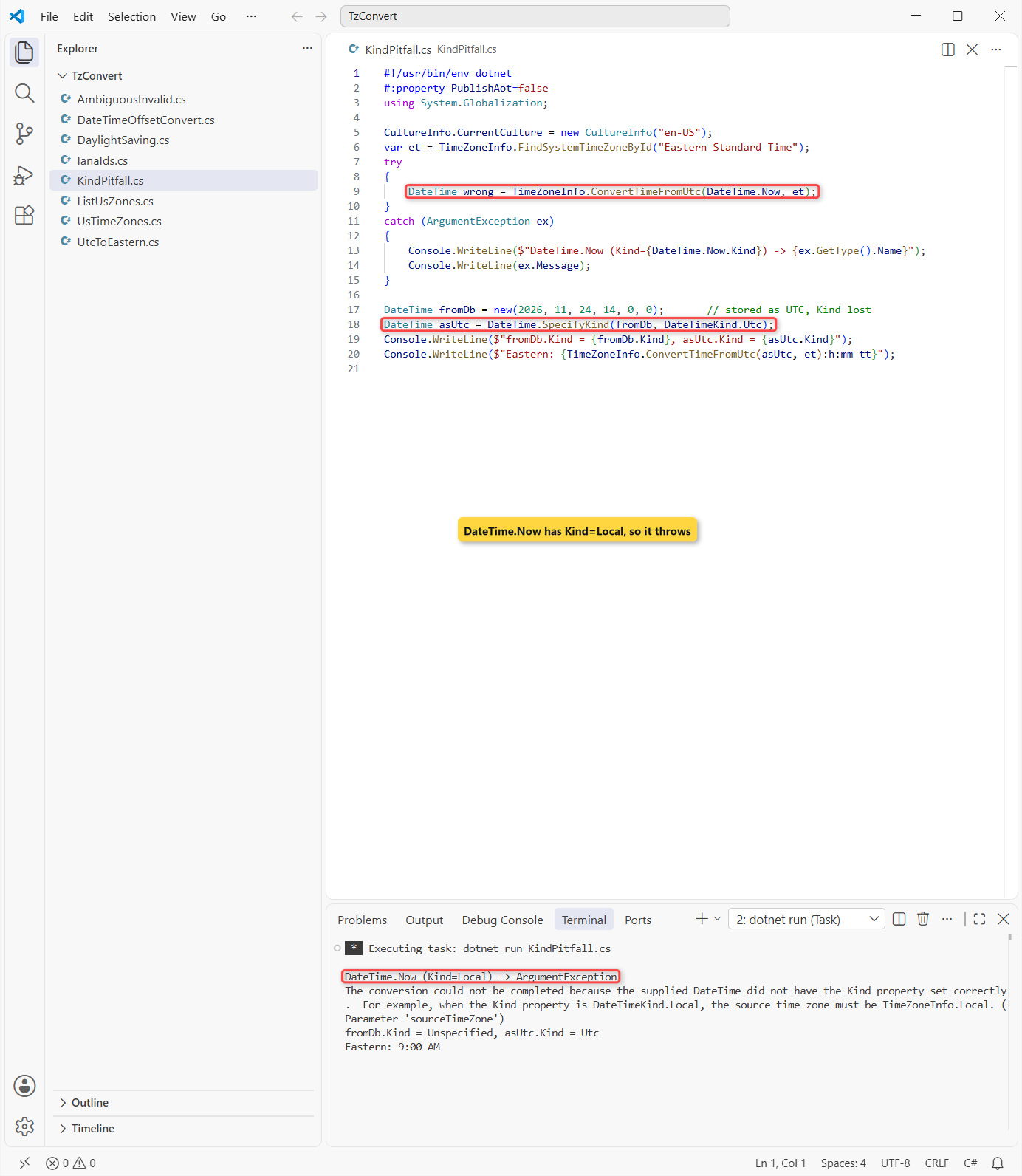
You’ll want DateTime.UtcNow for the current time. For a value read from a database or a file as Unspecified, DateTime.SpecifyKind marks it as UTC without changing the clock time.
Wrap FindSystemTimeZoneById in a try-catch block that catches TimeZoneNotFoundException when the ID comes from user input or config. If you’re parsing the UTC text first, parse it with DateTimeStyles.AdjustToUniversal.
A few more date and time posts that pair well with this one:
- Get the first and last day of a month in C#
- Serialize UTC dates to JSON with System.Text.Json
- All my C# tutorials, grouped by topic
- Everything new in .NET 10
Frequently Asked Questions
What is the time zone ID for Eastern time in C#?
On Windows it’s Eastern Standard Time; the IANA ID is America/New_York. On .NET 6 and later, both work on Windows with ICU, as the FindSystemTimeZoneById reference on Microsoft Learn explains.
Does “Eastern Standard Time” handle daylight saving time?
Yes. Despite the name, the ID covers both EST (UTC-5) and EDT (UTC-4). My run gave 1:00 PM for 5:00 PM UTC in July and 12:00 PM in December.
How do I get the current Eastern time in C#?
Pass DateTime.UtcNow to TimeZoneInfo.ConvertTimeFromUtc with the Eastern zone. Don’t pass DateTime.Now: its Kind is Local, so the method throws an ArgumentException.
How do I convert UTC to Pacific time in C#?
Same call with Pacific Standard Time (or America/Los_Angeles). For a DateTimeOffset, TimeZoneInfo.ConvertTime returned 1:15 PM -08:00 for 9:15 PM UTC on 11/24/2026. Microsoft’s guide to converting between time zones covers every overload.
How do I get the UTC offset of a time zone?
Call tz.GetUtcOffset(utcTime). It returns -04:00 or -05:00 for Eastern depending on the date. BaseUtcOffset only gives the standard offset.

Bijay Kumar is a renowned software engineer, accomplished author, and distinguished Microsoft Most Valuable Professional (MVP) specializing in SharePoint. With a rich professional background spanning over 15 years, Bijay has established himself as an authority in the field of information technology. He possesses unparalleled expertise in multiple programming languages and technologies such as ASP.NET, ASP.NET MVC, C#.NET, and SharePoint, which has enabled him to develop innovative and cutting-edge solutions for clients across the globe. Read more…