
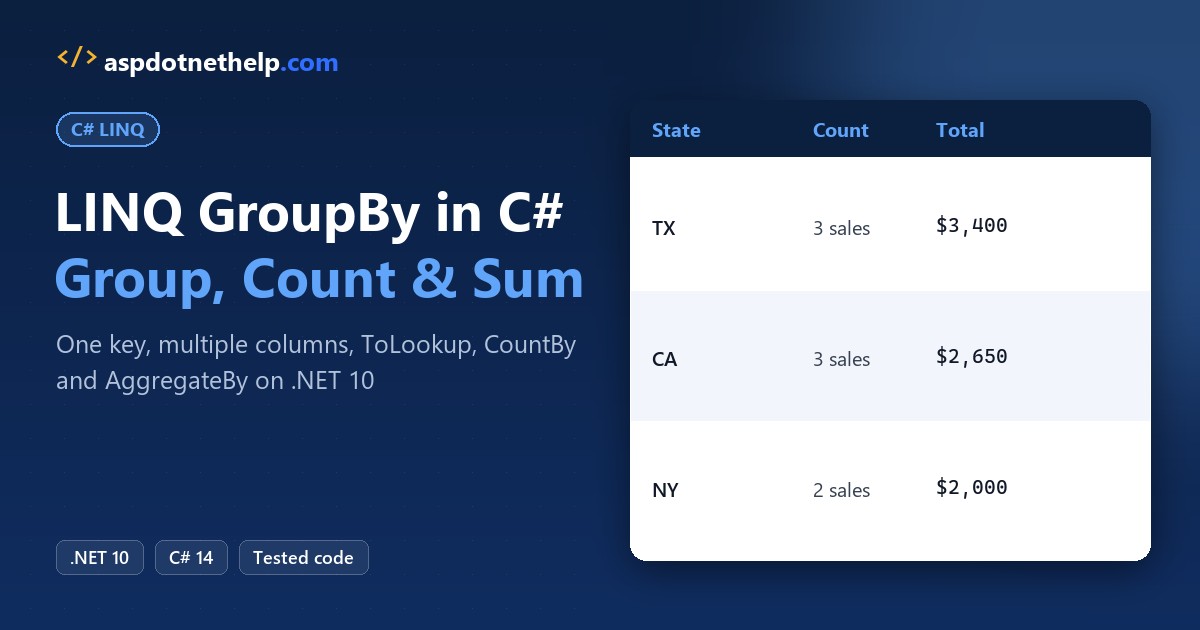
For a C# LINQ group by, call GroupBy with a key selector such as s => s.State. You get one group per key, and each group carries its Key plus its items, so Count() and Sum() work per group:
var byState = sales.GroupBy(s => s.State);

foreach (var g in byState)
    Console.WriteLine($"{g.Key}: {g.Count()} sales, ${g.Sum(s => s.Amount)}");
TX: 3 sales, $3400
CA: 3 sales, $2650
NY: 2 sales, $2000Below, the same eight US sales get grouped by two columns, filtered like SQL HAVING, turned into a lookup and counted with the new CountBy, all on .NET 10.
C# LINQ GroupBy Syntax and Overloads
GroupBy is an extension method in System.Linq that works on any IEnumerable<T>. If you’re new to LINQ itself, my LINQ in C# overview covers Where, Select and the rest; here I stay on grouping.
The basic call looks like this, and it returns IEnumerable<IGrouping<TKey, TSource>>:
IEnumerable<IGrouping<string, Sale>> groups = sales.GroupBy(s => s.State);The overloads add three optional pieces. You’ll use the first one 90% of the time:
| Parameter | What it does | Example |
|---|---|---|
keySelector | Picks the value to group on (required) | s => s.State |
elementSelector | Picks what goes inside each group | s => s.Rep |
resultSelector | Turns each key + items into one result | (key, items) => ... |
comparer | Decides when two keys are equal | StringComparer.OrdinalIgnoreCase |
Each selector is a plain Func delegate, usually written as a lambda. Two facts from the docs matter later: GroupBy uses deferred execution, and groups come out in the order their first item appears in the source.
Group a List by One Key with GroupBy
Every example uses this List<Sale> of eight sales from four reps in Texas, California and New York. Sale is a one-line record at the bottom of each file:
List<Sale> sales =
[
    new("Jenna Morales", "TX", "Q1", 1200m),
    new("Tyler Brooks", "CA", "Q1", 950m),
    new("Jenna Morales", "TX", "Q2", 1800m),
    new("Dana Whitfield", "NY", "Q1", 700m),
    new("Tyler Brooks", "CA", "Q2", 1100m),
    new("Marcus Lee", "TX", "Q2", 400m),
    new("Dana Whitfield", "NY", "Q2", 1300m),
    new("Tyler Brooks", "CA", "Q1", 600m),
];

record Sale(string Rep, string State, string Quarter, decimal Amount);
A group is itself a sequence, so you loop twice: once over the groups and once over the sales inside each one. A nested foreach loop does it:
List<Sale> sales =
[
    new("Jenna Morales", "TX", "Q1", 1200m),
    new("Tyler Brooks", "CA", "Q1", 950m),
    new("Jenna Morales", "TX", "Q2", 1800m),
    new("Dana Whitfield", "NY", "Q1", 700m),
    new("Tyler Brooks", "CA", "Q2", 1100m),
    new("Marcus Lee", "TX", "Q2", 400m),
    new("Dana Whitfield", "NY", "Q2", 1300m),
    new("Tyler Brooks", "CA", "Q1", 600m),
];

var byState = sales.GroupBy(s => s.State);

foreach (var group in byState)
{
    Console.WriteLine($"{group.Key} ({group.Count()} sales)");
    foreach (var sale in group)
        Console.WriteLine($"  {sale.Rep}: ${sale.Amount}");
}

record Sale(string Rep, string State, string Quarter, decimal Amount);
Output:
TX (3 sales)
  Jenna Morales: $1200
  Jenna Morales: $1800
  Marcus Lee: $400
CA (3 sales)
  Tyler Brooks: $950
  Tyler Brooks: $1100
  Tyler Brooks: $600
NY (2 sales)
  Dana Whitfield: $700
  Dana Whitfield: $1300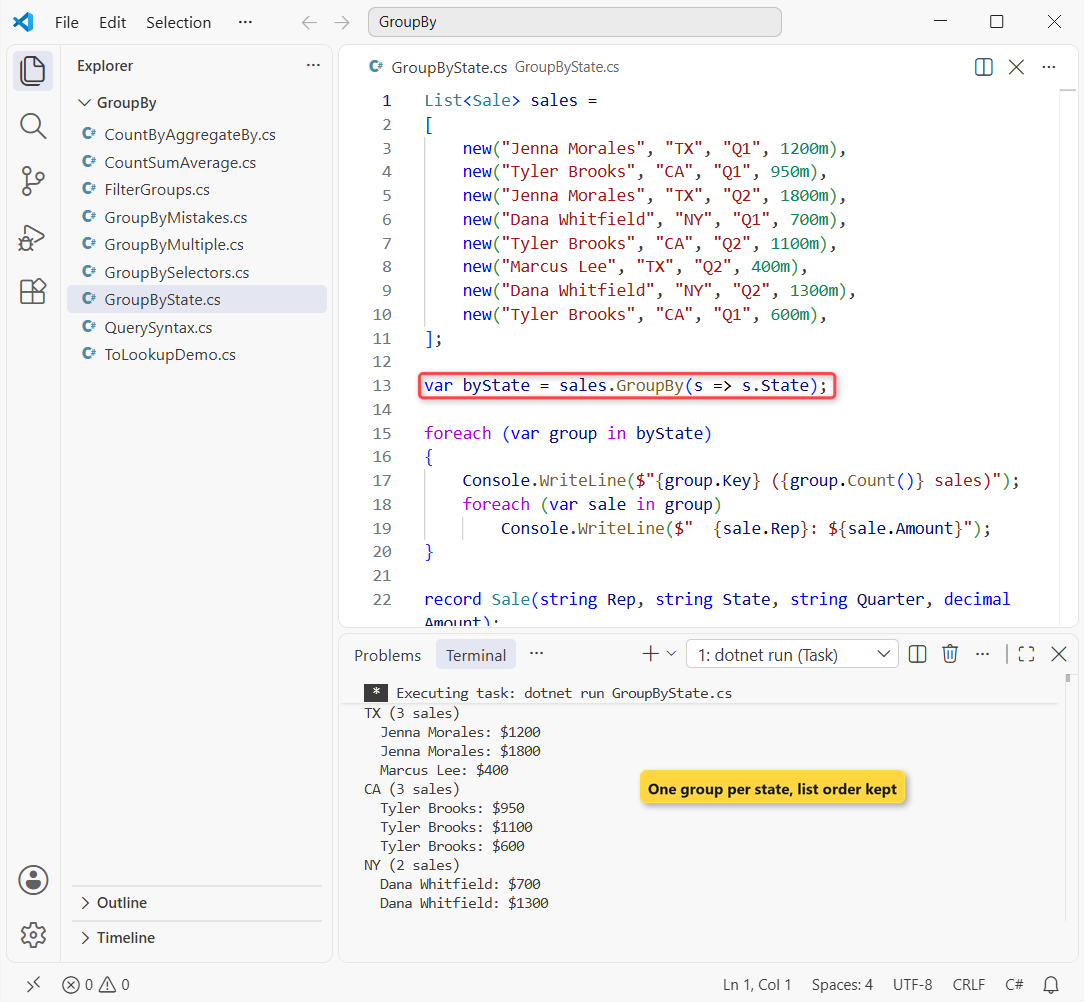
TX comes first because the first sale in the list is from Texas. Inside each group, the sales keep their original list order.
Each file is a .NET 10 single-file app, so dotnet run GroupByState.cs runs it with no project (how file-based apps work).
How Do You Get Count, Sum and Average per Group?
Call the aggregate methods on the group inside a Select. Here I build one summary row per state, then sort by the total:
using System.Globalization;
CultureInfo.CurrentCulture = CultureInfo.GetCultureInfo("en-US");

List<Sale> sales =
[
    new("Jenna Morales", "TX", "Q1", 1200m),
    new("Tyler Brooks", "CA", "Q1", 950m),
    new("Jenna Morales", "TX", "Q2", 1800m),
    new("Dana Whitfield", "NY", "Q1", 700m),
    new("Tyler Brooks", "CA", "Q2", 1100m),
    new("Marcus Lee", "TX", "Q2", 400m),
    new("Dana Whitfield", "NY", "Q2", 1300m),
    new("Tyler Brooks", "CA", "Q1", 600m),
];

var report = sales
    .GroupBy(s => s.State)
    .Select(g => new { State = g.Key, Count = g.Count(),
        Total = g.Sum(s => s.Amount), Avg = g.Average(s => s.Amount) })
    .OrderByDescending(r => r.Total);

foreach (var r in report)
    Console.WriteLine($"{r.State}: {r.Count} sales, {r.Total:C0} total, {r.Avg:C2} avg");

record Sale(string Rep, string State, string Quarter, decimal Amount);
Output:
TX: 3 sales, $3,400 total, $1,133.33 avg
CA: 3 sales, $2,650 total, $883.33 avg
NY: 2 sales, $2,000 total, $1,000.00 avg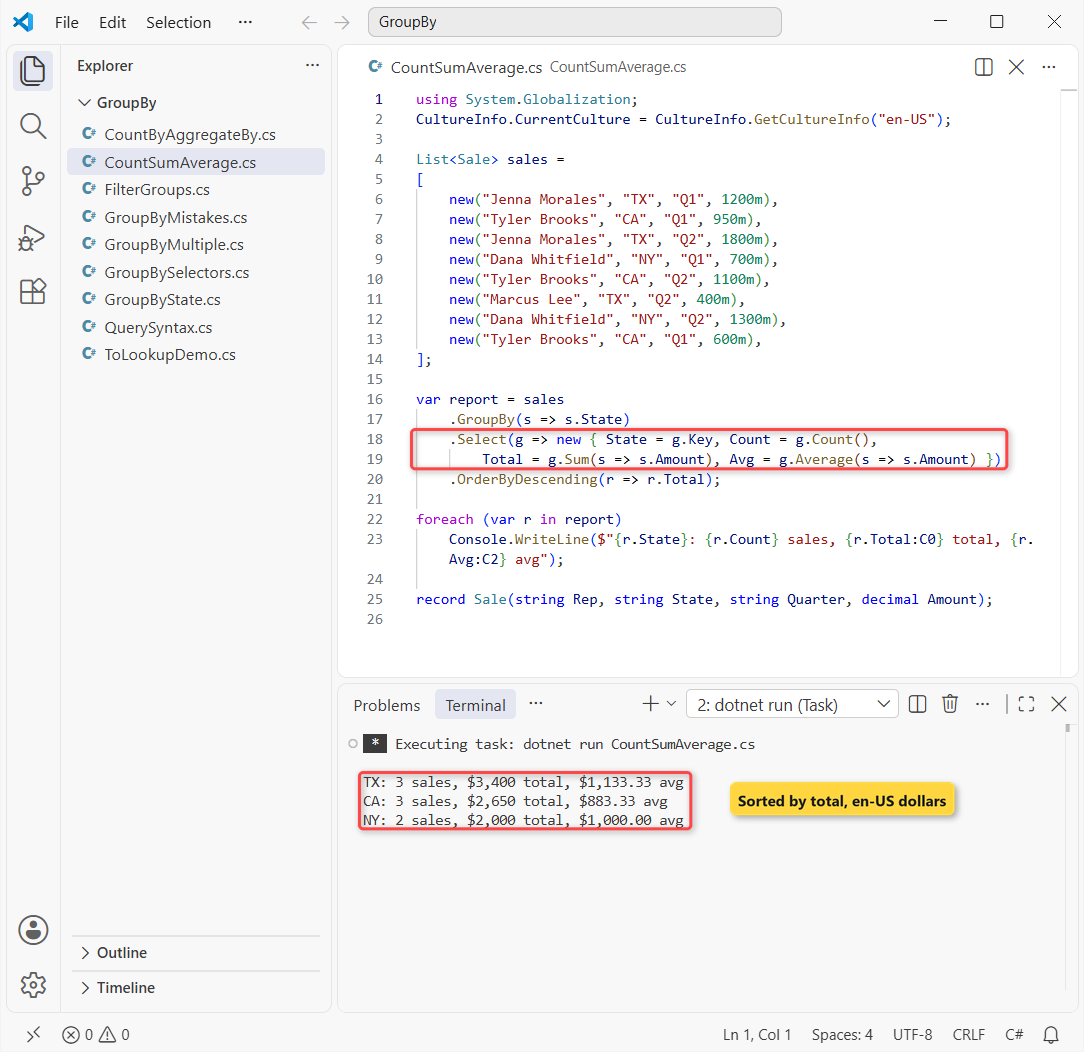
Texas leads with 3 sales and $3,400 total, an average of $1,133.33. New York’s two sales average exactly $1,000.00.
The :C0 and :C2 formats print dollars, which is why the file sets the en-US culture first (more in formatting numbers with commas and decimals). Max, Min and First work on a group the same way.
Group By Multiple Columns with an Anonymous Type or Tuple
To group by more than one column, return both values from the key selector. An anonymous type new { s.State, s.Quarter } is the classic way:
List<Sale> sales =
[
    new("Jenna Morales", "TX", "Q1", 1200m),
    new("Tyler Brooks", "CA", "Q1", 950m),
    new("Jenna Morales", "TX", "Q2", 1800m),
    new("Dana Whitfield", "NY", "Q1", 700m),
    new("Tyler Brooks", "CA", "Q2", 1100m),
    new("Marcus Lee", "TX", "Q2", 400m),
    new("Dana Whitfield", "NY", "Q2", 1300m),
    new("Tyler Brooks", "CA", "Q1", 600m),
];

var byStateQuarter = sales
    .GroupBy(s => new { s.State, s.Quarter })
    .OrderBy(g => g.Key.State).ThenBy(g => g.Key.Quarter);

foreach (var g in byStateQuarter)
    Console.WriteLine($"{g.Key}: count {g.Count()}, ${g.Sum(s => s.Amount)}");

// the same grouping with a tuple key
var byTuple = sales.GroupBy(s => (s.State, s.Quarter)).OrderBy(g => g.Key);
Console.WriteLine($"Tuple groups: {byTuple.Count()}, first key {byTuple.First().Key}");

record Sale(string Rep, string State, string Quarter, decimal Amount);
Output:
{ State = CA, Quarter = Q1 }: count 2, $1550
{ State = CA, Quarter = Q2 }: count 1, $1100
{ State = NY, Quarter = Q1 }: count 1, $700
{ State = NY, Quarter = Q2 }: count 1, $1300
{ State = TX, Quarter = Q1 }: count 1, $1200
{ State = TX, Quarter = Q2 }: count 2, $2200
Tuple groups: 6, first key (CA, Q1)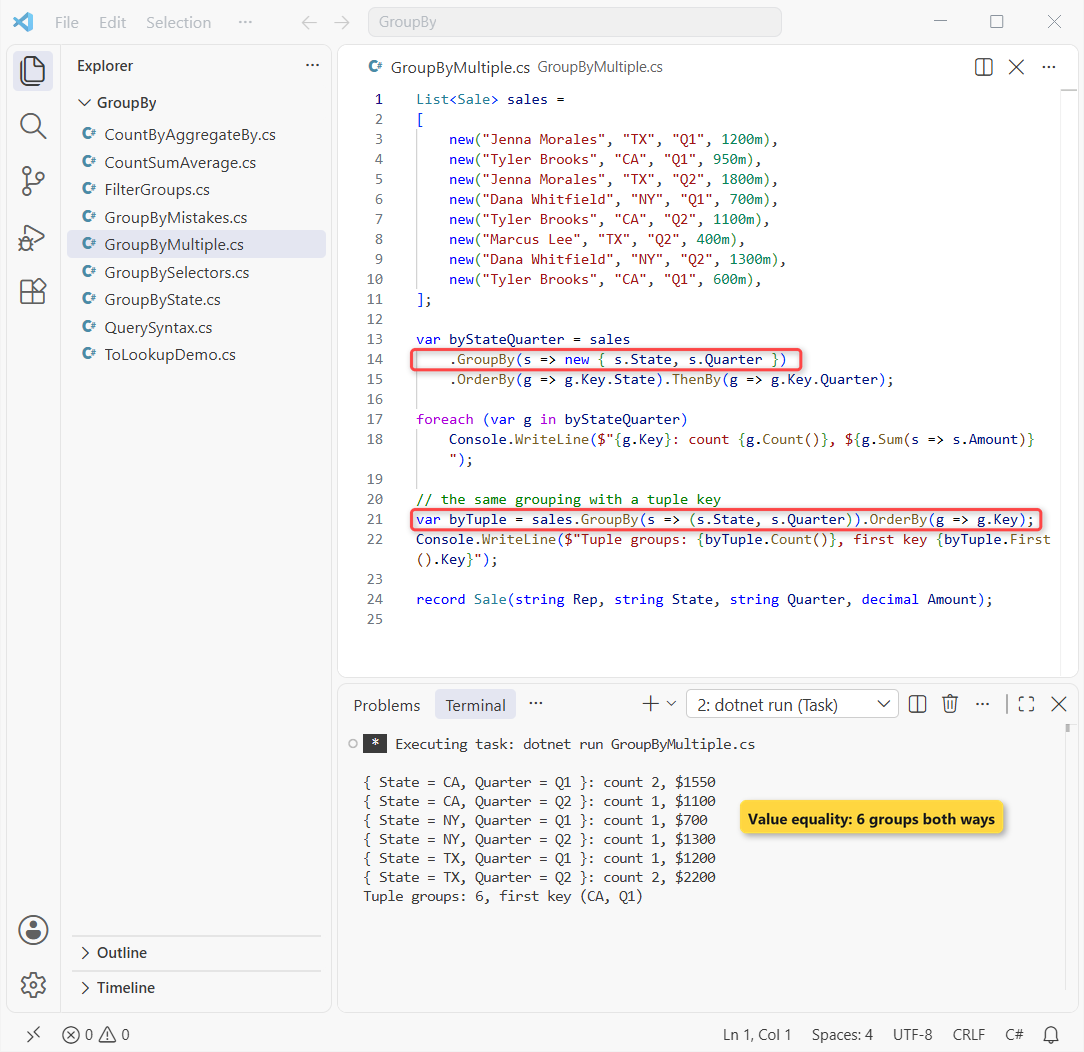
California’s Q1 has 2 sales worth $1,550, and every other state-quarter pair has one or two. Both keys give 6 groups because anonymous types and tuples compare by value. They only print differently: { State = CA, Quarter = Q1 } versus (CA, Q1).
I use a value tuple (s.State, s.Quarter) when the key leaves the method, since you can name it in a return type. Inside one query, the anonymous type reads nicer.
OrderBy plus ThenBy sort by both parts, the same idea as when you sort an array in C#.
Filter Groups Like SQL HAVING and Convert Them to a Dictionary
LINQ has no Having method. A Where after GroupBy does the same job, because it filters groups instead of rows:
List<Sale> sales =
[
    new("Jenna Morales", "TX", "Q1", 1200m),
    new("Tyler Brooks", "CA", "Q1", 950m),
    new("Jenna Morales", "TX", "Q2", 1800m),
    new("Dana Whitfield", "NY", "Q1", 700m),
    new("Tyler Brooks", "CA", "Q2", 1100m),
    new("Marcus Lee", "TX", "Q2", 400m),
    new("Dana Whitfield", "NY", "Q2", 1300m),
    new("Tyler Brooks", "CA", "Q1", 600m),
];

var repeatReps = sales
    .GroupBy(s => s.Rep)
    .Where(g => g.Count() >= 2)                 // SQL HAVING COUNT(*) >= 2
    .Select(g => g.Key);
Console.WriteLine("Reps with 2+ sales: " + string.Join(", ", repeatReps));

Dictionary<string, decimal> totalByState = sales
    .GroupBy(s => s.State)
    .ToDictionary(g => g.Key, g => g.Sum(s => s.Amount));
Console.WriteLine($"CA total: ${totalByState["CA"]}");

record Sale(string Rep, string State, string Quarter, decimal Amount);
Output:
Reps with 2+ sales: Jenna Morales, Tyler Brooks, Dana Whitfield
CA total: $2650
Marcus Lee has only one sale, so he’s dropped. The other three reps pass the Count() >= 2 filter.
The second query is the one I write most: ToDictionary straight from the groups gives a key-to-total map. That’s a regular Dictionary in C#, so totalByState["CA"] returns 2650 instantly.
GroupBy with an Element Selector or Result Selector
The extra overloads save a Select. An element selector keeps only one field in each group, and a result selector shapes each group as it’s built:
List<Sale> sales =
[
    new("Jenna Morales", "TX", "Q1", 1200m),
    new("Tyler Brooks", "CA", "Q1", 950m),
    new("Jenna Morales", "TX", "Q2", 1800m),
    new("Dana Whitfield", "NY", "Q1", 700m),
    new("Tyler Brooks", "CA", "Q2", 1100m),
    new("Marcus Lee", "TX", "Q2", 400m),
    new("Dana Whitfield", "NY", "Q2", 1300m),
    new("Tyler Brooks", "CA", "Q1", 600m),
];

// elementSelector: keep only the rep names in each group
foreach (var g in sales.GroupBy(s => s.State, s => s.Rep))
    Console.WriteLine($"{g.Key}: {string.Join(", ", g.Distinct())}");

// resultSelector: build one result per group in the same call
var topSales = sales.GroupBy(s => s.Quarter,
    (quarter, items) => $"{quarter} top sale: ${items.Max(s => s.Amount)}");
foreach (var line in topSales)
    Console.WriteLine(line);

record Sale(string Rep, string State, string Quarter, decimal Amount);
Output:
TX: Jenna Morales, Marcus Lee
CA: Tyler Brooks
NY: Dana Whitfield
Q1 top sale: $1200
Q2 top sale: $1800
Texas lists two reps, and Q2’s top sale is $1,800. I use the element selector most; the result selector works, but I find GroupBy followed by Select easier to read.
LINQ Group By in Query Syntax (group by into)
Query syntax spells it group s by s.State into g. The into g part names the group so you can sort it and select from it:
List<Sale> sales =
[
    new("Jenna Morales", "TX", "Q1", 1200m),
    new("Tyler Brooks", "CA", "Q1", 950m),
    new("Jenna Morales", "TX", "Q2", 1800m),
    new("Dana Whitfield", "NY", "Q1", 700m),
    new("Tyler Brooks", "CA", "Q2", 1100m),
    new("Marcus Lee", "TX", "Q2", 400m),
    new("Dana Whitfield", "NY", "Q2", 1300m),
    new("Tyler Brooks", "CA", "Q1", 600m),
];

var totals =
    from s in sales
    group s by s.State into g
    orderby g.Sum(s => s.Amount) descending
    select new { State = g.Key, Total = g.Sum(s => s.Amount) };

foreach (var row in totals)
    Console.WriteLine($"{row.State}: ${row.Total}");

var counts = from s in sales
             group s by new { s.State, s.Quarter } into g
             select $"{g.Key.State}-{g.Key.Quarter}: {g.Count()}";
Console.WriteLine(string.Join(" | ", counts));

record Sale(string Rep, string State, string Quarter, decimal Amount);
Output:
TX: $3400
CA: $2650
NY: $2000
TX-Q1: 1 | CA-Q1: 2 | TX-Q2: 2 | NY-Q1: 1 | CA-Q2: 1 | NY-Q2: 1
The totals match the method-syntax results: $3400, $2650 and $2000. The second query groups by two columns with new { s.State, s.Quarter }, exactly like before.
The compiler turns both forms into the same GroupBy calls, so pick whichever reads better. With EF Core, a GroupBy followed by Count or Sum becomes a SQL GROUP BY; the Web API CRUD with EF Core build is a good place to try it.
ToLookup vs GroupBy: When Does the Grouping Run?
ToLookup builds the groups right away and keeps them, like a one-to-many dictionary. GroupBy runs only when you loop over it. Here I add a Florida sale after creating both:
List<Sale> sales =
[
    new("Jenna Morales", "TX", "Q1", 1200m),
    new("Tyler Brooks", "CA", "Q1", 950m),
    new("Jenna Morales", "TX", "Q2", 1800m),
    new("Dana Whitfield", "NY", "Q1", 700m),
    new("Tyler Brooks", "CA", "Q2", 1100m),
    new("Marcus Lee", "TX", "Q2", 400m),
    new("Dana Whitfield", "NY", "Q2", 1300m),
    new("Tyler Brooks", "CA", "Q1", 600m),
];

var lookup = sales.ToLookup(s => s.State);   // runs now
var grouped = sales.GroupBy(s => s.State);   // runs later

sales.Add(new("Ava Chen", "FL", "Q2", 500m));

Console.WriteLine($"TX sales: {lookup["TX"].Count()}");
Console.WriteLine($"FL in lookup: {lookup["FL"].Count()}");
Console.WriteLine($"FL in GroupBy: {grouped.Count(g => g.Key == "FL")}");
Console.WriteLine($"Lookup has OH? {lookup.Contains("OH")}");

record Sale(string Rep, string State, string Quarter, decimal Amount);
Output:
TX sales: 3
FL in lookup: 0
FL in GroupBy: 1
Lookup has OH? False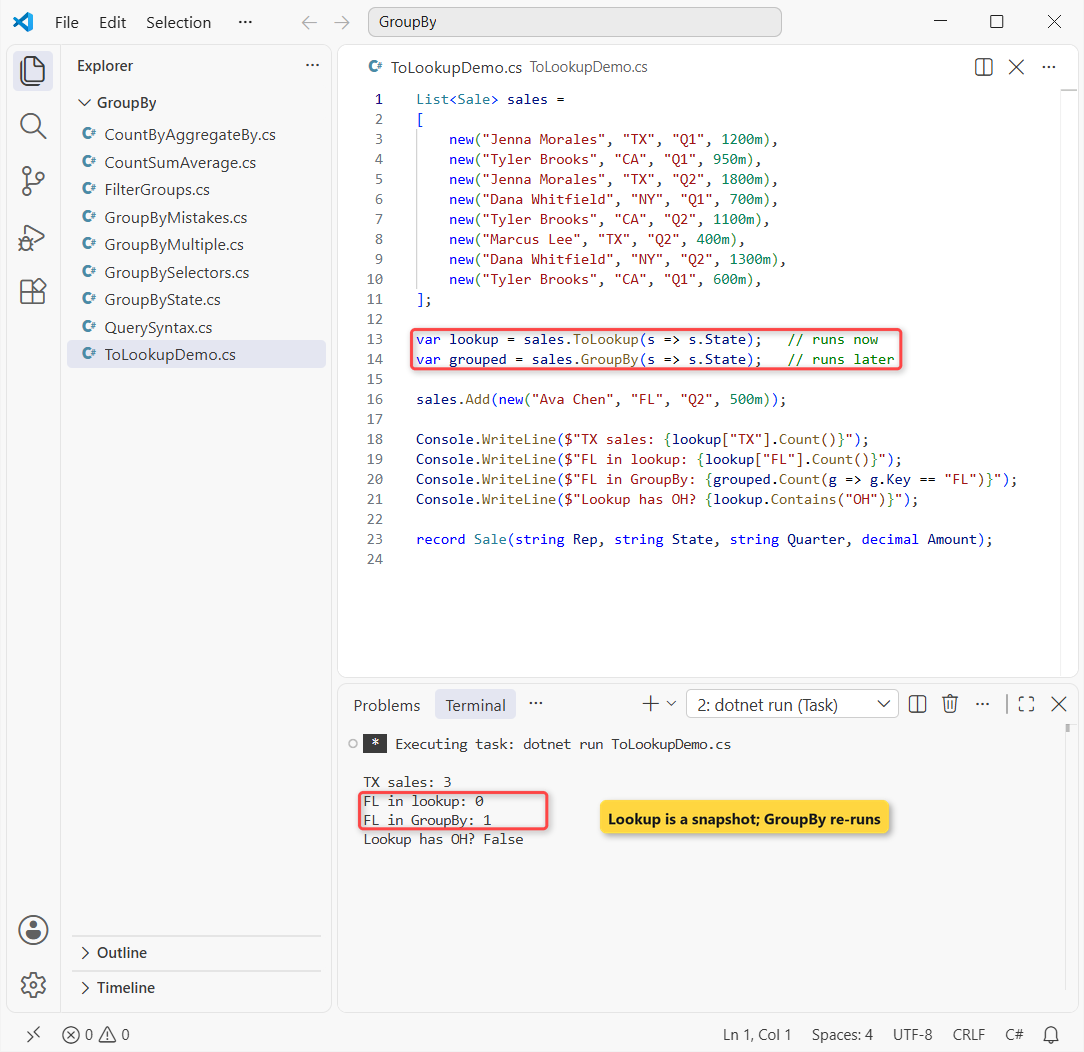
The lookup was built before Ava Chen’s sale, so lookup["FL"] returns an empty sequence, not an exception. GroupBy ran later and found the FL group.
Note: a deferred GroupBy regroups the whole list each time you enumerate it. When you’ll look groups up by key many times, build a lookup once.
CountBy and AggregateBy in .NET 9 and .NET 10
When all you need is one number per key, CountBy and AggregateBy skip building groups entirely. They return KeyValuePair items, which deconstruct into two variables:
List<Sale> sales =
[
    new("Jenna Morales", "TX", "Q1", 1200m),
    new("Tyler Brooks", "CA", "Q1", 950m),
    new("Jenna Morales", "TX", "Q2", 1800m),
    new("Dana Whitfield", "NY", "Q1", 700m),
    new("Tyler Brooks", "CA", "Q2", 1100m),
    new("Marcus Lee", "TX", "Q2", 400m),
    new("Dana Whitfield", "NY", "Q2", 1300m),
    new("Tyler Brooks", "CA", "Q1", 600m),
];

foreach (var (state, count) in sales.CountBy(s => s.State))
    Console.WriteLine($"{state}: {count} sales");

var totals = sales.AggregateBy(
    s => s.Rep,
    seed: 0m,
    (total, s) => total + s.Amount);

foreach (var (rep, total) in totals)
    Console.WriteLine($"{rep}: ${total}");

record Sale(string Rep, string State, string Quarter, decimal Amount);
Output:
TX: 3 sales
CA: 3 sales
NY: 2 sales
Jenna Morales: $3000
Tyler Brooks: $2650
Dana Whitfield: $2000
Marcus Lee: $400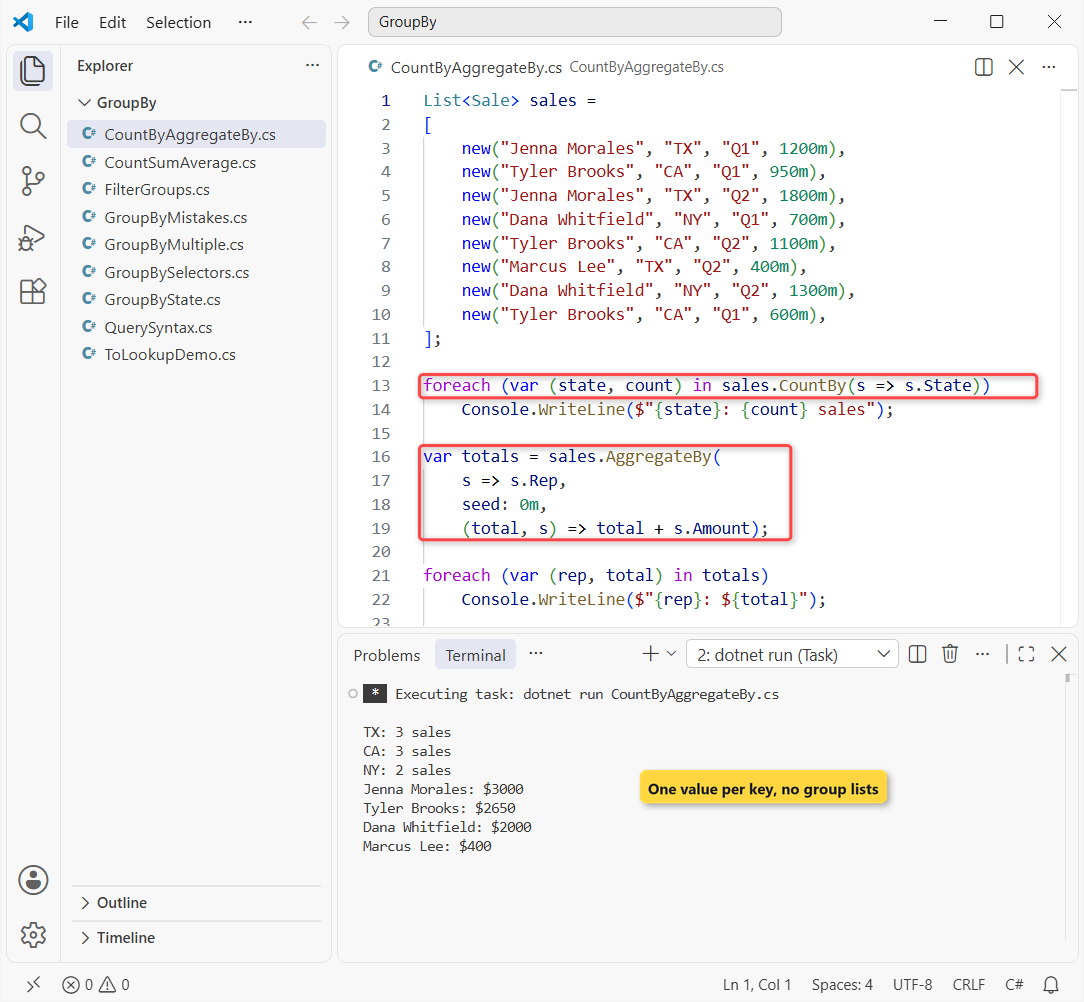
Same counts as GroupBy plus Count(): TX 3, CA 3, NY 2. AggregateBy starts each rep at 0m and adds every amount, so Jenna Morales ends at $3000.
Both methods arrived in .NET 9, so they won’t compile on .NET 8 (check your .NET version if you’re unsure). If you’re still on 8, the .NET 8 to .NET 10 upgrade brings them along. Here’s how I choose:
| You need | Use | Runs |
|---|---|---|
| Items per key | GroupBy | Deferred |
| Items per key, many key lookups | ToLookup | Immediately |
| A count per key | CountBy (.NET 9+) | Deferred |
| A sum or other running total per key | AggregateBy (.NET 9+) | Deferred |
| One value per key in a map | GroupBy + ToDictionary | Immediately |
Common C# GroupBy Mistakes and Fixes
These three bite almost everyone once. All three are in one file:
List<Sale> sales =
[
    new("Jenna Morales", "TX", "Q1", 1200m),
    new("Tyler Brooks", "CA", "Q1", 950m),
    new("Jenna Morales", "TX", "Q2", 1800m),
    new("Dana Whitfield", "NY", "Q1", 700m),
    new("Tyler Brooks", "CA", "Q2", 1100m),
    new("Marcus Lee", "TX", "Q2", 400m),
    new("Dana Whitfield", "NY", "Q2", 1300m),
    new("Tyler Brooks", "CA", "Q1", 600m),
];

// 1. Printing a group prints its type name, not its items
Console.WriteLine(sales.GroupBy(s => s.State).First());

// 2. A class key compares by reference, so nothing groups
int classGroups = sales.GroupBy(s => new StateKey(s.State)).Count();
int recordGroups = sales.GroupBy(s => new StateRec(s.State)).Count();
Console.WriteLine($"class key: {classGroups} groups, record key: {recordGroups}");

// 3. "TX" and "tx" are different keys unless you pass a comparer
List<string> codes = ["TX", "tx", "CA"];
Console.WriteLine(codes.GroupBy(x => x).Count());
Console.WriteLine(codes.GroupBy(x => x, StringComparer.OrdinalIgnoreCase).Count());

class StateKey(string state) { public string State { get; } = state; }
record StateRec(string State);
record Sale(string Rep, string State, string Quarter, decimal Amount);
Output:
System.Linq.Grouping`2[System.String,Sale]
class key: 8 groups, record key: 3
3
2
First, Console.WriteLine on a group prints its type name, because a grouping doesn’t override ToString in C#. Print g.Key and loop over the items instead.
Second, a class key gave 8 groups, one per sale, because classes compare by reference. A record key gave the expected 3; see record vs class vs struct for why records compare by value.
Third, "TX" and "tx" landed in different groups until I passed StringComparer.OrdinalIgnoreCase as the comparer.
Grouping pairs well with a few other collection topics I’ve written up:
- Hashtable in C#, the older key-value collection
- What’s new in C# 14
- What’s new in .NET 10
- All C# tutorials on AspDotnetHelp
Frequently Asked Questions
How do I group by multiple columns in C# LINQ?
Return both values from the key selector, as an anonymous type (GroupBy(s => new { s.State, s.Quarter })) or a tuple (GroupBy(s => (s.State, s.Quarter))). Both compare by value, so equal pairs land in one group.
How do I count the items in each group with LINQ GroupBy?
Call Count() on each group, for example .Select(g => new { g.Key, Count = g.Count() }). On .NET 9 and later, CountBy(s => s.State) does it in one call.
What’s the difference between GroupBy and ToLookup?
GroupBy is deferred and regroups each time you enumerate it. ToLookup runs immediately, keeps the groups, and returns an empty sequence for a missing key.
Does LINQ GroupBy keep the original order?
Yes, in LINQ to Objects. The Enumerable.GroupBy docs say groups follow the order of each key’s first item, and items inside a group keep their source order.
How do I sort groups by count or total?
Sort after grouping: .OrderByDescending(g => g.Count()) or .OrderByDescending(g => g.Sum(s => s.Amount)).
Can I use CountBy and AggregateBy on .NET 8?
No. They were added in .NET 9, as the Enumerable.CountBy page shows. On .NET 8, use GroupBy with Count() or Sum().

Bijay Kumar is a renowned software engineer, accomplished author, and distinguished Microsoft Most Valuable Professional (MVP) specializing in SharePoint. With a rich professional background spanning over 15 years, Bijay has established himself as an authority in the field of information technology. He possesses unparalleled expertise in multiple programming languages and technologies such as ASP.NET, ASP.NET MVC, C#.NET, and SharePoint, which has enabled him to develop innovative and cutting-edge solutions for clients across the globe. Read more…