
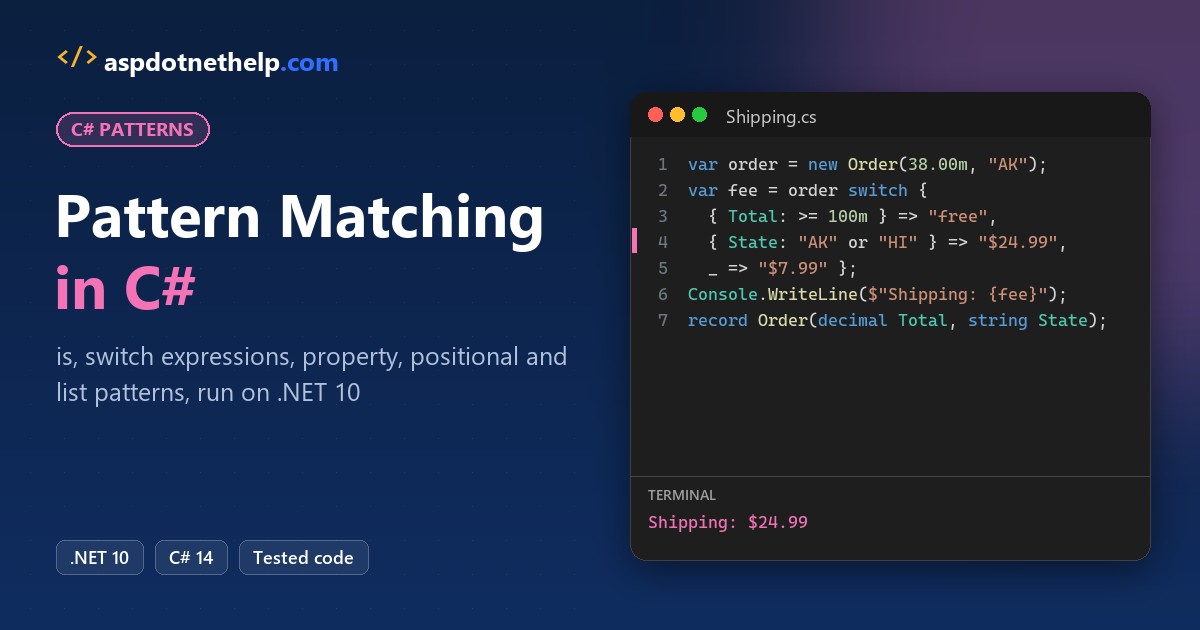
Say you’re writing shipping rules for an online outdoor store. Orders of $100 or more ship free, Alaska and Hawaii pay $24.99, and anything over 50 pounds goes freight.
C# pattern matching tests a value’s type, ranges and properties in one expression with is or a switch expression, and the compiler warns you about cases you forgot.
Quick answer: use x is Type t for one check and a switch expression for a rule set. I ran everything below on .NET 10 against the same store orders.
decimal Shipping(Order order) => order switch
{
    { Total: >= 100m } => 0m,
    { ShipTo.State: "AK" or "HI" } => 24.99m,
    { WeightLbs: > 50 } => 89.00m,
    _ => 7.99m
};What Is Pattern Matching in C#?
A pattern is a test you write on the right side of is, after case in a switch statement, or on the left of => in a switch expression. If the value matches, you can also capture parts of it into new variables.
Each kind arrived in a different C# version. On .NET 10 (C# 14) you get all of them:
| Pattern | Example | Since |
|---|---|---|
| Declaration / type | payment is decimal amount, Car => | C# 7 / C# 9 |
| Constant | "AK", null, 0 | C# 7 |
| var and discard | var x, _ | C# 7 / C# 8 |
| Property | { Total: >= 100m } | C# 8 |
| Positional | ("Denver", _, _) | C# 8 |
| Relational | < 20, >= 1 | C# 9 |
| Logical | and, or, not | C# 9 |
| Extended property | { ShipTo.State: "AK" } | C# 10 |
| List and slice | ["Created", .., "Delivered"] | C# 11 |
New file-based apps target the latest language version, so every sample here is a single .cs file you start with dotnet run. If that’s new to you, read my guide to dotnet run file-based apps first.
Type Patterns and Declaration Patterns with is
The store accepts several payment shapes, and they arrive as object. A declaration pattern checks the runtime type and gives you a typed variable in one step:
using System.Globalization;
CultureInfo.CurrentCulture = new("en-US");

object?[] payments = [49.99m, "PAYPAL-7781", 120, null, new Card("Visa", "4242")];
foreach (object? p in payments)
    Console.WriteLine(Describe(p));

static string Describe(object? payment)
{
    if (payment is null) return "No payment on file";
    if (payment is decimal amount) return $"Cash {amount:C}";
    if (payment is string code && code.StartsWith("PAYPAL"))
        return $"PayPal ref {code[7..]}";
    if (payment is Card card) return $"{card.Brand} ending {card.Last4}";
    return $"Unknown: {payment.GetType().Name}";
}
record Card(string Brand, string Last4);
Output:
Cash $49.99
PayPal ref 7781
Unknown: Int32
No payment on file
Visa ending 4242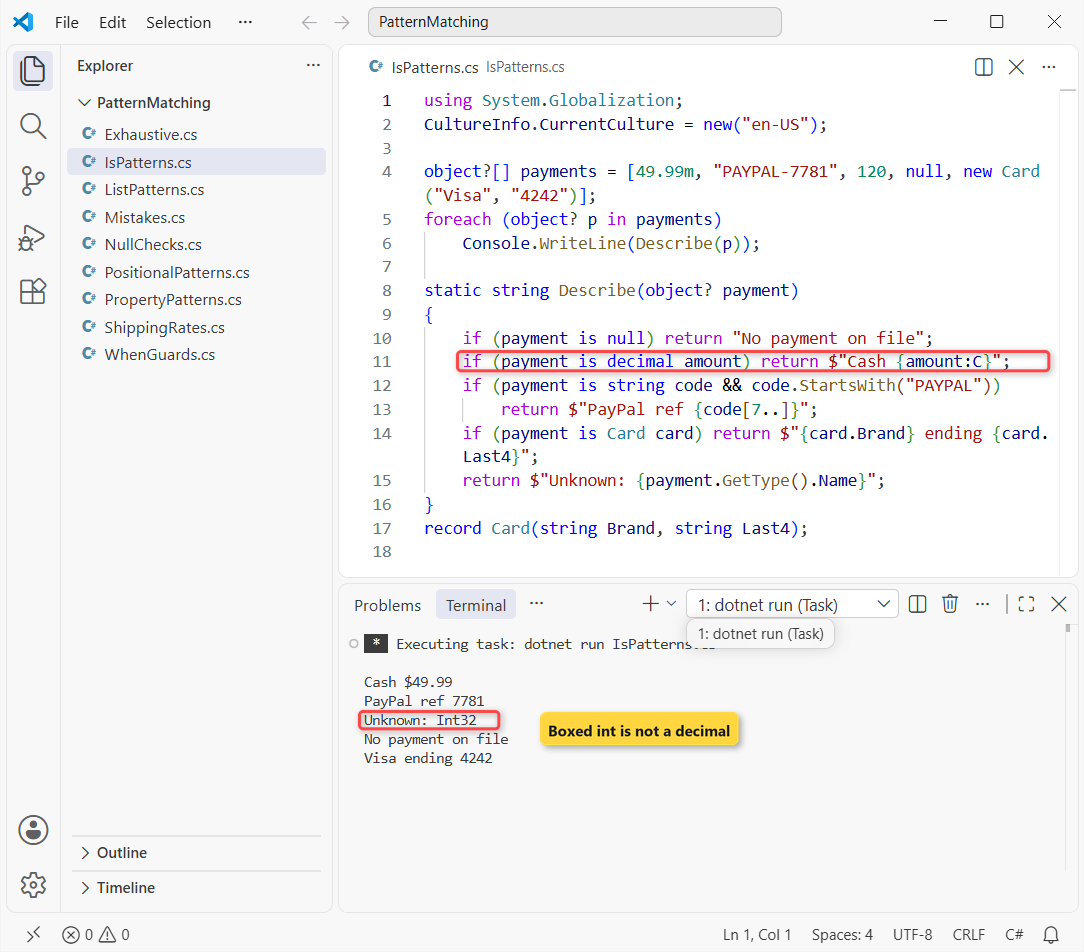
The 120 printed Unknown: Int32. A boxed int doesn’t match decimal, because the pattern only unboxes to the exact type. That’s the same rule behind boxing and unboxing in C#.
Before C# 7 you’d write as plus a null check, or a cast that throws. My type casting in C# post compares those; for type tests, I always use is now.
Two details I lean on: amount only exists where the match succeeded, and code.StartsWith runs only after code is known to be a string, thanks to &&.
Null Checks with Pattern Matching: is null and is not null
Microsoft Learn guarantees that x is null never calls a user-overloaded ==. Here’s why that matters, with a product SKU class whose == treats a blank code as null:
var blank = new Sku("");
Sku? missing = null;

Console.WriteLine($"blank == null:       {blank == null}");
Console.WriteLine($"blank is null:       {blank is null}");
Console.WriteLine($"missing is not null: {missing is not null}");

if (FindSku("TENT-2P") is { } sku)
    Console.WriteLine($"Found {sku.Code}");

static Sku? FindSku(string code) => code == "TENT-2P" ? new Sku(code) : null;

class Sku(string code)
{
    public string Code => code;
    public static bool operator ==(Sku? a, Sku? b) => (a?.Code ?? "") == (b?.Code ?? "");
    public static bool operator !=(Sku? a, Sku? b) => !(a == b);
    public override bool Equals(object? o) => o is Sku s && s.Code == Code;
    public override int GetHashCode() => Code.GetHashCode();
}
Output:
blank == null:       True
blank is null:       False
missing is not null: False
Found TENT-2P
The overloaded operator said a real object equals null. is null ignored it and told the truth. is not null is the readable way to write the opposite.
The last line uses the empty property pattern is { } sku: it matches any non-null value and declares the variable. More null techniques are in how to check for null values in C#.
Pattern Matching Switch Expressions with Relational and Logical Patterns
Same store, now pricing by state and package weight. Constant patterns match exact values, relational patterns (<, <=, >, >=) match ranges, and and, or, not combine them:
foreach (var s in new[] { "CA", "TX", "NY", "AK" })
    Console.WriteLine($"{s}: {Zone(s)}");
foreach (var lbs in new[] { 0.5, 4, 25, 80 })
    Console.WriteLine($"{lbs} lb: {Rate(lbs)}");

static string Zone(string state) => state switch
{
    "CA" or "OR" or "WA" => "West",
    "AK" or "HI" => "Noncontiguous",
    not ("TX" or "OK") => "Standard",
    _ => "South"
};

static string Rate(double lbs) => lbs switch
{
    <= 0 => throw new ArgumentOutOfRangeException(nameof(lbs)),
    < 1 => "$4.99 envelope",
    >= 1 and < 20 => "$8.99 ground",
    >= 20 and <= 70 => "$19.99 heavy",
    _ => "freight quote"
};
Output:
CA: West
TX: South
NY: Standard
AK: Noncontiguous
0.5 lb: $4.99 envelope
4 lb: $8.99 ground
25 lb: $19.99 heavy
80 lb: freight quote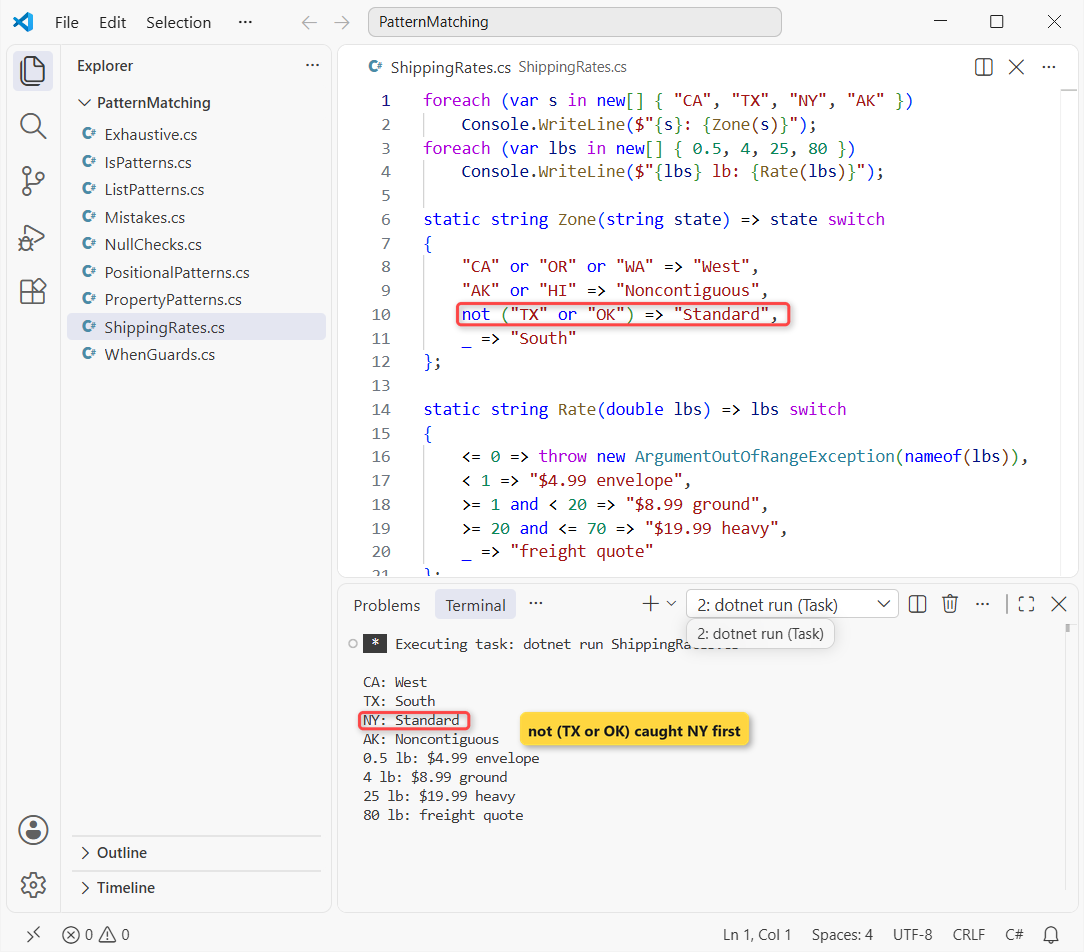
Arms run top to bottom and the first match wins. That’s why TX reached the discard _: the not ("TX" or "OK") arm sent every other state to Standard first.
The right side of a relational pattern must be a constant, so you can’t write < maxWeight with a variable. Use a when guard for that (below).
A switch expression returns a value; the classic statement runs code. If you still use case labels and break, my switch case in C# guide covers both side by side.
Property Patterns and Extended Property Patterns
This is the code from the top of the post, run on four sample orders. A property pattern checks properties or fields against nested patterns, and it never matches null:
using System.Globalization;
CultureInfo.CurrentCulture = new("en-US");

Order[] orders =
[
    new(1001, 142.50m, 12, new("Denver", "CO")),
    new(1002, 38.00m, 3, new("Anchorage", "AK")),
    new(1003, 64.25m, 58, new("Austin", "TX")),
    new(1004, 19.99m, 1, new("Columbus", "OH")),
];
foreach (var o in orders)
    Console.WriteLine($"#{o.Id} {o.ShipTo.State}: {Shipping(o):C}");

static decimal Shipping(Order order) => order switch
{
    { Total: >= 100m } => 0m,
    { ShipTo.State: "AK" or "HI" } => 24.99m,
    { WeightLbs: > 50 } => 89.00m,
    _ => 7.99m
};
record Address(string City, string State);
record Order(int Id, decimal Total, double WeightLbs, Address ShipTo);
Output:
#1001 CO: $0.00
#1002 AK: $24.99
#1003 TX: $89.00
#1004 OH: $7.99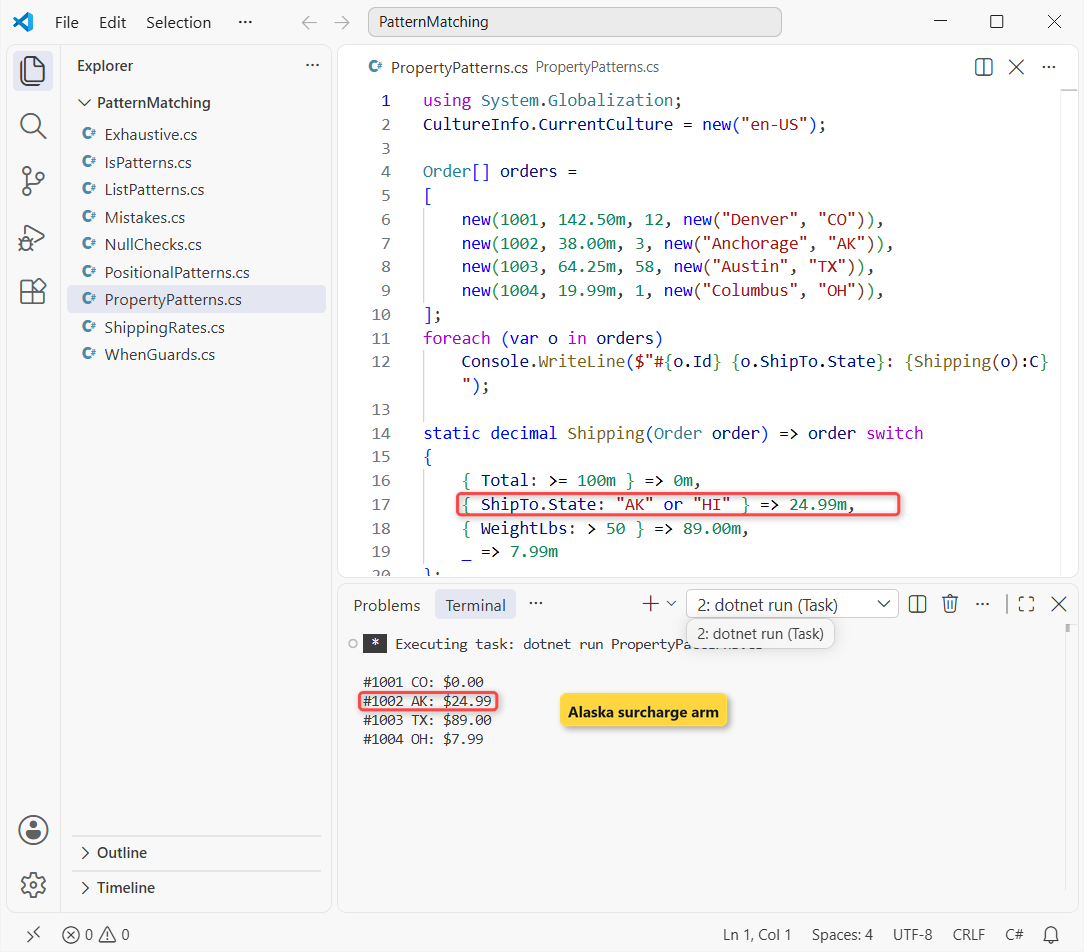
ShipTo.State is an extended property pattern (C# 10). It’s the short form of { ShipTo: { State: "AK" or "HI" } }, and Visual Studio’s IDE0170 rule suggests it.
Order matters here too. A $150 Alaska order ships free, because the free-shipping arm comes first. If Alaska should always pay, move that arm up.
These are positional records, so the property names come from the constructor. Why I use records for orders is in record vs class vs struct in C#.
Positional Patterns with Records, Tuples and Deconstruct
A positional pattern calls Deconstruct and matches each value in order. Records generate it; a class or struct can write its own. Tuples work too, which lets one switch test two inputs at once:
using System.Globalization;
CultureInfo.CurrentCulture = new("en-US");

var dock = new Address("Denver", "CO", "80202");
Console.WriteLine($"Ships from Denver: {dock is ("Denver", _, _)}");

Console.WriteLine(Tax("OR", 200m));
Console.WriteLine(Tax("WA", 200m));
Console.WriteLine(Tax("IL", 0m));

var box = new Package(14, 10, 6);
Console.WriteLine(box switch
{
    (> 24, _, _) or (_, > 24, _) => "Oversize",
    (_, _, <= 6) => "Fits the flat-rate box",
    _ => "Standard box"
});

static string Tax(string state, decimal subtotal) => (state, subtotal) switch
{
    (_, <= 0m) => "Nothing to tax",
    ("AK" or "DE" or "MT" or "NH" or "OR", _) => $"{state}: no state sales tax",
    ("WA", _) => $"WA 6.5%: {subtotal * 0.065m:C}",
    _ => $"{state}: look up the rate"
};

record Address(string City, string State, string Zip);
class Package(int length, int width, int height)
{
    public void Deconstruct(out int l, out int w, out int h) => (l, w, h) = (length, width, height);
}
Output:
Ships from Denver: True
OR: no state sales tax
WA 6.5%: $13.00
Nothing to tax
Fits the flat-rate box
The tuple switch is my favorite trick for tax and pricing tables. The five states with no state sales tax sit in one or arm, and Washington’s 6.5% on $200 came out to $13.00.
The Package class has no properties at all, just a Deconstruct method, and (_, _, <= 6) still read its height. The pattern’s order must match the out parameters. Tuples themselves are covered in tuples in C#.
var Pattern, Discards and when Guards in a Switch Statement
Patterns also work after case. A when guard adds any Boolean condition, including ones that use variables, and var (name, total, items) deconstructs the tuple into locals for it:
using System.Globalization;
CultureInfo.CurrentCulture = new("en-US");

var carts = new (string Customer, decimal Total, int Items)[]
{
    ("Jenna Morales", 250m, 6), ("Tyler Brooks", 40m, 1), ("Ava Chen", 95m, 12)
};
foreach (var cart in carts)
{
    switch (cart)
    {
        case { Total: >= 200m }:
            Console.WriteLine($"{cart.Customer}: free gift"); break;
        case var (name, total, items) when total / items < 10m:
            Console.WriteLine($"{name}: bulk deal, {total / items:C} per item"); break;
        default:
            Console.WriteLine($"{cart.Customer}: no promo"); break;
    }
}
Output:
Jenna Morales: free gift
Tyler Brooks: no promo
Ava Chen: bulk deal, $7.92 per item
Ava Chen’s cart is $95 for 12 items, so the guard computed $7.92 per item and gave her the bulk deal. Tyler Brooks matched neither case and hit default.
The discard _ matches anything, including null, but only in a switch expression. In is or a switch statement you write var _ or default instead.
List Patterns and Slice Patterns (C# 11+)
List patterns match arrays, lists and anything with a Length or Count plus an indexer. Same store, now reading package tracking histories:
string[][] histories =
[
    [],
    ["Created"],
    ["Created", "Shipped", "Delivered"],
    ["Created", "Shipped", "Returned", "Refunded"],
    ["Created", "Shipped", "In transit", "In transit", "Delivered"],
];
foreach (var h in histories)
    Console.WriteLine(Track(h));

static string Track(string[] events) => events switch
{
    [] => "No events yet",
    [var only] => $"Only: {only}",
    ["Created", .. var middle, "Delivered"] => $"Delivered, {middle.Length} scan(s) between",
    [.., "Refunded"] => "Refunded",
    [_, _, ..] => "Still moving"
};
Output:
No events yet
Only: Created
Delivered, 1 scan(s) between
Refunded
Delivered, 3 scan(s) between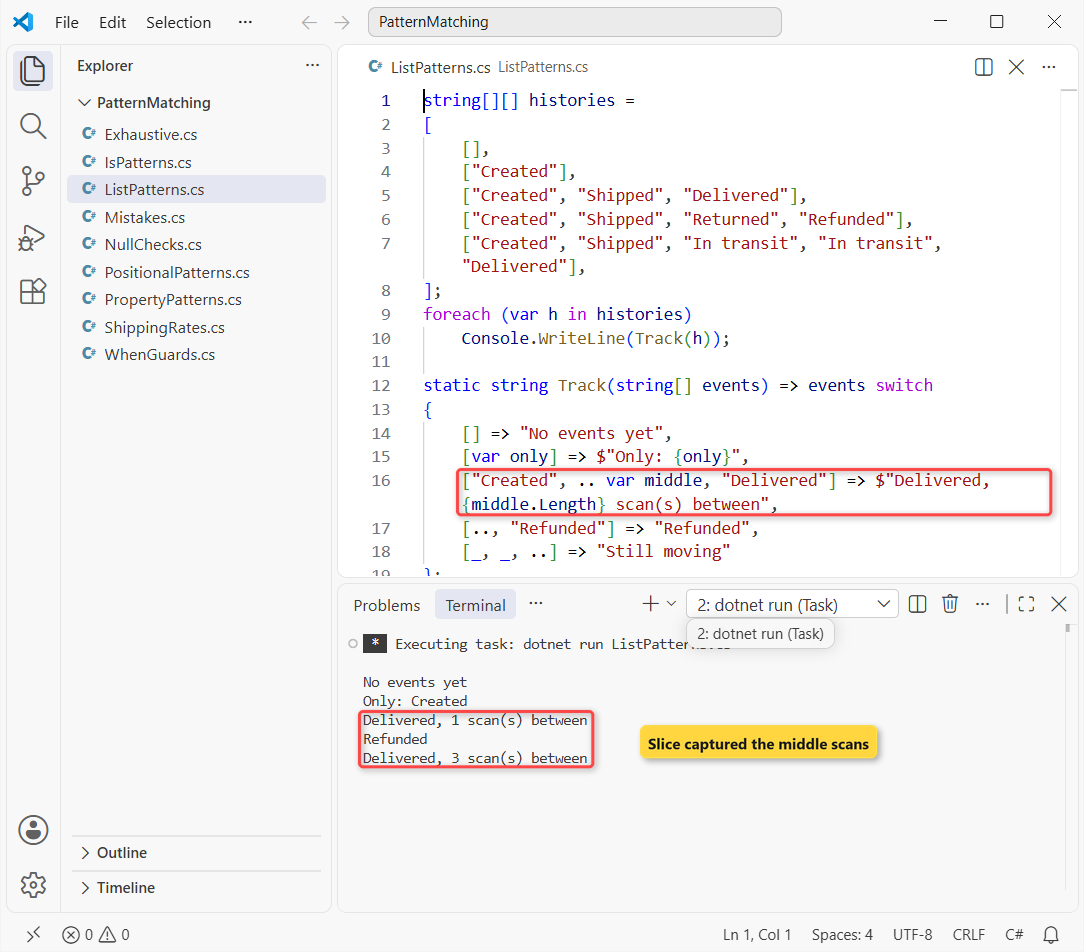
.. is the slice pattern. It matches zero or more elements, you get one per list pattern, and .. var middle captured the scans between Created and Delivered: 1 for the short trip, 3 for the long one.
[] matches an empty array and [var only] exactly one element. The same syntax works on a List<T> in C#, and on strings, since a string has Length and an indexer.
Why Does a Switch Expression Warn CS8509 (and Error CS8510)?
A switch expression must return something for every input. Leave a value out and you get a compiler warning, plus an exception at run time. Here’s an order-status label with Canceled missing:
using System.Runtime.CompilerServices;

foreach (var status in new[] { "Paid", "Shipped", "Canceled" })
{
    try { Console.WriteLine(Label(status)); }
    catch (SwitchExpressionException ex)
    {
        Console.WriteLine($"{ex.GetType().Name}: {ex.UnmatchedValue}");
    }
}

static string Label(string status) => status switch
{
    "Paid" => "Ready to pack",
    "Shipped" => "On the truck",
};
Output:
C:\DotNetDemo\PatternMatching\Exhaustive.cs(12,46): warning CS8509: The switch expression does not handle all possible values of its input type (it is not exhaustive). For example, the pattern '""' is not covered.
Ready to pack
On the truck
SwitchExpressionException: Canceled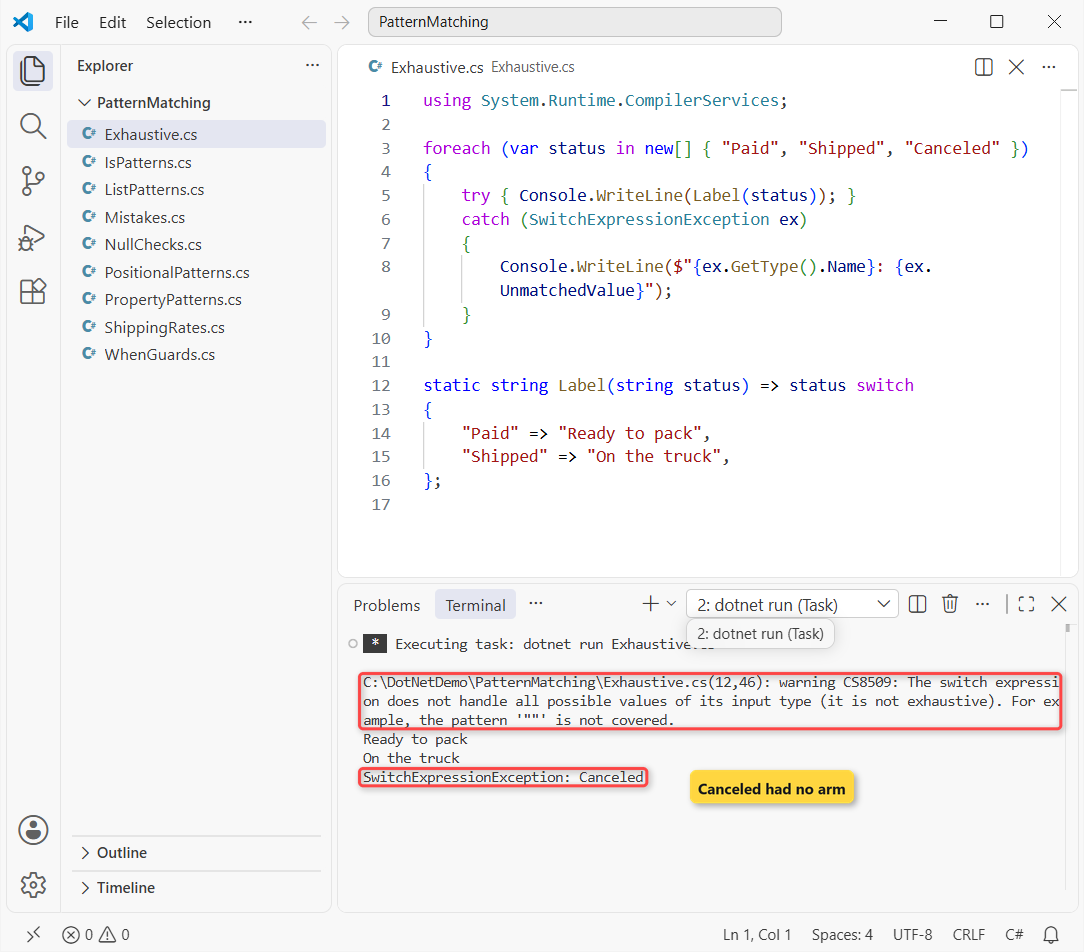
The build printed CS8509 and the program still ran. Canceled threw SwitchExpressionException, whose UnmatchedValue told me exactly what slipped through.
I’d treat that warning as an error. Catching the exception is only for the demo; try-catch in C# explains when catching is right.
With an enum, handling every named member still leaves a gap: I got CS8524, because (Status)2 is a legal value. Add a discard arm that throws. The enum in C# post shows why casts create those values.
The opposite problem is an arm that can never run. Putting < 20 before < 1 gave error CS8510: “The pattern is unreachable.” Order arms from the most specific to the most general.
Common Pattern Matching Mistakes and How to Fix Them
The worst one is precedence: not binds tighter than and, which binds tighter than or. Here’s a quantity check that looks right:
Console.WriteLine($"Qty 7 outside 1-5 (bug): {OutsideBug(7)}");
Console.WriteLine($"Qty 7 outside 1-5 (fix): {Outside(7)}");

object count = 3;
Console.WriteLine($"boxed int is long: {count is long}");
Console.WriteLine($"boxed int is int:  {count is int}");

static bool OutsideBug(int qty) => qty is not >= 1 and <= 5;
static bool Outside(int qty) => qty is not (>= 1 and <= 5);
Output:
C:\DotNetDemo\PatternMatching\Mistakes.cs(8,56): warning CS9336: The pattern is redundant.
Qty 7 outside 1-5 (bug): False
Qty 7 outside 1-5 (fix): True
boxed int is long: False
boxed int is int:  True
qty is not >= 1 and <= 5 means (not >= 1) and <= 5, so 7 came back False. Parentheses fixed it. On .NET 10 the compiler flagged the bug with CS9336: “The pattern is redundant.”
- Variables in patterns:
qty is limitfails with CS9135 (“A constant value of type ‘int’ is expected”). Useqty == limitor awhenguard. - Boxed numbers: a boxed int isn’t a long, so
count is longprinted False. Match the exact type, then convert. - Arm order: the first match wins, so put
Total: >= 100mafter the surcharge arm if Alaska should always pay. - Null in property patterns:
{ }never matches null, so a null order falls to_. Add anull => throwarm if null means a bug.
Which C# Pattern Should You Use?
| You want to … | Use |
|---|---|
| Check a type and get a typed variable | x is Order o |
| Test for null | is null / is not null |
| Map values or ranges to results | switch expression + relational/logical patterns |
| Rules on an object’s fields | property pattern { Total: >= 100m } |
| Rules on two inputs at once | tuple + positional pattern |
| Compare with a variable | when guard |
| Check the first or last items | list pattern with .. |
If you only learn one, learn the switch expression with property patterns. It replaces most if-else chains I see in code reviews, and C# keeps adding to it: what’s new in C# 14 lists the latest changes.
For the next step, these fit well with patterns:
- Filter orders with LINQ and pattern-based lambdas
- Interfaces you can match with type patterns
- Class hierarchies behind type switches
- Every C# tutorial on aspdotnethelp.com
Frequently Asked Questions
What is pattern matching in C#?
It’s a way to test a value against a shape (a type, a constant, a range, property values or list elements) with is, switch statements or switch expressions, and pull matched parts into variables.
Is a switch expression faster than if-else?
Usually about the same. The compiler can arrange the checks so it doesn’t repeat tests, but the main win is readability and the exhaustiveness warning, not speed.
What’s the difference between is null and == null?
x is null never calls an overloaded == operator, so it always checks for a real null. In my test, an overloaded == said a non-null SKU equaled null; is null returned False.
How do I fix warning CS8509?
Handle every possible input: add the missing values or a discard arm (_) that returns a default or throws. For enums, a discard is needed even when every named member is covered.
Which C# version added list patterns?
C# 11 (.NET 7). Relational and logical patterns came in C# 9, extended property patterns in C# 10. The patterns reference on Microsoft Learn lists every kind.

Bijay Kumar is a renowned software engineer, accomplished author, and distinguished Microsoft Most Valuable Professional (MVP) specializing in SharePoint. With a rich professional background spanning over 15 years, Bijay has established himself as an authority in the field of information technology. He possesses unparalleled expertise in multiple programming languages and technologies such as ASP.NET, ASP.NET MVC, C#.NET, and SharePoint, which has enabled him to develop innovative and cutting-edge solutions for clients across the globe. Read more…