
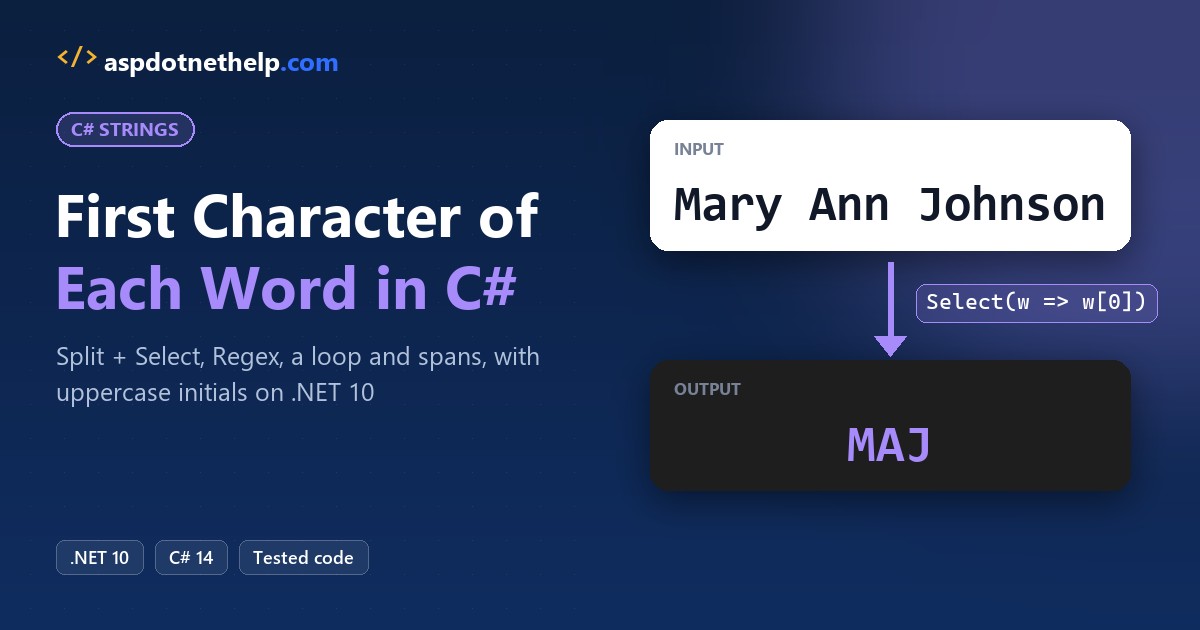
The quickest way to get the first character of each word in a string in C# is to split the text into words, take w[0] from each one with LINQ Select, and join the letters with string.Concat:
string name = "Mary Ann Johnson";
string initials = string.Concat(
    name.Split(' ', StringSplitOptions.RemoveEmptyEntries).Select(w => w[0]));
Console.WriteLine(initials);   // MAJ
I ran it on .NET 10 against messy spacing, hyphens, lowercase acronyms, null input and the one emoji that breaks it.
How Do You Get the First Character of Each Word in a String in C#?
Split on a space, pass RemoveEmptyEntries | TrimEntries so extra spaces don’t create blank words, then pick w[0]. Same name with sloppy spacing, plus a lowercase city:
string name = "  Mary  Ann Johnson ";
var opts = StringSplitOptions.RemoveEmptyEntries
         | StringSplitOptions.TrimEntries;
string[] words = name.Split(' ', opts);

string viaConcat = string.Concat(words.Select(w => w[0]));
string viaArray = new string(
    words.Select(w => w[0]).ToArray());
Console.WriteLine($"{viaConcat} / {viaArray}");

string city = "new york city";
string upper = string.Concat(city.Split(' ', opts)
    .Select(w => char.ToUpperInvariant(w[0])));
Console.WriteLine(upper);
Output:
MAJ / MAJ
NYC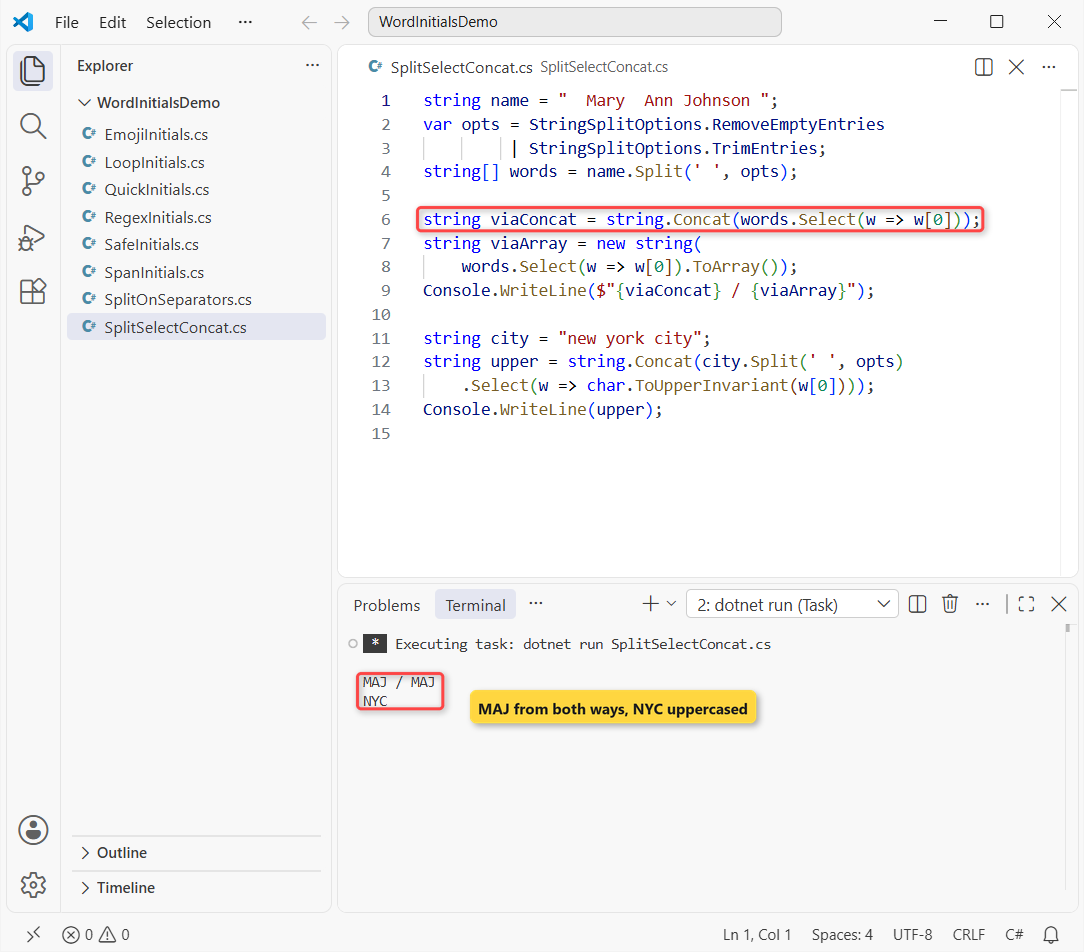
Both lines print MAJ, and the city comes back as NYC. string.Concat accepts the IEnumerable<char> directly, while new string(...ToArray()) goes through a char array, as in this guide to convert a char array to a string.
char.ToUpperInvariant ignores the PC’s culture, and TrimEntries needs .NET 5 or later.
Note: if you want the first few characters of one string rather than one per word, that’s a different job: get the first N characters of a string.
Get Initials When Words Are Split by Tabs or Hyphens
Real data mixes separators. Pass a char[] to Split and every character in it counts as a break. Same idea, now on hyphenated US places and names:
char[] seps = [' ', '\t', '-'];
string[] inputs = ["Winston-Salem\tForsyth County",
                   "Mary-Kate  Olsen", "Wilkes-Barre"];

foreach (string text in inputs)
{
    string byChars = string.Concat(text
        .Split(seps, StringSplitOptions.RemoveEmptyEntries)
        .Select(w => char.ToUpperInvariant(w[0])));
    string bySpace = string.Concat(text
        .Split(' ', StringSplitOptions.RemoveEmptyEntries)
        .Select(w => w[0]));
    Console.WriteLine($"{byChars,-6} (space: {bySpace})");
}
Output:
WSFC   (space: WC)
MKO    (space: MO)
WB     (space: W)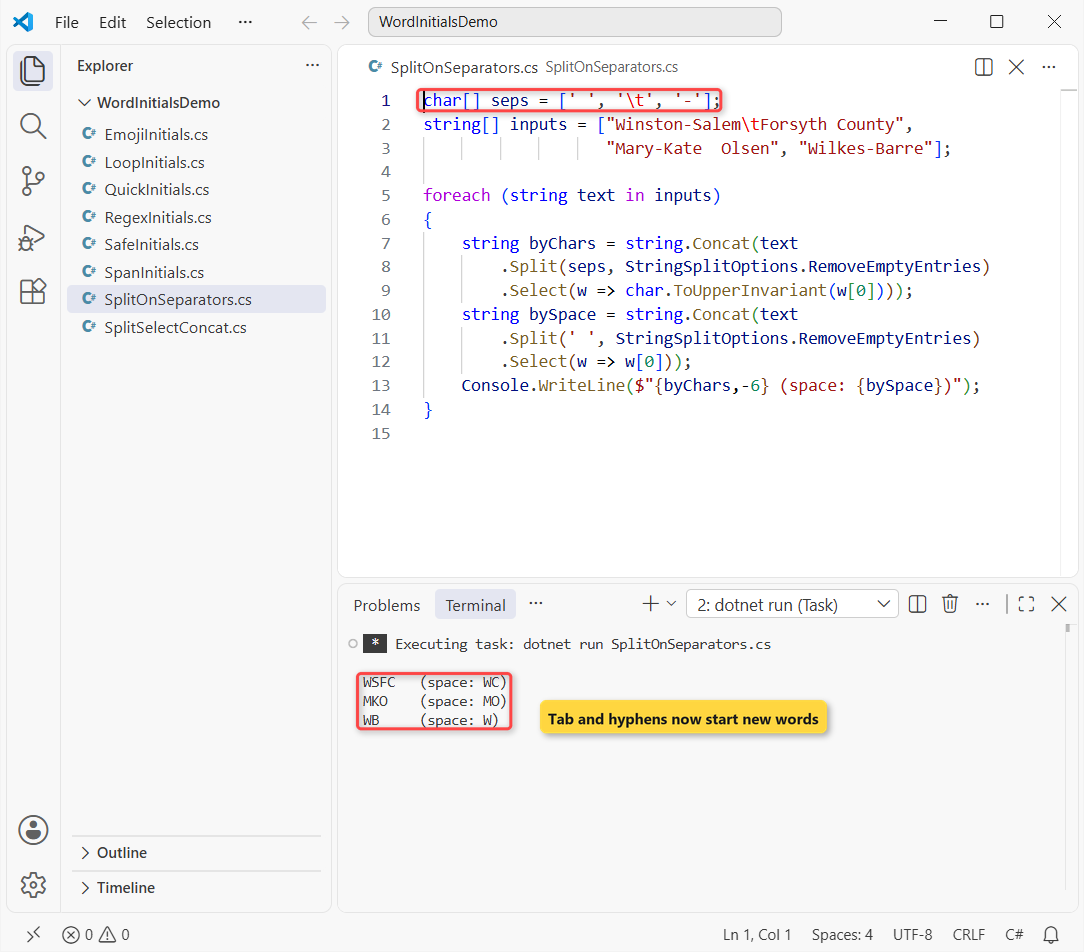
Winston-Salem with a tab before Forsyth County gives WSFC, and Mary-Kate Olsen gives MKO. Splitting on a space alone returns only WC, MO and W.
Decide up front whether a hyphen starts a new word for you. For agency acronyms it usually does; for Mary-Kate you may want MO. The foreach loop just runs each input through both rules.
Get the First Letter of Each Word with Regex.Matches
A regular expression finds word starts without splitting at all. \b\w means “a word character right after a word boundary”. Same agencies, plus an Irish surname:
using System.Text.RegularExpressions;

string[] names = ["Federal Bureau of Investigation",
    "Bureau of Labor Statistics", "Patrick O'Brien",
    "Winston-Salem, NC"];

foreach (string n in names)
{
    string all = string.Concat(Regex.Matches(n, @"\b\w")
        .Select(m => m.Value));
    string caps = string.Concat(Regex.Matches(n, @"\b[A-Z]")
        .Select(m => m.Value));
    Console.WriteLine($"{all,-6} {caps}");
}
Output:
FBoI   FBI
BoLS   BLS
POB    POB
WSN    WSN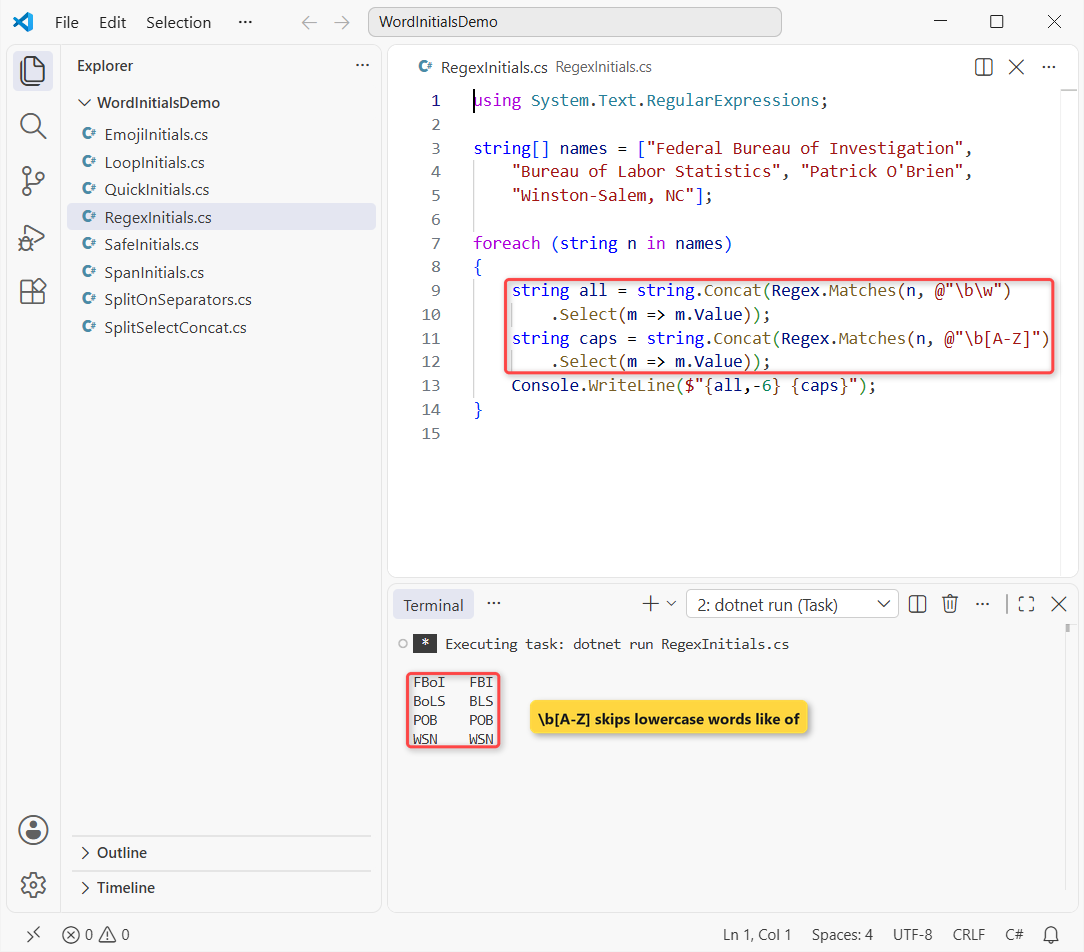
The first column keeps every word, so you get FBoI and BoLS. The second pattern, \b[A-Z], skips lowercase words and prints the real acronyms FBI and BLS.
Watch the punctuation: Patrick O’Brien gives POB, because the apostrophe is a word boundary. If that’s a problem, remove the apostrophes first, or stick with Split.
Get Initials with a for Loop (No LINQ)
Interviewers love this one. A character starts a word when it isn’t whitespace and the one before it is. Same names, with tabs and doubled spaces:
using System.Text;

Console.WriteLine(Initials("Jenna   Morales"));
Console.WriteLine(Initials("\tTyler James Brooks "));
Console.WriteLine(Initials("department of motor vehicles"));

static string Initials(string text)
{
    var sb = new StringBuilder();
    for (int i = 0; i < text.Length; i++)
    {
        bool wordStart = i == 0
            || char.IsWhiteSpace(text[i - 1]);
        if (wordStart && !char.IsWhiteSpace(text[i]))
            sb.Append(char.ToUpperInvariant(text[i]));
    }
    return sb.ToString();
}
Output:
JM
TJB
DOMV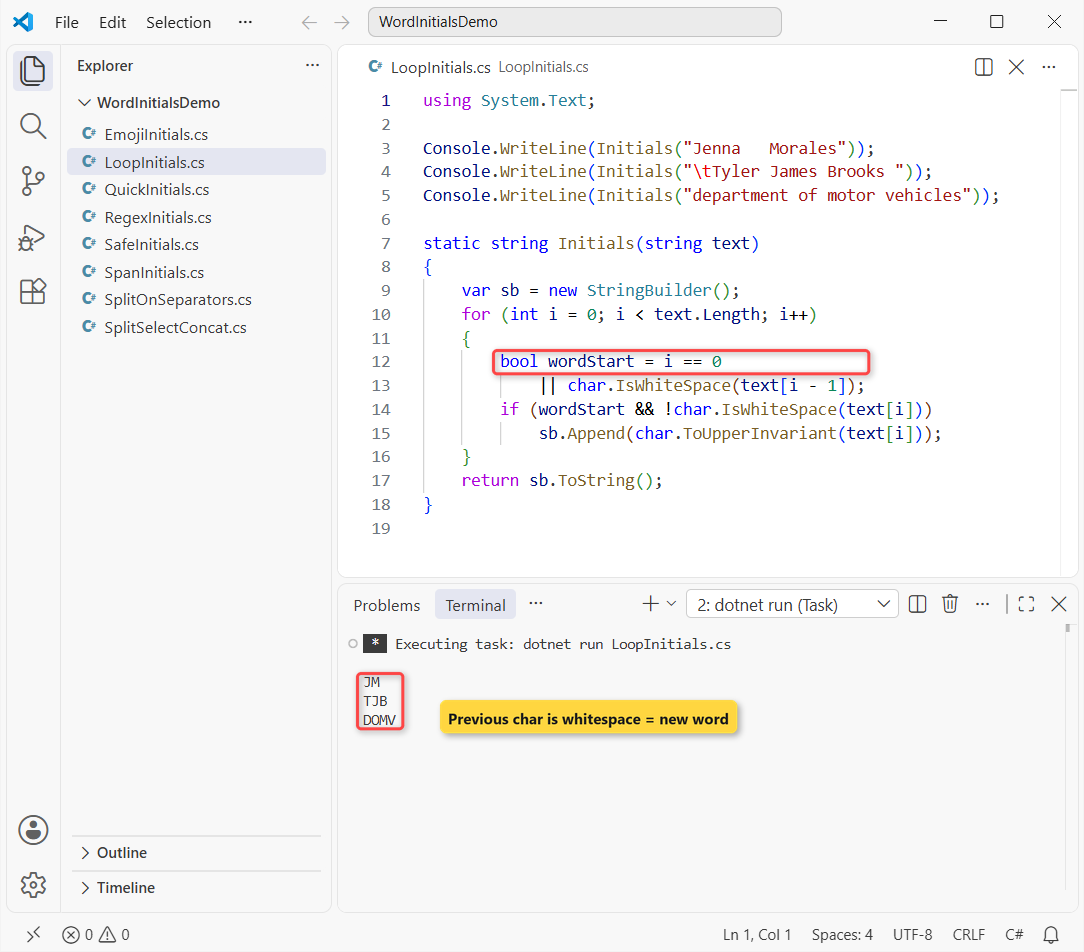
It prints JM, TJB and DOMV in one pass, with no array of words. The StringBuilder avoids a new string per letter, which this string vs StringBuilder comparison explains.
char.IsWhiteSpace covers spaces, tabs and line breaks. If the for syntax is new to you, see this C# for loop guide.
Allocation-Light Initials with ReadOnlySpan<char>
When you process millions of names, the same loop can write into a stackalloc buffer and allocate only the final string. Same idea, on two federal agency names:
Console.WriteLine(Initials("Transportation Security Administration"));
Console.WriteLine(Initials("  social security   number "));

static string Initials(ReadOnlySpan<char> text)
{
    Span<char> buffer = stackalloc char[64];
    int count = 0;
    bool wordStart = true;
    foreach (char ch in text)
    {
        if (char.IsWhiteSpace(ch)) { wordStart = true; continue; }
        if (wordStart && count < buffer.Length)
            buffer[count++] = char.ToUpperInvariant(ch);
        wordStart = false;
    }
    return new string(buffer[..count]);
}
Output:
TSA
SSN
It prints TSA and SSN. The buffer holds 64 initials, and the count < buffer.Length check stops it from overflowing on a long sentence.
Pro Tip: reach for this only when a profiler points at string work. For a form or a report, the LINQ one-liner is easier to read and plenty fast.
Handle Null, Empty Strings and Extra Spaces
Plain Split(' ') on “Mary Ann” creates an empty word, and w[0] on it throws. Here’s that failure, then the helper I use for form input:
string messy = "Mary  Ann";
try { messy.Split(' ').Select(w => w[0]).ToArray(); }
catch (Exception ex) { Console.WriteLine(ex.GetType().Name); }

string?[] inputs =
    ["Mary Ann Johnson", "", "   ", null, "Cher"];
foreach (string? s in inputs)
    Console.WriteLine($"[{s}] -> [{Initials(s)}]");

static string Initials(string? text)
{
    if (string.IsNullOrWhiteSpace(text)) return "";
    var opts = StringSplitOptions.RemoveEmptyEntries;
    return string.Concat(text.Split((char[]?)null, opts)
        .Select(w => char.ToUpperInvariant(w[0])));
}
Output:
IndexOutOfRangeException
[Mary Ann Johnson] -> [MAJ]
[] -> []
[   ] -> []
[] -> []
[Cher] -> [C]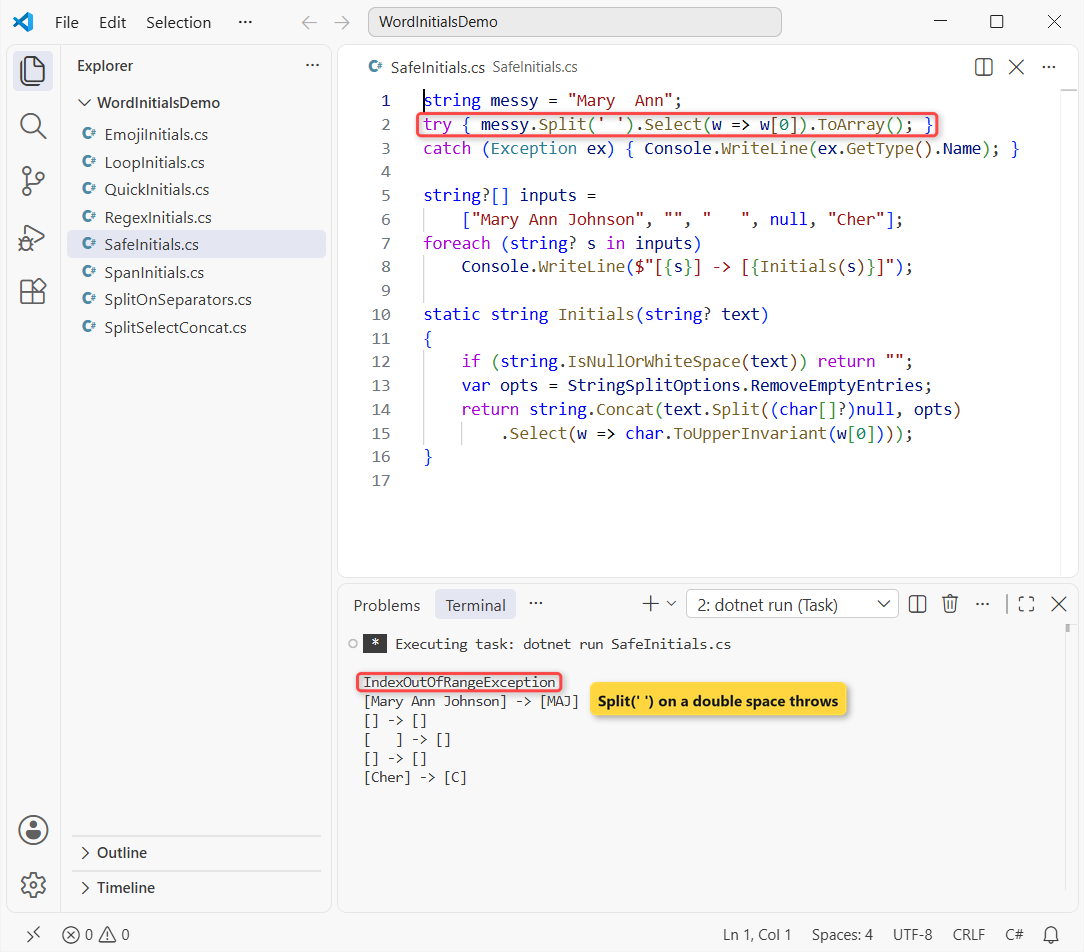
The first line shows IndexOutOfRangeException. The helper returns MAJ, empty strings for blank, whitespace and null, and C for a one-word name like Cher.
IsNullOrWhiteSpace runs first, so null never reaches Split; more on that guard in how to check if a string is not null or empty. Passing (char[]?)null splits on every whitespace character.
Why Does word[0] Break on Emoji?
A C# char is one UTF-16 code unit, and an emoji takes two. So w[0] grabs half of it. Same team-name idea, with a rocket in front:
using System.Globalization;
using System.Text;

Console.OutputEncoding = Encoding.UTF8;
string team = "🚀 Launch Team";
string[] words = team.Split(' ');

string byChar = string.Concat(words.Select(w => w[0]));
string byElement = string.Concat(
    words.Select(w => StringInfo.GetNextTextElement(w)));

Console.WriteLine($"{byChar.Length} chars, first is U+{(int)byChar[0]:X4}");
Console.WriteLine(byElement);
Output:
3 chars, first is U+D83D
🚀LT
The w[0] version returns 3 chars, and the first one is U+D83D, a lone high surrogate that prints as a broken symbol. StringInfo.GetNextTextElement returns the whole text element, so the second line prints the rocket followed by LT.
You’ll only need it for user-typed text with emoji or combining accents. To pull a single word off the end instead, see remove the last word from a string.
Working with strings one character at a time? These go well with this one:
- Reverse a string in C#, four ways
- Check if a string contains a character
- Compare two strings character by character
- Compare a string with multiple values
Frequently Asked Questions
How do I get the first letter of each word in a string in C#?
Use string.Concat(text.Split(' ', StringSplitOptions.RemoveEmptyEntries).Select(w => w[0])). For “Mary Ann Johnson” it returns MAJ.
How do I get initials from a full name in C#?
Split the name on whitespace with RemoveEmptyEntries, take the first character of each part and pass it through char.ToUpperInvariant. Check for null or blank input first.
Why do I get IndexOutOfRangeException when taking the first character of each word?
Two spaces in a row make Split(' ') return an empty word, and ""[0] throws. Add StringSplitOptions.RemoveEmptyEntries to drop the blanks.
How do I build an acronym like FBI and skip words like of?
Match only capital letters at word starts with Regex.Matches(text, @"\b[A-Z]"). “Federal Bureau of Investigation” then gives FBI instead of FBoI.
Does TrimEntries work on .NET Framework?
No. StringSplitOptions.TrimEntries needs .NET 5 or later, as the StringSplitOptions reference on Microsoft Learn notes. On .NET Framework, use RemoveEmptyEntries and call Trim() on each word.

Bijay Kumar is a renowned software engineer, accomplished author, and distinguished Microsoft Most Valuable Professional (MVP) specializing in SharePoint. With a rich professional background spanning over 15 years, Bijay has established himself as an authority in the field of information technology. He possesses unparalleled expertise in multiple programming languages and technologies such as ASP.NET, ASP.NET MVC, C#.NET, and SharePoint, which has enabled him to develop innovative and cutting-edge solutions for clients across the globe. Read more…