
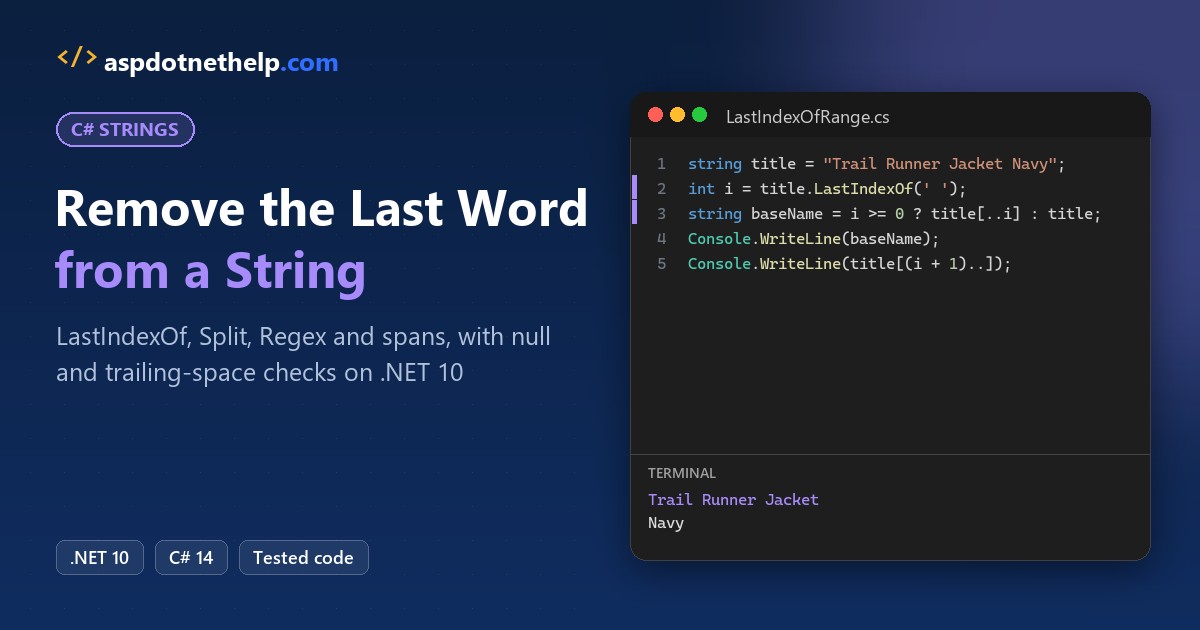
Picture a Portland outdoor store exporting 2,400 product titles for a new catalog. Every title ends with a color, like “Trail Runner Jacket Navy”, and the catalog wants only “Trail Runner Jacket”.
That’s a textbook remove last word from string C# job, and the quickest answer is LastIndexOf(' ') plus a range slice up to it. I tested it on .NET 10 against Split, Regex and spans, then hardened it for single words, nulls and spaces.
The Sample Product Titles We’ll Use
Every example uses rows from that export. Most are clean, but a few break a naive version:
| Title | What’s tricky |
|---|---|
Trail Runner Jacket Navy | Clean, four words |
Beanie | Only one word, no space |
Hiking Boots Brown | Two trailing spaces |
Camp Stove\tGreen | Double space and a tab |
"" / null | Blank or missing title |
Method 1: Remove the Last Word with LastIndexOf and Substring (Recommended)
This is my first pick: find the last space and keep everything before it. Same export rows here, plus the one-word Beanie:
string[] titles =
    ["Trail Runner Jacket Navy", "Camp Stove Green", "Beanie"];

foreach (string title in titles)
{
    int i = title.LastIndexOf(' ');
    string baseName = i >= 0 ? title[..i] : title;
    Console.WriteLine($"{title} -> {baseName}");
}

string old = "Camp Stove Green";
Console.WriteLine(old.Substring(0, old.LastIndexOf(' ')));
Output:
Trail Runner Jacket Navy -> Trail Runner Jacket
Camp Stove Green -> Camp Stove
Beanie -> Beanie
Camp Stove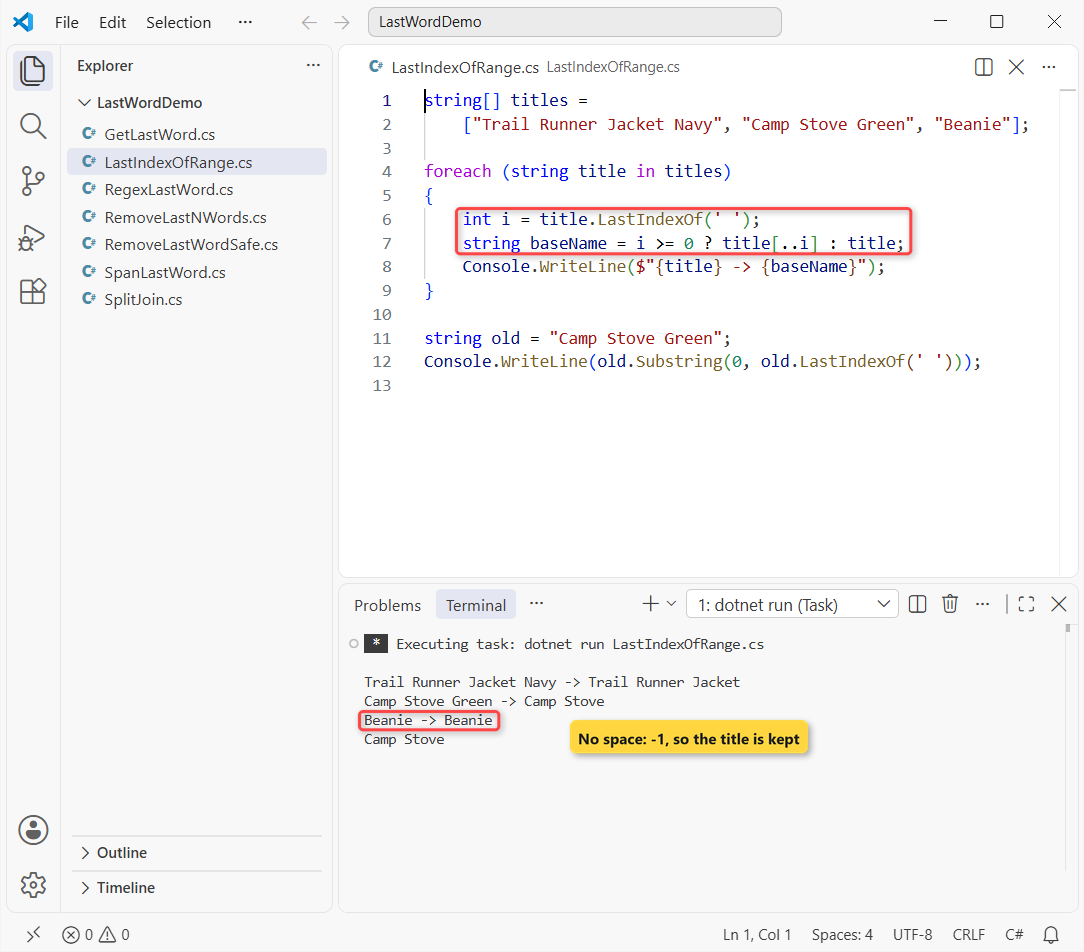
Trail Runner Jacket Navy becomes Trail Runner Jacket, and Beanie comes back unchanged.
How does this code work?
LastIndexOf(' ') searches from the end and returns the position of the last space, 19 for the jacket. It’s -1 when there’s no space, so the check keeps single words intact.
title[..i] is the C# 8 range for “up to, not including, i”; the last line shows the older Substring(0, i) form. Both are explained in how to get the first N characters of a string.
Important: Substring(0, -1) throws ArgumentOutOfRangeException, so never skip the -1 check.
Method 2: Remove the Last Word with Split and Join
If you think of a title as a list of words, split it, drop the last one and join the rest. Same jacket, then a messy row:
string title = "Trail Runner Jacket Navy";
string[] words = title.Split(' ');
Console.WriteLine(string.Join(" ", words[..^1]));

string messy = "Camp  Stove\tGreen  ";
string[] naive = messy.Split(' ');
Console.WriteLine($"naive: {naive.Length} parts");

string[] clean = messy.Split((char[]?)null,
    StringSplitOptions.RemoveEmptyEntries);
Console.WriteLine($"clean: {clean.Length} parts");
Console.WriteLine(string.Join(" ", clean[..^1]));
Output:
Trail Runner Jacket
naive: 5 parts
clean: 3 parts
Camp Stove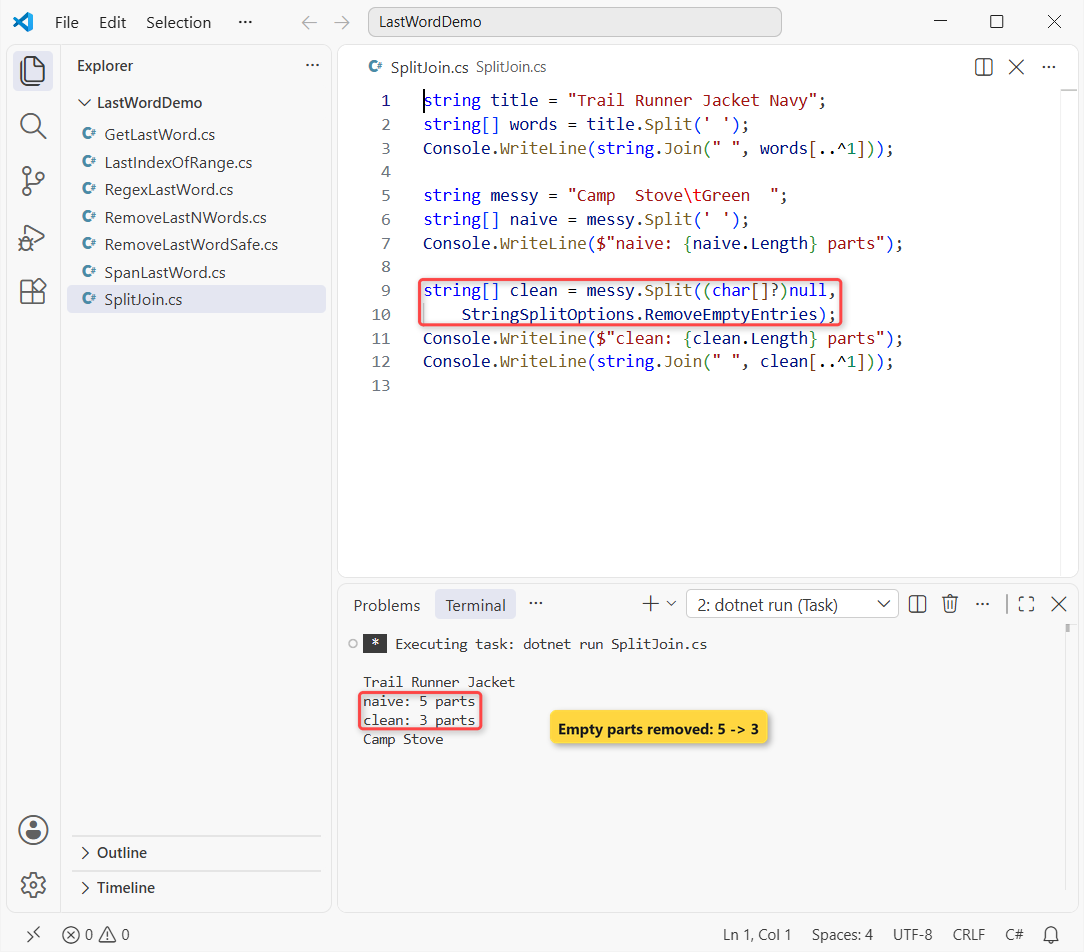
The clean title prints Trail Runner Jacket. The messy one gives 5 parts with a plain split but 3 with the options, and comes out as Camp Stove.
How does this code work?
words[..^1] means “every element except the last”. string.Join puts one space between them, so double spaces collapse too. It’s the same call I use to join a list into one string.
So here’s the catch: Split(' ') creates an empty entry for each extra space. Passing (char[]?)null splits on every whitespace character, tabs included, and RemoveEmptyEntries throws the blanks away.
Method 3: Remove the Last Word Using Regex
A regular expression handles trailing spaces and tabs in one pattern. Same sample rows, the messy ones included:
using System.Text.RegularExpressions;

string[] titles = ["Trail Runner Jacket Navy",
    "Hiking Boots Brown  ", "Camp  Stove\tGreen", "Beanie"];

foreach (string title in titles)
{
    string trimmed = Regex.Replace(title, @"\s*\S+\s*$", "");
    Console.WriteLine($"[{trimmed}]");
}
Output:
[Trail Runner Jacket]
[Hiking Boots]
[Camp  Stove]
[]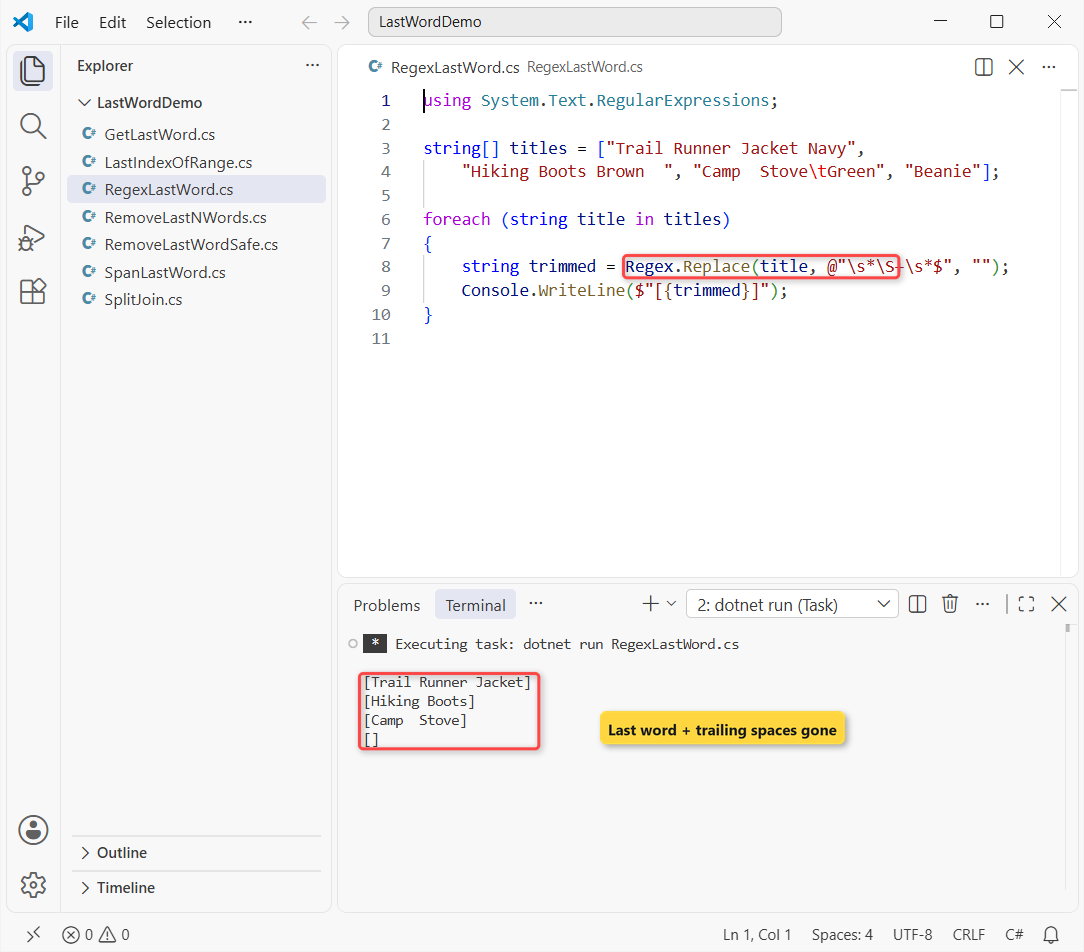
The brackets show no leftover spaces, and Beanie becomes an empty string.
How does this code work?
Read \s*\S+\s*$ right to left: optional whitespace at the end ($), one run of non-space characters (the last word), and the whitespace before it. Regex.Replace swaps that match for nothing.
The double space in Camp Stove survives, since only the end is touched. For more cleanup patterns, see how to remove a particular character from a string.
Method 4: Use a Span to Remove the Last Word Without Extra Allocations
In a hot loop over millions of titles, ReadOnlySpan<char> lets you trim and search without creating a string at every step. Same trailing-space row:
string title = "Hiking Boots Brown  ";

ReadOnlySpan<char> s = title.AsSpan().TrimEnd();
int i = s.LastIndexOfAny(' ', '\t');
ReadOnlySpan<char> rest = i >= 0 ? s[..i].TrimEnd() : [];

Console.WriteLine($"[{rest.ToString()}]");
Output:
[Hiking Boots]It prints [Hiking Boots].
How does this code work?
AsSpan() is a view over the original characters, so TrimEnd() and the slice only move the start and length. LastIndexOfAny(' ', '\t') finds the last space or tab, and ToString() allocates once at the end.
Pro Tip: use spans only when a profiler blames string work. Method 1 is plenty for 2,400 rows.
How Do You Remove the Last Word When the String Has Trailing Spaces or Is Null?
Your real data has all of these at once, so here’s the helper I keep. Same messy rows, plus a blank and a null:
string bad = "Hiking Boots Brown  ";
Console.WriteLine($"naive: [{bad[..bad.LastIndexOf(' ')]}]");

string?[] titles = ["Trail Runner Jacket Navy",
    "Hiking Boots Brown  ", "Camp  Stove\tGreen",
    "Beanie", "", null];

foreach (string? t in titles)
    Console.WriteLine($"[{RemoveLastWord(t)}]");

static string RemoveLastWord(string? text)
{
    if (string.IsNullOrWhiteSpace(text)) return "";
    string s = text.TrimEnd();
    int i = s.LastIndexOfAny([' ', '\t']);
    return i < 0 ? "" : s[..i].TrimEnd();
}
Output:
naive: [Hiking Boots Brown ]
[Trail Runner Jacket]
[Hiking Boots]
[Camp  Stove]
[]
[]
[]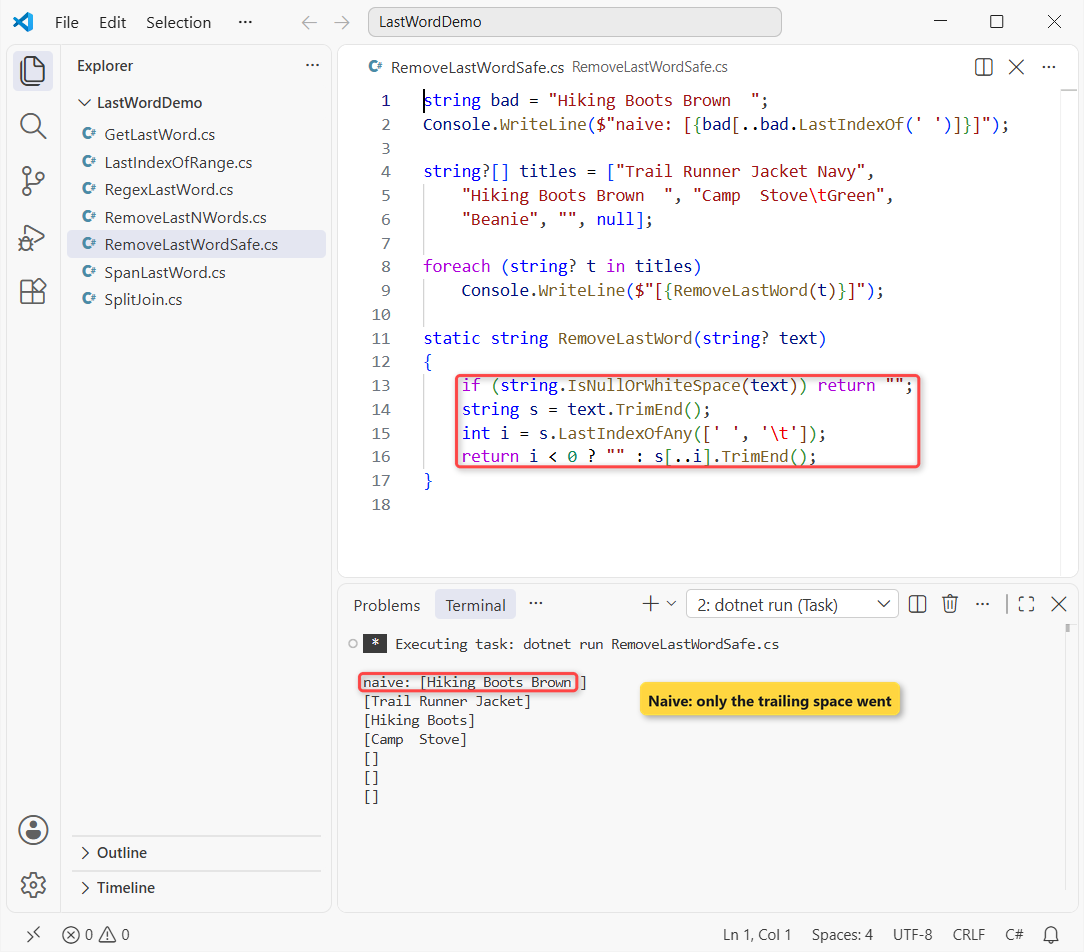
The naive line still shows Brown, because the last space was trailing. The helper returns Hiking Boots, and empty strings for Beanie, blank and null.
IsNullOrWhiteSpace runs first, so null never reaches TrimEnd(). More on that guard in how to check if a string is not null or empty.
You decide what a single word returns. I return an empty string here, while Method 1 kept the word.
How to Get the Last Word of a String in C#
Sometimes you want the color itself, or to swap it. Same jacket title, with trailing spaces:
string title = "Trail Runner Jacket Navy  ";
string s = title.TrimEnd();

int i = s.LastIndexOf(' ');
string color = s[(i + 1)..];
Console.WriteLine(color);

string renamed = $"{s[..i]} Black";
Console.WriteLine(renamed);
Console.WriteLine($"{renamed} XL");
Output:
Navy
Trail Runner Jacket Black
Trail Runner Jacket Black XL
It prints Navy, then Trail Runner Jacket Black, then Black XL with a word added to the end.
s[(i + 1)..] takes everything after the last space; Split(' ')[^1] gives the same word. Adding a word is plain interpolation, the same idea behind how I get the first character of each word.
Remove the Last N Words from a String
Now the export adds a size, so two trailing words have to go. Same jacket, plus XL:
string title = "Trail Runner Jacket Navy XL";
string[] words = title.Split(' ',
    StringSplitOptions.RemoveEmptyEntries);

foreach (int n in new[] { 1, 2, 3, 9 })
{
    int keep = Math.Max(0, words.Length - n);
    string result = string.Join(" ", words[..keep]);
    Console.WriteLine($"drop {n}: [{result}]");
}
Output:
drop 1: [Trail Runner Jacket Navy]
drop 2: [Trail Runner Jacket]
drop 3: [Trail Runner]
drop 9: []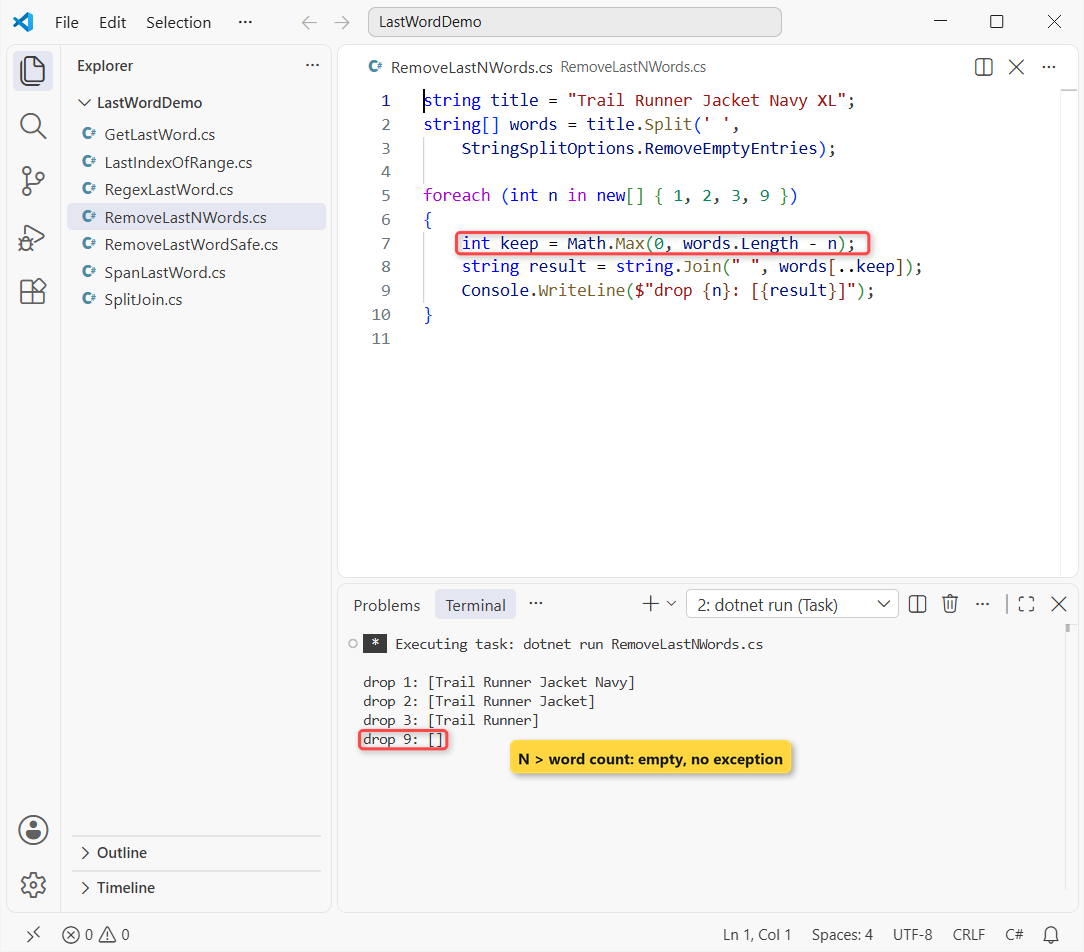
Dropping 2 words gives Trail Runner Jacket, and dropping 9 gives an empty string instead of an exception.
How does this code work?
keep is how many words survive. Math.Max(0, ...) clamps it, because words[..-4] would throw. To strip characters instead of words, see how to remove the last character from a string.
Which Method Should You Use to Remove the Last Word from a String?
| Situation | Use | Why |
|---|---|---|
| Clean text, one space between words | LastIndexOf + [..i] | Fastest, one new string |
| Extra spaces you also want to collapse | Split + RemoveEmptyEntries | Normalizes the spacing |
| Trailing spaces and tabs, one-liner | Regex.Replace | One pattern covers it |
| Millions of strings in a loop | ReadOnlySpan<char> | No in-between strings |
| User or file input | The RemoveLastWord helper | Null, blank and one-word safe |
My default is Method 1 inside that helper. I’d switch to Split only when you need the spacing fixed too.
Things to Keep in Mind
- Trailing spaces fool LastIndexOf: call TrimEnd() first.
- LastIndexOf returns -1 for one word; check it before Substring or a range.
- Strings never change in place, so assign the result: title = RemoveLastWord(title).
Working on more string cleanup? These go well with this one:
- Reverse a string in C#, four ways
- Check if a string contains a character
- Compare a string with multiple values
- String vs StringBuilder in C#
Frequently Asked Questions
How do I remove the last word from a string in C#?
Find the last space with LastIndexOf(' ') and keep the text before it: title[..i] or title.Substring(0, i). Check for -1 first, which means the string has only one word.
How do I get the last word of a string in C#?
Use s[(s.LastIndexOf(' ') + 1)..], or s.Split(' ')[^1]. Call TrimEnd() first, or a trailing space makes the last word empty.
How do I remove the last two words from a string?
Split with StringSplitOptions.RemoveEmptyEntries, then join words[..Math.Max(0, words.Length - 2)] with a space.
What happens if the string has only one word?
It depends on the method. LastIndexOf returns -1, so the guarded range version gives the word back unchanged. The Regex version and the RemoveLastWord helper return an empty string. Pick the behavior your data needs and test a one-word value.
Does Split with a null separator split on tabs?
Yes. A null or empty separator splits on every whitespace character, as the String.Split reference on Microsoft Learn explains. Add RemoveEmptyEntries to drop the blanks.

Bijay Kumar is a renowned software engineer, accomplished author, and distinguished Microsoft Most Valuable Professional (MVP) specializing in SharePoint. With a rich professional background spanning over 15 years, Bijay has established himself as an authority in the field of information technology. He possesses unparalleled expertise in multiple programming languages and technologies such as ASP.NET, ASP.NET MVC, C#.NET, and SharePoint, which has enabled him to develop innovative and cutting-edge solutions for clients across the globe. Read more…