
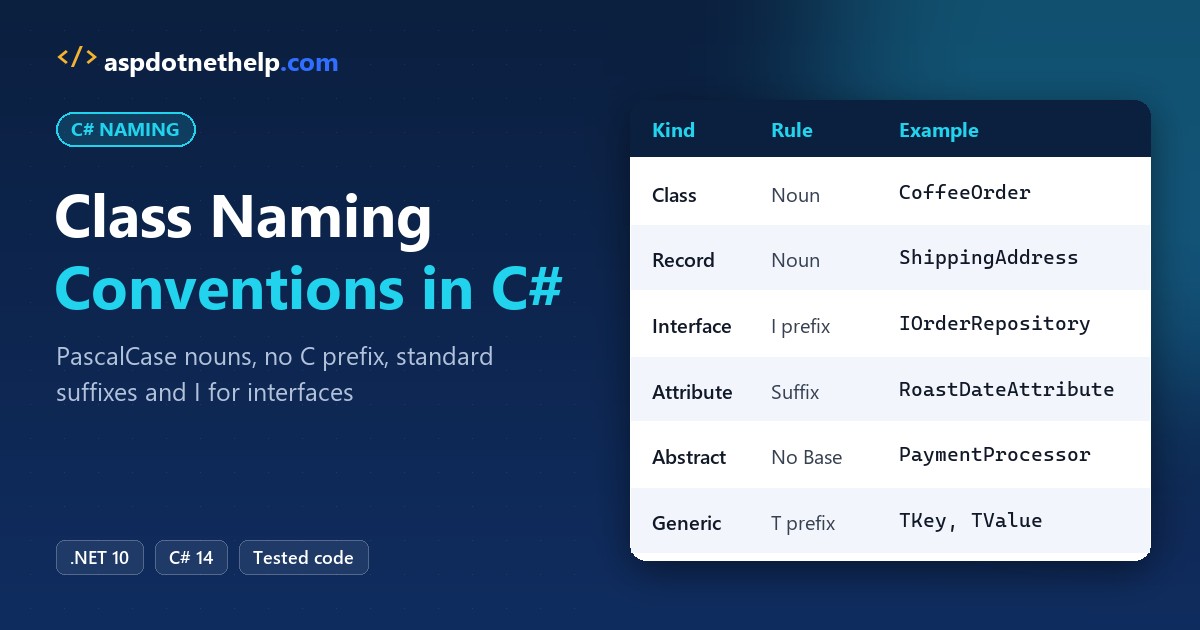
Say you’re reviewing a pull request for a San Diego coffee roaster’s order system and you find clsOrder, order_helper, OrderBase and a class called Orders inside the Orders namespace.
Quick answer: the C# class naming conventions are PascalCase nouns with no prefix, a suffix only when the base type asks for one, and I only on interfaces:
public class CoffeeOrder { }                      // not clsCoffeeOrder or coffee_order
public class OrderNotFoundException : Exception { }
public interface IOrderRepository { }
We fixed that whole pull request on .NET 10, then made the build catch the same names next time.
What You Need Before You Start with C# Class Names
- The .NET 10 SDK. Every example is a file-based app you run with
dotnet run File.cs. - VS Code with the C# Dev Kit (see how to create a console application in Visual Studio Code).
- The sample: order code for Bayview Coffee Roasters, a made-up roaster in San Diego, California.
This page is about type names. For every other identifier, start with our naming conventions in C# overview.
Step 1: Name Classes, Records and Structs as PascalCase Nouns
Microsoft’s Framework Design Guidelines say to name classes and structs with nouns or noun phrases in PascalCase. Nouns keep types apart from methods, which get verb phrases. Records follow the same rule, and so do a positional record’s parameters, because they become public properties.
using System.Globalization;
CultureInfo.CurrentCulture = new("en-US");

var order = new CoffeeOrder("SD-1042", "Jenna Morales", 38.50m);
var shipTo = new ShippingAddress("1250 Harbor Dr", "San Diego", "CA", "92101");
var bag = new BagWeight(12);

Console.WriteLine($"{order.Number} for {order.Customer}: {order.Total:C}");
Console.WriteLine($"Ship to {shipTo.City}, {shipTo.State} {shipTo.ZipCode}");
Console.WriteLine($"{nameof(BagWeight)}: {bag.Ounces} oz");

public class CoffeeOrder(string number, string customer, decimal total)
{
    public string Number { get; } = number;
    public string Customer { get; } = customer;
    public decimal Total { get; } = total;
}
public record ShippingAddress(
    string Street, string City, string State, string ZipCode);
public readonly record struct BagWeight(int Ounces);
Output:
SD-1042 for Jenna Morales: $38.50
Ship to San Diego, CA 92101
BagWeight: 12 oz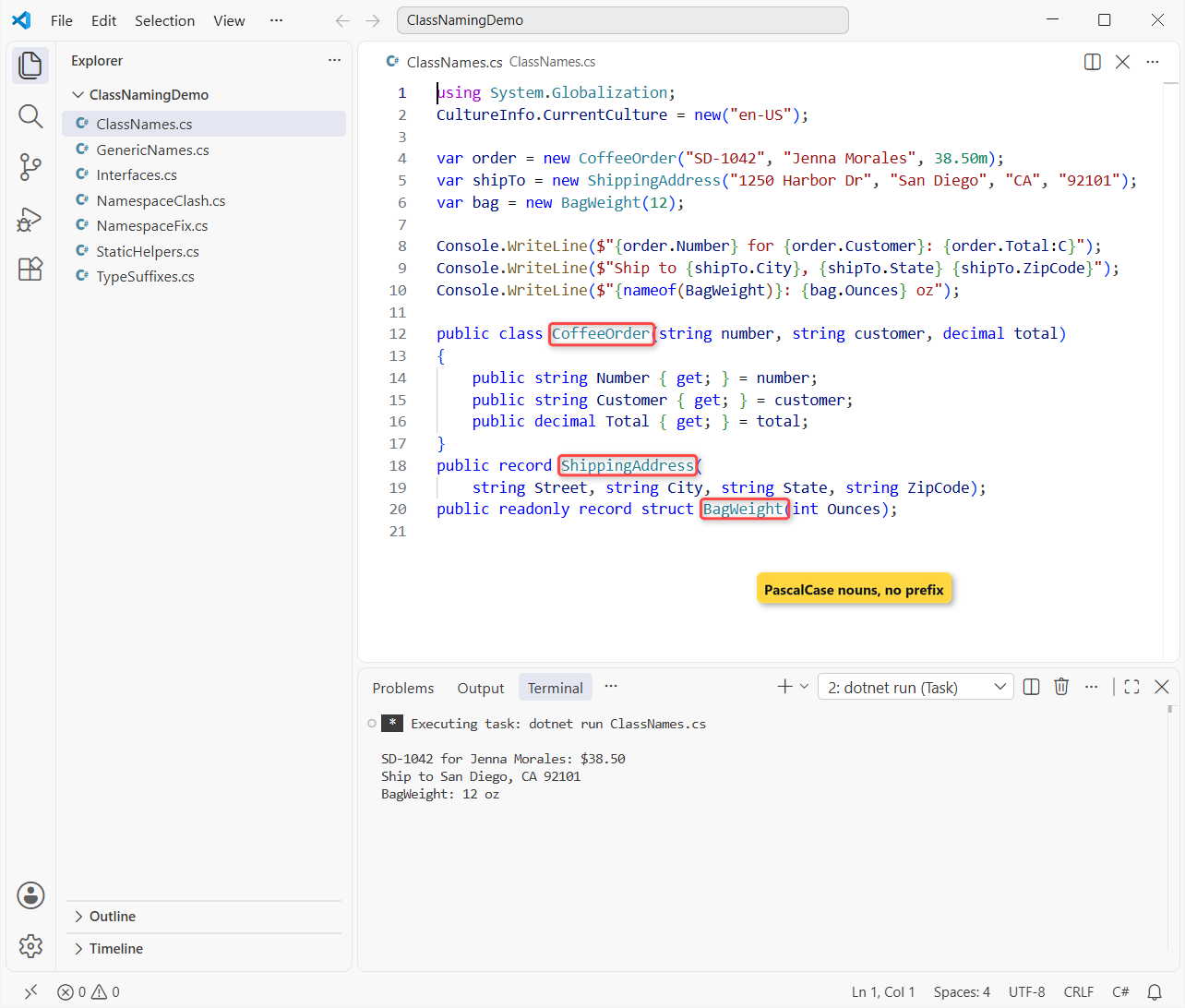
Order SD-1042 for Jenna Morales comes to $38.50. The primary constructor parameters stay camelCase on the class, like other parameters, while the record’s City and ZipCode are PascalCase. Our structure in C# post covers when a struct beats a class.
Acronyms and abbreviations in class names
Two-letter acronyms keep both letters upper case (IOStream), and longer ones are written like a word (XmlReader, HtmlEncoder). Spell words out: CustomerAccount, not CustAcct.
Step 2: Drop the C and cls Prefixes from C# Class Names
The guidelines say it plainly: don’t give class names a prefix such as C. clsCustomer and CCustomer are Hungarian notation from the VB6 and MFC days, and they add nothing the editor doesn’t already show you.
The same goes for underscores. Shipping_Label compiles, but it doesn’t match a single .NET type. Underscores belong on private fields, as our C# fields naming conventions guide explains.
Step 3: Add the Standard Class Suffixes (Exception, Attribute, EventArgs)
A suffix is right when the class derives from a well-known .NET type. Same roaster, now with an exception, an attribute, event data and a collection:
Type[] types = [typeof(OrderNotFoundException), typeof(RoastDateAttribute),
                typeof(OrderPlacedEventArgs), typeof(OrderCollection)];
foreach (Type t in types)
    Console.WriteLine($"{t.Name,-24} -> {t.BaseType!.Name}");

object attr = typeof(HouseBlend).GetCustomAttributes(false)[0];
Console.WriteLine($"[RoastDate] is really {attr.GetType().Name}");

public class OrderNotFoundException(string number) : Exception($"Order {number} not found");
[AttributeUsage(AttributeTargets.Class)]
public class RoastDateAttribute(string date) : Attribute { public string Date => date; }
public class OrderPlacedEventArgs(string number) : EventArgs { public string Number => number; }
public class OrderCollection : System.Collections.ObjectModel.Collection<string>;
[RoastDate("2026-10-28")] public class HouseBlend;
Output:
OrderNotFoundException   -> Exception
RoastDateAttribute       -> Attribute
OrderPlacedEventArgs     -> EventArgs
OrderCollection          -> Collection`1
[RoastDate] is really RoastDateAttribute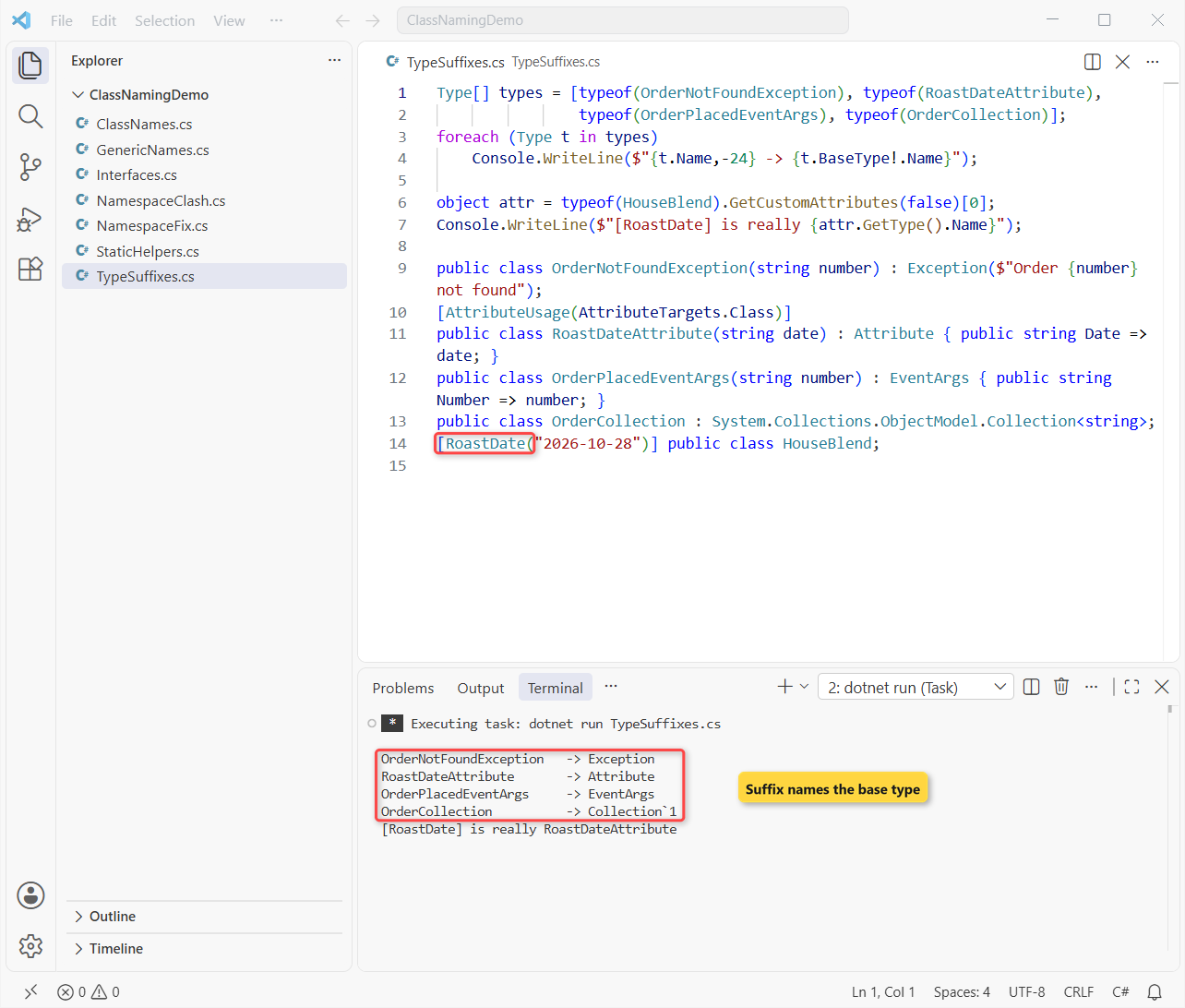
Each name ends with what it is. The compiler also lets you drop Attribute when you apply one, so [RoastDate] finds RoastDateAttribute.
The guidelines also ask for Dictionary on dictionary types and Stream on streams. Never add Enum or Flags to an enum; our C# enum naming conventions post covers those.
Controller, Service and Repository in ASP.NET Core
ASP.NET Core finds MVC controllers by the Controller suffix (or the [Controller] attribute), so OrdersController is a requirement, not a style choice.
OrderService, OrderRepository and OrderValidator are team conventions. They work because every developer can guess the file before opening it.
Async is a method suffix, not a class suffix
PlaceOrderAsync is right for a method that returns a Task. OrderServiceAsync is wrong, because a class isn’t awaitable. Our C# method naming conventions guide has the Async rules.
Step 4: Name Interfaces with I and Abstract Classes Without Base
Interfaces get an I prefix, and when a class is the standard implementation, the two names should differ only by that I. See interface in C# for the language side.
IOrderRepository repo = new OrderRepository();
PaymentProcessor[] processors = [new CardPaymentProcessor(), new GiftCardPaymentProcessor()];

foreach (PaymentProcessor p in processors)
    Console.WriteLine($"{p.GetType().Name,-25} {p.Charge(38.50m)}");
Console.WriteLine($"{repo.GetType().Name} implements {nameof(IOrderRepository)}");

public interface IOrderRepository { int Count { get; } }
public class OrderRepository : IOrderRepository { public int Count => 3; }

public abstract class PaymentProcessor
{
    public abstract string Charge(decimal amount);
}
public class CardPaymentProcessor : PaymentProcessor
{
    public override string Charge(decimal amount) => $"charged {amount} to Visa";
}
public class GiftCardPaymentProcessor : PaymentProcessor
{
    public override string Charge(decimal amount) => $"charged {amount} to gift card";
}
Output:
CardPaymentProcessor      charged 38.50 to Visa
GiftCardPaymentProcessor  charged 38.50 to gift card
OrderRepository implements IOrderRepository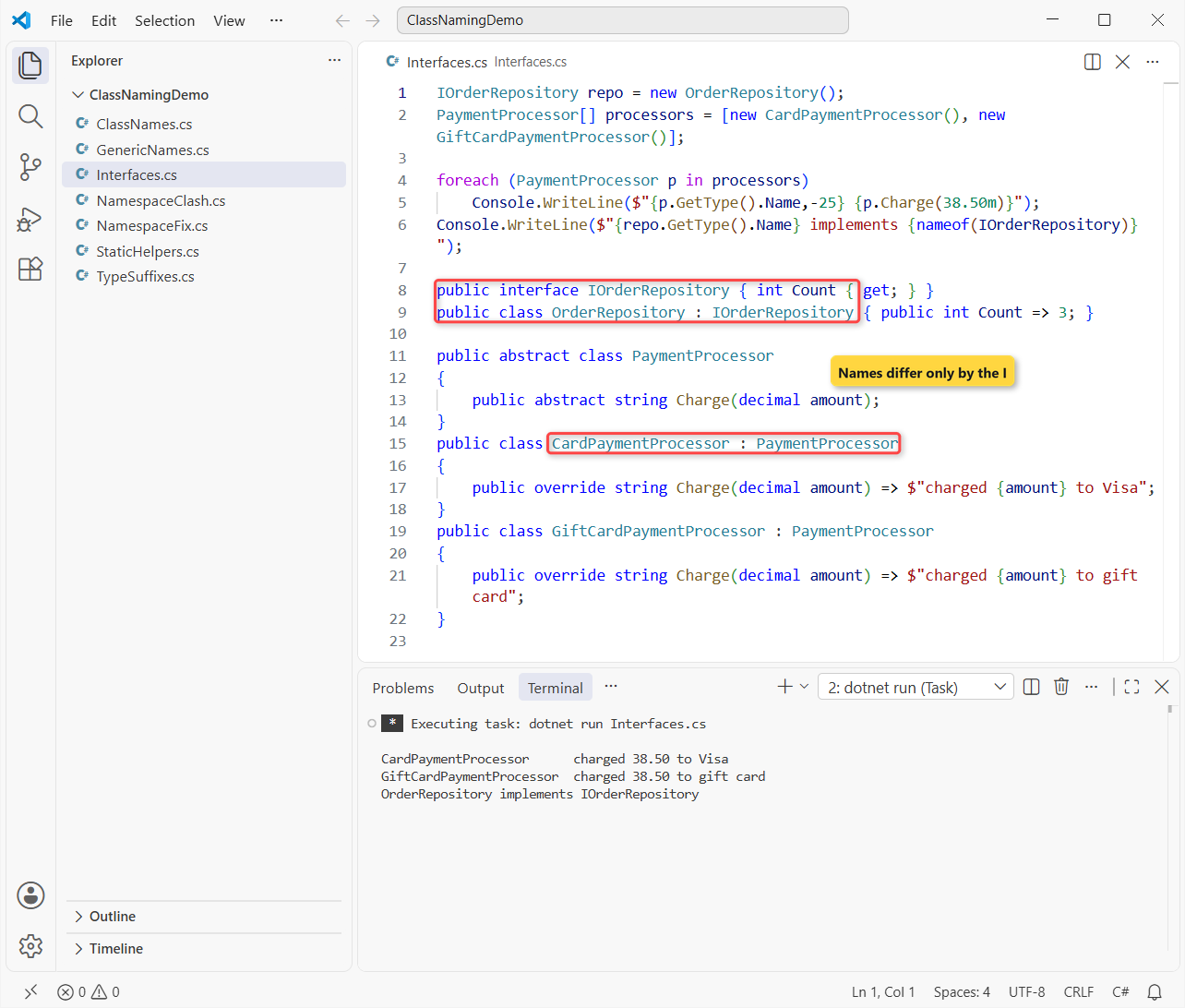
Both processors charged $38.50. Their names end with the base class name, which the guidelines suggest, the same way ArgumentOutOfRangeException ends with Exception.
For a public base class, the guidelines say to avoid a Base suffix: PaymentProcessor reads better than PaymentProcessorBase. Inside an app, Base is fine if your team likes it. Our abstract class in C# post shows when to pick one.
Step 5: Name Generic Type Parameters T, TKey and TValue
Use T when a class has one obvious type parameter, and a descriptive name with a T prefix when it has more:
var prices = new PriceCache<string, decimal>();
prices.Add("Ethiopia Yirgacheffe", 18.95m);
var lookup = new Result<decimal>(prices.Get("Ethiopia Yirgacheffe"));
Console.WriteLine($"Price: {lookup.Value}");

Type cache = typeof(PriceCache<,>);
Console.WriteLine($"{cache.Name}: {string.Join(", ", cache.GetGenericArguments().Select(t => t.Name))}");
Console.WriteLine($"Result<{typeof(Result<>).GetGenericArguments()[0].Name}>");

public class PriceCache<TKey, TValue> where TKey : notnull
{
    private readonly Dictionary<TKey, TValue> _items = [];
    public void Add(TKey key, TValue value) => _items[key] = value;
    public TValue Get(TKey key) => _items[key];
}
public record Result<T>(T Value);
Output:
Price: 18.95
PriceCache`2: TKey, TValue
Result<T>
The Ethiopia Yirgacheffe bag costs $18.95. Reflection shows PriceCache`2, because metadata adds the parameter count, while your code still says PriceCache<TKey, TValue>.
Step 6: Name Static and Helper Classes After What They Do
A static class still gets a noun, but name it after its one job. SalesTaxCalculator beats Helpers or Utils, which turn into dumping grounds. Extension method classes end with Extensions:
using System.Globalization;
CultureInfo.CurrentCulture = new("en-US");

decimal subtotal = 54.00m;
Console.WriteLine($"CA state tax: {SalesTaxCalculator.ForState("CA", subtotal):C}");
Console.WriteLine($"Bags at $13.50: {subtotal.ToBagCount(13.50m)}");

public static class SalesTaxCalculator
{
    public static decimal ForState(string state, decimal amount) =>
        state == "CA" ? Math.Round(amount * 0.0725m, 2) : 0m;
}
public static class DecimalExtensions
{
    public static int ToBagCount(this decimal total, decimal bagPrice) => (int)(total / bagPrice);
}
Output:
CA state tax: $3.92
Bags at $13.50: 4
A $54.00 order in California gets $3.92 of state tax at the 7.25% base rate. DecimalExtensions tells you exactly which type its methods extend.
Step 7: Match the File Name to the Class Name
Put each public class in its own file named after it: CoffeeOrder lives in CoffeeOrder.cs. The compiler doesn’t care, but your team scanning Solution Explorer does.
Visual Studio’s quick actions offer “Move type to CoffeeOrder.cs” and “Rename file to CoffeeOrder.cs” when they don’t match. Generic types usually use the plain name, and partial classes add a part, like CoffeeOrder.Validation.cs.
Our demo files break this on purpose: a single-file app keeps a few small types together so you can run it in one go.
Can a Class Have the Same Name as Its Namespace?
It compiles until something references it. The guidelines say not to use the same name for a namespace and a type in it, and here’s why:
Bayview.Checkout.Run();

namespace Bayview
{
    static class Checkout
    {
        public static void Run() => Console.WriteLine(new Orders().Count);
    }
}

namespace Bayview.Orders
{
    class Orders { public int Count => 3; }
}
dotnet run NamespaceClash.cs:
C:\DotNetDemo\ClassNamingDemo\NamespaceClash.cs(7,59): error CS0118: 'Orders' is a namespace but is used like a type

The build failed. Fix the build errors and run again.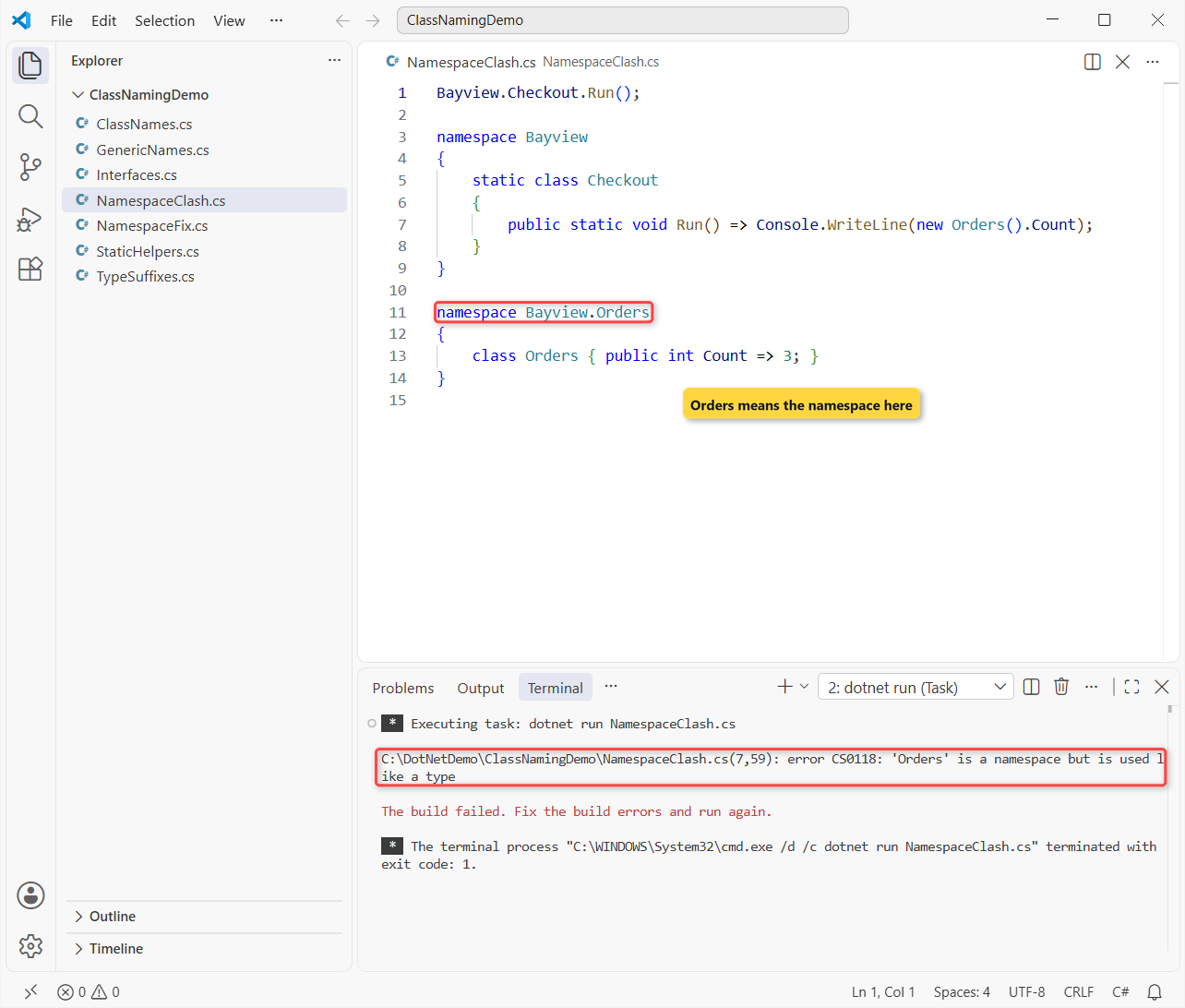
The compiler finds the namespace Bayview.Orders before the class, so you get CS0118: 'Orders' is a namespace but is used like a type. The fix is a plural namespace and a different class name:
Bayview.Checkout.Run();

namespace Bayview
{
    static class Checkout
    {
        public static void Run() => Console.WriteLine($"Open orders: {new Orders.OrderQueue().Count}");
    }
}

namespace Bayview.Orders
{
    class OrderQueue { public int Count => 3; }
}
Output:
Open orders: 3Our namespace in C# guide covers folder-to-namespace mapping and file-scoped namespaces.
Step 8: Enforce C# Class Names with .editorconfig and IDE1006
Reviewers get tired; the build doesn’t. We put these rules in the repo root .editorconfig:
root = true

[*.cs]
# Report naming problems in dotnet build, not only in the editor
dotnet_diagnostic.IDE1006.severity = warning
dotnet_diagnostic.CA1707.severity = warning
dotnet_diagnostic.CA1710.severity = warning
dotnet_diagnostic.CA1711.severity = warning
dotnet_diagnostic.CA1715.severity = warning
dotnet_code_quality.api_surface = all

# Classes, structs, enums and delegates: PascalCase
dotnet_naming_symbols.types.applicable_kinds = class, struct, enum, delegate
dotnet_naming_style.pascal_case.capitalization = pascal_case
dotnet_naming_rule.types_are_pascal_case.symbols = types
dotnet_naming_rule.types_are_pascal_case.style = pascal_case
dotnet_naming_rule.types_are_pascal_case.severity = warning

# Interfaces: I + PascalCase
dotnet_naming_symbols.interfaces.applicable_kinds = interface
dotnet_naming_style.i_prefix.capitalization = pascal_case
dotnet_naming_style.i_prefix.required_prefix = I
dotnet_naming_rule.interfaces_start_with_i.symbols = interfaces
dotnet_naming_rule.interfaces_start_with_i.style = i_prefix
dotnet_naming_rule.interfaces_start_with_i.severity = warning
IDE1006 checks casing and the I prefix. CA1707, CA1710, CA1711 and CA1715 catch underscores, missing or wrong suffixes and bad type parameters. The #:property line turns on EnforceCodeStyleInBuild in a .NET 10 file-based app:
#:property EnforceCodeStyleInBuild=true

var repo = new orderRepository();
Console.WriteLine($"Orders: {repo.Count}, cache: {new Cache<string>().Size}");

public interface OrderStore { int Count { get; } }
public class orderRepository : OrderStore { public int Count => 3; }
public class clsCustomer { }
public class Shipping_Label { }
public class OrderFailure : Exception { }
public enum OrderStatusEnum { Placed, Roasted, Shipped }
public class Cache<Key> { public int Size => 0; }
dotnet build NamingCheck.cs –no-incremental -v q -nologo:
C:\DotNetDemo\ClassNamingDemo\NamingCheck.cs(9,14): warning CA1707: Remove the underscores from type name Shipping_Label (https://learn.microsoft.com/dotnet/fundamentals/code-analysis/quality-rules/ca1707)
C:\DotNetDemo\ClassNamingDemo\NamingCheck.cs(6,18): warning CA1715: Prefix interface name OrderStore with 'I' (https://learn.microsoft.com/dotnet/fundamentals/code-analysis/quality-rules/ca1715)
C:\DotNetDemo\ClassNamingDemo\NamingCheck.cs(10,14): warning CA1710: Rename OrderFailure to end in 'Exception' (https://learn.microsoft.com/dotnet/fundamentals/code-analysis/quality-rules/ca1710)
C:\DotNetDemo\ClassNamingDemo\NamingCheck.cs(11,13): warning CA1711: Rename type name OrderStatusEnum so that it does not end in 'Enum' (https://learn.microsoft.com/dotnet/fundamentals/code-analysis/quality-rules/ca1711)
C:\DotNetDemo\ClassNamingDemo\NamingCheck.cs(12,20): warning CA1715: Prefix generic type parameter name Key with 'T' (https://learn.microsoft.com/dotnet/fundamentals/code-analysis/quality-rules/ca1715)
C:\DotNetDemo\ClassNamingDemo\NamingCheck.cs(6,18): warning IDE1006: Naming rule violation: Missing prefix: 'I' (https://learn.microsoft.com/dotnet/fundamentals/code-analysis/style-rules/ide1006)
C:\DotNetDemo\ClassNamingDemo\NamingCheck.cs(8,14): warning IDE1006: Naming rule violation: These words must begin with upper case characters: clsCustomer (https://learn.microsoft.com/dotnet/fundamentals/code-analysis/style-rules/ide1006)
C:\DotNetDemo\ClassNamingDemo\NamingCheck.cs(7,14): warning IDE1006: Naming rule violation: These words must begin with upper case characters: orderRepository (https://learn.microsoft.com/dotnet/fundamentals/code-analysis/style-rules/ide1006)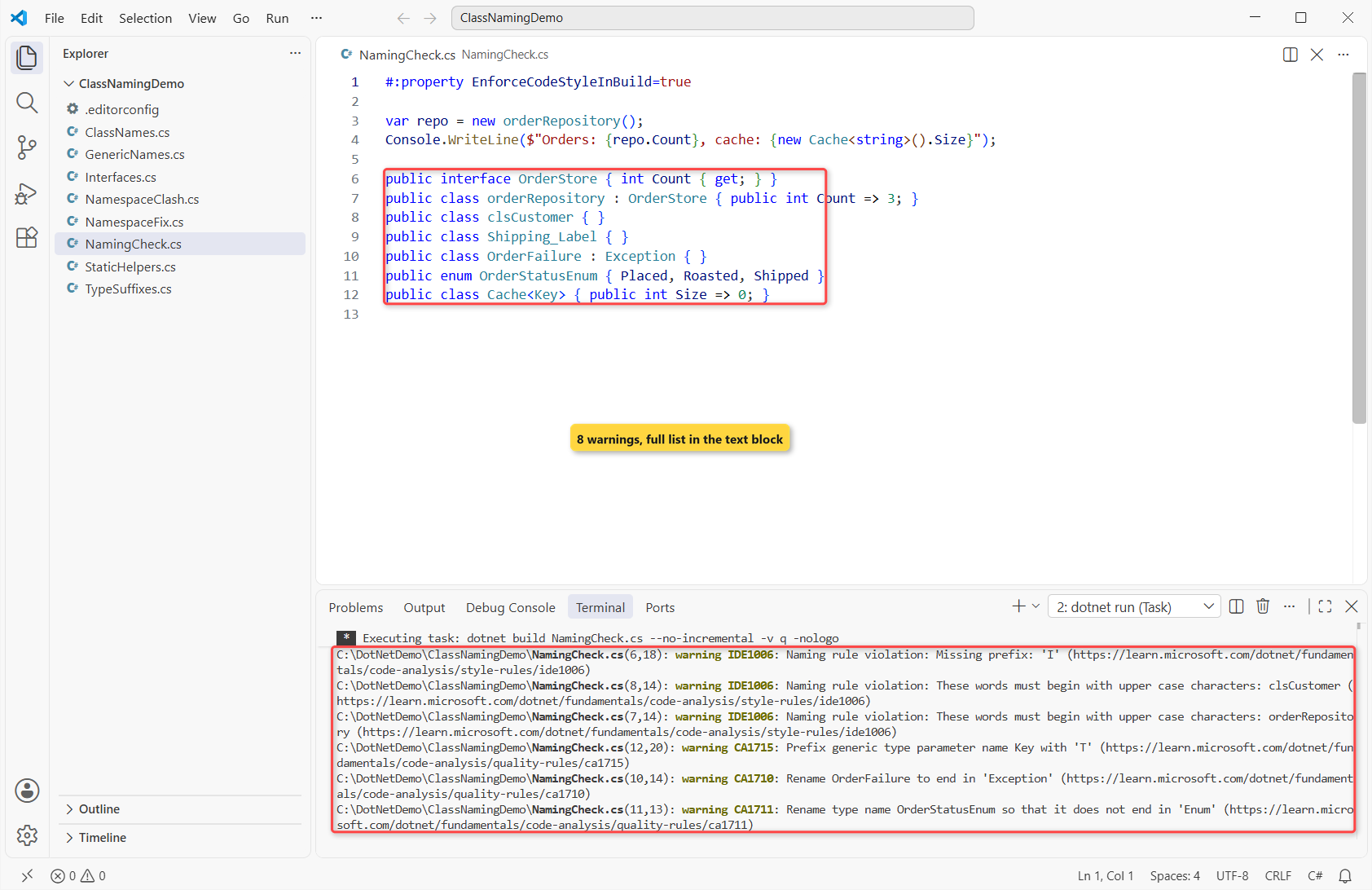
Important: pascal_case only checks the first letter, so CCustomer would still pass. That one needs a human reviewer.
C# Class Naming Conventions Cheat Sheet
| What you’re naming | Convention | Example |
|---|---|---|
| Class, record, struct | PascalCase noun | CoffeeOrder, ShippingAddress |
| Interface | I + PascalCase | IOrderRepository |
| Exception / attribute | Base type as suffix | OrderNotFoundException, RoastDateAttribute |
| Event data | EventArgs suffix | OrderPlacedEventArgs |
| Public abstract base | No Base suffix | PaymentProcessor |
| Generic type parameter | T or T + name | T, TKey, TValue |
| Static / extension class | Job name / Extensions | SalesTaxCalculator, DecimalExtensions |
| ASP.NET Core controller | Controller suffix | OrdersController |
The members inside each class have their own rules: properties and methods are PascalCase, locals and parameters camelCase (see C# variable naming conventions).
Common Mistakes to Avoid in C# Class Names
| Mistake | What happens | Fix |
|---|---|---|
clsCustomer | IDE1006: must begin with upper case | Customer |
Shipping_Label | CA1707: remove the underscores | ShippingLabel |
OrderFailure : Exception | CA1710: end in ‘Exception’ | OrderFailedException |
OrderStatusEnum | CA1711: don’t end in ‘Enum’ | OrderStatus |
Cache<Key> | CA1715: prefix with ‘T’ | Cache<TKey> |
class Orders in Bayview.Orders | CS0118 wherever it’s used | OrderQueue |
OrderServiceAsync | No error, but misleading | OrderService + PlaceOrderAsync() |
Next Steps
Class names are the start. Next, name the flags on those classes; our C# boolean variable naming convention guide covers the Is, Has and Can prefixes.
We’d read these next, too:
- C# constant naming conventions for const and static readonly
- Partial classes in C# and how to name their files
- Inheritance in C# with base and derived classes
- What’s new in C# 14
Frequently Asked Questions
What is the naming convention for classes in C#?
PascalCase nouns or noun phrases, such as CoffeeOrder or ShippingAddress, with no prefix and no underscores.
Should C# class names be singular or plural?
Singular for a class that models one thing (Order). A collection class ends in Collection, and namespaces are often plural (Bayview.Orders).
Should I prefix class names with C or cls?
No. The Framework Design Guidelines say not to prefix class names. Only interfaces get a prefix, the letter I.
Is it OK to use a Base suffix on an abstract class?
Avoid it on public library APIs. Inside an application, RepositoryBase is common and fine if your team agrees on it.
Does the file name have to match the class name in C#?
No, the compiler doesn’t require it, but one public type per file named after the type is the standard team rule.
Where are Microsoft’s official class naming rules?
In the Framework Design Guidelines: Names of Classes, Structs, and Interfaces on Microsoft Learn.

Bijay Kumar is a renowned software engineer, accomplished author, and distinguished Microsoft Most Valuable Professional (MVP) specializing in SharePoint. With a rich professional background spanning over 15 years, Bijay has established himself as an authority in the field of information technology. He possesses unparalleled expertise in multiple programming languages and technologies such as ASP.NET, ASP.NET MVC, C#.NET, and SharePoint, which has enabled him to develop innovative and cutting-edge solutions for clients across the globe. Read more…