
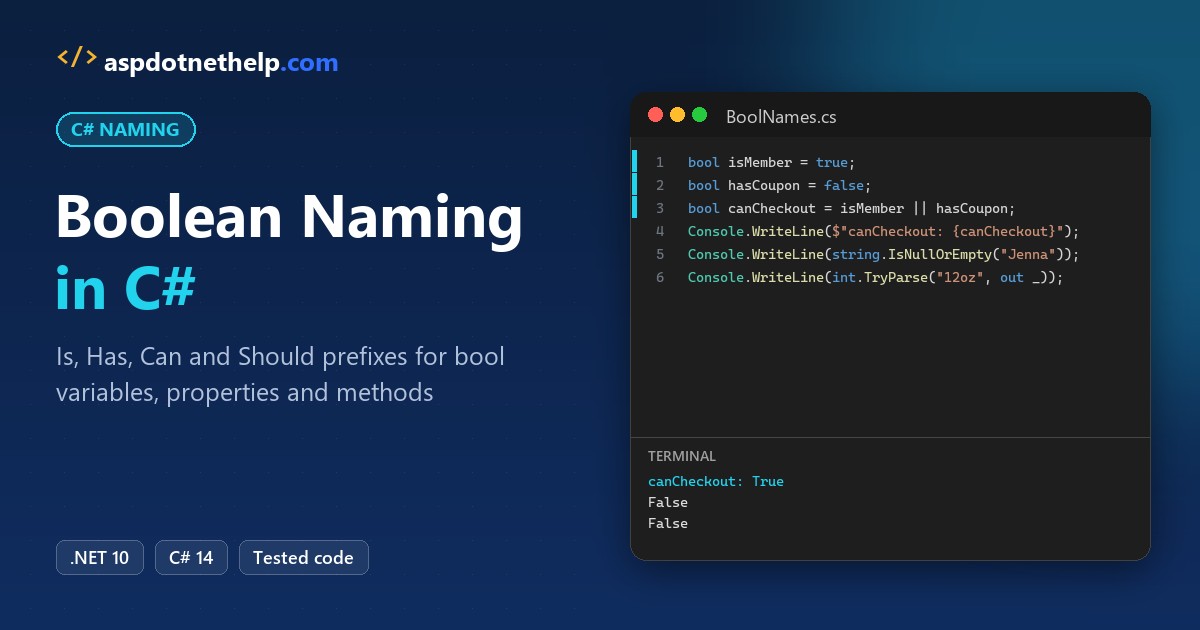
The C# boolean naming convention is to name a bool like a yes/no question: start it with Is, Has, Can or Should, use camelCase for locals, PascalCase for properties and methods, and _camelCase for private fields:
bool isFirstOrder = true;                 // local
private bool _isLocked;                   // private field
public bool IsPaid { get; private set; }  // property
public bool CanShipTo(string state)       // method
Every example below ran on .NET 10 in a checkout for Bayou Coffee Roasters, a made-up New Orleans coffee shop.
How to Name Boolean Variables, Properties and Fields in C#
Casing comes from where the bool lives, and the prefix comes from what it means. Here’s the coffee shop’s Order class with all four kinds:
var order = new Order("Jenna Morales", itemCount: 3);
bool isFirstOrder = true;                       // local: camelCase
bool hasCoupon = false;
bool shouldSendReceipt = order.IsPaid || isFirstOrder;

Console.WriteLine($"{order.Customer} | paid: {order.IsPaid}, items: {order.HasItems}");
Console.WriteLine($"Coupon: {hasCoupon}, send receipt: {shouldSendReceipt}");
order.Lock();
Console.WriteLine($"Can edit after lock: {order.CanEdit}");

class Order(string customer, int itemCount)
{
    private bool _isLocked;                     // private field: _camelCase
    public string Customer => customer;
    public bool IsPaid { get; private set; }    // property: PascalCase
    public bool HasItems => itemCount > 0;
    public bool CanEdit => !_isLocked && !IsPaid;
    public void Lock() => _isLocked = true;
}
Output:
Jenna Morales | paid: False, items: True
Coupon: False, send receipt: True
Can edit after lock: False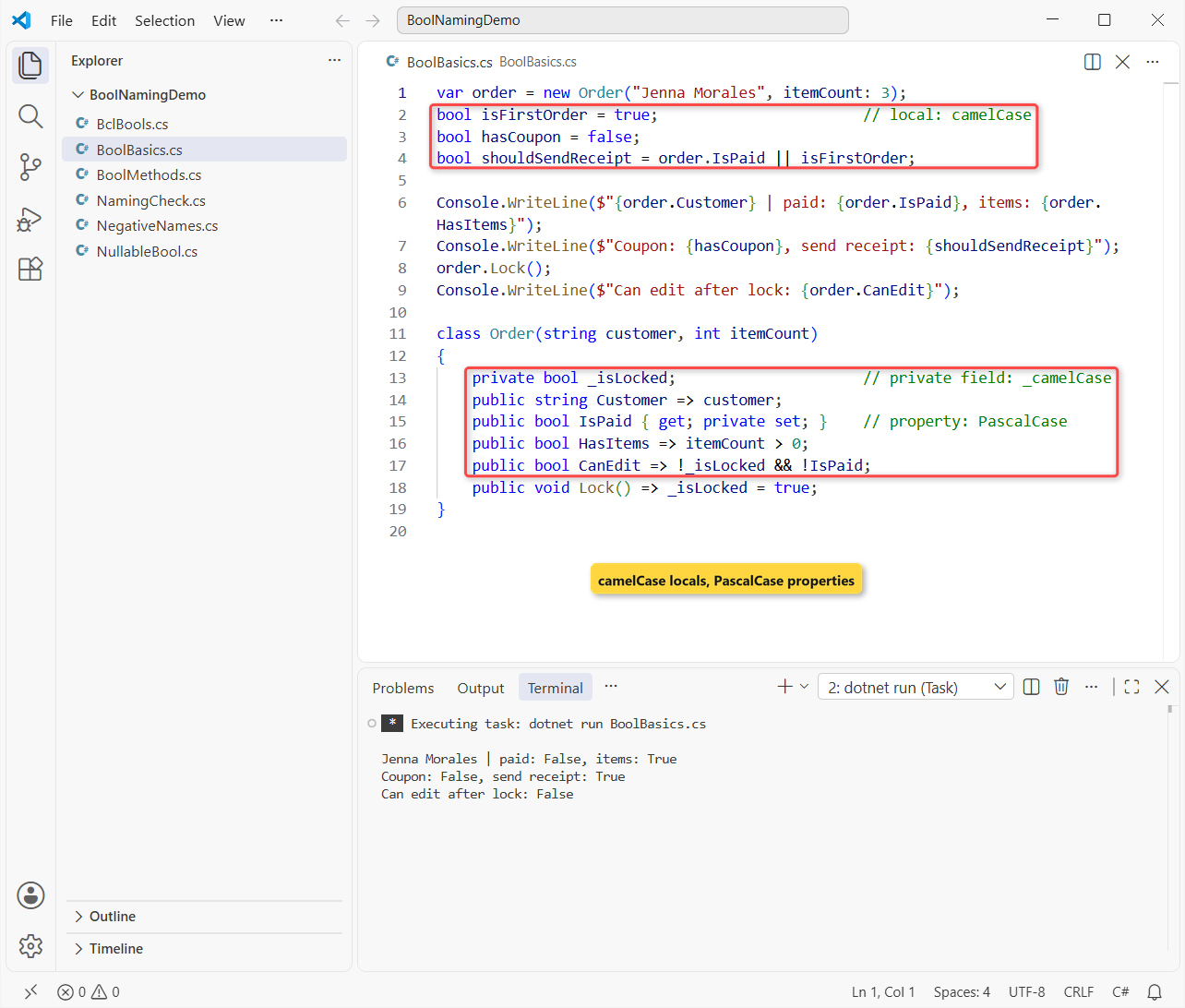
Jenna Morales’s unpaid order still gets a receipt, because it’s her first one. After Lock(), CanEdit flips to False.
The casing rules are the same ones every C# name follows, so our C# variable naming conventions guide and the C# fields naming conventions post apply here too.
Which Boolean Prefix Should You Use: Is, Has, Can or Should?
Pick the word that makes the name read as a true/false sentence. Microsoft’s Framework Design Guidelines say to name Boolean properties with an affirmative phrase, and to add Is, Can or Has only where it adds value.
| Prefix | Answers the question | Bayou Coffee example |
|---|---|---|
Is | Is it in this state? | IsPaid, isFirstOrder |
Has | Does it own or contain something? | HasItems, hasCoupon |
Can | Is it allowed or able to? | CanEdit, CanShipTo() |
Should | Ought the code to do it? | shouldSendReceipt |
| None | An adjective already reads as yes/no | Enabled, Visible |
That last row is why Control.Enabled has no prefix. My rule: if the bare word is an adjective, skip the prefix; if it’s a noun like Coupon, add Has.
The same affirmative-phrase idea runs through every member type in our naming conventions in C# overview.
How Should You Name a Method That Returns bool?
A Boolean method still follows the verb rule for methods, so use PascalCase and let Is, Can or Has act as the verb. For a method that tries something and reports success, use the Try prefix:
using System.Globalization;
CultureInfo.CurrentCulture = new("en-US");

Console.WriteLine($"IsValidZip(\"70130\"): {IsValidZip("70130")}");
Console.WriteLine($"CanShipTo(\"HI\"): {CanShipTo("HI")}");
if (TryGetDiscount("FALL15", out decimal percent))
    Console.WriteLine($"FALL15 takes {percent:P0} off");
if (!TryGetDiscount("BOGUS", out _))
    Console.WriteLine("BOGUS is not a valid code");

static bool IsValidZip(string zip) => zip.Length == 5 && zip.All(char.IsDigit);
static bool CanShipTo(string state) => state is not ("AK" or "HI");
static bool TryGetDiscount(string code, out decimal percent)
{
    percent = code == "FALL15" ? 0.15m : 0m;
    return percent > 0;
}
Output:
IsValidZip("70130"): True
CanShipTo("HI"): False
FALL15 takes 15% off
BOGUS is not a valid code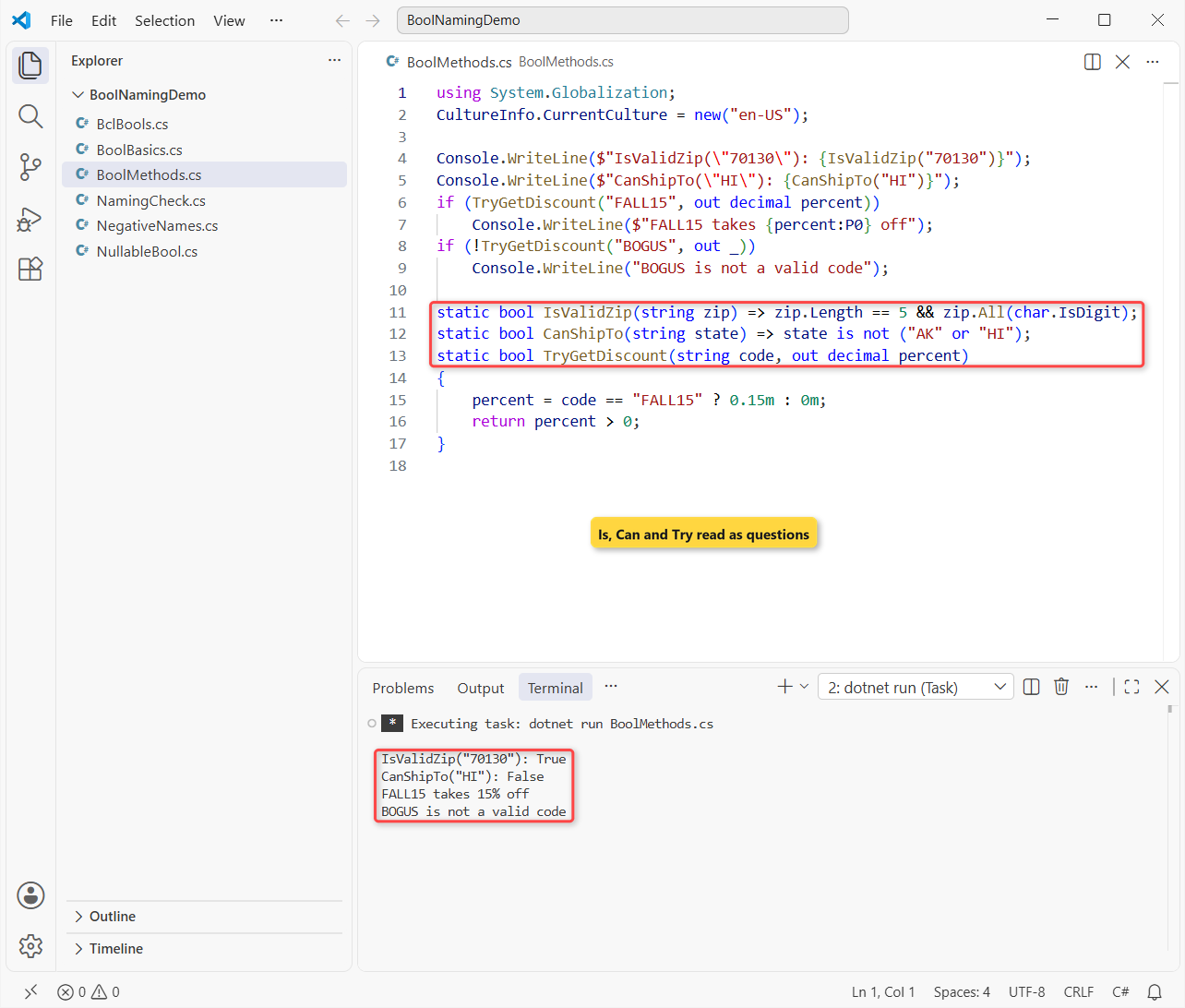
A New Orleans ZIP passes, Hawaii can’t be shipped to, and FALL15 takes 15% off. TryGetDiscount follows the Try-Parse pattern: bool return, result in an out parameter.
Avoid GetIsValid() or CheckZip(); neither tells you what true means. The C# method naming conventions post covers the other verb rules, including the Async suffix.
Boolean Names in the .NET Class Library
The fastest way to learn the convention is to copy the BCL. These seven members all return bool:
var roasts = new List<string> { "Light", "Medium", "Dark" };
string giftNote = "";
using var receipt = new MemoryStream();

Console.WriteLine($"string.IsNullOrEmpty  {string.IsNullOrEmpty(giftNote)}");
Console.WriteLine($"List.Contains         {roasts.Contains("Dark")}");
Console.WriteLine($"File.Exists           {File.Exists("BclBools.cs")}");
Console.WriteLine($"Enum.IsDefined        {Enum.IsDefined((DayOfWeek)7)}");
Console.WriteLine($"char.IsDigit          {char.IsDigit('7')}");
Console.WriteLine($"Stream.CanSeek        {receipt.CanSeek}");
Console.WriteLine($"int.TryParse          {int.TryParse("12oz", out _)}");
Output:
string.IsNullOrEmpty  True
List.Contains         True
File.Exists           True
Enum.IsDefined        False
char.IsDigit          True
Stream.CanSeek        True
int.TryParse          False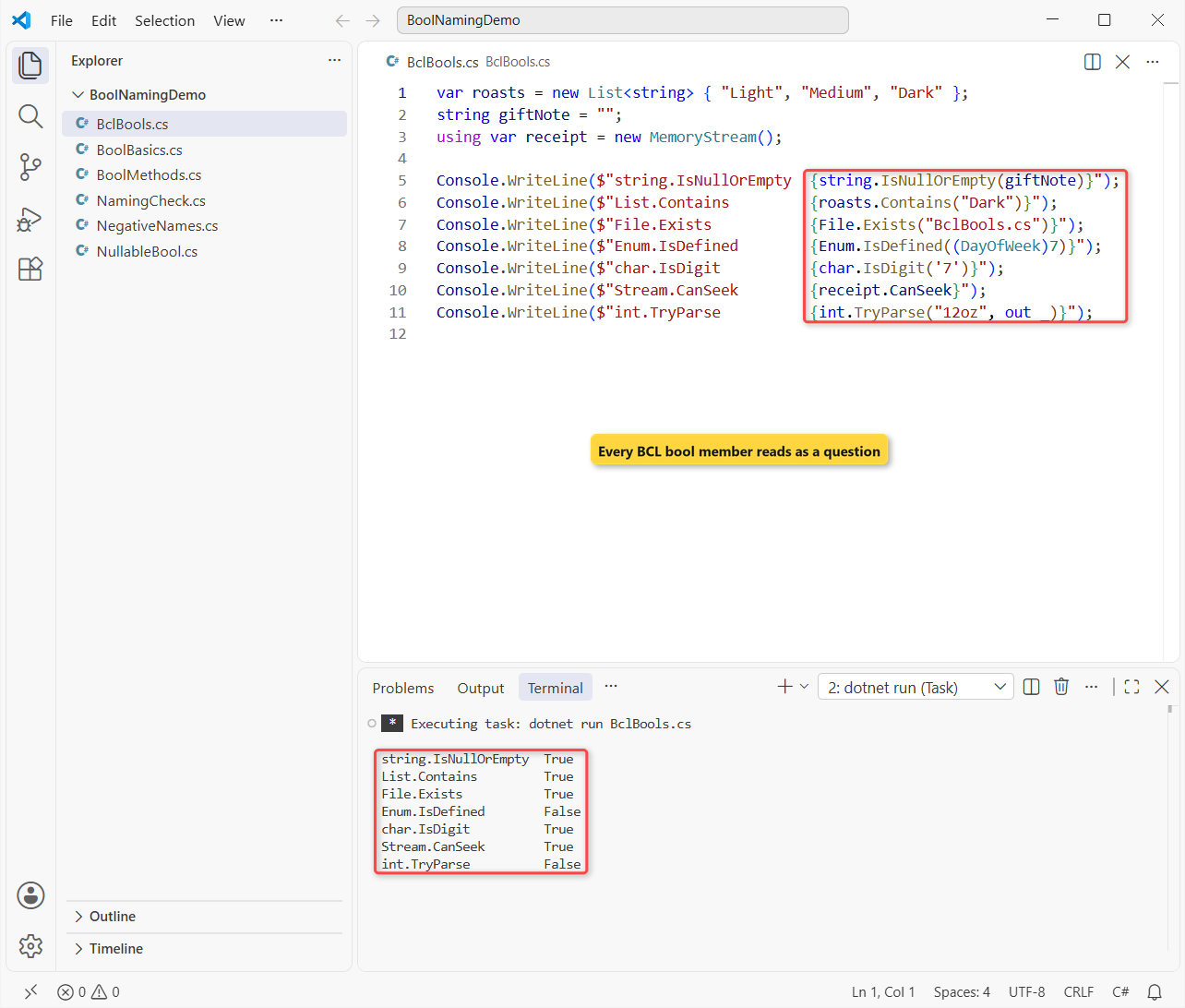
Notice Contains and Exists: a verb in the third person reads as a question too. Day 7 isn’t a DayOfWeek, so Enum.IsDefined is False, and “12oz” isn’t a number.
If you check text this way a lot, our post on how to check if a string is not null or empty in C# compares the options.
Boolean Names to Avoid: Negatives, flag and the b Prefix
Negative names force readers to flip logic in their heads. Same shipping check, written both ways:
bool isNotShipped = false;
bool isShipped = !isNotShipped;

if (!isNotShipped) Console.WriteLine("!isNotShipped -> the box is on its way");
if (isShipped) Console.WriteLine("isShipped     -> the box is on its way");

bool flag = true;              // true means... what?
bool isGiftWrapped = true;     // reads like a yes/no question
Console.WriteLine($"flag: {flag}, isGiftWrapped: {isGiftWrapped}");
Output:
!isNotShipped -> the box is on its way
isShipped     -> the box is on its way
flag: True, isGiftWrapped: True
Both lines print the same thing, but !isNotShipped is a double negative you have to decode. The Framework Design Guidelines use CanSeek instead of CantSeek for the same reason.
| Avoid | Why | Use |
|---|---|---|
isNotShipped | Double negative when you write !isNotShipped | isShipped |
flag, status | Says nothing about what true means | isGiftWrapped |
bPaid, blnActive | Hungarian notation, which the guidelines say not to use | isPaid |
is_paid | Underscores aren’t C# style | isPaid |
GetIsPaid() | A Get method should be a property | IsPaid |
Types are the exception: a class is a noun, never IsOrder, as our C# class naming conventions post explains.
Naming a Nullable Boolean (bool?) in C#
A bool? keeps the same name it would have as a bool. Don’t add Maybe or Nullable; the question mark already says “no answer yet”:
bool? hasOptedIn = null;       // the customer skipped the question
Console.WriteLine(Describe(hasOptedIn));

hasOptedIn = true;
Console.WriteLine(Describe(hasOptedIn));
if (hasOptedIn == true) Console.WriteLine("Added to the fall newsletter");

static string Describe(bool? hasOptedIn) => hasOptedIn switch
{
    true => "Opted in: send the newsletter",
    false => "Opted out: don't email",
    null => "No answer yet: ask at checkout",
};
Output:
No answer yet: ask at checkout
Opted in: send the newsletter
Added to the fall newsletter
The switch handles all three states, which a plain if (hasOptedIn) can’t do. That line fails to compile with CS0266, because a bool? doesn’t convert to bool. Compare with == true instead.
Nullable types come up a lot with database columns; see how to convert null to int in C# for the numeric version.
Enforce C# Boolean Naming with .editorconfig and IDE1006
Code reviews miss things, so let the build check casing. Put this .editorconfig next to your project:
root = true

[*.cs]
# Report naming problems in the build, not only in the editor
dotnet_diagnostic.IDE1006.severity = warning

# Locals and parameters: camelCase (isPaid, hasCoupon)
dotnet_naming_symbols.locals.applicable_kinds = local, parameter
dotnet_naming_symbols.locals.applicable_accessibilities = *
dotnet_naming_style.camel_case.capitalization = camel_case
dotnet_naming_rule.locals_are_camel_case.symbols = locals
dotnet_naming_rule.locals_are_camel_case.style = camel_case
dotnet_naming_rule.locals_are_camel_case.severity = warning

# Private fields: _camelCase (_isLocked)
dotnet_naming_symbols.private_fields.applicable_kinds = field
dotnet_naming_symbols.private_fields.applicable_accessibilities = private
dotnet_naming_style.underscore_camel_case.capitalization = camel_case
dotnet_naming_style.underscore_camel_case.required_prefix = _
dotnet_naming_rule.private_fields_are_underscore_camel.symbols = private_fields
dotnet_naming_rule.private_fields_are_underscore_camel.style = underscore_camel_case
dotnet_naming_rule.private_fields_are_underscore_camel.severity = warning

# Properties and methods: PascalCase (IsPaid, CanShipTo)
dotnet_naming_symbols.members.applicable_kinds = property, method
dotnet_naming_symbols.members.applicable_accessibilities = *
dotnet_naming_style.pascal_case.capitalization = pascal_case
dotnet_naming_rule.members_are_pascal_case.symbols = members
dotnet_naming_rule.members_are_pascal_case.style = pascal_case
dotnet_naming_rule.members_are_pascal_case.severity = warning
A naming rule’s own severity only shows in the IDE. For dotnet build warnings, set dotnet_diagnostic.IDE1006.severity and turn on EnforceCodeStyleInBuild, which the #:property line does in a .NET 10 file-based app. I broke three rules on purpose:
#:property EnforceCodeStyleInBuild=true

bool IsReady = true;                 // local in PascalCase
bool flag = false;                   // vague, but legal
var cart = new Cart();
cart.Lock();
Console.WriteLine($"{IsReady} {flag} {cart.isEmpty} {cart.HasStock()}");

public class Cart
{
    private bool hasStock = true;    // missing _
    private bool _isLocked;
    public bool isEmpty => !hasStock;   // property in camelCase
    public bool HasStock() => hasStock && !_isLocked;
    public void Lock() => _isLocked = true;
}
dotnet build NamingCheck.cs –no-incremental -v q -nologo:
C:\DotNetDemo\BoolNamingDemo\NamingCheck.cs(13,17): warning IDE1006: Naming rule violation: These words must begin with upper case characters: isEmpty (https://learn.microsoft.com/dotnet/fundamentals/code-analysis/style-rules/ide1006)
C:\DotNetDemo\BoolNamingDemo\NamingCheck.cs(11,18): warning IDE1006: Naming rule violation: Missing prefix: '_' (https://learn.microsoft.com/dotnet/fundamentals/code-analysis/style-rules/ide1006)
C:\DotNetDemo\BoolNamingDemo\NamingCheck.cs(3,6): warning IDE1006: Naming rule violation: The first word, 'IsReady', must begin with a lower case character (https://learn.microsoft.com/dotnet/fundamentals/code-analysis/style-rules/ide1006)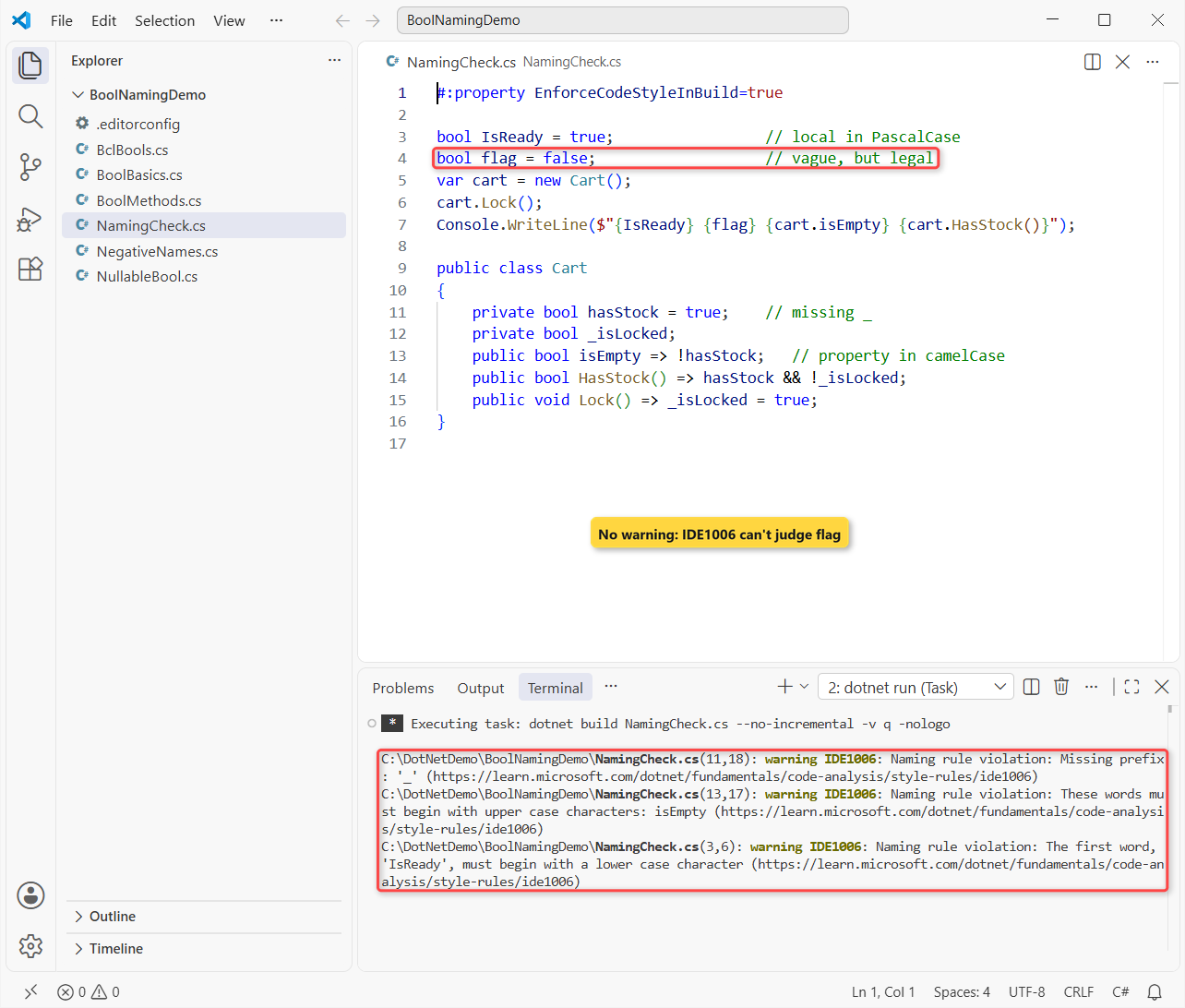
Important: flag passed. Naming rules match a symbol’s kind, access and modifiers, not its type, so .editorconfig can’t require Is or Has on every bool. That part still needs a reviewer.
C# Boolean Naming Cheat Sheet
| What you’re naming | Convention | Example |
|---|---|---|
| Local variable or parameter | camelCase + prefix | isFirstOrder |
| Private field | _camelCase + prefix | _isLocked |
| Public property | PascalCase + prefix | IsPaid, HasItems |
| Method that returns bool | PascalCase question | CanShipTo(), IsValidZip() |
| Method that tries and reports | Try + out parameter | TryGetDiscount() |
| Nullable bool | Same name as the bool | bool? hasOptedIn |
| Constant | PascalCase | const bool IsTaxExempt |
Constants follow their own rule, explained in our C# constant naming conventions post.
Here’s where I’d go next for the rest of your names:
- C# enum naming conventions for singular and flags enums
- How to check for null values in C#
- List in C#, where Contains and Exists come from
Frequently Asked Questions
Should C# boolean variables start with is?
Usually, yes. Is, Has, Can and Should make the name read as a yes/no question, like isPaid. Skip the prefix when an adjective already reads that way, like Enabled.
Are boolean properties PascalCase in C#?
Yes. Properties are PascalCase whatever their type, so a Boolean property is IsPaid, while a local is isPaid and a private field is _isPaid.
How do I name a method that returns bool?
Use PascalCase with a question word, like IsValid() or CanExecute(). If it attempts an operation and returns the result in an out parameter, use the Try prefix, like int.TryParse.
Is the b prefix (bIsActive) OK in C#?
No. That’s Hungarian notation, and Microsoft’s naming guidelines say not to use it. The type is visible in the IDE; let the name say what true means.
Can .editorconfig force an Is prefix on bool variables?
No. Naming rules filter by symbol kind, accessibility and modifiers, not by type, so they can check casing and underscores but not the Is prefix. See Code-style naming rules on Microsoft Learn.

Bijay Kumar is a renowned software engineer, accomplished author, and distinguished Microsoft Most Valuable Professional (MVP) specializing in SharePoint. With a rich professional background spanning over 15 years, Bijay has established himself as an authority in the field of information technology. He possesses unparalleled expertise in multiple programming languages and technologies such as ASP.NET, ASP.NET MVC, C#.NET, and SharePoint, which has enabled him to develop innovative and cutting-edge solutions for clients across the globe. Read more…