
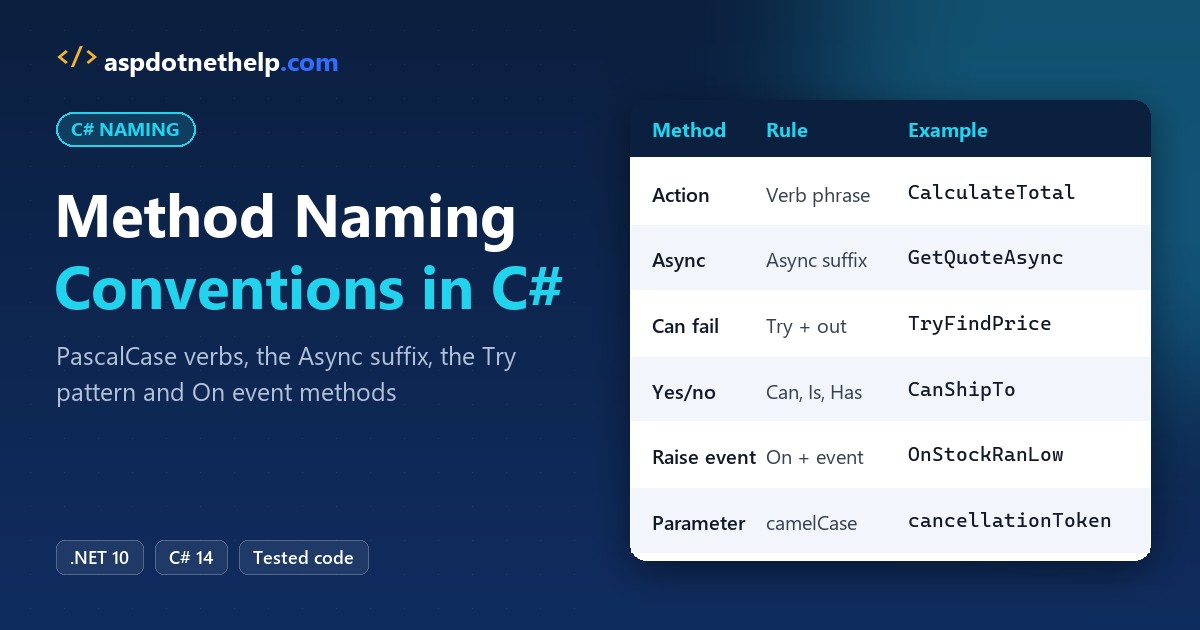
Quick answer: C# method naming conventions say every method gets a PascalCase verb or verb phrase, like CalculateTotal, async methods end in Async, and parameters stay camelCase:
public decimal CalculateTotal() => _items.Sum(i => i.Price);
public bool TryFindPrice(string sku, out decimal price) => _prices.TryGetValue(sku, out price);
public async Task<decimal> GetQuoteAsync(string zipCode, CancellationToken cancellationToken = default)
I ran every rule below on .NET 10 against a gear store’s order code, then made the build flag the names you’d get wrong.
What You Need Before You Start with C# Method Names
- The .NET 10 SDK. Each example is a file-based app you run with
dotnet run File.cs. - VS Code with the C# Dev Kit (see how to create a console application in Visual Studio Code).
- The sample: cart, catalog and shipping code for Summit Trail Outfitters, a made-up gear store in Boulder, Colorado.
This page covers methods and their parameters. Types, fields and locals have their own rules, and our C# naming conventions overview ties them together.
Step 1: Name Methods with PascalCase Verbs, Properties with Nouns
The Framework Design Guidelines say methods take verbs or verb phrases, because a method does something. Properties get nouns or adjectives, because they hold data. Here’s our cart with both:
using System.Globalization;
CultureInfo.CurrentCulture = new("en-US");

var cart = new Cart();
cart.AddItem("Trail pack", 89.99m);
cart.AddItem("Headlamp", 34.50m);
Console.WriteLine($"{cart.ItemCount} items, total {cart.CalculateTotal():C}");
Console.WriteLine($"Ships to CO: {cart.CanShipTo("CO")}");
Console.WriteLine($"Ships to HI: {cart.CanShipTo("HI")}");

class Cart
{
    private readonly List<(string Name, decimal Price)> _items = [];

    public int ItemCount => _items.Count;              // data: noun property
    public void AddItem(string name, decimal price) => _items.Add((name, price));
    public decimal CalculateTotal() => _items.Sum(i => i.Price);  // verb phrase
    public bool CanShipTo(string state) => state is not ("AK" or "HI");
}
Output:
2 items, total $124.49
Ships to CO: True
Ships to HI: False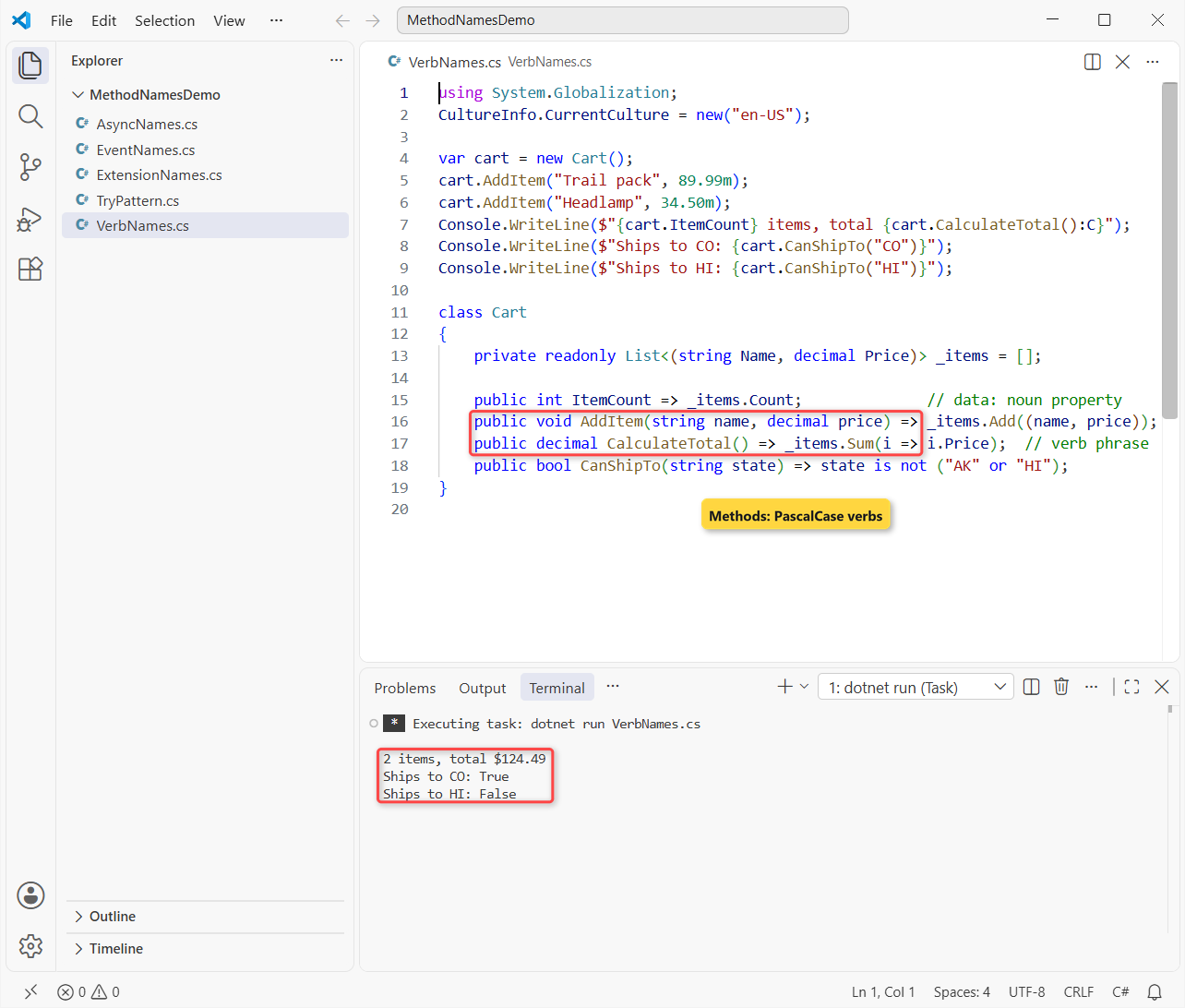
The cart reports 2 items and a $124.49 total, and it can’t ship to Hawaii. ItemCount is a property because it’s cheap and has no side effects; CalculateTotal() is a method because it does work.
Private, protected, static and generic methods are all PascalCase too; access changes who can call a method, not how you spell it. Generic methods add T-prefixed type parameters, like Convert.
Get methods vs properties
Don’t write a GetItemCount() method next to an ItemCount property; Microsoft’s guidelines call that a sign the property should really be a method. Our encapsulation in C# post explains why data sits behind properties.
We keep a Get prefix for methods that take arguments or do real work, like GetQuote(zipCode). A SetX(value) method is almost always a property in disguise.
Step 2: Use the Try Pattern for Methods That Can Fail
When a lookup fails often, throwing is slow and noisy. The Try-Parse pattern, the one behind int.TryParse, fixes that with a naming rule: start with Try, return bool and hand the result back through an out parameter.
var catalog = new Catalog();
foreach (string sku in new[] { "TP-40", "XX-99" })
{
    if (catalog.TryFindPrice(sku, out decimal price))
        Console.WriteLine($"{sku}: ${price}");
    else
        Console.WriteLine($"{sku}: not in the catalog");
}
try { catalog.FindPrice("XX-99"); }
catch (KeyNotFoundException ex) { Console.WriteLine(ex.Message); }

class Catalog
{
    private readonly Dictionary<string, decimal> _prices = new() { ["TP-40"] = 89.99m };

    public decimal FindPrice(string sku) => TryFindPrice(sku, out decimal price)
        ? price : throw new KeyNotFoundException($"No price for {sku}");

    public bool TryFindPrice(string sku, out decimal price) =>
        _prices.TryGetValue(sku, out price);
}
Output:
TP-40: $89.99
XX-99: not in the catalog
No price for XX-99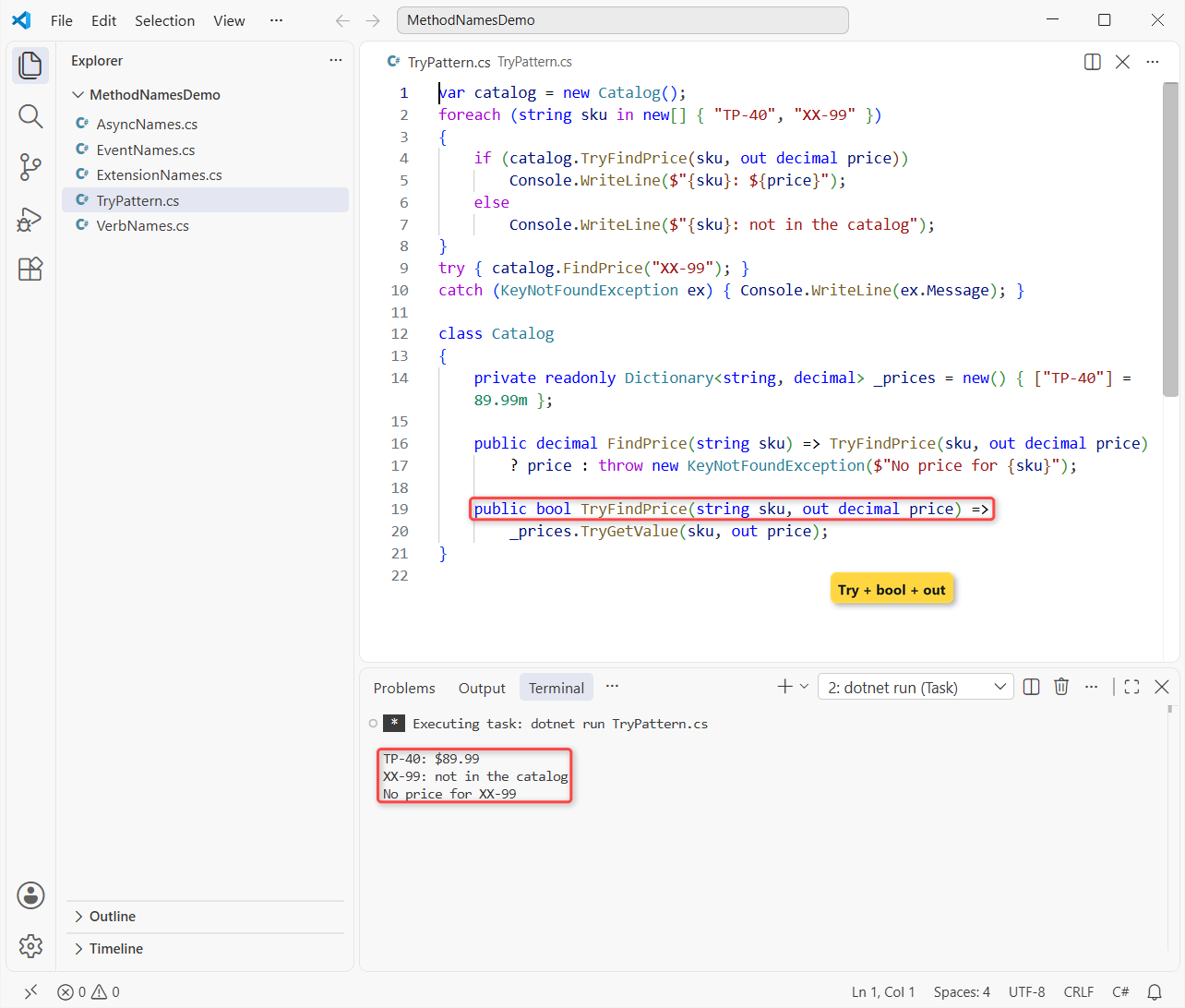
TP-40 comes back at $89.99, XX-99 returns false, and only FindPrice throws. The guidelines also say to keep the throwing twin next to every Try method, just like Parse sits next to TryParse.
Methods that answer yes or no without an out value read as questions: CanShipTo, IsExpired, HasBackorder. Our C# boolean naming convention post covers the Is, Has and Can prefixes in detail.
Step 3: Add the Async Suffix to C# Async Methods
Microsoft’s Task-based Asynchronous Pattern says a method that returns an awaitable type, such as Task or ValueTask, ends in Async. Keep the sync version’s name and add the suffix:
using System.Globalization;
CultureInfo.CurrentCulture = new("en-US");

var shipping = new ShippingService();
decimal[] quotes = await Task.WhenAll(
    shipping.GetQuoteAsync("80302"), shipping.GetQuoteAsync("10001"));
Console.WriteLine(FormatQuote("Boulder, CO", quotes[0]));
Console.WriteLine(FormatQuote("New York, NY", quotes[1]));
Console.WriteLine(FormatQuote("Sync call", shipping.GetQuote("80302")));

static string FormatQuote(string city, decimal quote) => $"{city}: {quote:C}";

class ShippingService
{
    public decimal GetQuote(string zipCode) => zipCode.StartsWith('8') ? 7.95m : 12.40m;

    public async Task<decimal> GetQuoteAsync(string zipCode,
        CancellationToken cancellationToken = default)
    {
        await Task.Delay(50, cancellationToken);   // stands in for a carrier API call
        return GetQuote(zipCode);
    }
}
Output:
Boulder, CO: $7.95
New York, NY: $12.40
Sync call: $7.95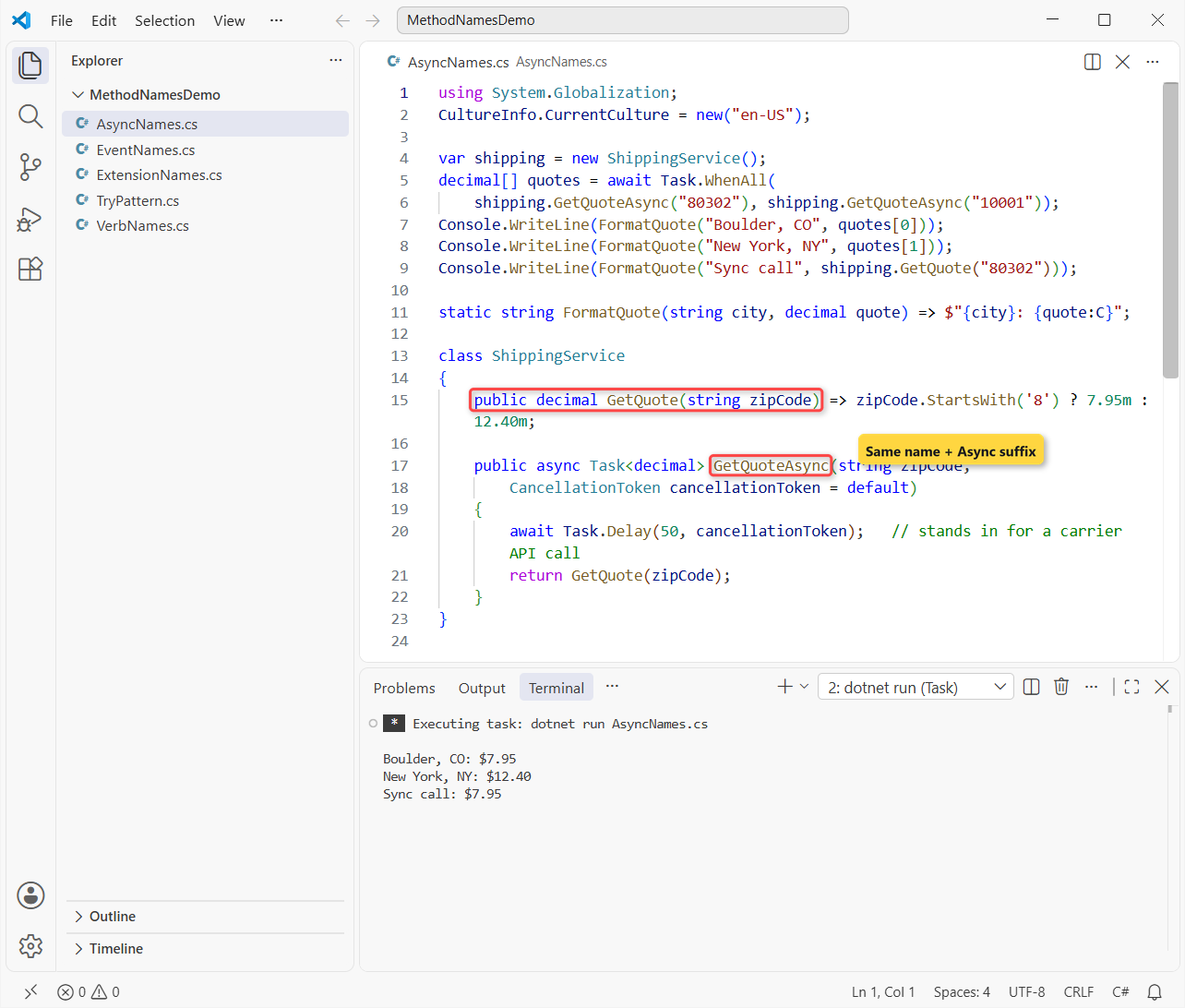
Boulder ships for $7.95 and New York for $12.40. The cancellation parameter is named cancellationToken by convention, and Task.WhenAll skips the suffix because combinators already say they work with tasks.
Important: don’t add Async to a method that runs synchronously. If a class already has an older event-based GetAsync, the docs say to name the new Task method GetTaskAsync.
Local functions in file-based apps
FormatQuote looks like a method, but in a file-based app any function you declare among the top-level statements is a local function. Microsoft Learn says local functions are PascalCase too, so it’s FormatQuote, not formatQuote. Our functions in C# guide covers the syntax.
Step 4: Name Event-Raising and Event Handler Methods
Events bring three names that people mix up: the event itself, the method that raises it and the method that handles it. Our stock tracker uses all three:
var tracker = new StockTracker();
tracker.StockRanLow += Tracker_StockRanLow;
tracker.Sell("Headlamp", 3);
tracker.Sell("Headlamp", 4);

static void Tracker_StockRanLow(object? sender, StockRanLowEventArgs e) =>
    Console.WriteLine($"Reorder {e.Item}: only {e.Left} left");

class StockTracker
{
    private int _onHand = 10;
    public event EventHandler<StockRanLowEventArgs>? StockRanLow;

    public void Sell(string item, int quantity)
    {
        _onHand -= quantity;
        Console.WriteLine($"Sold {quantity} x {item}, {_onHand} on hand");
        if (_onHand < 5) OnStockRanLow(new StockRanLowEventArgs(item, _onHand));
    }

    protected virtual void OnStockRanLow(StockRanLowEventArgs e) => StockRanLow?.Invoke(this, e);
}

class StockRanLowEventArgs(string item, int left) : EventArgs
{
    public string Item { get; } = item;
    public int Left { get; } = left;
}
Output:
Sold 3 x Headlamp, 7 on hand
Sold 4 x Headlamp, 3 on hand
Reorder Headlamp: only 3 left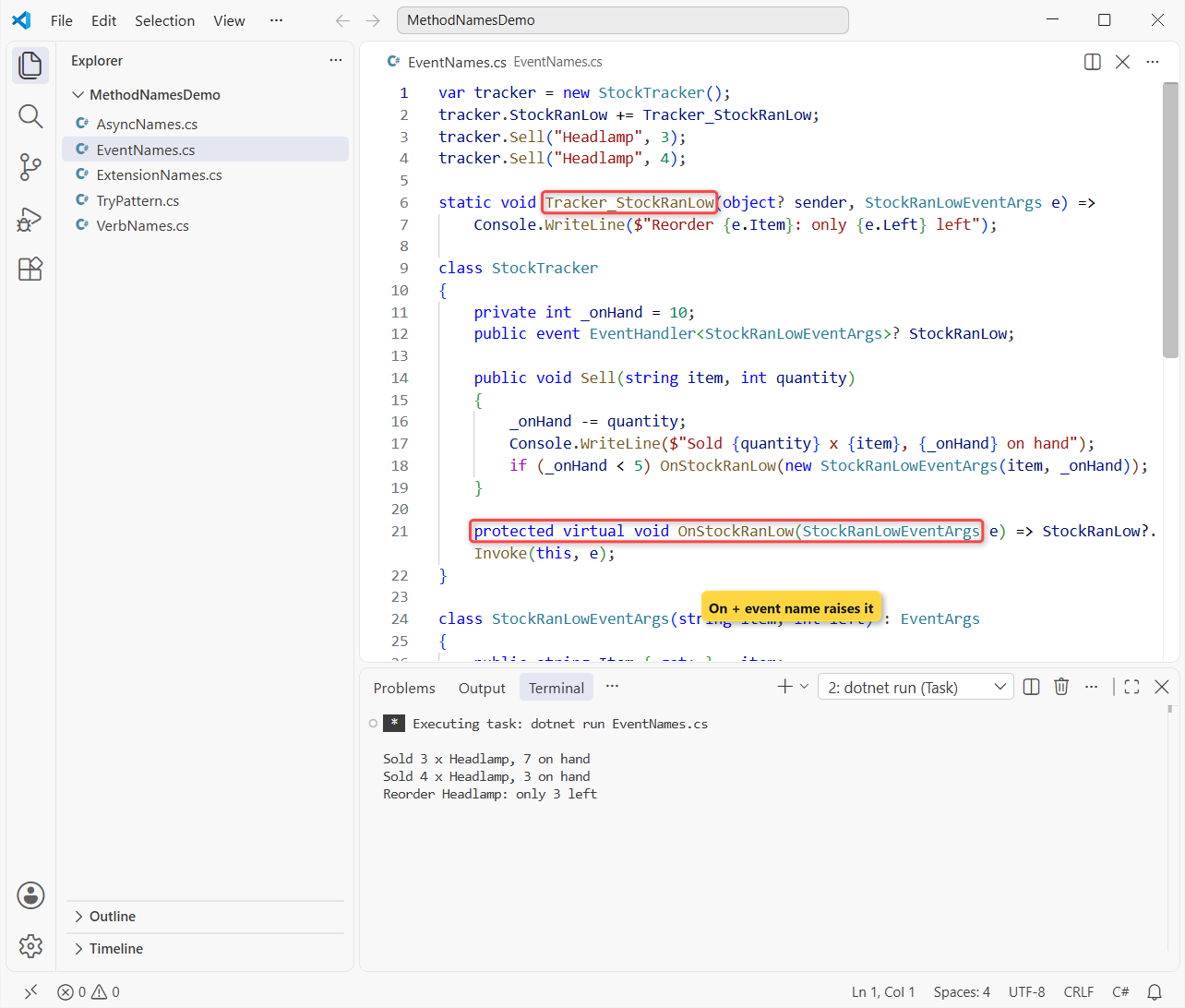
After the second sale only 3 headlamps are left, so the reorder message prints. Here’s the pattern from Microsoft’s events docs:
- The event is a verb phrase in past or present tense:
StockRanLow,Closing,Closed. Never a Before or After prefix. - The raising method is
protected virtualand namedOnplus the event:OnStockRanLow. - The handler is
Object_Event, the shape Visual Studio generates forButton_Click, with parameterssenderande. - The data class ends in
EventArgs.
Our events in C# tutorial goes deeper on subscribing and unsubscribing, and the C# delegates post explains the EventHandler type behind them.
Step 5: Name Parameters, Extension Methods and Test Methods
Parameters are camelCase, like any local: zipCode, orderId, quantity. Named arguments put them in the caller’s code, so the C# variable naming conventions apply to them too.
Extension methods are ordinary PascalCase verbs on a static class whose name ends in Extensions. Here’s the classic this syntax next to a C# 14 extension block:
using System.Globalization;
CultureInfo.CurrentCulture = new("en-US");

Console.WriteLine("80302-1234".ToFiveDigitZip());
Console.WriteLine(129.5m.ToUsd());

static class ShippingExtensions
{
    public static string ToFiveDigitZip(this string zipCode) => zipCode[..5];

    extension(decimal amount)              // C# 14 extension block
    {
        public string ToUsd() => amount.ToString("C");
    }
}
Output:
80302
$129.50
Both print what you’d expect: 80302 and $129.50. The extension block’s receiver, amount, is a parameter, so it’s camelCase as well.
Test methods are the one place where underscores are normal. Microsoft’s unit testing best practices name a test after the method, the scenario and the expected result:
[Fact]
public void TryFindPrice_UnknownSku_ReturnsFalse() { }

[Fact]
public void CalculateTotal_EmptyCart_ReturnsZero() { }
Step 6: Enforce C# Method Naming with .editorconfig and IDE1006
Code review misses names, so we let the build check them. Put this .editorconfig next to your project or in the repo root:
root = true

[*.cs]
dotnet_diagnostic.IDE1006.severity = warning

dotnet_naming_style.pascal_case.capitalization = pascal_case
dotnet_naming_style.pascal_case_async.capitalization = pascal_case
dotnet_naming_style.pascal_case_async.required_suffix = Async
dotnet_naming_style.camel_case.capitalization = camel_case

# async methods: PascalCase + Async (more specific, so it wins)
dotnet_naming_symbols.async_methods.applicable_kinds = method, local_function
dotnet_naming_symbols.async_methods.applicable_accessibilities = *
dotnet_naming_symbols.async_methods.required_modifiers = async
dotnet_naming_rule.async_methods_end_in_async.symbols = async_methods
dotnet_naming_rule.async_methods_end_in_async.style = pascal_case_async
dotnet_naming_rule.async_methods_end_in_async.severity = warning

# Methods and local functions: PascalCase
dotnet_naming_symbols.methods.applicable_kinds = method, local_function
dotnet_naming_symbols.methods.applicable_accessibilities = *
dotnet_naming_rule.methods_are_pascal_case.symbols = methods
dotnet_naming_rule.methods_are_pascal_case.style = pascal_case
dotnet_naming_rule.methods_are_pascal_case.severity = warning

# Parameters: camelCase
dotnet_naming_symbols.parameters.applicable_kinds = parameter
dotnet_naming_symbols.parameters.applicable_accessibilities = *
dotnet_naming_rule.parameters_are_camel_case.symbols = parameters
dotnet_naming_rule.parameters_are_camel_case.style = camel_case
dotnet_naming_rule.parameters_are_camel_case.severity = warning
The severity inside a naming rule only shows in the IDE. To get build warnings, set dotnet_diagnostic.IDE1006.severity and turn on EnforceCodeStyleInBuild, which the #:property line does in a .NET 10 file-based app. Then we broke the rules on purpose:
#:property EnforceCodeStyleInBuild=true

var orders = new OrderService();
Console.WriteLine(await orders.LoadOrder(1042));
Console.WriteLine(await orders.SaveOrderAsync(1042));
Console.WriteLine(await orders.CountOrders());
Console.WriteLine(orders.calculateTax(120m));
Console.WriteLine(orders.Get_Status(1042));

public class OrderService
{
    public async Task<string> LoadOrder(int orderId)
    {
        await Task.Yield();
        return formatLine($"Order {orderId} loaded");
        static string formatLine(string Text) => $"> {Text}";
    }
    public async Task<bool> SaveOrderAsync(int orderId)
    {
        await Task.Yield();
        return orderId > 0;
    }
    public Task<int> CountOrders() => Task.FromResult(3);
    public decimal calculateTax(decimal amount) => amount * 0.029m;
    public string Get_Status(int orderId) => $"Order {orderId}: shipped";
}
dotnet build NamingCheck.cs –no-incremental -v q -nologo:
C:\DotNetDemo\MethodNamesDemo\NamingCheck.cs(12,31): warning IDE1006: Naming rule violation: Missing suffix: 'Async' (https://learn.microsoft.com/dotnet/fundamentals/code-analysis/style-rules/ide1006)
C:\DotNetDemo\MethodNamesDemo\NamingCheck.cs(16,23): warning IDE1006: Naming rule violation: These words must begin with upper case characters: formatLine (https://learn.microsoft.com/dotnet/fundamentals/code-analysis/style-rules/ide1006)
C:\DotNetDemo\MethodNamesDemo\NamingCheck.cs(16,41): warning IDE1006: Naming rule violation: The first word, 'Text', must begin with a lower case character (https://learn.microsoft.com/dotnet/fundamentals/code-analysis/style-rules/ide1006)
C:\DotNetDemo\MethodNamesDemo\NamingCheck.cs(24,20): warning IDE1006: Naming rule violation: These words must begin with upper case characters: calculateTax (https://learn.microsoft.com/dotnet/fundamentals/code-analysis/style-rules/ide1006)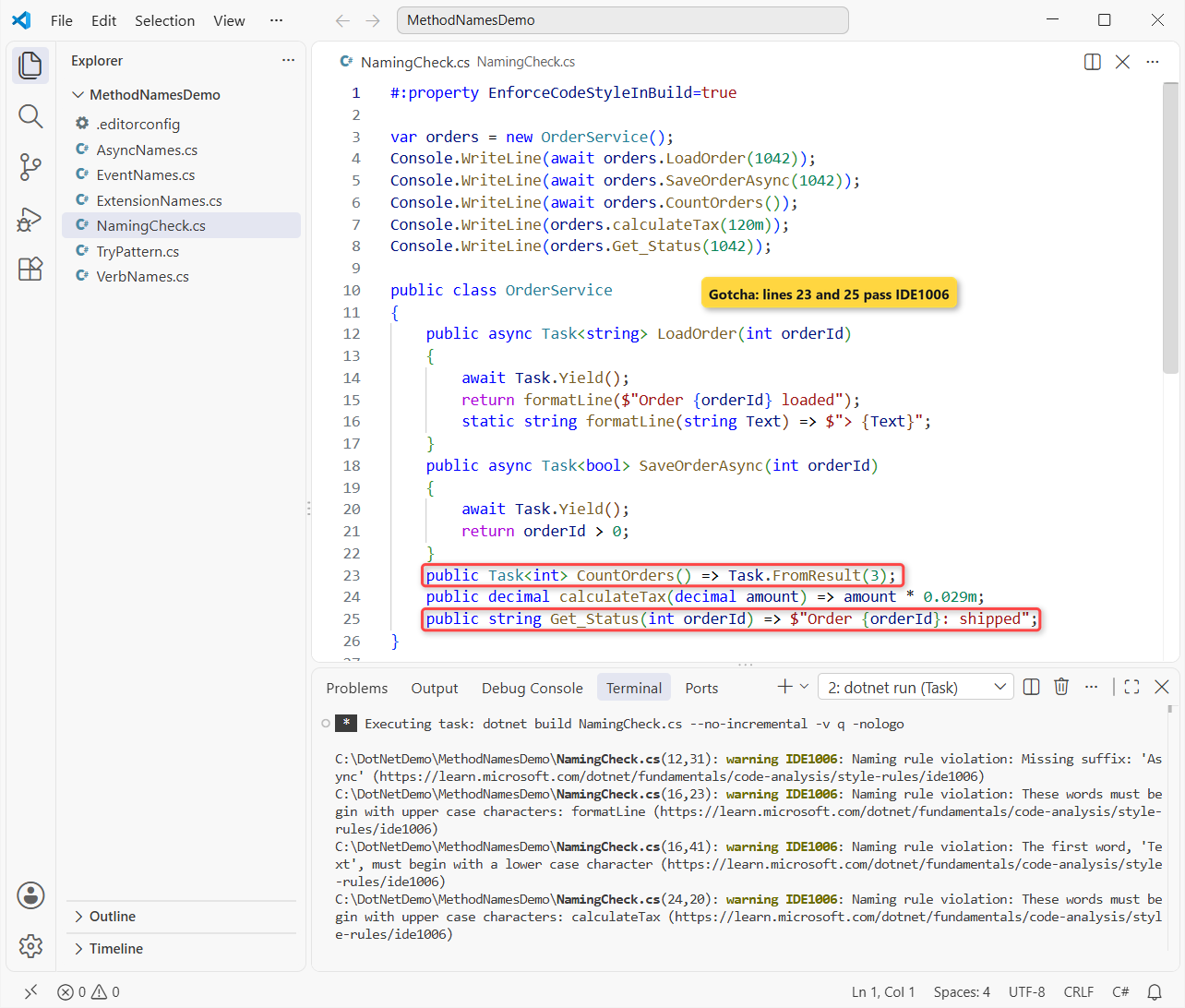
Four warnings on three lines: LoadOrder is async but has no Async suffix, formatLine and calculateTax start lowercase, and the parameter Text starts uppercase. The app still runs and prints its five lines, because IDE1006 is a warning.
Two names got through, and that’s the catch. Get_Status passes because pascal_case only checks that each word starts uppercase; it doesn’t ban underscores (that’s also why Tracker_StockRanLow is fine).
CountOrders passes because it returns a Task without the async keyword, and the rule matches modifiers, not return types. Code review still has to catch those two.
C# Method Naming Cheat Sheet
| Member | Convention | Example |
|---|---|---|
| Any method (public to private) | PascalCase verb phrase | CalculateTotal |
| Async method returning a Task | Verb + Async | GetQuoteAsync |
| Can-fail lookup | Try + bool + out | TryFindPrice |
| Yes/no method | Is, Has, Can | CanShipTo |
| Event raiser | protected virtual OnEvent | OnStockRanLow |
| Event handler | Object_Event | Tracker_StockRanLow |
| Parameter | camelCase | zipCode, cancellationToken |
| Test method | Method_Scenario_Result | TryFindPrice_UnknownSku_ReturnsFalse |
Should a C# Method Start with Get or Be a Property?
Make it a property when it’s fast, has no side effects and returns the same value on every call, like ItemCount. Make it a method when it does work, takes arguments or can fail.
I ask how a caller would read it: order.Total reads like data, order.CalculateShipping(zipCode) like an action. Overloads keep one verb with different parameters, as our method overloading in C# guide shows.
Common Mistakes to Avoid with C# Method Names
| Mistake | Why it hurts | Fix |
|---|---|---|
calculateTotal() | camelCase reads like a local; IDE1006 | CalculateTotal() |
CalcTot(), GetCustInfo() | Abbreviations nobody can search for | CalculateTotal(), GetCustomerDetails() |
Get_Status(), strFormat() | Underscores and Hungarian prefixes aren’t .NET style | GetStatus(), Format() |
LoadOrder() that is async | Callers forget to await it | LoadOrderAsync() |
SaveAsync() that never awaits | The suffix promises async work | Drop the suffix or make it async |
Total() or Customer() | Nouns read like properties | CalculateTotal(), FindCustomer() |
Fix names early. Renaming a public method breaks every caller, and once it’s part of an interface in C#, every implementation has to change too.
Next Steps
Methods live inside types, so the C# class naming conventions post is the natural next read, followed by C# field naming conventions for the data those methods touch.
A few more naming and method guides our team leans on:
- Anonymous methods in C#, the methods with no name at all
- C# constant naming conventions
- Method overriding in C#, where virtual On methods get replaced
- C# enum naming conventions
Frequently Asked Questions
Should C# method names be PascalCase or camelCase?
PascalCase, for every access level: CalculateTotal, not calculateTotal. Local functions are PascalCase too. Only parameters and local variables use camelCase.
Do all async methods need the Async suffix?
Methods that return an awaitable type like Task or ValueTask should end in Async. Synchronous methods shouldn’t, and combinators such as Task.WhenAll are the documented exception.
What is the Try pattern in C# method naming?
A method that starts with Try, returns bool and passes the result through an out parameter, like int.TryParse. It returns false instead of throwing for the expected failure.
How should I name an event handler method in C#?
Use the object and event joined by an underscore, like Tracker_StockRanLow or Button_Click, with sender and e parameters. The method that raises the event is OnStockRanLow.
Can C# method names contain underscores?
Avoid them in production methods. Event handlers that Visual Studio generates and unit test names like Method_Scenario_Result are the common, accepted exceptions.
Where are Microsoft’s official method naming rules?
In the Framework Design Guidelines: Names of Type Members on Microsoft Learn, plus the C# identifier naming conventions page.

Bijay Kumar is a renowned software engineer, accomplished author, and distinguished Microsoft Most Valuable Professional (MVP) specializing in SharePoint. With a rich professional background spanning over 15 years, Bijay has established himself as an authority in the field of information technology. He possesses unparalleled expertise in multiple programming languages and technologies such as ASP.NET, ASP.NET MVC, C#.NET, and SharePoint, which has enabled him to develop innovative and cutting-edge solutions for clients across the globe. Read more…