
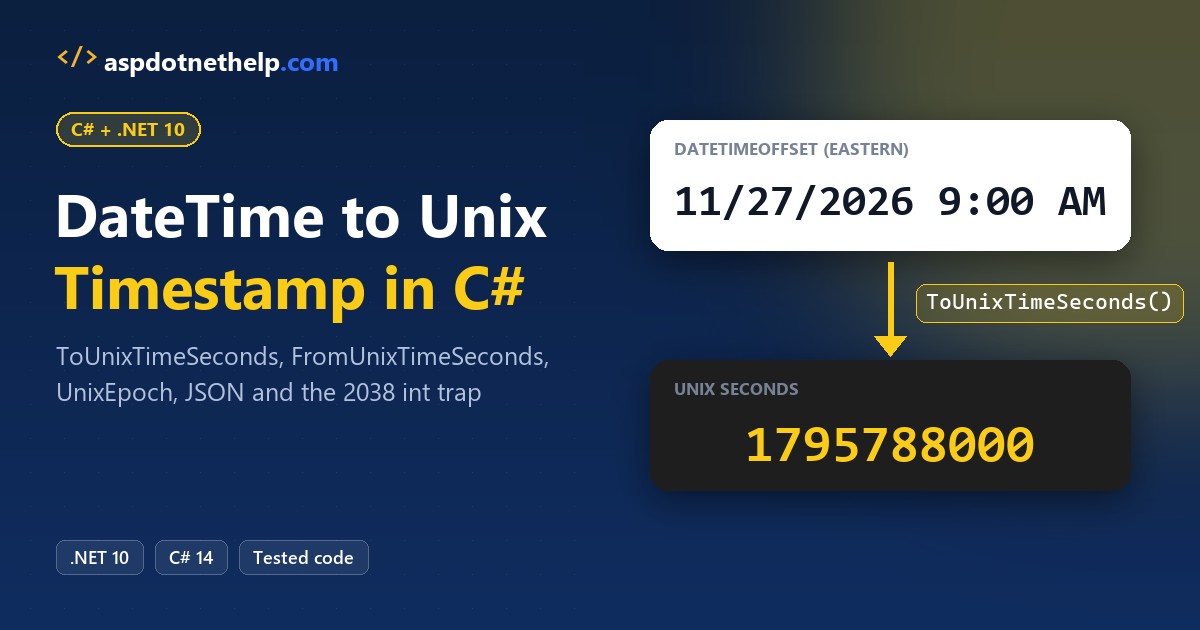
To convert a C# DateTime to Unix timestamp, wrap the value in a DateTimeOffset and call ToUnixTimeSeconds(). For the current time, that’s DateTimeOffset.UtcNow.ToUnixTimeSeconds(), a long count of seconds since January 1, 1970 UTC.
Going back is just as short with FromUnixTimeSeconds. I ran every method below on .NET 10 against one Black Friday launch time, including the time zone mistake that shifts your timestamp by five hours.
The Sample Date for Every Unix Timestamp Example
Say your online store in Columbus, Ohio opens its Black Friday sale at 9:00 AM Eastern on November 27, 2026. That’s 2:00 PM UTC, since Eastern is five hours behind UTC in late November.
Each demo is a .NET 10 file-based app you run with dotnet run File.cs. Every file sets the en-US culture first, so dates print as MM/dd/yyyy on any machine.
Method 1: Convert DateTime to Unix Timestamp with ToUnixTimeSeconds (Recommended)
Use this whenever you need Unix time for an API, a JWT exp claim or a cache key. It’s been on DateTimeOffset since .NET Framework 4.6, so there’s nothing to install. Here’s the launch time written three ways:
#:property PublishAot=false
using System.Globalization;
CultureInfo.CurrentCulture = CultureInfo.GetCultureInfo("en-US");

// Black Friday launch: 11/27/2026 9:00 AM Eastern (UTC-5)
var launch = new DateTimeOffset(2026, 11, 27, 9, 0, 0, TimeSpan.FromHours(-5));
Console.WriteLine($"Seconds:      {launch.ToUnixTimeSeconds()}");
Console.WriteLine($"Milliseconds: {launch.ToUnixTimeMilliseconds()}");

// the same instant written in UTC gives the same number
var utc = new DateTimeOffset(2026, 11, 27, 14, 0, 0, TimeSpan.Zero);
Console.WriteLine($"UTC version:  {utc.ToUnixTimeSeconds()}");

// a DateTime with Kind=Utc: wrap it in a DateTimeOffset first
var shipped = new DateTime(2026, 11, 27, 14, 0, 0, DateTimeKind.Utc);
Console.WriteLine($"DateTime:     {new DateTimeOffset(shipped).ToUnixTimeSeconds()}");
Output:
Seconds:      1795788000
Milliseconds: 1795788000000
UTC version:  1795788000
DateTime:     1795788000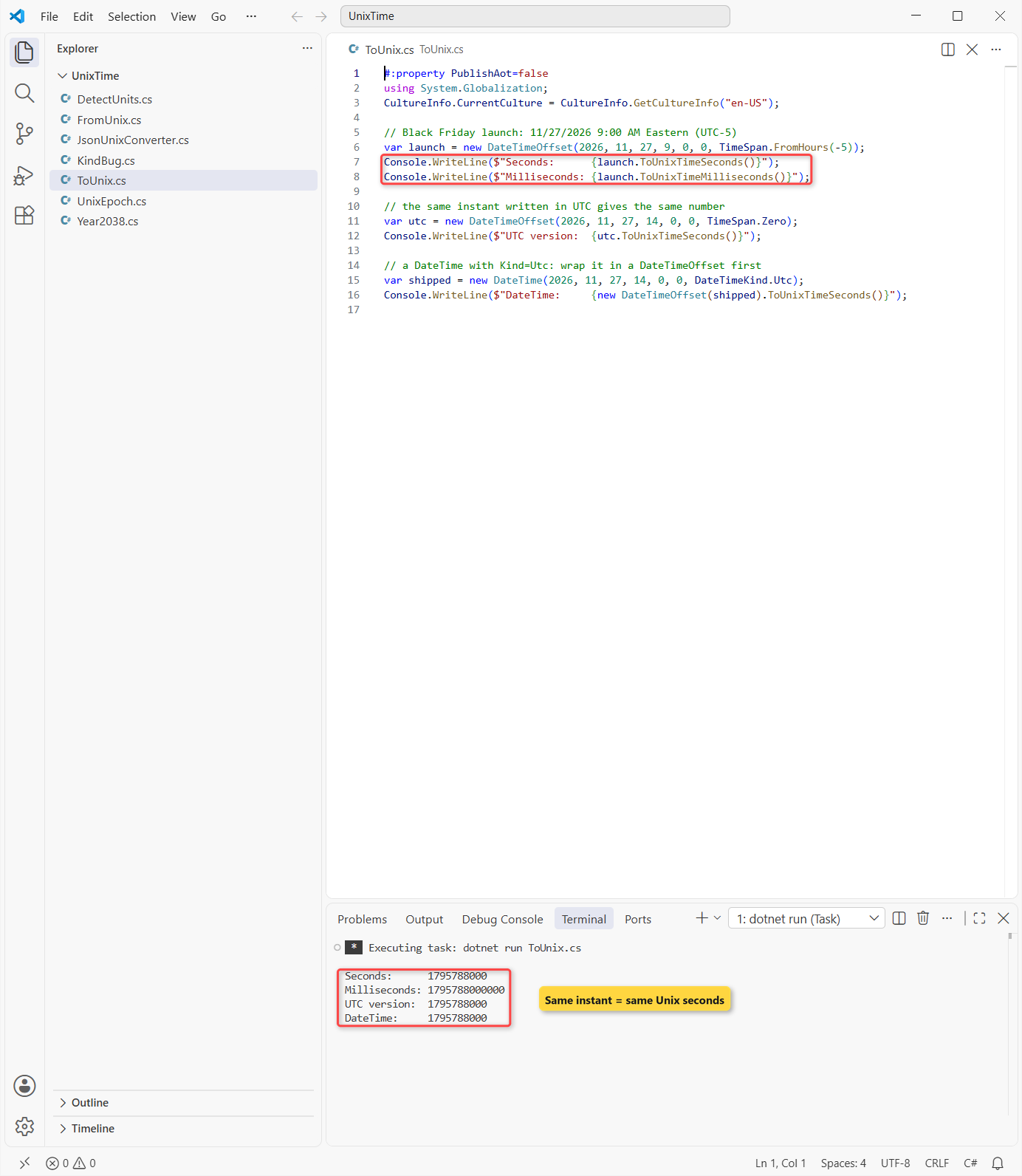
All three lines print 1795788000, and the milliseconds version is 1795788000000.
How does this code work?
ToUnixTimeSeconds() converts the value to UTC, then counts the seconds since 1970-01-01T00:00:00Z. So 9:00 AM at -05:00 and 2:00 PM at +00:00 give the same number: they’re the same instant.
A plain DateTime has no such method, so you pass it to the DateTimeOffset constructor. With Kind=Utc the offset is zero and the result is exact.
Important: with Kind=Local or Unspecified, that constructor uses the server’s own time zone. My DateTime vs DateTimeOffset vs DateOnly comparison explains why I keep instants in DateTimeOffset.
Method 2: Convert a Unix Timestamp Back to DateTime with FromUnixTimeSeconds
You need the reverse trip when an API, a log file or a webhook hands you a number. Same sample data, now going from 1795788000 back to a date:
#:property PublishAot=false
using System.Globalization;
CultureInfo.CurrentCulture = CultureInfo.GetCultureInfo("en-US");

long seconds = 1795788000;
DateTimeOffset dto = DateTimeOffset.FromUnixTimeSeconds(seconds);
Console.WriteLine($"DateTimeOffset: {dto}");

DateTime utc = dto.UtcDateTime;
Console.WriteLine($"UtcDateTime:    {utc} (Kind={utc.Kind})");

var fromMs = DateTimeOffset.FromUnixTimeMilliseconds(1795788000250);
Console.WriteLine($"From ms:        {fromMs:MM/dd/yyyy h:mm:ss.fff tt}");

var eastern = TimeZoneInfo.FindSystemTimeZoneById("Eastern Standard Time");
var et = TimeZoneInfo.ConvertTime(dto, eastern);
Console.WriteLine($"Eastern:        {et:MM/dd/yyyy h:mm tt zzz}");
Output:
DateTimeOffset: 11/27/2026 2:00:00 PM +00:00
UtcDateTime:    11/27/2026 2:00:00 PM (Kind=Utc)
From ms:        11/27/2026 2:00:00.250 PM
Eastern:        11/27/2026 9:00 AM -05:00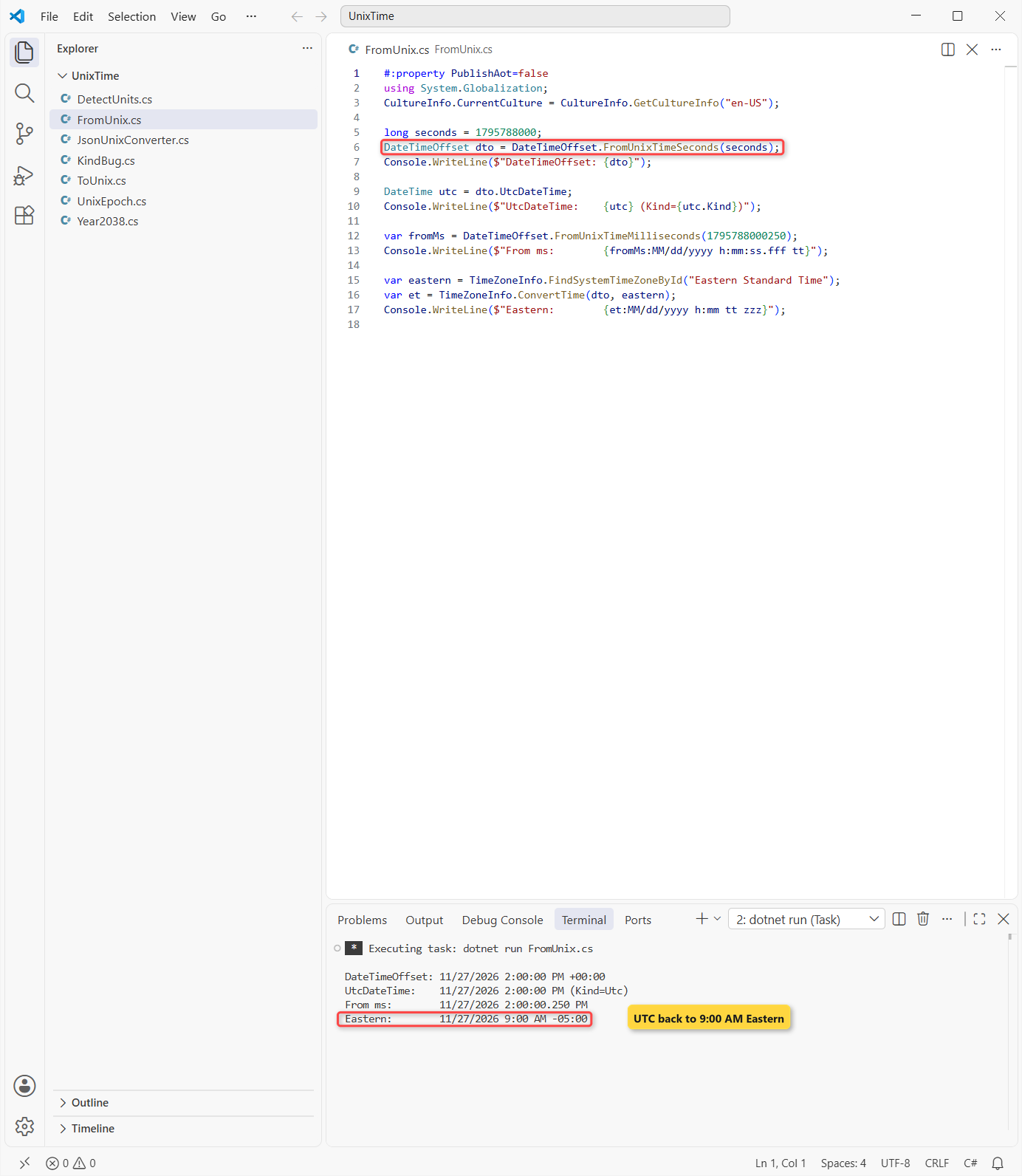
The timestamp comes back as 11/27/2026 2:00:00 PM +00:00, and the Eastern line shows 11/27/2026 9:00 AM -05:00.
How does this code work?
FromUnixTimeSeconds always returns a zero offset. .UtcDateTime gives you a DateTime with Kind=Utc, and .LocalDateTime uses the server’s zone, so I skip it on web servers.
For US zones, call TimeZoneInfo.ConvertTime as in my guide to converting UTC to Eastern time in C#. Then pick a display pattern from the C# DateTime format cheat sheet.
Method 3: Use DateTime.UnixEpoch and Subtraction
You’ll see this one in older code. It subtracts the epoch from a UTC DateTime and reads TotalSeconds. Same example, same launch time:
#:property PublishAot=false
using System.Globalization;
CultureInfo.CurrentCulture = CultureInfo.GetCultureInfo("en-US");

var shipped = new DateTime(2026, 11, 27, 14, 0, 0, DateTimeKind.Utc);
Console.WriteLine($"UnixEpoch: {DateTime.UnixEpoch:o}");

// DateTime -> Unix seconds
long seconds = (long)(shipped - DateTime.UnixEpoch).TotalSeconds;
Console.WriteLine($"Seconds:   {seconds}");

// Unix seconds -> DateTime
DateTime back = DateTime.UnixEpoch.AddSeconds(seconds);
Console.WriteLine($"Back:      {back:MM/dd/yyyy h:mm tt} (Kind={back.Kind})");

// before .NET Core 2.1 there is no UnixEpoch field
var epoch = new DateTime(1970, 1, 1, 0, 0, 0, DateTimeKind.Utc);
Console.WriteLine($"Same?      {epoch == DateTime.UnixEpoch}");
Output:
UnixEpoch: 1970-01-01T00:00:00.0000000Z
Seconds:   1795788000
Back:      11/27/2026 2:00 PM (Kind=Utc)
Same?      True
It prints 1795788000 again, and AddSeconds brings back 11/27/2026 2:00 PM with Kind=Utc.
How does this code work?
DateTime.UnixEpoch is midnight, January 1, 1970, with Kind=Utc. Subtracting it gives a TimeSpan, and the (long) cast drops any fraction of a second.
The field arrived in .NET Core 2.1 and .NET Standard 2.1. On .NET Framework, build it yourself, as the last line shows. So here’s the catch: this only works if your DateTime really is UTC.
Why Is My Unix Timestamp Off by Hours?
Because DateTime subtraction ignores Kind. A 9:00 AM Eastern value read from a database comes back as Unspecified, and Method 3 treats it as 9:00 AM UTC.
Same Black Friday values, wrong and right. You’ll hit this with datetime2 columns in an ASP.NET Core Web API with EF Core:
#:property PublishAot=false
using System.Globalization;
CultureInfo.CurrentCulture = CultureInfo.GetCultureInfo("en-US");

// 9:00 AM Eastern as stored in a SQL Server column (no zone, Kind=Unspecified)
var wallClock = new DateTime(2026, 11, 27, 9, 0, 0);

// WRONG: subtraction ignores Kind, so 9:00 AM is treated as 9:00 AM UTC
long wrong = (long)(wallClock - DateTime.UnixEpoch).TotalSeconds;

// RIGHT: say which zone the wall clock belongs to, then convert
var eastern = TimeZoneInfo.FindSystemTimeZoneById("Eastern Standard Time");
var withZone = new DateTimeOffset(wallClock, eastern.GetUtcOffset(wallClock));
long right = withZone.ToUnixTimeSeconds();

Console.WriteLine($"Wrong: {wrong}");
Console.WriteLine($"Right: {right}");
Console.WriteLine($"Off by {right - wrong} seconds ({(right - wrong) / 3600} hours)");
Output:
Wrong: 1795770000
Right: 1795788000
Off by 18000 seconds (5 hours)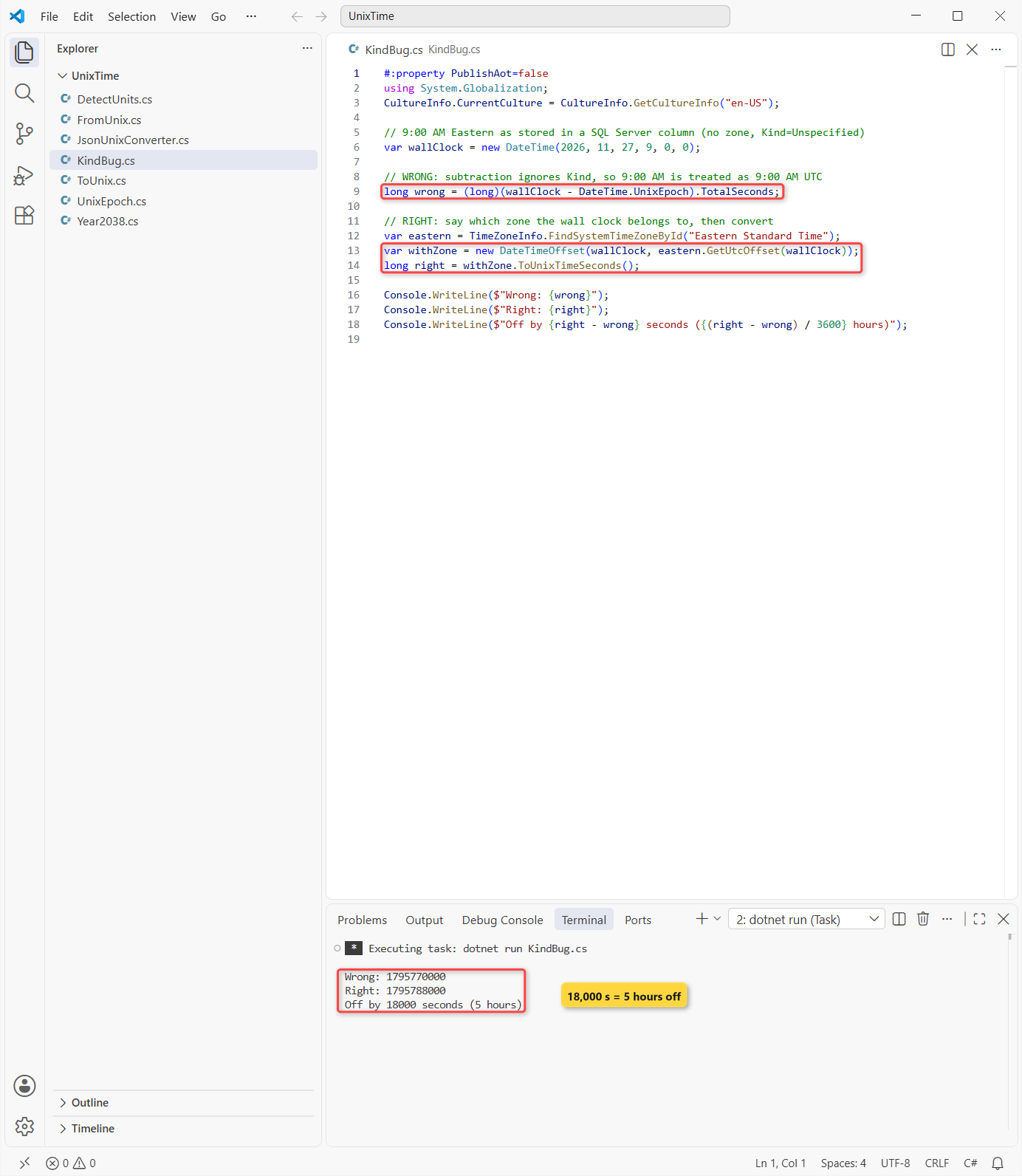
The wrong value 1795770000 is 18,000 seconds early, so every client would open the sale at 4:00 AM Eastern.
How does this code work?
The fix asks TimeZoneInfo for the Eastern offset on that date (-05:00 in November, -04:00 in summer). Then DateTimeOffset knows the real instant, and ToUnixTimeSeconds is correct.
Pro Tip: store instants as UTC or DateTimeOffset from the start, and you’ll never need this repair.
Unix Timestamp in Seconds or Milliseconds? Check the Digits
JavaScript’s Date.now() sends milliseconds, while Unix tools and JWTs use seconds. A 2026 timestamp has 10 digits in seconds and 13 in milliseconds. Here’s a check using the same values from Method 1:
#:property PublishAot=false
using System.Globalization;
CultureInfo.CurrentCulture = CultureInfo.GetCultureInfo("en-US");

long[] stamps = [1795788000, 1795788000000, 1795788000250];
foreach (long t in stamps)
{
    // 10 digits = seconds, 13 digits = milliseconds (until the year 2286)
    bool isMs = t > 99_999_999_999;
    var dto = isMs ? DateTimeOffset.FromUnixTimeMilliseconds(t)
                   : DateTimeOffset.FromUnixTimeSeconds(t);
    Console.WriteLine($"{t,-14} {(isMs ? "ms " : "sec")} {dto:MM/dd/yyyy h:mm:ss.fff tt}");
}

// the classic mix-up: milliseconds passed as seconds
try { DateTimeOffset.FromUnixTimeSeconds(1795788000000); }
catch (ArgumentOutOfRangeException ex) { Console.WriteLine(ex.GetType().Name); }
Console.WriteLine($"Seconds read as ms: {DateTimeOffset.FromUnixTimeMilliseconds(1795788000):MM/dd/yyyy}");
Output:
1795788000     sec 11/27/2026 2:00:00.000 PM
1795788000000  ms  11/27/2026 2:00:00.000 PM
1795788000250  ms  11/27/2026 2:00:00.250 PM
ArgumentOutOfRangeException
Seconds read as ms: 01/21/1970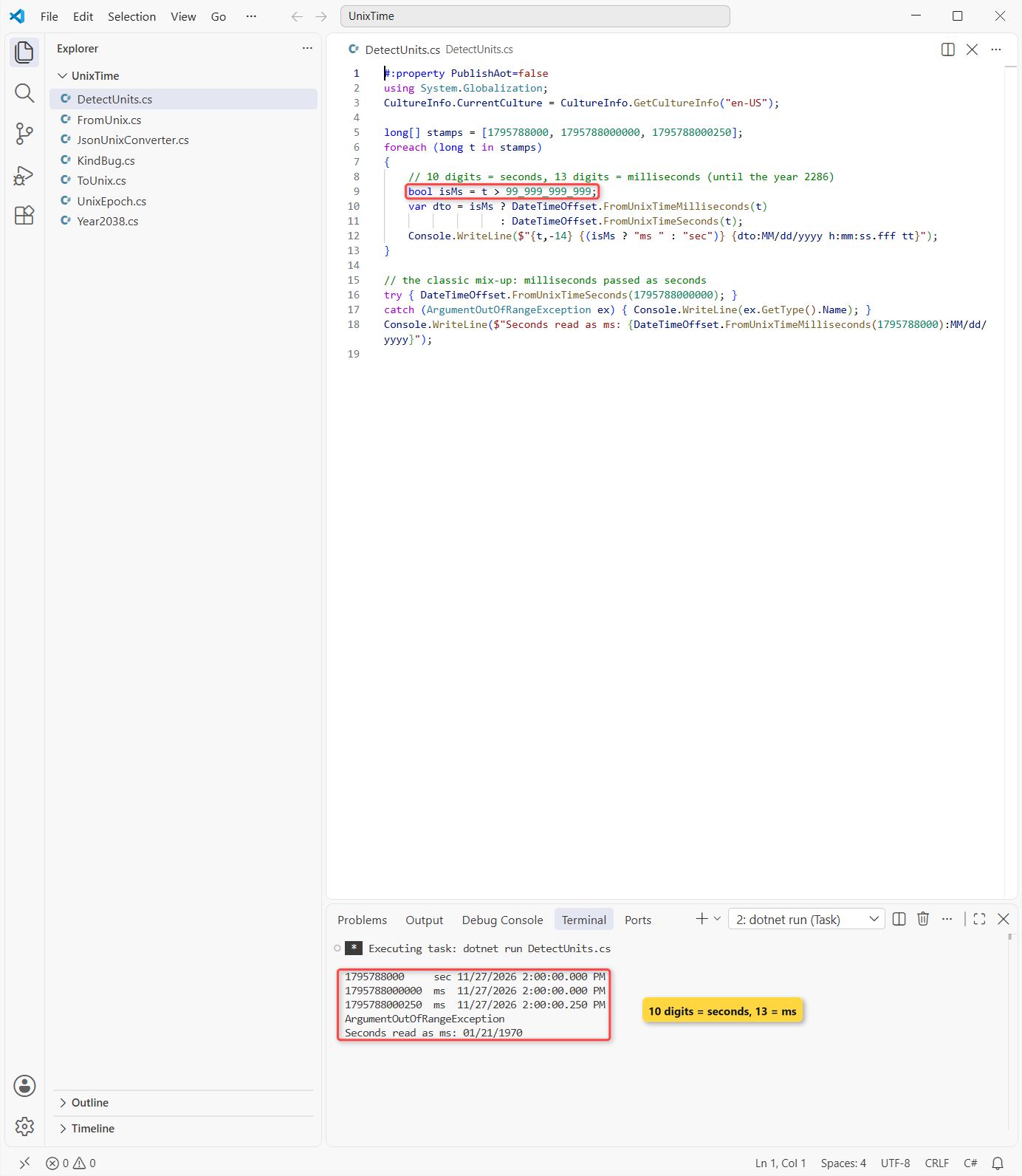
All three stamps land on 11/27/2026 2:00 PM. Milliseconds passed to FromUnixTimeSeconds throw ArgumentOutOfRangeException, and seconds read as milliseconds land on 01/21/1970.
How does this code work?
Anything above 99,999,999,999 would be seconds past the year 5000, so it’s treated as milliseconds. Still wrap untrusted input in a try-catch block, since a bad number throws.
If your timestamp arrives as text, run long.TryParse first. Date strings like “11/27/2026” need string to DateTime parsing instead.
Read and Write Unix Timestamps in JSON with System.Text.Json
System.Text.Json writes dates as ISO 8601 strings. When an API sends "shippedAt": 1795788000, you need a small JsonConverter. Same launch time, now inside an order:
#:property PublishAot=false
using System.Globalization;
using System.Text.Json;
using System.Text.Json.Serialization;
CultureInfo.CurrentCulture = CultureInfo.GetCultureInfo("en-US");

var opts = new JsonSerializerOptions(JsonSerializerDefaults.Web);
string json = """{"id":1042,"customer":"Jenna Morales","shippedAt":1795788000}""";

Order order = JsonSerializer.Deserialize<Order>(json, opts)!;
Console.WriteLine($"{order.Customer} shipped {order.ShippedAt:MM/dd/yyyy h:mm tt} UTC");
Console.WriteLine(JsonSerializer.Serialize(order with { Id = 1043 }, opts));

record Order(int Id, string Customer,
    [property: JsonConverter(typeof(UnixSecondsConverter))] DateTimeOffset ShippedAt);

class UnixSecondsConverter : JsonConverter<DateTimeOffset>
{
    public override DateTimeOffset Read(ref Utf8JsonReader reader, Type type, JsonSerializerOptions o)
        => DateTimeOffset.FromUnixTimeSeconds(reader.GetInt64());
    public override void Write(Utf8JsonWriter writer, DateTimeOffset value, JsonSerializerOptions o)
        => writer.WriteNumberValue(value.ToUnixTimeSeconds());
}
Output:
Jenna Morales shipped 11/27/2026 2:00 PM UTC
{"id":1043,"customer":"Jenna Morales","shippedAt":1795788000}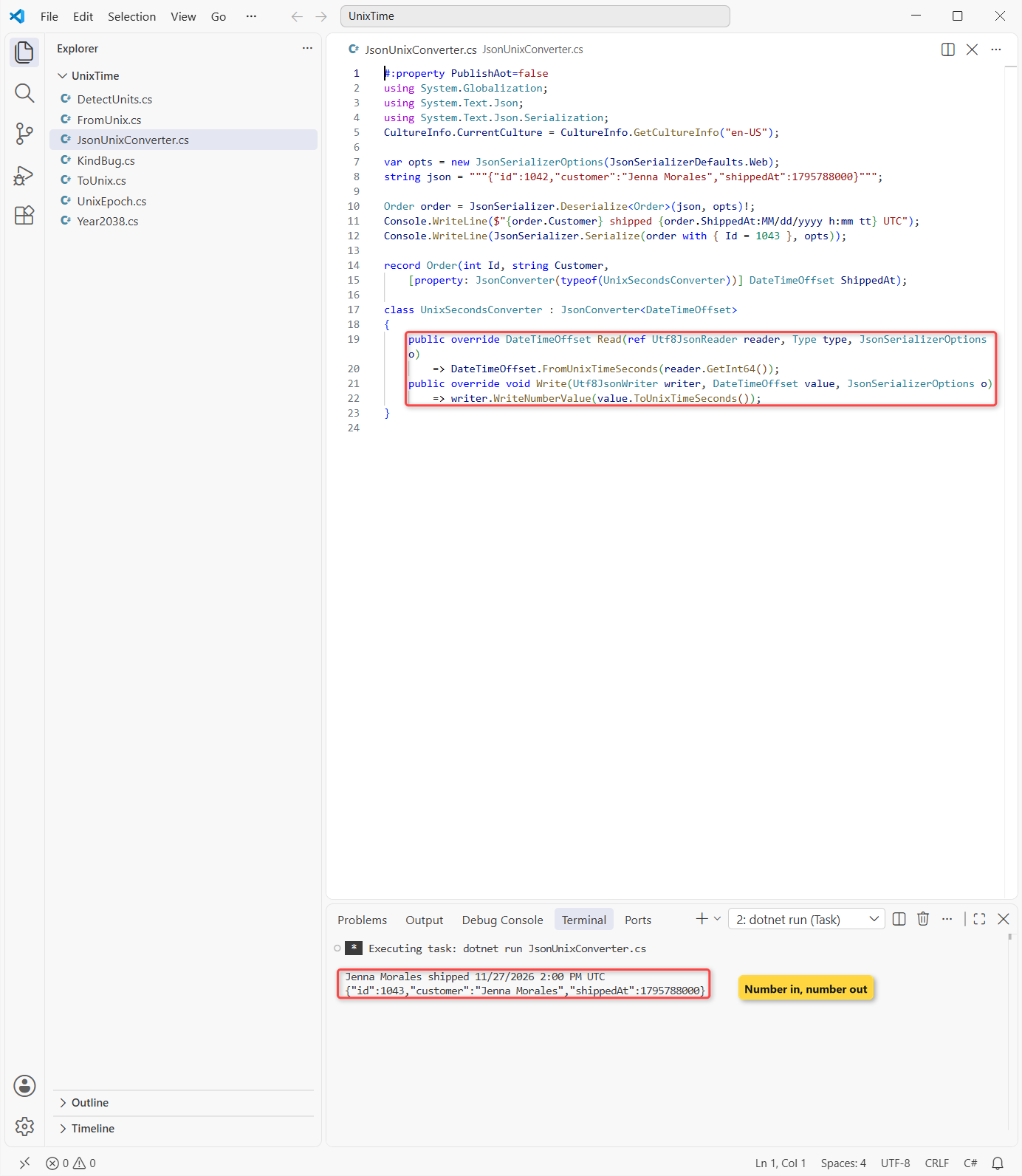
Jenna Morales’s order reads as 11/27/2026 2:00 PM UTC, and the copy writes back 1795788000.
How does this code work?
Read takes the number with GetInt64() and calls FromUnixTimeSeconds; Write does the reverse. The [property: JsonConverter] attribute applies it to one property only.
My System.Text.Json guide shows how you register converters for every property instead.
The Year 2038 Problem: Store a Unix Timestamp in a long, Not an int
A signed 32-bit int runs out of seconds on January 19, 2038. .NET returns long, but I still find int columns and DTOs in real projects.
#:property PublishAot=false
using System.Globalization;
CultureInfo.CurrentCulture = CultureInfo.GetCultureInfo("en-US");

var last = DateTimeOffset.FromUnixTimeSeconds(int.MaxValue);
Console.WriteLine($"int.MaxValue {int.MaxValue} = {last:MM/dd/yyyy h:mm:ss tt} UTC");

// one second later, stored in an int instead of a long
var next = last.AddSeconds(1);
long asLong = next.ToUnixTimeSeconds();
int asInt = unchecked((int)asLong);
Console.WriteLine($"long: {asLong}");
Console.WriteLine($"int:  {asInt} = {DateTimeOffset.FromUnixTimeSeconds(asInt):MM/dd/yyyy}");

try { int boom = checked((int)asLong); }
catch (OverflowException ex) { Console.WriteLine(ex.Message); }
Output:
int.MaxValue 2147483647 = 01/19/2038 3:14:07 AM UTC
long: 2147483648
int:  -2147483648 = 12/13/1901
Arithmetic operation resulted in an overflow.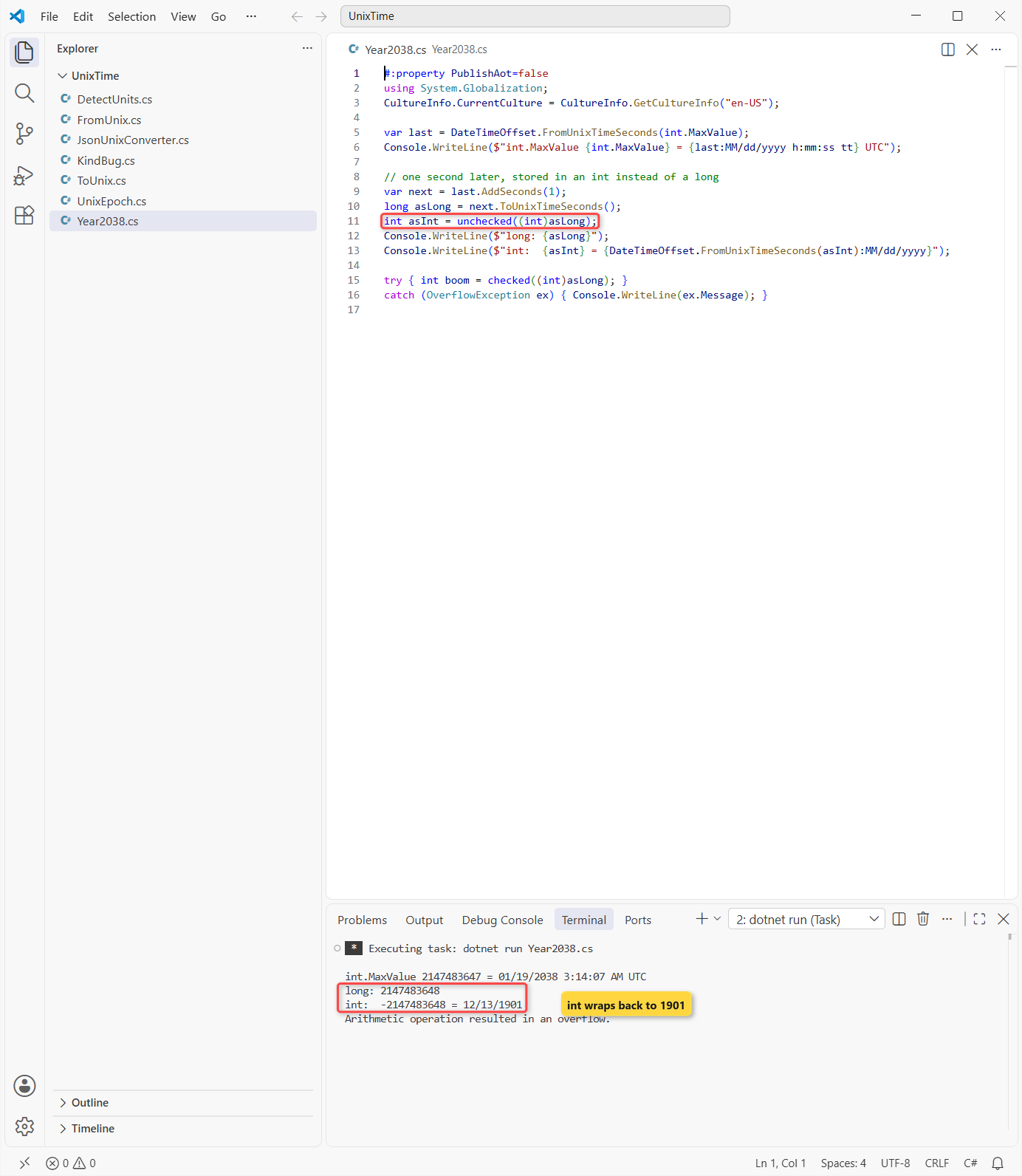
One second later the long holds 2147483648, the int wraps to -2147483648 (12/13/1901), and a checked cast throws. Use long in C# and bigint in SQL Server.
Which Unix Timestamp Method Should You Use?
| Task | Use |
|---|---|
| DateTime to Unix seconds | new DateTimeOffset(utc).ToUnixTimeSeconds() |
| Current Unix time | DateTimeOffset.UtcNow.ToUnixTimeSeconds() |
| 13-digit milliseconds | ToUnixTimeMilliseconds() |
| Unix time to DateTime | FromUnixTimeSeconds(t).UtcDateTime |
| Old code, UTC values only | (dt - DateTime.UnixEpoch).TotalSeconds |
| JSON number property | JsonConverter<DateTimeOffset> |
I’d pick Method 1 for almost everything. More date recipes are on my C# tutorials page.
Things to Keep in Mind with Unix Time
- Unix time is always UTC, so attach the zone to any wall-clock time before you convert it.
- Check for 10 vs 13 digits wherever timestamps enter your app.
- Unix time ignores leap seconds, so don’t use it for precise scientific intervals.
- Keep timestamps in
long, neverint.
These go well with Unix time work:
- Get the start and end date of a month in C#
- Check for a leap year in C#
- What’s new in .NET 10
- Learn C# step by step
Frequently Asked Questions
How do I get the current Unix timestamp in C#?
Call DateTimeOffset.UtcNow.ToUnixTimeSeconds() for seconds or ToUnixTimeMilliseconds() for milliseconds. Both return a long.
Does ToUnixTimeSeconds depend on the time zone?
No. It converts to UTC first, so 9:00 AM Eastern and 2:00 PM UTC give the same number. See Microsoft’s ToUnixTimeSeconds reference.
Why doesn’t DateTime have a ToUnixTimeSeconds method?
The Unix methods live on DateTimeOffset. Pass a UTC DateTime to new DateTimeOffset(dt), or subtract DateTime.UnixEpoch.
What is the valid range for FromUnixTimeSeconds?
-62,135,596,800 to 253,402,300,799 (year 1 to year 9999). Anything outside throws ArgumentOutOfRangeException, per the FromUnixTimeSeconds docs.
Can a Unix timestamp be negative?
Yes. Dates before January 1, 1970 UTC return negative values, and FromUnixTimeSeconds accepts them.

Bijay Kumar is a renowned software engineer, accomplished author, and distinguished Microsoft Most Valuable Professional (MVP) specializing in SharePoint. With a rich professional background spanning over 15 years, Bijay has established himself as an authority in the field of information technology. He possesses unparalleled expertise in multiple programming languages and technologies such as ASP.NET, ASP.NET MVC, C#.NET, and SharePoint, which has enabled him to develop innovative and cutting-edge solutions for clients across the globe. Read more…