
If you’ve tried to match customers to their orders with two nested loops, you’ve probably seen duplicate rows or customers that quietly vanish. A C# LINQ join does that match in one call: Join pairs each customer with every order that shares its key.
For customers with no orders, use GroupJoin plus DefaultIfEmpty, or the new LeftJoin in .NET 10. I ran every example below on .NET 10 against the same four customers and five orders.
The Sample Customers and Orders for Every LINQ Join
Every file includes this Data.cs: four customers, five orders and three sales reps, each a one-line record. The lists are plain List<T> collections, so nothing here needs a database:
public record Customer(int Id, string Name, string City, string State);
public record Order(int Id, int CustomerId, decimal Total);
public record Rep(string Name, string City, string State);

public static class Shop
{
    public static List<Customer> Customers =
    [
        new(101, "Jenna Morales", "Austin", "TX"),
        new(102, "Tyler Brooks", "Denver", "CO"),
        new(103, "Dana Whitfield", "Albany", "NY"),
        new(104, "Marcus Lee", "Miami", "FL"),      // no orders yet
    ];

    public static List<Order> Orders =
    [
        new(5001, 101, 249.99m),
        new(5002, 102, 89.50m),
        new(5003, 101, 120.00m),
        new(5004, 103, 412.00m),
        new(5005, 107, 58.25m),                     // customer 107 doesn't exist
    ];

    public static List<Rep> Reps =
    [
        new("Ava Chen", "Austin", "TX"),
        new("Kim Park", "Dallas", "TX"),
        new("Luis Ortega", "Denver", "CO"),
    ];
}
Three rows are there to trip you up:
- Jenna Morales (101) has two orders, so she should show up twice in a join.
- Marcus Lee (104) has no orders, which is what separates an inner join from a left join.
- Order 5005 points at customer 107, who doesn’t exist. Only a right join keeps it.
Each demo starts with #:include Data.cs and using static Shop;, then runs with dotnet run InnerJoin.cs. That’s a .NET 10 file-based app, so there’s no project file. Including a second file needs SDK 10.0.300 or later.
Method 1: Inner Join with the LINQ Join Method (Recommended)
Use Join when you only want rows that match on both sides. It takes the second list, a key from each side and a result selector that builds one output row per match.
Same customers and orders. Here’s the code:
#!/usr/bin/env dotnet
#:property PublishAot=false
#:include Data.cs
using static Shop;

var rows = Customers.Join(Orders,
    c => c.Id,
    o => o.CustomerId,
    (c, o) => new { c.Name, c.State, OrderId = o.Id, o.Total });

foreach (var r in rows)
    Console.WriteLine($"{r.OrderId}  {r.Name,-15} {r.State}  ${r.Total}");

Console.WriteLine($"{rows.Count()} matched rows");
Output:
5001  Jenna Morales   TX  $249.99
5003  Jenna Morales   TX  $120.00
5002  Tyler Brooks    CO  $89.50
5004  Dana Whitfield  NY  $412.00
4 matched rows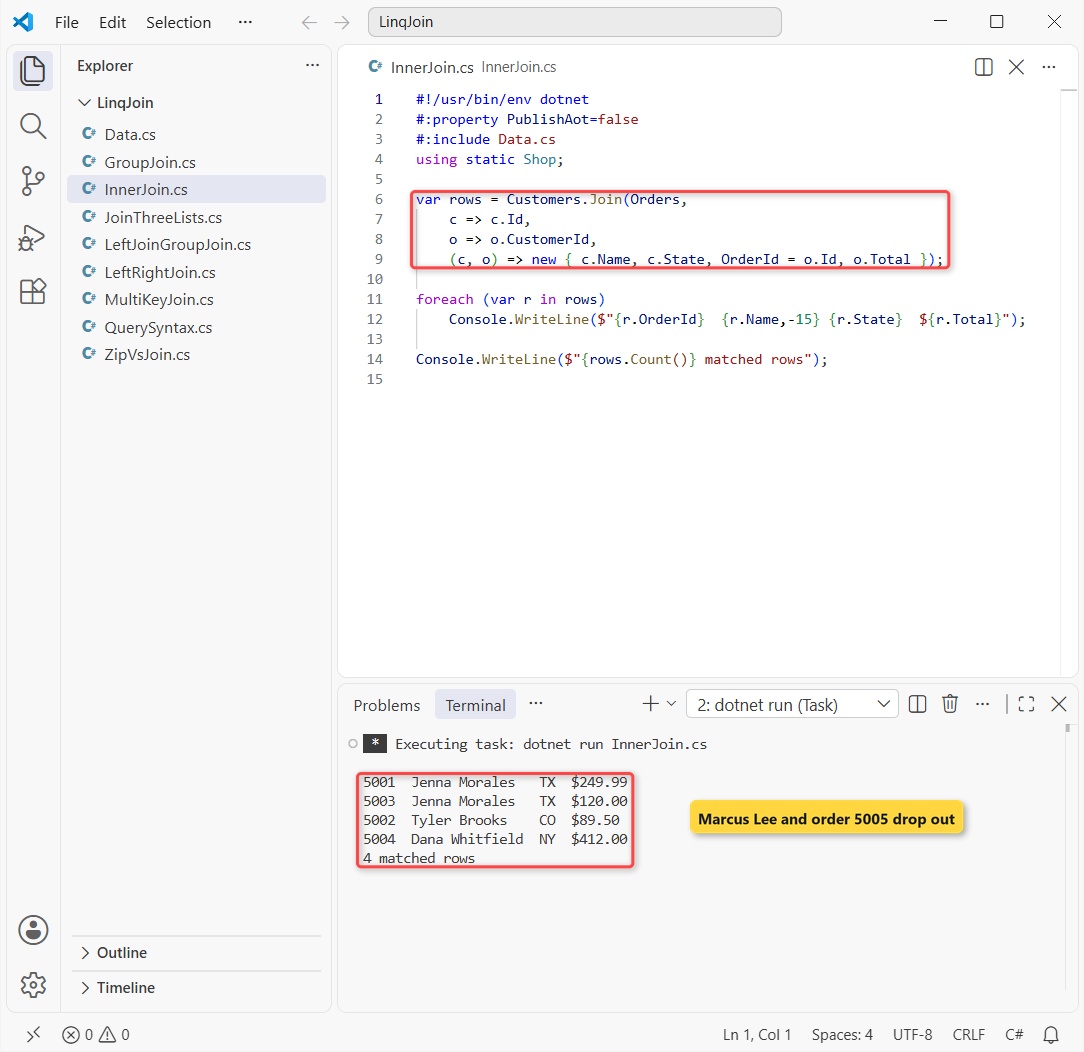
That returns 4 rows. Jenna appears twice, and the total of the matched orders is $871.49.
How does this code work?
c => c.Id is the key from the outer list (customers) and o => o.CustomerId is the key from the inner list (orders). Both are plain Func delegates written as lambdas.
LINQ hashes the orders by key, then walks the customers in order, producing one row per matching order. That’s why Jenna’s 5001 and 5003 sit together.
Marcus Lee has no orders and order 5005 has no customer, so you lose both without any warning.
Method 2: LINQ Join in Query Syntax (join … on … equals)
Query syntax reads like SQL, and I use it when the query also sorts. For from and select basics, see my LINQ in C# guide.
#!/usr/bin/env dotnet
#:property PublishAot=false
#:include Data.cs
using static Shop;

var rows = from c in Customers
           join o in Orders on c.Id equals o.CustomerId
           orderby o.Total descending
           select $"{o.Id}  {c.Name,-15} ${o.Total}";

foreach (var r in rows)
    Console.WriteLine(r);
Output:
5004  Dana Whitfield  $412.00
5001  Jenna Morales   $249.99
5003  Jenna Morales   $120.00
5002  Tyler Brooks    $89.50
The same 4 matches come back, now sorted by total from $412.00 down to $89.50.
How does this code work?
The compiler turns join o in Orders on c.Id equals o.CustomerId into the same Join call as Method 1. The keyword is equals, not ==.
Important: the outer range variable goes on the left of equals. Writing o.CustomerId equals c.Id here is a compile error, not a silent bug.
Method 3: Join on Multiple Keys with an Anonymous Type
Sometimes one column isn’t enough. Here I match customers to sales reps, and each rep covers one city in one state.
Same customers, now with the Reps list. First by state only, then by city and state:
#!/usr/bin/env dotnet
#:property PublishAot=false
#:include Data.cs
using static Shop;

var byState = Customers.Join(Reps,
    c => c.State, r => r.State,
    (c, r) => $"{c.Name} -> {r.Name}");
Console.WriteLine("State only:");
foreach (var s in byState) Console.WriteLine("  " + s);

var byCityState = from c in Customers
    join r in Reps
        on new { c.City, c.State } equals new { r.City, r.State }
    select $"{c.Name} -> {r.Name}";
Console.WriteLine("City + state:");
foreach (var s in byCityState) Console.WriteLine("  " + s);
Output:
State only:
  Jenna Morales -> Ava Chen
  Jenna Morales -> Kim Park
  Tyler Brooks -> Luis Ortega
City + state:
  Jenna Morales -> Ava Chen
  Tyler Brooks -> Luis Ortega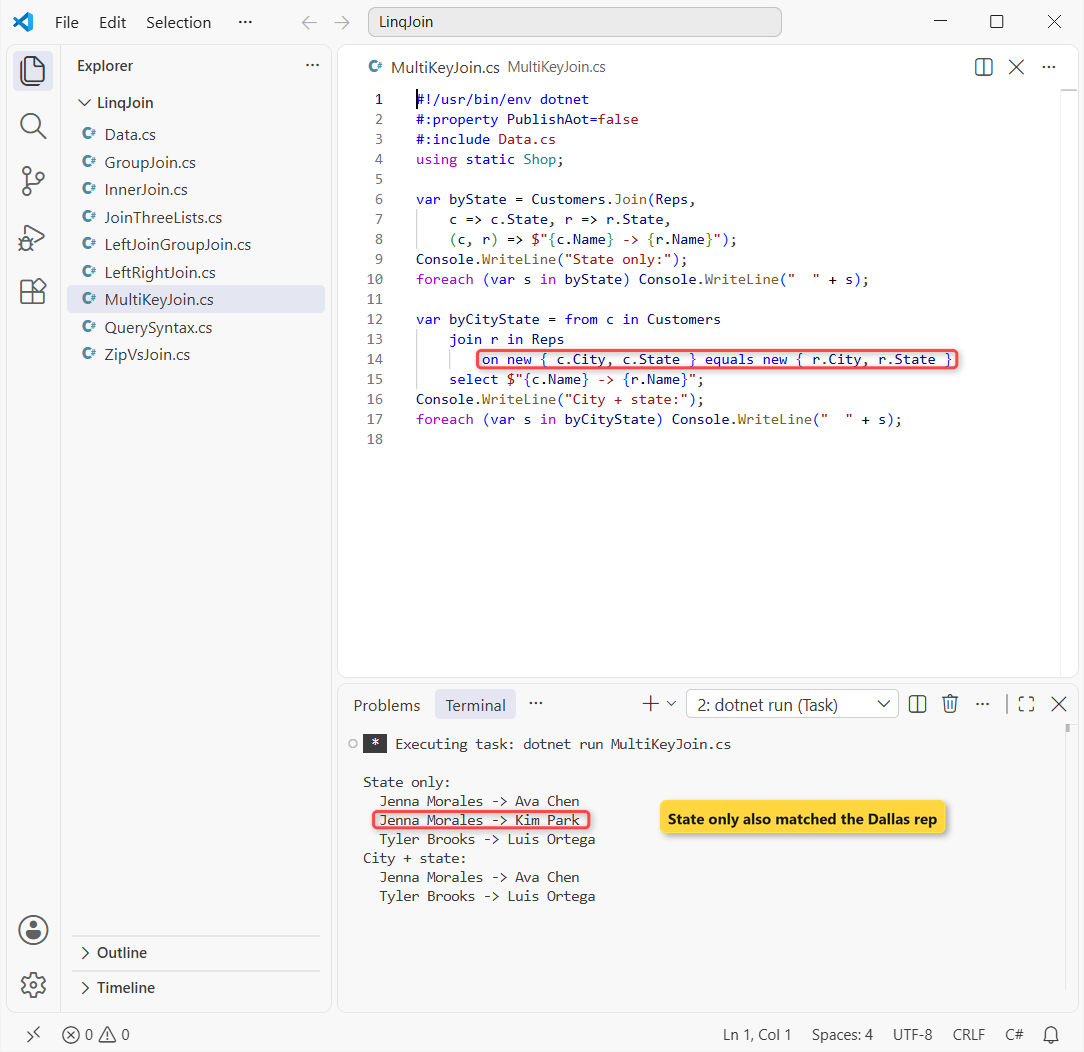
State alone returns 3 rows, including Jenna with Kim Park, who covers Dallas. The composite key returns the 2 correct pairs.
How does this code work?
new { c.City, c.State } builds an anonymous type, and anonymous types compare by value. A value tuple such as (c.City, c.State) works the same way in method syntax.
Property names and order must be identical on both sides. If reps had Town instead of City, you’d write new { City = r.Town, r.State }.
How Do You Do a Left Outer Join in LINQ?
Before .NET 10 there was no left join method, so you used a group join plus DefaultIfEmpty.
Same customers and orders, but this time Marcus Lee must stay in the result:
#!/usr/bin/env dotnet
#:property PublishAot=false
#:include Data.cs
using static Shop;

var rows = from c in Customers
           join o in Orders on c.Id equals o.CustomerId into matches
           from o in matches.DefaultIfEmpty()
           select $"{c.Name,-15} {(o is null ? "no orders" : $"#{o.Id} ${o.Total}")}";

foreach (var r in rows)
    Console.WriteLine(r);

var viaMethods = Customers
    .GroupJoin(Orders, c => c.Id, o => o.CustomerId,
        (c, matches) => new { c, matches })
    .SelectMany(x => x.matches.DefaultIfEmpty(),
        (x, o) => (x.c.Name, OrderId: o?.Id));
Console.WriteLine($"Method syntax: {viaMethods.Count()} rows");
Output:
Jenna Morales   #5001 $249.99
Jenna Morales   #5003 $120.00
Tyler Brooks    #5002 $89.50
Dana Whitfield  #5004 $412.00
Marcus Lee      no orders
Method syntax: 5 rows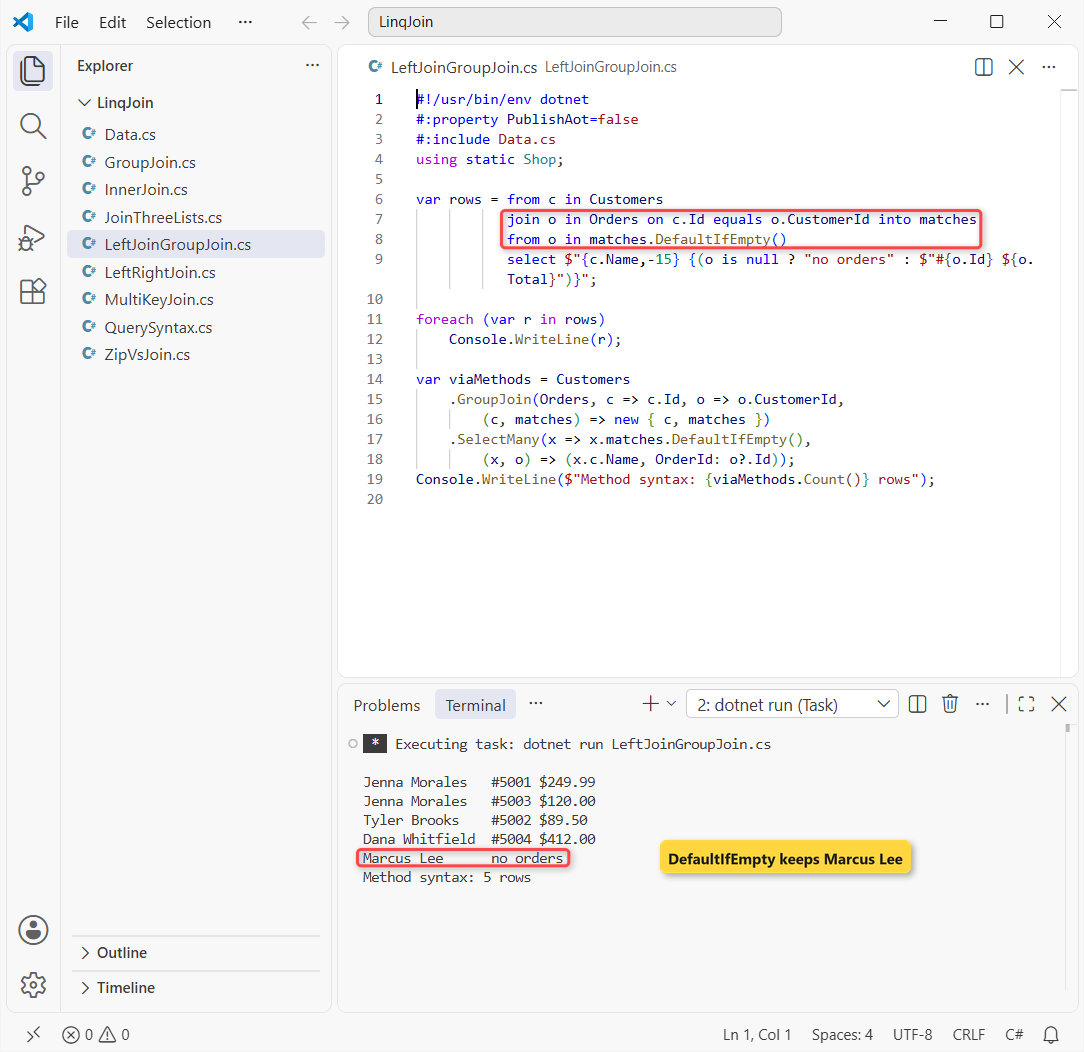
That returns 5 rows: the 4 matches plus Marcus Lee with “no orders”. The method-syntax version counts the same 5.
How does this code work?
join ... into matches gives each customer its group of orders, empty for Marcus. DefaultIfEmpty() swaps an empty group for one null, so the second from still yields a row for him.
That null is why the select checks o is null. Skip the check and you get a NullReferenceException; my guide to null checks in C# covers the options.
Method 4: LeftJoin and RightJoin in .NET 10
LeftJoin and RightJoin are new in .NET 10, listed in what's new in .NET 10. Each is one call with the same arguments as Join.
Same data, one call each:
#!/usr/bin/env dotnet
#:property PublishAot=false
#:include Data.cs
using static Shop;

var left = Customers.LeftJoin(Orders,
    c => c.Id, o => o.CustomerId,
    (c, o) => $"{c.Name,-15} {(o is null ? "no orders" : $"#{o.Id}")}");
Console.WriteLine("LeftJoin (every customer):");
foreach (var r in left) Console.WriteLine("  " + r);

var right = Customers.RightJoin(Orders,
    c => c.Id, o => o.CustomerId,
    (c, o) => $"#{o.Id} {c?.Name ?? "(unknown customer)"}");
Console.WriteLine("RightJoin (every order):");
foreach (var r in right) Console.WriteLine("  " + r);
Output:
LeftJoin (every customer):
  Jenna Morales   #5001
  Jenna Morales   #5003
  Tyler Brooks    #5002
  Dana Whitfield  #5004
  Marcus Lee      no orders
RightJoin (every order):
  #5001 Jenna Morales
  #5002 Tyler Brooks
  #5003 Jenna Morales
  #5004 Dana Whitfield
  #5005 (unknown customer)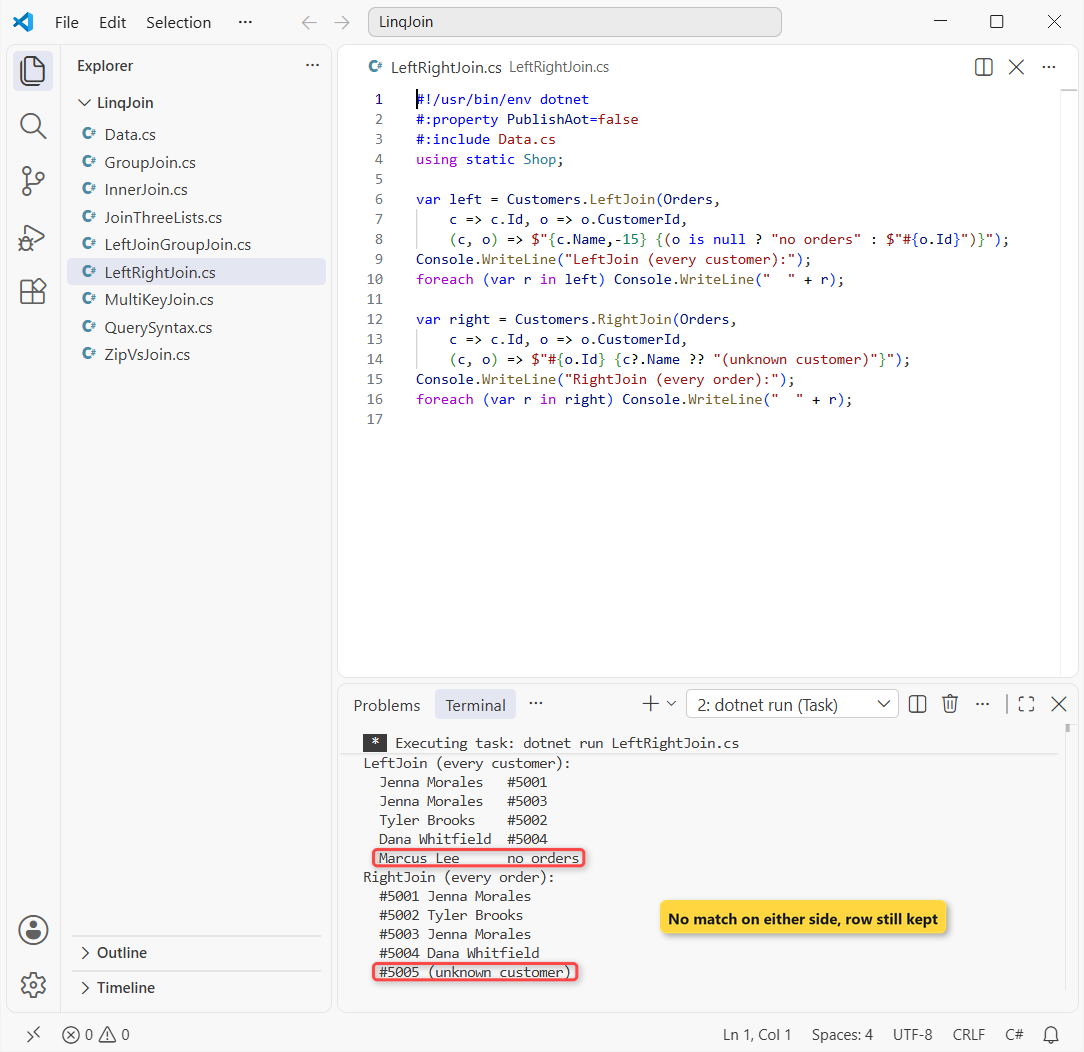
Both return 5 rows. LeftJoin keeps Marcus Lee; RightJoin keeps every order, and 5005 shows “(unknown customer)”.
How does this code work?
In LeftJoin, the result selector receives a nullable inner element, Order?. In RightJoin it’s the customer that can be null, hence c?.Name. With nullable reference types on, the compiler warns you if you forget.
EF Core 10 translates LeftJoin to SQL LEFT JOIN and RightJoin to RIGHT JOIN, so the same call works in an EF Core query.
Note: there’s no query-syntax keyword for either one yet, so they’re method syntax only. On .NET 9 or earlier, keep the DefaultIfEmpty pattern.
GroupJoin: One Customer with All Their Orders
GroupJoin gives one row per customer with a collection of orders attached, ideal for summaries. It joins two lists, while LINQ GroupBy groups a single list.
Same four customers. I count and total each one’s orders:
#!/usr/bin/env dotnet
#:property PublishAot=false
#:include Data.cs
using static Shop;

var summary = Customers.GroupJoin(Orders,
    c => c.Id, o => o.CustomerId,
    (c, orders) => new
    {
        c.Name,
        Count = orders.Count(),
        Total = orders.Sum(o => o.Total)
    });

foreach (var s in summary)
    Console.WriteLine($"{s.Name,-15} orders: {s.Count}  total: ${s.Total}");
Output:
Jenna Morales   orders: 2  total: $369.99
Tyler Brooks    orders: 1  total: $89.50
Dana Whitfield  orders: 1  total: $412.00
Marcus Lee      orders: 0  total: $0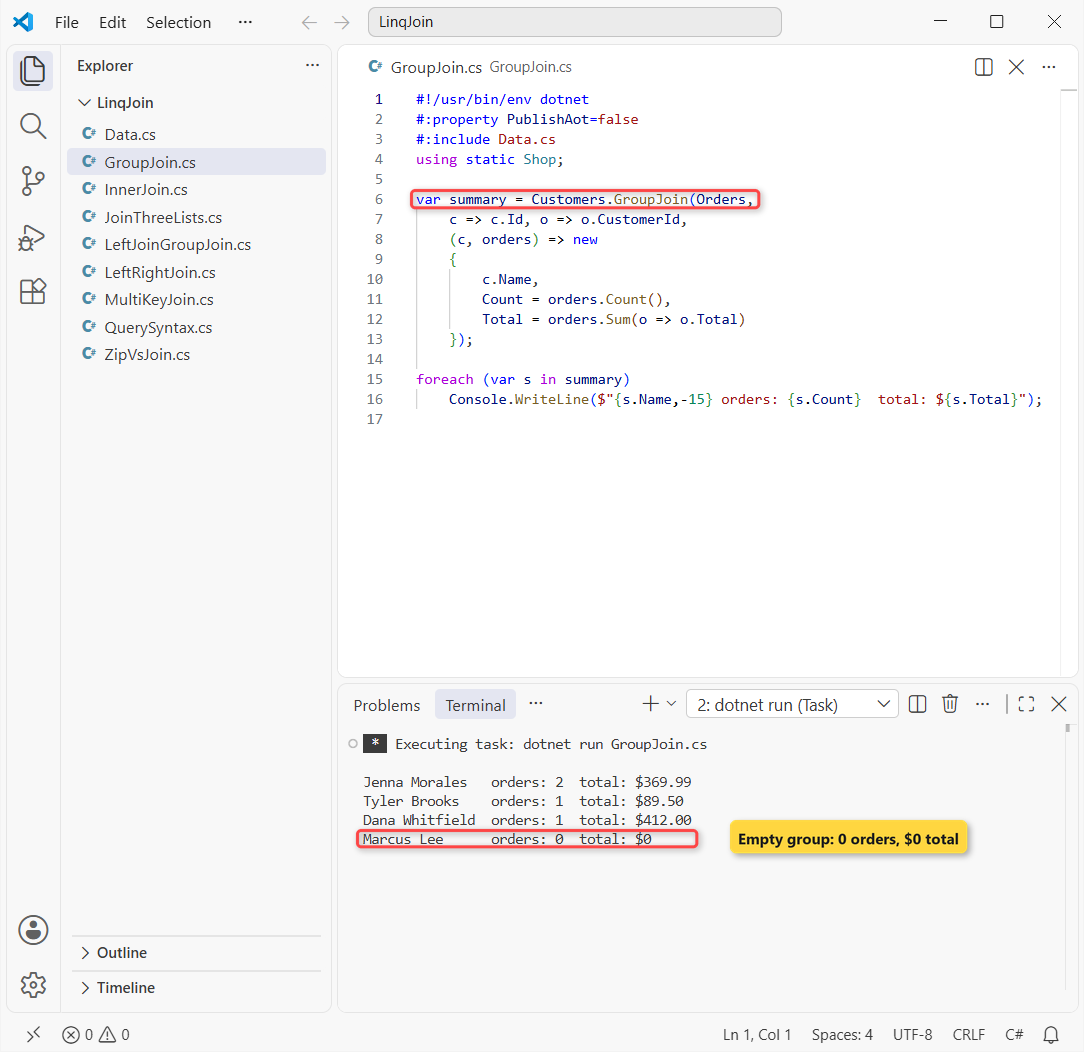
Jenna has 2 orders worth $369.99, and Marcus Lee shows 0 orders and a $0 total instead of a missing row.
How does this code work?
The result selector gets each customer plus an IEnumerable<Order> of matches. An empty sequence still counts, so every customer survives, and Sum over it returns 0, so you need no null checks.
How to Join 3 Lists in LINQ
Chain the joins. Each new join clause matches against the result of the ones before it.
Same data: orders to customers by Id, then customers to reps by city and state:
#!/usr/bin/env dotnet
#:property PublishAot=false
#:include Data.cs
using static Shop;

var rows = from o in Orders
           join c in Customers on o.CustomerId equals c.Id
           join r in Reps on new { c.City, c.State }
                      equals new { r.City, r.State }
           select $"#{o.Id} {c.Name} ({c.City}, {c.State}) rep: {r.Name}";

foreach (var r in rows)
    Console.WriteLine(r);
Output:
#5001 Jenna Morales (Austin, TX) rep: Ava Chen
#5002 Tyler Brooks (Denver, CO) rep: Luis Ortega
#5003 Jenna Morales (Austin, TX) rep: Ava Chen
That returns 3 rows: Jenna’s two orders with Ava Chen and Tyler’s order with Luis Ortega.
How does this code work?
The first join pairs each order with its customer; the second matches that customer’s city and state against the reps. Both are inner joins, so a row must match at every step.
Dana’s order 5004 drops out at the second join because no rep covers Albany, NY. Order 5005 never got past the first. Use LeftJoin for the second step if they must stay.
Zip vs Join: Pairing by Position or by Key
Zip looks like a join, but it pairs the first item with the first item, the second with the second, and stops at the shorter list. It never looks at a key.
Same customers and orders, zipped:
#!/usr/bin/env dotnet
#:property PublishAot=false
#:include Data.cs
using static Shop;

foreach (var (c, o) in Customers.Zip(Orders))
    Console.WriteLine($"{c.Name,-15} #{o.Id} (order's customer: {o.CustomerId})");
Output:
Jenna Morales   #5001 (order's customer: 101)
Tyler Brooks    #5002 (order's customer: 102)
Dana Whitfield  #5003 (order's customer: 101)
Marcus Lee      #5004 (order's customer: 103)
Zip paired Dana Whitfield with order 5003, which belongs to customer 101. Method 1’s Join got all 4 pairs right. Use Zip only for lists already in the same order, like two parallel arrays.
Which LINQ Join Method Should You Use?
| You need | Use | Rows on our sample |
|---|---|---|
| Only rows that match on both sides | Join / join ... equals | 4 |
| Match on two or more columns | Join with new { A, B } keys | 2 |
| Every left row, matched or not (.NET 10) | LeftJoin | 5 |
| Every left row on .NET 9 or earlier | GroupJoin + DefaultIfEmpty | 5 |
| Every right row (.NET 10) | RightJoin | 5 |
| One row per parent with its children | GroupJoin | 4 |
| Pair items by position | Zip | 4 |
I’d pick Join for most lookups and LeftJoin whenever a missing match must stay visible. If the right side is small and you look it up many times, a Dictionary keyed by Id is often simpler than a join.
Things to Keep in Mind
- Inner joins drop rows silently. Compare row counts, or use
LeftJoinwhen every customer must appear. - Duplicates multiply. A key that appears twice on each side gives 4 rows. Check for duplicate keys before you sum totals.
- Composite keys must match exactly. Same property names, same order and same types on both sides.
- Strings compare case-sensitively. Pass
StringComparer.OrdinalIgnoreCaseto theJoinoverload that takes a comparer if “tx” should match “TX”. - Joins are deferred. The query reruns each time you enumerate it, so call
ToList()if you loop over it twice.
Joins sit next to a few other collection topics I’ve covered:
- Record vs class vs struct, and why records make good join keys
- The foreach loop in C#
- A Web API with EF Core CRUD
- What’s new in C# 14
Frequently Asked Questions
What is the difference between Join and GroupJoin in LINQ?
Join returns one flat row per matching pair and drops items with no match. GroupJoin returns one row per outer item with a collection of its matches, which can be empty.
How do I do a left join in C# LINQ?
On .NET 10, call LeftJoin with the same arguments as Join; the inner element is null when there’s no match. On older versions, use join ... into g followed by from x in g.DefaultIfEmpty().
How do I join on multiple columns in LINQ?
Return an anonymous type from both key selectors, such as new { c.City, c.State } equals new { r.City, r.State }. Property names, order and types must match on both sides.
Does LINQ Join work with Entity Framework Core?
Yes. EF Core translates Join to SQL INNER JOIN, and EF Core 10 translates LeftJoin and RightJoin to LEFT JOIN and RIGHT JOIN, as the What’s New in EF Core 10 page explains.
Which C# version added LeftJoin and RightJoin?
They’re .NET 10 library methods, not a C# language feature. The Microsoft Learn join operations page lists them next to Join and GroupJoin.

Bijay Kumar is a renowned software engineer, accomplished author, and distinguished Microsoft Most Valuable Professional (MVP) specializing in SharePoint. With a rich professional background spanning over 15 years, Bijay has established himself as an authority in the field of information technology. He possesses unparalleled expertise in multiple programming languages and technologies such as ASP.NET, ASP.NET MVC, C#.NET, and SharePoint, which has enabled him to develop innovative and cutting-edge solutions for clients across the globe. Read more…