
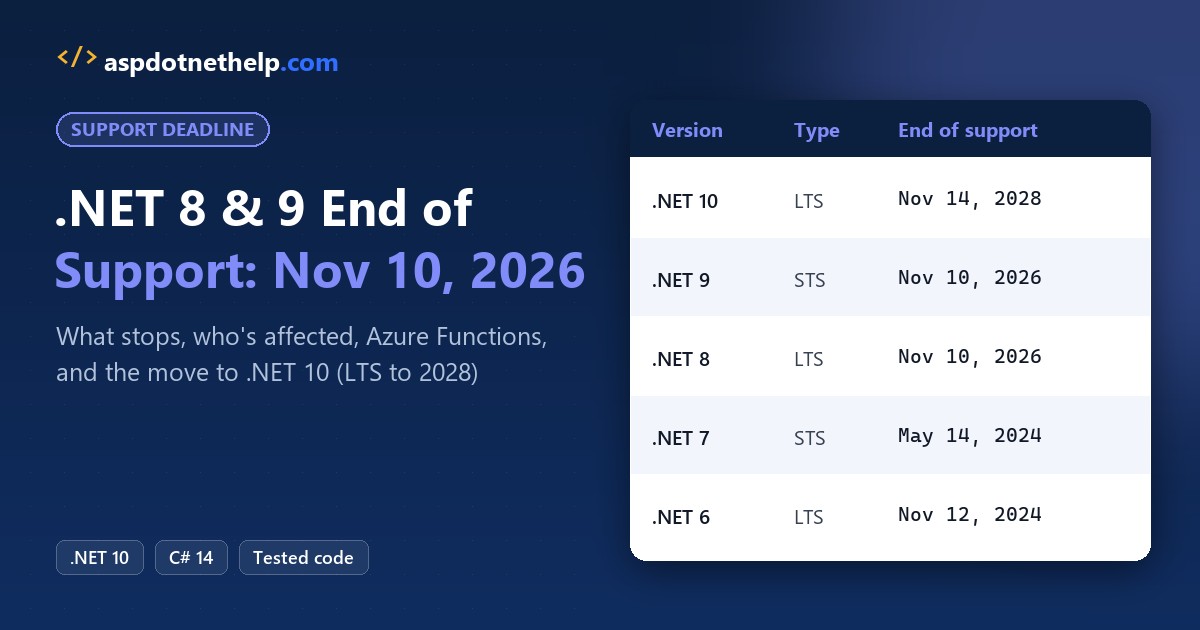
.NET 8 and .NET 9 both reach end of support on November 10, 2026. After that Patch Tuesday, Microsoft stops shipping security fixes for them, and your apps keep running unpatched. The fix is .NET 10, an LTS release supported until November 14, 2028.
In this tutorial, I’ll break down what .NET 8 end of support means in practice, who’s affected, the full version timeline, the Azure Functions deadline that lands the same day, and the short path to .NET 10.
.NET 8 and .NET 9 End of Support Dates at a Glance
Here’s the timeline from Microsoft’s .NET support policy, with the status as of today, October 26, 2026. My .NET versions and support dates page tracks every release:
| Version | Type | Released | End of support | Status |
|---|---|---|---|---|
| .NET 10 | LTS | Nov 11, 2025 | Nov 14, 2028 | Supported |
| .NET 9 | STS | Nov 12, 2024 | Nov 10, 2026 | Ends in 15 days |
| .NET 8 | LTS | Nov 14, 2023 | Nov 10, 2026 | Ends in 15 days |
| .NET 7 | STS | Nov 8, 2022 | May 14, 2024 | Out of support |
| .NET 6 | LTS | Nov 8, 2021 | Nov 12, 2024 | Out of support |
I like having the countdown in code, so here’s a tiny .NET 10 file-based app. It stores the dates in a C# Dictionary and subtracts DateOnly.DayNumber values:
using System.Globalization;
using System.Runtime.InteropServices;

CultureInfo.CurrentCulture = new("en-US");
var today = new DateOnly(2026, 10, 26);   // fixed "today"
var ends = new Dictionary<string, DateOnly>
{
    [".NET 8 (LTS)"] = new(2026, 11, 10),
    [".NET 9 (STS)"] = new(2026, 11, 10),
    [".NET 10 (LTS)"] = new(2028, 11, 14),
};

Console.WriteLine($"Runtime: {RuntimeInformation.FrameworkDescription}");
foreach (var (version, end) in ends)
{
    int days = end.DayNumber - today.DayNumber;
    Console.WriteLine($"{version,-14} {end:MMM d, yyyy}: {days} days left");
}
Output:
Runtime: .NET 10.0.13
.NET 8 (LTS)   Nov 10, 2026: 15 days left
.NET 9 (STS)   Nov 10, 2026: 15 days left
.NET 10 (LTS)  Nov 14, 2028: 750 days left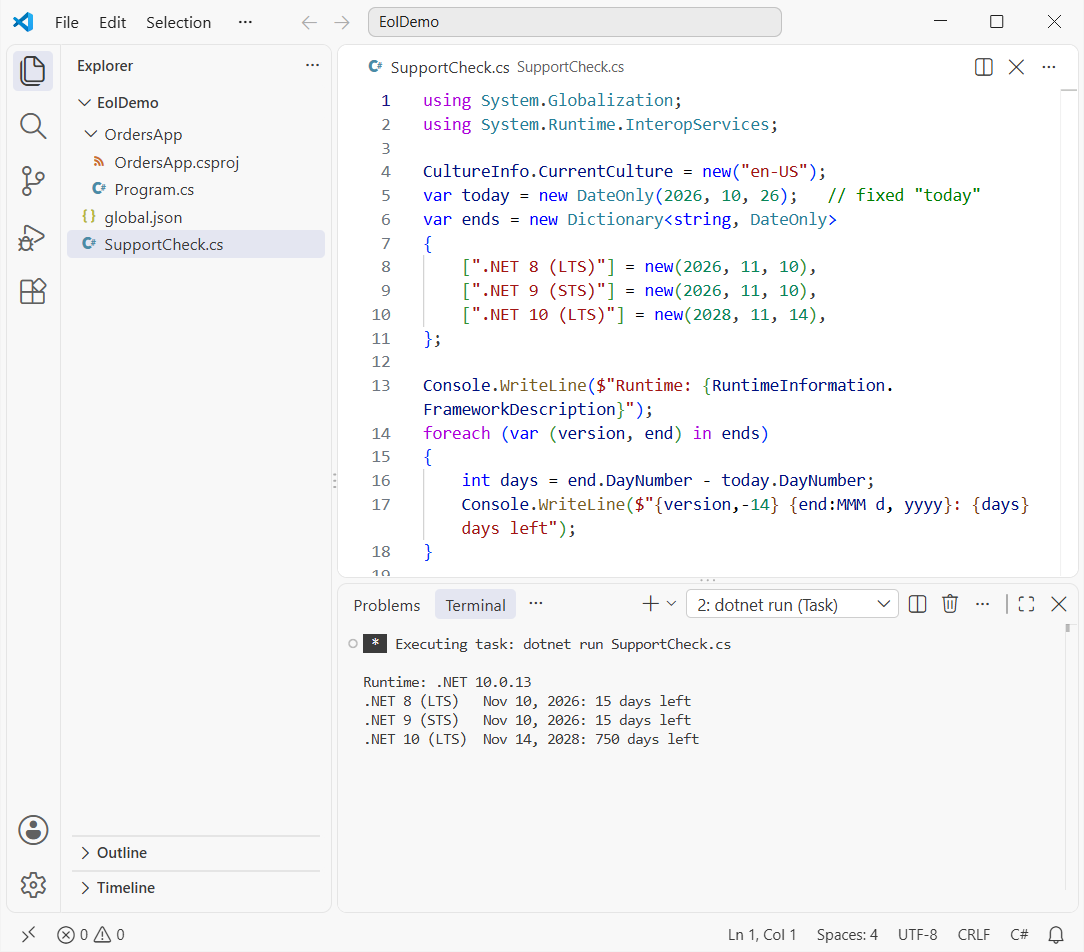
DayNumber turns each date into a plain day count, so the subtraction can’t trip over month lengths. I use the same idea for start and end dates of a month in C#.
What Does .NET 8 End of Support Actually Mean?
Microsoft defines end of support as the date after which it no longer provides fixes, updates or technical assistance. In practice, that’s four things:
- No security patches. .NET servicing updates ship monthly, and security fixes land on Patch Tuesday (the second Tuesday). After November 10, .NET 8 and .NET 9 get none.
- One possible last update. November 10 is itself a Patch Tuesday, so each version may get a final update that day, but only for a known critical issue.
- No Microsoft support. You can’t open a support case for an out-of-support runtime.
- Your apps keep running. Nothing gets switched off. The risk is the next vulnerability that never gets patched.
Visual Studio 2022 will mark the .NET 8 and .NET 9 components as out of support in a future servicing update. Existing installs aren’t affected, though the installer can remove out-of-support components.
On Azure App Service, apps on an end-of-support runtime continue to run unchanged. But App Service can’t provide security patches or support for that runtime until you upgrade.
Compliance is the part that bites first. Vulnerability scanners and auditors usually flag unsupported runtimes, so expect questions in your next security review. It’s also a common topic in .NET Core interview questions.
Why Do .NET 8 and .NET 9 End Support on the Same Day?
Releases alternate between Long Term Support and Standard Term Support. LTS versions get at least three years of patches. STS versions used to get 18 months, but Microsoft extended STS to 24 months in late 2025.
That extension moved .NET 9 from May 2026 to November 2026, right on top of .NET 8. End dates also snap to Patch Tuesday, which is why it’s November 10 rather than a release anniversary.
So there’s no point hopping from .NET 8 to .NET 9 now. Go straight to .NET 10 and you get support until 2028, plus everything in what is new in .NET 10.
Who Is Affected by .NET 8 and .NET 9 End of Support?
If any of these describe your work, the November 10 date applies to you:
- Apps whose project files target
net8.0ornet9.0, whether framework-dependent or self-contained. - Docker images built on the 8.0 or 9.0 runtime tags.
- Web apps on Azure App Service using the .NET 8 or .NET 9 stack.
- Azure Functions on the in-process model (covered below).
- Third-party tools built on .NET 8 or 9. Ask the vendor for a .NET 10 build.
.NET Framework 4.8 isn’t part of this. It follows a separate lifecycle tied to the Windows version it ships with.
How to Check Which .NET Version You’re Running
Start with the machine. dotnet --version shows the SDK the CLI picks, and dotnet --list-runtimes lists every installed runtime. My full guide to checking the .NET version covers Visual Studio, the registry and code too.
Here’s what my demo machine prints for the runtimes:
dotnet --list-runtimes
Microsoft.AspNetCore.App 6.0.24 [C:\Program Files\dotnet\shared\Microsoft.AspNetCore.App]
Microsoft.AspNetCore.App 7.0.13 [C:\Program Files\dotnet\shared\Microsoft.AspNetCore.App]
Microsoft.AspNetCore.App 10.0.13 [C:\Program Files\dotnet\shared\Microsoft.AspNetCore.App]
Microsoft.NETCore.App 6.0.24 [C:\Program Files\dotnet\shared\Microsoft.NETCore.App]
Microsoft.NETCore.App 7.0.13 [C:\Program Files\dotnet\shared\Microsoft.NETCore.App]
Microsoft.NETCore.App 10.0.13 [C:\Program Files\dotnet\shared\Microsoft.NETCore.App]
Microsoft.WindowsDesktop.App 6.0.24 [C:\Program Files\dotnet\shared\Microsoft.WindowsDesktop.App]
Microsoft.WindowsDesktop.App 7.0.13 [C:\Program Files\dotnet\shared\Microsoft.WindowsDesktop.App]
Microsoft.WindowsDesktop.App 10.0.13 [C:\Program Files\dotnet\shared\Microsoft.WindowsDesktop.App]
Then check the code. Search your repos for <TargetFramework>net8.0 and net9.0, including TargetFrameworks with an s for multi-targeted libraries. Don’t forget CI pipelines and Dockerfiles that pin an SDK or image version.
For a build-time alarm, set the CheckSdkVulnerabilities MSBuild property to true. The build then warns with NETSDK1239 when the resolved SDK is end of life.
Azure Functions In-Process Model Support Also Ends November 10, 2026
This one’s easy to miss. Support for the Azure Functions in-process model ends on the same day, and Microsoft’s answer is to migrate C# function apps to the isolated worker model on .NET 10.
The migration touches more than the target framework. Here are the main changes from the Microsoft Learn migration guide:
- Set the project SDK to
Azure.Functions.SdkandTargetFrameworktonet10.0. - Replace
Microsoft.NET.Sdk.Functionsand anyMicrosoft.Azure.WebJobs.*packages withMicrosoft.Azure.Functions.Workerpackages. - Add a
Program.csthat builds the host; it replaces yourFunctionsStartupclass. - Rename
[FunctionName]to[Function]and getILogger<T>through the constructor. - Set
FUNCTIONS_WORKER_RUNTIMEtodotnet-isolated, then deploy through a staging slot and swap.
Locally, that last setting lives in local.settings.json:
{
    "IsEncrypted": false,
    "Values": {
        "AzureWebJobsStorage": "UseDevelopmentStorage=true",
        "FUNCTIONS_WORKER_RUNTIME": "dotnet-isolated"
    }
}
Watch the JSON, too. The isolated model uses System.Text.Json, which ignores Newtonsoft attributes like [JsonProperty]. I covered its options in serializing objects to JSON in C#.
How to Move from .NET 8 or .NET 9 to .NET 10
For most apps, the upgrade is a short checklist. I’ll keep it brief here; the step-by-step version with real errors and fixes is in my guide to upgrading .NET 8 to .NET 10.
- Install the .NET 10 SDK and pin it with
global.jsonso every developer and build agent uses the same one. - Change
TargetFrameworkfromnet8.0ornet9.0tonet10.0. - Update
Microsoft.*packages (EF Core, ASP.NET Core, Extensions) to 10.x;dotnet list package --outdatedshows what’s behind. - Build, run your tests and read the .NET 10 breaking changes for the areas you use.
- Update hosting: the App Service stack, Docker base images and CI pipeline SDK versions.
- Deploy to staging first, then production.
Pin the SDK with global.json
This global.json asks for SDK 10.0.100 or any later 10.0 feature band, so the CLI won’t silently fall back to an older SDK:
{
  "sdk": {
    "version": "10.0.100",
    "rollForward": "latestFeature"
  }
}
Running dotnet --version and dotnet --list-sdks in that folder confirms the pick:
dotnet --version
10.0.402

dotnet --list-sdks
7.0.403 [C:\Program Files\dotnet\sdk]
10.0.402 [C:\Program Files\dotnet\sdk]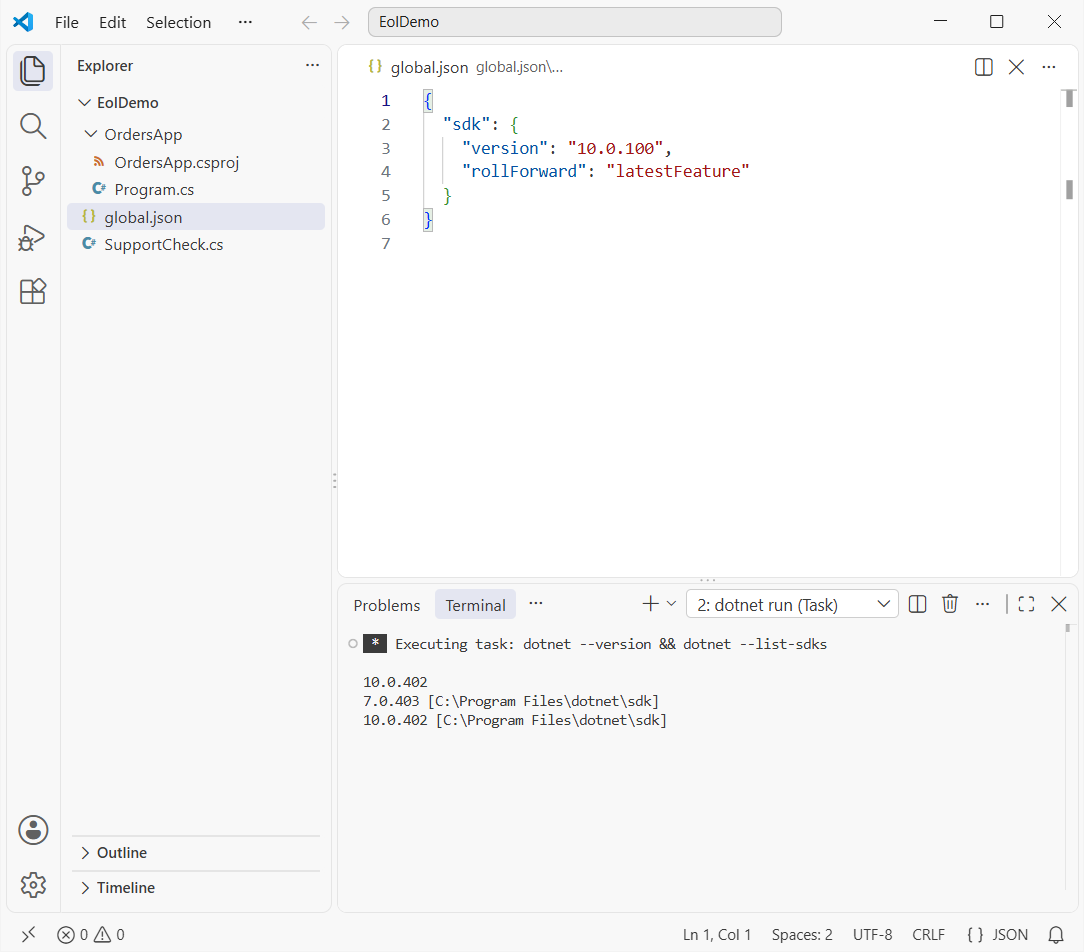
Change the TargetFramework to net10.0
Here’s a small console project after the change. The comment marks where net8.0 used to be. If you’re new to project-based apps, see creating a console app in VS Code.
<Project Sdk="Microsoft.NET.Sdk">

  <PropertyGroup>
    <OutputType>Exe</OutputType>
    <!-- was net8.0: .NET 8 support ends November 10, 2026 -->
    <TargetFramework>net10.0</TargetFramework>
    <ImplicitUsings>enable</ImplicitUsings>
    <Nullable>enable</Nullable>
  </PropertyGroup>

</Project>
And the Program.cs that proves which runtime it lands on:
using System.Runtime.InteropServices;

Console.WriteLine($"Framework: {RuntimeInformation.FrameworkDescription}");
Console.WriteLine($"Runtime version: {Environment.Version}");
Console.WriteLine($"Target: {AppContext.TargetFrameworkName}");
Running dotnet run --project OrdersApp prints:
Framework: .NET 10.0.13
Runtime version: 10.0.13
Target: .NETCoreApp,Version=v10.0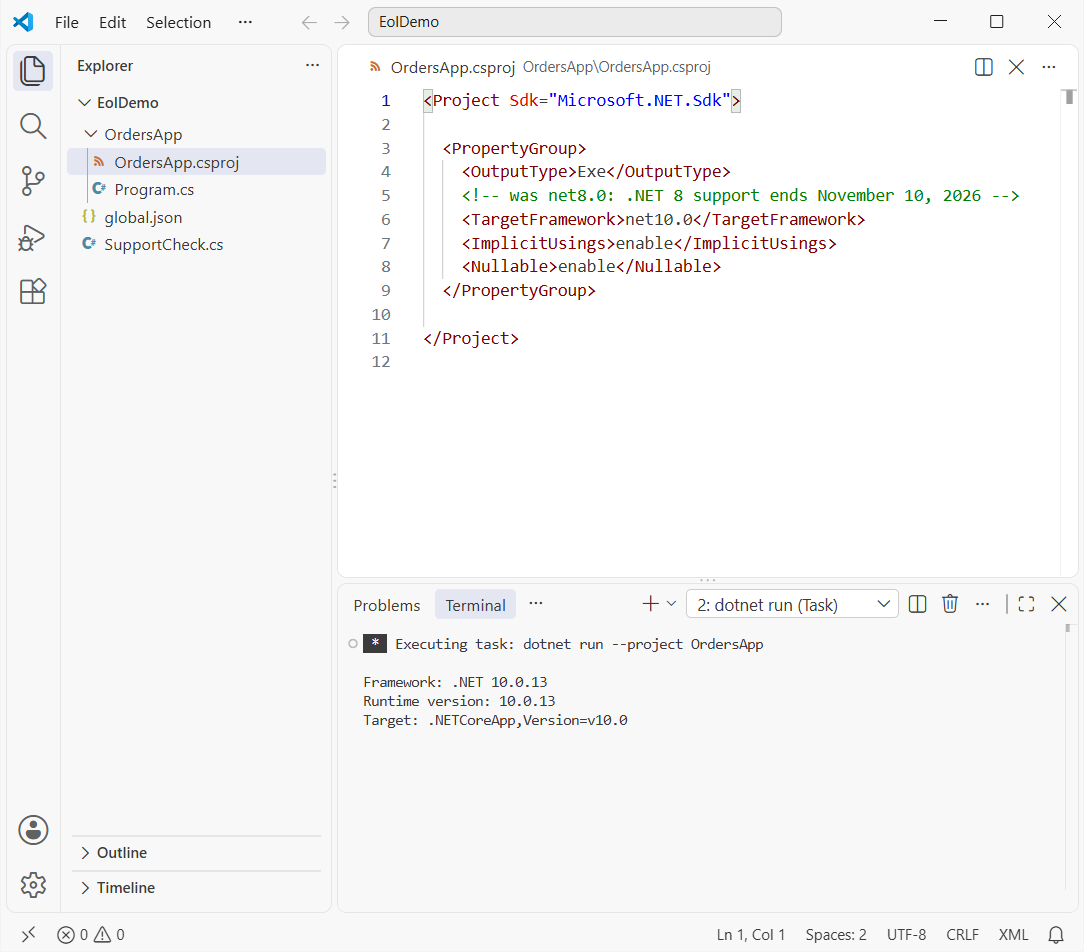
AppContext.TargetFrameworkName confirms the build target, while Environment.Version shows the runtime patch. With .NET 10 you also get C# 14 by default; see what is new in C# 14.
Which .NET 8 End of Support Plan Should You Pick?
With 15 days left, here’s how I’d triage:
| Your situation | What I’d do now |
|---|---|
| Simple web app or API on .NET 8/9 | Retarget to net10.0 this week and ship it |
| Azure Functions in-process | Migrate to isolated worker on .NET 10 first |
| Large app, can’t finish by Nov 10 | Start now, patch to the final 8.0 update, plan a dated cutover |
| Vendor app on .NET 8 | Ask the vendor for a .NET 10 release |
| .NET Framework 4.8 app | Not affected by this date |
Whatever you pick, log errors well during the cutover. My log4net setup for ASP.NET Core works the same on .NET 10.
Once you’re on .NET 10, these are good next reads:
- What C# is and how it fits with .NET 10
- Handling errors with try-catch in C#
- All C# and .NET tutorials
- ASP.NET Core tutorials
Frequently Asked Questions
Will my .NET 8 app stop working after November 10, 2026?
No. It keeps running. It just stops receiving security fixes and Microsoft support, so new vulnerabilities in the runtime stay unpatched.
Is .NET 9 supported longer than .NET 8?
No. Even though .NET 9 is newer, it’s an STS release with 24 months of support, so it ends on November 10, 2026, the same day as .NET 8.
Can I upgrade from .NET 8 straight to .NET 10?
Yes. You don’t need .NET 9 in between. Change TargetFramework to net10.0, update your packages and review the .NET 10 breaking changes.
How long is .NET 10 supported?
Until November 14, 2028. It’s an LTS release, per the .NET releases and support page on Microsoft Learn.
Does the Azure Functions in-process model end too?
Yes, on the same day. Move C# function apps to the isolated worker model, following the in-process to isolated migration guide.
Is .NET Framework 4.8 affected?
No. .NET Framework has its own lifecycle tied to Windows, separate from .NET 8 and .NET 9.

Bijay Kumar is a renowned software engineer, accomplished author, and distinguished Microsoft Most Valuable Professional (MVP) specializing in SharePoint. With a rich professional background spanning over 15 years, Bijay has established himself as an authority in the field of information technology. He possesses unparalleled expertise in multiple programming languages and technologies such as ASP.NET, ASP.NET MVC, C#.NET, and SharePoint, which has enabled him to develop innovative and cutting-edge solutions for clients across the globe. Read more…