
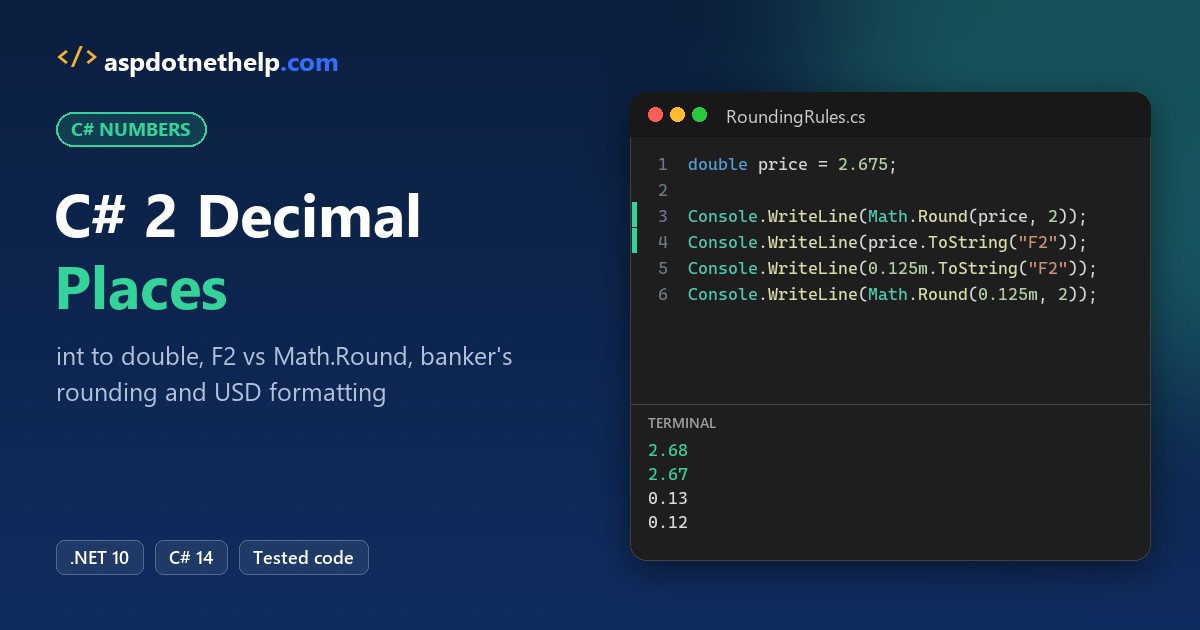
Prices that print as 25 instead of 25.00 look broken to anyone reading a receipt. The fix for C# 2 decimal places is short: convert the int to a double and call ToString("F2"), or round the value with Math.Round(value, 2).
In this tutorial, I’ll show you every way I handle C# 2 decimal places in real code: converting int to double, float and decimal, formatting with F2, N2, C2 and interpolation, rounding with MidpointRounding, parsing strings, and going to 4 decimal places.
I ran each snippet as a .NET 10 file-based app with dotnet run, so every output you see below is copied from a real console.
The Sample Data: Store Prices in US Dollars
To keep things concrete, I’ll use one running example. Jenna Moore runs a small garden supply store in Austin, Texas, and her point-of-sale code stores catalog prices as whole-dollar int values and totals as cents.
Texas charges a combined 8.25% sales tax in Austin, so we’ll also calculate tax and print a receipt in USD. If you need a refresher on int, double, float and decimal, my guide to C# data types and their sizes covers them.
Method 1: Convert int to double and Format It with ToString(“F2”)
An int converts to double implicitly, because every int fits in a double without losing anything. You don’t need a cast, although (double)listPrice works too, as I explain in implicit and explicit type casting in C#.
The catch is that a double doesn’t remember trailing zeros. To show two decimal places, you format it as a string:
using System.Globalization;
CultureInfo.CurrentCulture = new CultureInfo("en-US");


int[] listPrices = { 25, 1250, 7 };   // whole-dollar prices from the Austin store catalog

foreach (int listPrice in listPrices)
{
    double price = listPrice;         // int -> double is implicit, no cast needed
    Console.WriteLine($"{price,-5} F2: {price.ToString("F2"),-9} N2: {price.ToString("N2"),-9} 0.00: {price.ToString("0.00")}");
}

double parsedBack = double.Parse(25.ToString("F2"));
Console.WriteLine($"\"25.00\" parsed back to a double: {parsedBack}");
Output:
25    F2: 25.00     N2: 25.00     0.00: 25.00
1250  F2: 1250.00   N2: 1,250.00  0.00: 1250.00
7     F2: 7.00      N2: 7.00      0.00: 7.00
"25.00" parsed back to a double: 25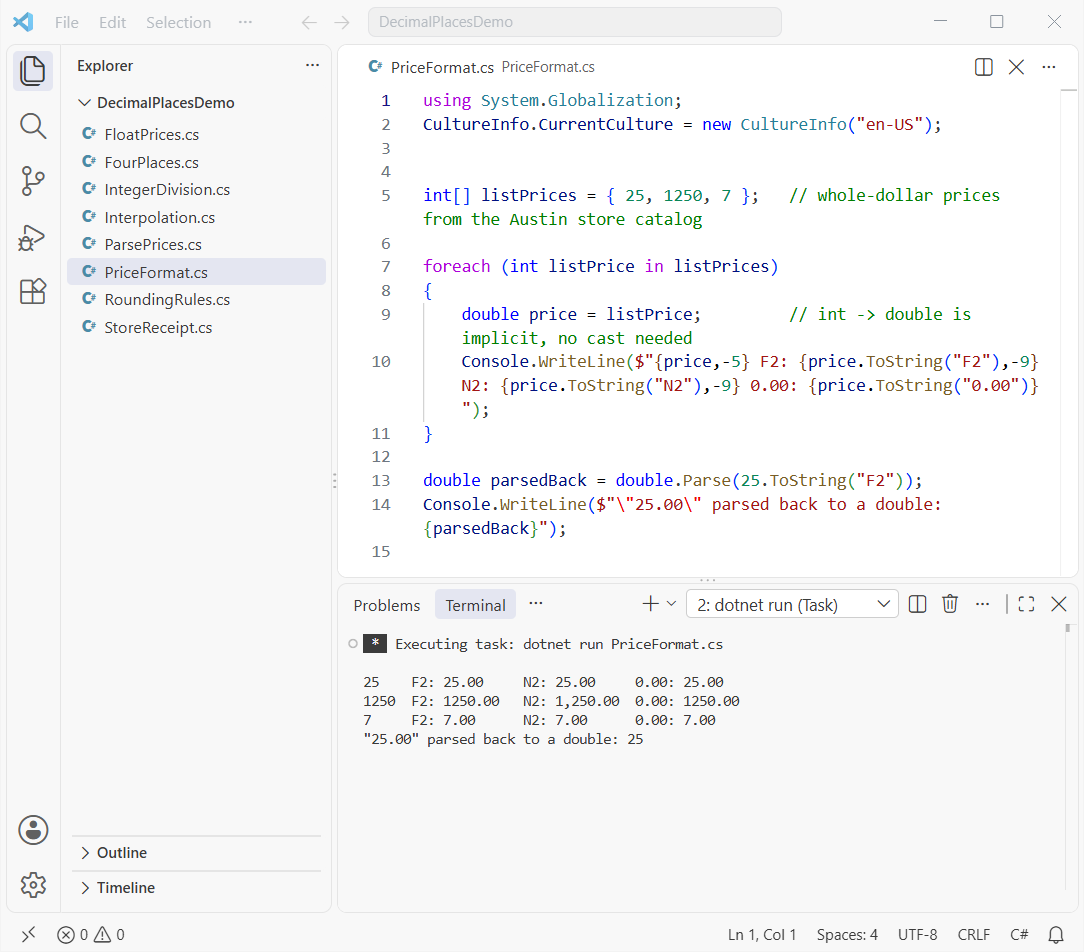
How does this code work?
double price = listPrice;widens the int. Printing it as-is shows25, with no decimals."F2"is the fixed-point format with precision 2, so 25 becomes25.00."N2"does the same and adds group separators, so 1250 becomes1,250.00in en-US."0.00"is a custom pattern that always prints two digits after the point.
Look at the last line. Parsing "25.00" back into a double gives plain 25, so the old trick of format-then-parse doesn’t give you a double “with 2 decimal places”. Keep the number as a number and format it only when you display it.
Pro Tip: ToString takes any format string, not just F2. My post on the ToString method in C# walks through the other overloads.
Why Does 7 / 2 Return 3 in C#?
This is the bug I see most often when people try to get decimals out of an int. When both operands are int, C# does integer division and throws the fraction away before any conversion happens.
using System.Globalization;
CultureInfo.CurrentCulture = new CultureInfo("en-US");


int totalCents = 1999;   // $19.99 stored as cents
int items = 2;

Console.WriteLine(7 / 2);
Console.WriteLine(7 / 2.0);
Console.WriteLine((double)7 / 2);
Console.WriteLine((double)(7 / 2));
Console.WriteLine(totalCents / 100);
Console.WriteLine((totalCents / 100.0).ToString("F2"));
Console.WriteLine(((double)totalCents / items / 100).ToString("F2"));
Output:
3
3.5
3.5
3
19
19.99
9.99
How does this code work?
7 / 2 is 3 because both sides are ints. Changing one operand to a double, with 2.0 or (double)7, makes the whole expression a double, so you get 3.5.
(double)(7 / 2) is the trap: the division runs first, so you cast an already-truncated 3. That’s also why 1999 / 100 prints 19 while 1999 / 100.0 gives the correct 19.99.
If you’re building a calculator, my C# program to add, subtract, multiply and divide two numbers shows the full pattern, and handling DivideByZeroException in C# covers the zero-divisor case.
Method 2: Format a Double to 2 Decimal Places with String Interpolation and string.Format
Most of the time, I don’t call ToString directly. I put the format after a colon inside an interpolated string, which reads better when you’re building a whole line of text:
using System.Globalization;
CultureInfo.CurrentCulture = new CultureInfo("en-US");


double subtotal = 48.5;
double tax = subtotal * 0.0825;   // 8.25% Texas sales tax

Console.WriteLine($"Subtotal: {subtotal:F2}");
Console.WriteLine($"Tax: {tax:F2}");
Console.WriteLine(string.Format("Total: {0:0.00}", subtotal + tax));
Console.WriteLine($"Optional decimals: {subtotal:0.##} and {50.0:0.##}");
Console.WriteLine($"Right-aligned: [{subtotal,10:F2}]");
Output:
Subtotal: 48.50
Tax: 4.00
Total: 52.50
Optional decimals: 48.5 and 50
Right-aligned: [     48.50]
How does this code work?
{tax:F2} turns the raw tax into 4.00. It’s the same format string as before, just written inline. string.Format("Total: {0:0.00}", ...) is the older composite format, and you’ll still see it in plenty of existing code.
0.## shows up to two decimals but drops trailing zeros, so 48.5 prints as 48.5 and 50 prints as 50. {subtotal,10:F2} adds a field width of 10, which right-aligns numbers in a column.
For thousands separators together with decimals, I’ve got a separate guide on how to format a number with commas and decimals in C#.
Method 3: Round a Double to 2 Decimal Places with Math.Round
Formatting changes the text you print. Math.Round(value, 2) changes the number itself, which matters when you store it or keep calculating with it.
Here’s the part that surprises people: Math.Round uses banker’s rounding by default. Microsoft Learn documents that Math.Round(Double, Int32) rounds midpoint values to the nearest even number (MidpointRounding.ToEven).
I tested it with doubles and decimals side by side:
using System.Globalization;
CultureInfo.CurrentCulture = new CultureInfo("en-US");


double[] prices = { 0.125, 2.675, 4.445, 1.005 };
Console.WriteLine("double  ToEven  AwayFromZero  F2");
foreach (double p in prices)
    Console.WriteLine($"{p,-7} {Math.Round(p, 2),-7} {Math.Round(p, 2, MidpointRounding.AwayFromZero),-13} {p:F2}");

decimal[] exact = { 0.125m, 2.675m, 4.445m, 1.005m };
Console.WriteLine("decimal ToEven  AwayFromZero  F2");
foreach (decimal p in exact)
    Console.WriteLine($"{p,-7} {Math.Round(p, 2),-7} {Math.Round(p, 2, MidpointRounding.AwayFromZero),-13} {p:F2}");

Console.WriteLine($"2.675 as a double is really {2.675:G17}");
Console.WriteLine($"Math.Round(2.5) = {Math.Round(2.5)}, Math.Round(3.5) = {Math.Round(3.5)}");
Output:
double  ToEven  AwayFromZero  F2
0.125   0.12    0.13          0.12
2.675   2.68    2.68          2.67
4.445   4.44    4.45          4.45
1.005   1       1             1.00
decimal ToEven  AwayFromZero  F2
0.125   0.12    0.13          0.13
2.675   2.68    2.68          2.68
4.445   4.44    4.45          4.45
1.005   1.00    1.01          1.01
2.675 as a double is really 2.6749999999999998
Math.Round(2.5) = 2, Math.Round(3.5) = 4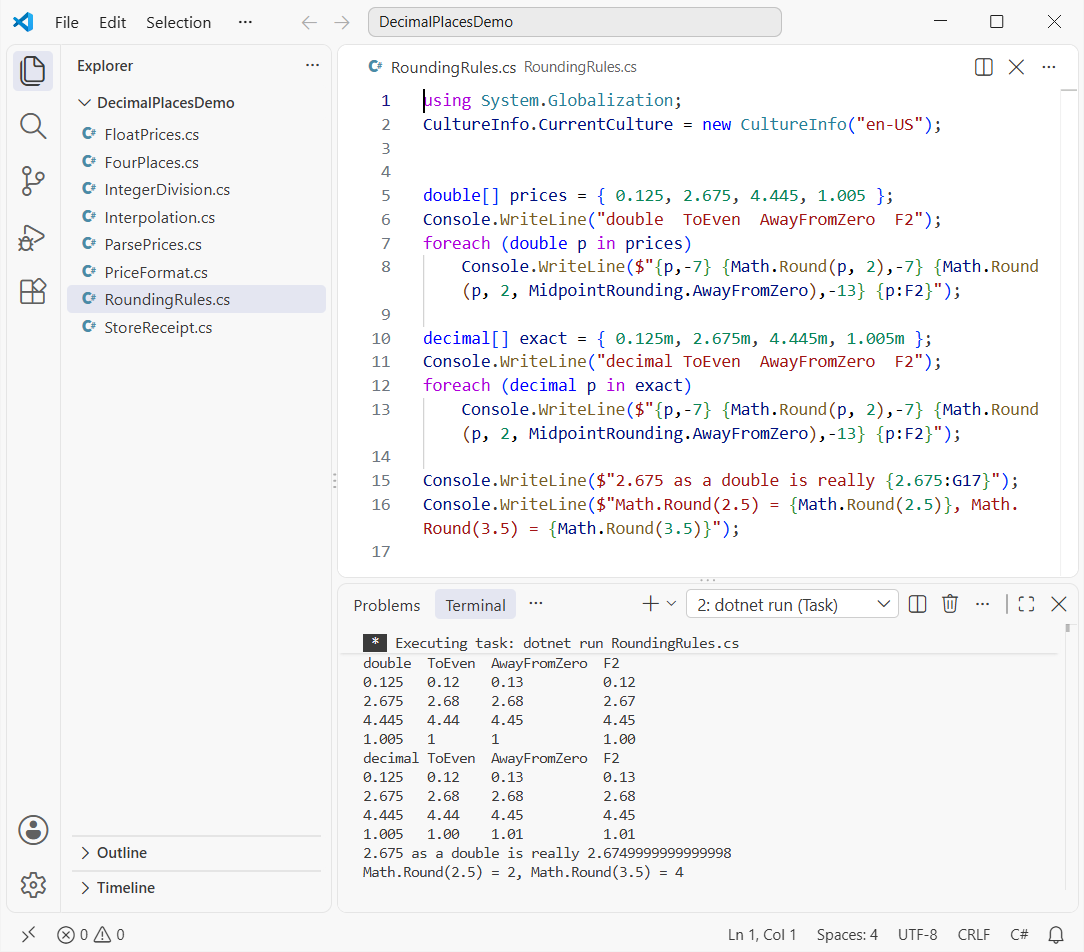
How does this code work?
With decimals, the rules are clean. 0.125m rounds to 0.12 under ToEven, because 2 is even, and to 0.13 with MidpointRounding.AwayFromZero. Math.Round(2.5) gives 2 and Math.Round(3.5) gives 4 for the same reason.
Doubles are messier, because most decimal fractions can’t be stored exactly. The G17 line shows 2.675 is really 2.6749999999999998, so 2.675.ToString("F2") prints 2.67, while Math.Round(2.675, 2) still returned 2.68 in my run.
1.005 is worse: it’s stored just below the midpoint, so both rounding modes return 1 for the double. The decimal version rounds to 1.01 with AwayFromZero, exactly as you’d do on paper.
Pro Tip: Always pass the MidpointRounding value you mean instead of relying on the default. I do this in every money formula, including the one in my C# simple interest calculator.
Does ToString(“F2”) Round the Same Way as Math.Round?
No, and the output proves it. On a decimal, F2 rounded 0.125m up to 0.13 while Math.Round gave 0.12. On a double, F2 rounds the exact stored binary value, which is why 2.675 printed as 2.67.
So if a printed total must match a stored total, round first with an explicit mode, then format the rounded value.
Method 4: Convert int to float with 2 Decimal Places
float works the same way as double: an int converts implicitly and you format it with F2. The difference is precision, since a float holds roughly 7 significant digits.
using System.Globalization;
CultureInfo.CurrentCulture = new CultureInfo("en-US");


float fromInt = 42;                  // int -> float is implicit
Console.WriteLine(fromInt.ToString("F2"));

float total = 3 * 19.99f;            // three bags of mulch
Console.WriteLine(total.ToString("F2"));
Console.WriteLine((double)19.99f);   // what the float really holds

float bigInt = 16_777_217;           // int above 2^24
Console.WriteLine(bigInt.ToString("F2"));
Console.WriteLine(1234567.89f.ToString("F2"));
Output:
42.00
59.97
19.989999771118164
16777216.00
1234567.88
How does this code work?
Small prices look fine: 42 prints as 42.00 and three bags at $19.99 print as 59.97. But casting 19.99f to double reveals what’s stored, 19.989999771118164.
Large values break visibly. The int 16,777,217 becomes 16777216.00 as a float, and 1234567.89f prints as 1234567.88, so the cents are already gone.
I only use float when an API asks for it, like graphics or game code. For prices, quantities and totals, double or decimal is the safer choice.
Method 5: Convert int to decimal with 2 Places for Money (C2 and USD)
For anything involving dollars, I use decimal. It stores base-10 fractions exactly, so 24.99 is really 24.99, and an int converts to it implicitly.
Here’s Jenna’s receipt with the Austin sales tax, printed with the C2 currency format and the en-US culture:
using System.Globalization;
CultureInfo.CurrentCulture = new CultureInfo("en-US");


(string Item, int Qty, decimal Price)[] cart =
{
    ("Garden hose", 2, 24.99m), ("Potting soil", 3, 8.49m), ("Pruning shears", 1, 17.5m)
};
const decimal TaxRate = 0.0825m;     // Austin, TX combined sales tax

decimal subtotal = 0;
foreach (var (item, qty, price) in cart)
{
    decimal line = qty * price;      // int * decimal -> decimal
    subtotal += line;
    Console.WriteLine($"{item,-15} {qty} x {price,6:C2} = {line,8:C2}");
}

decimal tax = Math.Round(subtotal * TaxRate, 2, MidpointRounding.AwayFromZero);
Console.WriteLine($"{"Subtotal",-28}{subtotal,8:C2}");
Console.WriteLine($"{"Sales tax (8.25%)",-28}{tax,8:C2}");
Console.WriteLine($"{"Total",-28}{subtotal + tax,8:C2}");

decimal coupon = 5;                  // int -> decimal is implicit
Console.WriteLine($"Coupon: {coupon} | Math.Round: {Math.Round(coupon, 2)} | F2: {coupon:F2}");
Output:
Garden hose     2 x $24.99 =   $49.98
Potting soil    3 x  $8.49 =   $25.47
Pruning shears  1 x $17.50 =   $17.50
Subtotal                      $92.95
Sales tax (8.25%)              $7.67
Total                        $100.62
Coupon: 5 | Math.Round: 5 | F2: 5.00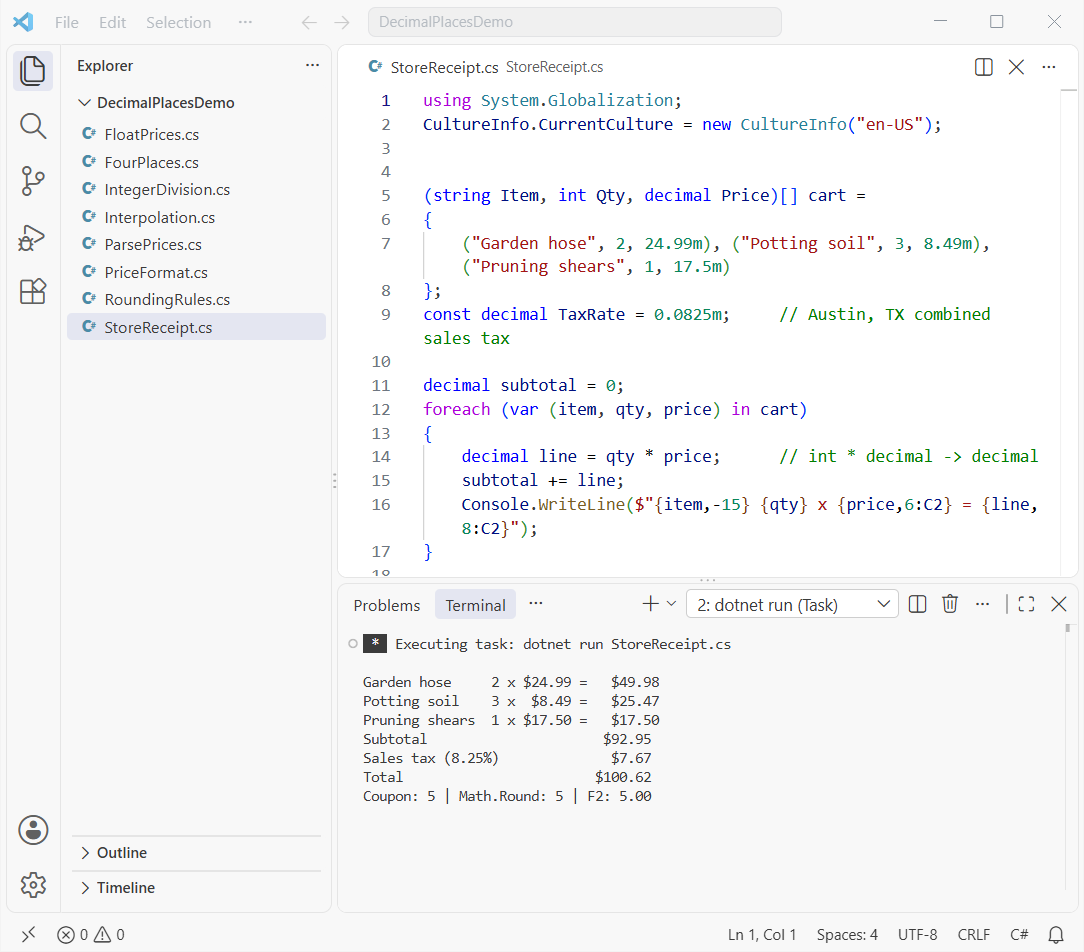
How does this code work?
qty * pricemultiplies an int by a decimal, and the result is a decimal with no binary rounding error.subtotal * TaxRateis 7.668375, so I round it to cents withMidpointRounding.AwayFromZero, which gives $7.67.C2adds the dollar sign, thousands separator and two decimals. It reads the symbol from the culture, which is why I set en-US first.- The coupon line shows
Math.Round(5m, 2)still prints 5. Rounding never adds zeros, so you still need F2 or C2 for display.
The same decimal-and-round pattern carries over to longer formulas. My C# compound interest program is a good next exercise.
Pro Tip: Without the en-US line, C2 uses the machine’s culture. On a server set to another region, the same code can print a different currency symbol.
Method 6: Convert a String to double with 2 Decimals
Prices often arrive as text from a CSV file, a web form or an API. The trick is to parse with the right culture, then round or format the double.
using System.Globalization;
CultureInfo.CurrentCulture = new CultureInfo("en-US");


string fromCsv = "1234.5678";
double a = double.Parse(fromCsv, CultureInfo.InvariantCulture);
Console.WriteLine($"Invariant: {a:F2}");

string fromForm = "1,234.5678";
double b = double.Parse(fromForm, NumberStyles.Number, CultureInfo.GetCultureInfo("en-US"));
Console.WriteLine($"en-US: {b:F2}, stored value rounded: {Math.Round(b, 2)}");

string german = "1.234,56";
bool ok = double.TryParse(german, NumberStyles.Number, CultureInfo.GetCultureInfo("en-US"), out _);
Console.WriteLine($"\"{german}\" as en-US: {ok}");
Console.WriteLine($"\"{german}\" as de-DE: {double.Parse(german, CultureInfo.GetCultureInfo("de-DE")):F2}");

foreach (string input in new[] { "19.99", "abc", "" })
{
    if (double.TryParse(input, NumberStyles.Float, CultureInfo.InvariantCulture, out double value))
        Console.WriteLine($"\"{input}\" -> {value:F2}");
    else
        Console.WriteLine($"\"{input}\" -> not a number");
}
Output:
Invariant: 1234.57
en-US: 1234.57, stored value rounded: 1234.57
"1.234,56" as en-US: False
"1.234,56" as de-DE: 1234.56
"19.99" -> 19.99
"abc" -> not a number
"" -> not a number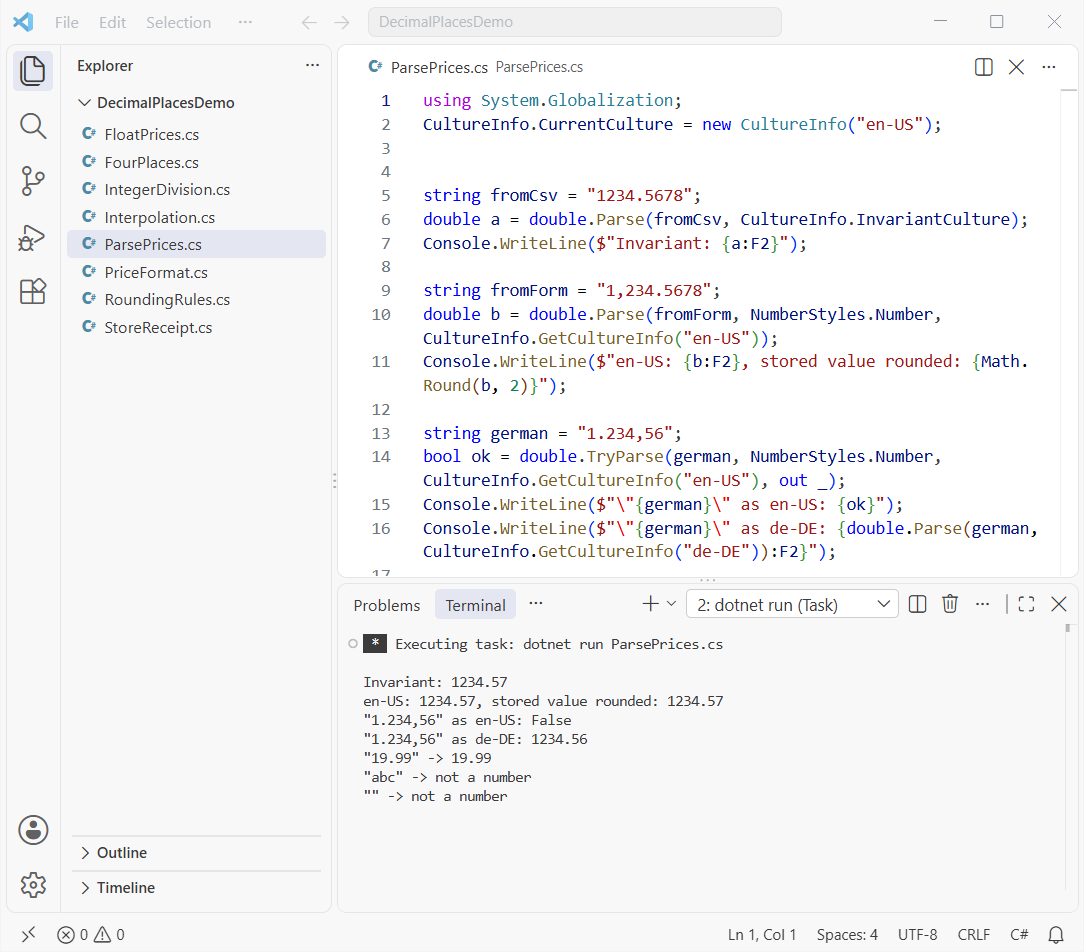
How does this code work?
CultureInfo.InvariantCulture always treats the period as the decimal point, which is what I use for files and APIs. The en-US culture reads "1,234.5678" with its comma separator and gives 1234.57 after F2.
The German text "1.234,56" fails as en-US but parses as 1234.56 with de-DE. Picking the culture that matches the source is the whole game.
For user input, I prefer double.TryParse, since it returns false for "abc" and empty strings instead of throwing. If you do call Parse, wrap it as shown in my try-catch guide for C#.
There’s more on Convert.ToDouble and the parsing options in my full post on how to convert a string to double in C#.
Method 7: Convert double to decimal with 4 Decimal Places
Exchange rates and tax rates often need four decimal places instead of two. The same tools work, you just change the precision to 4.
using System.Globalization;
CultureInfo.CurrentCulture = new CultureInfo("en-US");


double usdToCad = 1.3874629;           // exchange rate from a pricing feed

decimal cast = (decimal)usdToCad;      // explicit double -> decimal
decimal four = Math.Round((decimal)usdToCad, 4);
Console.WriteLine($"Cast only:        {cast}");
Console.WriteLine($"Math.Round(x, 4): {four}");
Console.WriteLine($"ToString(\"F4\"):   {usdToCad.ToString("F4")}");
Console.WriteLine($"double rounded:   {Math.Round(usdToCad, 4)}");

decimal shortRate = Math.Round(12.3m, 4);
Console.WriteLine($"Math.Round keeps {shortRate}, F4 shows {shortRate:F4}");
Output:
Cast only:        1.3874629
Math.Round(x, 4): 1.3875
ToString("F4"):   1.3875
double rounded:   1.3875
Math.Round keeps 12.3, F4 shows 12.3000
How does this code work?
(decimal)usdToCad converts the double but keeps every digit, 1.3874629. Wrapping it in Math.Round(..., 4) gives 1.3875, and ToString("F4") prints the same text without changing the value.
The last line repeats the lesson from the money example: Math.Round(12.3m, 4) stays 12.3, and only F4 shows 12.3000. Note that the cast throws an OverflowException if the double is NaN or infinity.
If the source text uses commas, read my walkthrough on how to convert a number with a comma into decimal in C# first.
Which Method Should You Use for 2 Decimal Places in C#?
Here’s how I pick, based on what the number is for:
| Goal | Use this | Example |
|---|---|---|
| Show a double with 2 decimals | ToString("F2") or {x:F2} | 25 → 25.00 |
| Add thousands separators | N2 | 1250 → 1,250.00 |
| Show US dollars | decimal + C2 (en-US) | 92.95 → $92.95 |
| Change the stored value | Math.Round(x, 2, MidpointRounding.AwayFromZero) | 7.668375 → 7.67 |
| Parse text safely | double.TryParse + CultureInfo | “19.99” → 19.99 |
| Four decimal places | F4 or Math.Round(x, 4) | 1.3874629 → 1.3875 |
Things to Keep in Mind
- Cast before you divide.
(double)a / bkeeps the fraction,(double)(a / b)doesn’t. - A double never stores trailing zeros. Two decimal places is a display concern, so format at the edge of your app.
Math.Rounddefaults to banker’s rounding. PassMidpointRounding.AwayFromZerowhen you want schoolbook rounding.- Use decimal for money and set the culture explicitly before using C2 or parsing user text.
If you’d like to keep practicing with numbers and strings in C#, these are good next reads:
- Convert an int to a hex string with leading zeros
- Add leading zeros to a string in C#
- Convert a string to int with leading zeros
Frequently Asked Questions
How do I convert an int to a double with 2 decimal places in C#?
Assign the int to a double (the conversion is implicit), then format it with value.ToString("F2") or $"{value:F2}". The number 25 prints as 25.00. A double itself never keeps trailing zeros.
Does Math.Round use banker’s rounding in C#?
Yes. Math.Round(value, 2) rounds midpoints to the nearest even digit, so 0.125m becomes 0.12. Pass MidpointRounding.AwayFromZero to get 0.13. See the Math.Round documentation on Microsoft Learn for every overload.
What’s the difference between F2 and N2 in C#?
Both show two decimal places. N2 also adds group separators, so 1250 prints as 1,250.00 in en-US while F2 prints 1250.00. The standard numeric format strings page lists the rest.
Why does 2.675 round to 2.67 with ToString(“F2”)?
Because the double 2.675 is really stored as 2.6749999999999998, just below the midpoint. Use the decimal 2.675m if you need the value to round exactly as written.
Should I use double or decimal for money in C#?
Use decimal. It stores base-10 fractions exactly, so prices like 24.99 and tax calculations don’t pick up binary rounding errors. Format it with C2 and an explicit culture such as en-US.
How do I format a number to 4 decimal places in C#?
Use ToString("F4") for display or Math.Round(value, 4) to change the stored value. 1.3874629 becomes 1.3875 either way.

Bijay Kumar is a renowned software engineer, accomplished author, and distinguished Microsoft Most Valuable Professional (MVP) specializing in SharePoint. With a rich professional background spanning over 15 years, Bijay has established himself as an authority in the field of information technology. He possesses unparalleled expertise in multiple programming languages and technologies such as ASP.NET, ASP.NET MVC, C#.NET, and SharePoint, which has enabled him to develop innovative and cutting-edge solutions for clients across the globe. Read more…