
The safest way to convert string to double in C# is double.TryParse with an explicit culture. It returns false on bad text instead of crashing:
using System.Globalization;

CultureInfo.CurrentCulture = CultureInfo.GetCultureInfo("en-US");
string input = "3.459";
if (double.TryParse(input, CultureInfo.InvariantCulture, out double price))
    Console.WriteLine(price * 2);   // 6.918
Every snippet below ran on .NET 10 against a 2026 fuel log, including blank input, European commas and numbers too big for a double.
double.Parse: Convert a String to Double When You Trust the Text
double.Parse returns the number or throws. Use it for data you control, like a config file or your own CSV export.
My running sample is a 2026 fuel log from Desert Line Freight, a made-up trucking company in Phoenix. Here are five cells from it:
using System.Globalization;

var inv = CultureInfo.InvariantCulture;
CultureInfo.CurrentCulture = CultureInfo.GetCultureInfo("en-US");
// Desert Line Freight, Phoenix: values from a 2026 fuel log
string[] cells = { "3.459", "-12.5", " 72.8 ", "1,234.56", "1.5E3" };

foreach (string cell in cells)
{
    double value = double.Parse(cell, inv);
    Console.WriteLine($"{"\"" + cell + "\"",-12} -> {value}");
}
Output:
"3.459"      -> 3.459
"-12.5"      -> -12.5
" 72.8 "     -> 72.8
"1,234.56"   -> 1234.56
"1.5E3"      -> 1500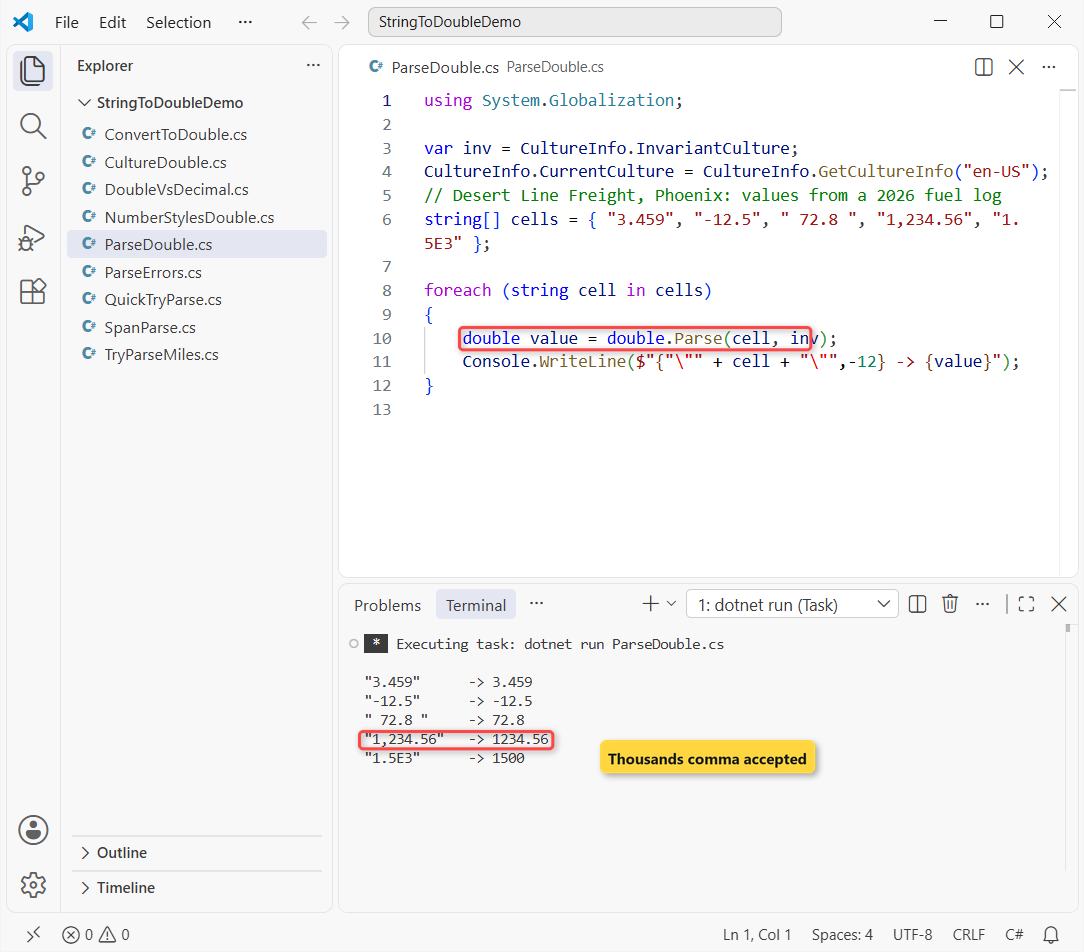
All five parse with CultureInfo.InvariantCulture. The default style is NumberStyles.Float | AllowThousands, so a sign, padding spaces, a thousands comma and 1.5E3 (1500) are all fine.
double.TryParse: The Recommended Way for User Input
For anything a person types, double.TryParse is the better pick. It returns a bool and puts the number in an out variable, so bad input never throws. Same fuel log, now trip miles a driver typed into a form:
using System.Globalization;

var inv = CultureInfo.InvariantCulture;
CultureInfo.CurrentCulture = CultureInfo.GetCultureInfo("en-US");
string?[] typed = { "418.6", "abc", "", null, "12.5.3", "12,5" };

foreach (string? miles in typed)
{
    string shown = miles is null ? "null" : $"\"{miles}\"";
    if (double.TryParse(miles, inv, out double value))
        Console.WriteLine($"{shown,-9} -> {value}");
    else
        Console.WriteLine($"{shown,-9} -> invalid, value = {value}");
}
Output:
"418.6"   -> 418.6
"abc"     -> invalid, value = 0
""        -> invalid, value = 0
null      -> invalid, value = 0
"12.5.3"  -> invalid, value = 0
"12,5"    -> 125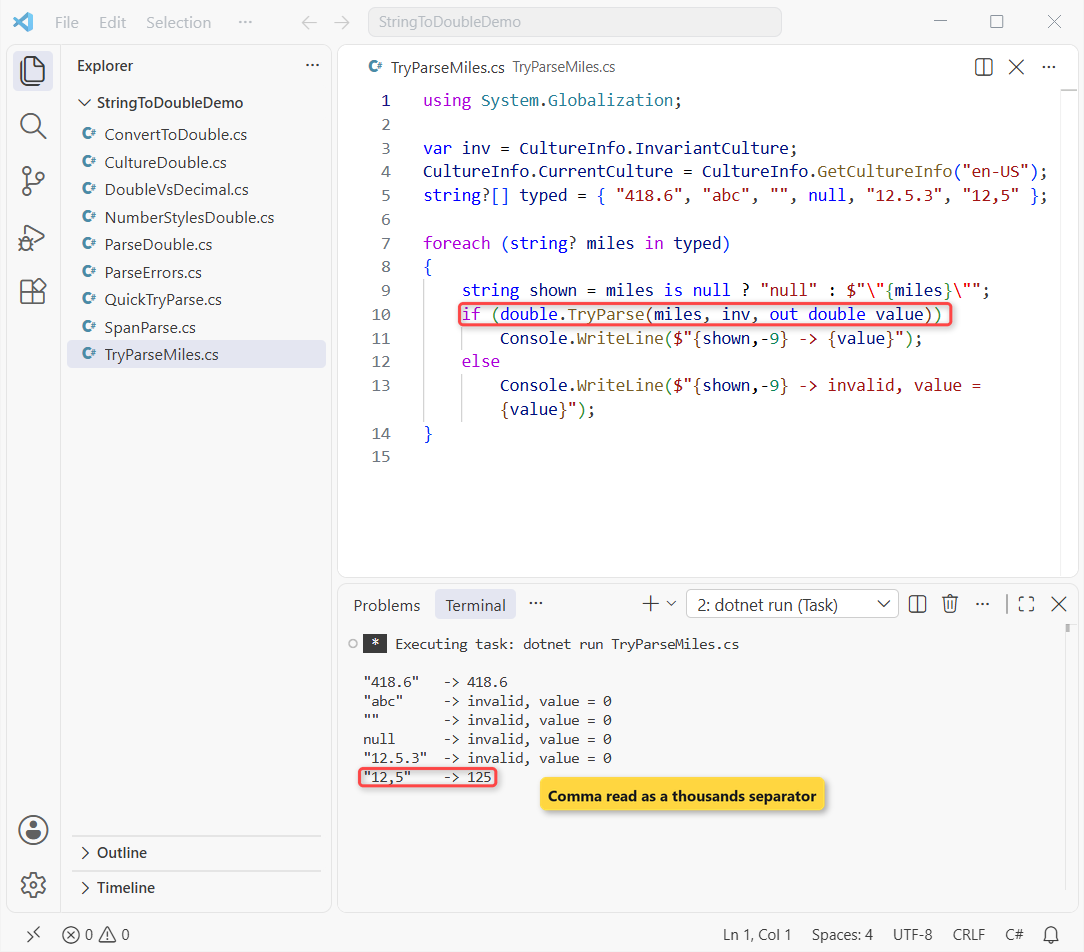
“abc”, the empty string, null and “12.5.3” all come back invalid with a value of 0. That’s cheaper and cleaner than a try-catch block in C# around Parse.
Important: “12,5” became 125. Under the invariant culture the comma is a thousands separator, and .NET doesn’t check where it sits. If a driver in Europe could type that, see the culture section.
It’s the same pattern you’d use for whole numbers; converting a string to int without int.Parse shows the integer side.
Convert.ToDouble: How Is It Different from double.Parse?
Convert.ToDouble(string) calls double.Parse under the hood, with one difference: a null string returns 0 instead of throwing.
using System.Globalization;

CultureInfo.CurrentCulture = CultureInfo.GetCultureInfo("en-US");
string? missing = null;

Console.WriteLine(Convert.ToDouble("3.459"));
Console.WriteLine(Convert.ToDouble(missing));   // 0, no exception

try { double.Parse(missing!); }
catch (ArgumentNullException ex) { Console.WriteLine(ex.GetType().Name); }

try { Convert.ToDouble(""); }
catch (FormatException ex) { Console.WriteLine(ex.GetType().Name); }
Output:
3.459
0
ArgumentNullException
FormatException
Convert.ToDouble(null) printed 0, while double.Parse on the same null threw ArgumentNullException. An empty string still throws FormatException with both.
Silent 0 can hide a missing value, so I only use it when 0 really is the right default. Converting null to int in C# covers the same trade-off for integers.
Why Culture Matters When You Parse a Double: “1,5” in en-US vs de-DE
Calls without a culture use the machine’s CultureInfo.CurrentCulture. In Germany, France and most of Europe, the comma is the decimal separator. Here are the same two strings under three cultures:
using System.Globalization;

CultureInfo.CurrentCulture = CultureInfo.GetCultureInfo("en-US");
var cultures = new[] { CultureInfo.InvariantCulture,
    CultureInfo.GetCultureInfo("en-US"), CultureInfo.GetCultureInfo("de-DE") };

foreach (var culture in cultures)
{
    double a = double.Parse("1,5", culture);
    double b = double.Parse("1.5", culture);
    string name = culture.Name == "" ? "Invariant" : culture.Name;
    Console.WriteLine($"{name,-10} \"1,5\" -> {a,-4} \"1.5\" -> {b}");
}
Output:
Invariant  "1,5" -> 15   "1.5" -> 1.5
en-US      "1,5" -> 15   "1.5" -> 1.5
de-DE      "1,5" -> 1.5  "1.5" -> 15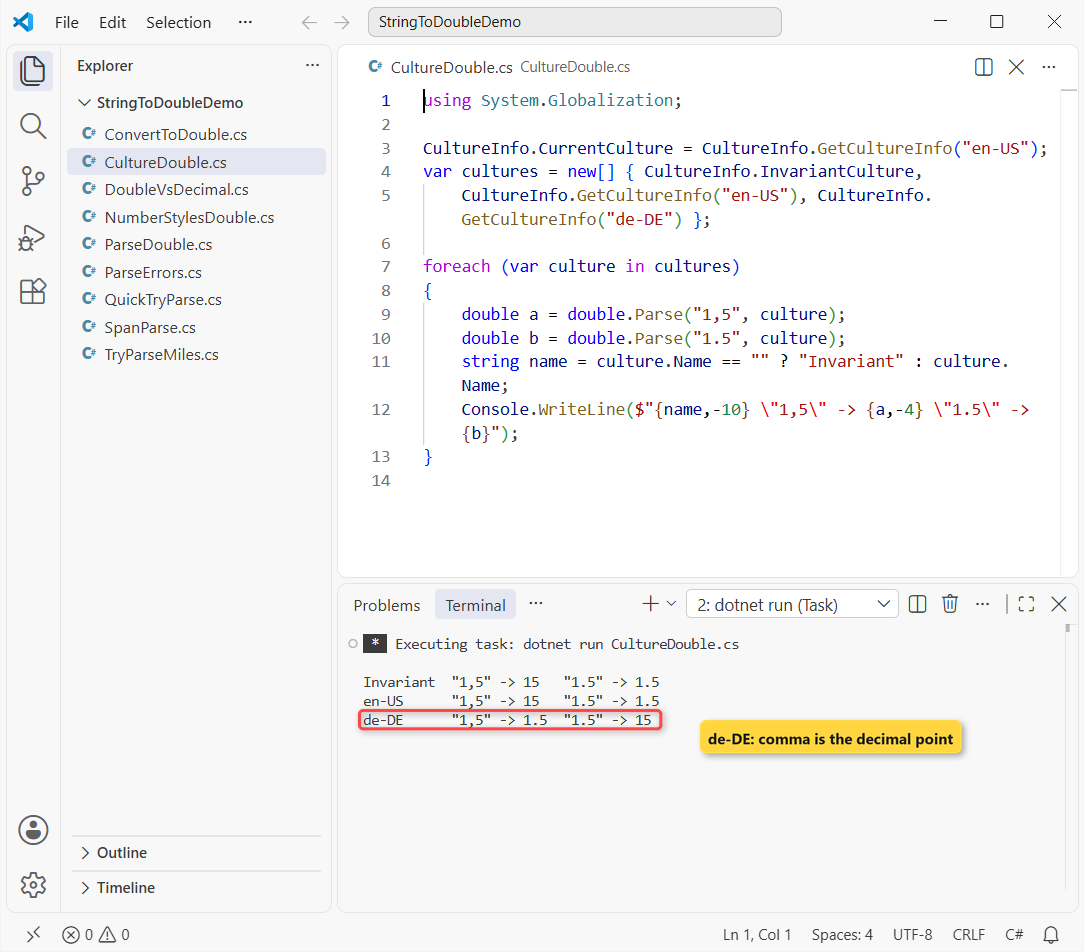
Invariant and en-US read “1,5” as 15; de-DE reads it as 1.5. Flip it, and de-DE turns “1.5” into 15. Nothing throws, so the bug ships.
My rule: CultureInfo.InvariantCulture for files, APIs and JSON you control; the user’s culture for what people type; never the default. My own dev PC isn’t set to en-US, which is exactly how this bites.
Thousands Separators and Currency Strings (NumberStyles)
Spreadsheet exports often keep a $ sign. The default style refuses it, so pass NumberStyles.Currency:
using System.Globalization;

var us = CultureInfo.GetCultureInfo("en-US");
CultureInfo.CurrentCulture = us;

double total = double.Parse("$1,234.56", NumberStyles.Currency, us);
Console.WriteLine(total);

bool ok = double.TryParse("1,234.56", NumberStyles.Float, us, out _);
Console.WriteLine($"Float style with a comma: {ok}");

bool ok2 = double.TryParse("$1,234.56", us, out _);
Console.WriteLine($"Default style with $: {ok2}");
Output:
1234.56
Float style with a comma: False
Default style with $: False
“$1,234.56” becomes 1234.56 with Currency. NumberStyles.Float rejects the thousands comma, and the default style rejects the $ sign.
The same flags work on decimal; converting a number with a comma to decimal has the full NumberStyles table and European “1.234,56” amounts.
double.Parse Errors: FormatException, OverflowException and Infinity
double.Parse throws FormatException for text that isn’t a number. Overflow is different on modern .NET:
using System.Globalization;

var inv = CultureInfo.InvariantCulture;
CultureInfo.CurrentCulture = CultureInfo.GetCultureInfo("en-US");

try { double.Parse("12.5 gal", inv); }
catch (FormatException) { Console.WriteLine("FormatException: 12.5 gal"); }

double huge = double.Parse("1e400", inv);   // no OverflowException
Console.WriteLine($"1e400 -> infinity? {double.IsPositiveInfinity(huge)}");

double nan = double.Parse("NaN", inv);
Console.WriteLine($"NaN -> {double.IsNaN(nan)}");
Console.WriteLine($"Safe to use? {double.IsFinite(huge)}");
Output:
FormatException: 12.5 gal
1e400 -> infinity? True
NaN -> True
Safe to use? False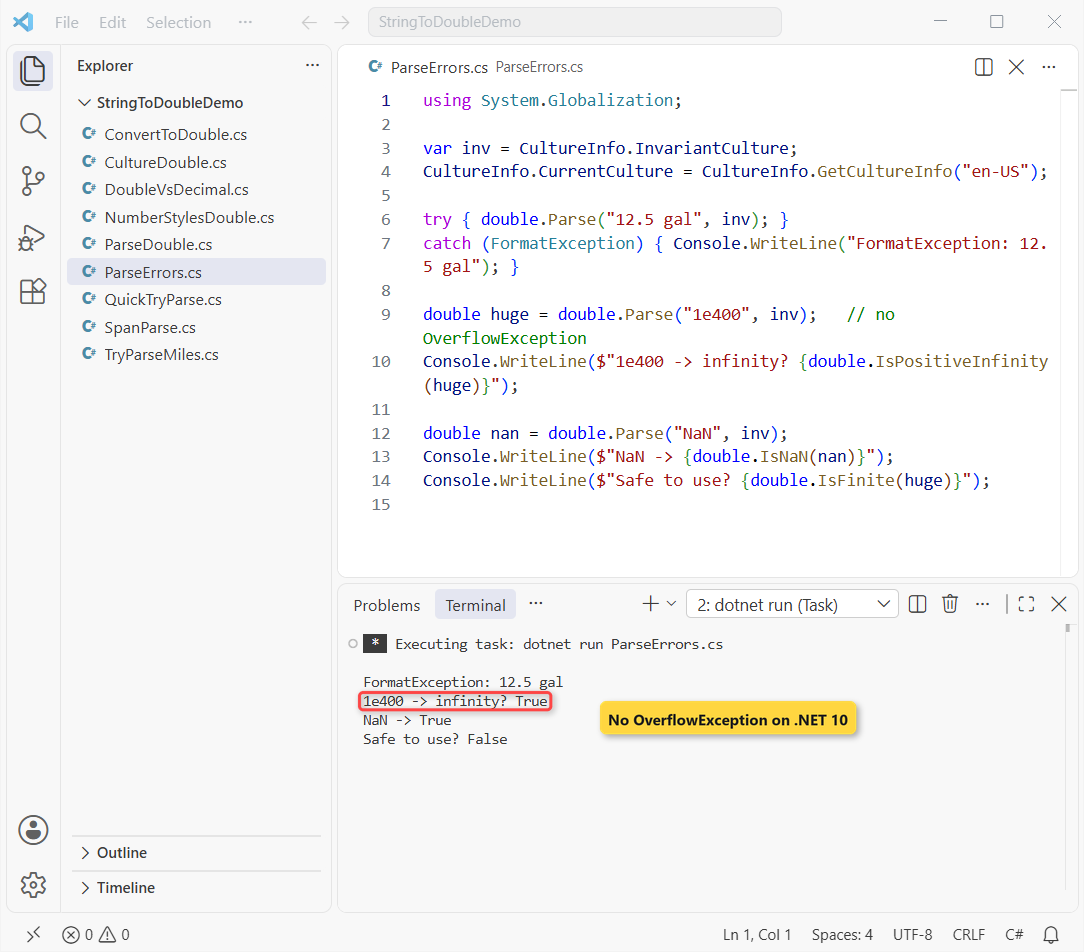
“12.5 gal” throws, as expected. But “1e400” didn’t throw OverflowException; it returned positive infinity. Since .NET Core 3.0, only .NET Framework throws there.
“NaN” parses too. So after a successful parse, check double.IsFinite before you divide or save the value (the division by zero guide shows why infinity sneaks through).
double vs decimal for Money
A double stores binary fractions, so some decimal values can’t be exact. Two prices from the fuel log show it:
using System.Globalization;

var inv = CultureInfo.InvariantCulture;
CultureInfo.CurrentCulture = CultureInfo.GetCultureInfo("en-US");

double d = double.Parse("0.1", inv) + double.Parse("0.2", inv);
decimal m = decimal.Parse("0.1", inv) + decimal.Parse("0.2", inv);

Console.WriteLine(d);   // double
Console.WriteLine(m);   // decimal
Output:
0.30000000000000004
0.3
The double sum prints 0.30000000000000004; the decimal sum prints 0.3. For dollars, parse to decimal instead. The C# data types guide compares the two.
If you only need to show a double with two decimals, that’s a formatting job; see how to show a double with 2 decimal places.
Parse a Span or UTF-8 Bytes Without Extra Strings
double.Parse also takes a ReadOnlySpan<char> and, since .NET 8, UTF-8 bytes. That lets you parse a slice of a CSV line without Substring:
using System.Globalization;
using System.Text;

var inv = CultureInfo.InvariantCulture;
CultureInfo.CurrentCulture = CultureInfo.GetCultureInfo("en-US");
string line = "Phoenix,AZ,418.6";

ReadOnlySpan<char> miles = line.AsSpan(line.LastIndexOf(',') + 1);
Console.WriteLine(double.Parse(miles, inv));    // no Substring copy

byte[] utf8 = Encoding.UTF8.GetBytes("3.459");
Console.WriteLine(double.Parse(utf8, inv));     // UTF-8 bytes
Output:
418.6
3.459
Both lines print the real values, 418.6 and 3.459. It’s worth it in hot loops over large files; for one form field, the string overload is fine.
Once the text is a number, these are good next reads:
- Printing it back with ToString formats
- Formatting a double with commas and decimals
- Casting between double, decimal and int
Frequently Asked Questions
How do I convert a string to double in C#?
Use double.TryParse(text, CultureInfo.InvariantCulture, out double value) for input you don’t control, and double.Parse(text, CultureInfo.InvariantCulture) when you’re sure the text is a valid number.
What’s the difference between double.Parse and Convert.ToDouble?
Convert.ToDouble calls double.Parse, but returns 0 for a null string. double.Parse(null) throws ArgumentNullException. Both throw FormatException for text like “abc” or an empty string.
Why does double.Parse return 15 for “1,5”?
Under en-US or the invariant culture, the comma is a thousands separator, so “1,5” reads as 15. Pass a culture that uses a comma decimal, such as CultureInfo.GetCultureInfo("de-DE"), to get 1.5.
Does double.Parse throw OverflowException in .NET 10?
No. On .NET Core 3.0 and later, a value like “1e400” returns positive infinity. Only .NET Framework throws OverflowException. Check double.IsFinite after parsing.
How do I convert a string with a $ sign to double?
Use double.Parse("$1,234.56", NumberStyles.Currency, CultureInfo.GetCultureInfo("en-US")), which returns 1234.56. For money math, parse to decimal instead.
Where is double.Parse documented?
The Double.Parse method on Microsoft Learn lists every overload, the default NumberStyles and the .NET Core 3.0 overflow change.

Bijay Kumar is a renowned software engineer, accomplished author, and distinguished Microsoft Most Valuable Professional (MVP) specializing in SharePoint. With a rich professional background spanning over 15 years, Bijay has established himself as an authority in the field of information technology. He possesses unparalleled expertise in multiple programming languages and technologies such as ASP.NET, ASP.NET MVC, C#.NET, and SharePoint, which has enabled him to develop innovative and cutting-edge solutions for clients across the globe. Read more…