
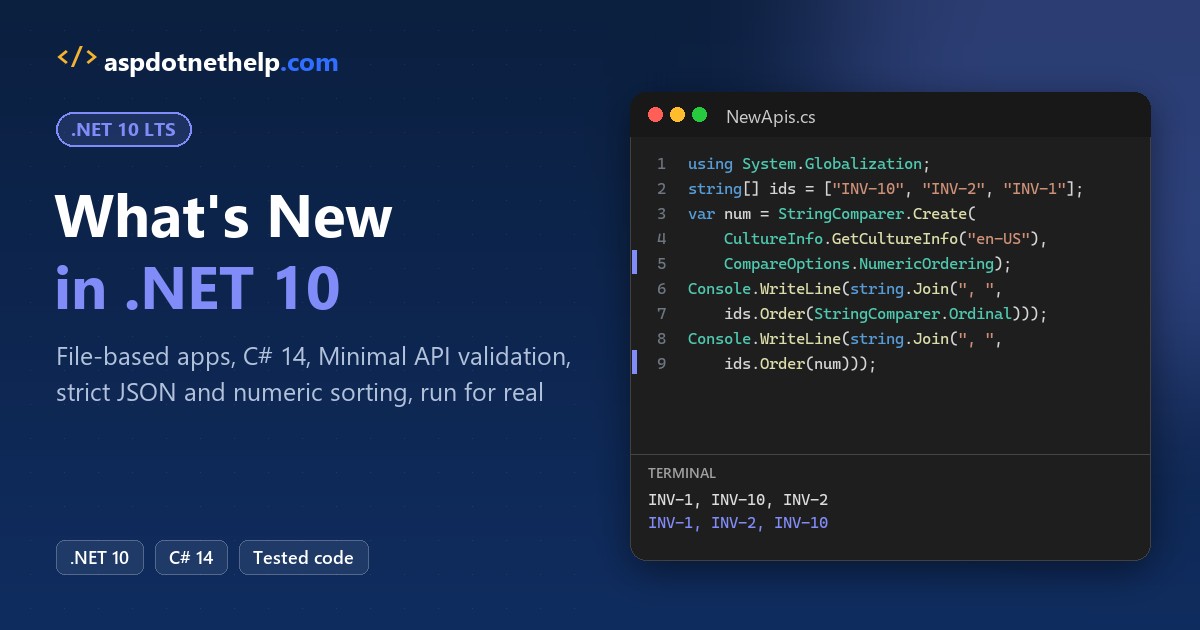
.NET 10 came out on November 11, 2025, and it’s a long-term support release. That alone makes it the version I’d pick for any new C# or ASP.NET Core project in 2026.
So, what’s new in .NET 10? You can run a single .cs file with dotnet run app.cs, write C# 14, validate Minimal API input with one line, stream server-sent events, and serve OpenAPI 3.1 as YAML.
In this tutorial, I’ll test what’s new in .NET 10 feature by feature. Each section has a small program, the real output, and a short “How does this code work?” walk-through, so you can judge what’s worth adopting.
My setup is Windows 11, VS Code, and .NET SDK 10.0.402 (runtime 10.0.13). Most demos are single-file apps, so you can copy one file into an empty folder and run it.
.NET 10 at a Glance: Release Date, LTS Support and Key Features
Here’s the short version before we get into code. I’ve grouped the changes a working C# or web developer will actually notice:
| Area | What’s new in .NET 10 | Why you’d care |
|---|---|---|
| SDK | File-based apps, dotnet tool exec, dnx, noun-first CLI commands | Scripts and tools without a project file |
| C# 14 | field keyword, extension members, null-conditional assignment | Less boilerplate in everyday classes |
| ASP.NET Core 10 | Minimal API validation, server-sent events, OpenAPI 3.1 + YAML, passkeys | Fewer NuGet packages and hand-written checks |
| Blazor | [PersistentState], WebAssembly preloading, NotFound() | Faster loads and cleaner 404s |
| Libraries | JsonSerializerOptions.Strict, numeric string ordering, new OrderedDictionary overloads | Safer JSON and fewer custom helpers |
| Runtime | Better JIT inlining, devirtualization, stack allocation, AVX10.2 | Speed you get without code changes |
Support is the other half of the story. Microsoft supports an LTS release for three years, and two older versions retire on the same day this November (my .NET versions and support dates page tracks every release):
| Version | Type | Released | End of support |
|---|---|---|---|
| .NET 10 | LTS | November 11, 2025 | November 14, 2028 |
| .NET 9 | STS | November 12, 2024 | November 10, 2026 |
| .NET 8 | LTS | November 14, 2023 | November 10, 2026 |
As I write this on October 26, 2026, that’s just 15 days away. My guide to .NET 8 and .NET 9 end of support covers what that date means for your apps, and you can check which .NET version is installed before you start.
Feature 1: File-Based Apps Run a Single .cs File in .NET 10
This is the change I use most. A .NET 10 SDK can build and run one C# file with no .csproj, no Program class, and no solution. Directives at the top of the file replace the project settings.
Here’s a small script that pulls in a NuGet package with #:package and prints where it’s running from:
#:package Humanizer@3.0.10
using Humanizer;

Console.WriteLine("order_shipped_to_dallas".Humanize());
Console.WriteLine(TimeSpan.FromMinutes(95).Humanize(2));
Console.WriteLine(DateTime.UtcNow.AddHours(-3).Humanize());
Console.WriteLine($"Running {AppContext.GetData("EntryPointFilePath")}");
Output:
order shipped to dallas
1 hour, 35 minutes
3 hours ago
Running C:\DotNetDemo\Net10Demo\Hello.cs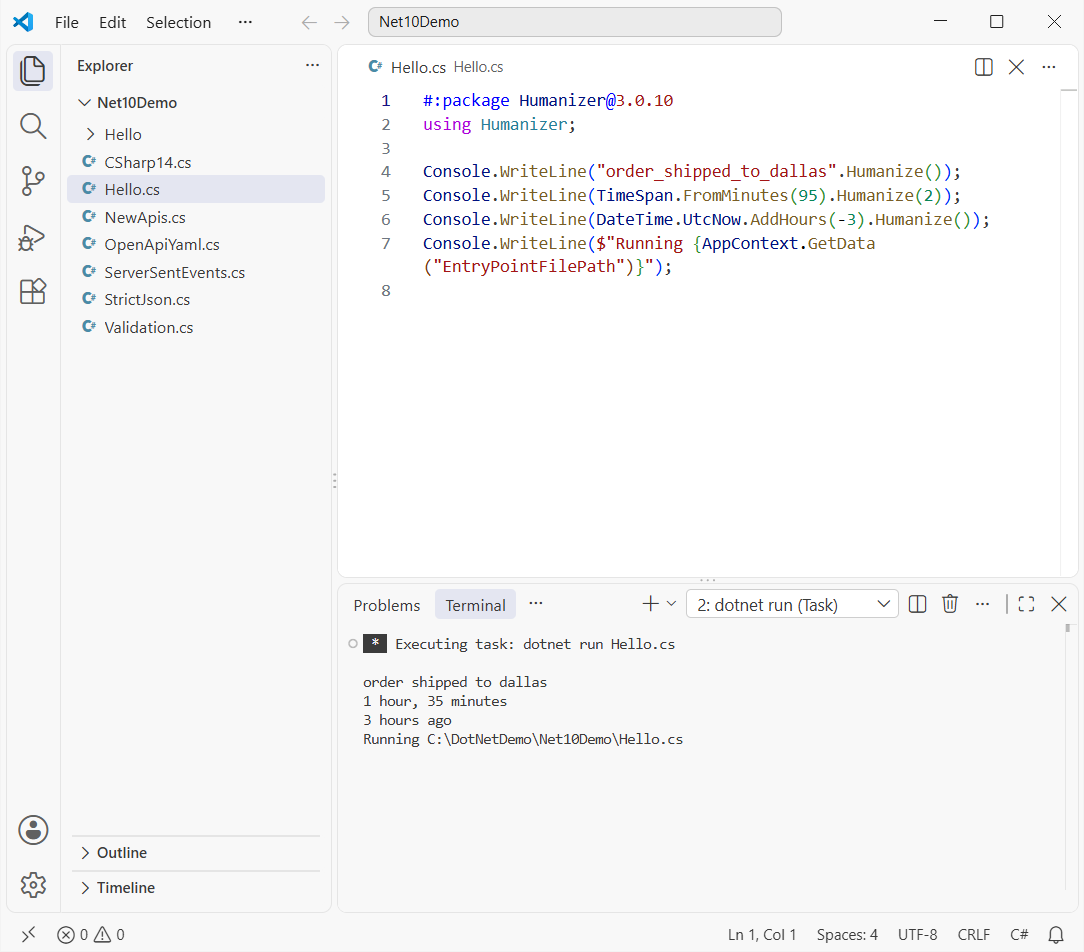
How does this code work?
#:package Humanizer@3.0.10adds a NuGet reference, exactly like aPackageReferencein a project. Other directives are#:sdk,#:propertyand#:project.dotnet run Hello.cscreates a hidden virtual project, restores, builds and runs it. The build output goes to a temp folder, not next to your file.AppContext.GetData("EntryPointFilePath")returns the path of the running file, which is handy for scripts that read files beside them.
One gotcha caught me right away. File-based apps target native AOT by default, so reflection-based System.Text.Json is switched off. My first JSON demo crashed with this message:
Unhandled exception. System.InvalidOperationException: Reflection-based serialization has been disabled for this application. Either use the source generator APIs or explicitly configure the 'JsonSerializerOptions.TypeInfoResolver' property.The fix is one line at the top of the file: #:property PublishAot=false. You’ll see it in the web and JSON demos below. Keep AOT on when you plan to dotnet publish app.cs to a small native executable.
When a script grows up, dotnet project convert Hello.cs turns it into a normal project. It created a Hello folder with a copy of the code (directives removed) and this project file:
<Project Sdk="Microsoft.NET.Sdk">

  <PropertyGroup>
    <OutputType>Exe</OutputType>
    <TargetFramework>net10.0</TargetFramework>
    <ImplicitUsings>enable</ImplicitUsings>
    <Nullable>enable</Nullable>
    <PublishAot>true</PublishAot>
    <PackAsTool>true</PackAsTool>
    <UserSecretsId>Hello-580d788577a6cb5a279acf621b27d3108617e2bb7a00b143197ab430d3b18907</UserSecretsId>
  </PropertyGroup>

  <ItemGroup>
    <PackageReference Include="Humanizer" Version="3.0.10" />
  </ItemGroup>

</Project>
From there it’s a regular console project, the same kind I set up in my guide to create a console application in VS Code.
Feature 2: C# 14 Comes With .NET 10
Every .NET 10 project compiles as C# 14 by default. Three features show up in my code almost every day: the field keyword, extension members, and null-conditional assignment.
var order = new Order { Customer = "  Adele Vance  " };
Console.WriteLine($"[{order.Customer}]");

Order? missing = null;
missing?.Customer = "Nobody";        // null-conditional assignment
Console.WriteLine($"missing is still {missing?.ToString() ?? "null"}");

decimal total = 1249.5m;
Console.WriteLine(total.AsUsd);       // extension property

class Order
{
    public string Customer { get; set => field = value.Trim(); } = "";
}

static class MoneyExtensions
{
    extension(decimal amount)
    {
        public string AsUsd => amount.ToString("C", new System.Globalization.CultureInfo("en-US"));
    }
}
Output:
[Adele Vance]
missing is still null
$1,249.50
How does this code work?
set => field = value.Trim(); uses the compiler’s backing field, so you can add logic to one accessor without declaring a private field.
missing?.Customer = "Nobody"; only assigns when missing isn’t null. Before C# 14, you’d write an if check first.
The extension(decimal amount) block adds an AsUsd property to decimal. Older extension methods couldn’t add properties at all.
There’s more: implicit span conversions, nameof(List<>), partial constructors and user-defined compound operators. I walk through each one in what is new in C# 14, and the null-conditional change pairs well with these ways to check for null in C#.
Feature 3: Built-In Minimal API Validation in ASP.NET Core 10
Until .NET 10, Minimal APIs ignored [Required] and [Range], so you wrote checks by hand or added a library (more web examples live in my ASP.NET Core tutorials). Now one call, builder.Services.AddValidation(), validates query strings, headers and request bodies.
This file-based web app starts Kestrel, posts a good order and a bad one to itself, prints both responses, and stops:
#:sdk Microsoft.NET.Sdk.Web
#:property PublishAot=false
using System.ComponentModel.DataAnnotations;

var builder = WebApplication.CreateBuilder();
builder.Logging.ClearProviders();
builder.Services.AddValidation();
var app = builder.Build();
app.MapPost("/orders", (Order o) => TypedResults.Created($"/orders/{o.Id}", o));
app.Urls.Add("http://localhost:5187");
await app.StartAsync();

using var http = new HttpClient { BaseAddress = new("http://localhost:5187") };
string[] bodies = ["""{"id":1,"customer":"Megan Bowen","state":"TX","quantity":3}""",
                   """{"id":2,"customer":"","state":"Texas","quantity":0}"""];
foreach (var body in bodies)
{
    var res = await http.PostAsync("/orders", new StringContent(body, null, "application/json"));
    Console.WriteLine($"{(int)res.StatusCode} {await res.Content.ReadAsStringAsync()}");
}
await app.StopAsync();

public record Order(int Id, [Required] string Customer,
    [StringLength(2, MinimumLength = 2)] string State, [Range(1, 100)] int Quantity);
Output:
201 {"id":1,"customer":"Megan Bowen","state":"TX","quantity":3}
400 {"title":"One or more validation errors occurred.","errors":{"Customer":["The Customer field is required."],"State":["The field State must be a string with a minimum length of 2 and a maximum length of 2."],"Quantity":["The field Quantity must be between 1 and 100."]}}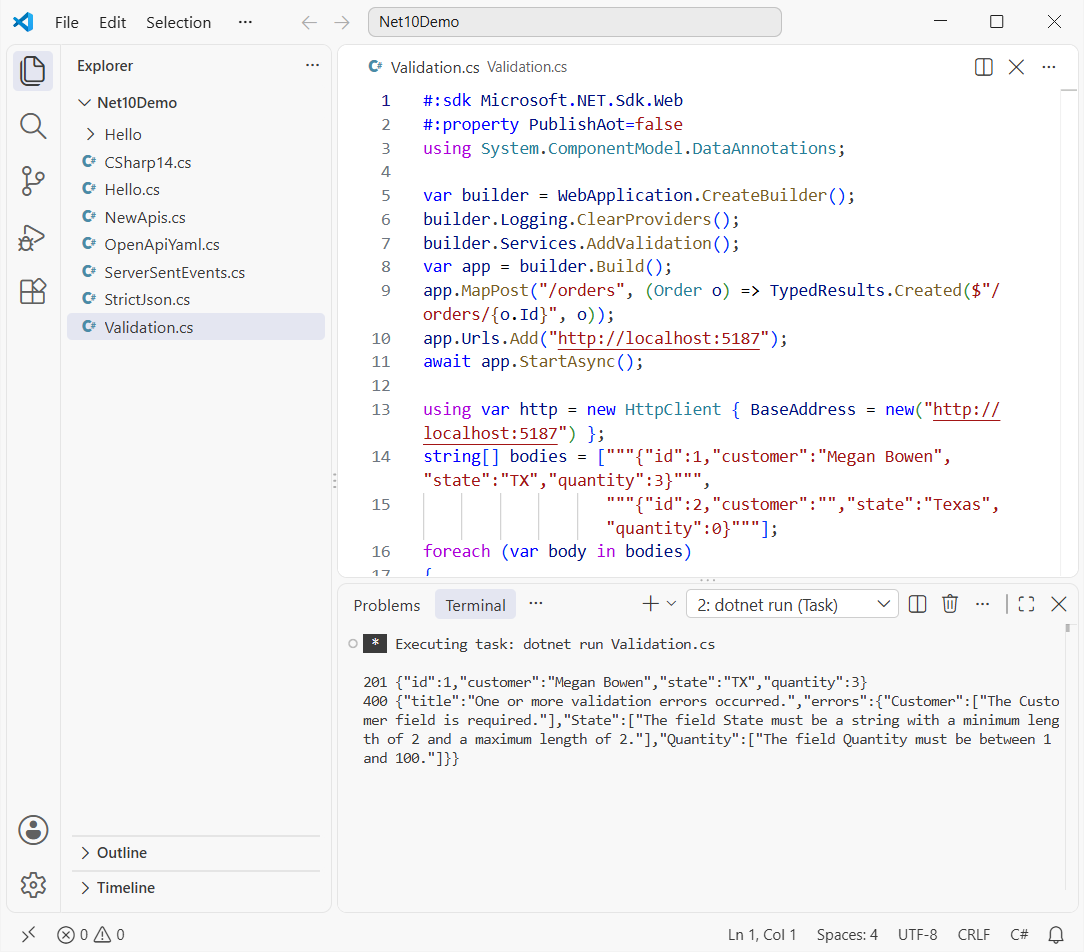
How does this code work?
#:sdk Microsoft.NET.Sdk.Webturns the single file into an ASP.NET Core app. That’s the same SDK a web.csprojuses.AddValidation()registers a source-generated validator for theOrderrecord. It reads the DataAnnotations attributes on the record’s parameters.- The first order passes and returns 201. The second fails three rules, so ASP.NET Core returns 400 with an
errorsobject keyed by property name.
Need an endpoint to skip it? Add .DisableValidation() to that route. This topic comes up a lot in interviews now, so it’s worth adding to your .NET Core interview questions prep.
Feature 4: Server-Sent Events With TypedResults.ServerSentEvents
Server-sent events (SSE) push a one-way stream of updates over plain HTTP. They’re a lighter option than SignalR for dashboards, stock tickers or progress bars. ASP.NET Core 10 adds TypedResults.ServerSentEvents, so you just return an async stream:
#:sdk Microsoft.NET.Sdk.Web
#:property PublishAot=false

var builder = WebApplication.CreateBuilder();
builder.Logging.ClearProviders();
var app = builder.Build();
app.Urls.Add("http://localhost:5188");

app.MapGet("/prices", () => TypedResults.ServerSentEvents(Prices(), eventType: "price"));

await app.StartAsync();
using var http = new HttpClient { BaseAddress = new("http://localhost:5188") };
Console.Write(await http.GetStringAsync("/prices"));
await app.StopAsync();

static async IAsyncEnumerable<Quote> Prices()
{
    foreach (var (symbol, usd) in new[] { ("MSFT", 512.40m), ("NVDA", 188.15m), ("AAPL", 254.30m) })
    {
        await Task.Delay(200);
        yield return new Quote(symbol, usd);
    }
}

record Quote(string Symbol, decimal Usd);
Output:
event: price
data: {"symbol":"MSFT","usd":512.40}

event: price
data: {"symbol":"NVDA","usd":188.15}

event: price
data: {"symbol":"AAPL","usd":254.30}
How does this code work?
Prices() is an IAsyncEnumerable<Quote> that yields three quotes, 200 ms apart.
TypedResults.ServerSentEvents(Prices(), eventType: "price") writes each item as an event: line plus a JSON data: line, with a blank line between events.
In a browser, you’d read the same stream with JavaScript’s EventSource and listen for the price event.
The foreach (var (symbol, usd) in ...) loop deconstructs each pair, which I explain in my guide to tuples in C#.
Feature 5: OpenAPI 3.1 and YAML Documents in .NET 10
The built-in OpenAPI generator now writes OpenAPI 3.1 by default, and it can serve the document as YAML. You only change the route passed to MapOpenApi:
#:sdk Microsoft.NET.Sdk.Web
#:package Microsoft.AspNetCore.OpenApi@10.0.13
#:property PublishAot=false

var builder = WebApplication.CreateBuilder();
builder.Logging.ClearProviders();
builder.Services.AddOpenApi();
var app = builder.Build();
app.Urls.Add("http://localhost:5189");
app.MapOpenApi("/openapi/{documentName}.yaml");
app.MapGet("/stores/{state}", (string state, int? limit) => new[] { "Austin", "Dallas" });

await app.StartAsync();
using var http = new HttpClient { BaseAddress = new("http://localhost:5189") };
Console.WriteLine(await http.GetStringAsync("/openapi/v1.yaml"));
await app.StopAsync();
Output:
openapi: '3.1.1'
info:
  title: OpenApiYaml | v1
  version: 1.0.0
servers:
  - url: http://localhost:5189/
paths:
  '/stores/{state}':
    get:
      tags:
        - OpenApiYaml
      parameters:
        - name: state
          in: path
          required: true
          schema:
            type: string
        - name: limit
          in: query
          schema:
            pattern: '^-?(?:0|[1-9]\d*)$'
            type:
              - integer
              - string
            format: int32
      responses:
        '200':
          description: OK
          content:
            application/json:
              schema:
                type: array
                items:
                  type: string
tags:
  - name: OpenApiYaml
How does this code work?
AddOpenApi() plus MapOpenApi("/openapi/{documentName}.yaml") serves the document as YAML because the route ends in .yaml.
The output starts with openapi: '3.1.1'. Older releases produced OpenAPI 3.0.
The nullable int? limit shows up as a JSON Schema type array instead of the old nullable: true flag.
With version 10.0.0 of the package, restore warned about a known vulnerability in Microsoft.OpenApi 2.0.0. Pinning the current 10.0.x patch made it go away. If nullable types are new to you, my post on C# data types covers them.
Feature 6: Stricter JSON in .NET 10 With JsonSerializerOptions.Strict
By default, System.Text.Json quietly takes the last value when a property appears twice. That’s a real security risk for payment or permission fields. .NET 10 adds AllowDuplicateProperties and a ready-made JsonSerializerOptions.Strict preset:
#:property PublishAot=false
using System.Text.Json;

string json = """{ "Customer": "Alex Wilber", "Total": 49.99, "Total": 0.01 }""";
var loose = JsonSerializer.Deserialize<Invoice>(json)!;
Console.WriteLine($"Default: Total = {loose.Total}");

try { JsonSerializer.Deserialize<Invoice>(json, JsonSerializerOptions.Strict); }
catch (JsonException ex) { Console.WriteLine($"Strict:  {ex.Message}"); }

string extra = """{ "Customer": "Alex Wilber", "Total": 49.99, "Coupon": "FALL26" }""";
try { JsonSerializer.Deserialize<Invoice>(extra, JsonSerializerOptions.Strict); }
catch (JsonException ex) { Console.WriteLine($"Strict:  {ex.Message}"); }

record Invoice(string Customer, decimal Total);
Output:
Default: Total = 0.01
Strict:  Duplicate property 'Total' encountered during deserialization of type 'Invoice'.
Strict:  The JSON property 'Coupon' could not be mapped to any .NET member contained in type 'Invoice'.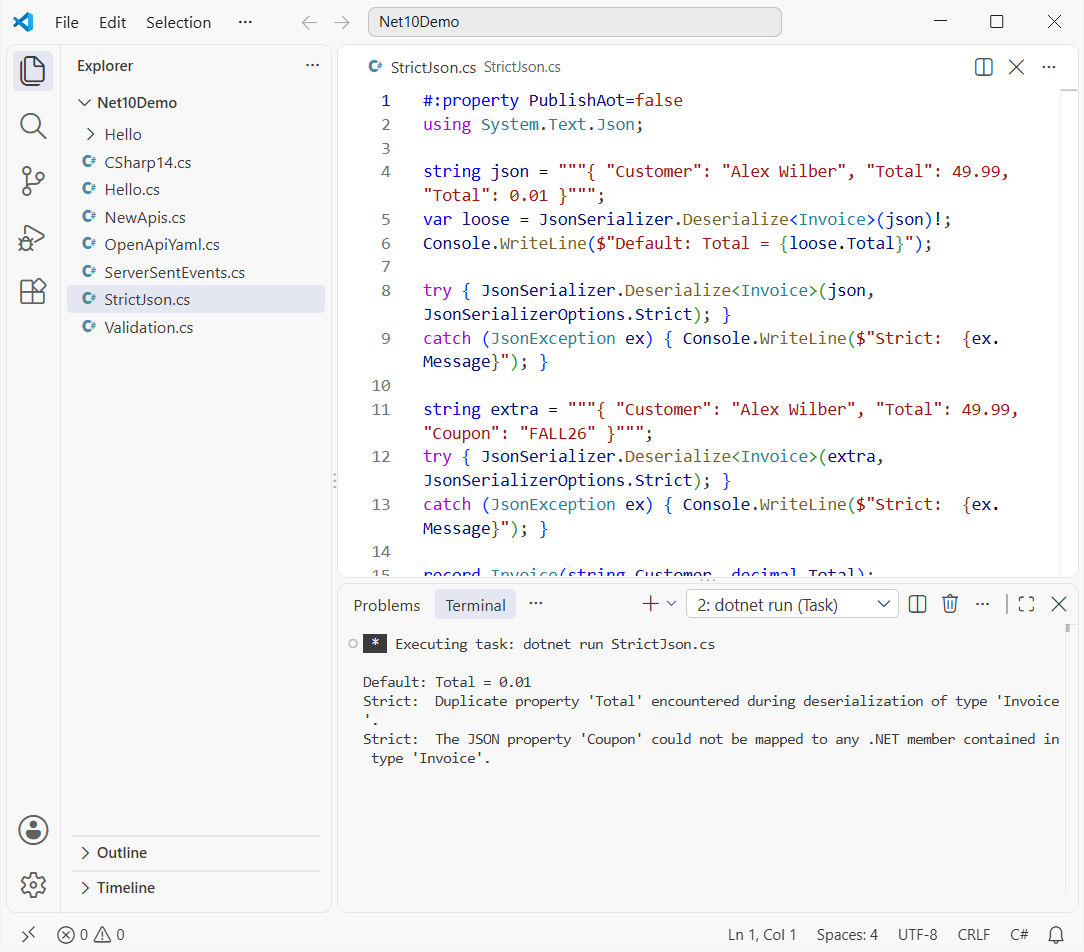
How does this code work?
- The default deserializer reads
Totaltwice and keeps0.01. Imagine that on a $49.99 invoice. JsonSerializerOptions.Strictdisallows duplicate properties and unmapped members, keeps case-sensitive binding, and respects nullable annotations and required constructor parameters.- Each violation throws
JsonExceptionwith a clear message, so you can return a 400 instead of saving bad data.
I catch the error with a normal try-catch block in C#. For the writing side of JSON, see how to convert an object to JSON without escape characters.
Feature 7: New .NET 10 Library APIs You Can Use Today
The libraries got dozens of additions, from post-quantum cryptography to async ZIP APIs. These three solve problems I’ve hit in real business code:
using System.Globalization;

var numeric = StringComparer.Create(CultureInfo.GetCultureInfo("en-US"), CompareOptions.NumericOrdering);
string[] ids = ["INV-10", "INV-2", "INV-1"];
Console.WriteLine("Ordinal: " + string.Join(", ", ids.Order(StringComparer.Ordinal)));
Console.WriteLine("Numeric: " + string.Join(", ", ids.Order(numeric)));

var stock = new OrderedDictionary<string, int> { ["Austin"] = 4 };
foreach (var city in new[] { "Denver", "Austin" })
    if (!stock.TryAdd(city, 1, out int i))
        stock.SetAt(i, stock.GetAt(i).Value + 1);
Console.WriteLine(string.Join(", ", stock.Select(kv => $"{kv.Key}={kv.Value}")));

var thanksgiving = new DateOnly(2026, 11, 26);
Console.WriteLine($"Thanksgiving 2026 is in ISO week {ISOWeek.GetWeekOfYear(thanksgiving)}");
Output:
Ordinal: INV-1, INV-10, INV-2
Numeric: INV-1, INV-2, INV-10
Austin=5, Denver=1
Thanksgiving 2026 is in ISO week 48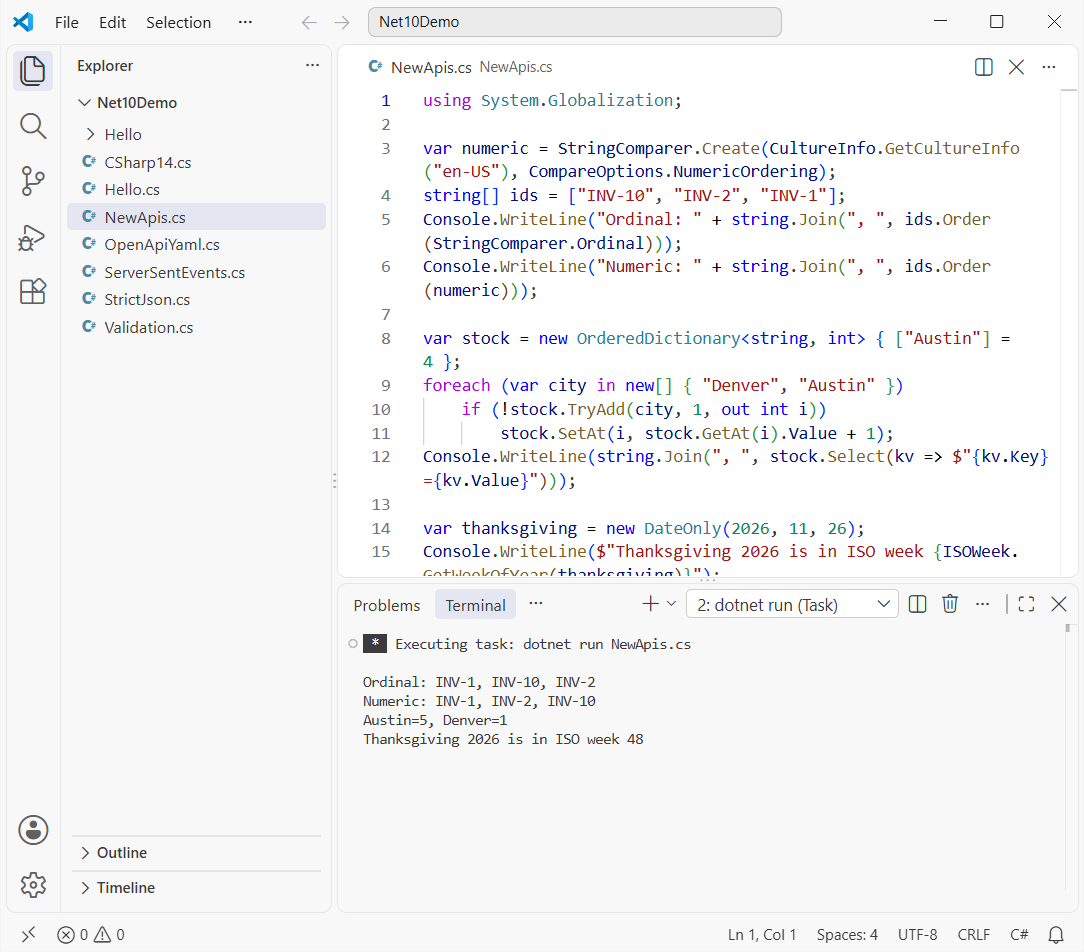
How does this code work?
CompareOptions.NumericOrdering compares digits as numbers, so INV-2 sorts before INV-10. An ordinal sort puts INV-10 second.
The new TryAdd(key, value, out int index) overload returns the existing entry’s index when the key is taken, so SetAt updates it without a second lookup.
ISOWeek.GetWeekOfYear now accepts DateOnly. Thanksgiving 2026 (November 26) lands in ISO week 48.
Numeric ordering removes the need for a custom comparer when you sort an array in C#. If OrderedDictionary is new to you, start with the basics of the Dictionary in C#.
Feature 8: .NET 10 SDK and CLI Changes
A few SDK changes don’t need a demo file, but they change daily habits. Here’s what I verified in the .NET 10 SDK notes:
| Command or setting | What it does |
|---|---|
dotnet tool exec dotnetsay | Downloads and runs a .NET tool once, without installing it globally or locally |
dnx dotnetsay "Hello" | A shorter script that forwards to dotnet tool exec |
dotnet package add | Noun-first alias for dotnet add package (also package list/remove, reference add/list/remove) |
dotnet publish app.cs | Publishes a file-based app as a native AOT executable |
dotnet completions script pwsh | Generates native tab completion for PowerShell, bash, zsh, fish and nushell |
--cli-schema | Prints any command’s options as JSON, handy for tooling |
dotnet publish /t:PublishContainer | Console apps build container images with no extra project property |
On my machine the SDK installed dnx.cmd right next to dotnet.exe in C:\Program Files\dotnet. Older SDKs don’t have it, so run dotnet --version first. Tooling questions like these also show up in C# interview questions for experienced developers.
What Else Is New in .NET 10 for ASP.NET Core and Blazor?
Not everything fits in a single-file demo. These are the other ASP.NET Core 10 and platform changes I’d read about before a project kicks off:
| Feature | What changed |
|---|---|
| Passkeys in Identity | ASP.NET Core Identity supports passkeys (WebAuthn/FIDO2), and the Blazor Web App template includes passkey sign-in and management |
[PersistentState] | Blazor persists prerendered component state declaratively instead of through PersistentComponentState code |
ResourcePreloader | Blazor Web Apps preload WebAssembly assets from App.razor |
NavigationManager.NotFound() | Returns a 404 in static SSR and renders a NotFoundPage in interactive mode |
| Cookie auth on APIs | Known API endpoints return 401/403 instead of redirecting to a login page |
| Memory pool eviction | Kestrel, IIS and HTTP.sys release idle memory automatically |
| EF Core 10 | Named query filters let one entity have several filters you can switch off one at a time |
The cookie change matters most if your SPA used to get a login page back instead of a 401. If you’re building sign-in today, passkeys are worth a look before you add a one-time code flow like this OTP generator in ASP.NET.
Should You Upgrade to .NET 10 Now?
Yes, for nearly everyone. .NET 8 and .NET 9 both lose support on November 10, 2026, and .NET 10 is covered until November 14, 2028. Changing net8.0 to net10.0 is usually the easy part; package updates and breaking changes take the time.
I list every step, from global.json to Docker images, in my guide to upgrade .NET 8 to .NET 10. Start with file-based apps for scripts, AddValidation() for Minimal APIs, and JsonSerializerOptions.Strict anywhere money changes hands.
If you’re picking up .NET 10 alongside the basics, these are good next reads:
- What is C# and what it’s used for
- Working with a List in C#
- Interfaces in C#, explained with examples
- Add log4net logging to an ASP.NET Core app
Frequently Asked Questions
Is .NET 10 an LTS release?
Yes. .NET 10 is a long-term support release that shipped on November 11, 2025, and Microsoft supports it until November 14, 2028.
What C# version comes with .NET 10?
C# 14. It adds the field keyword, extension members (including extension properties), null-conditional assignment, implicit span conversions and more.
Can I run a C# file without a project in .NET 10?
Yes. Run dotnet run app.cs (or dotnet app.cs). Use #:package, #:sdk, #:property and #:project directives at the top of the file instead of a .csproj.
Why does my file-based app say reflection-based serialization is disabled?
File-based apps target native AOT by default, which turns off reflection-based System.Text.Json. Add #:property PublishAot=false at the top of the file, or use a JSON source generator context.
Does ASP.NET Core 10 validate Minimal API parameters?
Yes, once you call builder.Services.AddValidation(). Invalid requests get a 400 response listing each error. Microsoft covers the details in What’s new in ASP.NET Core in .NET 10.
Where can I see the full list of .NET 10 changes?
Microsoft keeps it on What’s new in .NET 10 on Microsoft Learn, with separate pages for the runtime, libraries and SDK.

Bijay Kumar is a renowned software engineer, accomplished author, and distinguished Microsoft Most Valuable Professional (MVP) specializing in SharePoint. With a rich professional background spanning over 15 years, Bijay has established himself as an authority in the field of information technology. He possesses unparalleled expertise in multiple programming languages and technologies such as ASP.NET, ASP.NET MVC, C#.NET, and SharePoint, which has enabled him to develop innovative and cutting-edge solutions for clients across the globe. Read more…