
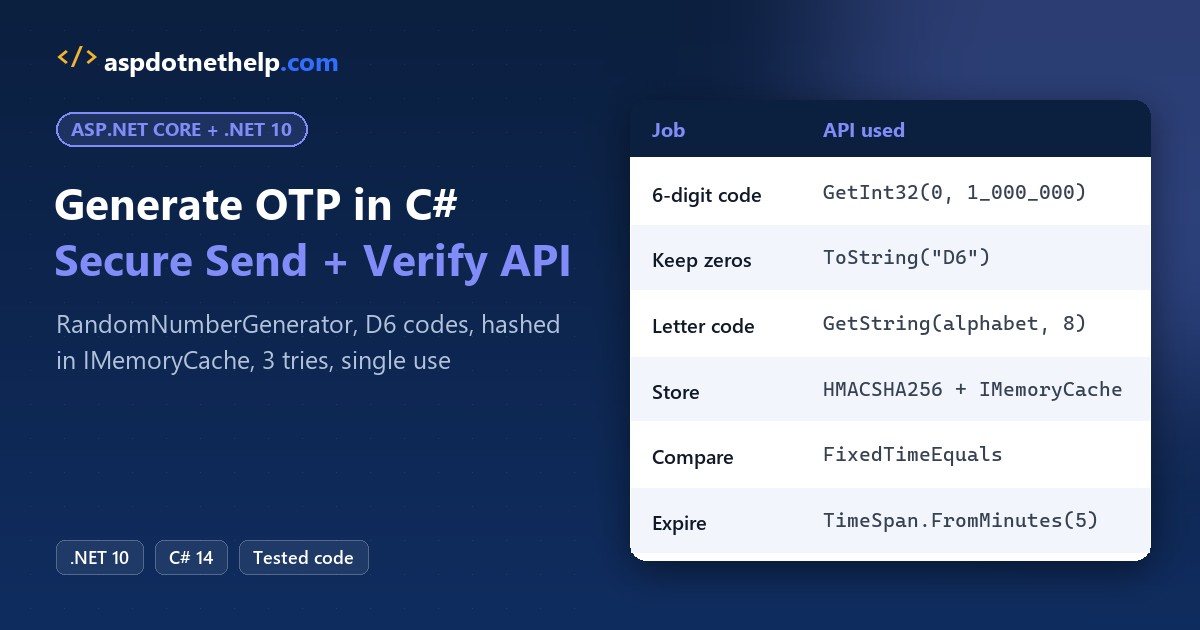
Say you run sign-in for a Phoenix dental clinic’s patient portal. When Jenna Morales logs in from a new phone, you text her a six-digit code that works once, for five minutes.
To generate OTP in ASP.NET Core C#, call RandomNumberGenerator.GetInt32(0, 1_000_000) and format it with ToString("D6"), never System.Random. We’ll build the send and verify endpoints on .NET 10 and test them for real.
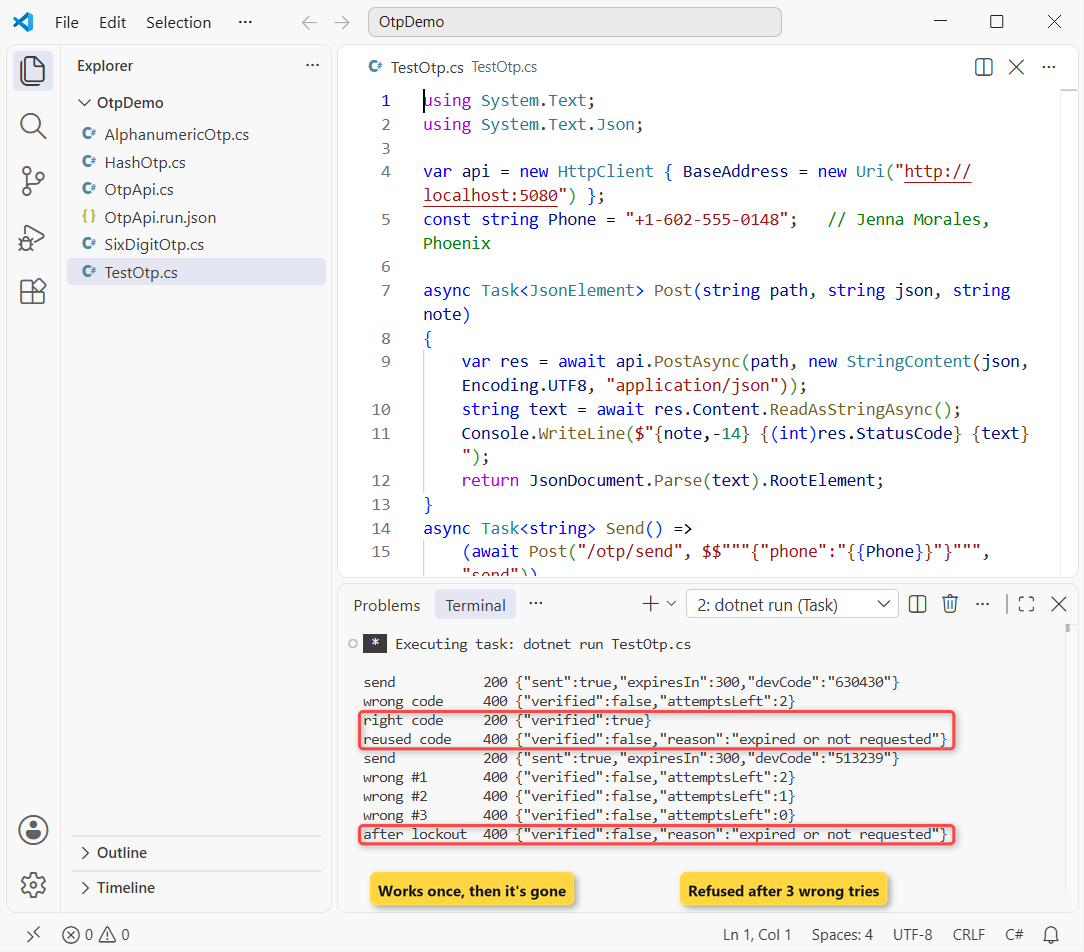
Here’s what we’re building. A test client asks for a code, tries a wrong one, signs in, then gets locked out on a second code:
Before You Start the OTP Build
You need the .NET 10 SDK and VS Code. Every file here is a file-based app, one of the new features in .NET 10, so dotnet run File.cs runs it with no project file. Here’s the sample data:
| Item | Value |
|---|---|
| Patient / phone (cache key) | Jenna Morales, +1-602-555-0148 |
| Code | 6 digits, 000000-999999 |
| Lifetime / attempts | 5 minutes / 3 tries |
Step 1: Generate a 6-Digit OTP with RandomNumberGenerator
System.Random is built for games and shuffles, not secrets. Microsoft’s own docs point you to RandomNumberGenerator for anything like a password. Run both side by side:
using System.Security.Cryptography;

// Don't: System.Random repeats itself for the same seed
var r1 = new Random(2026);
var r2 = new Random(2026);
Console.WriteLine($"Random A: {r1.Next(1_000_000):D6} {r1.Next(1_000_000):D6}");
Console.WriteLine($"Random B: {r2.Next(1_000_000):D6} {r2.Next(1_000_000):D6}");

// Do: a cryptographically secure 6-digit OTP
for (int i = 0; i < 3; i++)
{
    int value = RandomNumberGenerator.GetInt32(0, 1_000_000);
    Console.WriteLine($"OTP: {value.ToString("D6")}");
}
Console.WriteLine($"4207 with D6: {4207.ToString("D6")}");
Output:
Random A: 159929 283444
Random B: 159929 283444
OTP: 979471
OTP: 469732
OTP: 261932
4207 with D6: 004207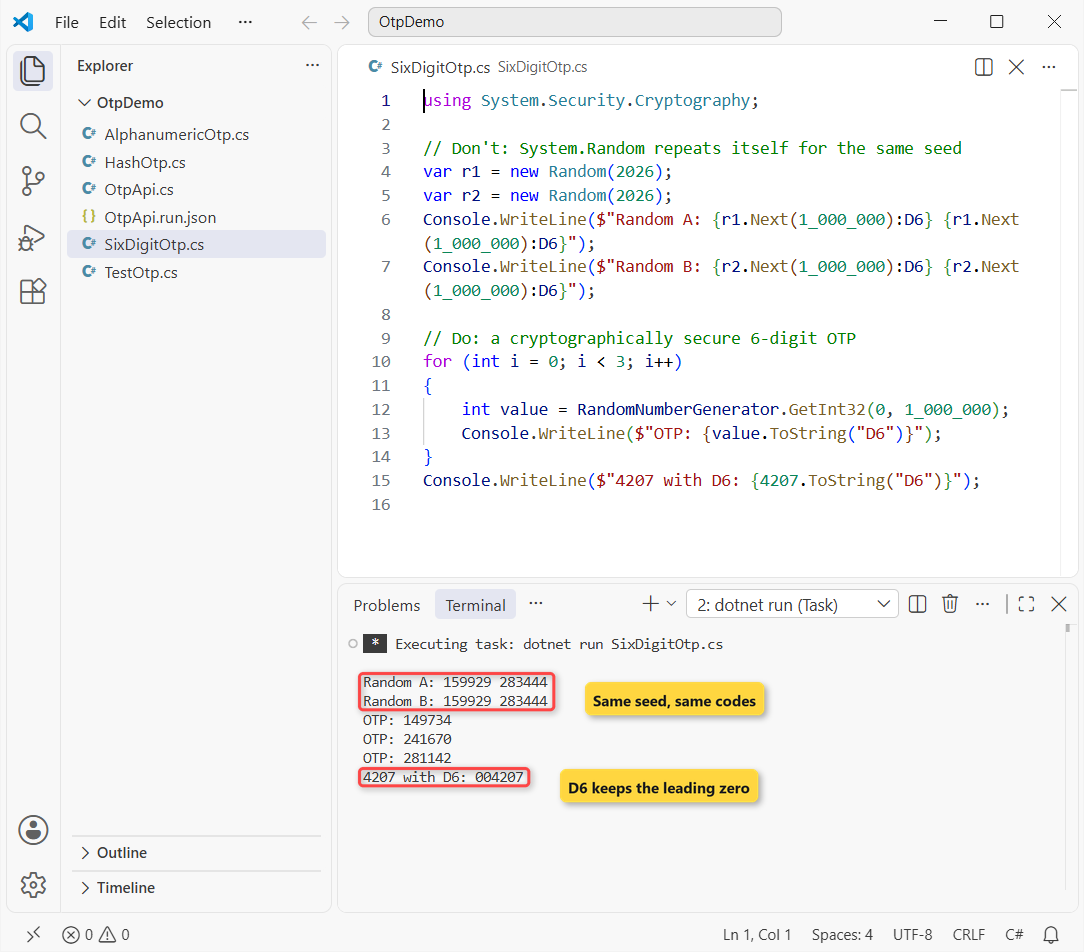
Your OTP values will differ on every run (that’s the point), but lines A and B always match each other. Same seed, same “random” codes, so anyone who learns the state can predict the next one.
GetInt32 uses the OS crypto generator plus a discard-and-retry loop, which avoids the bias of the % 1000000 trick. I compare the other random APIs in generating random numbers in C# within a range.
Important: the upper bound is exclusive, so 1_000_000 gives 0-999,999. D6 pads a small value like 4207 to 004207; without it the code would be 4 digits. More padding options are in adding leading zeros to a string in C#.
Checkpoint: lines A and B match, the three OTPs differ, and the last line reads 004207.
Step 2: Make an Alphanumeric OTP Without Look-Alike Characters
For email codes or backup codes, letters give more combinations per character. RandomNumberGenerator.GetString (.NET 8+) picks each character from an alphabet you choose:
using System.Security.Cryptography;

// No 0/O or 1/I/L, so nobody misreads the code on a phone
const string Alphabet = "ABCDEFGHJKMNPQRSTUVWXYZ23456789";

for (int i = 0; i < 3; i++)
    Console.WriteLine(RandomNumberGenerator.GetString(Alphabet, 8));

Console.WriteLine($"{Alphabet.Length} characters, 8 long");
Output:
RMBVCQQB
47JYTG62
AACY2M5W
31 characters, 8 long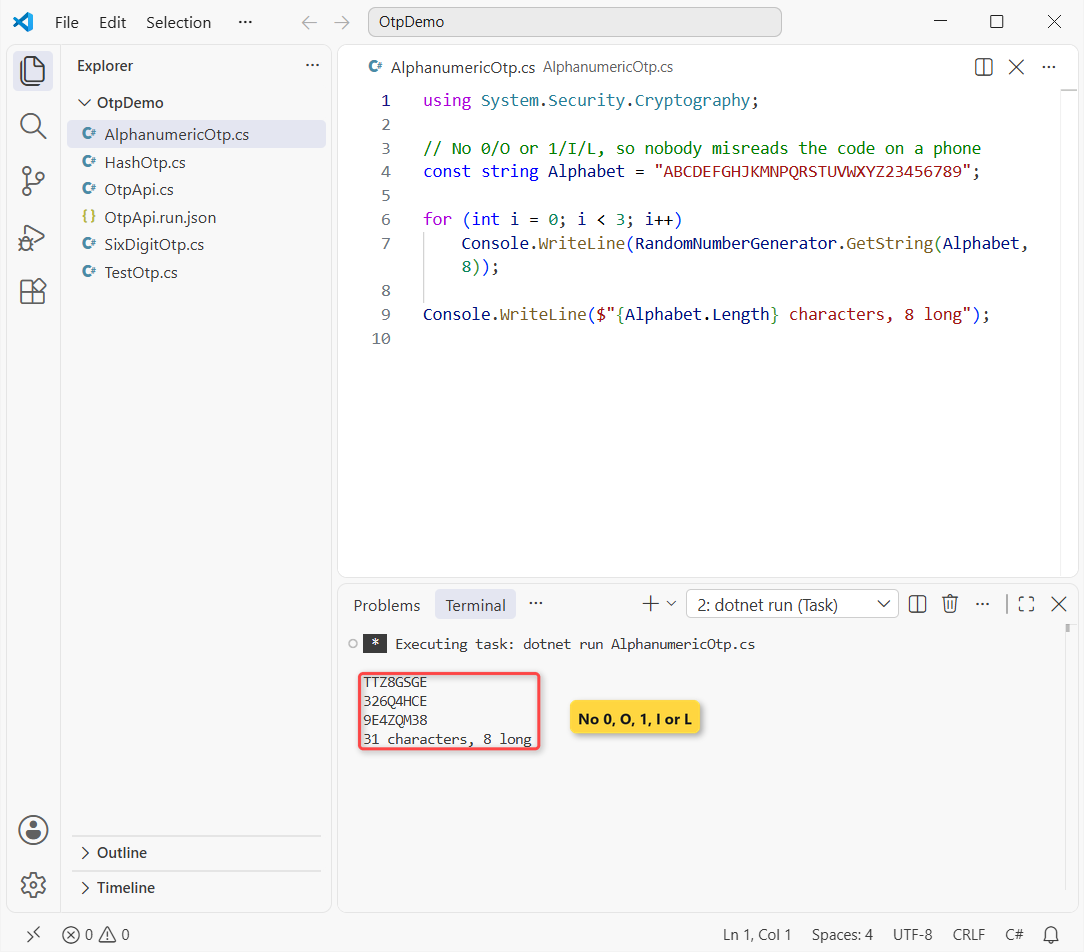
I dropped 0, O, 1, I and L, the characters people misread. That leaves 31 characters, so 8 of them give about 852 billion combinations instead of a million. Keep these codes case-insensitive when you verify.
Checkpoint: three different 8-character codes and “31 characters, 8 long”.
Step 3: Hash the OTP Before You Store It
The server never needs the code itself, only a way to recognize it. Store an HMAC of it, then compare with CryptographicOperations.FixedTimeEquals, which takes the same time whether the first byte or the last one differs. Encoding.UTF8.GetBytes does the string to byte array conversion:
using System.Security.Cryptography;
using System.Text;

byte[] key = RandomNumberGenerator.GetBytes(32);   // secret HMAC key
byte[] Hash(string code) =>
    HMACSHA256.HashData(key, Encoding.UTF8.GetBytes(code));

byte[] stored = Hash("482915");                    // what the server keeps
Console.WriteLine($"Stored: {Convert.ToHexString(stored)[..16]}...");
Console.WriteLine($"482915: {CryptographicOperations.FixedTimeEquals(stored, Hash("482915"))}");
Console.WriteLine($"482916: {CryptographicOperations.FixedTimeEquals(stored, Hash("482916"))}");
Output:
Stored: A72DBEC1F1ED4C6F...
482915: True
482916: False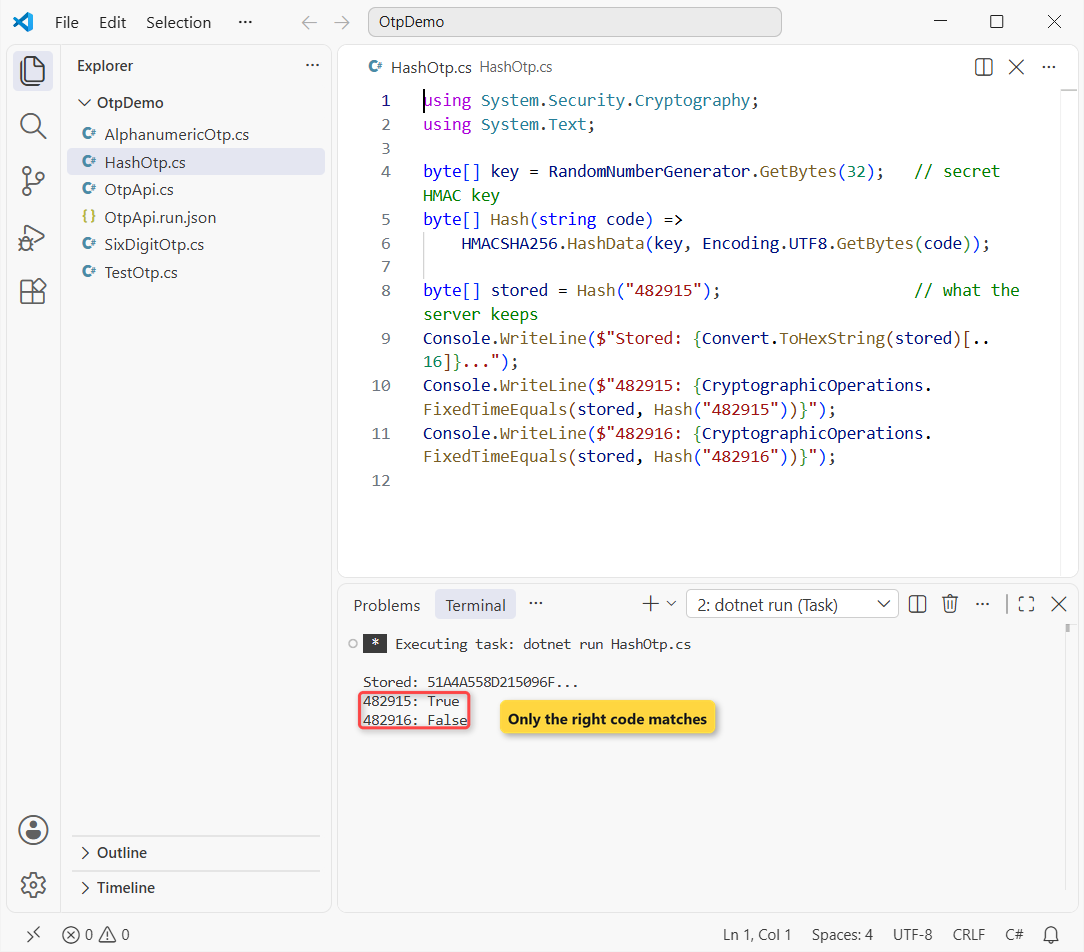
A plain SHA-256 of a 6-digit code is brute-forced in milliseconds, which is why the hash is keyed with a random secret.
Checkpoint: 482915: True and 482916: False.
Step 4: Build the OTP Minimal API with Send and Verify Endpoints
Now the real thing. #:sdk Microsoft.NET.Sdk.Web turns a single file into an ASP.NET Core app, and IMemoryCache holds each hash with a 5-minute absolute expiration. Save this as OtpApi.cs:
#:sdk Microsoft.NET.Sdk.Web
#:property PublishAot=false
using System.Security.Cryptography;
using System.Text;
using Microsoft.Extensions.Caching.Memory;

var builder = WebApplication.CreateBuilder(args);
builder.Services.AddMemoryCache();
var app = builder.Build();

byte[] key = RandomNumberGenerator.GetBytes(32);   // HMAC key, in memory only
byte[] Hash(string code) => HMACSHA256.HashData(key, Encoding.UTF8.GetBytes(code));
const int MaxAttempts = 3;

app.MapPost("/otp/send", (SendRequest req, IMemoryCache cache) =>
{
    string code = RandomNumberGenerator.GetInt32(0, 1_000_000).ToString("D6");
    cache.Set($"otp:{req.Phone}", new OtpEntry(Hash(code)), TimeSpan.FromMinutes(5));
    // Deliver the code by SMS or email here. Never log it.
    return app.Environment.IsDevelopment()
        ? Results.Ok(new { sent = true, expiresIn = 300, devCode = code })
        : Results.Ok(new { sent = true, expiresIn = 300 });
});

app.MapPost("/otp/verify", (VerifyRequest req, IMemoryCache cache) =>
{
    string cacheKey = $"otp:{req.Phone}";
    if (!cache.TryGetValue(cacheKey, out OtpEntry? entry) || entry is null)
        return Results.BadRequest(new { verified = false, reason = "expired or not requested" });

    if (CryptographicOperations.FixedTimeEquals(entry.Hash, Hash(req.Code)))
    {
        cache.Remove(cacheKey);                        // single use
        return Results.Ok(new { verified = true });
    }
    int used = Interlocked.Increment(ref entry.Attempts);
    if (used >= MaxAttempts) cache.Remove(cacheKey);   // lock this code
    return Results.BadRequest(new { verified = false, attemptsLeft = MaxAttempts - used });
});

app.Run();

record SendRequest(string Phone);
record VerifyRequest(string Phone, string Code);
sealed class OtpEntry(byte[] hash) { public readonly byte[] Hash = hash; public int Attempts; }
Next to it, OtpApi.run.json is the file-based launch profile. It sets the URL and the Development environment, so devCode shows up only on your machine:
{
  "profiles": {
    "http": {
      "commandName": "Project",
      "applicationUrl": "http://localhost:5080",
      "environmentVariables": { "ASPNETCORE_ENVIRONMENT": "Development" }
    }
  }
}
Start it with dotnet run OtpApi.cs. Here’s the server’s startup log from my run:
Using launch settings from C:\DotNetDemo\OtpDemo\OtpApi.run.json...
info: Microsoft.Hosting.Lifetime[14]
      Now listening on: http://localhost:5080
info: Microsoft.Hosting.Lifetime[0]
      Application started. Press Ctrl+C to shut down.
info: Microsoft.Hosting.Lifetime[0]
      Hosting environment: Development
info: Microsoft.Hosting.Lifetime[0]
      Content root path: C:\DotNetDemo\OtpDemo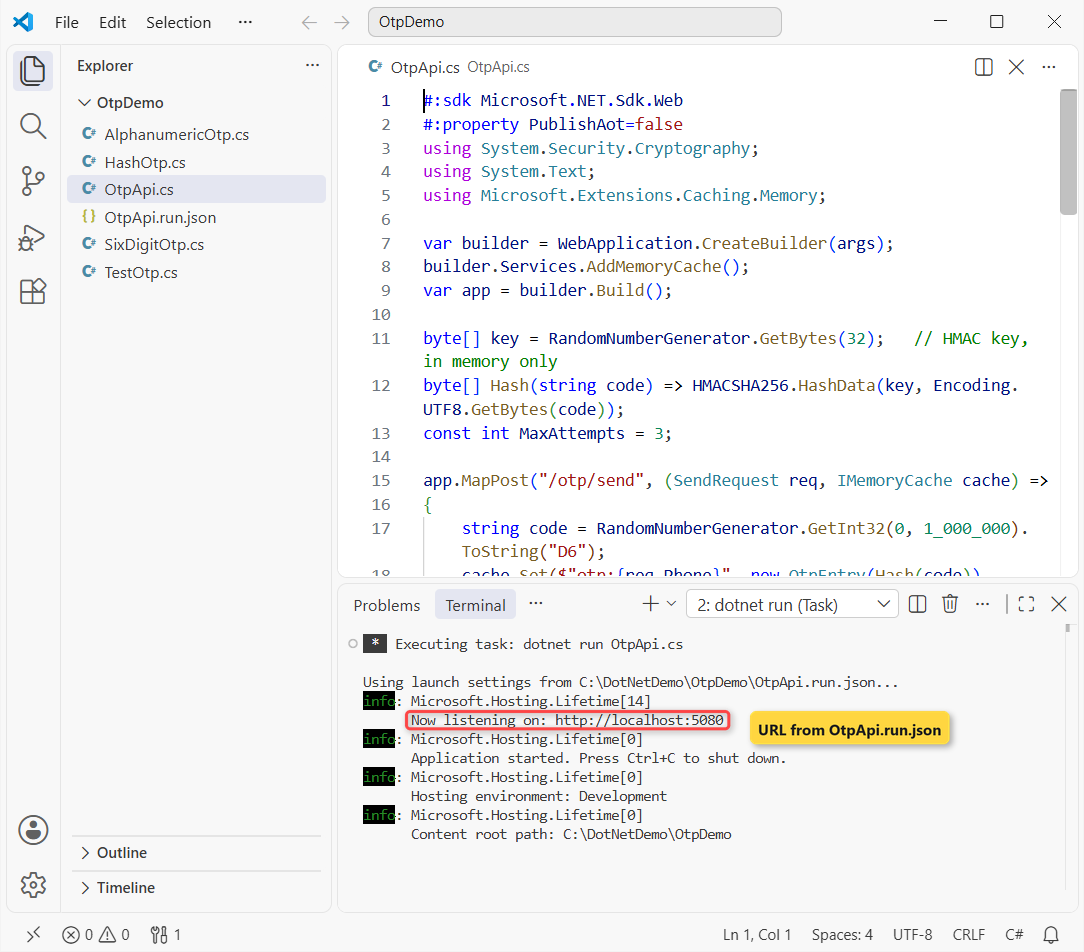
Why not a static Dictionary in C#? It never forgets old codes and isn’t thread-safe. The cache expires entries for you, and Interlocked.Increment keeps two parallel guesses from sharing one attempt.
Checkpoint: Now listening on: http://localhost:5080 and Hosting environment: Development.
Test the OTP API from a C# Client
Leave the server running and open a second terminal. This client is my .http file in C#: it posts raw JSON with HttpClient and prints each status code and body:
using System.Text;
using System.Text.Json;

var api = new HttpClient { BaseAddress = new Uri("http://localhost:5080") };
const string Phone = "+1-602-555-0148";   // Jenna Morales, Phoenix

async Task<JsonElement> Post(string path, string json, string note)
{
    var res = await api.PostAsync(path, new StringContent(json, Encoding.UTF8, "application/json"));
    string text = await res.Content.ReadAsStringAsync();
    Console.WriteLine($"{note,-14} {(int)res.StatusCode} {text}");
    return JsonDocument.Parse(text).RootElement;
}
async Task<string> Send() =>
    (await Post("/otp/send", $$"""{"phone":"{{Phone}}"}""", "send"))
        .GetProperty("devCode").GetString()!;
Task Verify(string code, string note) =>
    Post("/otp/verify", $$"""{"phone":"{{Phone}}","code":"{{code}}"}""", note);

string code = await Send();
await Verify("000000", "wrong code");
await Verify(code, "right code");
await Verify(code, "reused code");

code = await Send();
for (int i = 1; i <= 3; i++) await Verify("111111", $"wrong #{i}");
await Verify(code, "after lockout");
Output:
send           200 {"sent":true,"expiresIn":300,"devCode":"057410"}
wrong code     400 {"verified":false,"attemptsLeft":2}
right code     200 {"verified":true}
reused code    400 {"verified":false,"reason":"expired or not requested"}
send           200 {"sent":true,"expiresIn":300,"devCode":"321849"}
wrong #1       400 {"verified":false,"attemptsLeft":2}
wrong #2       400 {"verified":false,"attemptsLeft":1}
wrong #3       400 {"verified":false,"attemptsLeft":0}
after lockout  400 {"verified":false,"reason":"expired or not requested"}
The first code fails once, works once, then reports “expired or not requested” because it was deleted. The second code gets three wrong guesses and is refused after that.
The client reads devCode with JsonDocument; for typed classes see converting C# objects to JSON.
Checkpoint: right code 200 once, attemptsLeft":0 on the third wrong guess.
What About TOTP Codes from Authenticator Apps?
Everything above is a server-generated code you deliver. With TOTP, the user’s authenticator app computes a new code every 30 seconds from a shared secret, so nothing is sent.
ASP.NET Core Identity already supports authenticator apps, and Microsoft prefers TOTP over SMS for two-factor sign-in. Use the code above for phone or email checks, and Identity’s TOTP for 2FA.
Make the OTP Flow Production-Ready
- Return
devCodein Development only, and never write the code to a log. - Rate-limit
/otp/sendper phone and IP withAddRateLimiter, or attackers will burn your SMS budget. - Use
IDistributedCache(Redis, SQL Server) when more than one server handles sign-ins. - Plug in a real sender (Azure Communication Services, Twilio, SendGrid). Delivery is out of scope here.
Troubleshooting OTP Generation in ASP.NET Core
“Reflection-based serialization has been disabled for this application.” I hit this on my first run. File-based apps turn on native AOT by default, which disables reflection JSON. Add #:property PublishAot=false, or use a JsonSerializerContext.
The client throws HttpRequestException. The server isn’t running, or it’s on another port; wrap the call in a try-catch in C# and check applicationUrl.
Where to Take It Next
Email the code with SmtpClient or MailKit in C#, or use a GUID in C# as the request ID when you add a magic-link fallback. I’d also add a resend cooldown of 60 seconds.
A few more posts that pair well with this build:
- Parsing strings with leading zeros into int
- Hashtable in C#, and when a dictionary beats it
- Interfaces in C# for swapping the SMS sender
- Upgrading an app from .NET 8 to .NET 10
Frequently Asked Questions
How do I generate a 6-digit OTP in C#?
Call RandomNumberGenerator.GetInt32(0, 1_000_000) and format it with ToString("D6") so leading zeros stay. It’s in System.Security.Cryptography and works on .NET Core 3.0 and later.
Is System.Random safe for OTP codes?
No. It isn’t cryptographically secure, and a seeded instance repeats the same values. Microsoft points to the RandomNumberGenerator.GetInt32 method for security values.
How long should an OTP stay valid?
Five to ten minutes is common for SMS and email codes. Expire it, allow a few attempts, and delete it after one successful use.
Should I store the OTP in the database?
Store a keyed hash with an expiry, not the code. A cache works for one server; use a distributed cache or a table when several servers share sign-ins.
What is the difference between OTP and TOTP?
A server-side OTP is random and delivered by SMS or email. TOTP is computed by an authenticator app every 30 seconds from a shared secret; see TOTP authenticator apps in ASP.NET Core.

Bijay Kumar is a renowned software engineer, accomplished author, and distinguished Microsoft Most Valuable Professional (MVP) specializing in SharePoint. With a rich professional background spanning over 15 years, Bijay has established himself as an authority in the field of information technology. He possesses unparalleled expertise in multiple programming languages and technologies such as ASP.NET, ASP.NET MVC, C#.NET, and SharePoint, which has enabled him to develop innovative and cutting-edge solutions for clients across the globe. Read more…