
Say you support the back end for a Columbus, Ohio credit union. A member’s checking balance suddenly reads -$5,000.00, yet no withdrawal ever ran.
Quick answer: encapsulation in C# means keeping an object’s data private and letting outside code change it only through methods and properties that enforce the rules.
We rebuilt that account on .NET 10, step by step, until no caller could break the balance.
What You Need Before You Start with Encapsulation in C#
- The .NET 10 SDK. Every program here is a file-based app you run with
dotnet run File.cs. - VS Code with the C# Dev Kit (the screenshots) or Visual Studio 2026.
- Basic classes and objects. If the four OOP pillars are new to you, skim OOPs concepts in C# first.
The running sample is a checking account for a member named Jenna Morales. Amounts are USD, and each program sets the en-US culture so {amount:C} prints dollars on any machine. Some classes take values through a primary constructor, new for classes in C# 12.
What Is Encapsulation in C#?
Encapsulation bundles an object’s data with the code that’s allowed to change it, then hides the data. Callers get behavior (deposit, withdraw, read the balance), never the raw state.
Here’s the bug from the intro. The balance is a public field, so any line of code anywhere can overwrite it:
System.Globalization.CultureInfo.CurrentCulture = new("en-US");

var account = new CheckingAccount { Owner = "Jenna Morales" };
account.Balance = 1_200.00m;
account.Balance = -5_000.00m;   // nothing stops this
Console.WriteLine($"{account.Owner}: {account.Balance:C}");

class CheckingAccount
{
    public string Owner = "";
    public decimal Balance;     // public field: anyone can write it
}
Output:
Jenna Morales: -$5,000.00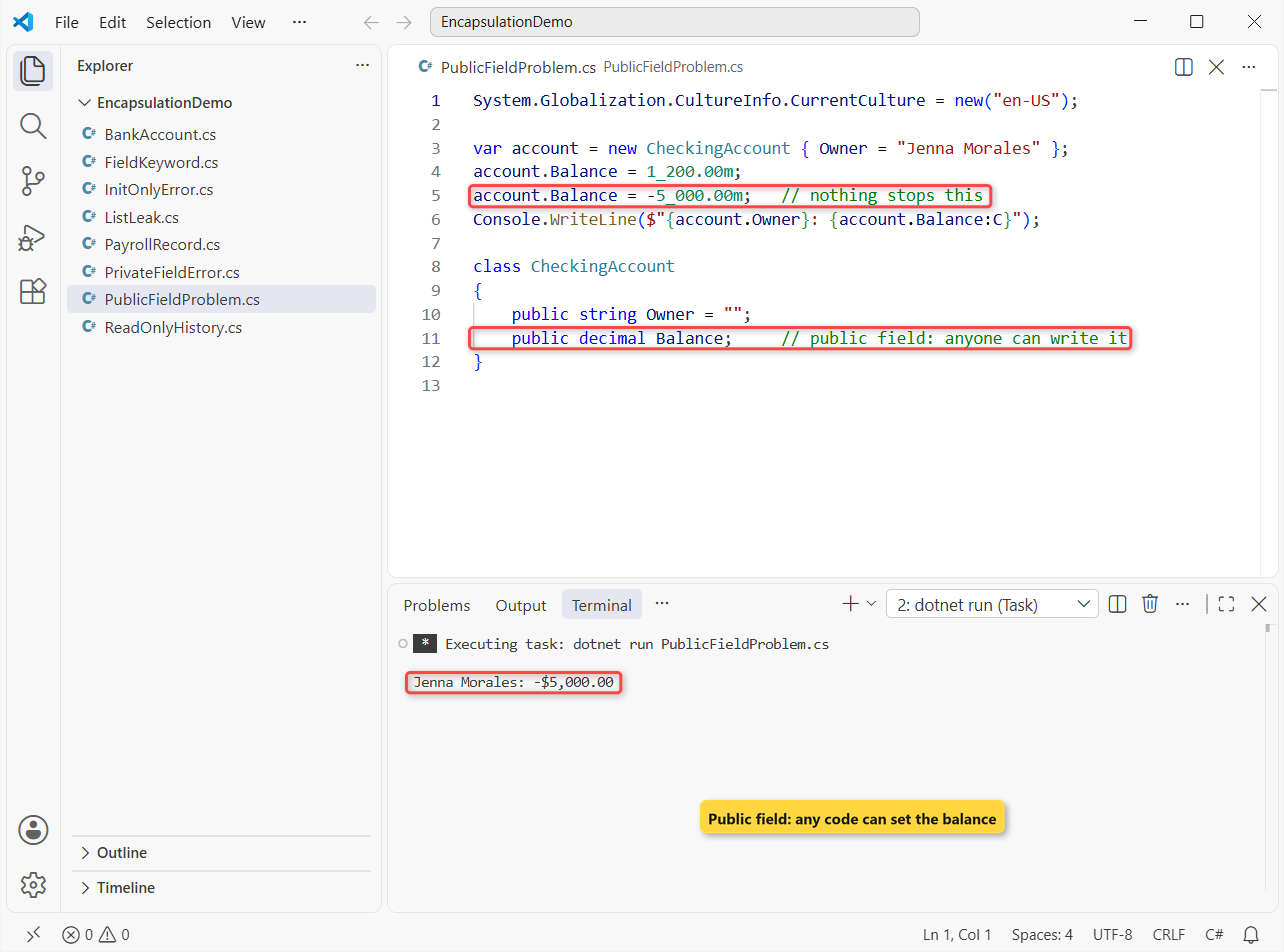
The account ends at -$5,000.00 and the class never had a chance to object. Microsoft Learn calls encapsulation the first pillar of OOP for exactly this reason: hidden members limit coding errors and misuse.
What you get in return:
- Valid state. Every change goes through one method that checks it.
- Freedom to change. You can store the balance differently later and no caller notices.
- Easier debugging. A wrong balance can only come from a handful of methods.
Step 1: Make the Fields Private (Encapsulation Example)
Move the balance into a private field and give callers Deposit, TryWithdraw and a read-only Balance property. The underscore prefix on _balance follows our C# field naming conventions:
System.Globalization.CultureInfo.CurrentCulture = new("en-US");
var acct = new CheckingAccount("Jenna Morales", 1_200m);
acct.Deposit(350m);
Console.WriteLine($"Withdraw $2,000: {acct.TryWithdraw(2_000m)}");
Console.WriteLine($"Withdraw $400: {acct.TryWithdraw(400m)}");
Console.WriteLine($"{acct.Owner}: {acct.Balance:C}");

class CheckingAccount(string owner, decimal opening)
{
    private decimal _balance = opening;       // hidden state
    public string Owner { get; } = owner;
    public decimal Balance => _balance;       // read-only view
    public void Deposit(decimal amount) =>
        _balance += amount > 0 ? amount : throw new ArgumentOutOfRangeException(nameof(amount));
    public bool TryWithdraw(decimal amount)
    {
        if (amount <= 0 || amount > _balance) return false;
        _balance -= amount;
        return true;
    }
}
Output:
Withdraw $2,000: False
Withdraw $400: True
Jenna Morales: $1,150.00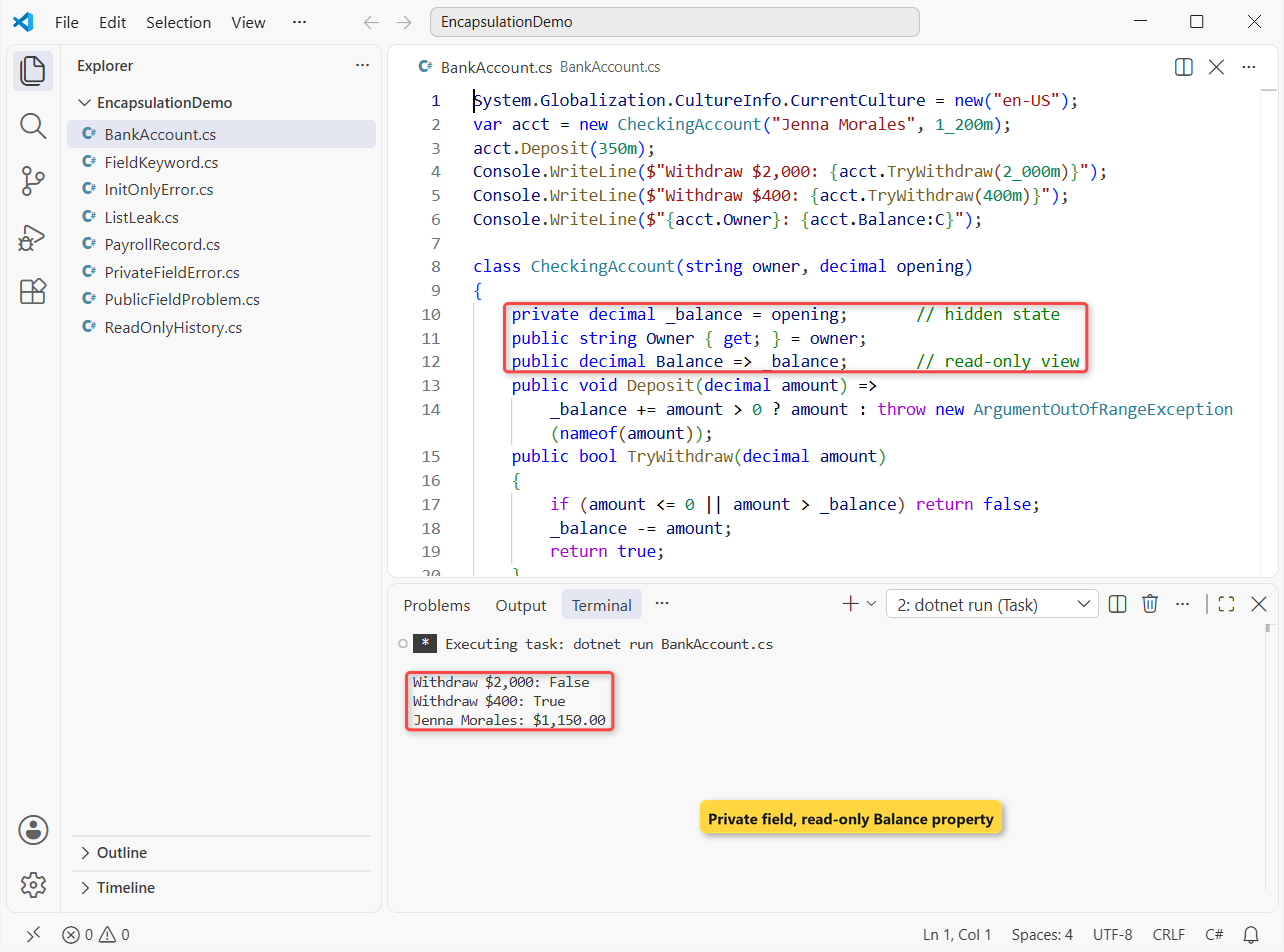
Jenna starts with $1,200.00 and deposits $350.00. The $2,000.00 withdrawal is refused because it exceeds the balance, the $400.00 one goes through, and she ends at $1,150.00.
Balance => _balance has no setter, so acct.Balance = 0 won’t compile. That one line is the whole difference from the broken version.
Step 2: Encapsulation with Properties (private set, init, Validation)
Methods aren’t the only gate. Properties let you keep the simple emp.Name syntax while still controlling writes. We switched to a payroll record for Tyler Brooks to show the three tools at once:
System.Globalization.CultureInfo.CurrentCulture = new("en-US");

var emp = new Employee { Id = "EMP-1042", Name = "Tyler Brooks", HourlyRate = 24.50m };
emp.GiveRaise(0.04m);
Console.WriteLine($"{emp.Id} {emp.Name}: {emp.HourlyRate:C}/hr, raises: {emp.Raises}");
try { emp.HourlyRate = 5.00m; }
catch (ArgumentOutOfRangeException ex) { Console.WriteLine(ex.Message); }

class Employee
{
    private decimal _rate;
    public required string Id { get; init; }     // set once, at creation
    public required string Name { get; set; }
    public int Raises { get; private set; }       // only the class writes it
    public decimal HourlyRate
    {
        get => _rate;
        set => _rate = value >= 7.25m ? value
            : throw new ArgumentOutOfRangeException(nameof(value), "Below the $7.25 federal minimum wage.");
    }
    public void GiveRaise(decimal pct)
    {
        HourlyRate = Math.Round(HourlyRate * (1 + pct), 2);
        Raises++;
    }
}
Output:
EMP-1042 Tyler Brooks: $25.48/hr, raises: 1
Below the $7.25 federal minimum wage. (Parameter 'value')
The 4% raise takes Tyler from $24.50 to $25.48/hr and bumps Raises to 1. Trying to set $5.00 throws, because the setter rejects anything under the $7.25 federal minimum wage; our try-catch guide covers catching it.
| Accessor | Who can write it | Use it for |
|---|---|---|
{ get; set; } | Anyone | Plain data with no rules |
{ get; private set; } | Only the class | Counters, status, computed totals |
{ get; init; } | Object initializer or constructor only | IDs and values fixed at creation |
{ get; } | Constructor only | Values set once from parameters |
| Setter with a check | Anyone, if the value passes | Rates, amounts, ranges |
init is enforced by the compiler. Change the ID after creation and the build stops:
var emp = new Employee { Id = "EMP-1042" };
emp.Id = "EMP-9999";

class Employee
{
    public string Id { get; init; } = "";
}
Output:
C:\DotNetDemo\EncapsulationDemo\InitOnlyError.cs(2,1): error CS8852: Init-only property or indexer 'Employee.Id' can only be assigned in an object initializer, or on 'this' or 'base' in an instance constructor or an 'init' accessor.

The build failed. Fix the build errors and run again.
That’s CS8852. Adding required, as in the payroll record, also forces callers to set the property when they create the object.
Step 3: Encapsulation with the C# 14 field Keyword
The _rate field in Step 2 exists only to back one property. C# 14, which ships with .NET 10, adds the field keyword so the compiler creates that backing field for you. It’s one of the new features in C# 14 we use most:
System.Globalization.CultureInfo.CurrentCulture = new("en-US");

var emp = new Employee { Name = "  Jenna Morales ", HourlyRate = 31.75m };
Console.WriteLine($"[{emp.Name}] earns {emp.HourlyRate:C}/hr");
try { emp.HourlyRate = 6.50m; }
catch (ArgumentOutOfRangeException ex) { Console.WriteLine(ex.Message); }

class Employee
{
    public string Name { get; set => field = value.Trim(); } = "";
    public decimal HourlyRate
    {
        get;
        set => field = value >= 7.25m ? value
            : throw new ArgumentOutOfRangeException(nameof(value), "Below $7.25");
    }
}
Output:
[Jenna Morales] earns $31.75/hr
Below $7.25 (Parameter 'value')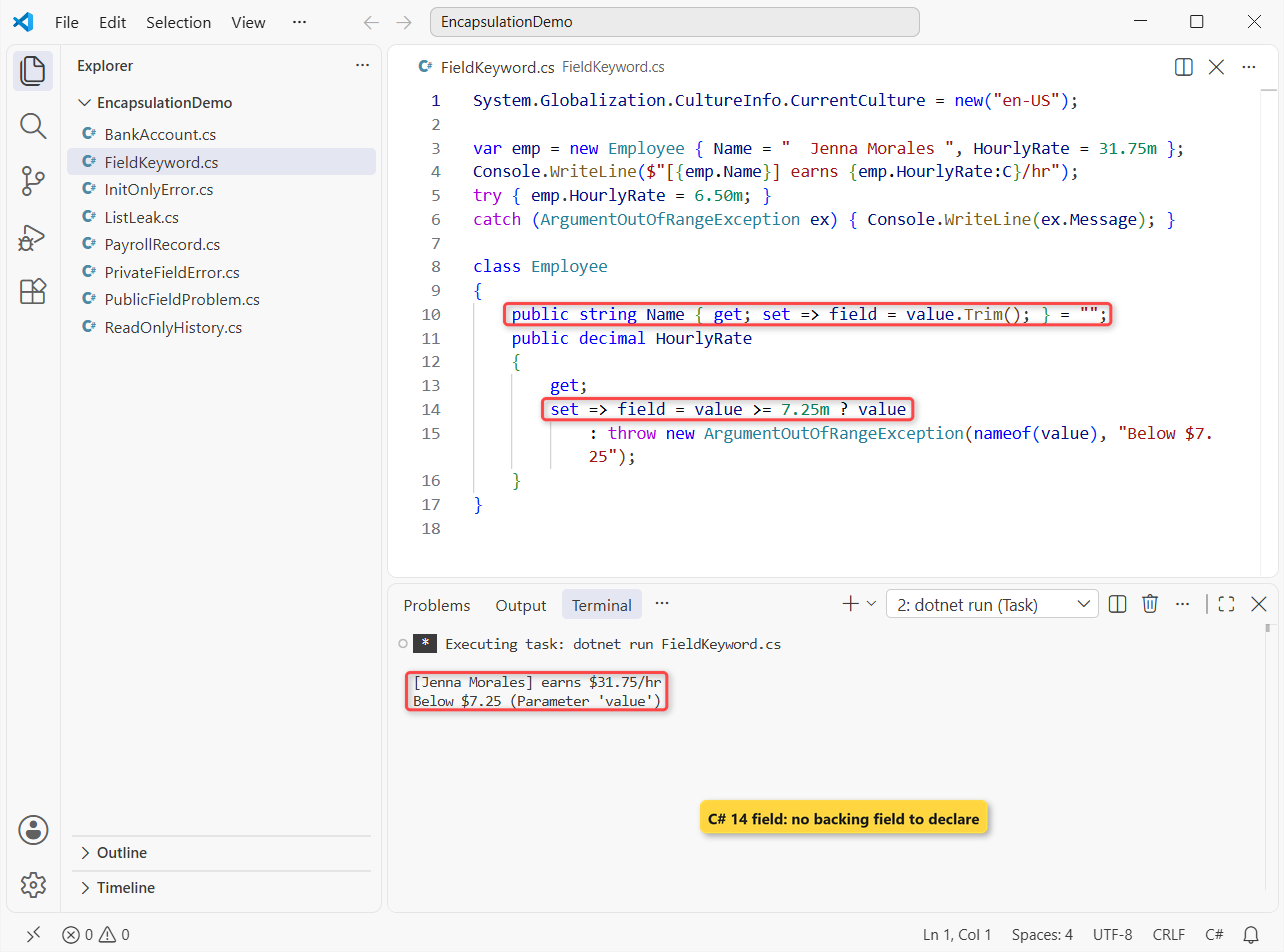
The setter trimmed " Jenna Morales " to [Jenna Morales], kept $31.75, and refused $6.50. You write only the accessor that needs logic; get; stays auto-implemented.
Note: the initializer = "" writes the backing field directly and skips the setter. If a class already has a member named field, use @field or this.field to tell them apart.
Step 4: Return Read-Only Collections (IReadOnlyList) to Keep Encapsulation
Collections are where most encapsulation quietly breaks. A getter-only List<decimal> stops callers from replacing the list, but not from changing what’s in it:
System.Globalization.CultureInfo.CurrentCulture = new("en-US");

var acct = new CheckingAccount();
acct.Deposit(500m);
acct.Transactions.Clear();            // outside code wipes the history
acct.Transactions.Add(-99_999m);
Console.WriteLine($"Balance {acct.Balance:C}, history: {string.Join(", ", acct.Transactions)}");

class CheckingAccount
{
    public List<decimal> Transactions { get; } = [];   // getter-only, still mutable
    public decimal Balance => Transactions.Sum();
    public void Deposit(decimal amount) => Transactions.Add(amount);
}
Output:
Balance -$99,999.00, history: -99999Outside code cleared Jenna’s $500.00 deposit and planted a fake entry, so the balance now reads -$99,999.00. The fix keeps the List private and hands out a read-only view:
System.Globalization.CultureInfo.CurrentCulture = new("en-US");

var acct = new CheckingAccount();
acct.Deposit(500m);
acct.Deposit(125.40m);
IReadOnlyList<decimal> history = acct.Transactions;
Console.WriteLine($"{history.Count} deposits, balance {acct.Balance:C}");
Console.WriteLine(history is List<decimal> ? "Castable" : "Read-only wrapper");
// history.Add(1m);   // CS1061: IReadOnlyList<decimal> has no Add

class CheckingAccount
{
    private readonly List<decimal> _transactions = [];
    public IReadOnlyList<decimal> Transactions => _transactions.AsReadOnly();
    public decimal Balance => _transactions.Sum();
    public void Deposit(decimal amount) => _transactions.Add(amount);
}
Output:
2 deposits, balance $625.40
Read-only wrapper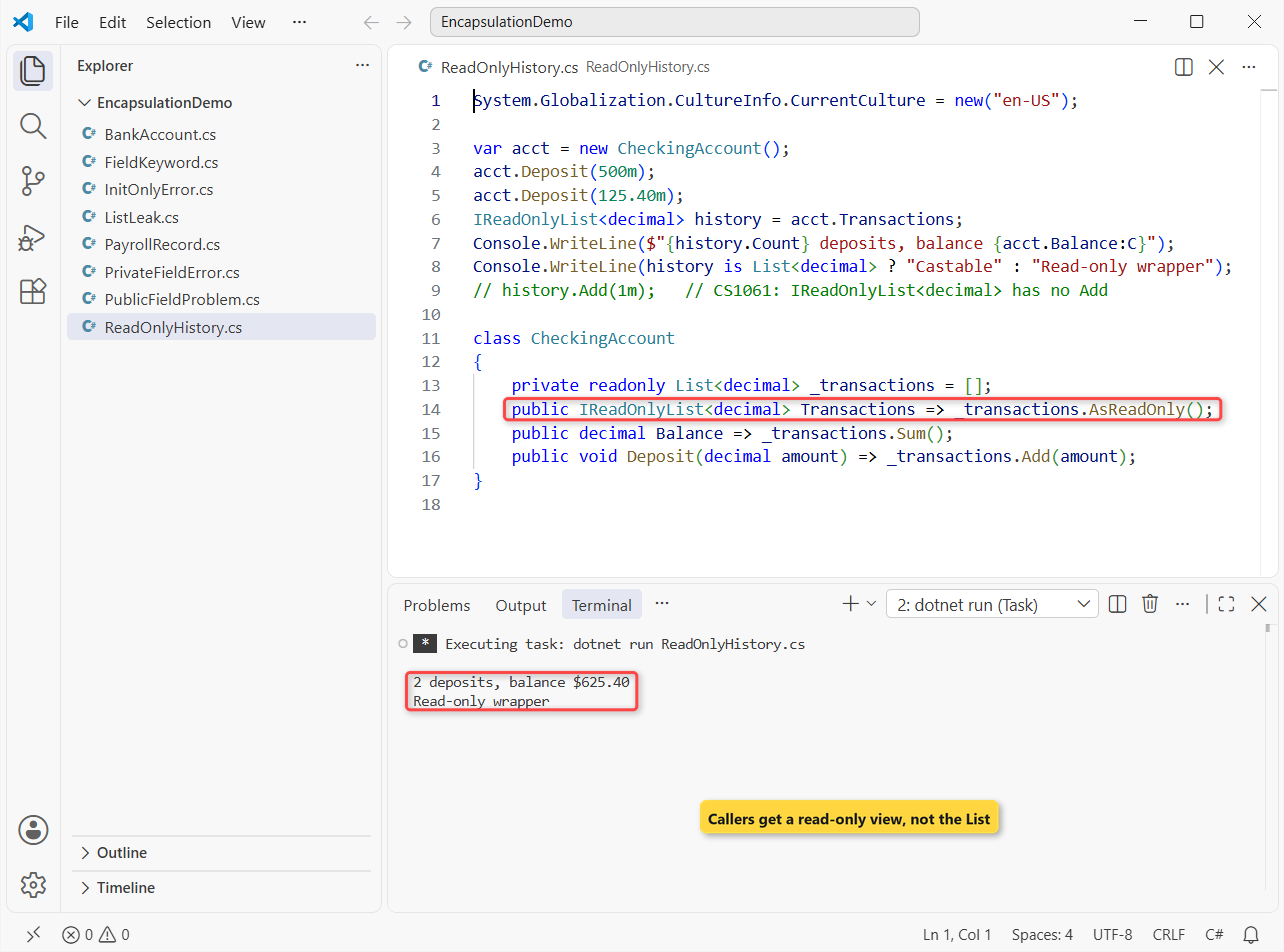
Two deposits, $625.40, and the last line confirms callers got a ReadOnlyCollection, not the list itself. Return _transactions directly typed as IReadOnlyList and a caller could cast it back to a C# List and edit it, which is why we call AsReadOnly().
C# Access Modifiers Cheat Sheet for Encapsulation
Pick the narrowest modifier that works. This is the table we keep open in code reviews, matching Microsoft Learn’s access rules:
| Modifier | Who can access the member | Typical use |
|---|---|---|
public | Any code, any assembly | The methods and properties callers need |
private | Only the same class or struct | Fields and helpers (the default for members) |
protected | The class and derived classes | Hooks a subclass must override or read |
internal | Any code in the same assembly | Types shared inside one project |
protected internal | Same assembly OR derived classes anywhere | Library extension points |
private protected | Derived classes in the same assembly only | Base-class internals you won’t publish |
Class members are private when you write no modifier, and top-level classes are internal. If a SavingsAccount must reach the balance through inheritance in C#, make a protected method rather than opening the field.
Encapsulation vs Abstraction in C#: What’s the Difference?
Abstraction picks which operations callers see; encapsulation hides the data and helpers behind those operations. Our abstraction in C# guide builds a checkout with abstract classes and interfaces, while this post stays inside one class.
| Encapsulation | Abstraction | |
|---|---|---|
| Question it answers | How do we protect the data? | What should callers see? |
| Main tools | private fields, properties, access modifiers | abstract classes, interfaces |
| Works at | One class | A family of types |
Common Mistakes to Avoid with Encapsulation in C#
Touching a private field from outside. Once the field is private, the compiler blocks direct writes:
var acct = new CheckingAccount();
acct._balance = 1_000_000m;

class CheckingAccount
{
    private decimal _balance = 250m;
    public decimal Balance => _balance;
}
Output:
C:\DotNetDemo\EncapsulationDemo\PrivateFieldError.cs(2,6): error CS0122: 'CheckingAccount._balance' is inaccessible due to its protection level

The build failed. Fix the build errors and run again.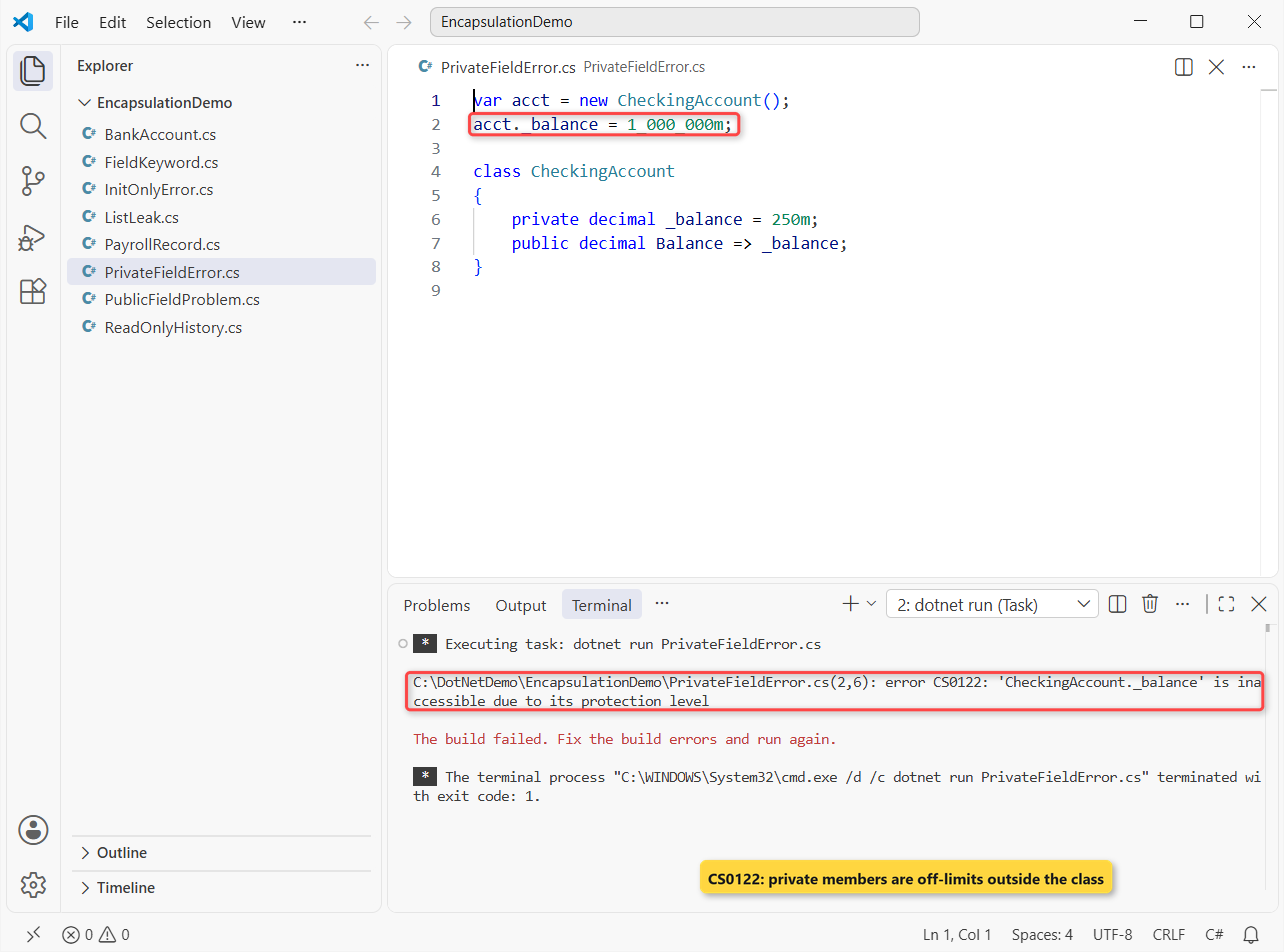
Fix CS0122 by calling the public method (Deposit) instead of making the field public again. That error is encapsulation doing its job.
- Public fields. Even with no rules today, use a property; turning a field into a property later breaks binary compatibility for other assemblies.
- Exposing a mutable
List<T>. A getter-only list is still editable, as Step 4 showed. - A
{ get; set; }for everything. If the value has rules, put them in the setter or useprivate set. - Getter and setter pairs for every field. Expose actions like
TryWithdraw, notSetBalance.
Does Encapsulation in C# Work with Structs and Records?
Yes. A struct in C# supports private fields, properties and init the same way; it just can’t use protected because structs don’t inherit. Records usually go further and make every property init-only, so the object can’t change at all after creation.
Next Steps
With one class locked down, the next move is hiding it behind a contract so callers depend on behavior, not on CheckingAccount itself. Our interface in C# tutorial shows that with the same kind of US examples.
A few more we’d suggest once this clicks:
- Sharing protected code through an abstract class
- Overriding members a base class exposes
- Naming classes and members the .NET way
- C# interview questions for freshers
Frequently Asked Questions
What is encapsulation in C# in simple words?
It’s keeping a class’s data private and letting other code change it only through methods or properties that check the change first.
How do you achieve encapsulation in C#?
Mark fields private, expose read access through properties (with private set, init or no setter), put validation in setters or methods, and return read-only views of collections.
What is the difference between encapsulation and data hiding?
Data hiding is one part of encapsulation: making the fields private. Encapsulation also bundles the data with the methods that work on it, so the class enforces its own rules.
What are the advantages of encapsulation in C#?
The object can’t end up in an invalid state, you can change how data is stored without breaking callers, and bugs are easier to trace because only a few members can change the data.
Is an auto-property with get; set; real encapsulation?
Partly. It hides the backing field and lets you add rules later without breaking callers, but until you add a check or a private set, any code can still write any value.
Where does Microsoft document C# access modifiers?
See Access Modifiers on Microsoft Learn, which has the full table of who can reach public, protected, internal and private members.

Bijay Kumar is a renowned software engineer, accomplished author, and distinguished Microsoft Most Valuable Professional (MVP) specializing in SharePoint. With a rich professional background spanning over 15 years, Bijay has established himself as an authority in the field of information technology. He possesses unparalleled expertise in multiple programming languages and technologies such as ASP.NET, ASP.NET MVC, C#.NET, and SharePoint, which has enabled him to develop innovative and cutting-edge solutions for clients across the globe. Read more…