
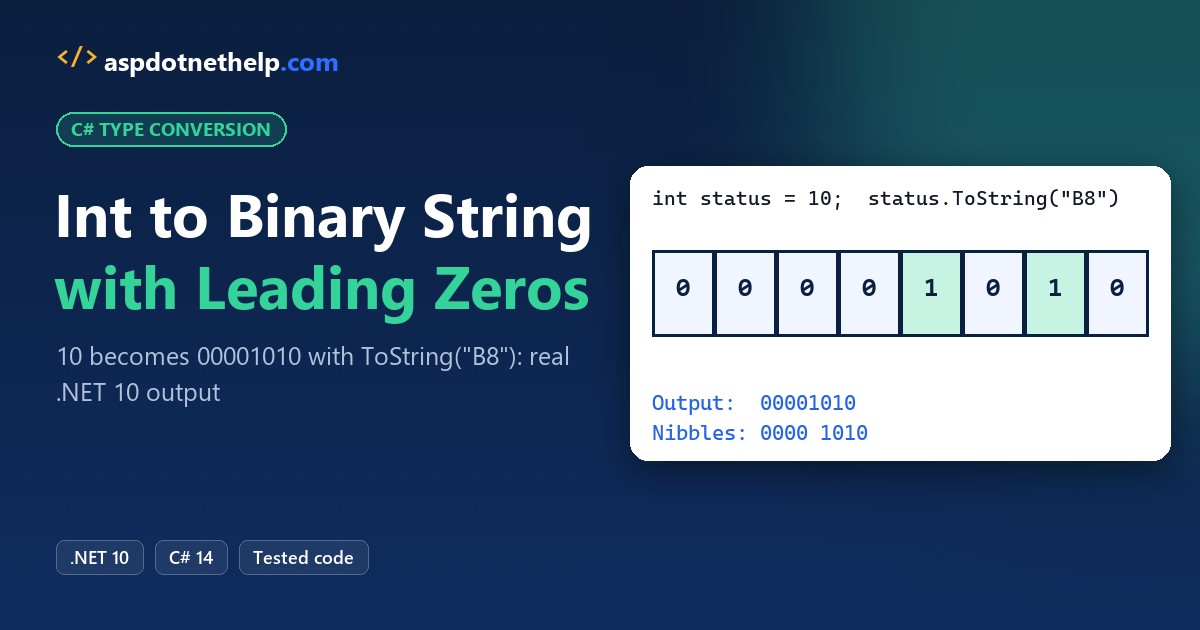
To convert int to binary string with leading zeros in C#, call ToString("B8") on .NET 8 or later, or Convert.ToString(n, 2).PadLeft(8, '0') on older frameworks:
int status = 10;

Console.WriteLine(status.ToString("B8"));                        // 00001010
Console.WriteLine(Convert.ToString(status, 2).PadLeft(8, '0'));  // 00001010
Quick answer: the number after B is the minimum digit count, so B8 turns 10 into 00001010. I ran both on .NET 10, plus negative numbers, nibble grouping and parsing the string back.
Convert.ToString(n, 2) with PadLeft: Works on Every .NET Version
My running sample is a door-sensor byte from a made-up Columbus, Ohio warehouse: value 10, one bit per dock door. Convert.ToString(value, 2) gives the shortest binary text, so you pad it:
// Door-sensor status byte, Columbus, OH warehouse
int status = 10;

string raw = Convert.ToString(status, 2);
Console.WriteLine($"Convert.ToString: {raw}");
Console.WriteLine($"PadLeft(8, '0'):  {raw.PadLeft(8, '0')}");
Console.WriteLine($"PadLeft(16, '0'): {raw.PadLeft(16, '0')}");

string big = Convert.ToString(300, 2).PadLeft(8, '0');
Console.WriteLine($"300 padded to 8:  {big} ({big.Length} digits)");
Output:
Convert.ToString: 1010
PadLeft(8, '0'):  00001010
PadLeft(16, '0'): 0000000000001010
300 padded to 8:  100101100 (9 digits)
You get 1010 first, then 00001010 after PadLeft(8, '0'). You’ll still need this on .NET Framework 4.8, where B doesn’t exist.
Note: PadLeft never cuts. 300 needs 9 bits, so padding it to 8 still prints 100101100. The same method handles any text, as the guide to add leading zeros to a string in C# shows.
The “B” Binary Format Specifier: B8, B16 and B32 (.NET 8+)
Since .NET 8, the integral types accept a binary format specifier, so one ToString call does the convert and the padding. Same status value:
int status = 10;

Console.WriteLine($"B    -> {status:B}");
Console.WriteLine($"B8   -> {status:B8}");
Console.WriteLine($"B16  -> {status:B16}");
Console.WriteLine($"B32  -> {status.ToString("B32")}");
Console.WriteLine($"b8   -> {status:b8}");

int bits = 12;
Console.WriteLine($"B{bits}  -> {status.ToString($"B{bits}")}");
Console.WriteLine($"300 as B8 -> {300:B8}");
Output:
B    -> 1010
B8   -> 00001010
B16  -> 0000000000001010
B32  -> 00000000000000000000000000001010
b8   -> 00001010
B12  -> 000000001010
300 as B8 -> 100101100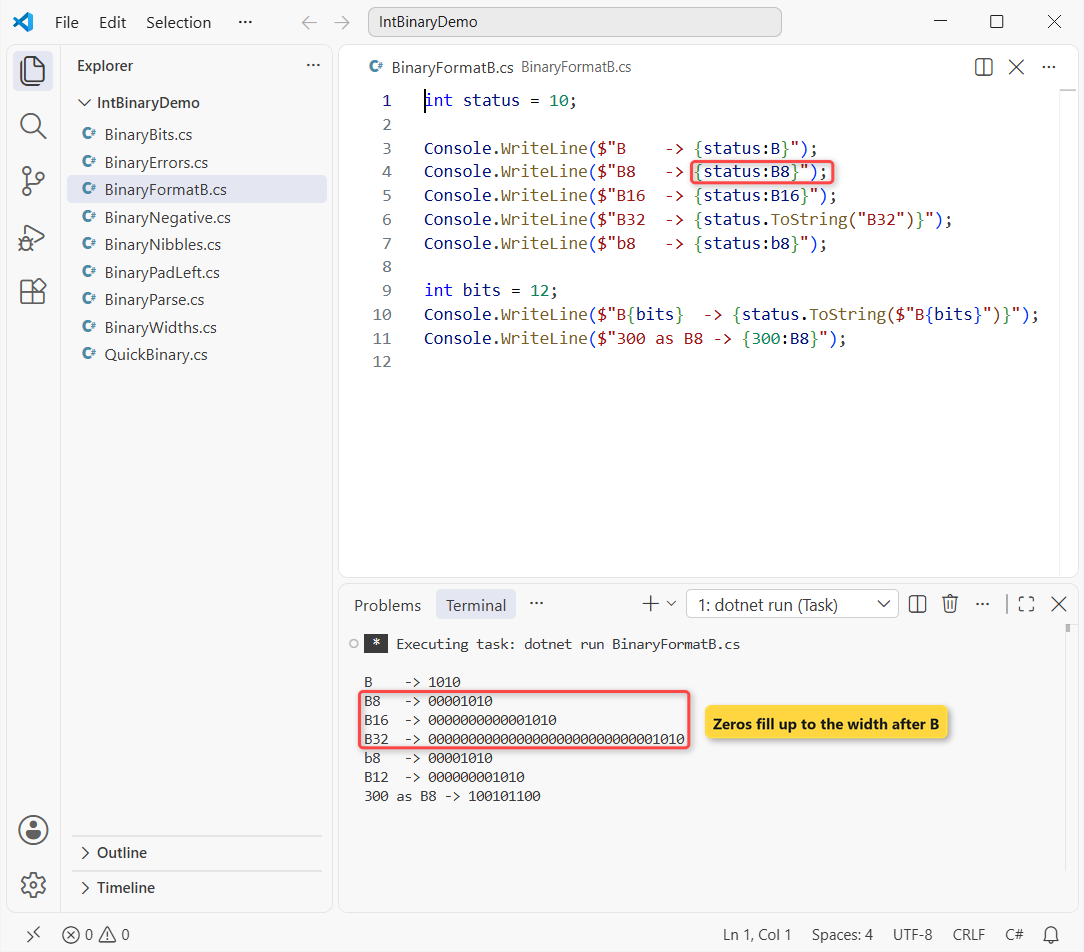
Plain B prints 1010, B8 prints 00001010 and B32 prints all 32 bits. Lowercase b8 gives the same digits.
It works inside interpolation as {status:B8}, and a variable width works too: $"B{bits}" with 12 printed 000000001010. It’s the binary twin of X8, which I cover in convert int to hex string with leading zeros.
Like the other ToString format strings in C#, the width is a minimum (300 as B8 is 9 digits), and your PC’s culture doesn’t change it.
What Happens When You Convert a Negative int to Binary?
Binary formatting shows the stored bits, not a minus sign. A negative int is two’s complement, so -10 fills the whole 32-bit width:
int minusTen = -10;

Console.WriteLine($"int B8:  {minusTen:B8}");
Console.WriteLine($"Length:  {minusTen.ToString("B8").Length}");
Console.WriteLine($"Convert: {Convert.ToString(minusTen, 2)}");
Console.WriteLine($"short B: {((short)minusTen):B}");
Console.WriteLine($"sbyte B: {((sbyte)minusTen):B}");

short s = -10;
Console.WriteLine($"short Convert: {Convert.ToString(s, 2)}");
Output:
int B8:  11111111111111111111111111110110
Length:  32
Convert: 11111111111111111111111111110110
short B: 1111111111110110
sbyte B: 11110110
short Convert: 1111111111110110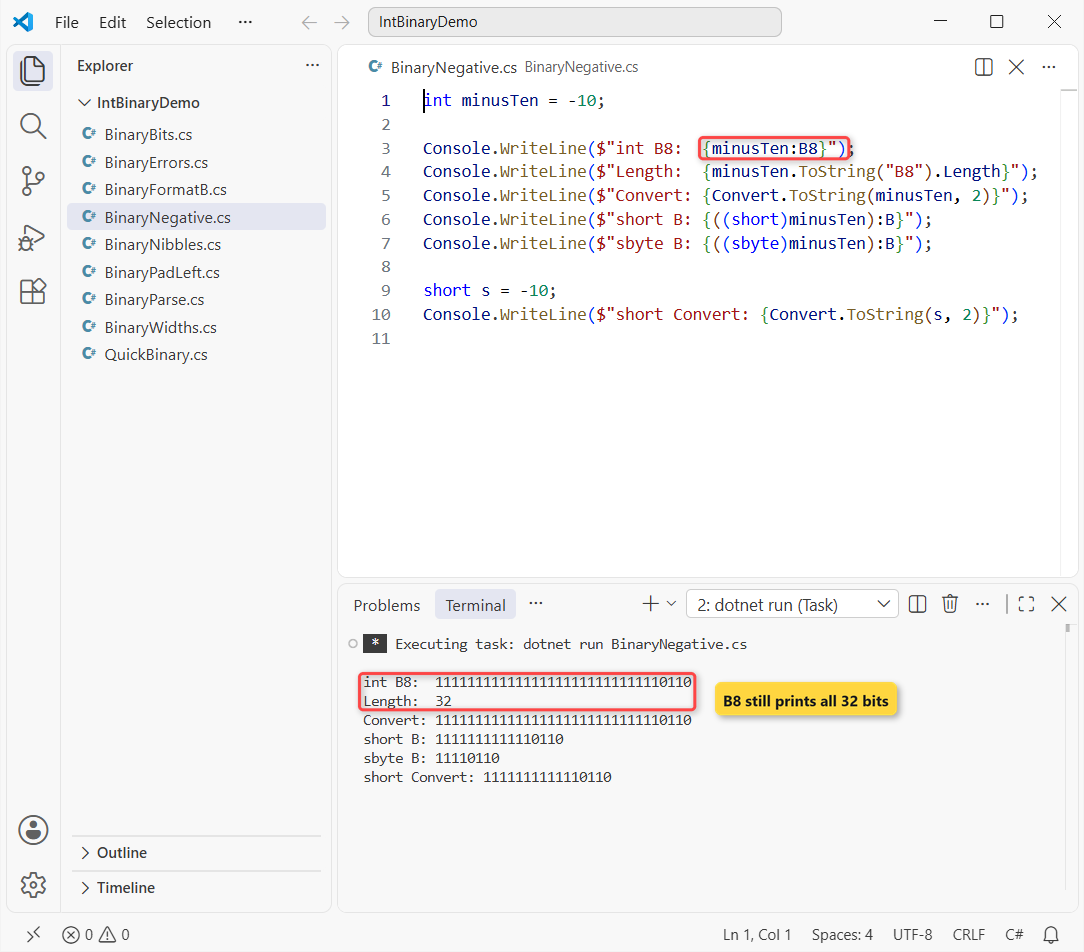
B8 still prints 32 digits for -10, and Convert.ToString matches it. Cast to short and you get 16 digits; cast to sbyte and you get 11110110.
So for negative values, the type decides the length, not the precision. That’s one spot where type casting in C# changes the text you print.
Binary Strings for byte, short, long and ulong
Match the width to the type: 8 for byte, 16 for short, 64 for long. sizeof returns bytes, so multiply by 8:
byte b = 10;
short s = 10;
ulong max = ulong.MaxValue;

Console.WriteLine($"byte  {sizeof(byte) * 8} bits: {b:B8}");
Console.WriteLine($"short {sizeof(short) * 8} bits: {s:B16}");
Console.WriteLine($"ulong max: {max.ToString("B").Length} ones");
Output:
byte  8 bits: 00001010
short 16 bits: 0000000000001010
ulong max: 64 ones
The byte prints 00001010 and the short prints 16 digits. ulong.MaxValue with B gives 64 ones, which matters because Convert.ToString has no ulong overload.
Convert.ToString with base 2 covers byte, short, int and long. Sizes are in my C# data types guide.
Group Binary Digits into Nibbles (0000 1010)
Long binary strings are hard for you to scan. I split them into 4-digit nibbles with Chunk(4) and join them with a space:
string Group(string s, int size, string sep) =>
    string.Join(sep, s.Chunk(size).Select(g => new string(g)));

int status = 10;
Console.WriteLine(Group(status.ToString("B8"), 4, " "));

int badge = 46_250;
string b16 = badge.ToString("B16");
Console.WriteLine(Group(b16, 4, " "));
Console.WriteLine(Group(b16, 8, "_"));
Output:
0000 1010
1011 0100 1010 1010
10110100_10101010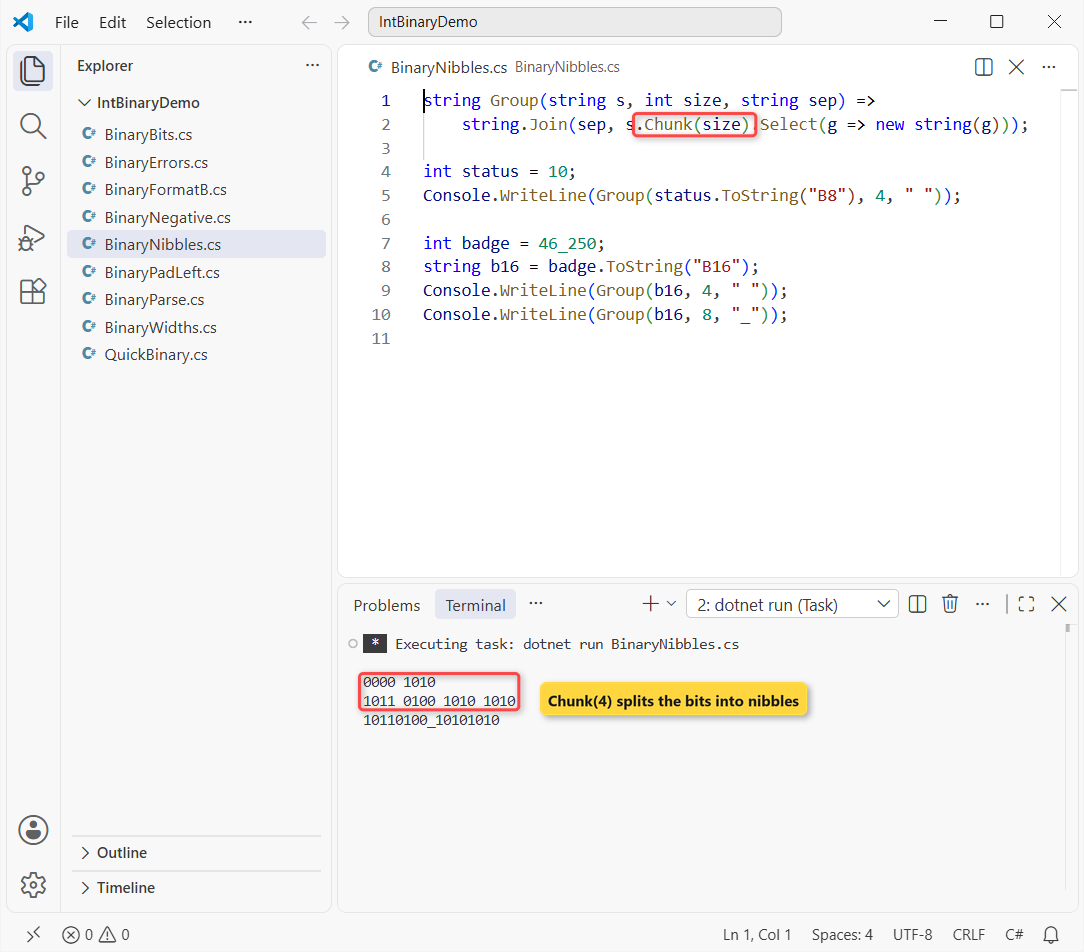
The status byte prints 0000 1010, and the badge number 46,250 prints 1011 0100 1010 1010. Chunk(8) with an underscore gives byte groups instead.
Each group comes back as a char[], which is why new string(g) is there. More on that in convert a char array to a string in C#.
How Do You Convert a Binary String Back to int?
Going back, the leading zeros don’t matter. Convert.ToInt32(s, 2) works everywhere, and .NET 8 added NumberStyles.BinaryNumber for Parse and TryParse:
using System.Globalization;

var bin = NumberStyles.BinaryNumber;
var inv = CultureInfo.InvariantCulture;

Console.WriteLine(Convert.ToInt32("00001010", 2));
Console.WriteLine(int.Parse("00001010", bin, inv));
Console.WriteLine(int.TryParse("0b1010", bin, inv, out _));
Console.WriteLine(Convert.ToInt32(new string('1', 28) + "0110", 2));
Console.WriteLine(int.Parse("11110110", bin, inv));
Console.WriteLine(sbyte.Parse("11110110", bin, inv));
Output:
10
10
False
-10
246
-10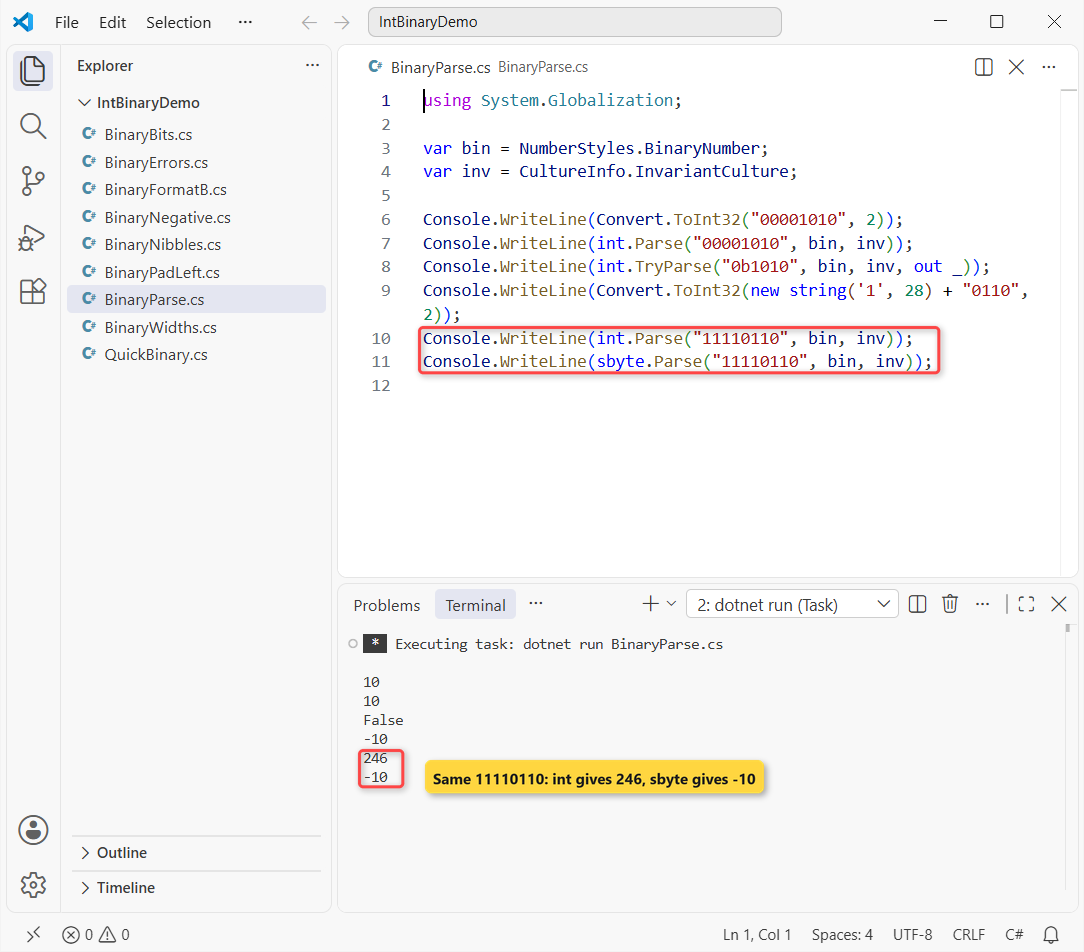
Both return 10. TryParse returns False for 0b1010, because Microsoft Learn says BinaryNumber doesn’t allow a prefix.
The fourth line (28 ones plus 0110) gives -10. Now watch the last two: 11110110 is 246 as an int but -10 as an sbyte. Parse with the type you formatted from, the same lesson as convert string to int with leading zeros.
Binary Literals (0b), Digit Separators and BitOperations.PopCount
When you write bits in code, use a 0b literal with _ separators so it reads like your printed string. Here’s the door byte with BitOperations:
using System.Numerics;

int doors = 0b_0000_1010;        // doors 2 and 4 open
Console.WriteLine(doors);
Console.WriteLine($"Open doors: {BitOperations.PopCount((uint)doors)}");
Console.WriteLine($"Leading zeros: {BitOperations.LeadingZeroCount((uint)doors)}");
Console.WriteLine($"Door 2 open? {(doors & 0b_0010) != 0}");

doors |= 0b_0001;                // door 1 opens
Console.WriteLine($"Now: {doors:B8}");
Output:
10
Open doors: 2
Leading zeros: 28
Door 2 open? True
Now: 00001011
0b_0000_1010 is just 10. PopCount says 2 doors are open, LeadingZeroCount gives 28 for a 32-bit value, and |= opens door 1 for 00001011.
Pro Tip: if those bits have names, a [Flags] enum in C# is easier to read than raw masks. Keep the binary string for logs and debugging.
Common Binary Conversion Errors and How to Fix Them
You’ll hit these three exceptions sooner or later. I triggered each one on .NET 10:
try { Console.WriteLine(12.5.ToString("B8")); }
catch (FormatException ex) { Console.WriteLine($"double + B8: {ex.GetType().Name}"); }

try { Console.WriteLine(Convert.ToString(10, 3)); }
catch (ArgumentException ex) { Console.WriteLine($"base 3: {ex.GetType().Name}"); }

try { Console.WriteLine(Convert.ToInt32("1012", 2)); }
catch (FormatException ex) { Console.WriteLine($"digit 2: {ex.GetType().Name}"); }

Console.WriteLine(((int)12.5).ToString("B8"));
Output:
double + B8: FormatException
base 3: ArgumentException
digit 2: FormatException
00001100- FormatException with B on a double: B supports integral types only. Cast first;
(int)12.5prints 00001100. - ArgumentException from Convert.ToString: the base must be 2, 8, 10 or 16.
- FormatException when parsing: a digit other than 0 or 1, or a 0b prefix. Use
TryParse, or wrap the call in try-catch in C#.
Which Binary Conversion Method Should You Use?
| Situation | Use | 10 prints as |
|---|---|---|
| .NET 8, 9 or 10 | ToString("B8") | 00001010 |
| .NET Framework or older .NET | Convert.ToString(n, 2).PadLeft(8, '0') | 00001010 |
| Readable logs | Chunk(4) + string.Join | 0000 1010 |
| Binary text back to a number | Convert.ToInt32(s, 2) | 10 |
On anything current I’d pick the B specifier. It’s one call, it’s culture-safe and it covers ulong.
If you work with number formatting a lot, these are good next reads:
- Format a number with commas and decimals in C#
- Convert a string to a byte array in C#
- Convert a string to int without int.Parse
- Upgrade a project from .NET 8 to .NET 10
Frequently Asked Questions
How do I convert an int to an 8-bit binary string in C#?
Use value.ToString("B8") on .NET 8 or later, or Convert.ToString(value, 2).PadLeft(8, '0') on older versions. Both turn 10 into 00001010.
Which .NET version supports the B format specifier?
The binary format specifier works on .NET 8 and later, for integral types only. Standard numeric format strings on Microsoft Learn documents it next to D and X.
Why does a negative number print 32 digits?
Binary formatting shows the two’s complement bits of the type. An int has 32 bits, so -10 prints 32 digits even with B8. Cast to short or sbyte for 16 or 8 digits.
How do I convert a binary string back to an int in C#?
Call Convert.ToInt32(text, 2), or on .NET 8 and later int.Parse(text, NumberStyles.BinaryNumber). Leading zeros are ignored, and a 0b prefix isn’t allowed with BinaryNumber.
How do I add spaces between every 4 binary digits?
Split the string with Chunk(4) and join the groups: string.Join(" ", bits.Chunk(4).Select(g => new string(g))). 00001010 becomes 0000 1010.

Bijay Kumar is a renowned software engineer, accomplished author, and distinguished Microsoft Most Valuable Professional (MVP) specializing in SharePoint. With a rich professional background spanning over 15 years, Bijay has established himself as an authority in the field of information technology. He possesses unparalleled expertise in multiple programming languages and technologies such as ASP.NET, ASP.NET MVC, C#.NET, and SharePoint, which has enabled him to develop innovative and cutting-edge solutions for clients across the globe. Read more…