
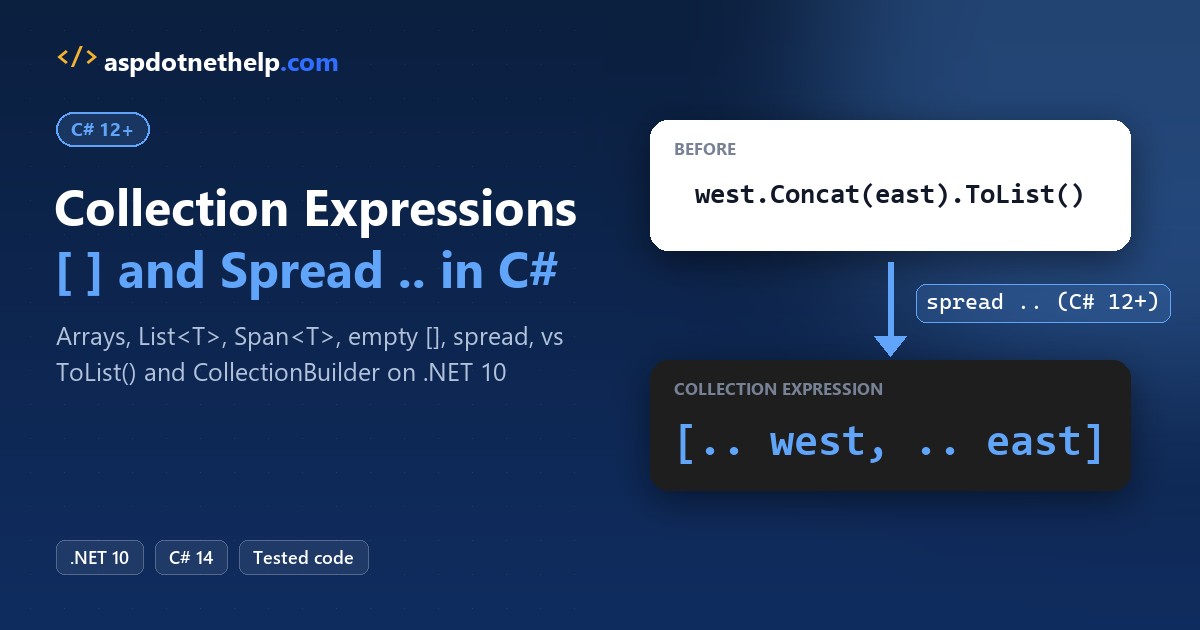
C# collection expressions give you one syntax for building an array, a List<T>, a Span<T> or an interface-typed collection: put the items between square brackets, like ["Austin", "Dallas"]. Put .. in front of another collection to spread its items in.
They arrived in C# 12, so you need .NET 8 or later. I ran every example below on .NET 10 with C# 14, including the two compiler errors people hit first and the analyzer rules that rewrite old code for you.
The Sample Route Lists We’ll Use
Every example uses the stops of two delivery routes for a made-up regional carrier. Each demo is a .NET 10 file-based app, so a single dotnet run Targets.cs runs it without a project file:
string[] west = ["Seattle", "Portland", "Denver"];
List<string> east = ["Boston", "Newark", "Atlanta"];westis a fixed-size array, andeastis a list that can grow. The same brackets build both.- Four of the seven stops have more than six letters, which the spread example filters on later.
Collection Expression Syntax for Arrays, List<T>, Span<T> and ImmutableArray
The declared type on the left decides what the brackets build. That’s called the target type, and it’s why the right side never names a type.
Same route lists here, plus a set of state codes, two hub cities and three leg distances in miles:
#:property PublishAot=false
using System.Collections.Immutable;

string[] west = ["Seattle", "Portland", "Denver"];
List<string> east = ["Boston", "Newark", "Atlanta"];
HashSet<string> states = ["WA", "OR", "CO", "WA"];
ImmutableArray<string> hubs = ["Dallas", "Chicago"];
Span<int> miles = [174, 1260, 215];

Console.WriteLine($"{west.GetType().Name,-20} {west.Length} items");
Console.WriteLine($"{east.GetType().Name,-20} {east.Count} items");
Console.WriteLine($"{states.GetType().Name,-20} {states.Count} items");
Console.WriteLine($"{hubs.GetType().Name,-20} {hubs.Length} items");
Console.WriteLine($"Span<int>            {miles.Length} items, sum {miles[0] + miles[1] + miles[2]}");
Output:
String[]             3 items
List`1               3 items
HashSet`1            3 items
ImmutableArray`1     2 items
Span<int>            3 items, sum 1649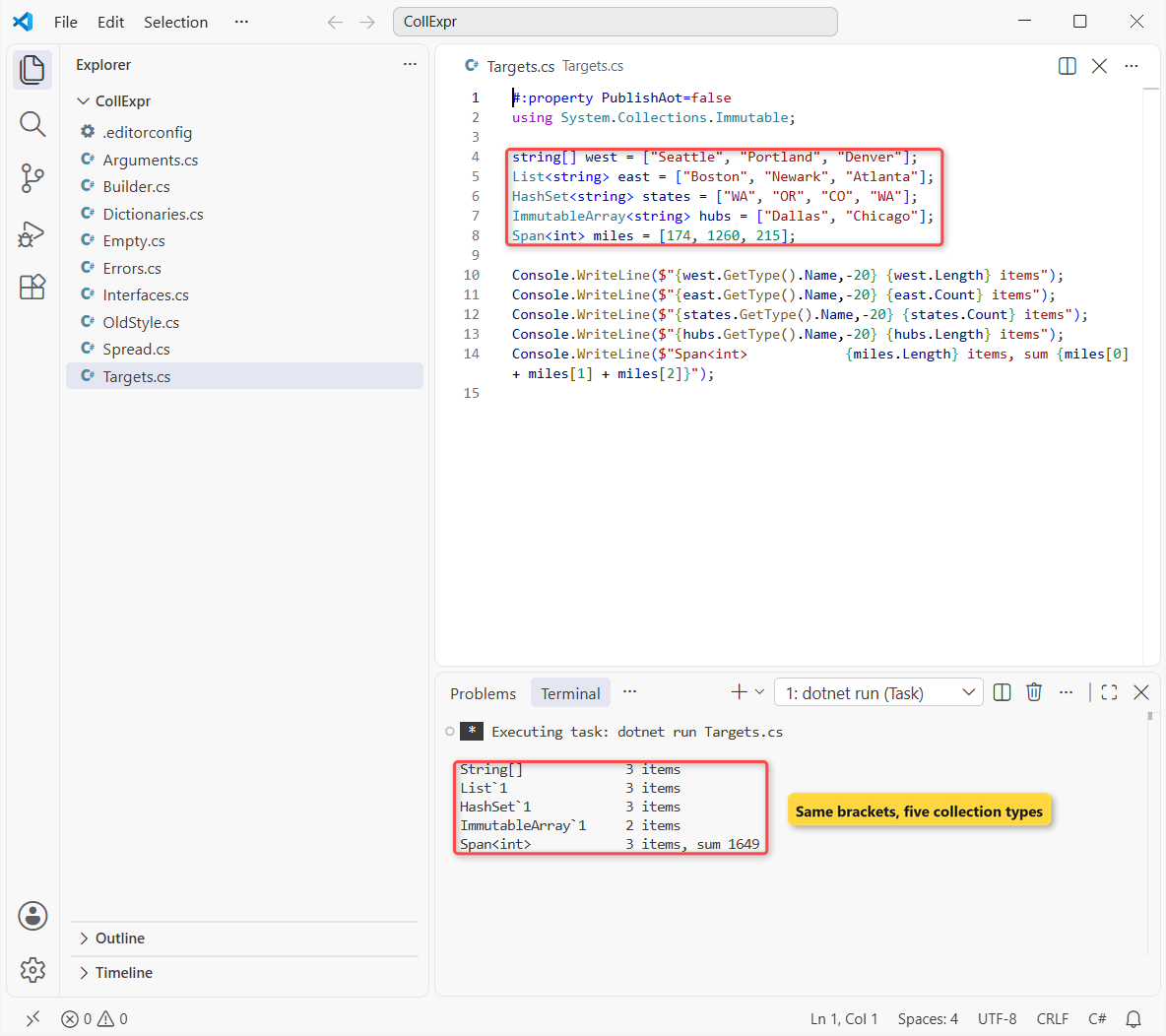
The run prints String[], List`1, HashSet`1 and ImmutableArray`1, and the span’s three legs add up to 1,649 miles.
How does this code work?
For an array, the compiler allocates a string[] of exactly three slots, the same thing new string[] { ... } did. The C# array guide covers what you can do with it after that.
For List<string> and HashSet<string>, it creates the collection and adds each item. That’s why the set reports 3 items, not 4: the second “WA” is a duplicate.
What Type Do You Get for IEnumerable<T> and IReadOnlyList<T>?
Interfaces can’t be created, so the compiler picks a concrete type for you. Which one depends on whether the interface lets callers change the collection.
Same west route, assigned to four interface types. I print the runtime type of each:
#:property PublishAot=false

IEnumerable<string> a = ["Seattle", "Portland", "Denver"];
IReadOnlyList<string> b = ["Seattle", "Portland", "Denver"];
IList<string> c = ["Seattle", "Portland", "Denver"];
ICollection<string> d = ["Seattle", "Portland", "Denver"];

Console.WriteLine($"IEnumerable<T>   -> {a.GetType()}");
Console.WriteLine($"IReadOnlyList<T> -> {b.GetType()}");
Console.WriteLine($"IList<T>         -> {c.GetType()}");
Console.WriteLine($"ICollection<T>   -> {d.GetType()}");

c.Add("Boise");
Console.WriteLine($"IList after Add: {c.Count} items");
try { ((ICollection<string>)b).Add("Boise"); }
catch (NotSupportedException ex) { Console.WriteLine($"IReadOnlyList: {ex.GetType().Name}"); }
Output:
IEnumerable<T>   -> <>z__ReadOnlyArray`1[System.String]
IReadOnlyList<T> -> <>z__ReadOnlyArray`1[System.String]
IList<T>         -> System.Collections.Generic.List`1[System.String]
ICollection<T>   -> System.Collections.Generic.List`1[System.String]
IList after Add: 4 items
IReadOnlyList: NotSupportedException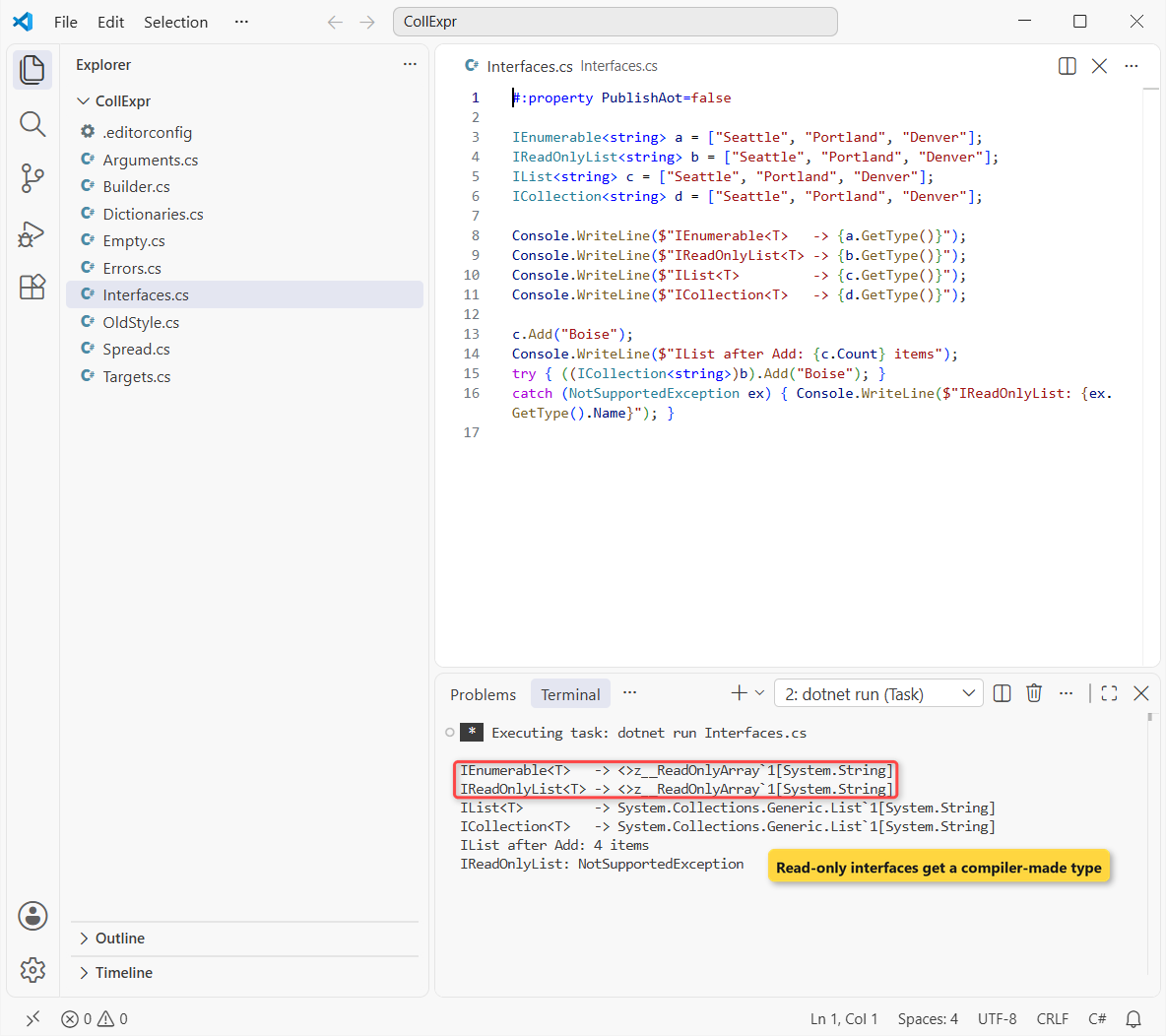
IEnumerable<T> and IReadOnlyList<T> printed <>z__ReadOnlyArray`1, while IList<T> and ICollection<T> printed List`1.
How does this code work?
For the read-only interfaces, the compiler synthesizes a small internal type that you can’t modify. Casting it to ICollection<string> and calling Add threw NotSupportedException in the run.
For IList<T> and ICollection<T>, you get a real List<T>, so Add("Boise") worked and the count went to 4.
Important: never cast an IEnumerable<T> that came from a collection expression to List<T> or T[]. The run shows it’s neither, so the cast fails at run time.
Empty Collections with [ ]
Two empty brackets replace new List<T>(), new T[0] and Array.Empty<T>(). The target type still decides what you get:
#:property PublishAot=false

int[] noOrders = [];
List<string> noCities = [];
IEnumerable<decimal> noTotals = [];

Console.WriteLine($"int[] length: {noOrders.Length}");
Console.WriteLine($"Same as Array.Empty: {ReferenceEquals(noOrders, Array.Empty<int>())}");
Console.WriteLine($"List count: {noCities.Count}");
Console.WriteLine($"IEnumerable type: {noTotals.GetType().Name}");
noCities.Add("Phoenix");
Console.WriteLine($"List after Add: {string.Join(", ", noCities)}");
Output:
int[] length: 0
Same as Array.Empty: True
List count: 0
IEnumerable type: Decimal[]
List after Add: Phoenix
The empty int[] is the very same object as Array.Empty<int>() (True), and the empty IEnumerable<decimal> is a Decimal[].
How does this code work?
An empty array can never change, so the compiler reuses the shared cached instance instead of allocating a new one each time. Microsoft’s docs list Array.Empty<T>() as one way [] can be realized.
A List<string> is different: you’ll add to it, so [] creates a new list, and Phoenix went in fine.
Spread Operator (..): Combine Collections in C#
The spread element .. copies every item of another collection into the new one. You can mix spreads and single items in any order, and spread anything that foreach can loop over.
Same route lists again, merged with Chicago in the middle, then filtered:
#:property PublishAot=false

string[] west = ["Seattle", "Portland", "Denver"];
List<string> east = ["Boston", "Newark", "Atlanta"];

string[] allStops = [.. west, "Chicago", .. east];
Console.WriteLine($"All stops ({allStops.Length}): {string.Join(", ", allStops)}");

List<string> longNames = [.. allStops.Where(c => c.Length > 6)];
Console.WriteLine($"Long names: {string.Join(", ", longNames)}");

List<string> withConcat = west.Concat(east).ToList();
List<string> withSpread = [.. west, .. east];
Console.WriteLine($"Same result: {withConcat.SequenceEqual(withSpread)}");
Output:
All stops (7): Seattle, Portland, Denver, Chicago, Boston, Newark, Atlanta
Long names: Seattle, Portland, Chicago, Atlanta
Same result: True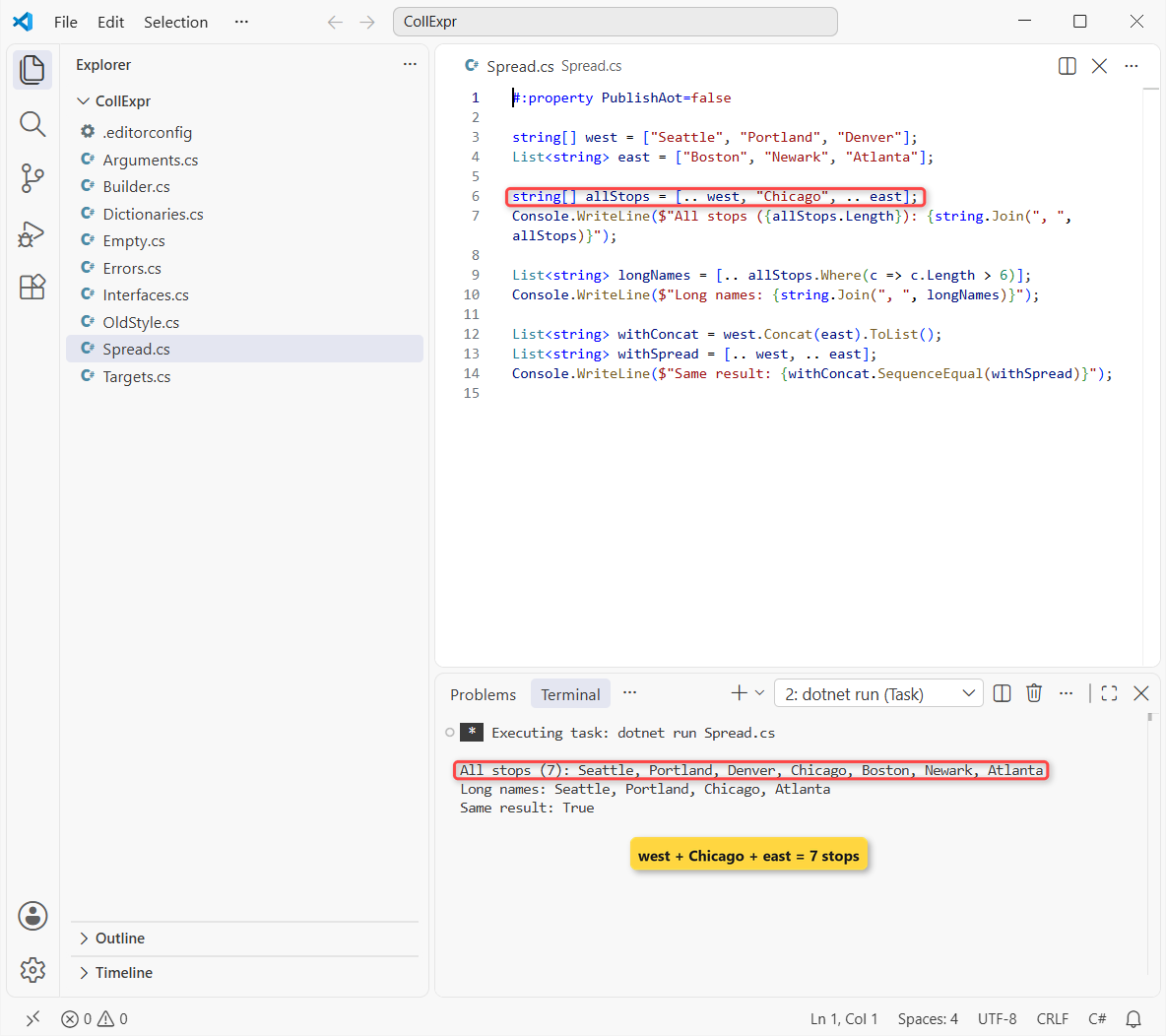
That builds 7 stops in order, keeps 4 names longer than six letters, and matches Concat().ToList() item for item (True).
How does this code work?
[.. west, "Chicago", .. east] reads left to right: three west stops, one single item, then three east stops. The target is string[], so the result is an array of 7.
[.. allStops.Where(...)] spreads a LINQ query straight into a list, which is the collection-expression version of .ToList().
Pro Tip: spread an existing list into a new one (List<string> copy = [.. east];) when you need a copy you can change without touching the original.
Collection Expression vs ToList(), ToArray() and new List<T> { }
Nothing about the old syntax is wrong, and it still compiles. Here’s how each common pattern maps to a collection expression, with the analyzer rule that suggests the change:
| Old code | Collection expression | Analyzer rule |
|---|---|---|
new int[] { 174, 1260, 215 } | int[] miles = [174, 1260, 215]; | IDE0300 |
Array.Empty<int>() | int[] none = []; | IDE0301 |
stackalloc int[] { 1, 2 } | Span<int> s = [1, 2]; | IDE0302 |
ImmutableArray.Create(1, 2) | ImmutableArray<int> x = [1, 2]; | IDE0303 |
new List<string> { "Seattle" } | List<string> c = ["Seattle"]; | IDE0028 |
query.ToList() / ToArray() | List<string> c = [.. query]; | IDE0305 |
a.Concat(b).ToArray() | string[] all = [.. a, .. b]; | IDE0305 |
I use brackets when the type is already on the left, or when I merge several sources. Either way, you get the same List<T>. ToList() still wins with var and at the end of a long LINQ chain, where [.. ] needs a typed variable.
On speed, the C# docs say the compiler picks the most performant way to build the target, such as sizing it once when it knows the count.
Passing Collection Expressions as Method Arguments
A collection expression works anywhere a typed value is expected, including a method argument. The parameter type becomes the target type.
Same carrier, now a Texas route passed straight into three methods:
#:property PublishAot=false

Trip.Print(["Austin", "Dallas", "Houston"]);
Console.WriteLine($"Total miles: {Trip.Miles([195, 239])}");
Trip.Describe([10, 20, 30]);

static class Trip
{
    public static void Print(IEnumerable<string> stops) =>
        Console.WriteLine($"Route: {string.Join(" -> ", stops)}");

    public static int Miles(params ReadOnlySpan<int> legs)
    {
        int total = 0;
        foreach (int leg in legs) total += leg;
        return total;
    }

    public static void Describe(int[] v) => Console.WriteLine("int[] overload");
    public static void Describe(ReadOnlySpan<int> v) => Console.WriteLine("ReadOnlySpan<int> overload");
}
Output:
Route: Austin -> Dallas -> Houston
Total miles: 434
ReadOnlySpan<int> overload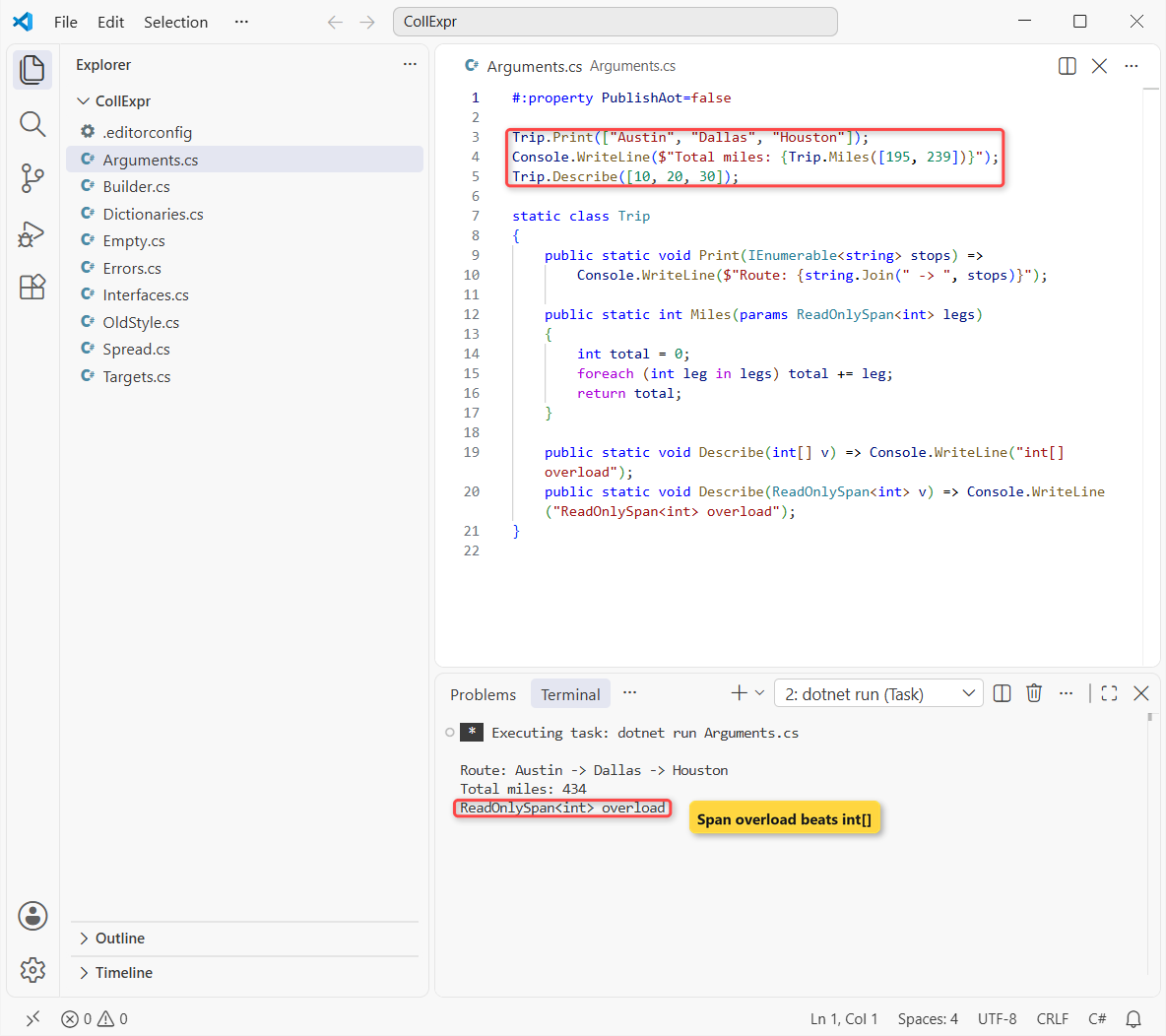
The route prints Austin, Dallas and Houston, the two legs add up to 434 miles, and Describe picks the ReadOnlySpan<int> overload.
How does this code work?
Print takes an interface type, IEnumerable<string>, so it gets the read-only type from the earlier section. Miles uses a params ReadOnlySpan<int> parameter (C# 13), which accepts the brackets or plain comma-separated values.
With two overloads, the language rules prefer a conversion to Span<T> or ReadOnlySpan<T> over an array, so the span version runs. Cast the brackets, like (int[])[10, 20], when you need the other one.
Common Compiler Errors: CS9176 and CS9215
I hit two errors in my first week with collection expressions, and I still see them in code reviews. Here are both in one file:
#:property PublishAot=false

var stops = ["Seattle", "Portland"];
Dictionary<string, string> capitals = [new("WA", "Olympia")];
Output (build errors):
C:\DotNetDemo\CollExpr\Errors.cs(3,13): error CS9176: There is no target type for the collection expression.
C:\DotNetDemo\CollExpr\Errors.cs(4,39): error CS9215: Collection expression type 'Dictionary<string, string>' must have an instance or extension method 'Add' that can be called with a single argument.

The build failed. Fix the build errors and run again.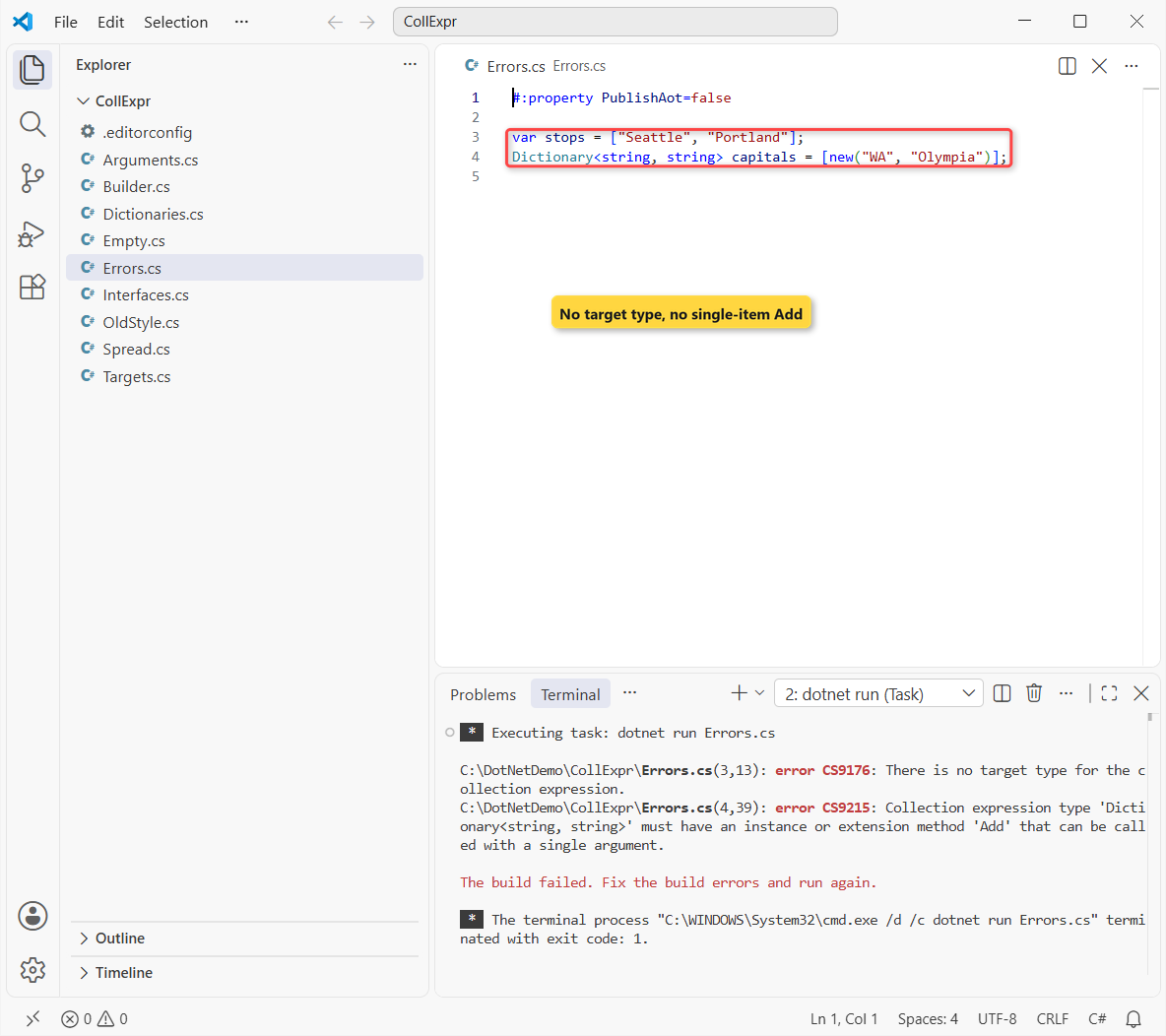
How does this code work?
var gives the brackets nothing to aim at, so the compiler can’t tell whether you want an array, a list or a span. Name the type (string[] stops = [...]) and CS9176 goes away.
CS9215 means the target type needs a public Add that takes one item. Dictionary<TKey, TValue> only has Add(key, value) publicly, so it isn’t a valid target, which leads to the next question.
Are Dictionary Expressions Available in C# 14?
No. C# 14 on .NET 10 has no dictionary expression syntax, and the C# 15 feature list for the .NET 11 preview SDK doesn’t include one either. Any ["WA": "Olympia"] code you see online is a proposal, not shipped C#.
What does work today: spread a dictionary into a list of pairs, add more pairs, and pass that list to the Dictionary constructor:
#:property PublishAot=false

Dictionary<string, string> capitals = new()
{
    ["WA"] = "Olympia",
    ["OR"] = "Salem",
};
List<KeyValuePair<string, string>> pairs = [.. capitals, new("CO", "Denver")];
Dictionary<string, string> all = new(pairs);
Console.WriteLine($"{all.Count} capitals: {string.Join(", ", all.Values)}");
Output:
3 capitals: Olympia, Salem, DenverThat prints 3 capitals: Olympia, Salem and Denver. The index-initializer syntax (["WA"] = "Olympia") is still the cleanest way to write a dictionary literal.
C# 15 does add collection expression arguments, like [with(StringComparer.OrdinalIgnoreCase), ...]. It needs the .NET 11 SDK, which is still prerelease, so it isn’t in C# 14.
Support Collection Expressions in Your Own Type with CollectionBuilder
Your own collection types can accept brackets too. Add the [CollectionBuilder] attribute and point it at a static Create method whose last parameter is a ReadOnlySpan<T>:
#:property PublishAot=false
using System.Collections;
using System.Runtime.CompilerServices;

Route route = ["Austin", "Dallas", "Houston"];
Console.WriteLine($"{route.Count} stops: {string.Join(" -> ", route)}");

[CollectionBuilder(typeof(RouteBuilder), nameof(RouteBuilder.Create))]
public class Route(string[] stops) : IEnumerable<string>
{
    public int Count => stops.Length;
    public IEnumerator<string> GetEnumerator() =>
        ((IEnumerable<string>)stops).GetEnumerator();
    IEnumerator IEnumerable.GetEnumerator() => GetEnumerator();
}

public static class RouteBuilder
{
    public static Route Create(ReadOnlySpan<string> stops) => new(stops.ToArray());
}
Output:
3 stops: Austin -> Dallas -> HoustonThe run prints 3 stops: Austin -> Dallas -> Houston, so Route route = [...] now reads like any built-in collection.
How does this code work?
The compiler sees Route as a target, finds the attribute, and calls RouteBuilder.Create with the three stops as a span. Route itself is a short class with a primary constructor that stores the array.
ImmutableArray<T> uses this same attribute, which is why it worked in the first example.
IDE0300 to IDE0306: Let the Analyzer Convert Old Code
The .NET 10 SDK ships style rules that offer to convert old initializers into collection expressions: IDE0300 (array), IDE0301 (empty), IDE0302 (stackalloc), IDE0303 (Create()), IDE0304 (builder), IDE0305 (fluent calls like ToList()) and IDE0306 (new), plus IDE0028 for collection initializers.
They’re suggestions by default, so you only see dots in the editor. I raised four of them to warnings in an .editorconfig next to my demo files:
root = true

[*.cs]
dotnet_diagnostic.IDE0028.severity = warning
dotnet_diagnostic.IDE0300.severity = warning
dotnet_diagnostic.IDE0301.severity = warning
dotnet_diagnostic.IDE0305.severity = warning
Then EnforceCodeStyleInBuild makes dotnet run report them. Same miles and city values as before, written the old way:
#:property PublishAot=false
#:property EnforceCodeStyleInBuild=true

int[] miles = new int[] { 174, 1260, 215 };
int[] none = Array.Empty<int>();
List<string> cities = new List<string> { "Seattle", "Denver" };
List<string> longNames = cities.Where(c => c.Length > 6).ToList();
Console.WriteLine($"{miles.Length} legs, {none.Length} empty, {longNames.Count} long name");
Output:
C:\DotNetDemo\CollExpr\OldStyle.cs(4,15): warning IDE0300: Collection initialization can be simplified (https://learn.microsoft.com/dotnet/fundamentals/code-analysis/style-rules/ide0300)
C:\DotNetDemo\CollExpr\OldStyle.cs(4,15): warning IDE0300: Collection initialization can be simplified (https://learn.microsoft.com/dotnet/fundamentals/code-analysis/style-rules/ide0300)
C:\DotNetDemo\CollExpr\OldStyle.cs(5,20): warning IDE0301: Collection initialization can be simplified (https://learn.microsoft.com/dotnet/fundamentals/code-analysis/style-rules/ide0301)
C:\DotNetDemo\CollExpr\OldStyle.cs(7,58): warning IDE0305: Collection initialization can be simplified (https://learn.microsoft.com/dotnet/fundamentals/code-analysis/style-rules/ide0305)
C:\DotNetDemo\CollExpr\OldStyle.cs(6,23): warning IDE0028: Collection initialization can be simplified (https://learn.microsoft.com/dotnet/fundamentals/code-analysis/style-rules/ide0028)
3 legs, 0 empty, 1 long name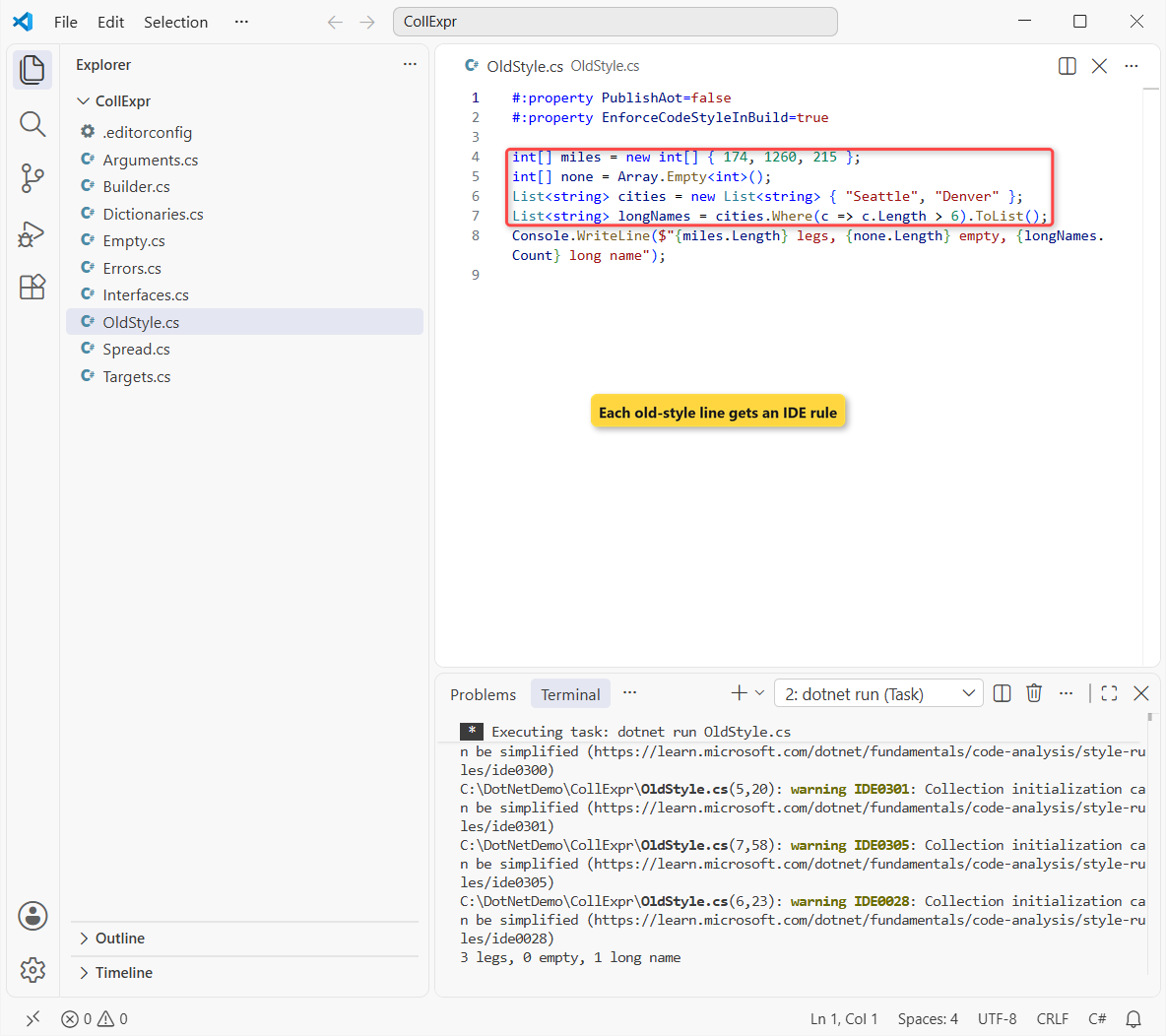
Each old line got its rule: IDE0300 for new int[], IDE0301 for Array.Empty, IDE0028 for new List and IDE0305 for ToList(). The program still ran and printed its line.
Note: the option dotnet_style_prefer_collection_expression defaults to when_types_loosely_match. The docs warn that this fix can change an IEnumerable<T> from an array to the compiler-generated type, so check any casts first.
Which Collection Expression Syntax Should You Use?
| You want to | Write | Why |
|---|---|---|
| Create an array or a list | int[] a = [1, 2, 3]; | Shortest form, same result as new |
| Start empty | List<string> l = []; | Empty arrays reuse Array.Empty |
| Merge collections | [.. west, .. east] | One allocation, any mix of sources |
| Copy a LINQ result | [.. query] or query.ToList() | Pick by whether the type is on the left |
| Return a read-only sequence | IReadOnlyList<T> x = [...] | Callers can’t add items |
| Build a dictionary | new() { ["WA"] = "Olympia" } | No dictionary expressions in C# 14 |
My default: brackets for every new array and list, spread for merging, and ToList() only at the end of a chain with var. Brackets also pair well with list patterns like [var first, ..] when you read the collection back.
Things to Keep in Mind
- No
var: a collection expression needs a target type, or you get CS9176. - Interfaces hide the type:
IEnumerable<T>andIReadOnlyList<T>get a read-only compiler type, so don’t cast them to a list. - It runs right away: a spread copies items when the line runs, unlike a lazy LINQ query, so an infinite sequence never finishes.
- Dictionaries: spread them into pairs, or keep the
["key"] = valueinitializer.
If you work with collections every day, these pair well with brackets and spreads (all in the C# tutorials hub):
- How to sort an array in C#
- Dynamic arrays in C# with examples
- Convert a list to a comma-separated string
- Check if a string array contains an element
Frequently Asked Questions
Which C# version added collection expressions?
C# 12, which ships with .NET 8. They work the same way in C# 13 (.NET 9) and C# 14 (.NET 10). The collection expressions reference on Microsoft Learn lists every supported target type.
Does C# have a spread operator?
Yes, inside collection expressions. [.. a, .. b] copies every item of a and b into the new collection. It isn’t a general operator like JavaScript’s, so you can’t use it in method calls.
Is a collection expression faster than ToList()?
Often a little, never slower in a way you’ll notice. The compiler sizes the target once when it knows the count. For a plain LINQ chain, [.. query] and ToList() do about the same work.
Can I use var with a collection expression?
No. var x = [1, 2]; fails with CS9176 because there’s no target type. Write the type, such as int[] x = [1, 2];, or use new[] { 1, 2 }.
Can I initialize a Dictionary with a collection expression?
Not with key-value syntax in C# 14. Use new() { ["WA"] = "Olympia" }, or spread pairs into a list and pass it to the constructor. What’s new in C# 15 lists the next features; dictionary expressions aren’t among them yet.
What does [] return for an IEnumerable<T>?
In my .NET 10 run, an empty IEnumerable<decimal> was a Decimal[], the cached empty array. Don’t depend on the exact type, only on it being empty.

Bijay Kumar is a renowned software engineer, accomplished author, and distinguished Microsoft Most Valuable Professional (MVP) specializing in SharePoint. With a rich professional background spanning over 15 years, Bijay has established himself as an authority in the field of information technology. He possesses unparalleled expertise in multiple programming languages and technologies such as ASP.NET, ASP.NET MVC, C#.NET, and SharePoint, which has enabled him to develop innovative and cutting-edge solutions for clients across the globe. Read more…