
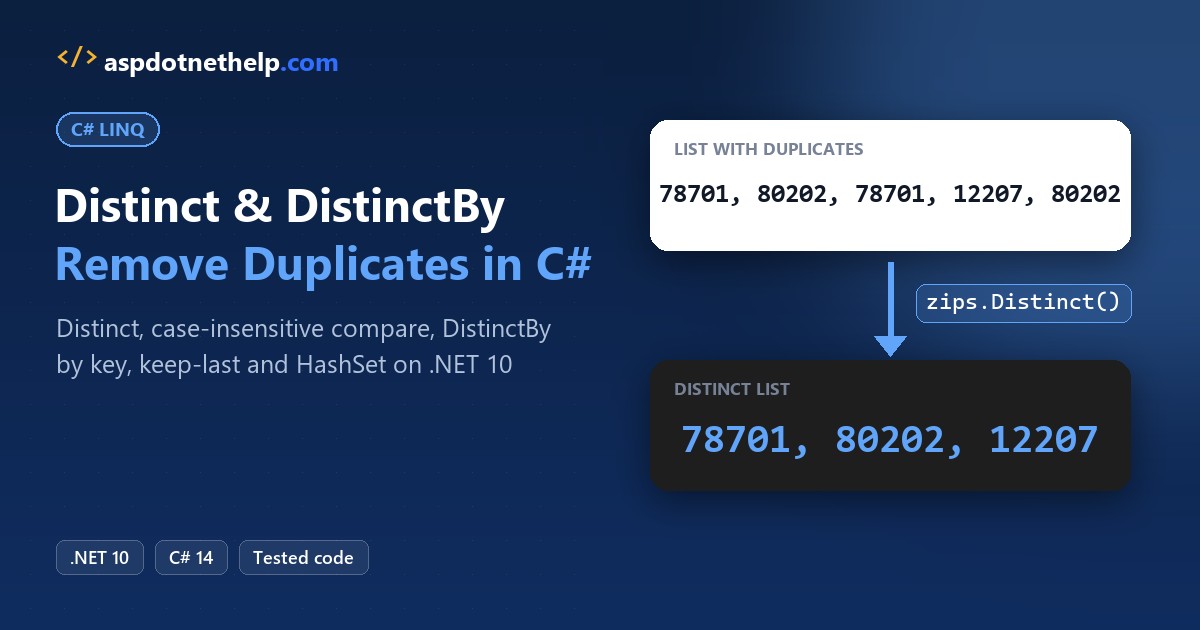
To remove duplicates from a list, call Distinct() and then ToList(). The C# LINQ Distinct method keeps the first copy of each value and drops the rest:
List<int> zips = [78701, 80202, 78701, 12207, 80202, 78701];
List<int> uniqueZips = zips.Distinct().ToList();
Console.WriteLine(string.Join(", ", uniqueZips));   // 78701, 80202, 12207
For objects, DistinctBy(s => s.Email) (.NET 6+) removes duplicates by one property. I ran every example on .NET 10 against one webinar sign-up list with three hidden duplicates.
Distinct vs DistinctBy vs HashSet at a Glance
All of these ship in System.Linq and the base library, no package needed. New to LINQ? Start with my LINQ in C# guide.
| You want to | Use | Works on |
|---|---|---|
| Drop repeated ints, strings, dates | list.Distinct() | Any .NET version |
| Ignore upper/lower case | Distinct(StringComparer.OrdinalIgnoreCase) | Any .NET version |
| Drop repeated objects by one property | DistinctBy(x => x.Email) | .NET 6 and later |
| Drop by two or more properties | DistinctBy(x => (x.City, x.State)) | .NET 6 and later |
| Custom equality rules you reuse | Distinct(new MyComparer()) | Any .NET version |
| Keep the last copy, not the first | GroupBy(...).Select(g => g.Last()) | Any .NET version |
| Check or skip duplicates while looping | HashSet<T>.Add | Any .NET version |
The Sample Sign-Up List
Every object example includes this Data.cs: seven people who signed up for a webinar. Each demo starts with #:include Data.cs and runs with dotnet run, as a .NET 10 file-based app:
public record Signup(string Name, string Email, string City, string State);

public static class Webinar
{
    public static List<Signup> Signups =
    [
        new("Jenna Morales", "jenna.morales@example.com", "Austin", "TX"),
        new("Tyler Brooks", "tyler.brooks@example.com", "Denver", "CO"),
        new("Jenna Morales", "JENNA.MORALES@example.com", "Austin", "TX"),
        new("Dana Whitfield", "dana.w@example.com", "Albany", "NY"),
        new("Tyler Brooks", "tyler.brooks@example.com", "Boulder", "CO"),
        new("Marcus Lee", "marcus.lee@example.com", "Austin", "TX"),
        new("Dana Whitfield", "dana.w@example.com", "Albany", "NY"),
    ];
}
Three rows are duplicates, each in a different way:
- Row 7 (Dana Whitfield) is an exact copy of row 4.
- Row 3 (Jenna Morales) repeats row 1, but the email is in upper case.
- Row 5 (Tyler Brooks) has the same email as row 2, but he’s moved from Denver to Boulder.
Distinct() on a List of Ints and Strings
For numbers and strings, plain Distinct() is all you need. Strings compare case-sensitively by default, so pass StringComparer.OrdinalIgnoreCase when “TX” and “tx” mean the same state:
#:property PublishAot=false

List<int> zips = [78701, 80202, 78701, 12207, 80202, 78701];
List<int> uniqueZips = zips.Distinct().ToList();
Console.WriteLine(string.Join(", ", uniqueZips));

string[] states = ["TX", "CO", "tx", "NY", "CO", "Tx"];
Console.WriteLine(string.Join(", ", states.Distinct()));
Console.WriteLine(string.Join(", ",
    states.Distinct(StringComparer.OrdinalIgnoreCase)));
Output:
78701, 80202, 12207
TX, CO, tx, NY, Tx
TX, CO, NY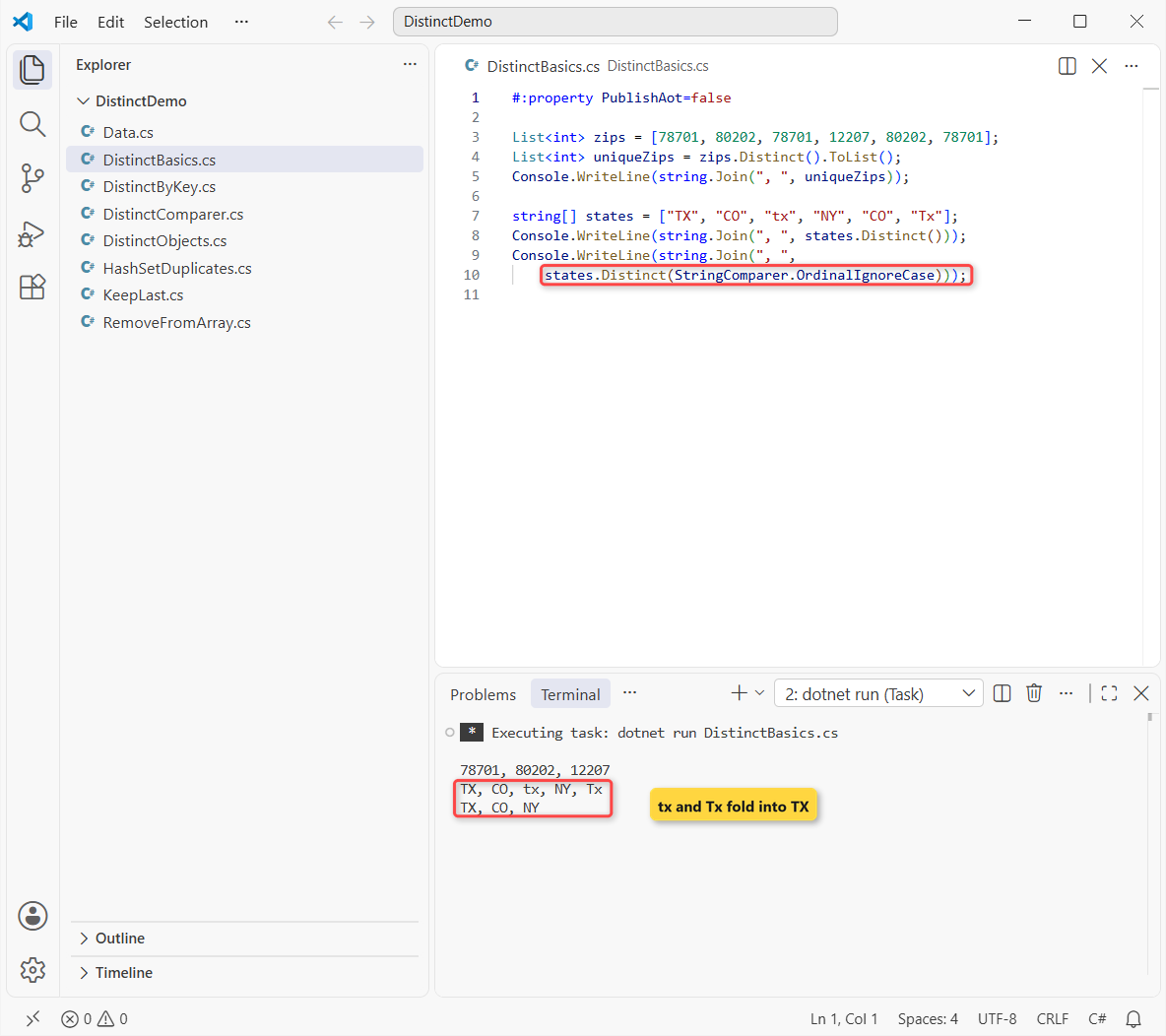
The ZIP list drops from 6 values to 3. The states print 5 values case-sensitively and 3 with OrdinalIgnoreCase, because “tx” and “Tx” now match “TX”.
Why Doesn’t Distinct Work on My Class?
Distinct() compares items with EqualityComparer<T>.Default. For a class, that means reference equality: two objects with the same values are still two different objects.
Same sign-up list, copied once into a class and once kept as the record:
#!/usr/bin/env dotnet
#:property PublishAot=false
#:include Data.cs
using static Webinar;

var rows = Signups.Select(s =>
    new SignupRow { Email = s.Email, City = s.City });
Console.WriteLine($"Class rows:  {rows.Distinct().Count()} of 7");
Console.WriteLine($"Record rows: {Signups.Distinct().Count()} of 7");

var a = new SignupRow { Email = "dana.w@example.com", City = "Albany" };
var b = new SignupRow { Email = "dana.w@example.com", City = "Albany" };
Console.WriteLine($"Same values, a.Equals(b): {a.Equals(b)}");

class SignupRow
{
    public string Email { get; set; } = "";
    public string City { get; set; } = "";
}
Output:
Class rows:  7 of 7
Record rows: 6 of 7
Same values, a.Equals(b): False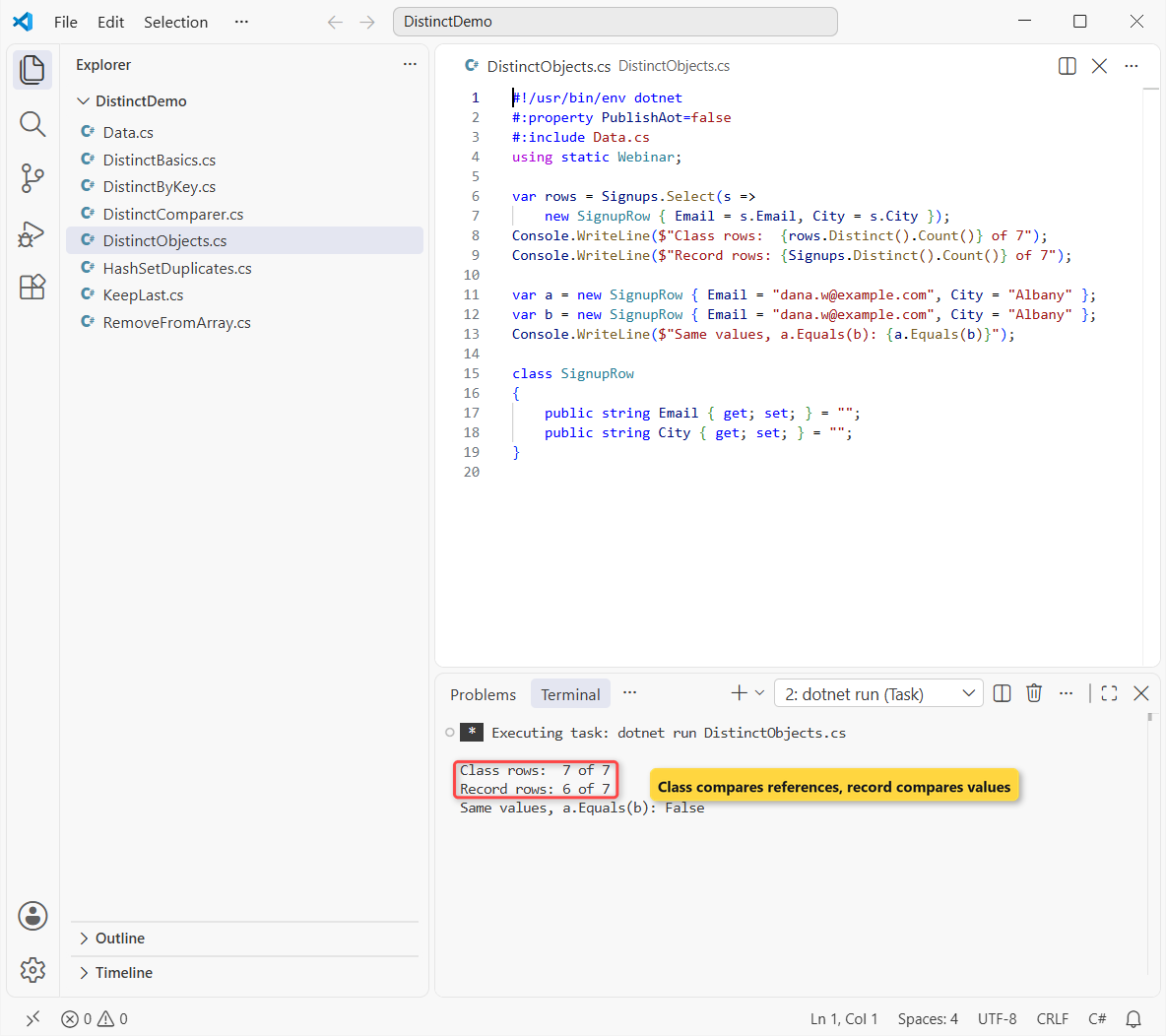
The class version removes nothing (7 of 7), and a.Equals(b) prints False. The record removes Dana’s exact copy and keeps 6, but Jenna’s upper-case email still counts as different.
Records get value equality from the compiler, which is why they’re my default for data like this. My record vs class vs struct guide covers the trade-offs.
Note: if you must keep a class, override Equals and GetHashCode (or implement IEquatable<T>), or pass a comparer like the next section.
Distinct with a Custom IEqualityComparer
A comparer is a small class that implements the IEqualityComparer<T> interface: an Equals rule and a matching GetHashCode. Here two sign-ups are equal when their emails match, ignoring case:
#!/usr/bin/env dotnet
#:property PublishAot=false
#:include Data.cs
using static Webinar;

var unique = Signups.Distinct(new EmailComparer()).ToList();
foreach (var s in unique)
    Console.WriteLine($"{s.Name,-15} {s.Email,-26} {s.City}");
Console.WriteLine($"{unique.Count} of {Signups.Count} kept");

class EmailComparer : IEqualityComparer<Signup>
{
    public bool Equals(Signup? x, Signup? y) =>
        string.Equals(x?.Email, y?.Email,
            StringComparison.OrdinalIgnoreCase);

    public int GetHashCode(Signup s) =>
        StringComparer.OrdinalIgnoreCase.GetHashCode(s.Email);
}
Output:
Jenna Morales   jenna.morales@example.com  Austin
Tyler Brooks    tyler.brooks@example.com   Denver
Dana Whitfield  dana.w@example.com         Albany
Marcus Lee      marcus.lee@example.com     Austin
4 of 7 kept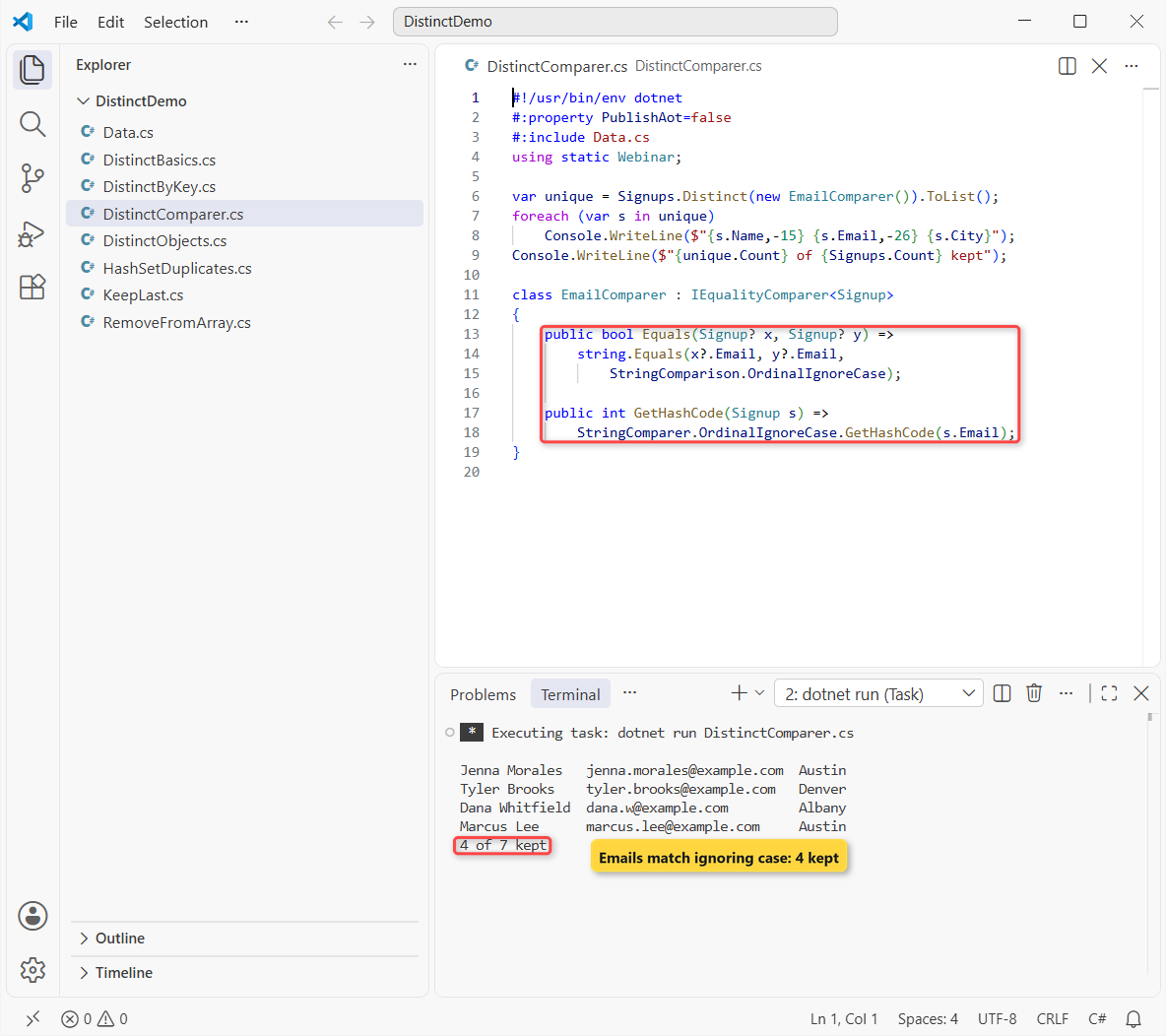
That keeps 4 of 7 rows: Jenna, Tyler, Dana and Marcus, each with the first email they used.
Important: GetHashCode must agree with Equals. If it hashed the raw email, “JENNA.MORALES@…” would land in a different bucket and never be compared, so the duplicate would survive.
DistinctBy in C#: Remove Duplicates by a Property
Since .NET 6, DistinctBy does the same job without a comparer class. You pass a key selector, and it keeps the first item for each key.
Same sign-ups, first by email, then by city and state:
#!/usr/bin/env dotnet
#:property PublishAot=false
#:include Data.cs
using static Webinar;

var byEmail = Signups
    .DistinctBy(s => s.Email, StringComparer.OrdinalIgnoreCase);
Console.WriteLine("One row per email:");
foreach (var s in byEmail)
    Console.WriteLine($"  {s.Name,-15} {s.City}, {s.State}");

var byCity = Signups.DistinctBy(s => (s.City, s.State));
Console.WriteLine("One row per city + state:");
foreach (var s in byCity)
    Console.WriteLine($"  {s.City}, {s.State}");
Output:
One row per email:
  Jenna Morales   Austin, TX
  Tyler Brooks    Denver, CO
  Dana Whitfield  Albany, NY
  Marcus Lee      Austin, TX
One row per city + state:
  Austin, TX
  Denver, CO
  Albany, NY
  Boulder, CO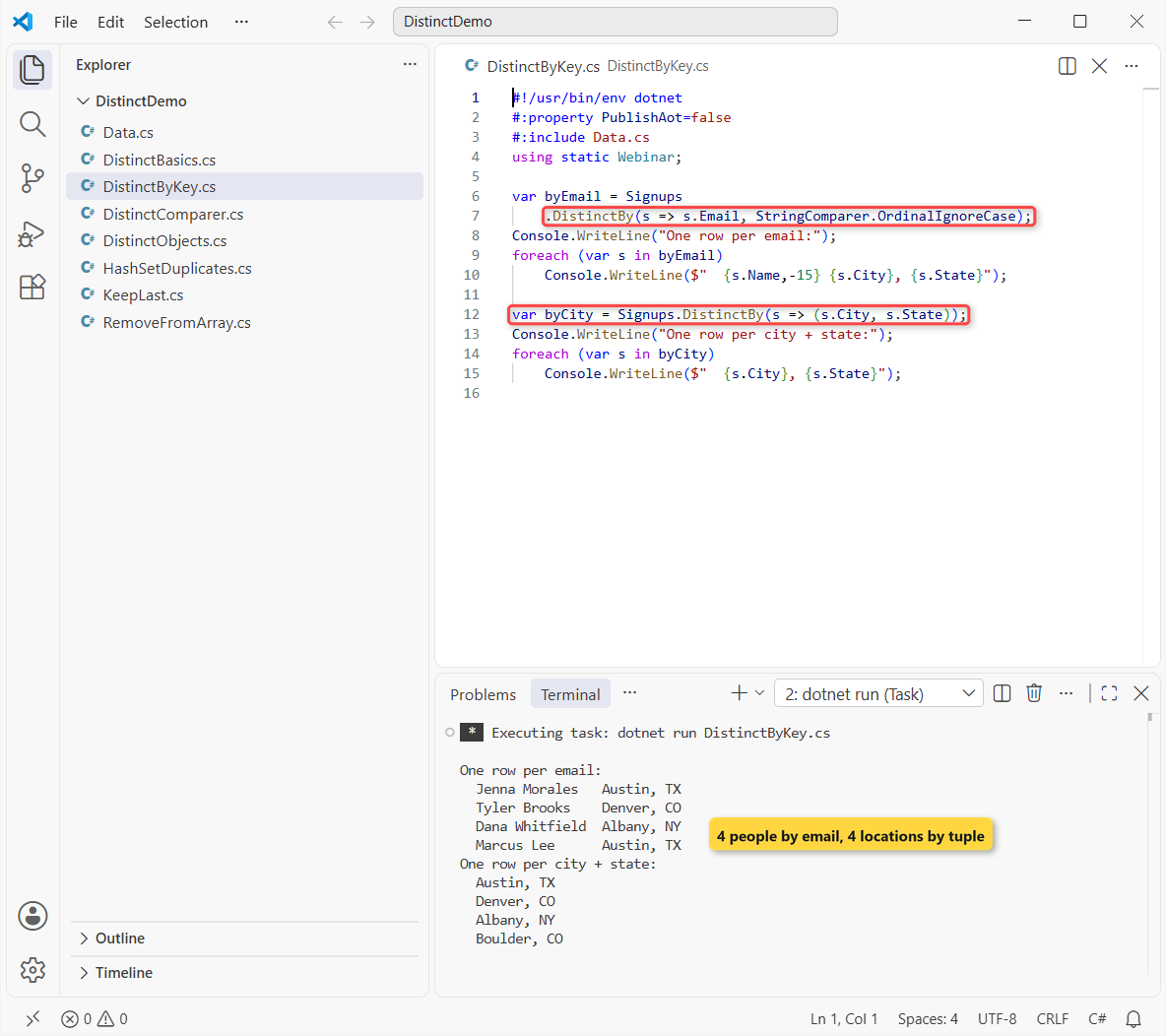
By email, you get the same 4 people as the comparer, in one line. The optional second argument is a comparer for the key, so StringComparer.OrdinalIgnoreCase handles Jenna’s upper-case email.
DistinctBy with Multiple Properties
For a composite key, return a value tuple such as (s.City, s.State). Tuples compare by value, so the run keeps 4 locations: Austin, Denver, Albany and Boulder.
Anonymous types like new { s.City, s.State } work too. I prefer tuples because they’re shorter and allocate nothing.
How Do You Keep the Last Duplicate Instead of the First?
Distinct and DistinctBy always keep the first copy. Tyler moved to Boulder, so his newest row is the one I want.
Same list, two ways to keep the last row per email:
#!/usr/bin/env dotnet
#:property PublishAot=false
#:include Data.cs
using static Webinar;

var lastByGroup = Signups
    .GroupBy(s => s.Email, StringComparer.OrdinalIgnoreCase)
    .Select(g => g.Last());
Console.WriteLine("GroupBy + Last:");
foreach (var s in lastByGroup)
    Console.WriteLine($"  {s.Name,-15} {s.Email,-26} {s.City}");

var lastByReverse = Enumerable.Reverse(Signups)
    .DistinctBy(s => s.Email, StringComparer.OrdinalIgnoreCase)
    .Reverse();
Console.WriteLine("Reverse + DistinctBy + Reverse:");
foreach (var s in lastByReverse)
    Console.WriteLine($"  {s.Name,-15} {s.Email,-26} {s.City}");
Output:
GroupBy + Last:
  Jenna Morales   JENNA.MORALES@example.com  Austin
  Tyler Brooks    tyler.brooks@example.com   Boulder
  Dana Whitfield  dana.w@example.com         Albany
  Marcus Lee      marcus.lee@example.com     Austin
Reverse + DistinctBy + Reverse:
  Jenna Morales   JENNA.MORALES@example.com  Austin
  Tyler Brooks    tyler.brooks@example.com   Boulder
  Marcus Lee      marcus.lee@example.com     Austin
  Dana Whitfield  dana.w@example.com         Albany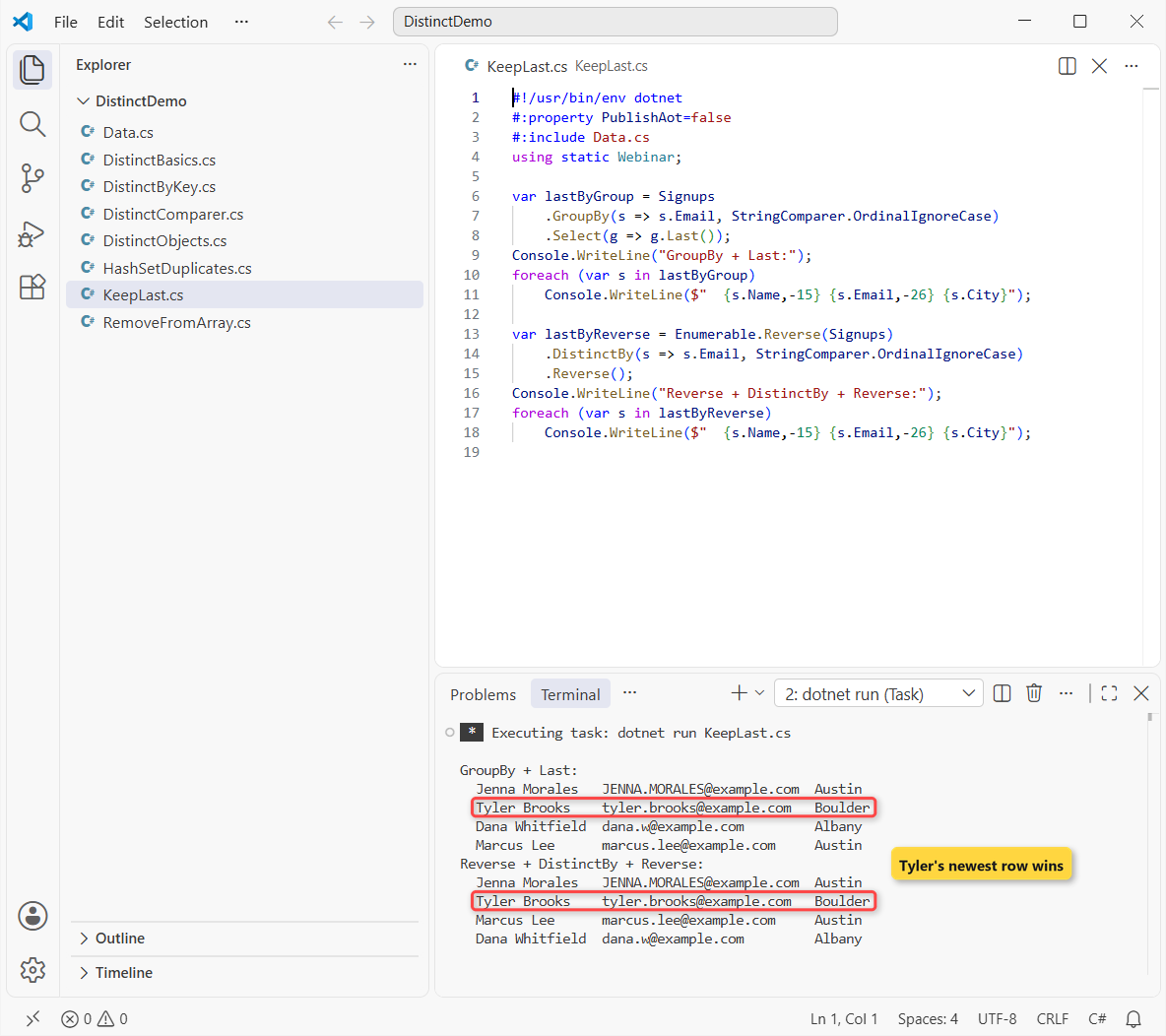
Both keep Tyler in Boulder and Jenna’s upper-case email. GroupBy keeps groups in first-seen order, which I explain in my LINQ GroupBy guide. The reverse trick orders people by their last sign-up, so Marcus moves ahead of Dana.
Note: I call Enumerable.Reverse(Signups) on purpose. Signups.Reverse() on a List<T> binds to the list’s own void Reverse(), which flips the list in place and returns nothing to chain.
Does Distinct Keep the Original Order?
Microsoft’s docs describe the result as an unordered sequence, so the order isn’t part of the contract. In practice, every run above returned items in first-seen order: 78701, 80202, 12207.
I rely on that for in-memory lists, but I add an OrderBy whenever the order matters for display. With EF Core, Distinct() becomes SQL DISTINCT, and the database picks the order.
HashSet and ToHashSet: Find and Skip Duplicates
A HashSet<T> stores each value once. Its Add method returns false for a value it already has, which is handy when you want to log duplicates while you loop.
Same sign-ups, checked one by one:
#!/usr/bin/env dotnet
#:property PublishAot=false
#:include Data.cs
using static Webinar;

var seen = new HashSet<string>(StringComparer.OrdinalIgnoreCase);
foreach (var s in Signups)
    if (!seen.Add(s.Email))
        Console.WriteLine($"Duplicate skipped: {s.Email}");
Console.WriteLine($"Unique emails: {seen.Count}");

HashSet<string> states = Signups.Select(s => s.State).ToHashSet();
Console.WriteLine($"ToHashSet states: {string.Join(", ", states)}");

var repeats = Signups
    .GroupBy(s => s.Email, StringComparer.OrdinalIgnoreCase)
    .Where(g => g.Count() > 1)
    .Select(g => $"{g.Key} x{g.Count()}");
foreach (var r in repeats)
    Console.WriteLine($"Repeated: {r}");
Output:
Duplicate skipped: JENNA.MORALES@example.com
Duplicate skipped: tyler.brooks@example.com
Duplicate skipped: dana.w@example.com
Unique emails: 4
ToHashSet states: TX, CO, NY
Repeated: jenna.morales@example.com x2
Repeated: tyler.brooks@example.com x2
Repeated: dana.w@example.com x2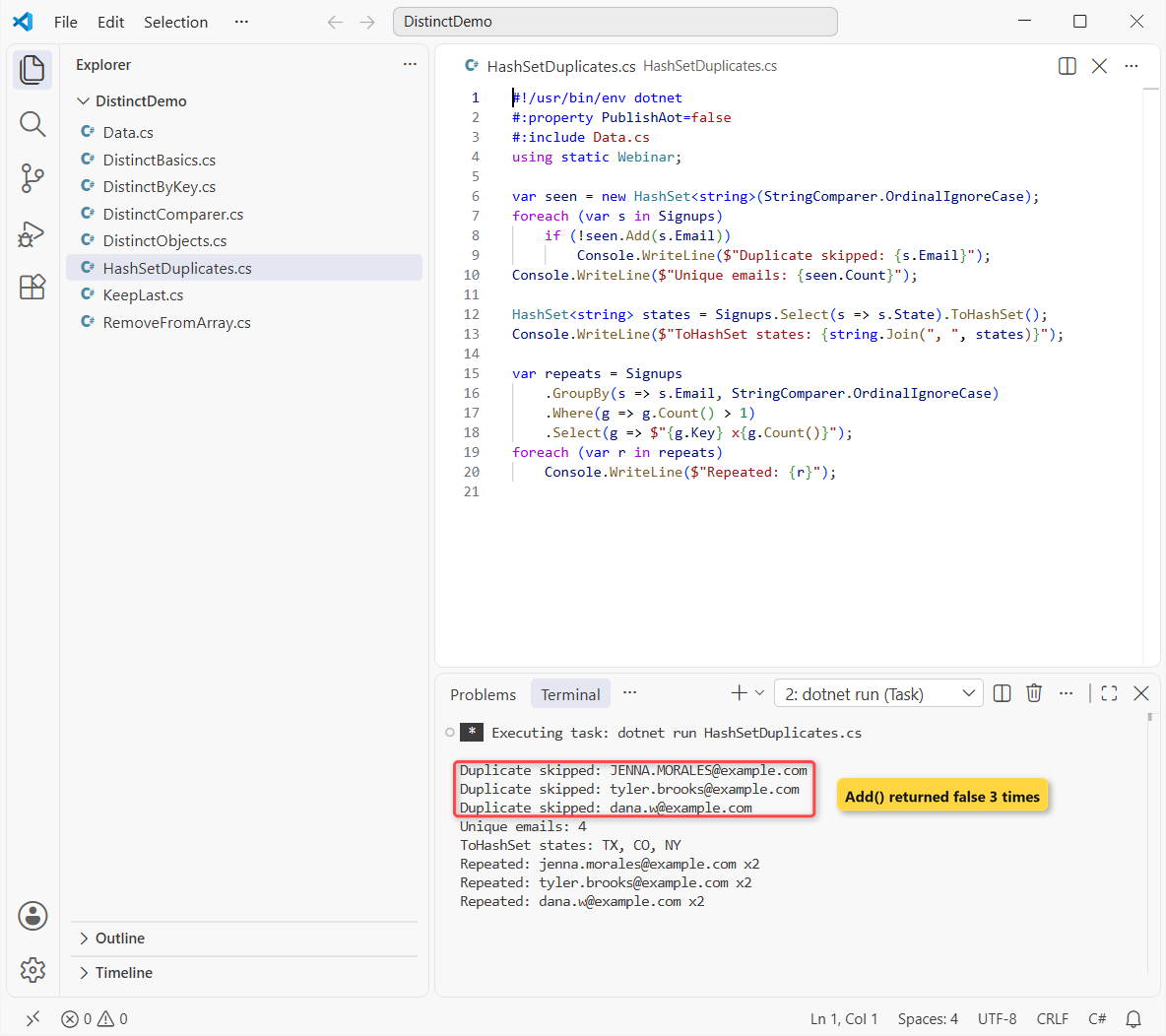
The loop flags 3 duplicates and ends with 4 unique emails. ToHashSet() collects 3 states, and the GroupBy query lists each repeated email with its count. For key-value lookups instead of a set, use a Dictionary.
Remove Duplicates from an Array or a List in Place
For an array, add ToArray() instead of ToList(). To update a list variable, assign the result back with a collection expression. The basics of both types are in my C# array guide and List in C# guide:
#:property PublishAot=false

string[] cities = ["Austin", "Denver", "Austin", "Albany", "Denver"];
string[] uniqueCities = cities.Distinct().ToArray();
Console.WriteLine(string.Join(", ", uniqueCities));

List<string> tags = ["dotnet", "linq", "dotnet", "csharp"];
tags = [.. tags.Distinct()];          // replace the list's contents
Console.WriteLine(string.Join(", ", tags));
Output:
Austin, Denver, Albany
dotnet, linq, csharp
The array keeps 3 cities, and the tag list now holds dotnet, linq and csharp. Anything else holding a reference to the old list still sees the duplicates, because Distinct builds a new collection.
If you’re cleaning up collections, these posts pair well with this one:
- LINQ Join in C# (inner, left and GroupJoin)
- How to sort an array in C#
- Convert a list to a comma-separated string
- What’s new in C# 14
Frequently Asked Questions
What is the difference between Distinct and DistinctBy in C#?
Distinct compares whole items with their default equality or a comparer you pass. DistinctBy compares only a key you select, such as x => x.Email, and keeps the first item for each key.
Which .NET version added DistinctBy?
DistinctBy arrived in .NET 6 and is part of System.Linq in .NET 8, 9 and 10. The Enumerable.DistinctBy reference on Microsoft Learn lists both overloads.
How do I make Distinct case-insensitive?
Pass StringComparer.OrdinalIgnoreCase: names.Distinct(StringComparer.OrdinalIgnoreCase). For objects, pass it as the second argument of DistinctBy.
Does Distinct modify the original list?
No. It returns a new sequence and runs lazily when you enumerate it. Call ToList() or ToArray() and assign the result if you want to keep it.
How do I find duplicates instead of removing them?
Group and count: list.GroupBy(x => x).Where(g => g.Count() > 1).Select(g => g.Key). A HashSet<T> whose Add returns false works too.
Can I use DistinctBy with Entity Framework Core?
EF Core translates Distinct() to SQL DISTINCT. DistinctBy may not translate in every provider, so test the query or switch to GroupBy. Microsoft’s set operations overview covers the related operators.

Bijay Kumar is a renowned software engineer, accomplished author, and distinguished Microsoft Most Valuable Professional (MVP) specializing in SharePoint. With a rich professional background spanning over 15 years, Bijay has established himself as an authority in the field of information technology. He possesses unparalleled expertise in multiple programming languages and technologies such as ASP.NET, ASP.NET MVC, C#.NET, and SharePoint, which has enabled him to develop innovative and cutting-edge solutions for clients across the globe. Read more…