
Say you’re building checkout for an Austin outdoor-gear store. It takes credit cards today, ACH bank debits next month and gift cards by the holidays, and the checkout code shouldn’t change each time.
Quick answer: abstraction in C# means exposing what an object does, like Pay(amount), and hiding how it does it behind an abstract class or an interface.
We built that checkout on .NET 10 both ways, then plugged in a new payment type without editing the checkout class.
What You Need Before You Start with Abstraction in C#
- The .NET 10 SDK. Each program is a file-based app you run with
dotnet run File.cs, no project file needed. - VS Code with the C# Dev Kit (the screenshots) or Visual Studio 2026.
- Comfort with classes and inheritance in C#. If the four pillars are fuzzy, start with OOPs concepts in C#.
The running sample is the store’s payment code. Amounts are USD and every program sets the en-US culture, so {amount:C} prints dollars on any machine.
What Is Abstraction in C#, and How Is It Different from Encapsulation?
Abstraction is a design decision: you pick the few operations callers need (charge this amount, give me a receipt) and hide everything else. The checkout knows what a payment does, never how a card network or a bank does it.
Encapsulation is the tool that enforces part of that. It hides data and helpers with access modifiers, so nothing outside can touch them. Our encapsulation in C# guide goes deeper on properties and private fields.
A quick way to keep them apart: abstraction answers “what should callers see?”, encapsulation answers “how do we stop them from seeing the rest?” You almost always use both together, as Step 3 shows.
Step 1: Hide the “How” Behind an Abstract Class
An abstract class can hold shared, finished code and leave the risky part to each subclass. Here Pay is the public “what”: it checks the amount and formats the result. Authorize is the protected “how” that every payment type must write:
System.Globalization.CultureInfo.CurrentCulture = new("en-US");

PaymentMethod[] cart = [new CreditCardPayment("4242"), new AchPayment("6789")];
foreach (var p in cart) Console.WriteLine(p.Pay(129.99m));
Console.WriteLine(cart[0].Pay(0m));

abstract class PaymentMethod(string name)
{
    public string Pay(decimal amount) => amount <= 0      // the "what"
        ? "Rejected: amount must be > $0"
        : $"{name}: {Authorize(amount)} {amount:C}";
    protected abstract string Authorize(decimal amount);  // the "how"
}
class CreditCardPayment(string last4) : PaymentMethod($"Visa ****{last4}")
{
    protected override string Authorize(decimal a) => "card authorized";
}
class AchPayment(string last4) : PaymentMethod($"ACH ****{last4}")
{
    protected override string Authorize(decimal a) => "bank debit queued";
}
Output:
Visa ****4242: card authorized $129.99
ACH ****6789: bank debit queued $129.99
Rejected: amount must be > $0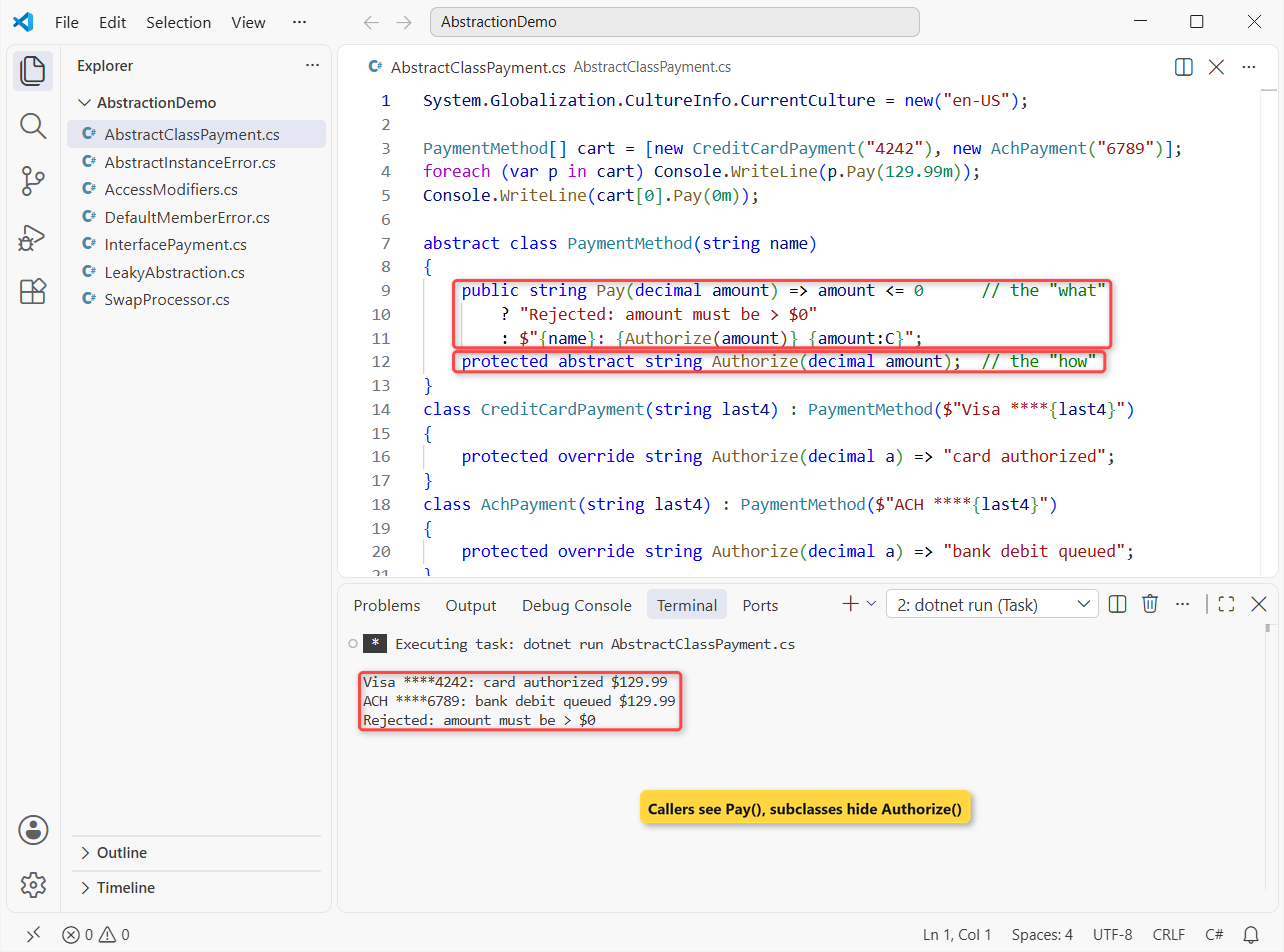
The card line says card authorized $129.99, the ACH line says bank debit queued $129.99, and the $0 payment is rejected by the base class before any subclass runs.
The loop only knows PaymentMethod. Each subclass uses override to fill in the blanks, which our method overriding in C# tutorial explains line by line. For abstract properties, protected constructors and abstract vs virtual members, see the full abstract class in C# walkthrough.
Step 2: Define the Same Contract with an Interface
An interface gives you abstraction with no shared state at all, just the contract. Since C# 8, a member can also carry a default body, so adding a method later doesn’t break every class that already implements the interface:
System.Globalization.CultureInfo.CurrentCulture = new("en-US");

IPaymentProcessor[] processors = [new CardProcessor(), new AchProcessor()];
foreach (var p in processors)
    Console.WriteLine($"{p.Process(89.50m)} | {p.Receipt(89.50m)}");

interface IPaymentProcessor
{
    string Process(decimal amount);                        // must implement
    string Receipt(decimal amount) => $"Receipt: {amount:C} paid";  // default
}
class CardProcessor : IPaymentProcessor
{
    public string Process(decimal amount) => $"Card charged {amount:C}";
}
class AchProcessor : IPaymentProcessor
{
    public string Process(decimal amount) => $"ACH debit {amount:C}";
    public string Receipt(decimal amount) => $"ACH receipt: {amount:C} pending";
}
Output:
Card charged $89.50 | Receipt: $89.50 paid
ACH debit $89.50 | ACH receipt: $89.50 pending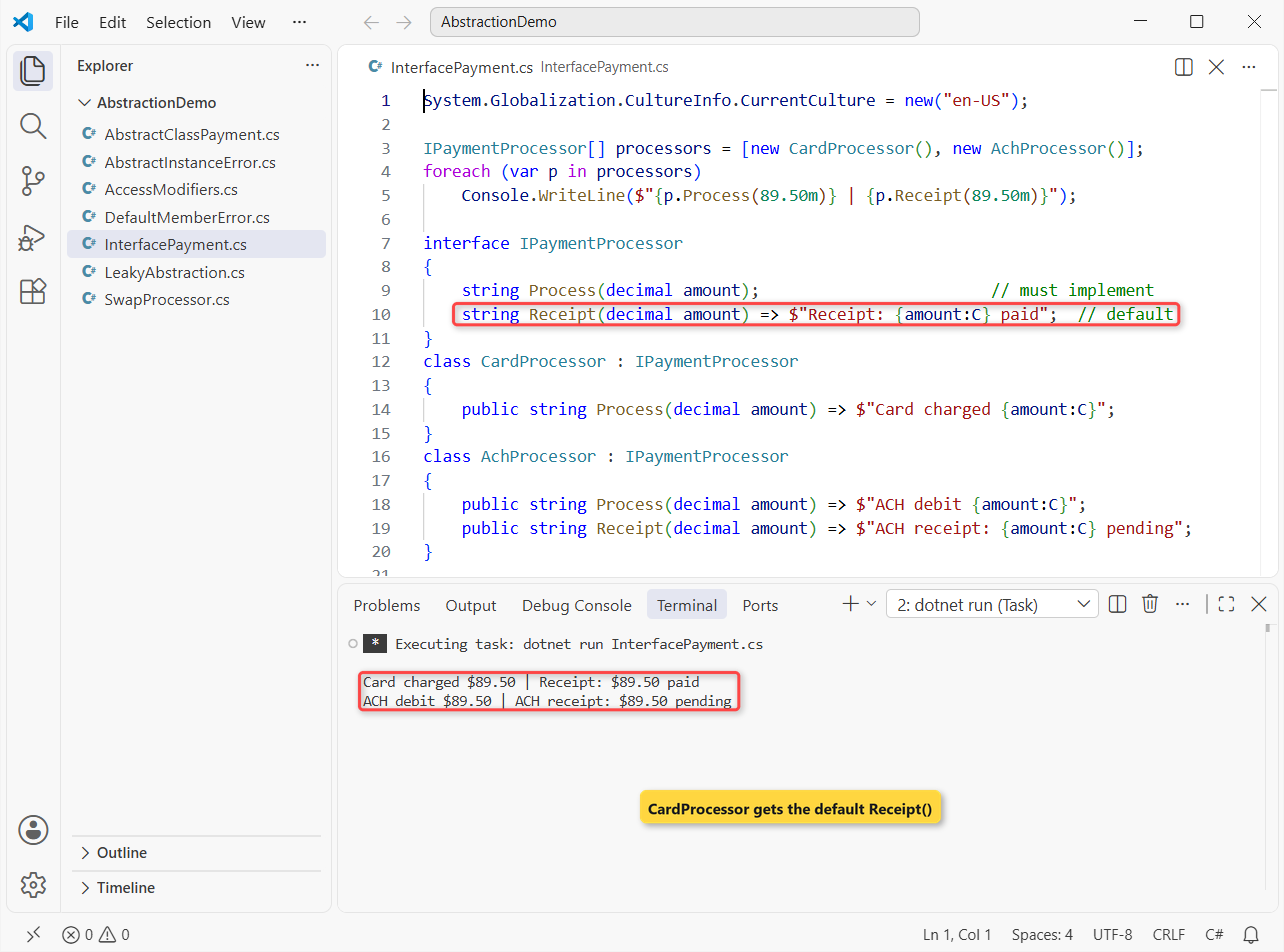
CardProcessor never wrote Receipt, so its line ends with the default Receipt: $89.50 paid. AchProcessor wrote its own and printed ACH receipt: $89.50 pending.
Important: a default member belongs to the interface, not the class. Call it through a class variable and the build fails:
var card = new CardProcessor();
Console.WriteLine(card.Receipt(89.50m));   // default member, called on the class

interface IPaymentProcessor
{
    string Process(decimal amount);
    string Receipt(decimal amount) => $"Receipt: {amount} paid";
}
class CardProcessor : IPaymentProcessor
{
    public string Process(decimal amount) => $"Card charged {amount}";
}
Output:
C:\DotNetDemo\AbstractionDemo\DefaultMemberError.cs(2,24): error CS1061: 'CardProcessor' does not contain a definition for 'Receipt' and no accessible extension method 'Receipt' accepting a first argument of type 'CardProcessor' could be found (are you missing a using directive or an assembly reference?)

The build failed. Fix the build errors and run again.
That’s CS1061. Declare the variable as IPaymentProcessor (or cast) and it works. A class can also implement several interfaces at once, which is how C# handles multiple inheritance; more syntax lives in our interface in C# guide.
Step 3: Hide Implementation Details with Access Modifiers
Abstraction decides what to show; access modifiers make sure the rest stays hidden. The card number and the fee formula are private, and only the masked display and Charge are public:
System.Globalization.CultureInfo.CurrentCulture = new("en-US");

var card = new CreditCardPayment("4242424242424242");
Console.WriteLine(card.Charge(250.00m));
Console.WriteLine(card.Display);

class CreditCardPayment(string cardNumber)
{
    private readonly string number = cardNumber;                 // hidden data
    private decimal Fee(decimal a) => Math.Round(a * 0.029m + 0.30m, 2);  // hidden rule

    public string Display => $"Visa ending {number[^4..]}";     // exposed
    public string Charge(decimal amount) =>
        $"Charged {amount:C} (processor fee {Fee(amount):C})";
}
Output:
Charged $250.00 (processor fee $7.55)
Visa ending 4242
A $250.00 charge reports a $7.55 processor fee (2.9% plus $0.30), and the caller only ever sees Visa ending 4242. Typing card.number or card.Fee(10m) outside the class won’t compile, because private members don’t exist as far as callers are concerned.
Pick the modifier by who needs the member: public for callers, protected for subclasses (like Authorize in Step 1), private for everything else. Interface members without a body are always public.
Step 4: Real-World Abstraction Example: Swap Payment Types Without Changing Checkout
This is where abstraction pays off. Checkout takes an IPaymentProcessor through its primary constructor and never learns which one it got. Then we add a gift card processor with a $100 balance:
System.Globalization.CultureInfo.CurrentCulture = new("en-US");

var checkout = new Checkout(new AchProcessor());
Console.WriteLine(checkout.PlaceOrder("Jenna Morales", 412.75m));
checkout = new Checkout(new GiftCardProcessor(100m));   // Checkout unchanged
Console.WriteLine(checkout.PlaceOrder("Tyler Brooks", 64.20m));
Console.WriteLine(checkout.PlaceOrder("Tyler Brooks", 64.20m));

class Checkout(IPaymentProcessor processor)
{
    public string PlaceOrder(string customer, decimal total) =>
        $"{customer}: {(processor.TryCharge(total) ? "paid" : "declined")} {total:C}";
}
interface IPaymentProcessor { bool TryCharge(decimal amount); }
class AchProcessor : IPaymentProcessor { public bool TryCharge(decimal a) => true; }
class GiftCardProcessor(decimal balance) : IPaymentProcessor
{
    public bool TryCharge(decimal amount) =>
        amount <= balance && (balance -= amount) >= 0;
}
Output:
Jenna Morales: paid $412.75
Tyler Brooks: paid $64.20
Tyler Brooks: declined $64.20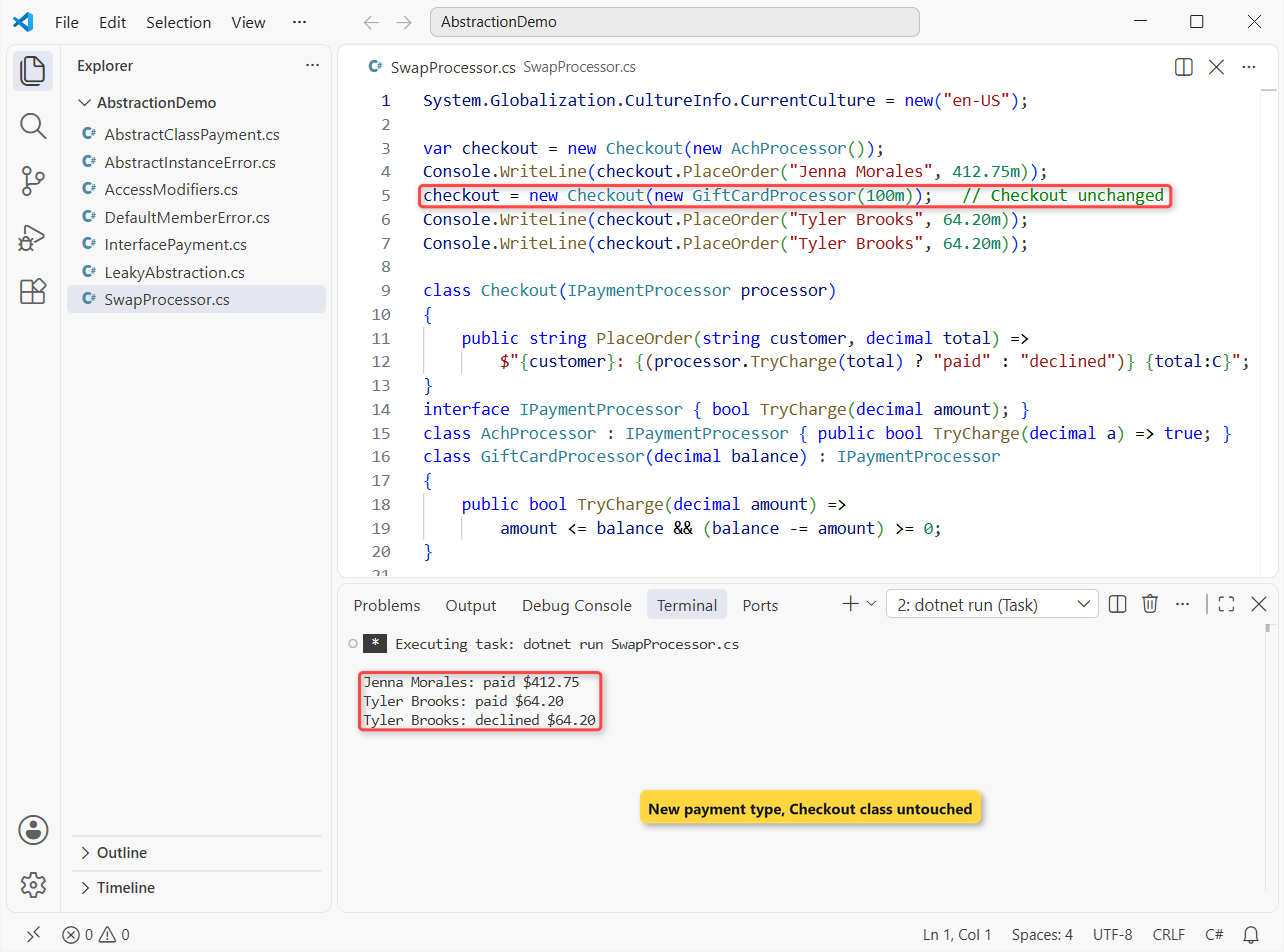
Jenna’s $412.75 ACH order is paid. Tyler’s first $64.20 gift card order is paid, and his second is declined because only $35.80 was left on the card.
The gift card class was new, yet Checkout didn’t change by a single character. The same seam lets you hand checkout a fake processor in unit tests, so tests never hit a real bank.
Abstract Class vs Interface for Abstraction in C#: Cheat Sheet
This is the table we use in code reviews when someone asks which one to reach for:
| Question | Abstract class | Interface |
|---|---|---|
| Shared code and fields? | Yes, any members and state | Default methods only, no instance fields |
| How many per class? | One base class | As many as you like |
| Constructor? | Yes (usually protected) | No |
| Member access | Any modifier | Public by default |
| Works with structs? | No | Yes |
| Pick it when | Related types share real logic | Unrelated types share a capability |
Our default: start with an interface, and add an abstract base class only when two implementations start duplicating code.
Common Mistakes to Avoid with Abstraction in C#
Trying to create an instance of the abstract type. An abstract class is incomplete by design, so new is blocked at compile time:
var payment = new PaymentMethod();

abstract class PaymentMethod
{
    public abstract string Name { get; }
}
Output:
C:\DotNetDemo\AbstractionDemo\AbstractInstanceError.cs(1,15): error CS0144: Cannot create an instance of the abstract type or interface 'PaymentMethod'

The build failed. Fix the build errors and run again.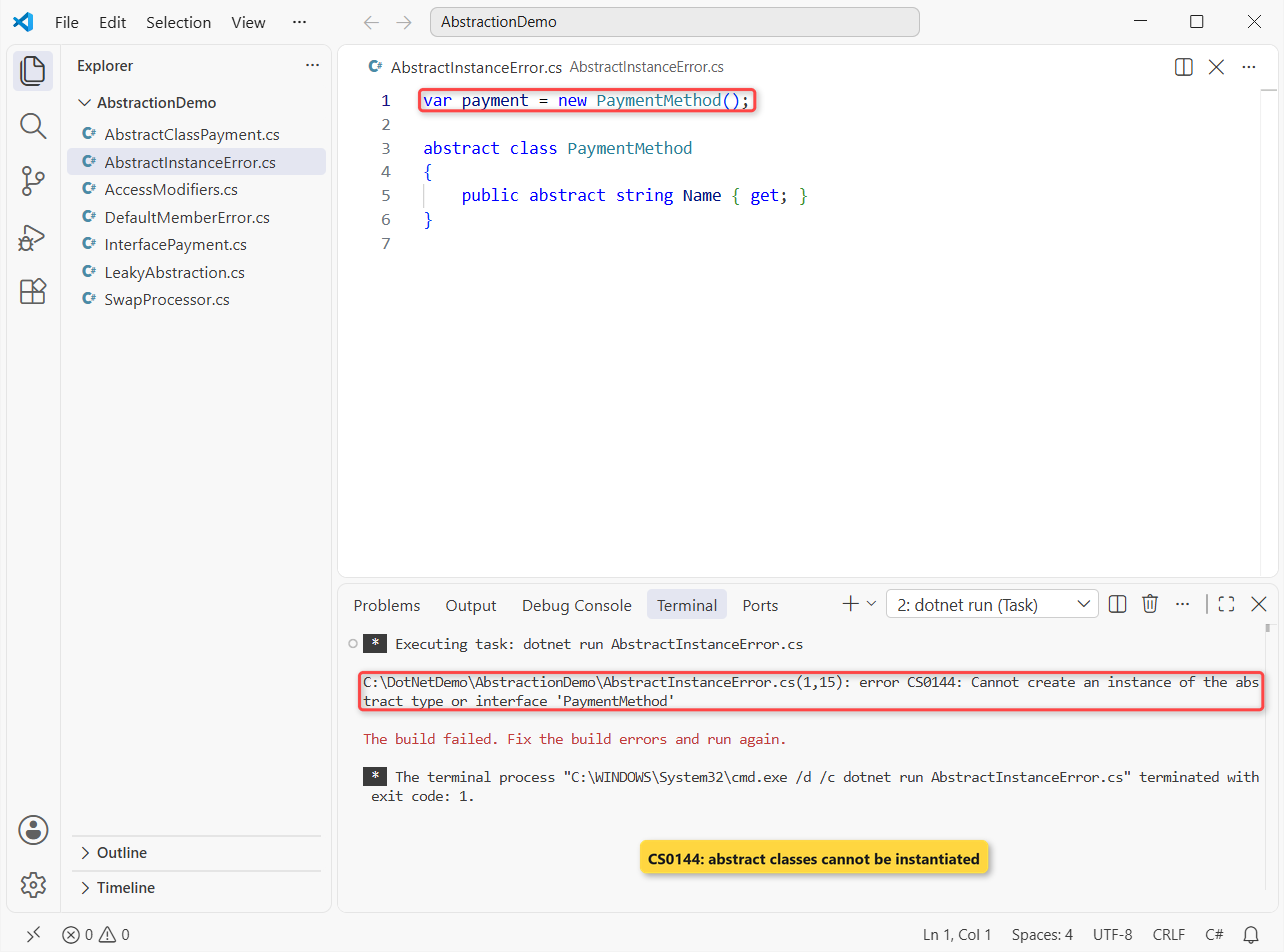
Fix CS0144 by creating a concrete subclass (new CreditCardPayment("4242")) and storing it in a PaymentMethod variable. The same error appears for new IPaymentProcessor().
Leaking the “how” into the contract. This interface asks for a card number and CVV, so the bank payment can’t honor it:
IPayment[] methods = [new CardPayment(), new AchPayment()];
foreach (var m in methods)
{
    try { m.Charge("4242424242424242", "123", 49.99m); Console.WriteLine($"{m.GetType().Name}: ok"); }
    catch (NotSupportedException ex) { Console.WriteLine($"{m.GetType().Name}: {ex.Message}"); }
}

interface IPayment                      // leaky: card details in the contract
{
    void Charge(string cardNumber, string cvv, decimal amount);
}
class CardPayment : IPayment { public void Charge(string n, string cvv, decimal a) { } }
class AchPayment : IPayment
{
    public void Charge(string n, string cvv, decimal a) =>
        throw new NotSupportedException("a bank account has no card number or CVV");
}
Output:
CardPayment: ok
AchPayment: a bank account has no card number or CVV
ACH ends up throwing NotSupportedException, and every caller now needs a try-catch block for a case that shouldn’t exist. Keep the contract to what every implementation can do (TryCharge(amount)), and pass card details to the card class’s constructor.
- Abstracting too early. One payment type doesn’t need an interface yet; add it when the second one shows up or when you need a test fake.
- Making helpers public. Every public member is part of the contract and hard to remove later. Default to
private.
Does Abstraction in C# Need an Abstract Class?
No. An interface is abstraction too, and so is any class whose public methods hide private details, like Step 3. A struct can’t inherit from an abstract class, but it can implement an interface, which is one more reason interfaces are the usual default.
Next Steps
Abstraction comes up in almost every OOP interview round, usually as “abstract class vs interface”. Our C# interview questions for experienced developers covers the follow-ups interviewers ask next.
Once the payment code clicks, we’d point you to these next:
- Naming interfaces and abstract classes in C#
- Splitting one class across files with partial classes
- New C# 14 features for classes and members
- C# interview questions for freshers
Frequently Asked Questions
What is abstraction in C# in simple words?
It’s showing callers only what an object does and hiding how it does it. In C#, you build that with abstract classes, interfaces and access modifiers.
How do you achieve abstraction in C#?
Declare the contract in an abstract class (abstract members) or an interface, implement it in concrete classes, and write the calling code against the abstract type.
Can we achieve 100% abstraction in C#?
An interface with only abstract members is the closest thing. Since C# 8 interfaces can also have default method bodies, so the old 100% vs partial split matters less today.
What is the difference between abstraction and encapsulation in C#?
Abstraction decides which operations callers see. Encapsulation hides the data and helpers behind private and protected access modifiers. Most classes use both.
Can you create an object of an abstract class in C#?
No. new on an abstract class or an interface fails with CS0144. Create a concrete derived class and store it in a variable of the abstract type.
Where does Microsoft explain abstraction in C#?
See the object-oriented programming tutorial on Microsoft Learn, which walks through abstraction, encapsulation, inheritance and polymorphism with one bank account example.

Bijay Kumar is a renowned software engineer, accomplished author, and distinguished Microsoft Most Valuable Professional (MVP) specializing in SharePoint. With a rich professional background spanning over 15 years, Bijay has established himself as an authority in the field of information technology. He possesses unparalleled expertise in multiple programming languages and technologies such as ASP.NET, ASP.NET MVC, C#.NET, and SharePoint, which has enabled him to develop innovative and cutting-edge solutions for clients across the globe. Read more…