
Many C# guides still teach Tuple<string, int> and a wall of Item1, Item2. It works, but it’s a heap-allocated class with names nobody can read. The modern tuple in C# is (string City, decimal Total): a light ValueTuple with real field names.
In this tutorial, I’ll walk one set of store orders through every common job for a tuple in C# on .NET 10. You’ll return multiple values, deconstruct, compare and switch on tuples, and see when a record is the better pick.
What Is a Tuple in C#?
A tuple groups a few values of different types into one value without declaring a class. Every example below uses the same orders from four US stores, each one a city, a state and an order total:
| City | State | Total (USD) |
|---|---|---|
| Austin | TX | 1249.99 |
| Dallas | TX | 860.50 |
| Denver | CO | 2310.00 |
| Seattle | WA | 432.10 |
Think of it as a tiny fixed-size record: unlike arrays in C#, each slot can hold a different type. The two Texas rows matter later, when I group by state.
Method 1: Create a Tuple with Named Elements (Recommended)
Here’s every way to write a tuple literal, from no names to inferred names, using the same orders:
var order = ("Austin", "TX", 1249.99m);  // no names
Console.WriteLine($"{order.Item1}: {order.Item3}");

(string City, string State, decimal Total) named =
    ("Dallas", "TX", 860.50m);
Console.WriteLine($"{named.City} total: {named.Total}");

var literal = (City: "Denver", State: "CO", Total: 2310.00m);
Console.WriteLine($"{literal.City}, {literal.State}");

string city = "Seattle", state = "WA";
var inferred = (city, state, Total: 432.10m);  // names inferred
Console.WriteLine($"{inferred.city}: {inferred.Total}");
Console.WriteLine(inferred);
Console.WriteLine($"Item1 still works: {inferred.Item1}");
Output:
Austin: 1249.99
Dallas total: 860.50
Denver, CO
Seattle: 432.10
(Seattle, WA, 432.10)
Item1 still works: Seattle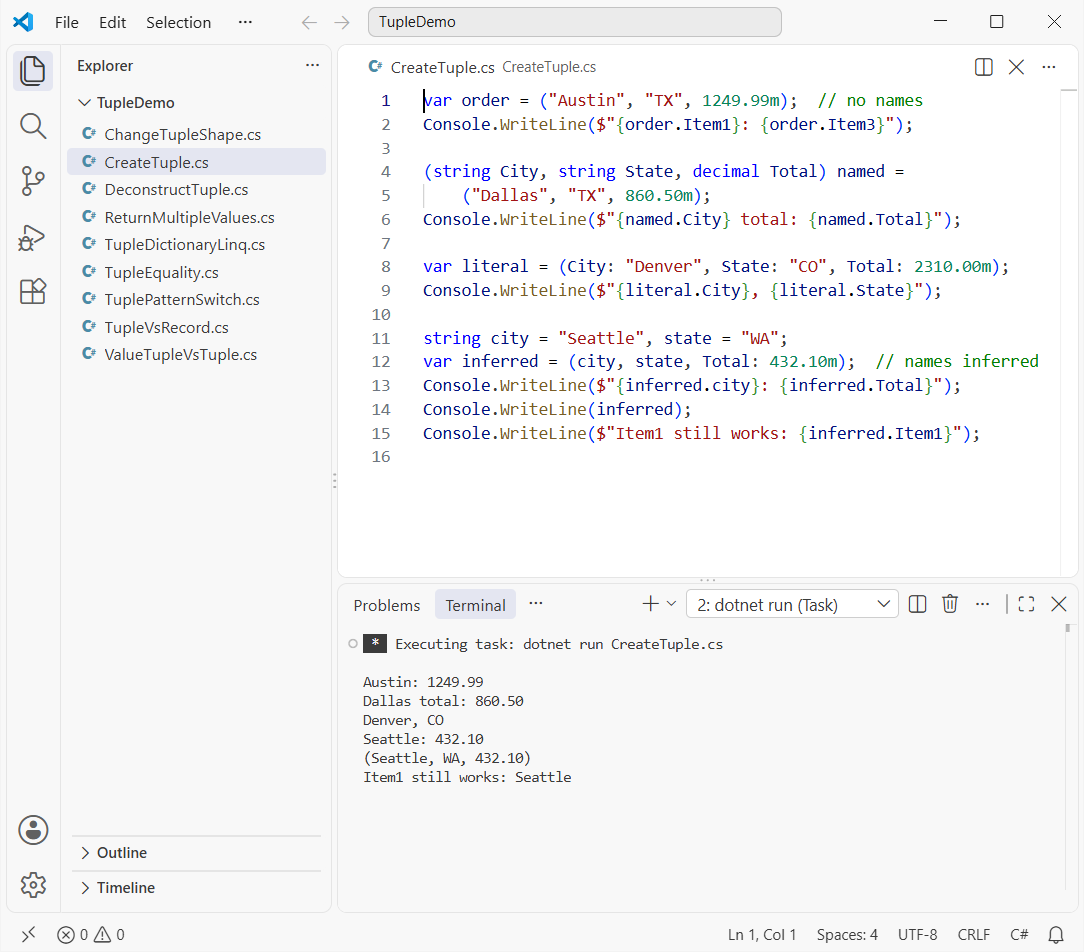
All six lines print, ending with (Seattle, WA, 432.10) and Item1 still works: Seattle.
How does this code work?
The first tuple has no names, so you read it through Item1, Item2 and Item3. The second puts names in the type, and the third puts them in the literal as City: "Denver".
The fourth uses tuple projection initializers (C# 7.1+): the variables city and state become field names. Default names never go away, and ToString() prints the values in parentheses.
Method 2: ValueTuple vs System.Tuple (Tuple.Create)
You’ll still meet the old System.Tuple class in .NET Framework code. Same Austin order, written both ways:
Tuple<string, decimal> oldStyle = Tuple.Create("Austin", 1249.99m);
Console.WriteLine($"{oldStyle.Item1}: {oldStyle.Item2}");
// oldStyle.Item2 = 0m;  // CS0200: Item2 is read-only

(string City, decimal Total) modern = ("Austin", 1249.99m);
modern.Total += 100m;  // fields are mutable
Console.WriteLine($"{modern.City}: {modern.Total}");

Console.WriteLine($"Tuple is a value type: {oldStyle.GetType().IsValueType}");
Console.WriteLine($"ValueTuple is a value type: {modern.GetType().IsValueType}");

var converted = oldStyle.ToValueTuple();
Console.WriteLine(converted.GetType().Name);
Output:
Austin: 1249.99
Austin: 1349.99
Tuple is a value type: False
ValueTuple is a value type: True
ValueTuple`2
The old tuple can’t change, the new one goes from 1249.99 to 1349.99, and the type checks print False then True.
How does this code work?
Tuple.Create builds a reference type with read-only properties, so assigning Item2 won’t compile. The new syntax builds a System.ValueTuple struct with mutable fields (value vs reference types are covered in data types in C#).
| ValueTuple (C# 7.0+) | System.Tuple (.NET 4.0) | |
|---|---|---|
| Kind | Struct (value type) | Class (reference type) |
| Members | Fields, mutable | Properties, read-only |
| Names | City, Total or Item1 | Item1 only |
| Syntax | ("Austin", 1249.99m) | Tuple.Create("Austin", 1249.99m) |
ToValueTuple() converts an old tuple when a legacy API hands you one.
Method 3: Return Multiple Values from a Method with a Tuple
This is the job tuples do best. One method returns the count, total and largest order from the same orders, with no out parameters and no helper class:
decimal[] orders = [1249.99m, 860.50m, 2310.00m, 432.10m];

var stats = Stats(orders);
Console.WriteLine($"{stats.Count} orders, max {stats.Max}");

var (count, total, max) = Stats(orders);  // deconstruct
decimal average = Math.Round(total / count, 2);
Console.WriteLine($"Total {total}, average {average}");

(int Count, decimal Total, decimal Max) Stats(decimal[] v)
{
    decimal total = 0, max = decimal.MinValue;
    foreach (decimal x in v)
    {
        total += x;
        if (x > max) max = x;
    }
    return (v.Length, total, max);
}
Output:
4 orders, max 2310.00
Total 4852.59, average 1213.15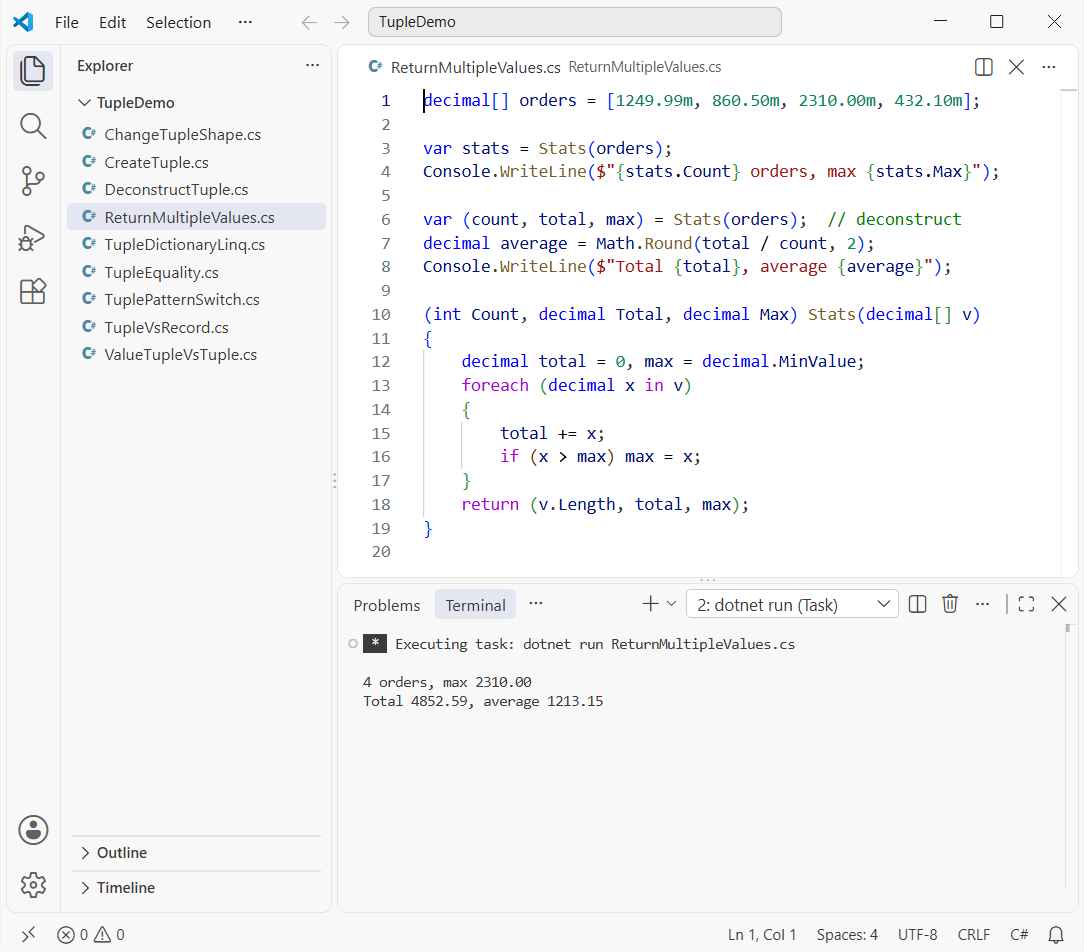
It prints 4 orders, max 2310.00, then Total 4852.59, average 1213.15.
How does this code work?
The return type (int Count, decimal Total, decimal Max) names each value, so callers read stats.Max, and return (v.Length, total, max); fills it. It’s cleaner than the out parameters you see in older functions in C#.
Important: two overloads can’t differ only by tuple element names, because names don’t exist at run time. The method overloading rules look at the types, and (int Count, decimal Total) equals (int, decimal).
Method 4: Deconstruct a Tuple into Variables
Deconstruction unpacks a tuple into separate variables in one line. Same Austin order again:
var order = ("Austin", "TX", 1249.99m);

var (city, state, total) = order;  // var outside
Console.WriteLine($"{city}, {state}: {total}");

(string c, _, decimal t) = order;  // discard State
Console.WriteLine($"{c}: {t}");

string topCity = "none";
decimal topTotal = 0m;
(topCity, _, topTotal) = order;  // existing variables
Console.WriteLine($"Top: {topCity} {topTotal}");

int first = 1, second = 2;
(first, second) = (second, first);  // swap
Console.WriteLine($"first={first}, second={second}");
Output:
Austin, TX: 1249.99
Austin: 1249.99
Top: Austin 1249.99
first=2, second=1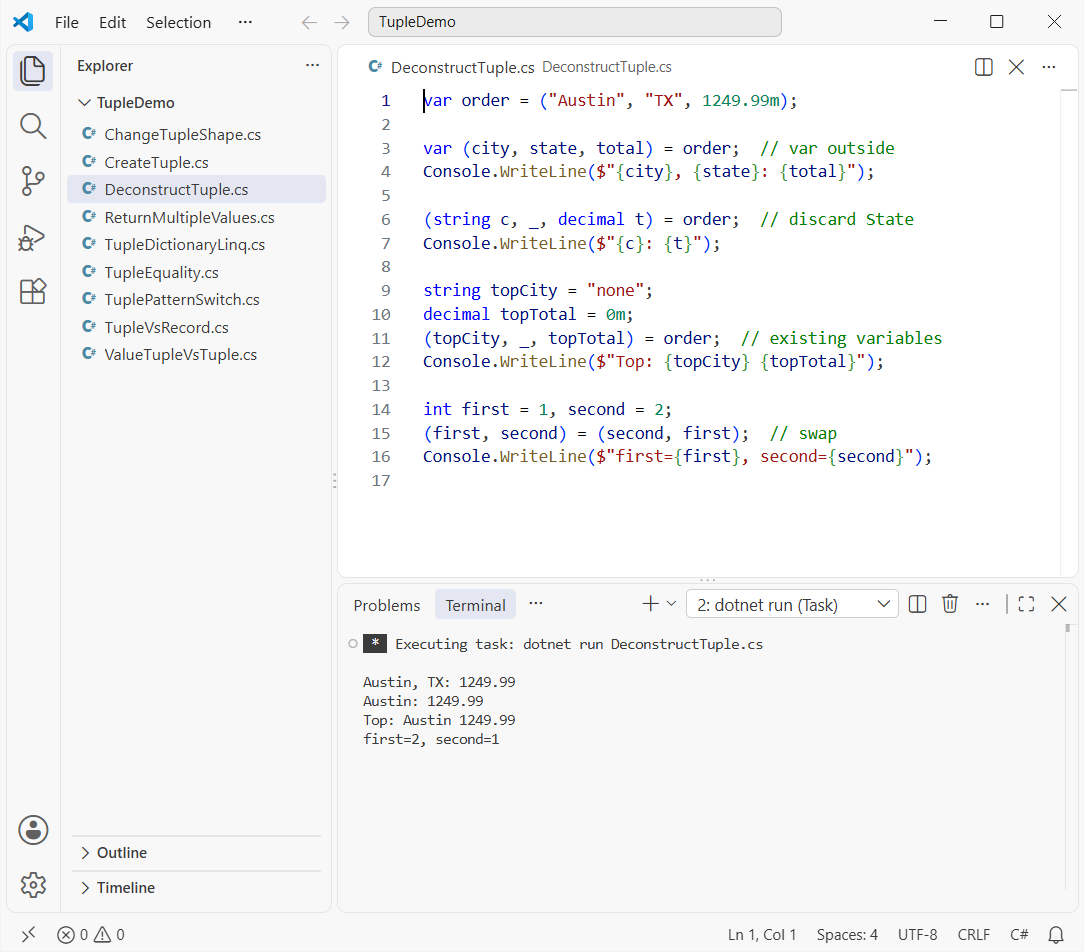
Austin, TX and 1249.99 come out three times, and the swap ends with first=2, second=1.
How does this code work?
var (city, state, total) = order; declares three variables and infers their types. In (string c, _, decimal t), the _ is a discard, so State is skipped without a variable.
(topCity, _, topTotal) = order; assigns into variables that already exist. The last line swaps two values with no temp variable, my favorite trick from swapping two numbers in C#.
How Does Tuple Equality Work in C#?
Since C# 7.3, tuples support == and !=. The same Austin order, compared a few ways:
var a = (City: "Austin", Total: 1249.99m);
var b = (Name: "Austin", Amount: 1249.99m);

Console.WriteLine($"a == b: {a == b}");  // names ignored
Console.WriteLine($"a != Dallas: {a != ("Dallas", 1249.99m)}");
Console.WriteLine($"a.Equals(b): {a.Equals(b)}");

(int, long) x = (5, 10);
(long, int) y = (5, 10);
Console.WriteLine($"x == y: {x == y}");  // conversions
Console.WriteLine($"x.Equals(y): {x.Equals(y)}");  // type check
Output:
a == b: True
a != Dallas: True
a.Equals(b): True
x == y: True
x.Equals(y): False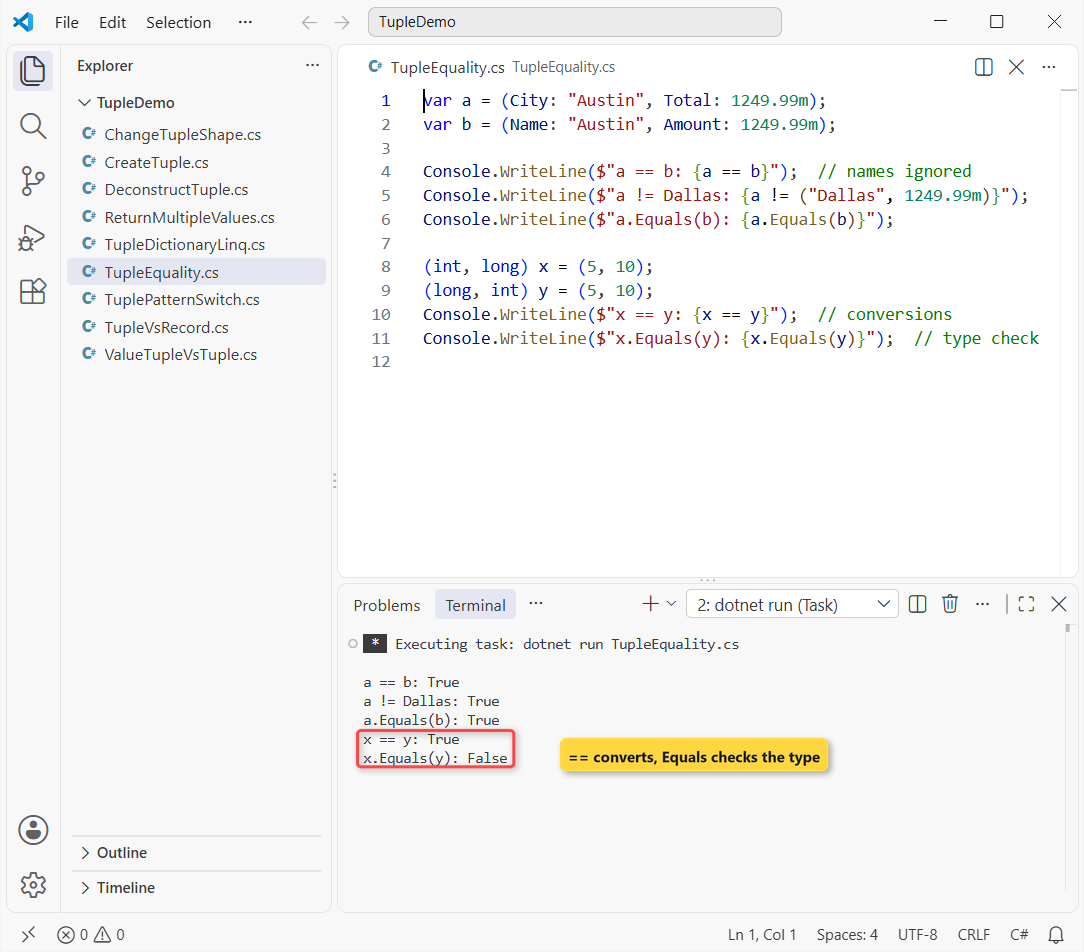
Every line is True except x.Equals(y): False.
How does this code work?
== compares element by element in order and ignores names, so (City, Total) equals (Name, Amount). Both tuples need the same number of elements, or the code won’t compile.
x == y converts each int/long pair before comparing. Equals doesn’t: ValueTuple<int, long> and ValueTuple<long, int> are different types.
Use a Tuple as a Dictionary Key and in LINQ
Because tuples compare by value and hash by value, they make great composite keys in a dictionary in C#. Same orders, now keyed by city and month, then grouped by state:
var sales = new Dictionary<(string City, int Month), decimal>
{
    [("Austin", 1)] = 1249.99m,
    [("Austin", 2)] = 980.00m,
    [("Dallas", 1)] = 860.50m
};
Console.WriteLine($"Austin, February: {sales[("Austin", 2)]}");

(string City, string State, decimal Total)[] orders =
[
    ("Austin", "TX", 1249.99m), ("Dallas", "TX", 860.50m),
    ("Denver", "CO", 2310.00m), ("Seattle", "WA", 432.10m)
];
var byState = orders.GroupBy(o => o.State)
    .Select(g => (State: g.Key, Total: g.Sum(o => o.Total)));
foreach (var (st, sum) in byState)
    Console.WriteLine($"{st}: {sum}");
Output:
Austin, February: 980.00
TX: 2110.49
CO: 2310.00
WA: 432.10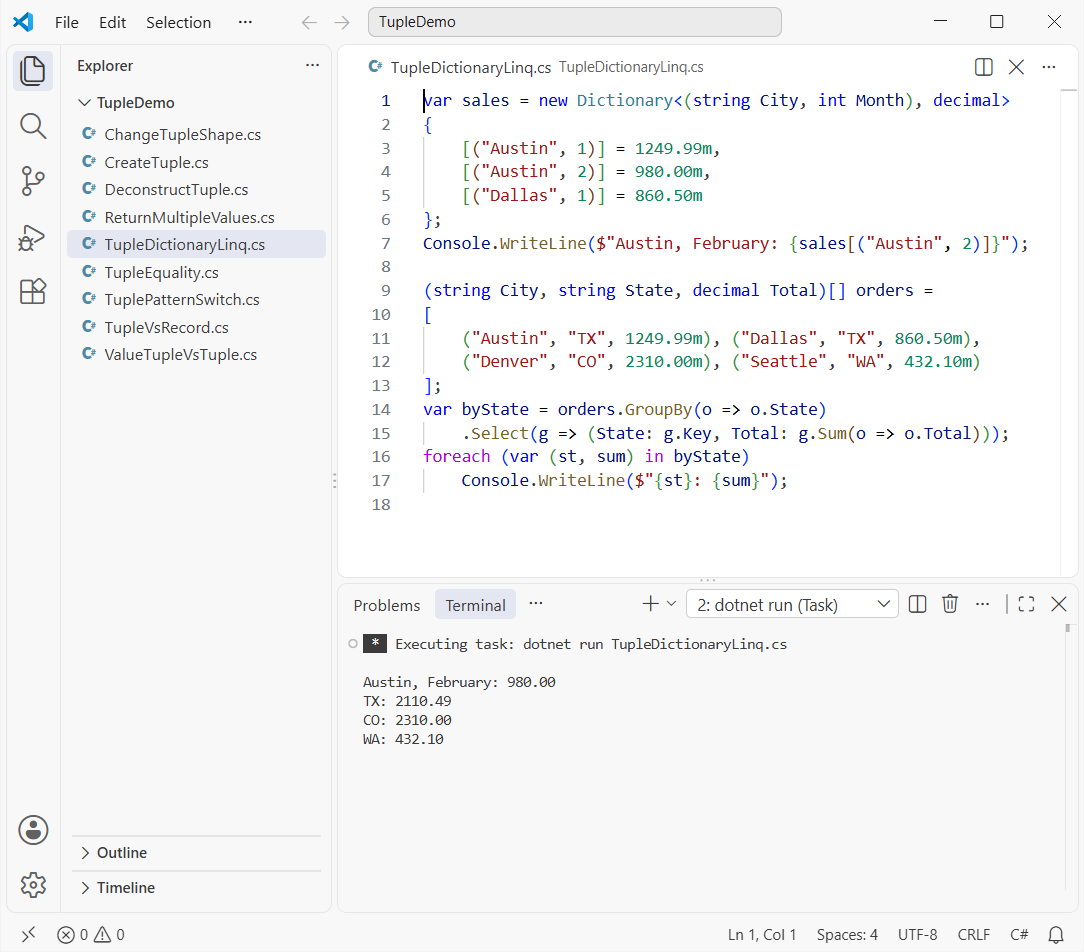
Austin in February reads 980.00, and the totals come out TX 2110.49, CO 2310.00, WA 432.10.
How does this code work?
The tuple key needs no custom key class or GetHashCode override; a new ("Austin", 2) finds the entry because equal values hash the same.
In LINQ, Select(g => (State: g.Key, Total: ...)) returns named tuples instead of anonymous types, so the foreach loop can deconstruct each one. An array of tuples works the same way as a List in C# of them.
Tuple Patterns in a switch Expression
Need a decision on two values at once? Switch on a tuple. Here the same state codes and totals pick a shipping rate:
Console.WriteLine(Shipping("TX", 1249.99m));
Console.WriteLine(Shipping("TX", 49.99m));
Console.WriteLine(Shipping("WA", 75.00m));
Console.WriteLine(Shipping("AK", 300.00m));

static string Shipping(string state, decimal total) => (state, total) switch
{
    ("AK" or "HI", _) => "Ground shipping not available",
    (_, >= 100m)      => "Free shipping",
    ("TX", _)         => "Flat rate $5.99",
    _                 => "Flat rate $8.99"
};
Output:
Free shipping
Flat rate $5.99
Flat rate $8.99
Ground shipping not available
Austin’s 1249.99 order ships free, the small Texas order pays $5.99, Washington pays $8.99, and Alaska is blocked.
(state, total) switch builds a tuple and matches each arm in order. ("AK" or "HI", _) ignores the total, and (_, >= 100m) ignores the state. The switch case in C# guide covers more patterns.
Add or Remove Tuple Elements and Pass a Tuple to a Method
A tuple’s length is fixed, so “adding” or “removing” means building a new one. Same Austin order:
var order = ("Austin", "TX");

var withTotal = (City: order.Item1, State: order.Item2, Total: 1249.99m);  // "add"
var cityAndTotal = (withTotal.City, withTotal.Total);  // "remove"

Print(withTotal);
Console.WriteLine(cityAndTotal);

static void Print((string City, string State, decimal Total) o) =>
    Console.WriteLine($"{o.City}, {o.State}: {o.Total}");
Output:
Austin, TX: 1249.99
(Austin, 1249.99)
The method prints Austin, TX: 1249.99, and the smaller tuple prints (Austin, 1249.99).
cityAndTotal infers the names City and Total. The tuple parameter on Print accepts any tuple with matching types, whatever its element names.
Tuple vs Record vs Class: When to Use Which
Microsoft suggests tuples for loosely related values and a class or struct in public APIs. For named data that travels, I reach for a positional record. Same order, as a record:
var order = new Order("Austin", "TX", 1249.99m);
Console.WriteLine(order);

var discounted = order with { Total = 999.99m };
Console.WriteLine($"Discounted: {discounted.Total}");
Console.WriteLine(order == new Order("Austin", "TX", 1249.99m));

var (city, _, total) = order;  // records deconstruct too
Console.WriteLine($"{city}: {total}");

record Order(string City, string State, decimal Total);
Output:
Order { City = Austin, State = TX, Total = 1249.99 }
Discounted: 999.99
True
Austin: 1249.99
The record prints Order { City = Austin, State = TX, Total = 1249.99 }, copies with with, compares by value and still deconstructs.
| Need | Pick | Why |
|---|---|---|
| Return 2-3 values from a private method | Tuple | No extra type |
| Composite dictionary key or LINQ projection | Tuple | Value equality and hashing built in |
| Data shared across methods or a public API | record | Real type name, survives at run time |
| Behavior, validation, inheritance | class | Methods and encapsulation |
A structure in C# sits between the two when you want a small value type with members.
Things to Keep in Mind
- Names vanish at run time. Serializers and reflection see
Item1, so use a record for JSON or public APIs. ==ignores names, not order.(City, Total)equals(Name, Amount)when values match position by position.- ValueTuple fields are mutable. A copy changes independently, because tuples are structs.
- Overloads can’t differ only by tuple names. Change the types or the method name instead.
- Past three or four elements, readability drops. That’s the point to switch to a record.
Want to go further with C# types? These guides pick up from here:
- Learn the four pillars with OOPs concepts in C#
- Build objects the classic way with constructors in C#
- Replace magic strings with an enum in C#
- Practice senior C# interview questions with real outputs
Frequently Asked Questions
What is a tuple in C#?
A tuple is a lightweight value that groups several elements, possibly of different types, such as (string City, decimal Total). C# tuples use System.ValueTuple structs, and the elements are public fields.
What is the difference between Tuple and ValueTuple in C#?
System.Tuple is an immutable class with read-only Item1 properties. System.ValueTuple, behind the (a, b) syntax, is a mutable struct that supports element names, deconstruction and ==.
How do I return multiple values from a method in C#?
Declare a tuple return type such as (int Count, decimal Total) GetStats() and return (count, total);. Callers read result.Total or deconstruct with var (count, total) = GetStats();.
How many elements can a C# tuple have?
As many as you need. ValueTuple has up to 8 type parameters, and the compiler nests the rest through the Rest field. The tuple types reference on Microsoft Learn shows Item26 working.
Can I use a tuple as a dictionary key in C#?
Yes. ValueTuple overrides Equals and GetHashCode by value, so Dictionary<(string City, int Month), decimal> works without a custom key class.
Are tuple element names available at run time?
No. The compiler replaces them with Item1, Item2 and so on, so reflection and JSON serializers don’t see them. Use a record when names must survive.

Bijay Kumar is a renowned software engineer, accomplished author, and distinguished Microsoft Most Valuable Professional (MVP) specializing in SharePoint. With a rich professional background spanning over 15 years, Bijay has established himself as an authority in the field of information technology. He possesses unparalleled expertise in multiple programming languages and technologies such as ASP.NET, ASP.NET MVC, C#.NET, and SharePoint, which has enabled him to develop innovative and cutting-edge solutions for clients across the globe. Read more…