
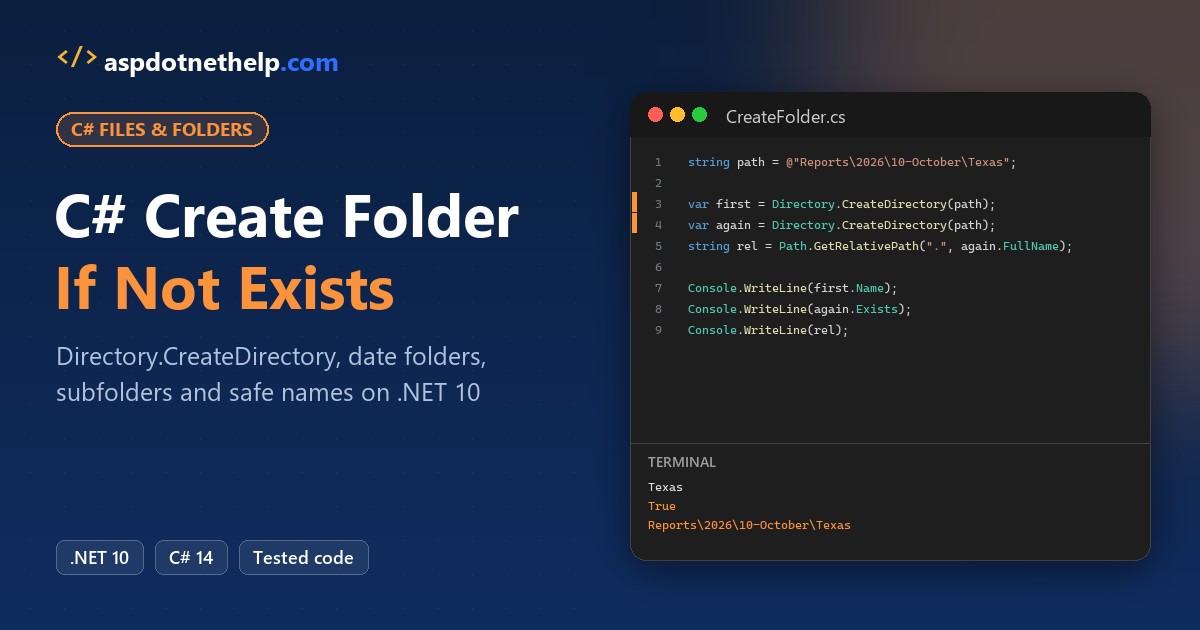
Want C# to create a folder only if it doesn’t exist? Call Directory.CreateDirectory(path). It creates the folder when it’s missing and quietly returns the existing one when it’s already there, so no check is needed.
In this tutorial, I’ll cover every C# create folder if not exists case I run into: the current directory, folders named with today’s date, nested subfolders, bad characters and permission errors.
The running example: a Denver accounting team filing month-end reports by year, month and state. Every program writes under C:\DotNetDemo\CreateFolderDemo and is safe to rerun.
Method 1: Create a Folder If It Doesn’t Exist with Directory.CreateDirectory
Jenna Moore’s month-end job needs a MonthEnd folder. This program creates it twice to prove the second call is harmless.
string folder = @"C:\DotNetDemo\CreateFolderDemo\MonthEnd";
if (Directory.Exists(folder)) Directory.Delete(folder, recursive: true);   // reset the demo

Console.WriteLine($"Exists before: {Directory.Exists(folder)}");

DirectoryInfo first = Directory.CreateDirectory(folder);
Console.WriteLine($"1st call: {first.FullName}");

DirectoryInfo second = Directory.CreateDirectory(folder);   // it already exists now
Console.WriteLine($"2nd call: {second.FullName} (no exception)");

Console.WriteLine($"Same folder: {first.CreationTimeUtc == second.CreationTimeUtc}");
Console.WriteLine($"Exists after:  {Directory.Exists(folder)}");
Output:
Exists before: False
1st call: C:\DotNetDemo\CreateFolderDemo\MonthEnd
2nd call: C:\DotNetDemo\CreateFolderDemo\MonthEnd (no exception)
Same folder: True
Exists after:  True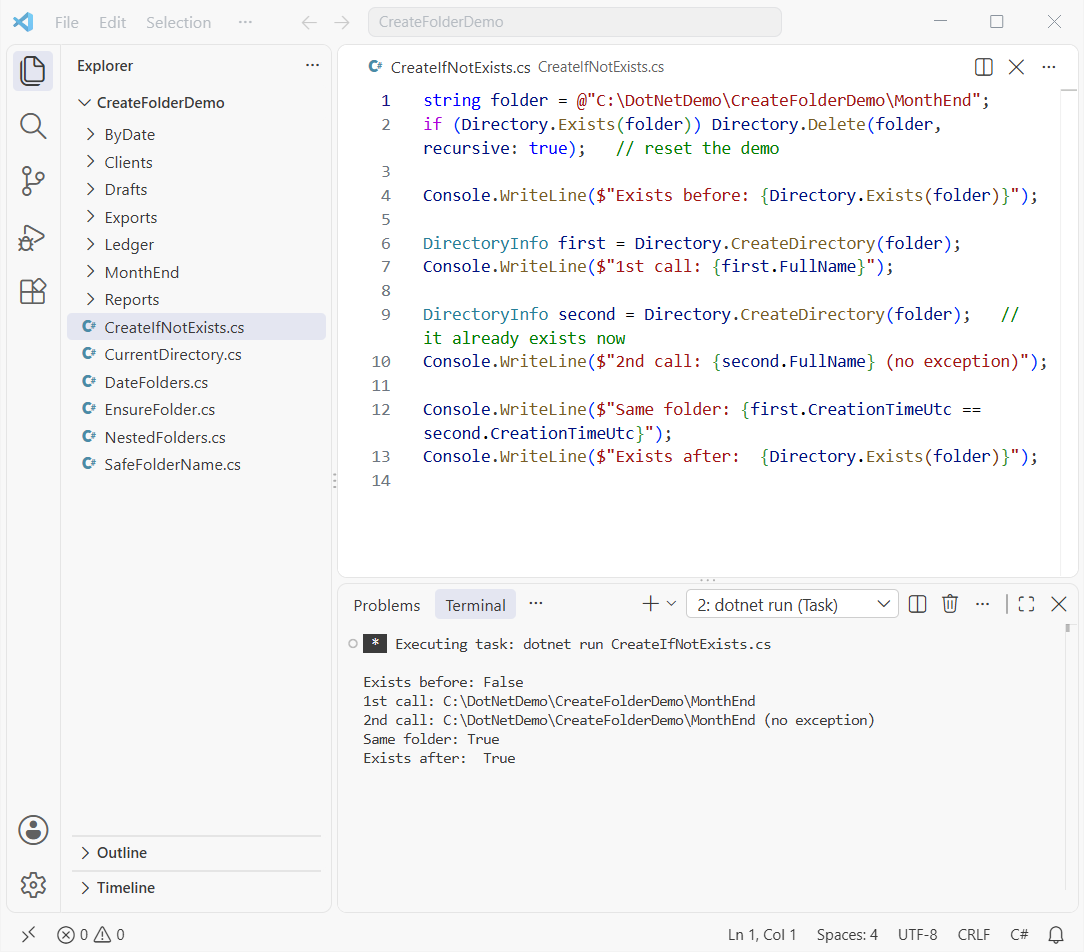
How does this code work? The first call creates the folder and returns a DirectoryInfo. The second call finds the folder, doesn’t throw, and returns it again, so both creation times match.
The Directory.Delete line just resets the demo (here’s how to delete a folder in C#). I use dotnet run File.cs on .NET 10 here, or you can create a console application in Visual Studio Code.
Do You Need Directory.Exists Before Creating a Folder in C#?
No. This common pattern works:
if (!Directory.Exists(folder))
    Directory.CreateDirectory(folder);
But it adds nothing and opens a small race: another process can create or delete the folder between your check and your call. Keep Directory.Exists only to log “created” versus “already there.”
Method 2: Create a Folder in the Current Directory
A relative name like "Drafts" goes into the current directory, which isn’t always where you think.
Console.WriteLine($"Environment.CurrentDirectory: {Environment.CurrentDirectory}");
Console.WriteLine($"Directory.GetCurrentDirectory: {Directory.GetCurrentDirectory()}");

string baseDir = Path.TrimEndingDirectorySeparator(AppContext.BaseDirectory);
Console.WriteLine($"AppContext.BaseDirectory is the same? {baseDir == Environment.CurrentDirectory}");

// Relative path -> current directory
DirectoryInfo drafts = Directory.CreateDirectory("Drafts");
Console.WriteLine($"\"Drafts\" -> {drafts.FullName}");

string q4 = Path.Combine(Environment.CurrentDirectory, "Exports", "Q4");
Console.WriteLine($"Path.Combine -> {Directory.CreateDirectory(q4).FullName}");

// Change it and the same relative call lands somewhere else
Environment.CurrentDirectory = Path.Combine(Environment.CurrentDirectory, "Exports");
Console.WriteLine($"\"Drafts\" now -> {Directory.CreateDirectory("Drafts").FullName}");
Output:
Environment.CurrentDirectory: C:\DotNetDemo\CreateFolderDemo
Directory.GetCurrentDirectory: C:\DotNetDemo\CreateFolderDemo
AppContext.BaseDirectory is the same? False
"Drafts" -> C:\DotNetDemo\CreateFolderDemo\Drafts
Path.Combine -> C:\DotNetDemo\CreateFolderDemo\Exports\Q4
"Drafts" now -> C:\DotNetDemo\CreateFolderDemo\Exports\Drafts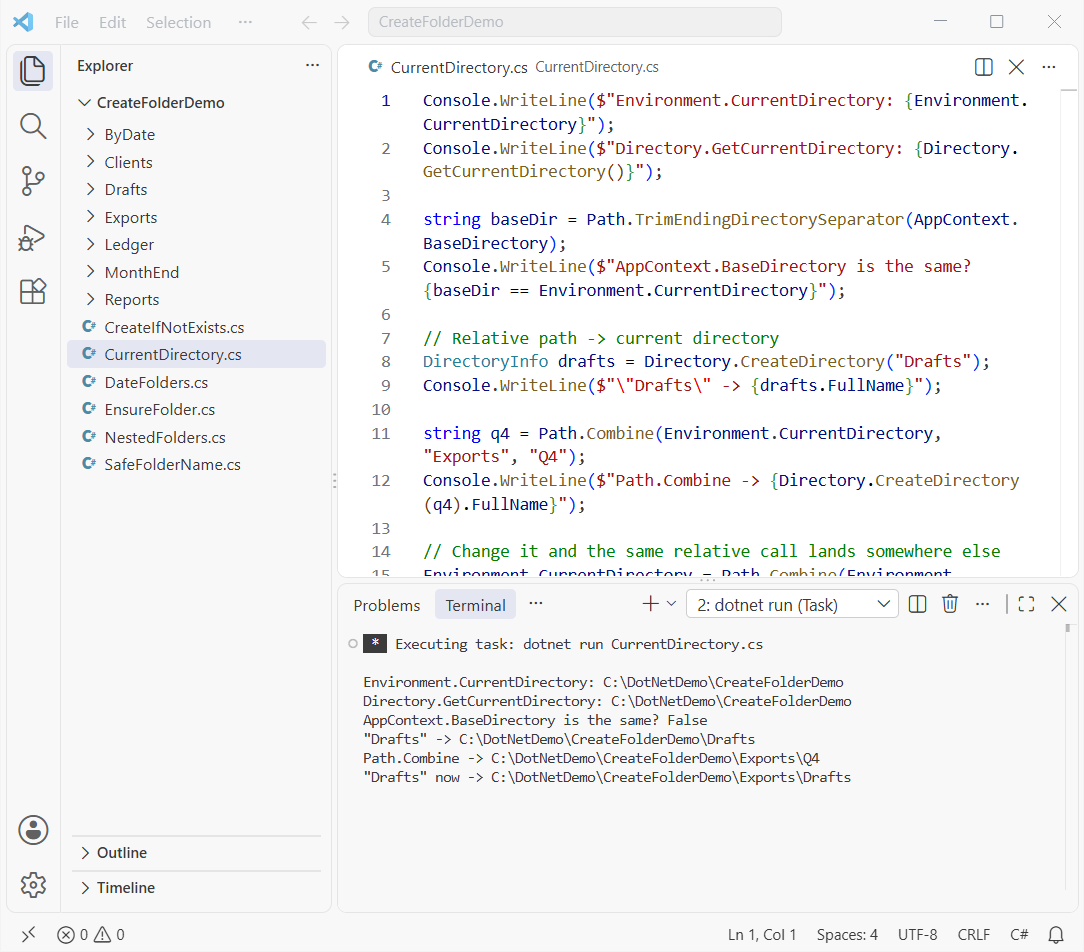
How does this code work? Both current-directory calls return the folder the app started in. After the program changes it, the same "Drafts" call lands inside Exports.
AppContext.BaseDirectory is the folder holding your app’s files. With dotnet run that’s the build output, so the comparison prints False.
Pro Tip: For folders that belong to the app, use Path.Combine(AppContext.BaseDirectory, "Data"). For folders the user owns, let them choose with a FolderBrowserDialog in C#.
Method 3: Create a Folder with Today’s Date in C#
Chloe Brady wants one folder per close date. Format the date, then create the folder:
using System.Globalization;

string root = @"C:\DotNetDemo\CreateFolderDemo\ByDate";
var inv = CultureInfo.InvariantCulture;
string Make(string name) =>
    Path.GetRelativePath(root, Directory.CreateDirectory(Path.Combine(root, name)).FullName);

// 1. yyyy-MM-dd sorts by name
Console.WriteLine(Make(DateTime.Today.ToString("yyyy-MM-dd", inv)));

// 2. Date and time
var closeTime = new DateTime(2026, 10, 30, 17, 30, 0);
Console.WriteLine(Make(closeTime.ToString("yyyy-MM-dd_HH-mm-ss", inv)));

// 3. US format
Console.WriteLine(Make(closeTime.ToString("MM/dd/yyyy", inv)));

// 4. A colon
try { Make(closeTime.ToString("yyyy-MM-dd HH:mm", inv)); }
catch (IOException ex) { Console.WriteLine($"HH:mm -> {ex.GetType().Name}: {ex.Message.Split(" : ")[0]}"); }
Output:
2026-10-31
2026-10-30_17-30-00
10\30\2026
HH:mm -> IOException: The directory name is invalid.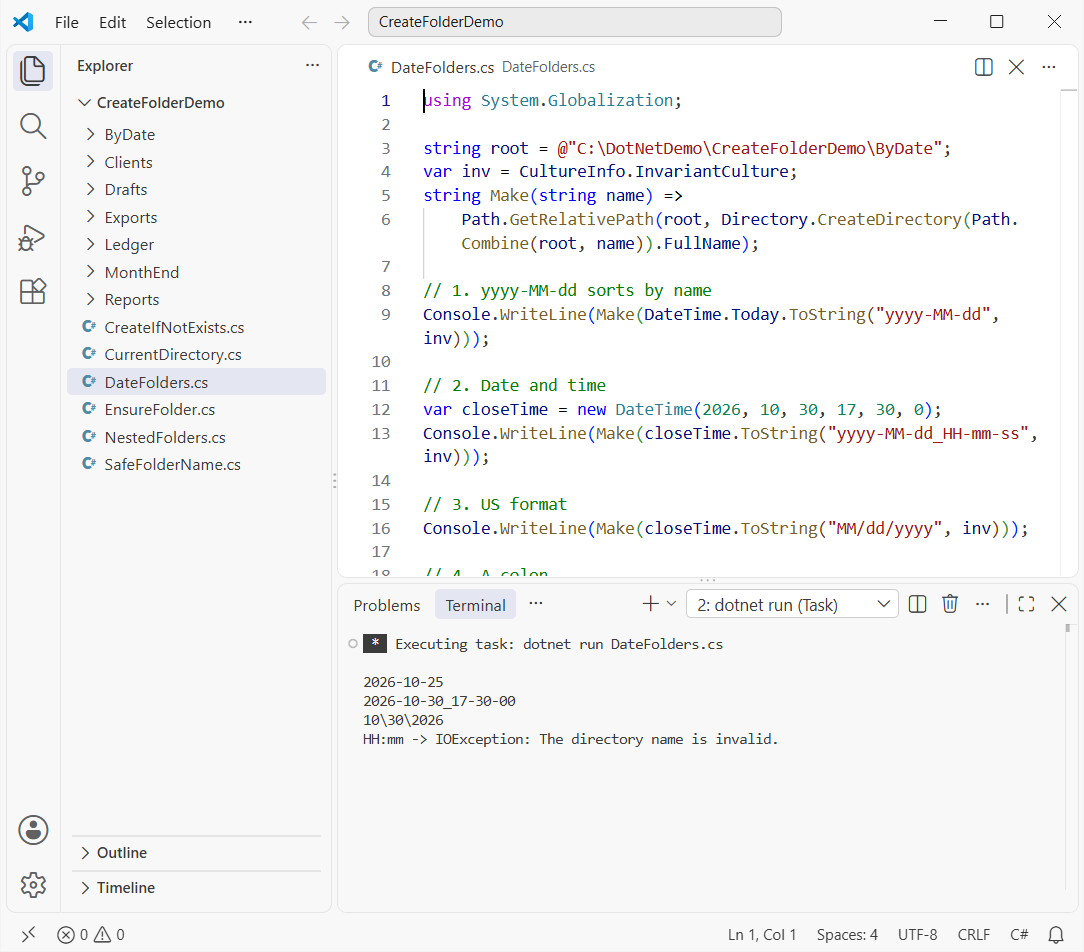
How does this code work? yyyy-MM-dd gives 2026-10-25, which sorts by name in date order, and HH-mm-ss swaps colons for dashes. MM/dd/yyyy backfires: each slash is a separator, so you get 10\30\2026.
Pro Tip: Always pass CultureInfo.InvariantCulture, or the date separator and even the calendar follow the PC’s culture. My post on how to convert a string to DateTime in C# covers formats.
Method 4: Create a Folder with Subfolders in One Call
The team’s layout is Reports\2026\10-October\Texas, and CreateDirectory builds every missing parent for you.
using System.Globalization;

string root = @"C:\DotNetDemo\CreateFolderDemo\Reports";
var us = CultureInfo.GetCultureInfo("en-US");

// One call creates Reports, 2026, 10-October and Texas
Directory.CreateDirectory(Path.Combine(root, "2026", "10-October", "Texas"));

foreach (int month in new[] { 11, 12 })
{
    string monthName = new DateTime(2026, month, 1).ToString("MM-MMMM", us);
    foreach (string state in new[] { "Texas", "Ohio" })
        Directory.CreateDirectory(Path.Combine(root, "2026", monthName, state));
}

// Relative to an existing folder
var year = new DirectoryInfo(Path.Combine(root, "2026"));
DirectoryInfo audit = year.CreateSubdirectory(@"Audit\Q4");
Console.WriteLine($"CreateSubdirectory returned: {audit.Name}");

foreach (string dir in Directory.EnumerateDirectories(root, "*", SearchOption.AllDirectories).Order())
    Console.WriteLine(Path.GetRelativePath(root, dir));
Output:
CreateSubdirectory returned: Q4
2026
2026\10-October
2026\10-October\Texas
2026\11-November
2026\11-November\Ohio
2026\11-November\Texas
2026\12-December
2026\12-December\Ohio
2026\12-December\Texas
2026\Audit
2026\Audit\Q4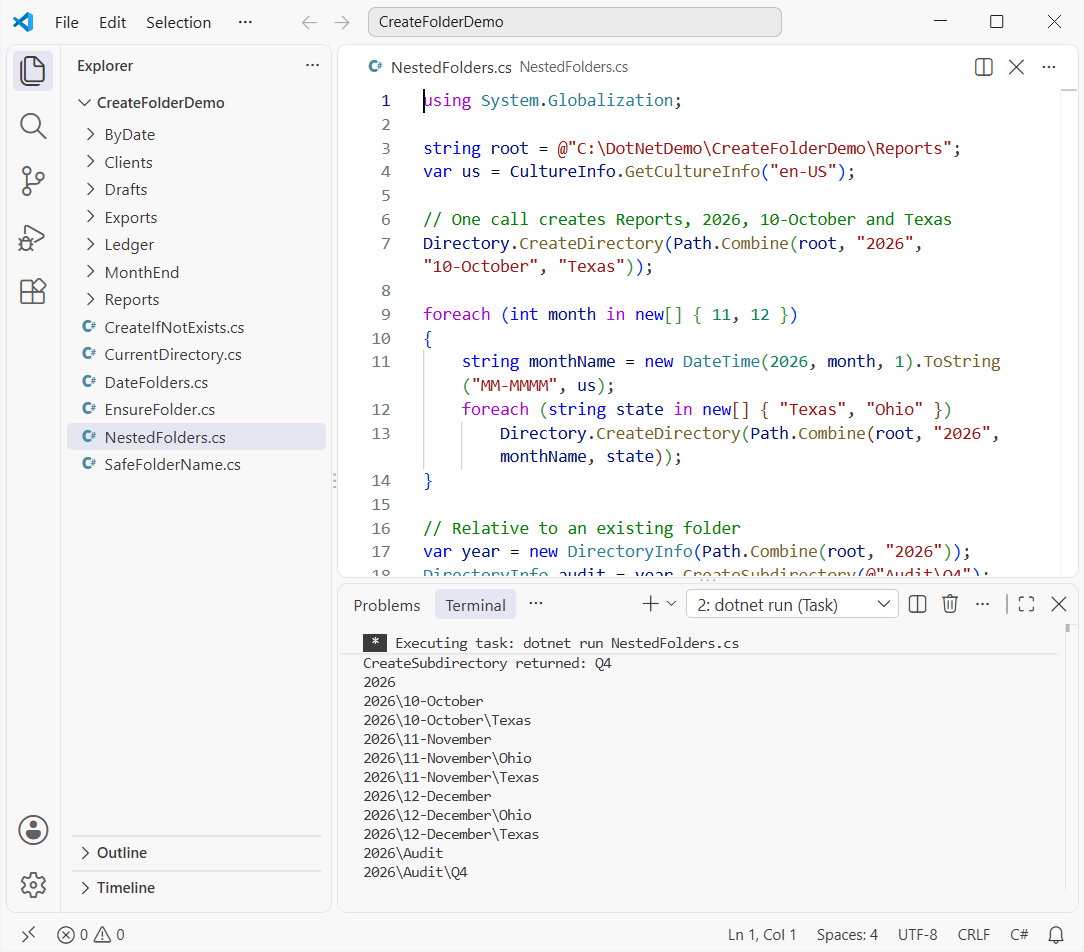
How does this code work? Path.Combine joins the parts with the right separator, and one call creates all four levels. The nested foreach loop in C# adds November and December for Texas and Ohio.
CreateSubdirectory(@"Audit\Q4") works relative to 2026 and returns the last folder, Q4. It can’t point to another drive; C:\Other gave me an ArgumentException.
Method 5: Remove Invalid Characters from a C# Folder Name
Client names often hold characters Windows rejects. Path.GetInvalidFileNameChars() lists them so you can clean them out:
string root = @"C:\DotNetDemo\CreateFolderDemo\Clients";
string client = "Moore & Brady: Q4 <Draft>?";

try { Directory.CreateDirectory(Path.Combine(root, client)); }
catch (IOException ex) { Console.WriteLine($"Raw name failed: {ex.GetType().Name}"); }

char[] invalid = Path.GetInvalidFileNameChars();
Console.WriteLine($"Invalid file name characters on Windows: {invalid.Length}");

string safe = string.Join("-", client.Split(invalid,
    StringSplitOptions.RemoveEmptyEntries | StringSplitOptions.TrimEntries));
DirectoryInfo dir = Directory.CreateDirectory(Path.Combine(root, safe));
Console.WriteLine($"Safe folder name: {dir.Name}");
Output:
Raw name failed: IOException
Invalid file name characters on Windows: 41
Safe folder name: Moore & Brady-Q4-Draft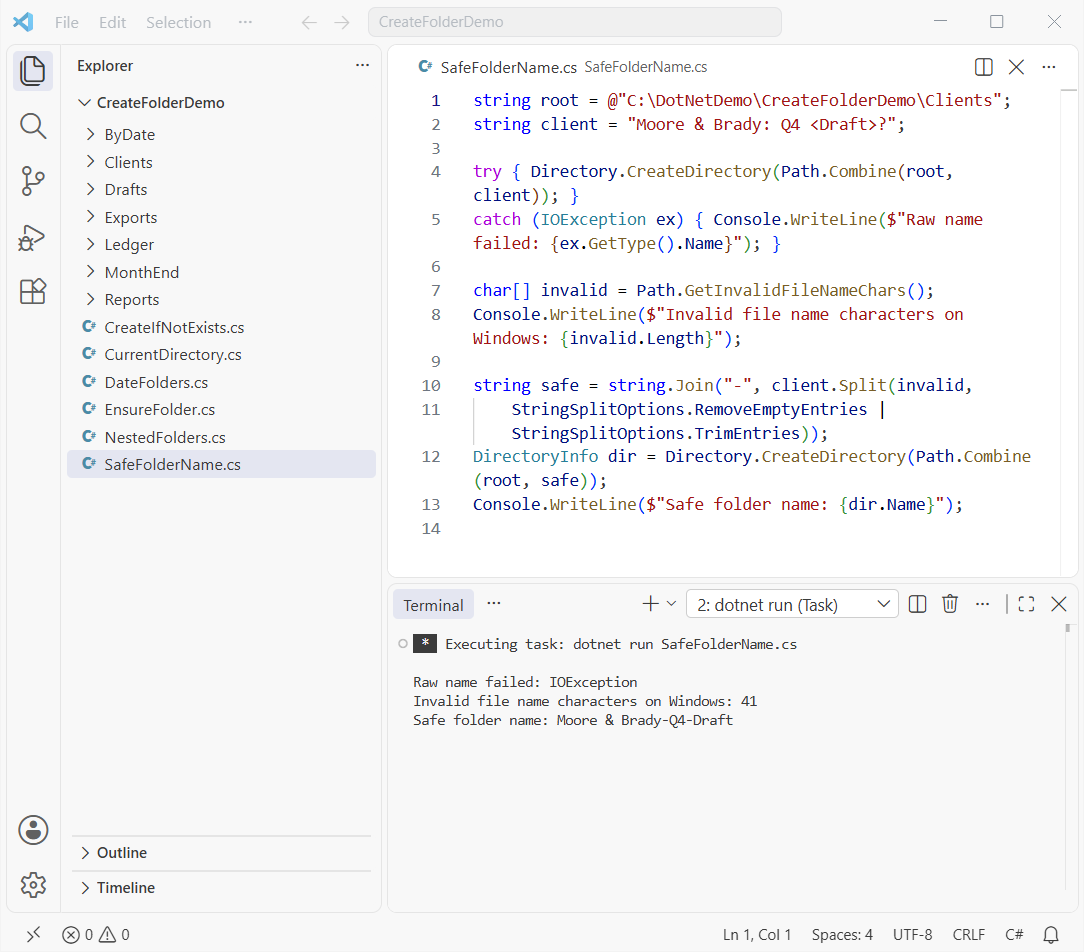
How does this code work? The raw name fails on :, <, > and ?. Split cuts at each invalid character and string.Join("-", ...) glues the pieces back.
Use GetInvalidFileNameChars for one folder name, not GetInvalidPathChars, which allows \ and :. For other cleanups, see how to remove a particular character from a string.
How Do You Handle Errors When Creating a Directory in C#?
An existing folder is fine, but Microsoft Learn lists UnauthorizedAccessException when you lack permission and IOException when a file already has that name.
string root = Directory.CreateDirectory(@"C:\DotNetDemo\CreateFolderDemo\Ledger").FullName;
File.WriteAllText(Path.Combine(root, "Payroll"), "a file, not a folder");   // sample clash

Console.WriteLine(TryCreate(Path.Combine(root, "Invoices")));
Console.WriteLine(TryCreate(Path.Combine(root, "Payroll")));

static string TryCreate(string path)
{
    try { return "Ready: " + Directory.CreateDirectory(path).Name; }
    catch (UnauthorizedAccessException) { return "No permission: " + path; }
    catch (IOException ex) { return $"Can't create {Path.GetFileName(path)}: {ex.Message}"; }
}
Output:
Ready: Invoices
Can't create Payroll: Cannot create 'C:\DotNetDemo\CreateFolderDemo\Ledger\Payroll' because a file or directory with the same name already exists.
How does this code work? Invoices is created, but Payroll is already a file, so CreateDirectory throws an IOException, and the helper returns a message instead of crashing. My try-catch guide for C# covers more.
You’ll hit UnauthorizedAccessException in protected places like C:\Windows. The fix is a folder your app’s account can write to, not admin rights.
Things to Keep in Mind When You Create Folders in C#
- Trailing spaces are removed from the path, and UNC network paths work when you have write access.
- In ASP.NET Core, build paths from
IWebHostEnvironment.ContentRootPathwithPath.Combineinstead of the oldServer.MapPath. - Creating a folder doesn’t create files. To clean up later, see how to delete a file from a folder in C#.
Which C# Create Directory Method Should You Use?
| You need | Use |
|---|---|
| Create a folder if it doesn’t exist | Directory.CreateDirectory(path) |
| Folder with today’s date | DateTime.Today.ToString("yyyy-MM-dd", CultureInfo.InvariantCulture) |
| Folder with subfolders | One CreateDirectory call on the deepest path |
| Name typed by a user | Strip Path.GetInvalidFileNameChars() first |
Building out the month-end tool? These guides fit right after this one:
Frequently Asked Questions
Does Directory.CreateDirectory throw if the folder already exists?
No. It returns a DirectoryInfo for the existing folder and creates nothing. See the Directory.CreateDirectory documentation on Microsoft Learn.
How do I create a folder and all its subfolders in C#?
Pass the deepest path to Directory.CreateDirectory. Every missing parent is created in the same call.
What’s the difference between Directory.CreateDirectory and DirectoryInfo.Create?
They do the same job. Directory.CreateDirectory is static and takes a path; DirectoryInfo.Create() works on a DirectoryInfo you already have.
How do I create a folder with the current date and time in C#?
Use DateTime.Now.ToString("yyyy-MM-dd_HH-mm-ss", CultureInfo.InvariantCulture) as the folder name. Avoid colons and slashes.
Where does a relative folder path get created in C#?
In Environment.CurrentDirectory. For a predictable spot, combine AppContext.BaseDirectory with Path.Combine.

Bijay Kumar is a renowned software engineer, accomplished author, and distinguished Microsoft Most Valuable Professional (MVP) specializing in SharePoint. With a rich professional background spanning over 15 years, Bijay has established himself as an authority in the field of information technology. He possesses unparalleled expertise in multiple programming languages and technologies such as ASP.NET, ASP.NET MVC, C#.NET, and SharePoint, which has enabled him to develop innovative and cutting-edge solutions for clients across the globe. Read more…