
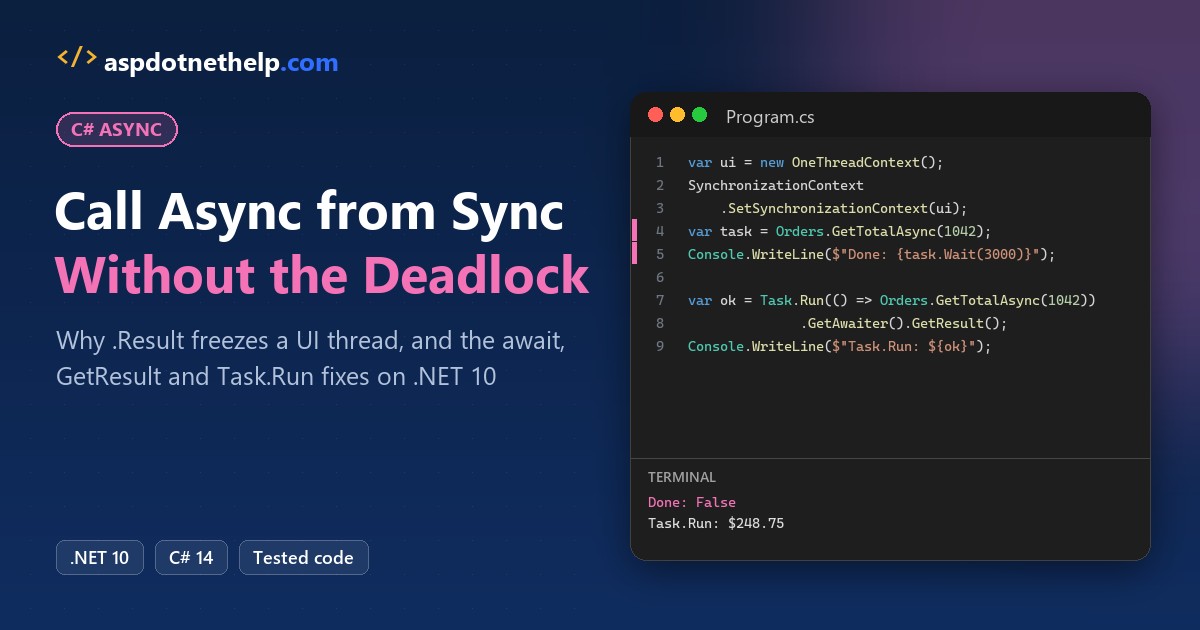
The first thing most developers reach for to call an async method from a sync method in C# is .Result. It compiles, and in a console app it even prints the right number:
decimal total = Orders.GetTotalAsync(1042).Result;Put that line in a WinForms or WPF click handler and the window freezes for good. The fix is to await all the way up, and when you truly can’t, block with GetAwaiter().GetResult() on a thread with no UI context.
I rebuilt the freeze in a .NET 10 console app, then fixed it three ways.
Call an Async Method from a Sync Method: Quick Reference
Every option below is plain .NET, no package needed. If Task and await are still new to you, read my async and await in C# guide first.
| Your situation | Use | Risk |
|---|---|---|
| You can change the caller | await it and make the caller async Task | None, this is the real fix |
Console app Main | Top-level await or static async Task Main | None |
| UI event handler | async void handler with await | Wrap the body in try/catch |
| Sync interface you can’t change | GetAwaiter().GetResult() | Blocks a thread; deadlocks on a UI context |
| Blocking on a UI or legacy ASP.NET thread | Task.Run(() => FooAsync()).GetAwaiter().GetResult() | Uses an extra pool thread |
| You don’t need the result | _ = FooAsync(); plus error logging | Unobserved exceptions |
The Sample Async Method
Every demo includes this Orders.cs and runs with dotnet run as a .NET 10 file-based app. Order 1042 totals $248.75; any other ID throws:
public static class Orders
{
    // Stands in for an HTTP or database call that takes 200 ms.
    public static async Task<decimal> GetTotalAsync(int orderId)
    {
        await Task.Delay(200);
        return orderId == 1042
            ? 248.75m
            : throw new InvalidOperationException($"Order {orderId} not found");
    }

    // Library-style version: never resumes on the caller's context.
    public static async Task<decimal> GetTotalSafeAsync(int orderId)
    {
        await Task.Delay(200).ConfigureAwait(false);
        return 248.75m;
    }
}
The deadlock demos also include OneThreadContext.cs. It queues continuations the way a UI thread does, but never runs them while the thread is busy:
// Acts like a WinForms/WPF UI thread: continuations posted here wait
// in a queue until the owning thread is free to run them.
public sealed class OneThreadContext : SynchronizationContext
{
    private readonly Queue<(SendOrPostCallback, object?)> queue = new();

    public int Pending { get { lock (queue) return queue.Count; } }

    public override void Post(SendOrPostCallback d, object? state)
    {
        lock (queue) queue.Enqueue((d, state));
    }
}
Best Fix: Make the Sync Method Async All the Way Up
Most “sync” callers can become async. Change void to async Task, add await, and repeat one level up until you reach Main or an event handler:
#!/usr/bin/env dotnet
#:property PublishAot=false
#:include Orders.cs

await PrintInvoiceAsync(1042);
Console.WriteLine("Main awaited the invoice, nothing blocked");

// Was: static void PrintInvoice(int id) { ... .Result ... }
static async Task PrintInvoiceAsync(int orderId)
{
    decimal total = await Orders.GetTotalAsync(orderId);
    Console.WriteLine($"Invoice for order {orderId}: ${total}");
}
Output:
Invoice for order 1042: $248.75
Main awaited the invoice, nothing blocked
Top-level statements become an async Main as soon as you use await, so the console prints $248.75 and nothing blocks.
Async Event Handlers in WinForms and WPF
Event handlers return void, so mark them async void. It’s the one place Microsoft says async void belongs:
#!/usr/bin/env dotnet
#:property PublishAot=false
#:include Orders.cs

var button = new SubmitButton();
button.Click += async (sender, e) =>     // async void: fine for events
{
    decimal total = await Orders.GetTotalAsync(1042);
    Console.WriteLine($"Handler shows ${total}");
};

button.RaiseClick();
Console.WriteLine("RaiseClick returned before the handler finished");
await Task.Delay(500);                  // keep the demo alive

class SubmitButton
{
    public event EventHandler? Click;
    public void RaiseClick() => Click?.Invoke(this, EventArgs.Empty);
}
Output:
RaiseClick returned before the handler finished
Handler shows $248.75
RaiseClick returned before the handler printed, because nobody can await an async void method. Put a try/catch inside the handler, since its exceptions can’t reach the caller.
Blocking on an Async Method: GetAwaiter().GetResult() vs .Result
When a sync interface or a constructor really can’t change, you have to block. Both calls below wait for the same task, but they throw differently:
#!/usr/bin/env dotnet
#:property PublishAot=false
#:include Orders.cs

decimal total = Orders.GetTotalAsync(1042).GetAwaiter().GetResult();
Console.WriteLine($"GetResult(): ${total}");

try { _ = Orders.GetTotalAsync(9999).Result; }
catch (Exception ex)
{
    Console.WriteLine($".Result threw {ex.GetType().Name}");
    Console.WriteLine($"  {ex.Message}");
}

try { Orders.GetTotalAsync(9999).GetAwaiter().GetResult(); }
catch (Exception ex)
{
    Console.WriteLine($"GetResult() threw {ex.GetType().Name}");
    Console.WriteLine($"  {ex.Message}");
}
Output:
GetResult(): $248.75
.Result threw AggregateException
  One or more errors occurred. (Order 9999 not found)
GetResult() threw InvalidOperationException
  Order 9999 not found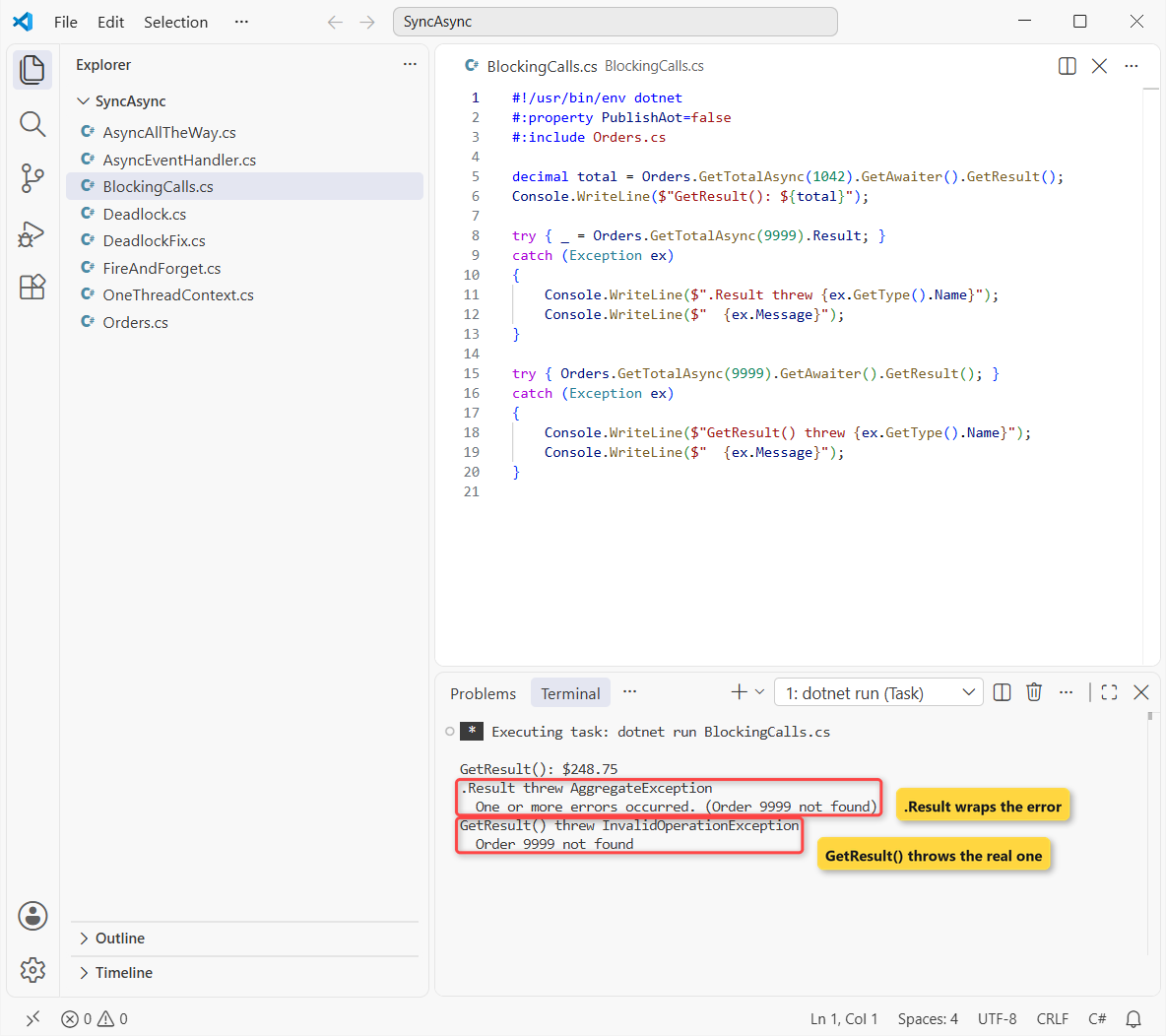
.Result and .Wait() wrap failures in AggregateException, so your catch blocks for InvalidOperationException miss them. GetAwaiter().GetResult() throws the original exception, which is why I always pick it.
Why Does .Result Deadlock When You Call an Async Method?
The await inside GetTotalAsync captures the current SynchronizationContext. When the delay ends, it posts the rest of the method back to that context, which is the thread you just blocked.
Same order, now on the fake UI context:
#!/usr/bin/env dotnet
#:property PublishAot=false
#:include Orders.cs
#:include OneThreadContext.cs

var ui = new OneThreadContext();
SynchronizationContext.SetSynchronizationContext(ui);

Task<decimal> task = Orders.GetTotalAsync(1042);

// .Result would wait forever; Wait(3 s) lets the demo end.
bool finished = task.Wait(TimeSpan.FromSeconds(3));

Console.WriteLine($"Finished within 3 seconds: {finished}");
Console.WriteLine($"Task status: {task.Status}");
Console.WriteLine($"Continuations stuck in the queue: {ui.Pending}");
Output:
Finished within 3 seconds: False
Task status: WaitingForActivation
Continuations stuck in the queue: 1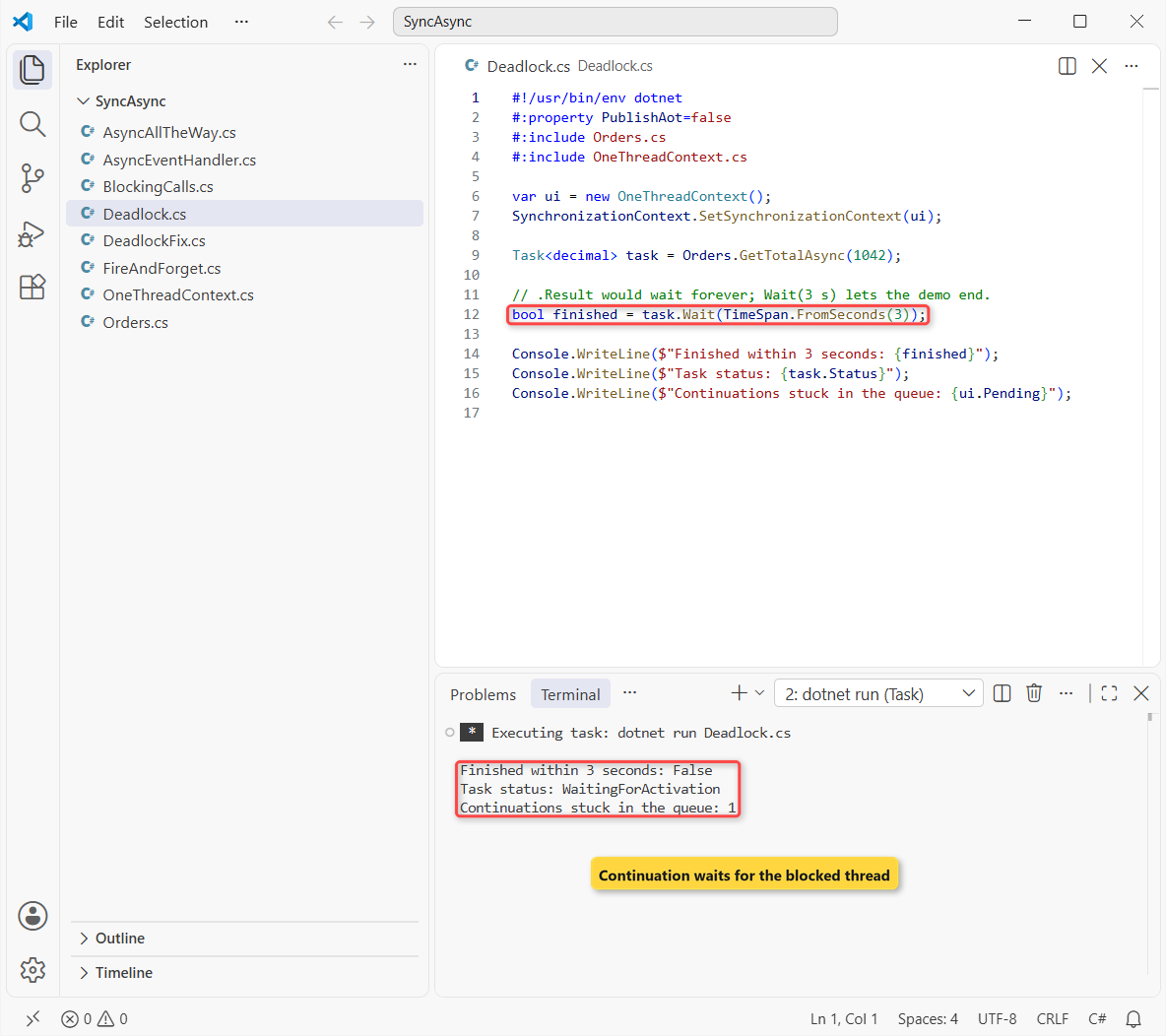
After 3 seconds the task is still WaitingForActivation and one continuation sits in the queue. On a real UI thread there’s no timeout, so the window just hangs.
Fix the Async Deadlock: ConfigureAwait(false) or Task.Run
Same UI context, two fixes. The first changes the library; the second changes only the caller:
#!/usr/bin/env dotnet
#:property PublishAot=false
#:include Orders.cs
#:include OneThreadContext.cs

var ui = new OneThreadContext();
SynchronizationContext.SetSynchronizationContext(ui);

// Fix 1: the library uses ConfigureAwait(false)
decimal a = Orders.GetTotalSafeAsync(1042).GetAwaiter().GetResult();
Console.WriteLine($"ConfigureAwait(false): ${a}");

// Fix 2: start the call on the thread pool (no context there)
decimal b = Task.Run(() => Orders.GetTotalAsync(1042))
                .GetAwaiter().GetResult();
Console.WriteLine($"Task.Run wrapper:      ${b}");
Console.WriteLine($"Queued on the UI context: {ui.Pending}");
Output:
ConfigureAwait(false): $248.75
Task.Run wrapper:      $248.75
Queued on the UI context: 0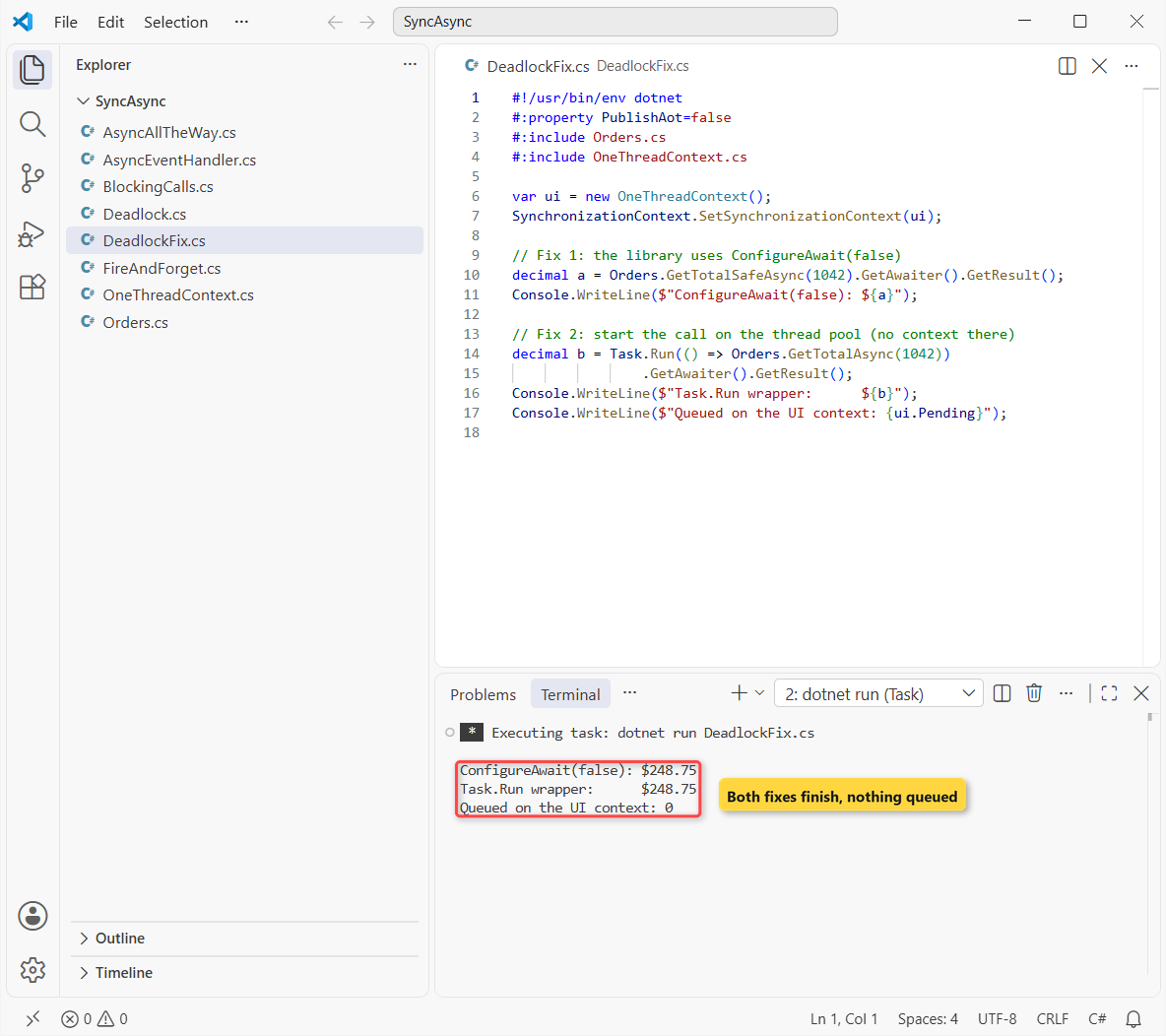
Both lines return $248.75 and the queue stays at 0. ConfigureAwait(false) only helps if every await in the call chain uses it, including code you don’t own.
Task.Run works because pool threads have no context, but it still blocks the calling thread. Pass a CancellationToken if the user may give up waiting.
Does .Result Deadlock an Async Call in ASP.NET Core?
Usually not. Microsoft’s deadlock docs name the UI thread and the older ASP.NET request thread, and ASP.NET Core runs your code on plain thread pool threads.
Blocking still hurts there: every waiting request holds a pool thread, which leads to thread pool starvation under load. Blazor is the exception, with its own synchronization context, so keep Blazor lifecycle methods async too.
How to Fire and Forget an Async Method from Sync Code
If a sync method only needs to start the work, discard the task with _ =. The catch is that a failure then disappears:
#!/usr/bin/env dotnet
#:property PublishAot=false
#:include Orders.cs

_ = Orders.GetTotalAsync(9999);            // fails, nobody looks
await Task.Delay(500);
Console.WriteLine("Plain discard: no error shown anywhere");

_ = LogFailuresAsync(Orders.GetTotalAsync(9999));
await Task.Delay(500);

static async Task LogFailuresAsync(Task task)
{
    try { await task; }
    catch (Exception ex)
    {
        Console.WriteLine($"Logged: {ex.Message}");
    }
}
Output:
Plain discard: no error shown anywhere
Logged: Order 9999 not found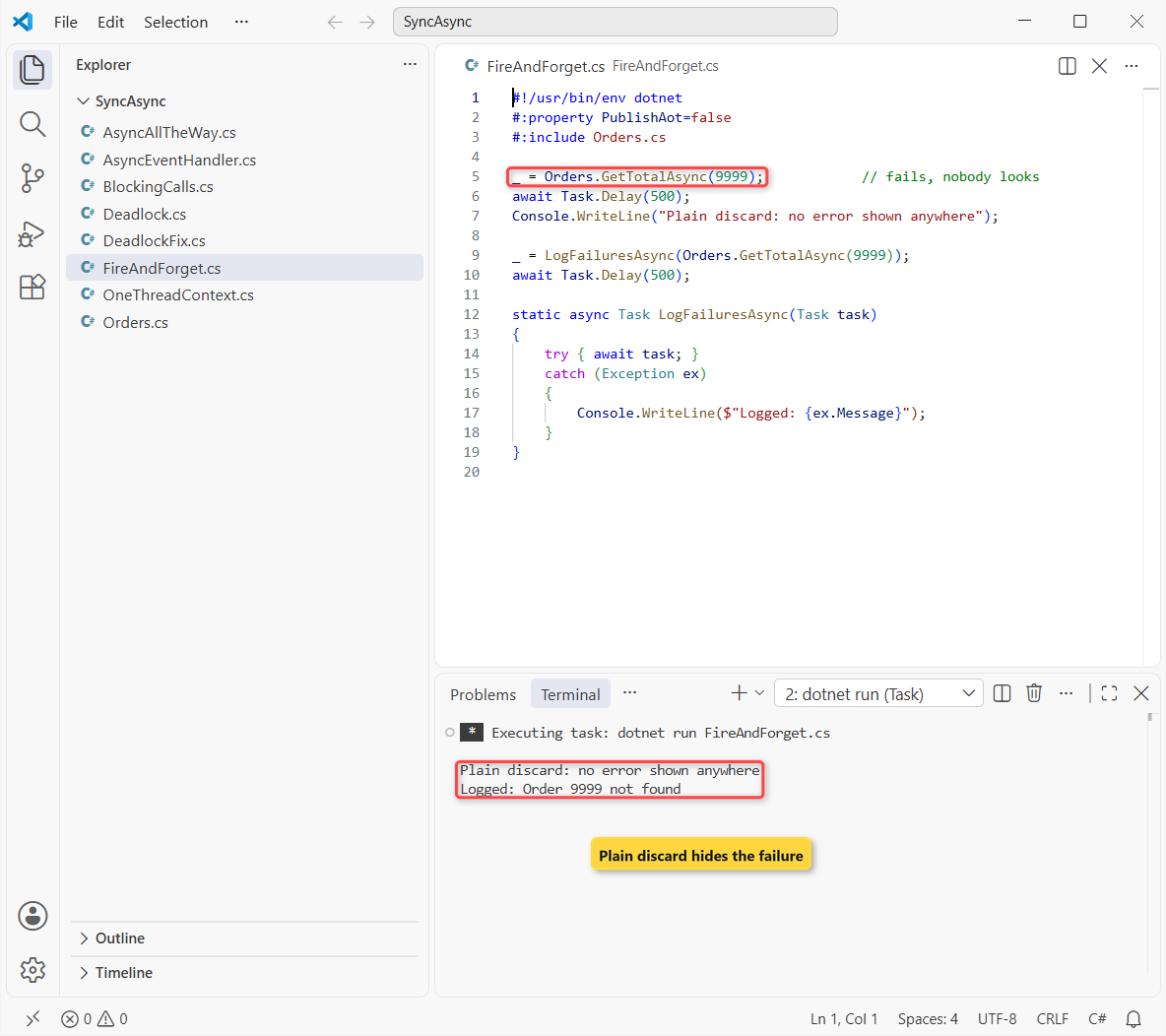
The first call fails without a trace. The wrapper awaits the task inside a try/catch and logs “Order 9999 not found”. For long-running work in a web app, use a BackgroundService instead.
A few more C# posts that fit right after this one:
- HttpClient in C#: GET, POST and JSON calls
- Delegates in C# with Func and Action
- What’s new in .NET 10
- Nullable reference types in C#
Frequently Asked Questions
Can I use await in a non-async method in C#?
No. The compiler only accepts await inside a method marked async. Mark the method async Task, or block with GetAwaiter().GetResult() if its signature can’t change.
Is GetAwaiter().GetResult() better than .Result?
For error handling, yes: it throws the original exception instead of an AggregateException. It blocks the thread the same way, so it can deadlock on a UI context just like .Result.
How do I call an async method from a constructor?
Constructors can’t be async. Use a static CreateAsync factory method that awaits the call and then returns the new object, or load the data in an async InitializeAsync method.
Why does my WinForms or WPF app freeze when I call .Result?
The awaited code tries to resume on the UI thread, which .Result is blocking. Microsoft’s common async/await bugs guide walks through the same sequence.
Is Task.Run a good way to call async code from sync code?
It avoids the deadlock, but it uses an extra thread and still blocks the caller. In ASP.NET Core, Microsoft’s best practices page says not to block on tasks at all.

Bijay Kumar is a renowned software engineer, accomplished author, and distinguished Microsoft Most Valuable Professional (MVP) specializing in SharePoint. With a rich professional background spanning over 15 years, Bijay has established himself as an authority in the field of information technology. He possesses unparalleled expertise in multiple programming languages and technologies such as ASP.NET, ASP.NET MVC, C#.NET, and SharePoint, which has enabled him to develop innovative and cutting-edge solutions for clients across the globe. Read more…