
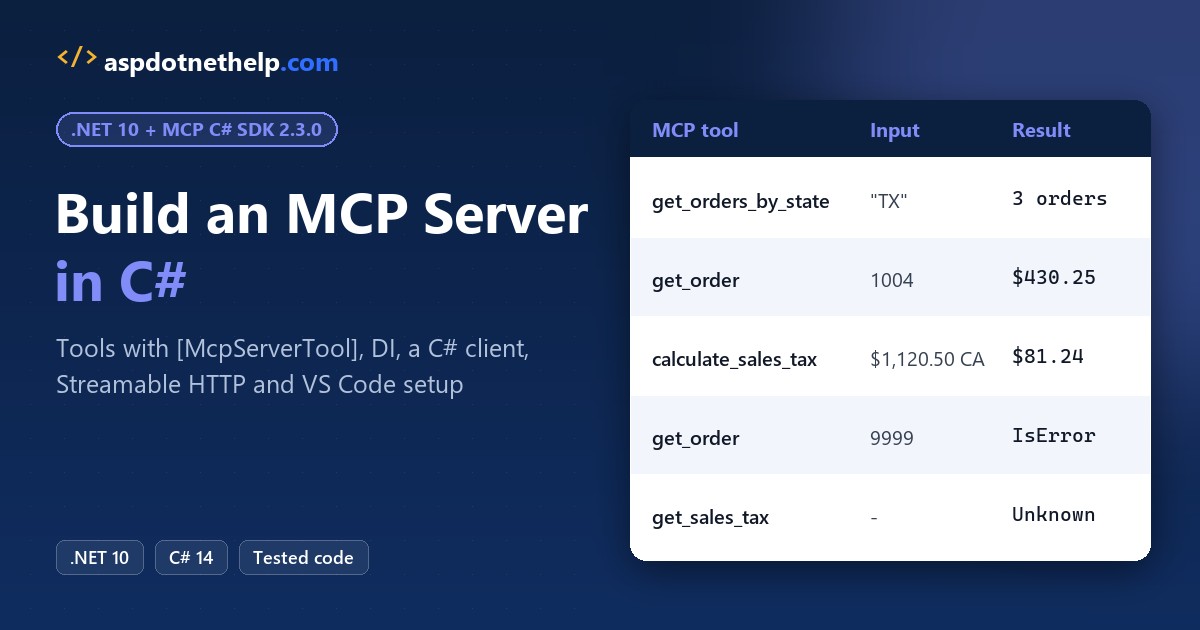
Say your support team in Austin keeps asking an AI assistant where order 1004 is, and it can’t answer. The orders live in your C# app, and the assistant has no way in.
Quick answer: build an MCP server C# app with the official SDK. Run dotnet new mcpserver, mark methods with [McpServerTool] and [Description], then register them with AddMcpServer().WithStdioServerTransport().
I built order and sales-tax tools that way on .NET 10, then called them from a real C# client.
What Is an MCP Server? Tools, Resources, Prompts and Transports
The Model Context Protocol (MCP) is an open standard that lets AI apps like GitHub Copilot or Claude call code you own. Your server exposes tools (functions the model calls), resources (data it reads) and prompts (reusable templates).
The client and server swap JSON-RPC messages over one of two transports:
| Transport | How it runs | Use it for |
|---|---|---|
| stdio | The client starts your server as a child process and talks over stdin/stdout | Local tools in VS Code, Visual Studio, Claude Desktop |
| Streamable HTTP | Your server is a web app; clients POST to one endpoint | Remote or shared servers, Azure, containers |
I’ll stick to tools, since that’s what most servers need. Resources and prompts follow the same pattern with [McpServerResourceType] and [McpServerPromptType].
MCP C# SDK Packages and Versions on NuGet
The SDK lives on GitHub at modelcontextprotocol/csharp-sdk, maintained with Microsoft. It’s stable now, so old tutorials that say --prerelease are out of date. These are the versions I used on November 1, 2026:
| Package | Version | What it’s for |
|---|---|---|
ModelContextProtocol | 2.3.0 | Hosting, DI and attribute discovery; stdio servers and clients |
ModelContextProtocol.AspNetCore | 2.3.0 | HTTP servers (WithHttpTransport, MapMcp) |
ModelContextProtocol.Core | 2.3.0 | Client or low-level server APIs with the fewest dependencies |
Microsoft.McpServer.ProjectTemplates | 1.2.1 | The dotnet new mcpserver template |
The template needs the .NET 10 SDK, so check which .NET version you have first. Microsoft Learn still labels the template preview, but NuGet lists 1.2.1 as a stable release.
How to Create an MCP Server in C# with dotnet new mcpserver
Install the template once, then create the project. I keep demos in C:\DotNetDemo\McpServerDemo:
dotnet new install Microsoft.McpServer.ProjectTemplates
dotnet new mcpserver -n OrdersMcp
cd OrdersMcp
dotnet add package ModelContextProtocol --version 2.3.0
The template gives you these files:
.mcp\server.json
OrdersMcp.csproj
Program.cs
README.md
Tools\RandomNumberTools.cs
Its Program.cs registers a sample RandomNumberTools class. I deleted that tool and ran dotnet add package, because the template pinned ModelContextProtocol 2.1.0. Here’s OrdersMcp.csproj after that, otherwise untouched:
<Project Sdk="Microsoft.NET.Sdk">

  <PropertyGroup>
    <TargetFramework>net10.0</TargetFramework>
    <RuntimeIdentifiers>win-x64;win-arm64;osx-arm64;linux-x64;linux-arm64;linux-musl-x64</RuntimeIdentifiers>
    <OutputType>Exe</OutputType>
    <Nullable>enable</Nullable>
    <ImplicitUsings>enable</ImplicitUsings>

    <!-- Set up the NuGet package to be an MCP server -->
    <PackAsTool>true</PackAsTool>
    <PackageType>McpServer</PackageType>

    <!-- Set up the MCP server to be a self-contained application that does not rely on a shared framework -->
    <SelfContained>true</SelfContained>
    <PublishSelfContained>true</PublishSelfContained>

    <!-- Set up the MCP server to be a single file executable -->
    <PublishSingleFile>true</PublishSingleFile>

    <!-- Set recommended package metadata -->
    <PackageReadmeFile>README.md</PackageReadmeFile>
    <PackageId>SampleMcpServer</PackageId>
    <PackageVersion>0.1.0-beta</PackageVersion>
    <PackageTags>AI; MCP; server; stdio</PackageTags>
    <Description>An MCP server using the MCP C# SDK.</Description>
  </PropertyGroup>

  <!-- Include additional files for browsing the MCP server. -->
  <ItemGroup>
    <None Include=".mcp\server.json" Pack="true" PackagePath="/.mcp/" />
    <None Include="README.md" Pack="true" PackagePath="/" />
  </ItemGroup>

  <ItemGroup>
    <PackageReference Include="Microsoft.Extensions.Hosting" Version="10.0.13" />
    <PackageReference Include="ModelContextProtocol" Version="2.3.0" />
  </ItemGroup>

</Project>
PackAsTool and the McpServer package type let you ship the server as a NuGet package later. Change PackageId to something unique before you publish.
The template also writes .mcp/server.json, which NuGet.org reads to generate the client config:
{
  "$schema": "https://static.modelcontextprotocol.io/schemas/2025-10-17/server.schema.json",
  "description": "<your description here>",
  "name": "io.github.<your GitHub username here>/<your repo name>",
  "version": "0.1.0-beta",
  "packages": [
    {
      "registryType": "nuget",
      "identifier": "<your package ID here>",
      "version": "0.1.0-beta",
      "transport": {
        "type": "stdio"
      },
      "packageArguments": [],
      "environmentVariables": []
    }
  ],
  "repository": {
    "url": "https://github.com/<your GitHub username here>/<your repo name>",
    "source": "github"
  }
}
Prefer a blank console app? dotnet new console plus ModelContextProtocol and Microsoft.Extensions.Hosting works too. The console app setup in VS Code is the same either way.
Write MCP Server Tools with [McpServerTool] and [Description]
First, the data. OrderStore stands in for your database, with six US orders:
public record Order(int Id, string Customer, string City, string State, decimal Total, string Status);

// Stand-in for your database or order API. Registered as a singleton in Program.cs.
public class OrderStore
{
    private readonly List<Order> _orders =
    [
        new(1001, "Jenna Morales", "Austin", "TX", 249.99m, "Shipped"),
        new(1002, "Tyler Brooks", "San Diego", "CA", 1120.50m, "Processing"),
        new(1003, "Dana Price", "Dallas", "TX", 89.00m, "Delivered"),
        new(1004, "Marcus Reed", "Buffalo", "NY", 430.25m, "Shipped"),
        new(1005, "Olivia Grant", "Denver", "CO", 65.40m, "Processing"),
        new(1006, "Kevin Walsh", "Houston", "TX", 512.00m, "Processing"),
    ];

    public IEnumerable<Order> ByState(string state) =>
        _orders.Where(o => o.State.Equals(state, StringComparison.OrdinalIgnoreCase));

    public Order? Find(int id) => _orders.FirstOrDefault(o => o.Id == id);
}
It’s a plain List<T> in C# of records, filtered with LINQ in C#. Now the tools. Each public method with [McpServerTool] becomes one tool:
using System.ComponentModel;
using System.Globalization;
using Microsoft.Extensions.Logging;
using ModelContextProtocol;
using ModelContextProtocol.Server;

[McpServerToolType]
public class OrderTools(OrderStore store, ILogger<OrderTools> logger)
{
    private static readonly CultureInfo Us = CultureInfo.GetCultureInfo("en-US");

    [McpServerTool, Description("Lists customer orders shipped to a US state.")]
    public string GetOrdersByState(
        [Description("Two-letter US state code, for example TX")] string state)
    {
        logger.LogInformation("Order lookup for state {State}", state);
        var lines = store.ByState(state)
            .Select(o => $"#{o.Id} {o.Customer} ({o.City}) {o.Total.ToString("C", Us)} {o.Status}")
            .ToList();
        return lines.Count == 0 ? $"No orders for {state}." : string.Join("\n", lines);
    }

    [McpServerTool, Description("Gets one order by its order number.")]
    public string GetOrder([Description("Order number, for example 1004")] int orderId)
    {
        var o = store.Find(orderId)
            ?? throw new McpException($"Order {orderId} was not found.");
        return $"#{o.Id} {o.Customer}, {o.City}, {o.State}: {o.Total.ToString("C", Us)} ({o.Status})";
    }
}
Three things matter here. The SDK turns GetOrdersByState into the tool name get_orders_by_state. Every [Description] lands in the JSON schema the model reads, so write them for the AI, not for you.
And a thrown McpException becomes an error result the model can see, not a crashed server. A static class works too:
using System.ComponentModel;
using System.Globalization;
using ModelContextProtocol;
using ModelContextProtocol.Server;

[McpServerToolType]
public static class SalesTaxTools
{
    // State base rates only (no city or county tax), for the demo.
    private static readonly Dictionary<string, decimal> Rates = new(StringComparer.OrdinalIgnoreCase)
    {
        ["CA"] = 0.0725m, ["CO"] = 0.029m, ["FL"] = 0.06m,
        ["NY"] = 0.04m, ["TX"] = 0.0625m, ["WA"] = 0.065m,
    };

    [McpServerTool, Description("Calculates state base sales tax for an order amount in USD.")]
    public static string CalculateSalesTax(
        [Description("Order amount in US dollars")] decimal amount,
        [Description("Two-letter US state code")] string state)
    {
        if (!Rates.TryGetValue(state, out var rate))
            throw new McpException($"No sales tax rate on file for '{state}'.");
        var us = CultureInfo.GetCultureInfo("en-US");
        decimal tax = Math.Round(amount * rate, 2, MidpointRounding.AwayFromZero);
        return $"{state.ToUpperInvariant()} {rate:P2}: tax {tax.ToString("C", us)}, " +
               $"total {(amount + tax).ToString("C", us)}";
    }
}
The rates are state base rates only, kept in a Dictionary in C# with a case-insensitive comparer, so tx works too.
Dependency Injection in MCP Server C# Tools
OrderTools asks for OrderStore and ILogger<OrderTools> in its primary constructor. The SDK builds the class from the host’s service container, so you register the store like any .NET service:
using Microsoft.Extensions.DependencyInjection;
using Microsoft.Extensions.Hosting;
using Microsoft.Extensions.Logging;

var builder = Host.CreateApplicationBuilder(args);

// stdout carries the MCP messages, so every log line goes to stderr.
builder.Logging.AddConsole(o => o.LogToStandardErrorThreshold = LogLevel.Trace);
builder.Logging.AddFilter("ModelContextProtocol", LogLevel.Warning);

builder.Services.AddSingleton<OrderStore>();   // injected into OrderTools

builder.Services
    .AddMcpServer()
    .WithStdioServerTransport()
    .WithToolsFromAssembly();

await builder.Build().RunAsync();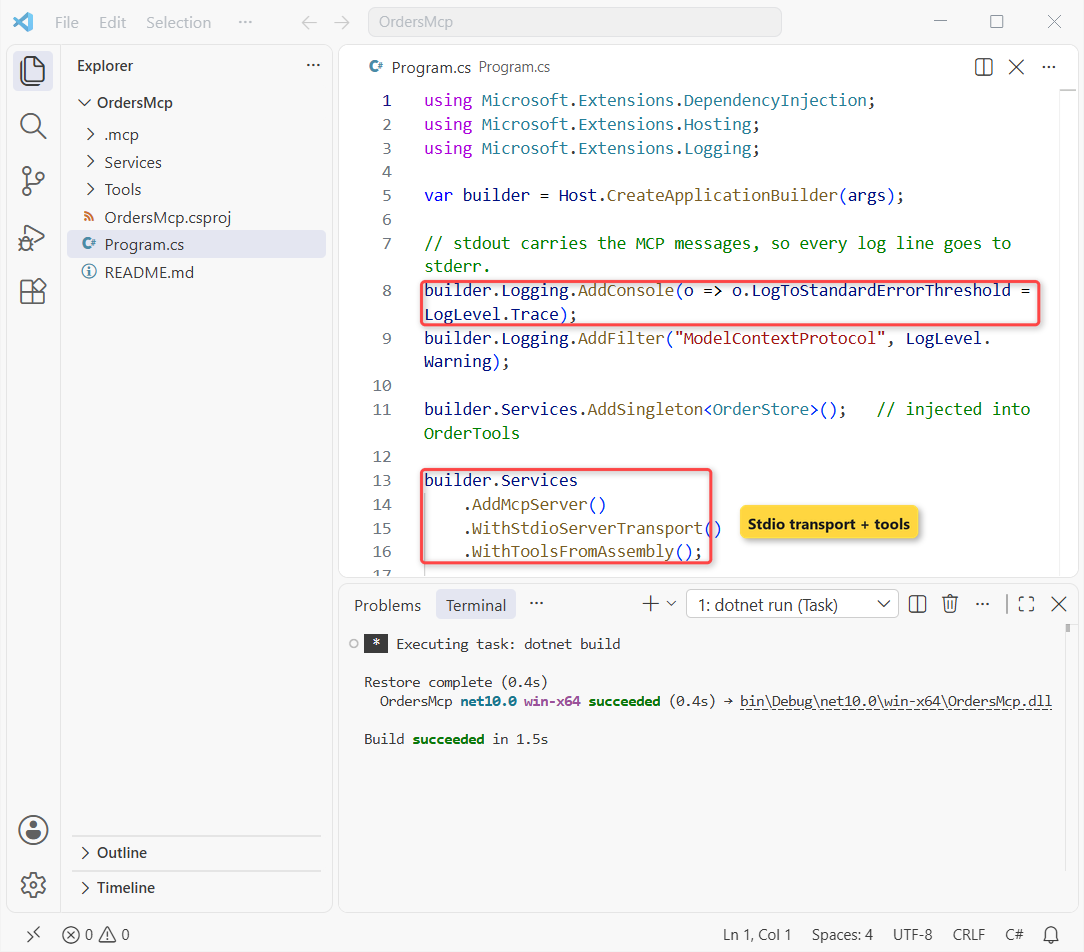
WithToolsFromAssembly() finds every [McpServerToolType] class. Tool methods can also take services as parameters, plus McpServer, CancellationToken or a ClaimsPrincipal.
For testable tools, inject an interface in C# like IOrderStore instead of the class. I also turned the SDK’s own logs down to warnings, so your tool logs stand out.
Important: the LogToStandardErrorThreshold line isn’t optional. Over stdio, stdout is the protocol channel, so one stray Console.WriteLine in a tool corrupts the JSON-RPC stream.
Test the MCP Server with a C# Client (McpClient and StdioClientTransport)
You don’t need an AI to test a server. The same SDK ships a client, and on .NET 10 a single file with a #:package line is enough. It’s one of the new features in .NET 10 that fits here perfectly:
#:package ModelContextProtocol@2.3.0
using ModelContextProtocol.Client;
using ModelContextProtocol.Protocol;

var transport = new StdioClientTransport(new()
{
    Command = "dotnet",
    Arguments = ["run", "--project", "OrdersMcp", "--no-build"],
});
await using var client = await McpClient.CreateAsync(transport);

foreach (var tool in await client.ListToolsAsync())
    Console.WriteLine($"{tool.Name}: {tool.Description}");

var result = await client.CallToolAsync("get_orders_by_state",
    new Dictionary<string, object?> { ["state"] = "TX" });
Console.WriteLine(result.Content.OfType<TextContentBlock>().First().Text);
Output:
get_orders_by_state: Lists customer orders shipped to a US state.
get_order: Gets one order by its order number.
calculate_sales_tax: Calculates state base sales tax for an order amount in USD.
#1001 Jenna Morales (Austin) $249.99 Shipped
#1003 Dana Price (Dallas) $89.00 Delivered
#1006 Kevin Walsh (Houston) $512.00 Processing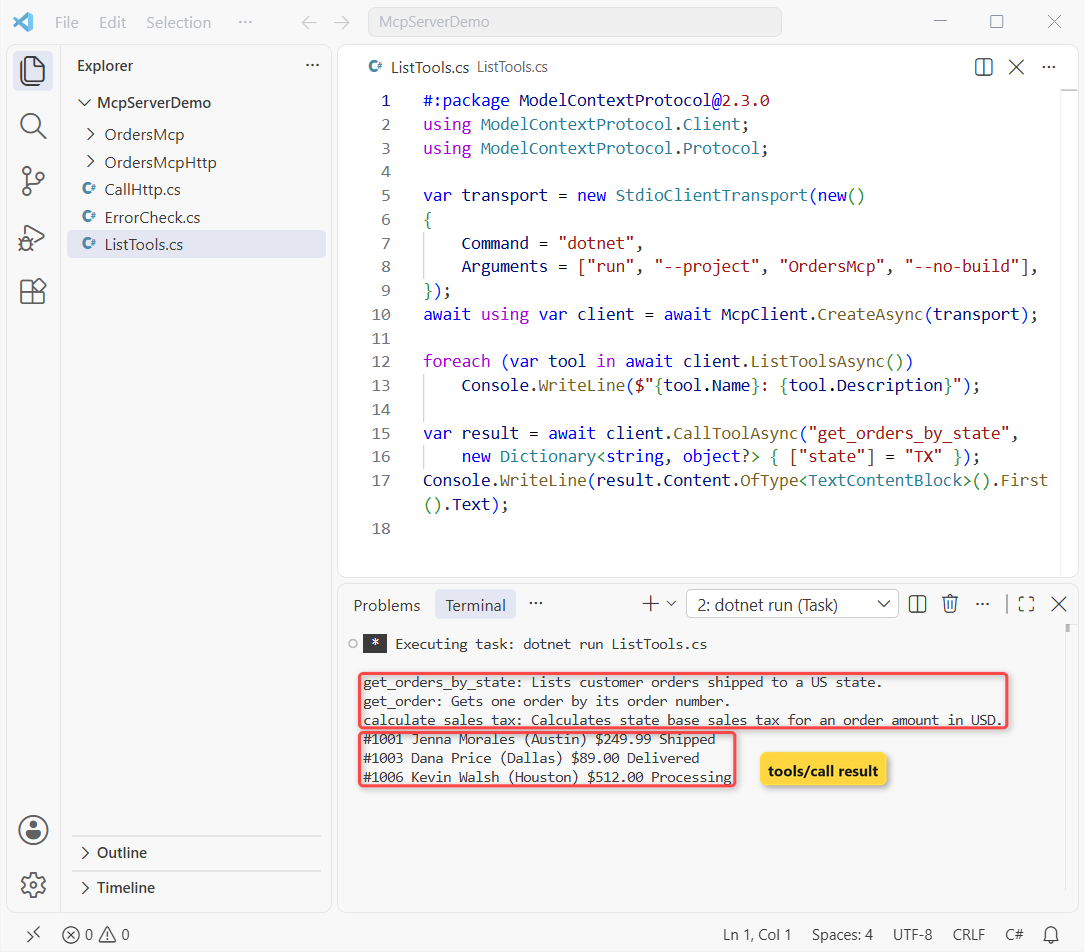
StdioClientTransport starts dotnet run --project OrdersMcp as a child process. The client found all three tools, and the Texas call returned 3 orders: Jenna Morales, Dana Price and Kevin Walsh.
Note: --no-build skips the build on every start, so run dotnet build after each change.
How to Debug an MCP Server in C#?
Two things cover nearly every bug I hit: the server’s stderr and the MCP Inspector.
Read the server logs from stderr
StandardErrorLines hands every stderr line to your client. This run logs a lookup, asks for a missing order and calls a tool that doesn’t exist:
#:package ModelContextProtocol@2.3.0
using ModelContextProtocol;
using ModelContextProtocol.Client;
using ModelContextProtocol.Protocol;

var transport = new StdioClientTransport(new()
{
    Command = "dotnet",
    Arguments = ["run", "--project", "OrdersMcp", "--no-build"],
    // the server's stderr = its logs (stack frames skipped)
    StandardErrorLines = line =>
    {
        var t = line.TrimStart();
        if (!t.StartsWith("at ") && !t.StartsWith("---")) Console.WriteLine($"[server log] {line}");
    },
});
await using var client = await McpClient.CreateAsync(transport);

await client.CallToolAsync("get_orders_by_state", new Dictionary<string, object?> { ["state"] = "NY" });

var missing = await client.CallToolAsync("get_order", new Dictionary<string, object?> { ["orderId"] = 9999 });
Console.WriteLine($"IsError={missing.IsError}: {missing.Content.OfType<TextContentBlock>().First().Text}");

try { await client.CallToolAsync("get_sales_tax"); }
catch (McpProtocolException ex) { Console.WriteLine(ex.Message); }
Output:
[server log] info: Microsoft.Hosting.Lifetime[0]
[server log]       Application started. Press Ctrl+C to shut down.
[server log] info: Microsoft.Hosting.Lifetime[0]
[server log]       Hosting environment: Production
[server log] info: Microsoft.Hosting.Lifetime[0]
[server log]       Content root path: C:\DotNetDemo\McpServerDemo
[server log] info: OrderTools[0]
[server log]       Order lookup for state NY
[server log] fail: ModelContextProtocol.Server.McpServer[1433779783]
[server log]       "get_order" threw an unhandled exception.
[server log]       ModelContextProtocol.McpException: Order 9999 was not found.
IsError=True: An error occurred invoking 'get_order': Order 9999 was not found.
[server log] fail: ModelContextProtocol.Server.McpServer[1433779783]
[server log]       "get_sales_tax" threw an unhandled exception.
[server log]       ModelContextProtocol.McpProtocolException: Unknown tool: 'get_sales_tax'
[server log] warn: ModelContextProtocol.Server.McpServer[975074943]
[server log]       Server (OrdersMcp 1.0.0.0), Client (ErrorCheck 1.0.0.0) method 'tools/call' request handler failed in 3.1381ms.
[server log]       ModelContextProtocol.McpProtocolException: Unknown tool: 'get_sales_tax'
Request failed (remote): Unknown tool: 'get_sales_tax'
[server log] info: Microsoft.Hosting.Lifetime[0]
[server log]       Application is shutting down...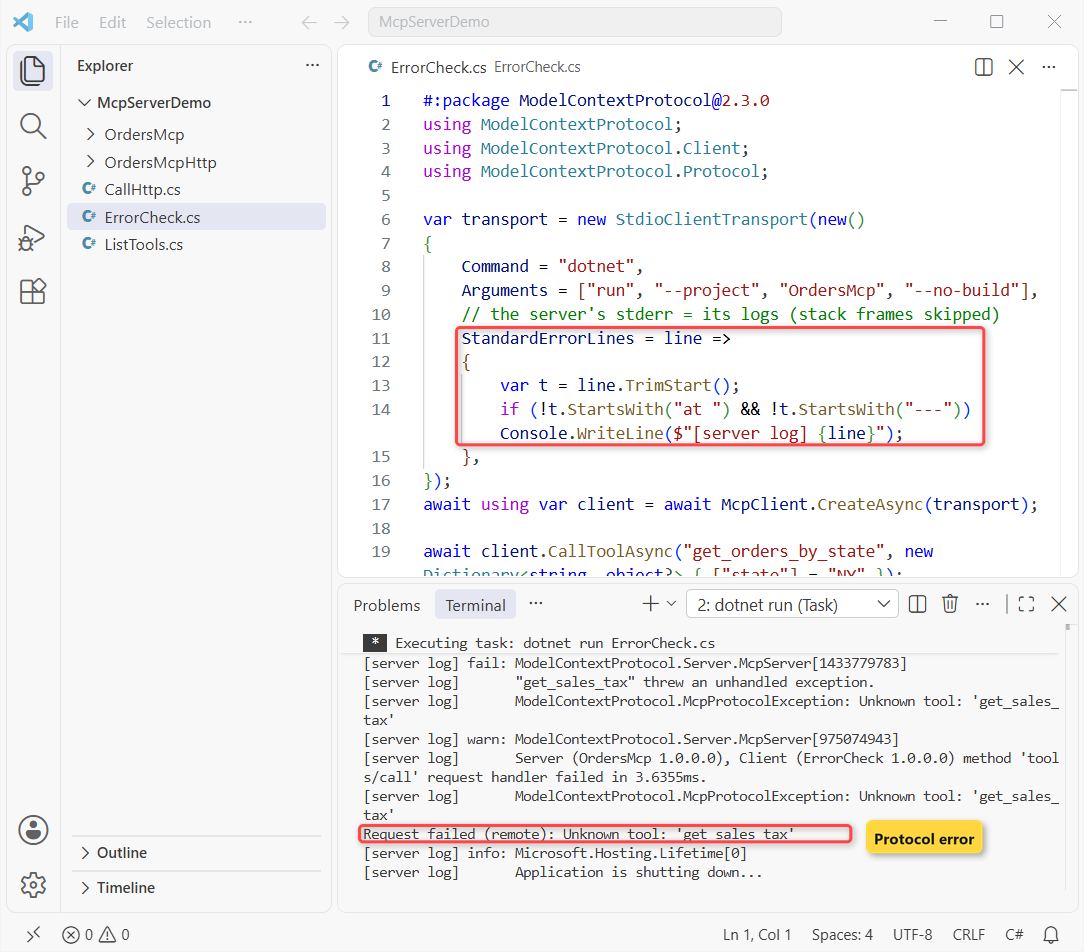
Order 9999 came back as a normal result with IsError=True, and the server kept running. The unknown tool threw McpProtocolException on the client, which I caught with a plain try-catch in C#.
Use the MCP Inspector CLI
The Inspector is the official test tool from the MCP project. Without --cli it opens a browser UI; with it, you can script it. It needs Node.js. This call ran the get_order tool:
npx -y @modelcontextprotocol/inspector@2.13.0 --cli dotnet run --project OrdersMcp --no-build --method tools/call --tool-name get_order --tool-arg orderId=1004Output:
info: Microsoft.Hosting.Lifetime[0]
      Application started. Press Ctrl+C to shut down.
info: Microsoft.Hosting.Lifetime[0]
      Hosting environment: Production
info: Microsoft.Hosting.Lifetime[0]
      Content root path: C:\DotNetDemo\McpServerDemo
{
  "content": [
    {
      "type": "text",
      "text": "#1004 Marcus Reed, Buffalo, NY: $430.25 (Shipped)"
    }
  ]
}
info: Microsoft.Hosting.Lifetime[0]
      Application is shutting down...
The info: lines are stderr logs, and the JSON is the tool result. --method tools/list shows each tool’s schema; here’s the get_order entry from that run:
{
  "name": "get_order",
  "description": "Gets one order by its order number.",
  "inputSchema": {
    "type": "object",
    "properties": {
      "orderId": {
        "description": "Order number, for example 1004",
        "type": "integer"
      }
    },
    "required": [
      "orderId"
    ]
  }
}
That schema is exactly what Copilot or Claude sees. If a model keeps calling your tool wrong, fix the [Description] text first.
MCP Server C# over HTTP with ModelContextProtocol.AspNetCore
For a server your whole team shares, switch to Streamable HTTP. dotnet new mcpserver -t remote creates an ASP.NET Core project. I deleted its sample tool and linked the stdio project’s tool files, so both servers share one codebase:
<Project Sdk="Microsoft.NET.Sdk.Web">

  <PropertyGroup>
    <TargetFramework>net10.0</TargetFramework>
    <RuntimeIdentifiers>win-x64;win-arm64;osx-arm64;linux-x64;linux-arm64;linux-musl-x64</RuntimeIdentifiers>
    <Nullable>enable</Nullable>
    <ImplicitUsings>enable</ImplicitUsings>

    <!-- Set up the MCP server to be a self-contained application that does not rely on a shared framework -->
    <SelfContained>true</SelfContained>
    <PublishSelfContained>true</PublishSelfContained>

    <!-- Set up the MCP server to be a single file executable -->
    <PublishSingleFile>true</PublishSingleFile>
  </PropertyGroup>

  <ItemGroup>
    <PackageReference Include="ModelContextProtocol.AspNetCore" Version="2.3.0" />
  </ItemGroup>

  <!-- Reuse the stdio server's tools and order store -->
  <ItemGroup>
    <Compile Include="..\OrdersMcp\Tools\*.cs" LinkBase="Tools" />
    <Compile Include="..\OrdersMcp\Services\*.cs" LinkBase="Services" />
  </ItemGroup>

</Project>
Program.cs swaps the stdio transport for WithHttpTransport and maps the endpoint:
var builder = WebApplication.CreateBuilder(args);

builder.Services.AddSingleton<OrderStore>();

builder.Services
    .AddMcpServer()
    .WithHttpTransport(options => options.Stateless = true)
    .WithToolsFromAssembly();

var app = builder.Build();
app.MapMcp("/mcp");

app.Run("http://localhost:3001");
Stateless = true comes from the template, and it’s right when your tools never call back to the client. appsettings.json limits accepted host names to localhost:
{
  "Logging": {
    "LogLevel": {
      "Default": "Information",
      "Microsoft.AspNetCore": "Warning"
    }
  },
  "AllowedHosts": "localhost"
}
With the server running, the client only swaps its transport for HttpClientTransport:
#:package ModelContextProtocol@2.3.0
using ModelContextProtocol.Client;
using ModelContextProtocol.Protocol;

var transport = new HttpClientTransport(new()
{
    Endpoint = new Uri("http://localhost:3001/mcp"),
    TransportMode = HttpTransportMode.StreamableHttp,
});
await using var client = await McpClient.CreateAsync(transport);
Console.WriteLine($"Connected to {client.ServerInfo?.Name} {client.ServerInfo?.Version}");

var result = await client.CallToolAsync("calculate_sales_tax",
    new Dictionary<string, object?> { ["amount"] = 1120.50m, ["state"] = "CA" });
Console.WriteLine(result.Content.OfType<TextContentBlock>().First().Text);
Output:
Connected to OrdersMcpHttp 1.0.0.0
CA 7.25%: tax $81.24, total $1,201.74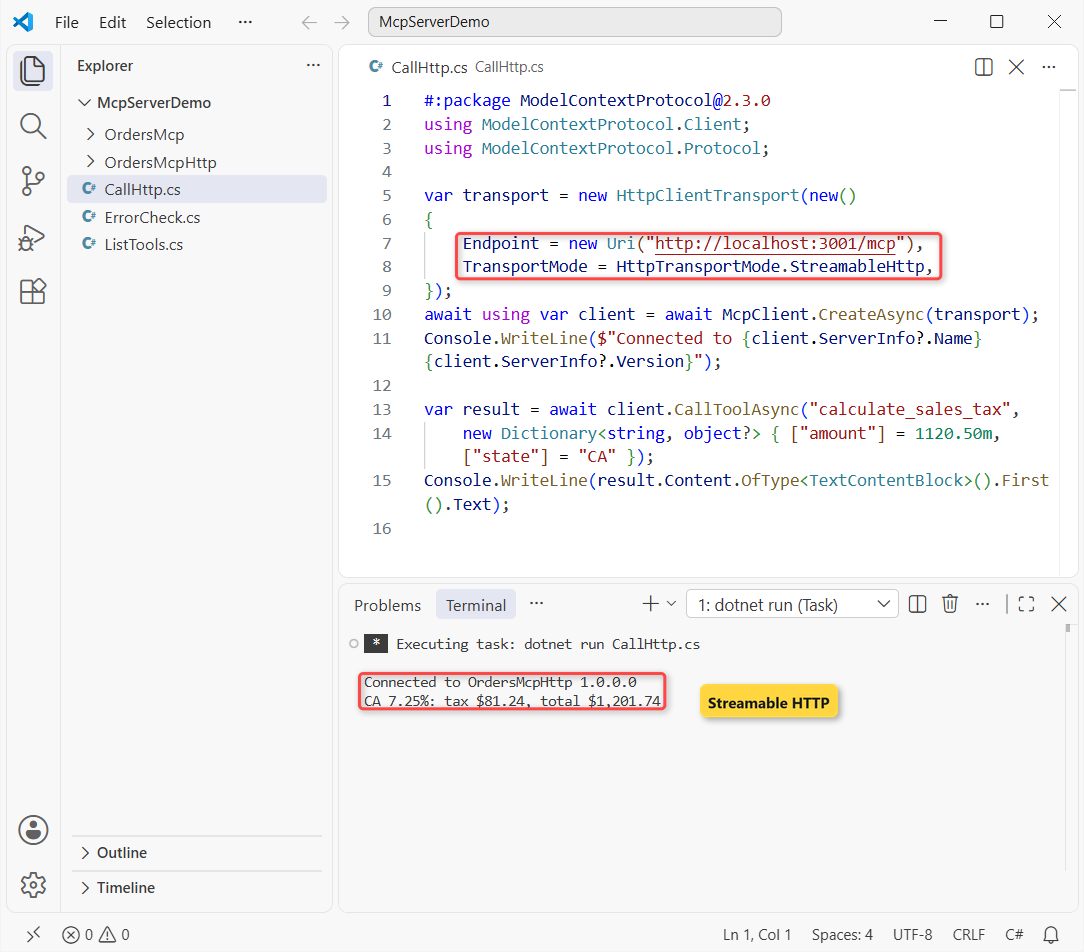
Tyler Brooks’s $1,120.50 order in California gets $81.24 tax, $1,201.74 total. Under the hood it’s plain HTTP, so curl works too:
curl -s http://localhost:3001/mcp -H "Content-Type: application/json" -H "Accept: application/json, text/event-stream" -d "{\"jsonrpc\":\"2.0\",\"id\":1,\"method\":\"tools/call\",\"params\":{\"name\":\"get_order\",\"arguments\":{\"orderId\":1002}}}"Output:
event: message
data: {"result":{"content":[{"type":"text","text":"#1002 Tyler Brooks, San Diego, CA: $1,120.50 (Processing)"}]},"id":1,"jsonrpc":"2.0"}
The answer comes back as a server-sent event wrapping the JSON-RPC result. System.Text.Json builds it, the same serializer behind converting an object to JSON without escape characters.
Register the MCP Server in VS Code (mcp.json) and Claude Desktop
In VS Code, add .vscode/mcp.json to the workspace. VS Code starts stdio servers from the workspace root, so the project path is relative to it:
{
  "servers": {
    "OrdersMcp": {
      "type": "stdio",
      "command": "dotnet",
      "args": [
        "run",
        "--project",
        "OrdersMcp/OrdersMcp.csproj"
      ]
    },
    "OrdersMcpHttp": {
      "type": "http",
      "url": "http://localhost:3001/mcp"
    }
  }
}
Open Copilot Chat in Agent mode, and the tools appear under Select tools. Copilot asks before it runs a tool. The OrdersMcpHttp entry only works while that server is running.
Claude Desktop reads %APPDATA%\Claude\claude_desktop_config.json on Windows and wants the servers under mcpServers, with an absolute path:
{
  "mcpServers": {
    "orders": {
      "command": "dotnet",
      "args": [
        "run",
        "--project",
        "C:\\DotNetDemo\\McpServerDemo\\OrdersMcp",
        "--no-build"
      ]
    }
  }
}
Build the project first, because of --no-build, then restart Claude Desktop.
MCP Server C# Authentication, OAuth and Security
A stdio server runs with your user’s rights, so treat every tool like a public API. For HTTP, this is my checklist:
- Host names: keep
AllowedHoststight. A request withHost: evil.examplegot HTTP 400 from our server. - Authentication:
MapMcp()returns a normal endpoint builder, so.RequireAuthorization()works. The SDK’sProtectedMcpServersample adds OAuth resource metadata with.AddMcp(...). - Identity in tools: add a
ClaimsPrincipalparameter to a tool and filter data by the caller. - Error text: only
McpExceptionmessages reach the client. Other exceptions become a generic message, so internals don’t leak.
For risky tools like refunds, add a human check. A one-time code, like generating an OTP in ASP.NET, works well.
Common MCP Server Errors and How to Fix Them
| Symptom | Cause | Fix |
|---|---|---|
Unknown tool: 'get_sales_tax' | Name mismatch, or the class isn’t registered | Use the snake_case name from tools/list; check [McpServerToolType] |
| Client hangs or gets bad JSON | Something writes to stdout | Log to stderr; no Console.WriteLine in tools |
An error occurred invoking 'x'. with no detail | Tool threw a non-MCP exception | Throw McpException with a safe message |
| Old samples don’t compile | They target SDK 1.x | Follow the current docs and pin the package version |
| Copilot answers without your tool | The model didn’t pick it | Name it with #get_order in the prompt |
| HTTP 400 from a remote client | Its host name isn’t in AllowedHosts | Add your real public host name |
Which MCP Server Transport Should You Pick?
Start with stdio and the template, test with a C# client, then add HTTP when other people need the same tools. Both servers here share one set of tool files, so the switch cost me one project file.
For more ASP.NET Core and AI work on .NET 10, these are worth your time next:
- OpenAPI and Scalar docs for ASP.NET Core APIs
- AI and Azure tutorials for .NET developers
- A Blazor tutorial for beginners
- All ASP.NET Core tutorials
Frequently Asked Questions
Is the MCP C# SDK stable?
Yes. ModelContextProtocol and ModelContextProtocol.AspNetCore are stable on NuGet; I used 2.3.0. You no longer need --prerelease.
How do I create an MCP server in C# quickly?
Run dotnet new install Microsoft.McpServer.ProjectTemplates, then dotnet new mcpserver -n MyServer. Add -t remote for an HTTP server.
Where is the MCP C# SDK on GitHub?
At github.com/modelcontextprotocol/csharp-sdk, with samples and the conceptual docs. See also Microsoft’s MCP server quickstart on Learn.
Does an MCP server need an LLM or an API key?
No. The server only exposes tools; the AI client brings the model. You can test it with a plain C# client and no model at all.
Can an MCP server in C# use OAuth?
Yes, over HTTP. Protect MapMcp() with ASP.NET Core authentication; the SDK adds the MCP OAuth resource metadata. Stdio servers rely on the local user instead.
Why does Console.WriteLine break my MCP server?
With stdio, stdout carries the JSON-RPC messages, so extra text corrupts them. Send logs to stderr with LogToStandardErrorThreshold.

Bijay Kumar is a renowned software engineer, accomplished author, and distinguished Microsoft Most Valuable Professional (MVP) specializing in SharePoint. With a rich professional background spanning over 15 years, Bijay has established himself as an authority in the field of information technology. He possesses unparalleled expertise in multiple programming languages and technologies such as ASP.NET, ASP.NET MVC, C#.NET, and SharePoint, which has enabled him to develop innovative and cutting-edge solutions for clients across the globe. Read more…