
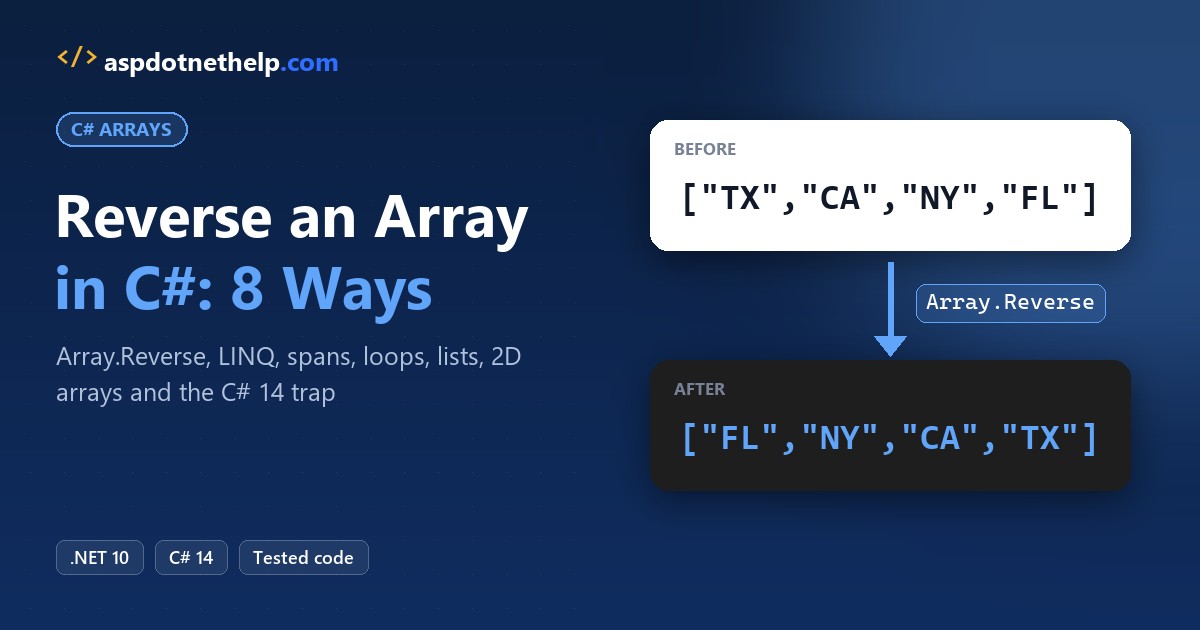
Your sales report lists January first, but the dashboard wants the newest month on top. To reverse an array in C#, call Array.Reverse(arr). It flips the array in place in one line.
In this tutorial, I’ll walk through eight ways to reverse an array in C#, from the built-in method to loops that skip Reverse() entirely. We’ll also handle lists, 2D arrays and a C# 14 change that can quietly flip your array.
Method 1: Reverse an Array in C# with Array.Reverse()
This is the one I reach for first. It doesn’t allocate anything new.
string[] states = ["TX", "CA", "NY", "FL"];

Console.WriteLine($"Before: {string.Join(", ", states)}");

Array.Reverse(states);   // reverses the same array, returns void

Console.WriteLine($"After:  {string.Join(", ", states)}");
Output:
Before: TX, CA, NY, FL
After:  FL, NY, CA, TX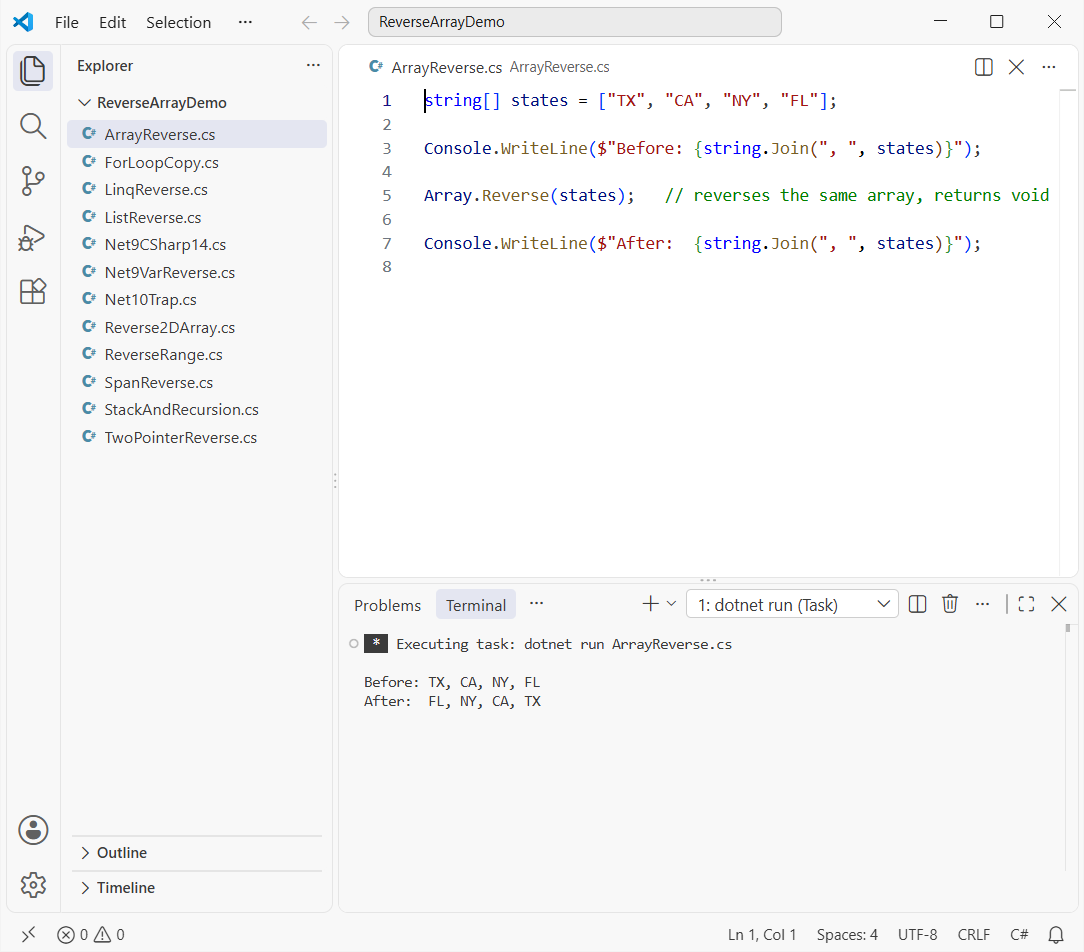
How does this code work?
Array.Reverse swaps elements from both ends toward the middle, so it’s an O(n) operation. It returns void, which means you print the same states variable afterward.
If you’re new to declaring arrays with the [...] collection expression, my C# arrays guide covers the syntax.
Method 2: Reverse Part of an Array with Array.Reverse(arr, index, length)
The second overload reverses only a slice. You pass the start index and how many elements to flip.
string[] months = ["Jan", "Feb", "Mar", "Apr", "May", "Jun"];

// reverse 3 elements starting at index 1 (Feb, Mar, Apr)
Array.Reverse(months, 1, 3);

Console.WriteLine(string.Join(" ", months));
Output:
Jan Apr Mar Feb May JunFeb, Mar and Apr swapped places, while Jan, May and Jun stayed put. An index and length that run past the end throw an ArgumentException.
Pro Tip: Need descending order instead of reversed order? Sort first, then reverse. My guide to sort an array in C# shows both steps.
Method 3: Get a Reversed Copy with LINQ Reverse().ToArray()
When you need to keep the original order too, use LINQ. It returns a new sequence and leaves the source alone.
int[] monthlySales = [41200, 38950, 45100, 47800];   // Jan to Apr, USD

int[] newestFirst = monthlySales.Reverse().ToArray();

Console.WriteLine($"Original:     {string.Join(", ", monthlySales)}");
Console.WriteLine($"Newest first: {string.Join(", ", newestFirst)}");
Output:
Original:     41200, 38950, 45100, 47800
Newest first: 47800, 45100, 38950, 41200
How does this code work?
Reverse() uses deferred execution, so nothing runs until ToArray() enumerates it into a new array.
On .NET 10 this binds to a new Enumerable.Reverse<TSource>(TSource[]) overload. string.Join prints it, the same way you’d convert a list to a comma-separated string.
Why Does arr.Reverse() Behave Differently in C# 14 and .NET 10?
C# 14 added implicit span conversions. Now an array can call extension methods written for Span<T>, including MemoryExtensions.Reverse, which returns void and reverses in place.
On a plain .NET 10 project, the new array overload keeps Reverse() on LINQ. That gives you a different trap: calling it as a statement does nothing.
string[] states = ["TX", "CA", "NY", "FL"];

states.Reverse();   // LINQ: builds a reversed sequence and throws it away

Console.WriteLine(string.Join(", ", states));
Output:
TX, CA, NY, FLNow here’s the same call in a project that uses C# 14 but targets .NET 9, which happens in multi-target libraries. The #:property lines set that up in a file-based app:
#:property TargetFramework=net9.0
#:property LangVersion=14
#:property RollForward=Major

string[] states = ["TX", "CA", "NY", "FL"];

states.Reverse();   // C# 14 + net9.0: binds to MemoryExtensions.Reverse(Span<T>)
Console.WriteLine($"After states.Reverse(): {string.Join(", ", states)}");

string[] copy = Enumerable.Reverse(states).ToArray();   // the explicit fix
Console.WriteLine($"Enumerable.Reverse:     {string.Join(", ", copy)}");
Console.WriteLine($"AsEnumerable().Reverse: {string.Join(", ", states.AsEnumerable().Reverse())}");
Output:
After states.Reverse(): FL, NY, CA, TX
Enumerable.Reverse:     TX, CA, NY, FL
AsEnumerable().Reverse: TX, CA, NY, FL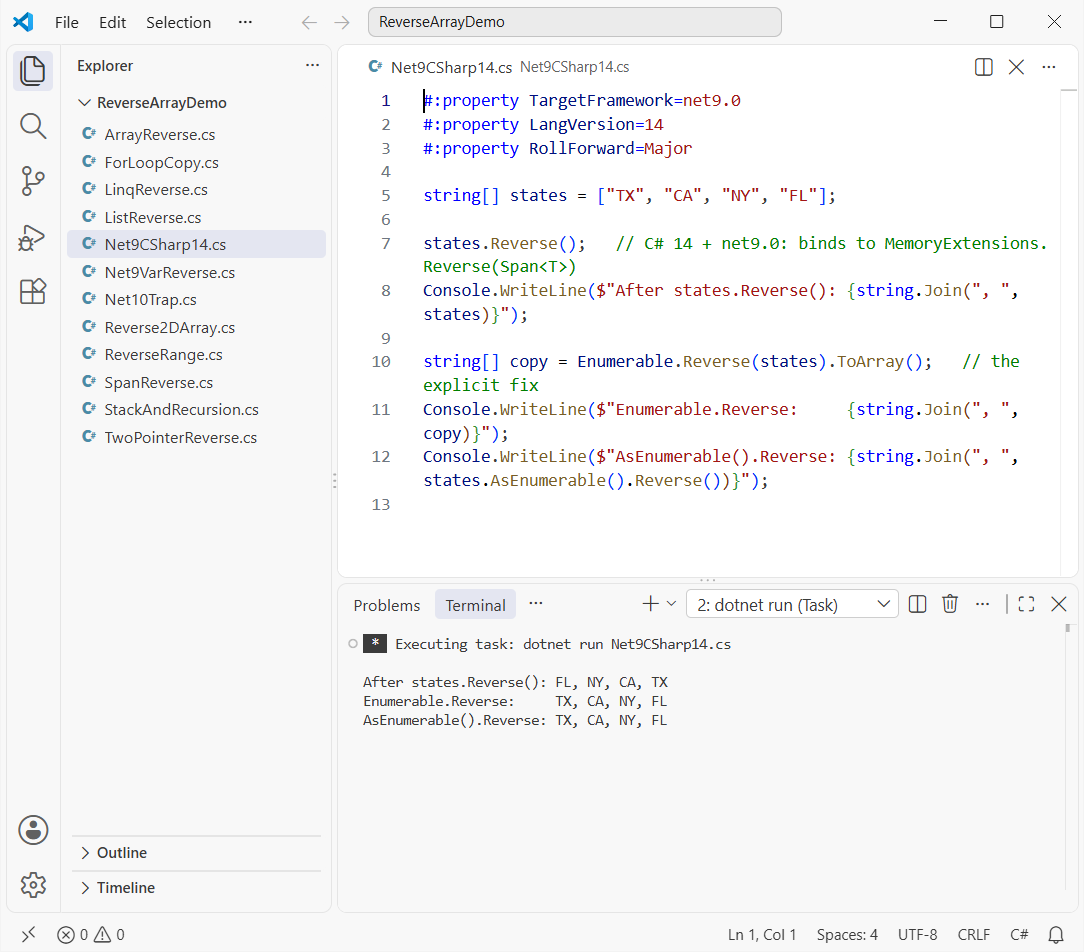
If you assign the result instead, that same setup won’t compile:
#:property TargetFramework=net9.0
#:property LangVersion=14

string[] states = ["TX", "CA", "NY", "FL"];
var reversed = states.Reverse();
Build error:
Net9VarReverse.cs(5,5): error CS0815: Cannot assign void to an implicitly-typed variableThe fix is to name LINQ explicitly with Enumerable.Reverse(states), or to go through AsEnumerable(), as the last two lines of the previous example do.
Pro Tip: Pick one meaning and spell it out. Use Array.Reverse to flip in place, and Enumerable.Reverse(arr) for a copy, so the code works the same on every target framework.
Method 4: Reverse an Array in C# Without Reverse() Using a Two-Pointer Swap
Interviewers often ban the built-in method. The classic answer swaps the outer pair and walks inward.
string[] states = ["Texas", "California", "New York", "Florida", "Ohio"];

ReverseInPlace(states);
Console.WriteLine(string.Join(", ", states));

static void ReverseInPlace<T>(T[] items)
{
    int left = 0;
    int right = items.Length - 1;

    while (left < right)
    {
        (items[left], items[right]) = (items[right], items[left]);   // tuple swap
        left++;
        right--;
    }
}
Output:
Ohio, Florida, New York, California, Texas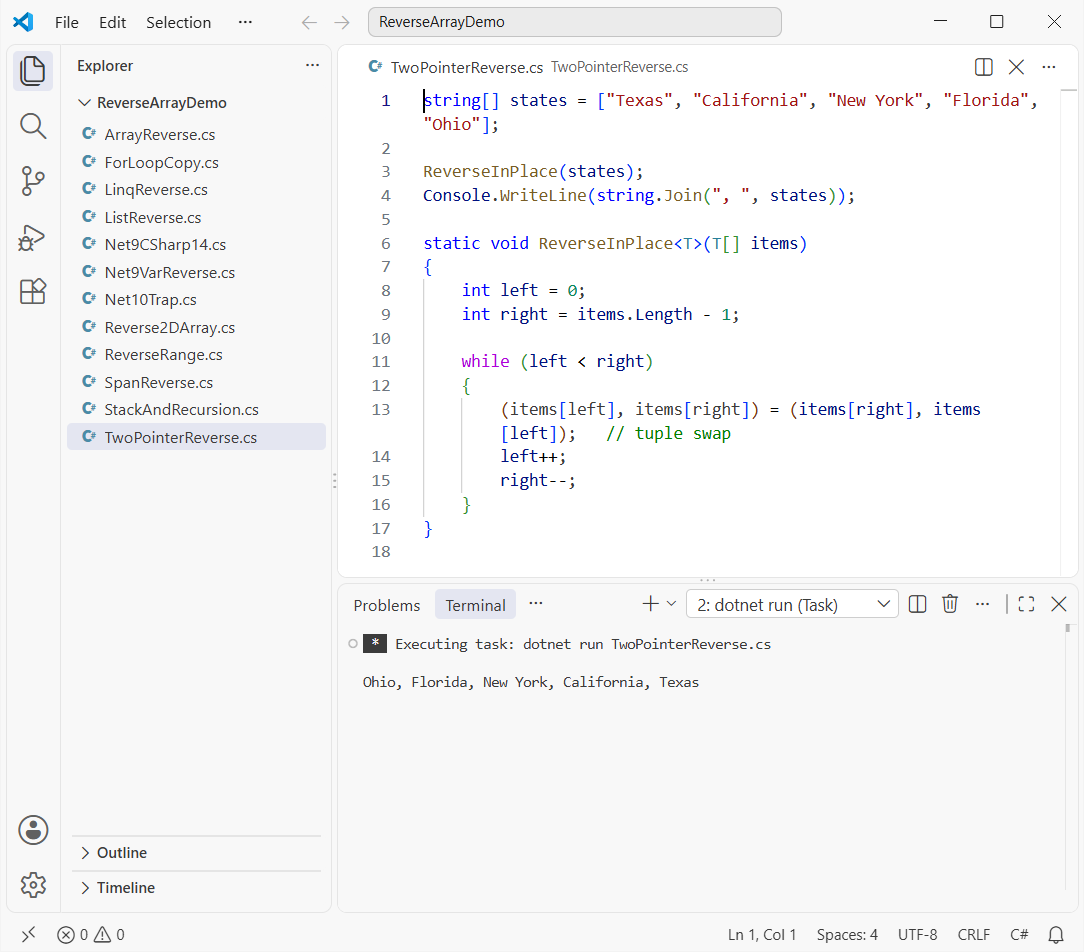
How does this code work?
left starts at 0 and right at the last index. The tuple syntax is the same trick I use to swap two numbers in C# without a temp variable.
The loop stops when the pointers meet, so it only does Length / 2 swaps. A while loop fits because the exit test isn’t a simple counter.
Method 5: Reverse Into a New Array with a for Loop
This version keeps the source untouched without LINQ. Each element lands in its mirrored slot of a new array.
int[] monthlySales = [41200, 38950, 45100, 47800];
int[] reversed = new int[monthlySales.Length];

for (int i = 0; i < monthlySales.Length; i++)
{
    reversed[monthlySales.Length - 1 - i] = monthlySales[i];
}

Console.WriteLine($"Original: {string.Join(", ", monthlySales)}");
Console.WriteLine($"Reversed: {string.Join(", ", reversed)}");
Output:
Original: 41200, 38950, 45100, 47800
Reversed: 47800, 45100, 38950, 41200
Index 0 goes to Length - 1, index 1 to Length - 2, and so on. The for loop in C# tutorial covers counting down instead, which reads just as well here.
Method 6: Reverse an Array with Span<T>.Reverse()
Spans let you reverse the whole array or just a slice, in place:
int[] monthlySales = [41200, 38950, 45100, 47800, 52300, 49900];

monthlySales.AsSpan().Reverse();          // whole array, in place
Console.WriteLine(string.Join(", ", monthlySales));

monthlySales.AsSpan(0, 3).Reverse();      // only the first three
Console.WriteLine(string.Join(", ", monthlySales));
Output:
49900, 52300, 47800, 45100, 38950, 41200
47800, 52300, 49900, 45100, 38950, 41200
AsSpan(0, 3) is the span version of the range overload from Method 2. The same span trick powers the fastest way to reverse a string in C#.
Reverse an Array in C# with a Stack or Recursion
string[] presidents = ["Washington", "Adams", "Jefferson", "Madison"];

// Stack<T> is last in, first out, so ToArray() comes back reversed
string[] viaStack = new Stack<string>(presidents).ToArray();
Console.WriteLine($"Stack:     {string.Join(", ", viaStack)}");

ReverseRecursive(presidents, 0, presidents.Length - 1);
Console.WriteLine($"Recursion: {string.Join(", ", presidents)}");

static void ReverseRecursive<T>(T[] a, int start, int end)
{
    if (start >= end) return;
    (a[start], a[end]) = (a[end], a[start]);
    ReverseRecursive(a, start + 1, end - 1);
}
Output:
Stack:     Madison, Jefferson, Adams, Washington
Recursion: Madison, Jefferson, Adams, Washington
A Stack<T> hands items back last in, first out, but it copies everything twice. Recursion uses one stack frame per swap, so I’d keep it for interview whiteboards.
List<T>.Reverse() vs Enumerable.Reverse() in C#
Lists have their own instance method, and it wins over any extension method. It returns void and changes the list.
List<string> cities = ["Austin", "Denver", "Seattle", "Boston"];

IEnumerable<string> copy = Enumerable.Reverse(cities);   // new sequence
Console.WriteLine($"Enumerable.Reverse: {string.Join(", ", copy)}");
Console.WriteLine($"List unchanged:     {string.Join(", ", cities)}");

cities.Reverse();                                        // List<T>.Reverse, in place
Console.WriteLine($"After List.Reverse: {string.Join(", ", cities)}");
Output:
Enumerable.Reverse: Boston, Seattle, Denver, Austin
List unchanged:     Austin, Denver, Seattle, Boston
After List.Reverse: Boston, Seattle, Denver, Austin
So cities.Reverse() mutates, while Enumerable.Reverse(cities) gives you a copy. My List in C# tutorial covers the rest of the API.
How Do You Reverse the Rows of a 2D Array in C#?
Array.Reverse only accepts one-dimensional arrays. A rectangular int[,] throws, so you swap whole rows yourself:
// rows = regions, columns = Q1..Q3 sales in $K
int[,] sales = { { 120, 135, 150 }, { 98, 101, 110 }, { 143, 150, 162 } };

try { Array.Reverse(sales); }
catch (RankException ex) { Console.WriteLine($"Array.Reverse: {ex.GetType().Name}"); }

int rows = sales.GetLength(0), cols = sales.GetLength(1);
for (int top = 0, bottom = rows - 1; top < bottom; top++, bottom--)
    for (int c = 0; c < cols; c++)
        (sales[top, c], sales[bottom, c]) = (sales[bottom, c], sales[top, c]);

for (int r = 0; r < rows; r++)
    Console.WriteLine(string.Join(" ", Enumerable.Range(0, cols).Select(c => sales[r, c])));
Output:
Array.Reverse: RankException
143 150 162
98 101 110
120 135 150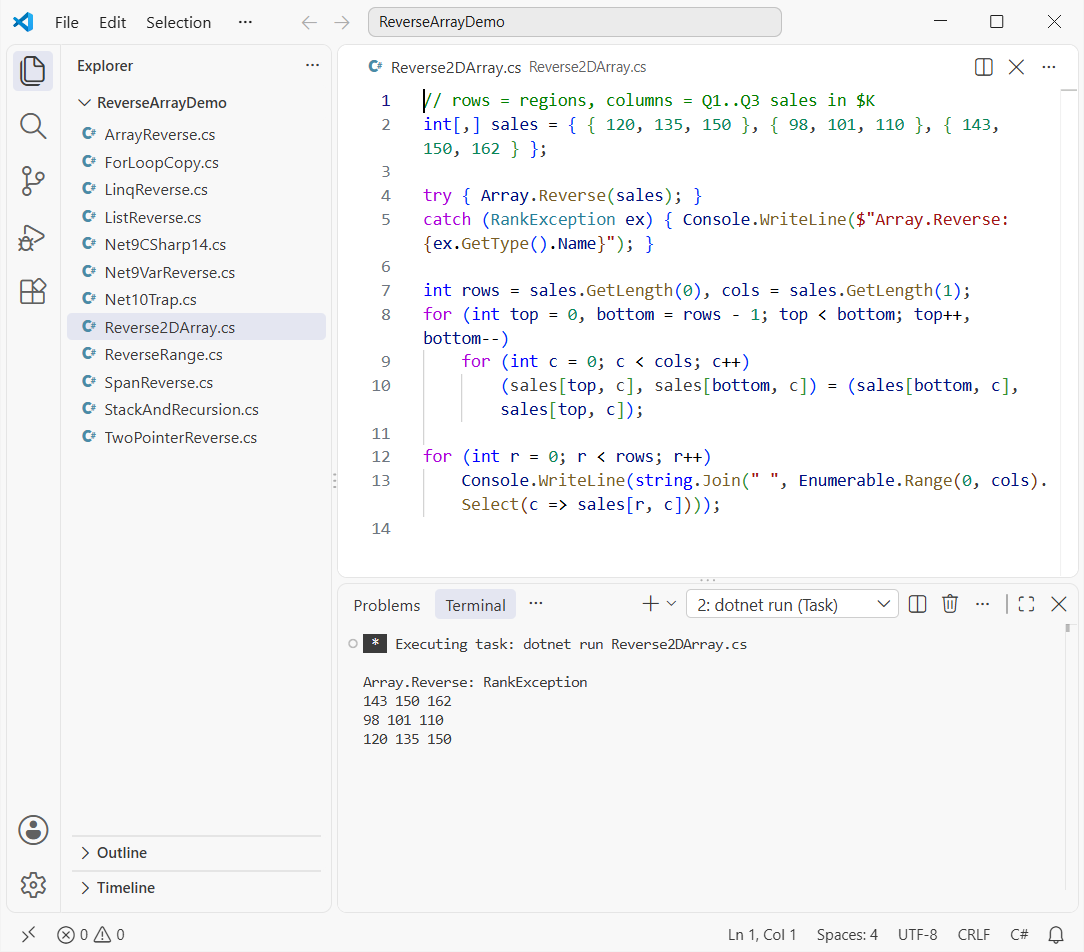
The outer loop moves top and bottom toward each other, and the inner loop swaps each column.
A jagged int[][] is different. It’s an array of arrays, so Array.Reverse(jagged) flips its rows directly. If rows grow and shrink, dynamic arrays in C# may suit you better.
Things to Keep in Mind When You Reverse an Array
Array.Reverse,Span.Reverse()andList.Reverse()change the original. LINQ never does.- Write
Enumerable.Reverse(arr)when you want a copy, so C# 14 span binding can’t change the meaning. - Reversing an empty array is safe, but
Array.Reverse(null)throwsArgumentNullException. Check for null values first. - Reversing isn’t sorting. It flips the current order and never looks at the values.
Which Method Should You Use to Reverse an Array in C#?
Speed-wise, the in-place methods win because they allocate nothing. LINQ and the stack allocate new storage, which only matters on large arrays in hot loops.
| Goal | Use | Changes original? |
|---|---|---|
| Flip the whole array | Array.Reverse(arr) | Yes |
| Flip part of it | Array.Reverse(arr, i, n) or AsSpan(i, n).Reverse() | Yes |
| Keep the original | Enumerable.Reverse(arr).ToArray() | No |
| No built-in methods | Two-pointer swap or a for loop copy | Swap: yes, copy: no |
| Lists | list.Reverse() or Enumerable.Reverse(list) | Instance: yes |
| 2D arrays | Swap rows in a loop | Yes |
If you’d rather walk an array backward without changing it, a reverse foreach loop over Enumerable.Reverse(arr) does that too.
Still working with arrays? These are worth a look next:
Frequently Asked Questions
Does Array.Reverse return a new array in C#?
No. It returns void and reverses the array you pass in. Use Enumerable.Reverse(arr).ToArray() when you need a reversed copy. See Array.Reverse on Microsoft Learn.
How do I reverse an array in C# without using the Reverse function?
Swap arr[left] and arr[right] in a while loop until the indexes meet, or copy each element into result[Length - 1 - i] with a for loop.
Why does arr.Reverse() not change my array?
On .NET 10 it’s LINQ’s Reverse, which returns a new sequence. Calling it as a statement throws that result away. Use Array.Reverse(arr) instead.
Why does arr.Reverse() return void after upgrading to C# 14?
C# 14 lets arrays bind to span extension methods. On targets before .NET 10, that picks MemoryExtensions.Reverse. Microsoft documents the span overload resolution change.
Can I reverse a 2D array with Array.Reverse?
Not a rectangular int[,]; it throws RankException. Swap rows in a loop, or use a jagged int[][], which Array.Reverse handles.

Bijay Kumar is a renowned software engineer, accomplished author, and distinguished Microsoft Most Valuable Professional (MVP) specializing in SharePoint. With a rich professional background spanning over 15 years, Bijay has established himself as an authority in the field of information technology. He possesses unparalleled expertise in multiple programming languages and technologies such as ASP.NET, ASP.NET MVC, C#.NET, and SharePoint, which has enabled him to develop innovative and cutting-edge solutions for clients across the globe. Read more…