
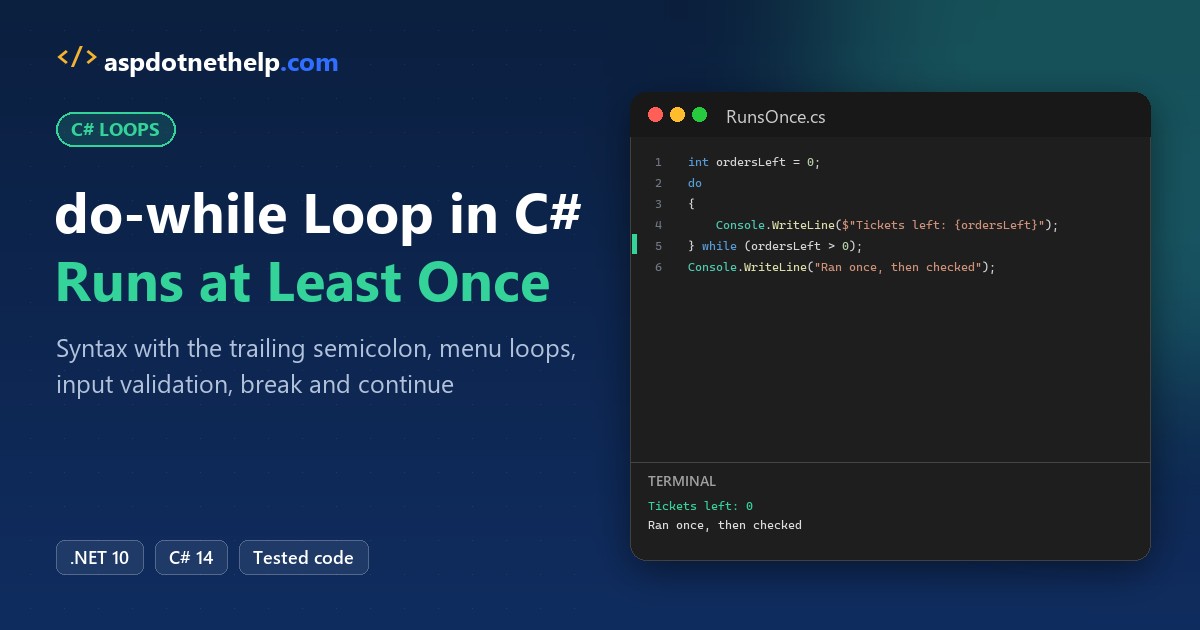
The first do while loop in C# that most people write fails before it ever runs. Look at the end of the loop:
int tries = 0;
do
{
    tries++;
} while (tries < 3)
Console.WriteLine(tries);
What dotnet run prints:
C:\DotNetDemo\DoWhile\Semicolon.cs(5,20): error CS1002: ; expected

The build failed. Fix the build errors and run again.
The compiler wants a semicolon after while (tries < 3); add it and it prints 3. It’s the only C# loop that ends in ;, and it always runs its body once before checking. Below, we’ll build a food-truck kiosk with it on .NET 10.
What We’re Building: a do-while Order Kiosk
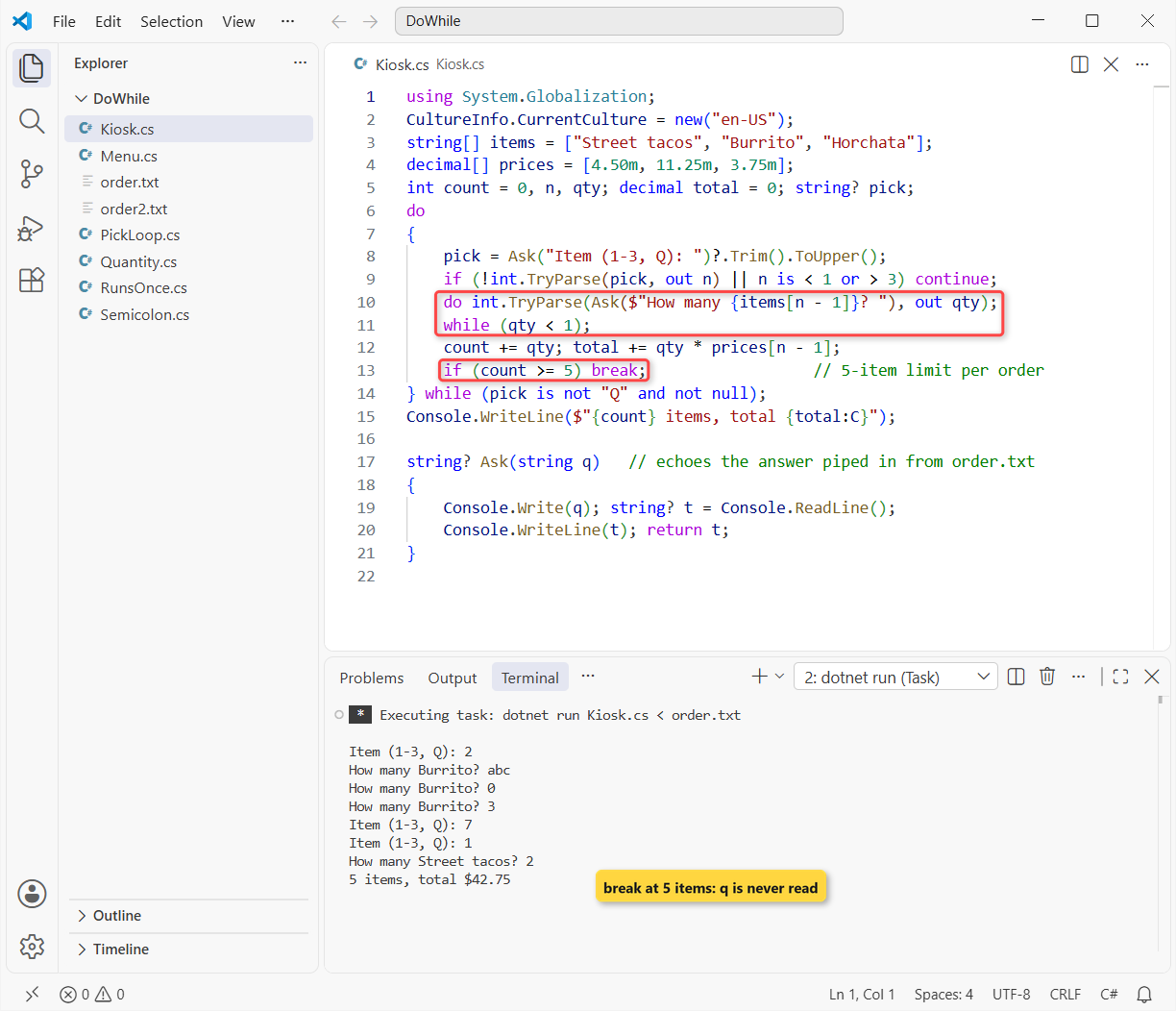
Elena runs a taco truck in Portland, and she wants a tiny console kiosk for the order window. It shows the menu, asks for an item and a quantity, re-asks when the quantity is junk, and stops at Q or at her 5-item limit.
Here’s what we’re building:
Before You Start the do-while Build
You need the .NET 10 SDK and VS Code. I run each step as a single-file app with dotnet run File.cs; if that’s new, see how to create a console application in Visual Studio Code.
A console app can’t take my keystrokes inside a screenshot, so I pipe one customer’s typing from a text file with <. Every step reads the same file, order.txt:
2
abc
0
3
7
1
2
q| Line | Typed | What it tests |
|---|---|---|
| 1 | 2 | Picks a burrito |
| 2-3 | abc, 0 | Bad quantities the kiosk must reject |
| 4 | 3 | Valid quantity: 3 burritos |
| 5 | 7 | Not on the menu |
| 6-7 | 1, 2 | 2 street tacos, which hits the 5-item limit |
| 8 | q | Quit (lowercase on purpose) |
Each program ends with a small Ask helper. It prints the prompt, reads a line and echoes it, because piped input doesn’t show on screen. When you type the input yourself, drop the Console.WriteLine(t); line.
Step 1: Print the Menu with a do-while Loop (Syntax)
Goal: print the three menu lines with a counter. Here’s the syntax first:
do
{
    // body: runs first, every time
} while (condition);   // checked after the body
C# runs the body, then evaluates the condition. If it’s true, it goes around again. The menu lives in two C# arrays, names and prices:
using System.Globalization;
CultureInfo.CurrentCulture = new("en-US");
string[] items = ["Street tacos", "Burrito", "Horchata"];
decimal[] prices = [4.50m, 11.25m, 3.75m];

int i = 0;
do
{
    Console.WriteLine($"{i + 1}. {items[i],-14}{prices[i]:C}");
    i++;
} while (i < items.Length);   // this semicolon is required
Output:
1. Street tacos  $4.50
2. Burrito       $11.25
3. Horchata      $3.75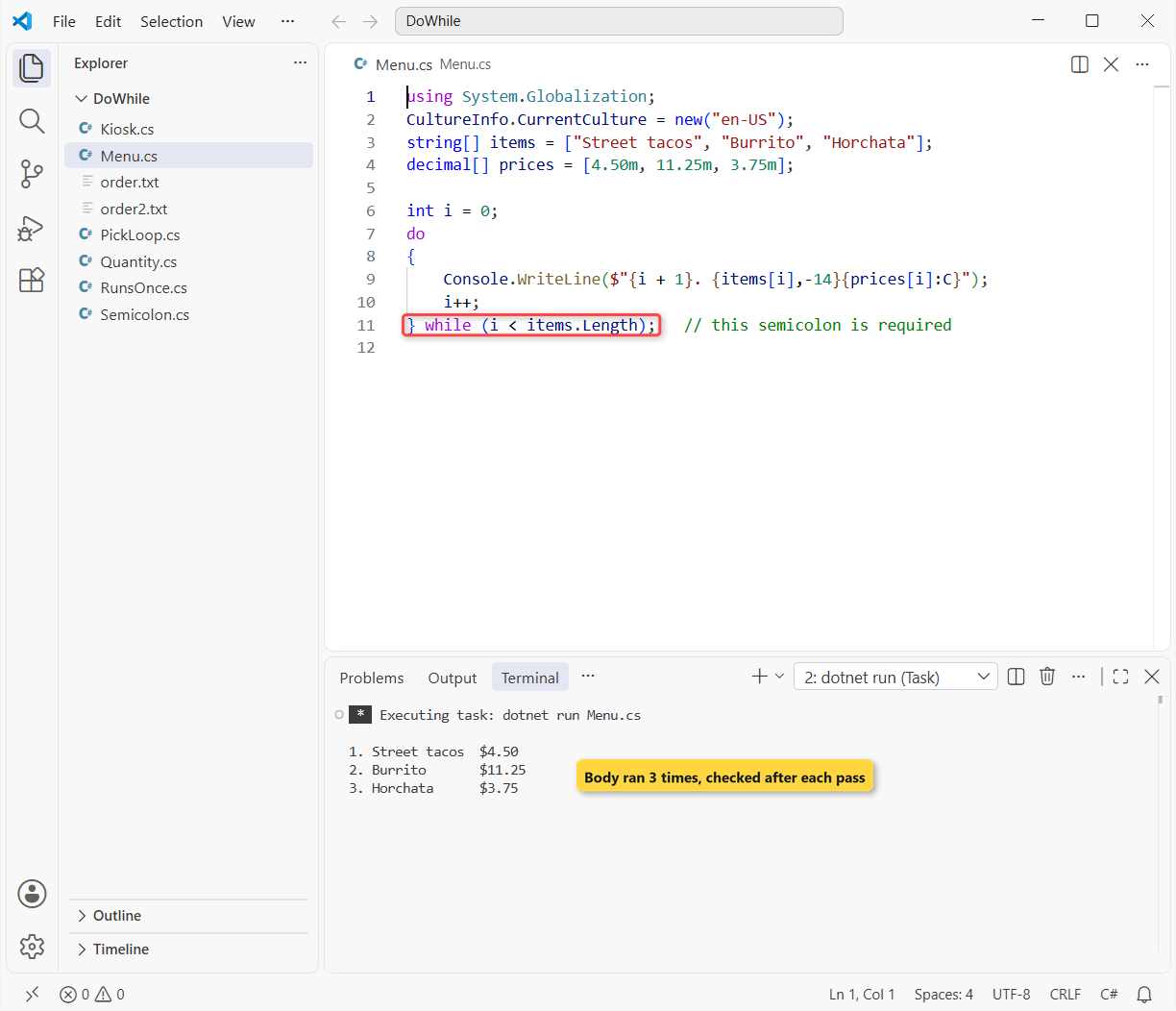
The :C format prints dollars because the file sets the culture to en-US; my PC defaults to India, and yours may not be US either. More on that in formatting numbers with commas and decimals.
Checkpoint: you should see three lines, from 1. Street tacos $4.50 to 3. Horchata $3.75.
Step 2: Repeat the do-while Loop Until the Customer Types Q
Goal: keep asking for an item until the customer quits. This is the classic menu loop, and it’s where a do-while fits best, because you always need to ask at least once.
string[] items = ["Street tacos", "Burrito", "Horchata"];
List<string> picked = [];
string? pick;
do
{
    pick = Ask("Item (1-3, Q): ")?.Trim().ToUpper();
    if (int.TryParse(pick, out int n) && n is >= 1 and <= 3)
        picked.Add(items[n - 1]);
} while (pick is not "Q" and not null);
Console.WriteLine("Picked: " + string.Join(", ", picked));

string? Ask(string q)   // echoes the answer piped in from order.txt
{
    Console.Write(q); string? t = Console.ReadLine();
    Console.WriteLine(t); return t;
}
Output:
Item (1-3, Q): 2
Item (1-3, Q): abc
Item (1-3, Q): 0
Item (1-3, Q): 3
Item (1-3, Q): 7
Item (1-3, Q): 1
Item (1-3, Q): 2
Item (1-3, Q): q
Picked: Burrito, Horchata, Street tacos, Burrito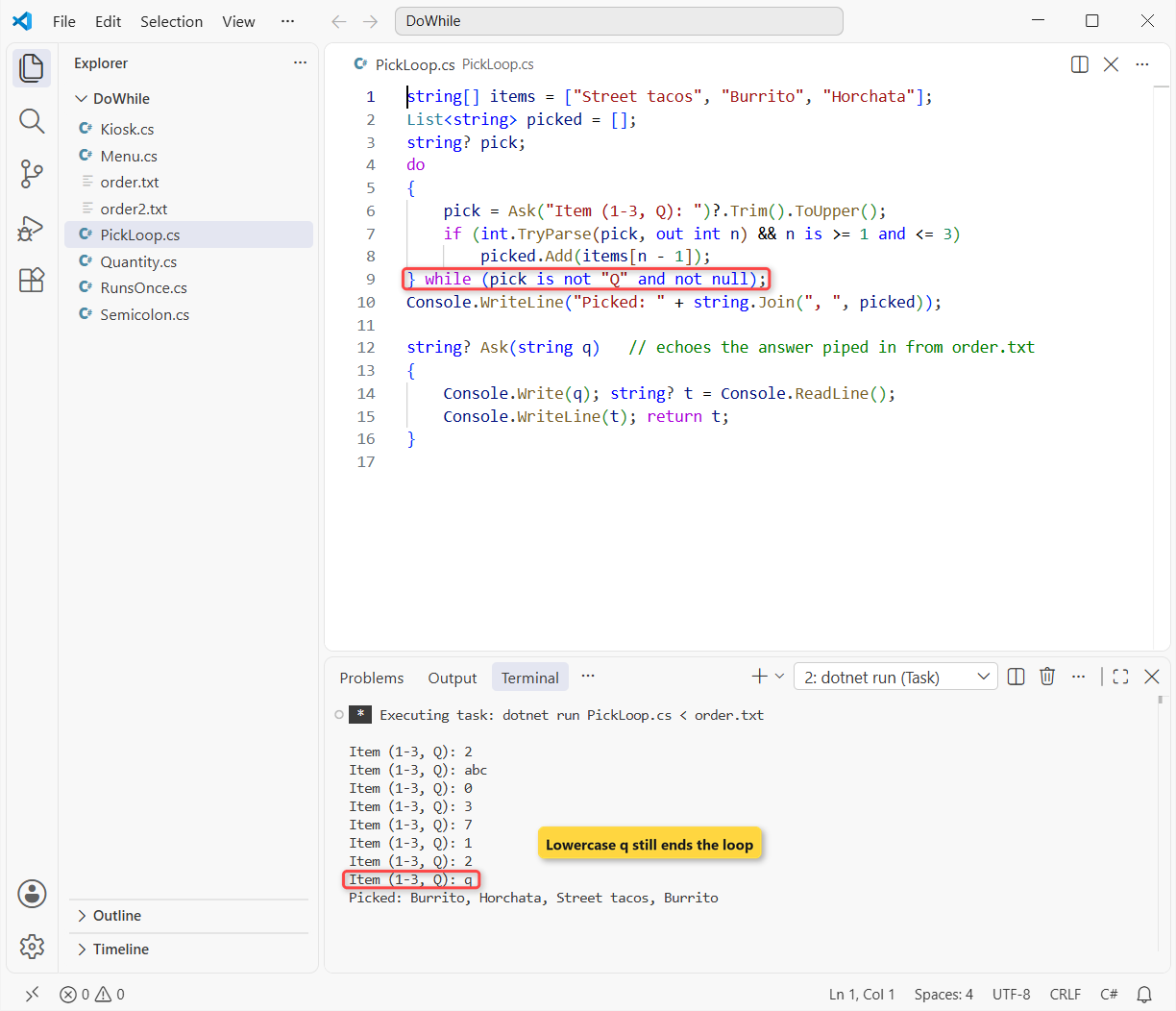
?.Trim().ToUpper() turns q into Q, so both cases quit. The pattern pick is not "Q" and not null reads like plain English and checks both values in one go.
Why not null? Console.ReadLine() returns null when the input runs out, and without that check the loop would spin forever. I cover the null-conditional ?. in checking for null values in C#.
Checkpoint: you get eight prompt lines and Picked: Burrito, Horchata, Street tacos, Burrito.
Step 3: Validate the Quantity with a Nested do-while
Goal: after a valid item, ask “How many?” until the answer is a whole number of 1 or more. Same order.txt, so lines 2 and 3 are now quantities:
string[] items = ["Street tacos", "Burrito", "Horchata"];
string? pick;

do
{
    pick = Ask("Item (1-3, Q): ")?.Trim().ToUpper();
    if (int.TryParse(pick, out int n) && n is >= 1 and <= 3)
    {
        int qty;
        do int.TryParse(Ask($"How many {items[n - 1]}? "), out qty);
        while (qty < 1);                    // re-ask until 1 or more
        Console.WriteLine($"  {qty} x {items[n - 1]}");
    }
} while (pick is not "Q" and not null);

string? Ask(string q)   // echoes the answer piped in from order.txt
{
    Console.Write(q); string? t = Console.ReadLine();
    Console.WriteLine(t); return t;
}
Output:
Item (1-3, Q): 2
How many Burrito? abc
How many Burrito? 0
How many Burrito? 3
  3 x Burrito
Item (1-3, Q): 7
Item (1-3, Q): 1
How many Street tacos? 2
  2 x Street tacos
Item (1-3, Q): q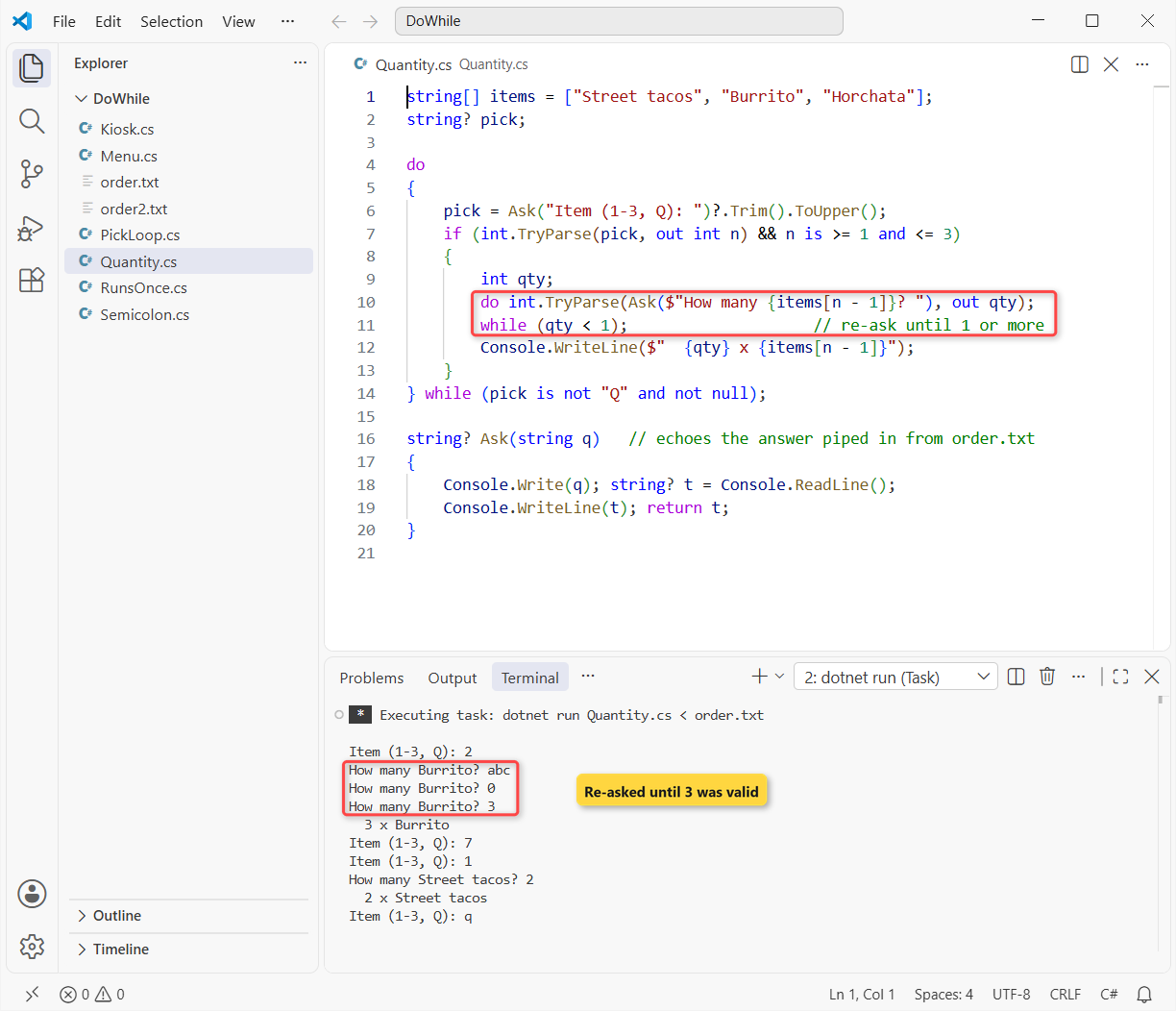
The inner loop has a one-statement body, so it doesn’t need braces: do ...; while (qty < 1);. int.TryParse doesn’t throw on abc; it sets qty to 0 when parsing fails, and the condition rejects 0.
That’s the input-validation pattern in one line. If you want to see what TryParse does under the hood, try to convert a string to int without Parse.
Checkpoint: you see How many Burrito? three times (abc, 0, 3), then 3 x Burrito and 2 x Street tacos.
Step 4: Add continue, break and the Total to the do-while Loop
Goal: skip unknown items with continue, stop at 5 items with break, and print the bill. This is the finished Kiosk.cs from the top of the post:
using System.Globalization;
CultureInfo.CurrentCulture = new("en-US");
string[] items = ["Street tacos", "Burrito", "Horchata"];
decimal[] prices = [4.50m, 11.25m, 3.75m];
int count = 0, n, qty; decimal total = 0; string? pick;
do
{
    pick = Ask("Item (1-3, Q): ")?.Trim().ToUpper();
    if (!int.TryParse(pick, out n) || n is < 1 or > 3) continue;
    do int.TryParse(Ask($"How many {items[n - 1]}? "), out qty);
    while (qty < 1);
    count += qty; total += qty * prices[n - 1];
    if (count >= 5) break;                  // 5-item limit per order
} while (pick is not "Q" and not null);
Console.WriteLine($"{count} items, total {total:C}");

string? Ask(string q)   // echoes the answer piped in from order.txt
{
    Console.Write(q); string? t = Console.ReadLine();
    Console.WriteLine(t); return t;
}
Output:
Item (1-3, Q): 2
How many Burrito? abc
How many Burrito? 0
How many Burrito? 3
Item (1-3, Q): 7
Item (1-3, Q): 1
How many Street tacos? 2
5 items, total $42.75
int count = 0, n, qty; declares three variables in one line. The if on n is now a guard: bad input exits early with continue instead of wrapping the rest in braces.
Important: in a do-while, continue doesn’t jump to the top of the body. It jumps to the while check at the bottom, so 7 is skipped and the loop asks again, while Q makes the check false.
break leaves the loop right away. After 3 burritos and 2 tacos, count hits 5, so line 8 (q) is never read.
Checkpoint: your last line is 5 items, total $42.75 (3 x $11.25 + 2 x $4.50).
Test the do-while Order Kiosk
Now a second customer, Tyler, who orders two horchatas and quits. His order2.txt:
3
2
q
dotnet run Kiosk.cs < order2.txtOutput:
Item (1-3, Q): 3
How many Horchata? 2
Item (1-3, Q): q
2 items, total $7.50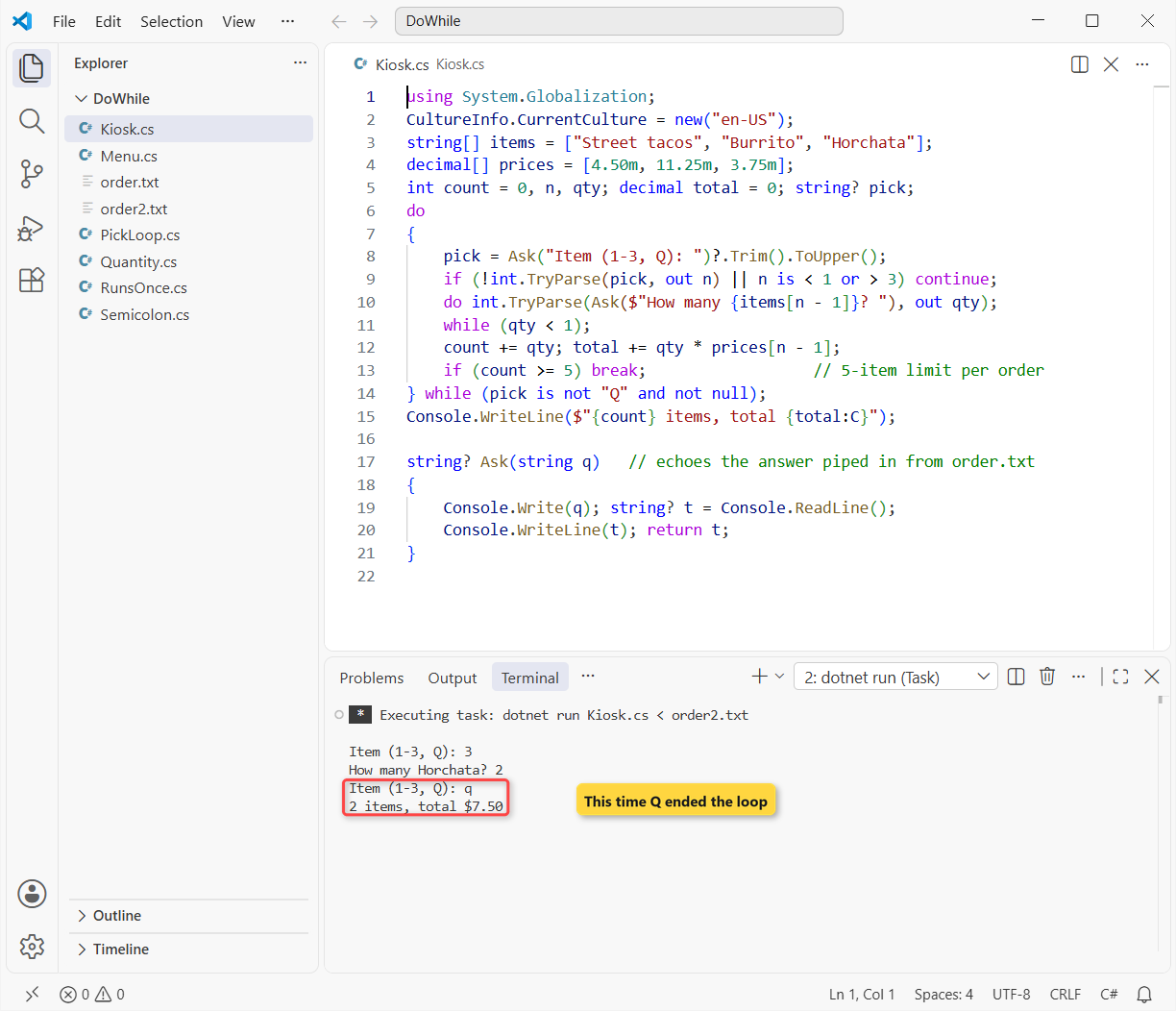
It asked twice and stopped at q, so both exits work. You should also test empty input (< NUL) for the null guard:
Item (1-3, Q):
0 items, total $0.00
No input, no hang: ReadLine() returned null on the first ask, and the kiosk closed with an empty order.
What’s the Difference Between do-while and while in C#?
Both repeat while a condition is true. The difference is when they check it. Here’s the same false condition in both:
int ordersLeft = 0;

while (ordersLeft > 0)
    Console.WriteLine("while: printing a ticket");

do
    Console.WriteLine("do-while: printing a ticket");
while (ordersLeft > 0);
Output:
do-while: printing a ticketThe while loop checks first, sees that ordersLeft > 0 is false and never runs. The do-while prints its ticket, then checks.
| do-while | while | |
|---|---|---|
| Condition checked | After the body | Before the body |
| Minimum runs | 1 | 0 |
| Ends with a semicolon | Yes, after while (…) | No |
| Menu or prompt loop | Ask once, inside the loop | Ask before the loop and again at the bottom |
| Best for | Menus, re-prompts, retries | Reading until a stop value, zero-or-more work |
So my rule: if your body has to run once to produce the value your condition tests, use do-while. Otherwise I reach for a while loop in C#, or a for loop when I know the count.
Troubleshooting do-while Loop Errors and Infinite Loops
error CS1002: ; expected after while
That’s the intro bug. Here it is in VS Code: line 5 is missing its semicolon, and the build stops before anything runs.
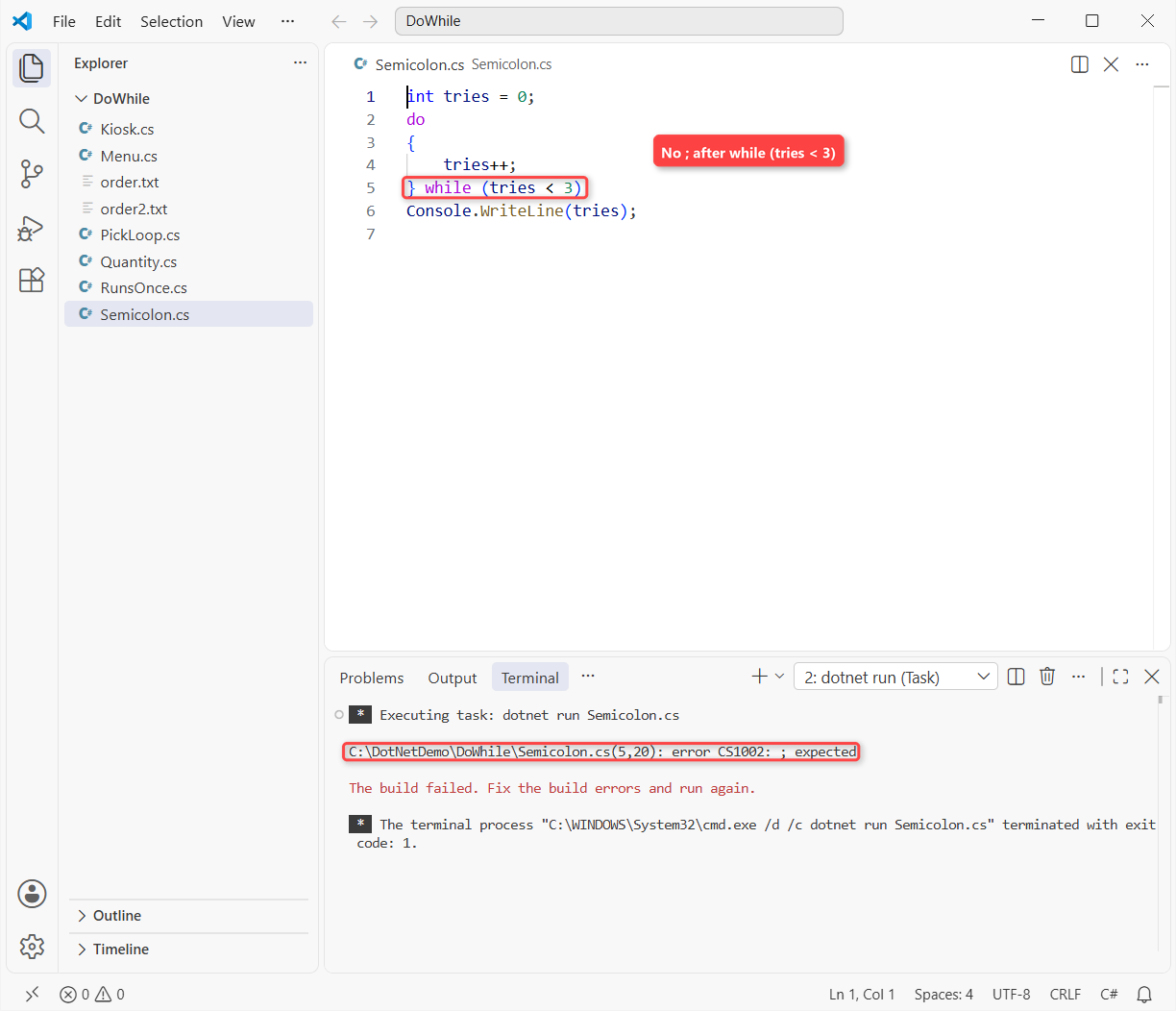
Fix: end the line with } while (tries < 3);.
The Loop Never Ends When the Input Runs Out
A condition like while (pick != "Q") works when a person types, but piped input ends with null, which is never “Q”. Add and not null, as in Step 2. For blank lines, see checking if a string is null or empty.
continue Skips the Counter Update
This one hangs on Burrito, because continue jumps to the check before i++ runs:
int i = 0;
do
{
    if (items[i] == "Burrito") continue;   // i never moves
    Console.WriteLine(items[i]);
    i++;
} while (i < items.Length);
Fix: move i++ above the continue, or use a for loop, whose iterator runs even after continue. If your console app is already stuck, press Ctrl+C.
Where to Take It Next with do-while Loops
- Swap the
items[n - 1]lookup for a switch case in C# when each item needs its own logic. - Load the menu from a file and wrap the read in try-catch, so a missing file doesn’t crash the kiosk.
- Practice the re-prompt loop: ask for a number until it’s valid, then check whether it is prime.
Once the kiosk works, these four programs reuse the same loop skills:
- Loop through a list or array with foreach in C#
- Generate random numbers in a range without repeats
- Print the factorial of a number in C#
- Build a C# calculator for add, subtract, multiply and divide
Frequently Asked Questions
Does a do-while loop always run at least once in C#?
Yes. The condition is evaluated after each pass, so the body runs one or more times, while a while loop runs zero or more times. The iteration statements reference on Microsoft Learn spells this out.
Why does a do-while loop need a semicolon at the end?
Because while (condition) closes the statement instead of starting a body. Leave the ; off and the compiler stops with error CS1002: ; expected.
When should I use do-while instead of while in C#?
Use do-while when the body has to run once to produce the value you test: a menu, an input prompt, a retry. Use while when the loop might not need to run at all.
Does continue skip the condition in a do-while loop?
No. continue jumps to the condition check at the bottom, and the loop runs again only if it’s still true. See jump statements on Microsoft Learn.
Does break exit both loops in a nested do-while?
No. break ends only the innermost loop that contains it. On .NET 10 (C# 14), use a flag the outer condition checks, or move the loops into a method and return.

Bijay Kumar is a renowned software engineer, accomplished author, and distinguished Microsoft Most Valuable Professional (MVP) specializing in SharePoint. With a rich professional background spanning over 15 years, Bijay has established himself as an authority in the field of information technology. He possesses unparalleled expertise in multiple programming languages and technologies such as ASP.NET, ASP.NET MVC, C#.NET, and SharePoint, which has enabled him to develop innovative and cutting-edge solutions for clients across the globe. Read more…