
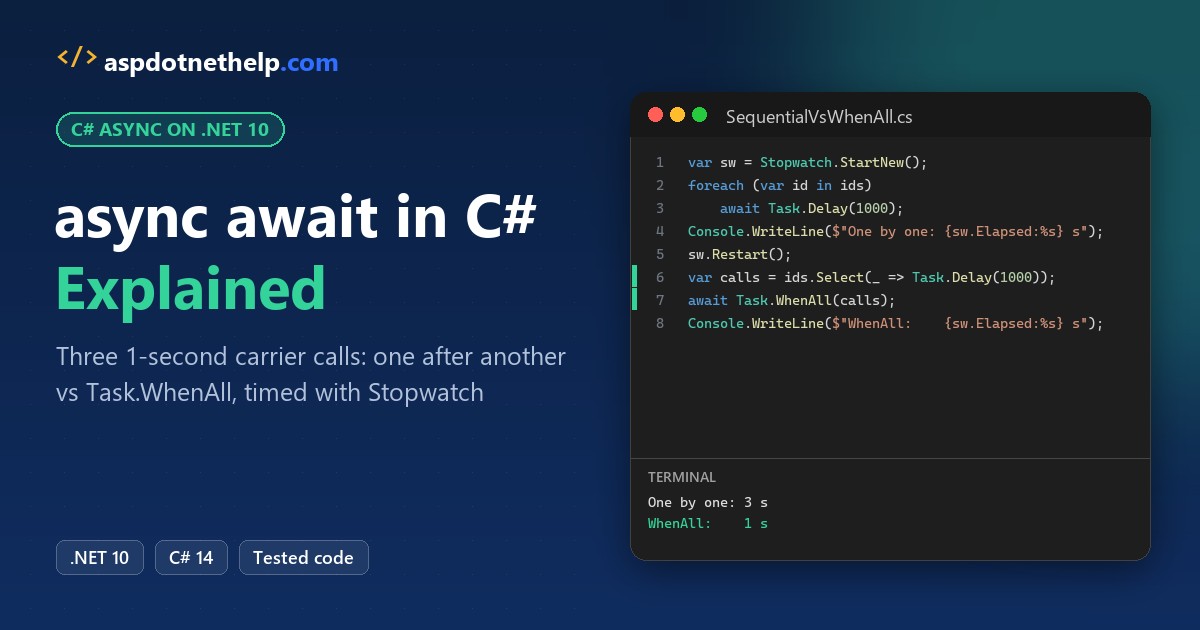
Say you’re building a shipping-quote screen for a Dallas warehouse. It asks UPS, FedEx and USPS for a rate one after another, and each API takes a second, so every quote takes 3 seconds.
That’s the job of the async await C# pattern: await frees the thread while a call waits, and Task.WhenAll lets all three wait at once.
Quick answer: mark the method async, return Task or Task<T>, start independent calls, then await Task.WhenAll(...). On .NET 10 that cut my quote from 3.0 s to 1.0 s.
What Does async await Do in C#? (And Does It Create a Thread?)
async lets a method use await. await pauses that method until a task finishes, hands control back to the caller, and picks up where it left off when the result is ready.
Microsoft Learn is blunt about threads: the async and await keywords don’t create extra threads. While a call waits on the network or a timer, no thread sits blocked on it.
Here’s the proof. I started 1,000 one-second waits at once, using LINQ Select to build the tasks:
using System.Diagnostics;

var sw = Stopwatch.StartNew();
var waits = Enumerable.Range(1, 1000).Select(_ => Task.Delay(1000));
await Task.WhenAll(waits);
Console.WriteLine($"1,000 waits finished in {sw.Elapsed.TotalSeconds:F1} s");
Console.WriteLine($"Thread pool threads: {ThreadPool.ThreadCount}");
Output:
1,000 waits finished in 1.0 s
Thread pool threads: 2
All 1,000 finished in 1.0 s, and the thread pool had only 2 threads. With one blocked thread per wait, you’d need 1,000 threads and a lot more memory.
async await vs Task.Run vs Thread: Which One Do You Need?
These get mixed up in senior C# interviews and in code reviews, so here’s how I keep them apart:
| Tool | What it does | Use it for |
|---|---|---|
async/await | Waits without holding a thread | I/O: HTTP calls, database queries, files |
Task.Run | Queues work on a thread-pool thread | CPU-heavy work you want off the UI thread |
new Thread | Creates a dedicated OS thread | Rare: long-lived background loops with special needs |
You still await Task.Run(...) to get its result. Wrapping an HTTP call in Task.Run just burns a pool thread that waits on the network anyway.
Task vs Task vs ValueTask: What an async Method Returns
| Return type | When | Example |
|---|---|---|
Task | No result to hand back | async Task SaveAsync() |
Task<T> | Returns a value | async Task<decimal> GetRateAsync() |
ValueTask<T> | Hot paths that usually finish synchronously (cache hits) | ValueTask<decimal> GetCachedRateAsync() |
void | Event handlers only | async void OnClick(...) |
Stick with Task<T> unless a profiler tells you otherwise. A ValueTask should be awaited exactly once, so don’t store it and await it twice.
Method names end in Async by convention. Async methods can’t take ref, in or out parameters; the rest of the C# method syntax works the same.
C# async await Example: Sequential Calls vs Task.WhenAll
Every program in this post is a single .cs file you can launch with dotnet run app.cs on .NET 10, so there’s no project to set up.
Back to the warehouse. GetRateAsync fakes each carrier API with a one-second Task.Delay. First I await the three calls one by one, then I start all three and await them together:
using System.Diagnostics;

var sw = Stopwatch.StartNew();
decimal ups = await GetRateAsync("UPS", 12.85m);
decimal fedex = await GetRateAsync("FedEx", 14.10m);
decimal usps = await GetRateAsync("USPS", 10.45m);
Console.WriteLine($"One after another: {sw.Elapsed.TotalSeconds:F1} s");

sw.Restart();
decimal[] rates = await Task.WhenAll(GetRateAsync("UPS", 12.85m),
    GetRateAsync("FedEx", 14.10m), GetRateAsync("USPS", 10.45m));
Console.WriteLine($"Task.WhenAll:      {sw.Elapsed.TotalSeconds:F1} s");
Console.WriteLine($"Cheapest rate: ${rates.Min()}");

async Task<decimal> GetRateAsync(string carrier, decimal rate)
{
    await Task.Delay(1000);   // stands in for a 1-second carrier API
    return rate;
}
Output:
One after another: 3.0 s
Task.WhenAll:      1.0 s
Cheapest rate: $10.45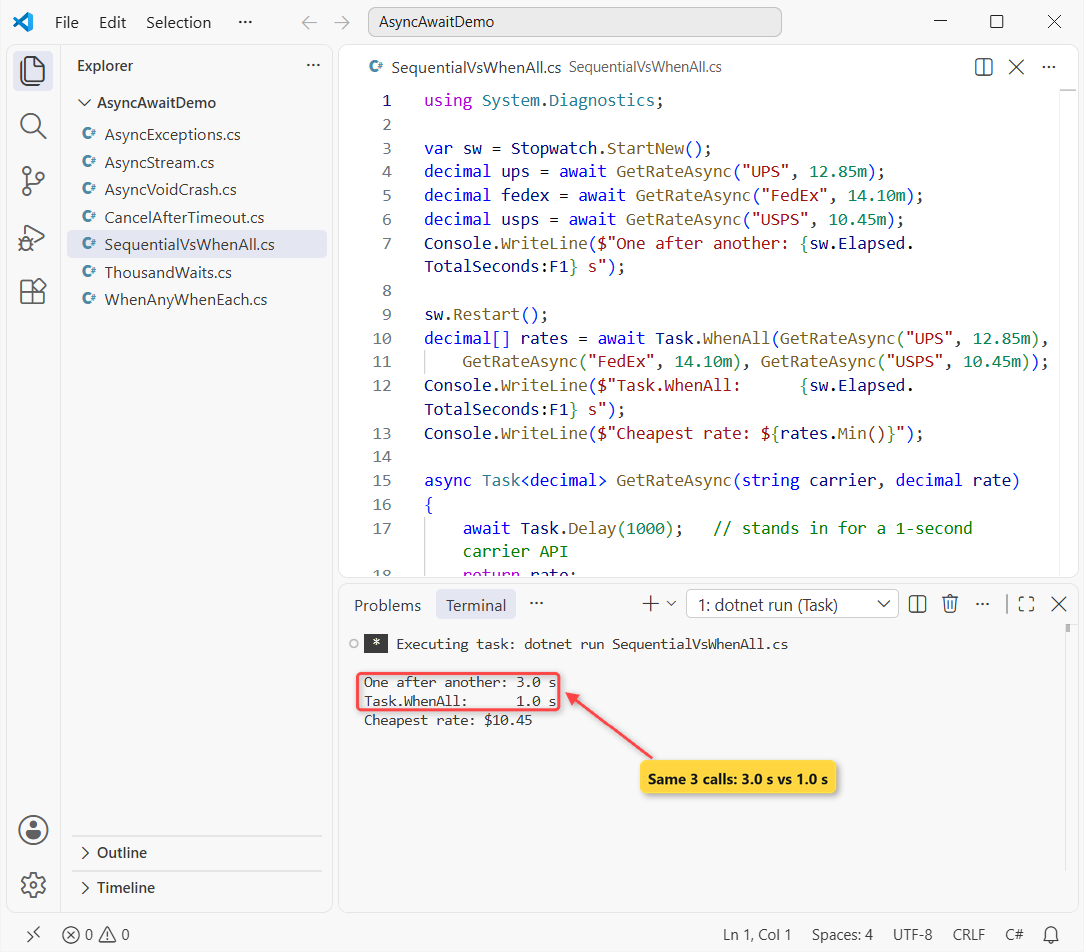
The sequential version took 3.0 s and Task.WhenAll took 1.0 s. The cheapest rate was $10.45 from USPS.
The difference is when each task starts. await GetRateAsync(...) on its own line starts a call and waits before the next one begins. Passing three running tasks to WhenAll lets their waits overlap.
Important: only run calls in parallel when they don’t depend on each other. If FedEx needs the UPS tracking number, keep those two sequential.
Task.WhenAny and Task.WhenEach: Use the First async Result
Sometimes the first answer is all you need. Same carriers, but now they reply at different speeds: FedEx in 0.5 s, UPS in 0.8 s and USPS in 1.2 s.
using System.Diagnostics;

var sw = Stopwatch.StartNew();
Task<string> ups = QuoteAsync("UPS", 800);
Task<string> fedex = QuoteAsync("FedEx", 500);
Task<string> usps = QuoteAsync("USPS", 1200);

Task<string> first = await Task.WhenAny(ups, fedex, usps);
Console.WriteLine($"First reply: {await first} ({sw.ElapsedMilliseconds / 100 * 100} ms)");

await foreach (Task<string> done in Task.WhenEach(ups, fedex, usps))
    Console.WriteLine($"Finished: {await done}");

async Task<string> QuoteAsync(string carrier, int ms)
{
    await Task.Delay(ms);
    return carrier;
}
Output:
First reply: FedEx (500 ms)
Finished: FedEx
Finished: UPS
Finished: USPS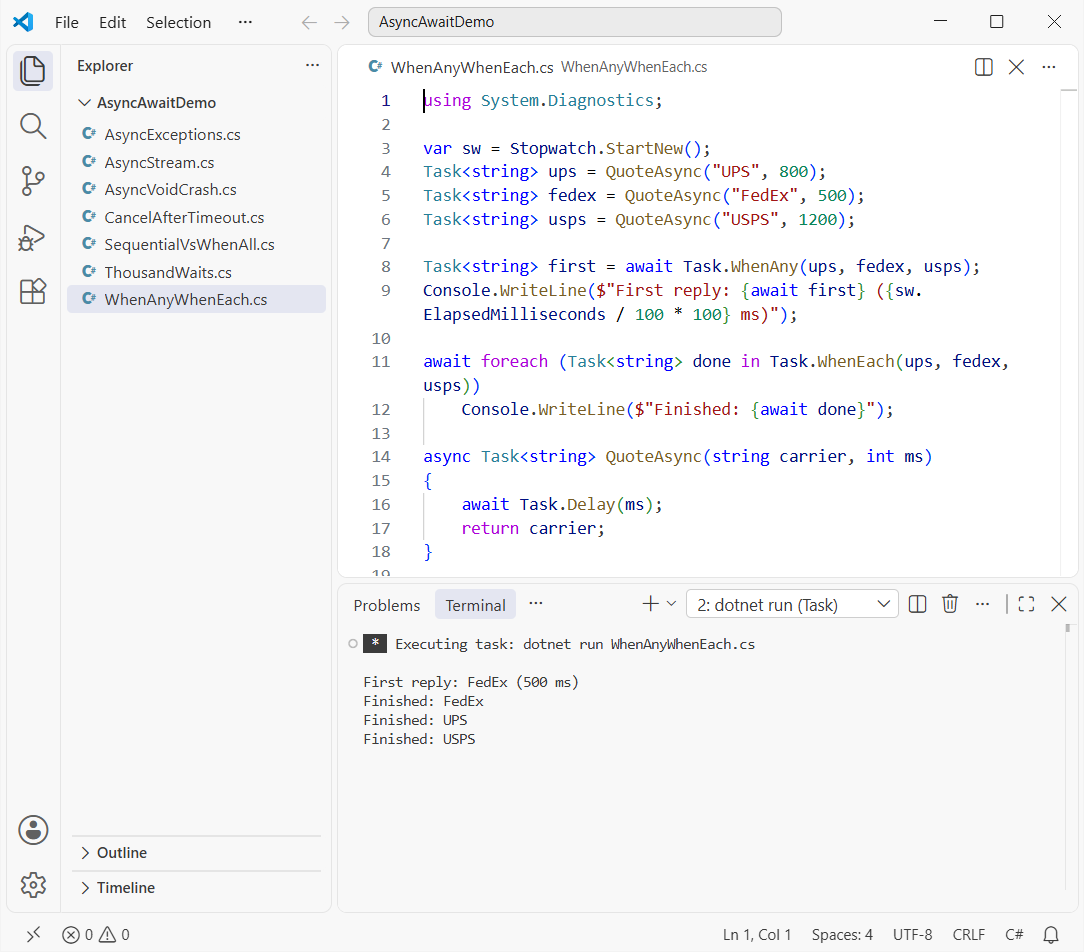
FedEx won after about 500 ms. WhenAny returns the finished task itself, so you await it again to get the string (or the exception).
Task.WhenEach, added in .NET 9, gives you tasks in the order they complete. Before it existed, people looped over WhenAny and removed each finished task from a list.
Exceptions in async Code: await vs .Result and .Wait()
Here’s where most bugs hide. TrackAsync throws for an unknown tracking number, and I call it three ways:
try { await TrackAsync("1Z999"); }
catch (InvalidOperationException ex)
{ Console.WriteLine($"await:       {ex.GetType().Name}: {ex.Message}"); }

try { TrackAsync("1Z999").Wait(); }
catch (Exception ex)
{ Console.WriteLine($".Wait():     {ex.GetType().Name} -> {ex.InnerException?.GetType().Name}"); }

try { TrackAsync("1Z999").GetAwaiter().GetResult(); }
catch (Exception ex) { Console.WriteLine($"GetResult(): {ex.GetType().Name}"); }

async Task<string> TrackAsync(string number)
{
    await Task.Delay(200);
    throw new InvalidOperationException($"Tracking number {number} not found");
}
Output:
await:       InvalidOperationException: Tracking number 1Z999 not found
.Wait():     AggregateException -> InvalidOperationException
GetResult(): InvalidOperationException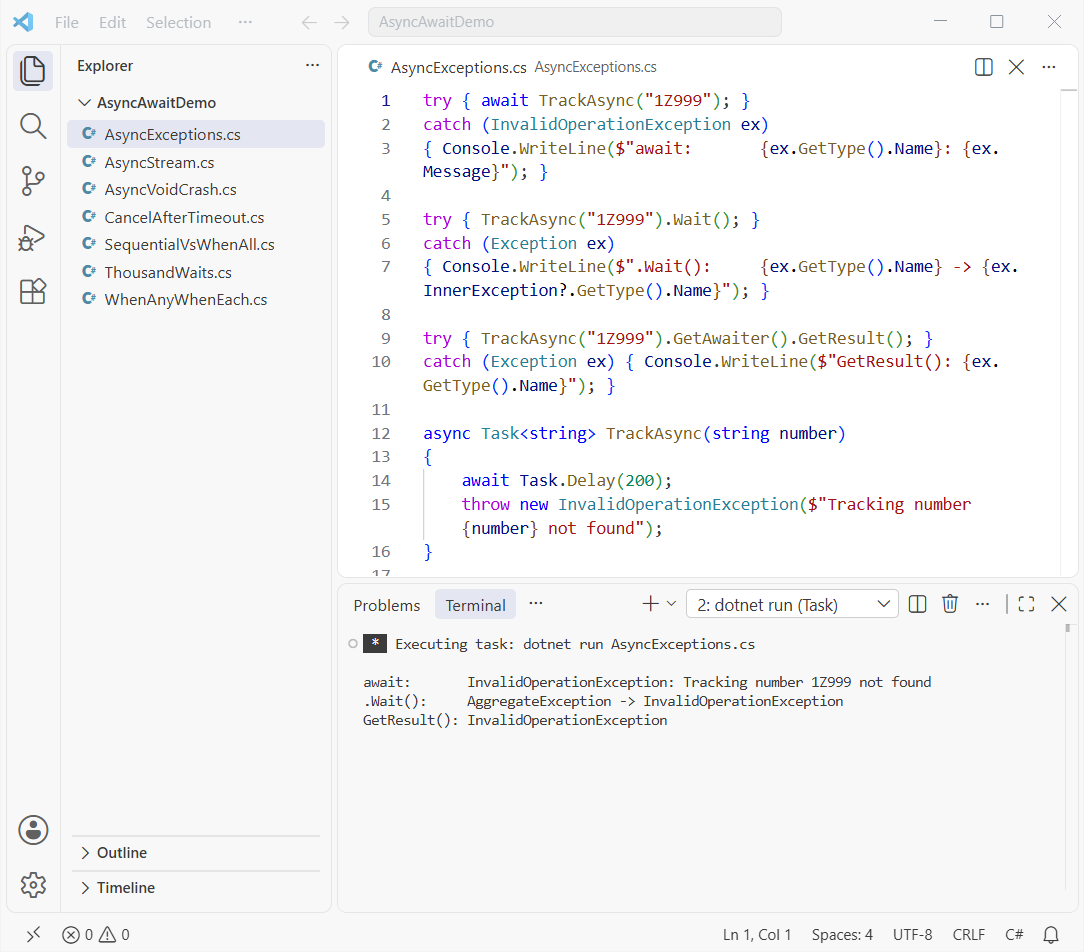
With await, my catch (InvalidOperationException) fired with the real message. .Wait() and .Result wrap the error in an AggregateException, so that same catch block would miss it.
Write try catch in C# around the await exactly as you would around normal code. When two tasks in a WhenAll fail, await throws the first one; the task’s Exception property holds them all.
CancellationToken in C#: Timeouts with CancelAfter and WaitAsync
Carrier APIs hang. Rather than make the customer wait 3 seconds for a dead endpoint, I give the call 1.5 seconds:
using var cts = new CancellationTokenSource();
cts.CancelAfter(TimeSpan.FromSeconds(1.5));
try
{
    decimal rate = await GetSlowRateAsync(cts.Token);
    Console.WriteLine($"Rate: {rate}");
}
catch (OperationCanceledException ex)
{ Console.WriteLine($"Gave up after 1.5 s: {ex.GetType().Name}"); }

try { await Task.Delay(3000).WaitAsync(TimeSpan.FromSeconds(1)); }
catch (TimeoutException ex) { Console.WriteLine($"WaitAsync: {ex.Message}"); }

async Task<decimal> GetSlowRateAsync(CancellationToken token)
{
    await Task.Delay(3000, token);   // a carrier API having a bad day
    return 12.85m;
}
Output:
Gave up after 1.5 s: TaskCanceledException
WaitAsync: The operation has timed out.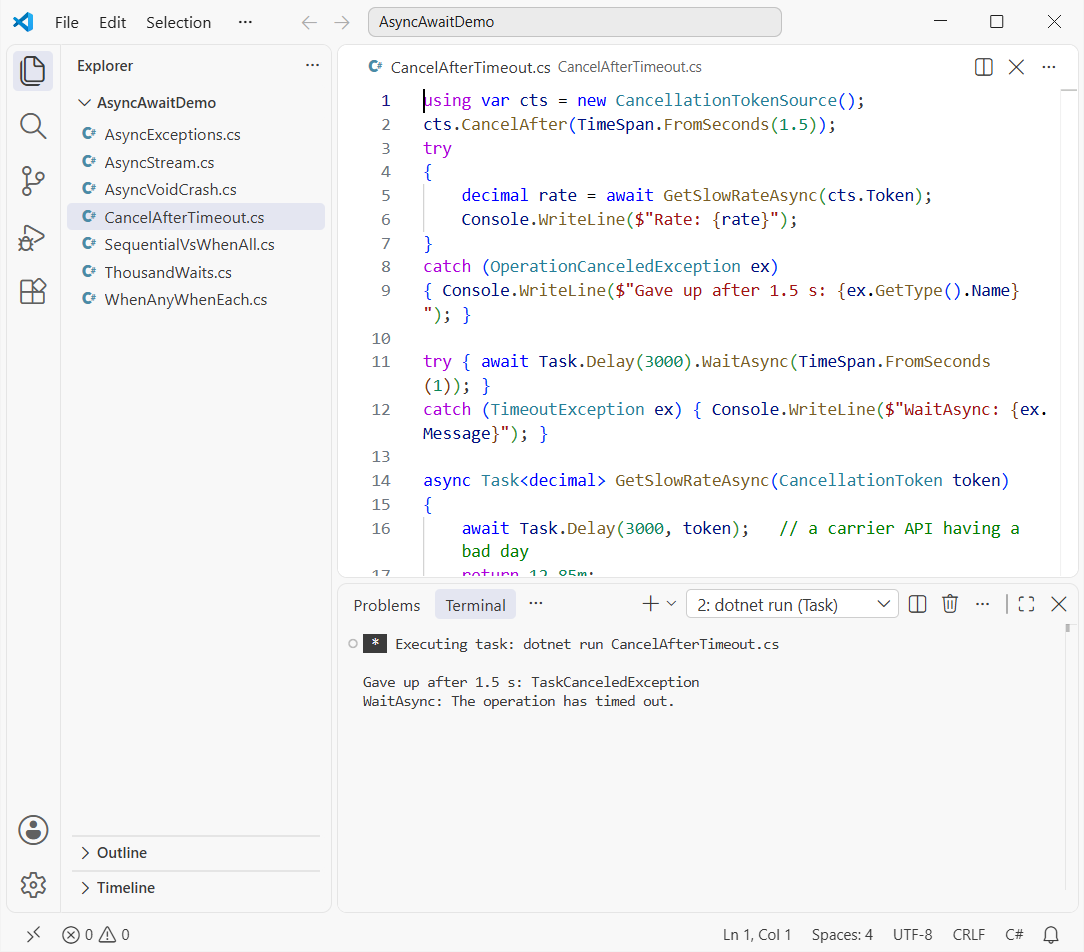
After 1.5 s the token fired and Task.Delay threw TaskCanceledException, which my OperationCanceledException catch handled. Always catch the base type.
WaitAsync(TimeSpan) threw a TimeoutException after 1 s, but it only stops waiting; the delay kept running. Pass a token down whenever the API accepts one, so the work really stops.
Why Is async void Bad? One Real Crash
An async void method can’t be awaited, and its caller can’t catch what it throws. Here’s a label printer that fails while my try/catch sits right around the call:
try
{
    SaveLabel();              // async void: nothing to await
    await Task.Delay(500);
    Console.WriteLine("Label saved");
}
catch (Exception ex) { Console.WriteLine($"Caught: {ex.Message}"); }

async void SaveLabel()
{
    await Task.Delay(100);
    throw new IOException("Label printer offline");
}
Output (the process crashes):
Unhandled exception. System.IO.IOException: Label printer offline
   at Program.<<Main>$>g__SaveLabel|0_0() in C:\DotNetDemo\AsyncAwaitDemo\AsyncVoidCrash.cs:line 12
   at System.Threading.Tasks.Task.<>c.<ThrowAsync>b__124_1(Object state)
   at System.Threading.ThreadPoolWorkQueue.Dispatch()
   at System.Threading.PortableThreadPool.WorkerThread.WorkerThreadStart()
   at System.Threading.Thread.StartCallback()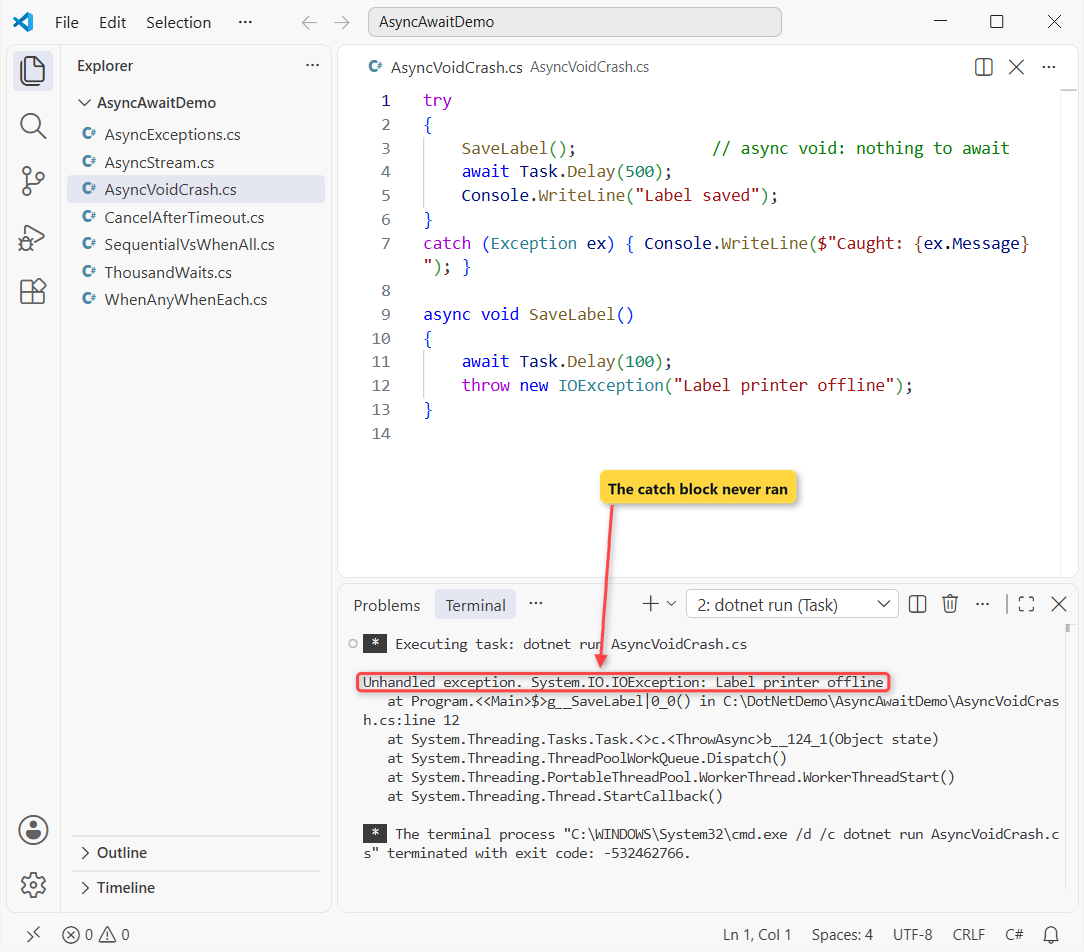
Neither “Caught” nor “Label saved” printed. The IOException surfaced on a pool thread and killed the app. Change it to async Task SaveLabel(), await it, and the catch works.
The only place async void belongs is an event handler, because events in C# require a void signature. Watch for lambdas too: an async lambda passed as an Action becomes async void, as delegates in C# explains.
ConfigureAwait(false) in 2026: Only in Library Code
By default, await resumes on the captured context: the UI thread in WPF or WinForms. ConfigureAwait(false) says “any thread is fine”:
// In a NuGet library that any app might call
string json = await client.GetStringAsync(url).ConfigureAwait(false);
Microsoft’s CA2007 guidance targets libraries. ASP.NET Core has no SynchronizationContext, so it changes nothing there, and in UI code you usually want the UI thread back. I skip it in app code.
How to Call an async Method from a Non-async Method
The best fix is to make the caller async too, all the way up. When you can’t, for example inside a legacy interface or a constructor, use GetAwaiter().GetResult():
decimal rate = GetRateAsync("UPS", 12.85m).GetAwaiter().GetResult();The exception run above showed why it beats .Result: it rethrows the real exception. It still blocks a thread, though, and in WPF, WinForms or old ASP.NET it can deadlock waiting for the context it’s blocking.
async Main, Top-Level await and await foreach
You don’t need static async Task Main anymore. Top-level statements allow await directly, and the compiler generates an async Main for you. Every sample here uses that with C# 14 on .NET 10.
For data that arrives over time, such as tracking scans, return IAsyncEnumerable<T> and read it with await foreach:
await foreach (string update in TrackingUpdatesAsync("1Z84"))
    Console.WriteLine(update);

async IAsyncEnumerable<string> TrackingUpdatesAsync(string number)
{
    string[] stops = ["Picked up in Dallas, TX", "In transit in Memphis, TN",
                      "Delivered in Columbus, OH"];
    foreach (string stop in stops)
    {
        await Task.Delay(300);    // each scan arrives a little later
        yield return $"{number}: {stop}";
    }
}
Output:
1Z84: Picked up in Dallas, TX
1Z84: In transit in Memphis, TN
1Z84: Delivered in Columbus, OH
The three scans printed about 300 ms apart, each as soon as it arrived. For IAsyncDisposable objects, await using does the same job that Dispose in C# does for sync code.
Common async await Mistakes and How to Fix Them
| Mistake | What happens | Fix |
|---|---|---|
.Result / .Wait() | AggregateException, possible deadlock | await it |
async void | Exceptions crash the app | async Task (except event handlers) |
| Awaiting independent calls one by one | 3.0 s instead of 1.0 s | Task.WhenAll |
Forgetting await | Warning CS4014, errors vanish | Await it, or store the task |
Task.Run around I/O | Wastes a pool thread | Call the async API directly |
No CancellationToken | Hung calls never end | CancelAfter + pass the token |
If you’re starting fresh, set up a C# console app in VS Code and break each sample on purpose; that’s the fastest way async clicks.
For more C# fundamentals to pair with async code, these are good next reads:
- .NET Core interview questions that build on async
- What changed in .NET 10, the runtime these samples use
- The step-by-step Learn C# path
- Every C# tutorial on aspdotnethelp.com
Frequently Asked Questions
Does async await create a new thread in C#?
No. The async and await keywords don’t create threads. The method runs on the current context, and while it awaits I/O no thread is blocked. Task.Run is what moves work to a thread-pool thread.
What is the difference between async await and Task.Run?
await waits for work without holding a thread, which suits I/O. Task.Run runs CPU-bound code on a pool thread. You often combine them: await Task.Run(() => HeavyMath()).
How do I await in a non-async method?
You can’t use await there. Make the method async Task if you can. If you can’t, call GetAwaiter().GetResult(), which blocks but rethrows the original exception.
Can you await an async void method?
No. An async void method returns nothing awaitable, and its exceptions can’t be caught by the caller. Return Task instead, except for event handlers.
How do I cancel an async task after a timeout?
Create a CancellationTokenSource, call CancelAfter(TimeSpan) and pass its token to the async method, then catch OperationCanceledException. The async programming model on Microsoft Learn links to the cancellation walkthroughs.
What async await interview questions come up most?
Expect: does await create a thread, why avoid async void, .Result vs await, WhenAll vs WhenAny, what ConfigureAwait(false) does, and how the compiler turns an async method into a state machine.

Bijay Kumar is a renowned software engineer, accomplished author, and distinguished Microsoft Most Valuable Professional (MVP) specializing in SharePoint. With a rich professional background spanning over 15 years, Bijay has established himself as an authority in the field of information technology. He possesses unparalleled expertise in multiple programming languages and technologies such as ASP.NET, ASP.NET MVC, C#.NET, and SharePoint, which has enabled him to develop innovative and cutting-edge solutions for clients across the globe. Read more…